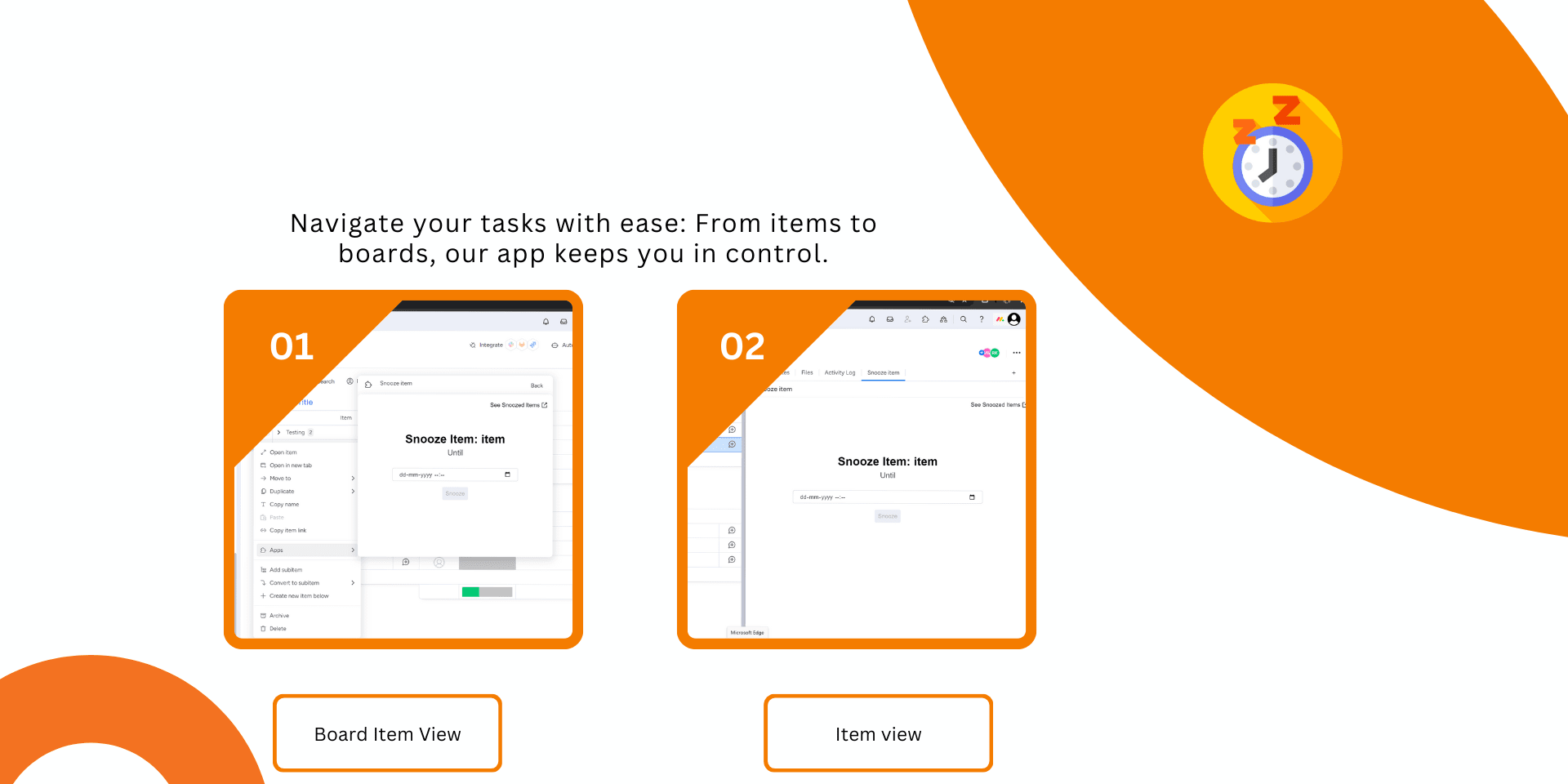
Simplify Task Management with Snooze Item App on monday.com
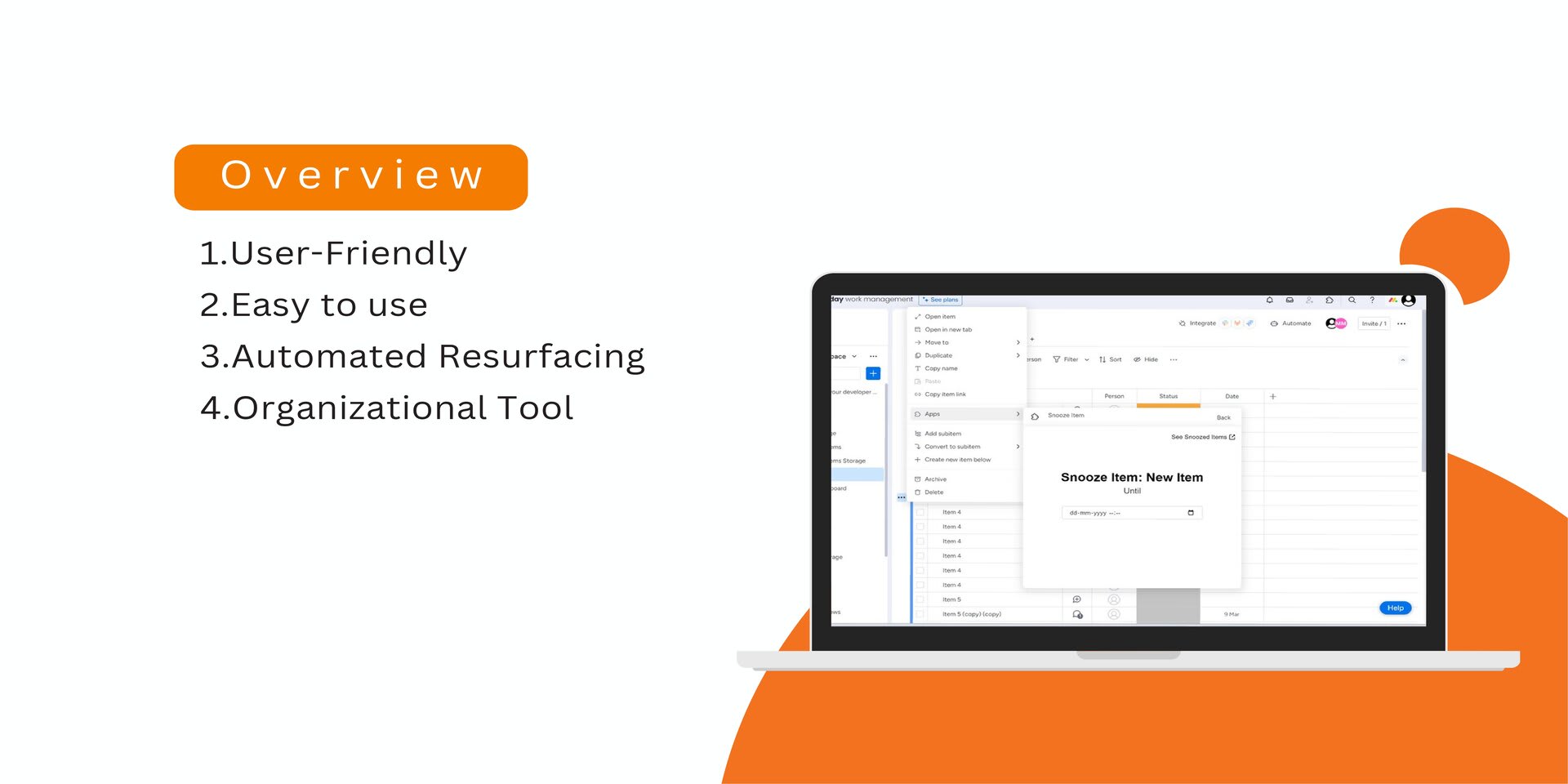
Integrating seamlessly with monday.com, the Snooze Item App offers a powerful solution for managing tasks and deadlines. Ideal for teams and individuals needing to focus on the present without losing track of future tasks, it enhances productivity and reduces workflow clutter.
🌟 Key Features & Benefits:
Focus on the Present: Temporarily hide non-urgent tasks to declutter your workspace.
Automatic Reminders: Tasks reappear on your board at set times, ensuring critical deadlines are met.
Boost Team Productivity: Concentrate on immediate tasks to enhance daily efficiency.
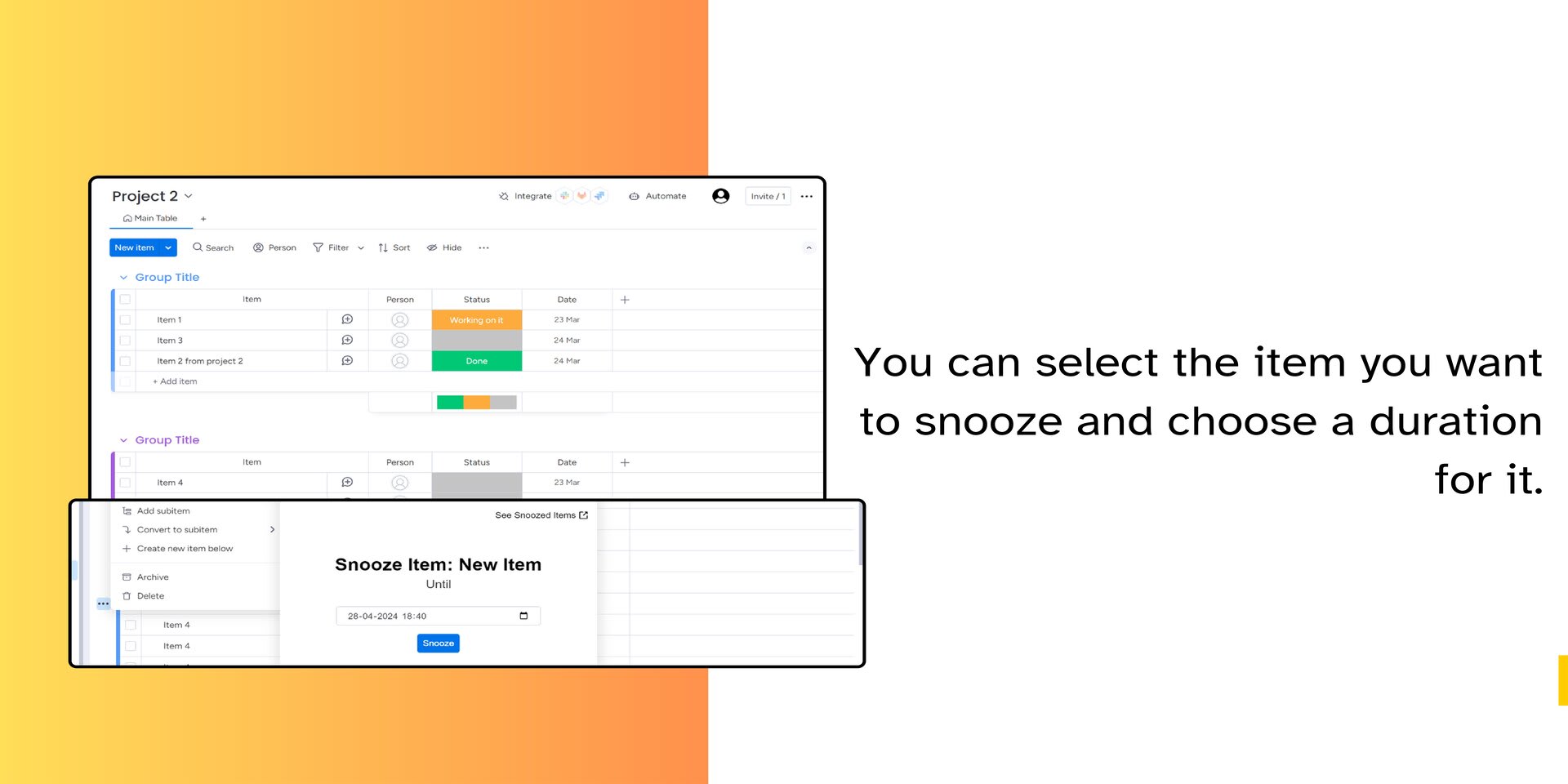
Customizable Snooze Options: Tailor snooze durations to fit project timelines and priorities.
🚀 Real-World Applications:
Project Management: Maintain clean boards by snoozing tasks for future project phases.
Daily Operations: Manage routine tasks by snoozing until they are due.
Event Planning: Schedule tasks to reappear during relevant planning stages.
About GIKI Technologies:
At GIKI Technologies, we specialize in creating custom monday.com apps and consulting to boost team efficiency and productivity. We're committed to innovation, customer success, and integrity.
Our Services:
Custom Apps: Tailored monday.com applications for unique business needs.
Consulting: Expert advice to maximize your monday.com ROI.
For more details or personalized advice, visit us at GIKI Technologies or contact us directly at contact@giki.tech.
Security & Compliance
Security
Does the developer periodically perform penetration testing?
No
Does the developer have a dedicated security and privacy point of contact for such issues or questions?
Yes
reeshav96@gmail.com
Does the app restrict redirects and forwards only to approved destinations, or show a warning when redirecting to potentially untrusted content?
No
Does the app protect against mass parameter assignment attacks?
No
Does the app perform encoding and sanitization on all user supplied parameters to protect against Cross-Site Scripting?
Yes
Yes, our application rigorously enforces XSS encoding and sanitization on all user-supplied parameters to prevent Cross-Site Scripting (XSS) attacks. Here are the specific measures we've implemented: Input Sanitization: We sanitize all inputs received from the users at the point of entry. This involves stripping out or encoding potentially dangerous characters and patterns that could be used in XSS attacks. Our backend, built with Python, uses libraries such as bleach to sanitize inputs before they are processed or stored. Output Encoding: When displaying user input or data that could potentially include user input, we encode the output to prevent execution of unwanted scripts. For our frontend in React, we ensure that all dynamic content is rendered using safe functions that automatically escape HTML. React inherently escapes all strings inserted into the HTML by default, which provides a strong defense against XSS. Content Security Policy (CSP): We implement a robust Content Security Policy that helps to detect and mitigate certain types of attacks, including XSS and data injection attacks. By specifying valid sources of executable scripts and the types of scripts that can run or be loaded on our website, CSP serves as a secondary line of defense against XSS. Use of Safe Libraries: We utilize frameworks and libraries that are known for their strong security practices. React, for example, provides XSS protection by escaping strings that are embedded in JSX before rendering them. This prevents malicious scripts from being inadvertently executed.
Does the developer protect all state-changing actions against Cross-Site Request Forgery (CSRF)?
No
Does the developer have mechanisms to notify monday.com in case of a security breach?
No
Does this developer have a process for installing application-level updates and security patches for the service (such as software packages and databases)?
Yes
We continuously monitor for any new security patches or updates available for Python, React, and any other dependent libraries or frameworks used in our application. This includes subscribing to security bulletins and updates from trusted sources related to our technology stack. For frontend we use npm audit for new patches every major iteration i.e each month.
Compliance
Is the app certified with the information security standard ISO/IEC 27001:2022?
Not answered
Is the app compliant with the Health Insurance Portability and Accountability Act (HIPAA)?
No
Is the app certified with System and Organization Controls (SOC 2 or SOC 3)?
No
Is the app compliant with the General Data Protection Regulation (GDPR)?
No
Data
Does the app send any data outside of monday.com? If yes, indicate whether the data is customer-submitted (e.g., board names, item names, doc content) or non-customer-submitted (e.g., account ID, board ID, user ID).
Not answered
Where does the app store logs data?
Not answered
Where does the app store the app data?
Not answered
Does the developer ensure application logs do not contain secrets or personally-identifiable information (PII)?
Yes
We don't store logs in our server , all customer logs are maintained in monday activity log itself.
Is customer data segregated from the data of other customers (for example logically or physically)?
Yes
In our system, customer data is segregated using logical separation techniques to ensure privacy and security. Each piece of data is associated explicitly with a user through their unique user_id and account_id. This is evident in our database schema for the oauth_tokens table, where both user_id and account_id serve as a composite primary key. This design ensures that access tokens and related information are uniquely tied to individual user accounts, preventing data from being accessible across different users.
Privacy
Does the developer enforce multi-factor authentication on employees access to systems which may process customer data?
Not answered
Does the developer protect access to customer data based on the principle of least privilege?
Yes
The customer secret is only accessible to the lead developer in this case company owner.
Reviews
No reviews yet.
Historical data
Installation history
We have data for December 28, 2024 onwards only. Collected sometime after 00:00 UTC daily.
Total number of installs
Change in total number of installs in last 1 day(s)
Compares the number of installs on each date with 1 days previously:
Max
Min
Current
Change in total number of installs in last 7 day(s)
Compares the number of installs on each date with 7 days previously:
Max
Min
Current
Change in total number of installs in last 30 day(s)
Compares the number of installs on each date with 30 days previously:
Max
Min
Current
Change in total number of installs in last 90 day(s)
Compares the number of installs on each date with 90 days previously:
Max
Min
Current
Change in total number of installs in last 180 day(s)
Compares the number of installs on each date with 180 days previously:
Max
Min
Current
Ratings history
Categories history
Each of the following is a yes/no answer, so the graphs show 1 for yes, and 0 for no.
{
"id": 10000513,
"marketplace_developer_id": 10000201,
"app_id": 10140400,
"app_type": "app",
"security_info": null,
"gallery_assets": [
{
"url": "https://dapulse-res.cloudinary.com/video/upload/v1719489128/monday-apps-marketplace/Snooze%20item/Untitled_design.mp4",
"type": "video"
},
{
"url": "https://dapulse-res.cloudinary.com/image/upload/v1719489152/monday-apps-marketplace/Snooze%20item/Snooze_item-gallery_card_1__page-0002.jpg"
},
{
"url": "https://dapulse-res.cloudinary.com/image/upload/v1719489152/monday-apps-marketplace/Snooze%20item/Snooze_item-gallery_card_1__page-0003.jpg"
},
{
"url": "https://dapulse-res.cloudinary.com/image/upload/v1719489153/monday-apps-marketplace/Snooze%20item/Snooze_item-gallery_card_1__page-0004.jpg"
},
{
"url": "https://dapulse-res.cloudinary.com/image/upload/v1719489153/monday-apps-marketplace/Snooze%20item/Untitled_design_3.png"
}
],
"description": "<p><strong>Simplify Task Management with Snooze Item App on monday.com</strong></p><p>Integrating seamlessly with monday.com, the <strong>Snooze Item App</strong> offers a powerful solution for managing tasks and deadlines. Ideal for teams and individuals needing to focus on the present without losing track of future tasks, it enhances productivity and reduces workflow clutter.</p><p><strong>🌟 Key Features & Benefits:</strong></p><ul><li><strong>Focus on the Present:</strong> Temporarily hide non-urgent tasks to declutter your workspace.</li><li><strong>Automatic Reminders:</strong> Tasks reappear on your board at set times, ensuring critical deadlines are met.</li><li><strong>Boost Team Productivity:</strong> Concentrate on immediate tasks to enhance daily efficiency.</li><li><strong>Customizable Snooze Options:</strong> Tailor snooze durations to fit project timelines and priorities.</li></ul><p><strong>🚀 Real-World Applications:</strong></p><ul><li><strong>Project Management:</strong> Maintain clean boards by snoozing tasks for future project phases.</li><li><strong>Daily Operations:</strong> Manage routine tasks by snoozing until they are due.</li><li><strong>Event Planning:</strong> Schedule tasks to reappear during relevant planning stages.</li></ul><p><strong>About GIKI Technologies:</strong></p><p>At <strong>GIKI Technologies</strong>, we specialize in creating custom monday.com apps and consulting to boost team efficiency and productivity. We're committed to innovation, customer success, and integrity.</p><p><strong>Our Services:</strong></p><ul><li><strong>Custom Apps:</strong> Tailored monday.com applications for unique business needs.</li><li><strong>Consulting:</strong> Expert advice to maximize your monday.com ROI.</li></ul><p>For more details or personalized advice, visit us at <a href=\"https://www.giki.tech/\" rel=\"noopener noreferrer\" target=\"_blank\">GIKI Technologies</a> or contact us directly at contact@giki.tech.</p>",
"short_description": "Delay your board items for future. ",
"thumbnail_url": "https://dapulse-res.cloudinary.com/image/upload/v1719489144/monday-apps-marketplace/Snooze%20item/WhatsApp_Image_2024-06-07_at_18.25.35.jpg",
"logo_url": "https://dapulse-res.cloudinary.com/image/upload/v1719489127/monday-apps-marketplace/Snooze%20item/Untitled_design.png",
"feedback_url": "techgiki@gmail.com",
"privacy_policy_url": "https://www.giki.tech/privacy-policy",
"featured": null,
"name": "Snooze item",
"how_to_use_url": "https://snoozeitem.tawk.help/article/snooze-item-pro-guide",
"external_pricing_url": null,
"keywords": "Task Management,\n Project Scheduling,\n Time Management,\n Productivity Enhancement, \nTeam Efficiency, \nTask Automation,\n Workflow Optimization,\n Task Scheduler, \nTask Organizer, \nTask Prioritization",
"compliance_answers": [
{
"questionId": 1,
"shortAnswer": true,
"detailedAnswer": "In our system, customer data is segregated using logical separation techniques to ensure privacy and security. Each piece of data is associated explicitly with a user through their unique user_id and account_id. This is evident in our database schema for the oauth_tokens table, where both user_id and account_id serve as a composite primary key. This design ensures that access tokens and related information are uniquely tied to individual user accounts, preventing data from being accessible across different users."
},
{
"questionId": 2,
"shortAnswer": true,
"detailedAnswer": "We continuously monitor for any new security patches or updates available for Python, React, and any other dependent libraries or frameworks used in our application. This includes subscribing to security bulletins and updates from trusted sources related to our technology stack.\n\nFor frontend we use npm audit for new patches every major iteration i.e each month."
},
{
"questionId": 3,
"shortAnswer": false
},
{
"questionId": 4,
"shortAnswer": false
},
{
"questionId": 5,
"shortAnswer": true,
"detailedAnswer": "Yes, our application rigorously enforces XSS encoding and sanitization on all user-supplied parameters to prevent Cross-Site Scripting (XSS) attacks. Here are the specific measures we've implemented:\n\nInput Sanitization: We sanitize all inputs received from the users at the point of entry. This involves stripping out or encoding potentially dangerous characters and patterns that could be used in XSS attacks. Our backend, built with Python, uses libraries such as bleach to sanitize inputs before they are processed or stored.\n\nOutput Encoding: When displaying user input or data that could potentially include user input, we encode the output to prevent execution of unwanted scripts. For our frontend in React, we ensure that all dynamic content is rendered using safe functions that automatically escape HTML. React inherently escapes all strings inserted into the HTML by default, which provides a strong defense against XSS.\n\nContent Security Policy (CSP): We implement a robust Content Security Policy that helps to detect and mitigate certain types of attacks, including XSS and data injection attacks. By specifying valid sources of executable scripts and the types of scripts that can run or be loaded on our website, CSP serves as a secondary line of defense against XSS.\n\nUse of Safe Libraries: We utilize frameworks and libraries that are known for their strong security practices. React, for example, provides XSS protection by escaping strings that are embedded in JSX before rendering them. This prevents malicious scripts from being inadvertently executed."
},
{
"questionId": 6,
"shortAnswer": true,
"detailedAnswer": "The customer secret is only accessible to the lead developer in this case company owner. "
},
{
"questionId": 8,
"shortAnswer": true,
"detailedAnswer": "We don't store logs in our server , all customer logs are maintained in monday activity log itself."
},
{
"questionId": 9,
"shortAnswer": false
},
{
"questionId": 10,
"shortAnswer": false
},
{
"questionId": 11,
"shortAnswer": false
},
{
"questionId": 12,
"shortAnswer": false
},
{
"questionId": 13,
"shortAnswer": false
},
{
"questionId": 14,
"shortAnswer": true,
"detailedAnswer": "reeshav96@gmail.com"
},
{
"questionId": 15,
"shortAnswer": false
}
],
"created_at": "2024-06-27T11:49:06.000Z",
"updated_at": "2025-10-31T16:39:04.000Z",
"automation_app_id": null,
"marketplace_category_ids": [
6,
5
],
"pinned_for_categories_ids": [],
"featured_for_categories_ids": [],
"pricing_data": "Free",
"label": null,
"app_values": [
"Everyday tasks"
],
"security": null,
"display_in_template_store": null,
"acquisition_source": "No touch",
"is_connector": null,
"show_connections": null,
"terms_of_service_url": "https://www.giki.tech/terms-conditions",
"available_for_tiers": null,
"available_for_products": null,
"google_analytics_tag_id": null,
"is_solution": null,
"cta_override": null,
"app_scope_str": "boards:write,boards:read,me:read",
"app_client_id": "68dc9f855ea0af1443581fec28195802",
"app_color": "#621730",
"plans": [
{
"id": "10140400-1-paid",
"appPlanId": "paid",
"name": "Paid plan",
"versionId": 1,
"isTrial": true,
"prices": {
"type": "standard",
"monthly": 25,
"yearly": 20
},
"versionState": "live",
"appId": 10140400,
"description": "This app needs a paid plan to work after 14 days trial period.",
"extraData": {
"bullets": [],
"monthlyFee": 25,
"yearlyFee": 20
},
"isFree": false,
"isRecommended": false,
"currency": "USD"
}
],
"app_live_version": {
"updated_at": "2024-06-24T15:00:59.679Z",
"id": 10263613
},
"pricing_model": null,
"monetization": {
"monetizationType": "monday",
"hasFreePlan": false,
"hasPaidPlan": true,
"hasTrialPlan": true
},
"badges_data": {
"app_values": [
"Everyday tasks"
],
"pricing_data": "Free",
"acquisition_source": "No touch"
},
"data": {
"terms_of_service_url": "https://www.giki.tech/terms-conditions"
},
"display": null,
"installsDelta": {
"totalInstalls": 80,
"sevenDays": 0,
"thirtyDays": -1,
"ninetyDays": 1
}
}