App metadata ID: 10001257 • App ID: 11516654 • Listing updated: August 9, 2026 View app data JSON {
"id": 10001257,
"marketplace_developer_id": 100000121,
"app_id": 11516654,
"app_type": "app",
"security_info": {},
"gallery_assets": [
{
"url": "https://cdn.monday.com/marketplace/10001257/10001257_2026_7_2_12_47_50_rz38d5w.png",
"type": "image"
},
{
"url": "https://cdn.monday.com/marketplace/10001257/10001257_2026_7_2_12_48_0_d28r21a.png",
"type": "image"
},
{
"url": "https://cdn.monday.com/marketplace/10001257/10001257_2026_7_2_12_48_5_3af3z9e.png",
"type": "image"
},
{
"url": "https://cdn.monday.com/marketplace/10001257/10001257_2026_7_2_12_48_11_hdqa6ho.png",
"type": "image"
},
{
"url": "https://cdn.monday.com/marketplace/10001257/10001257_2026_7_2_12_48_15_gv3380b.png",
"type": "image"
}
],
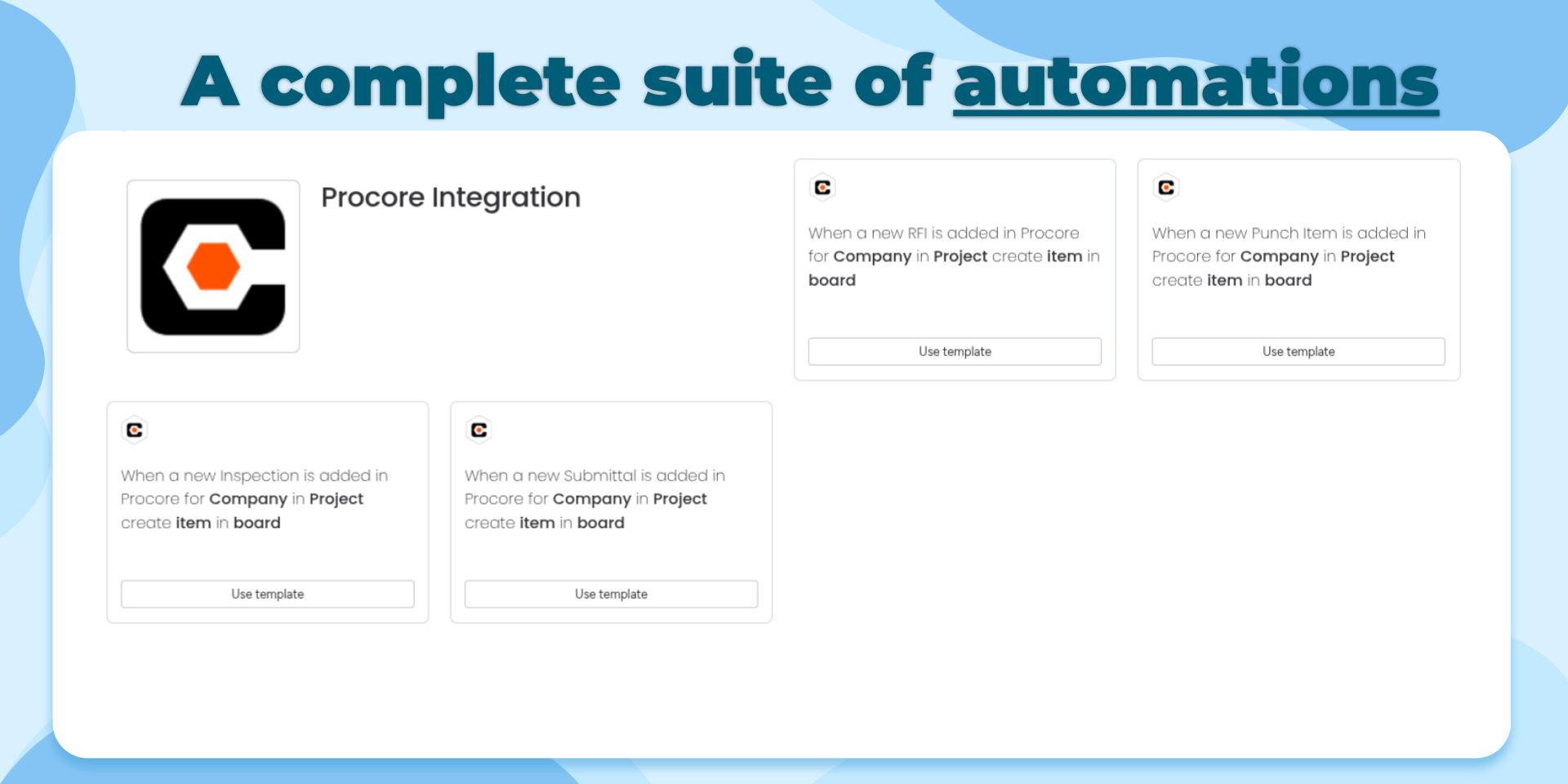
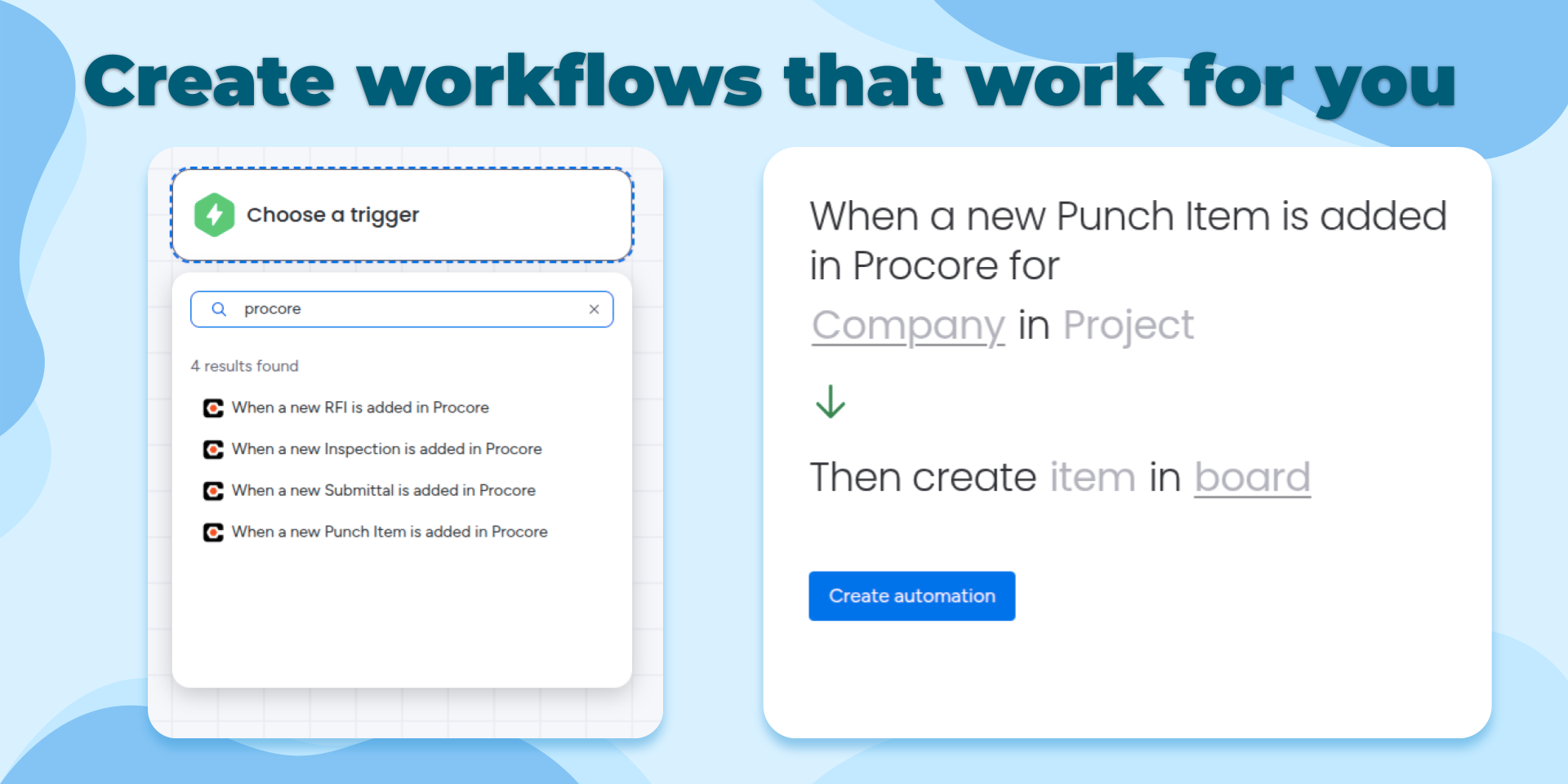
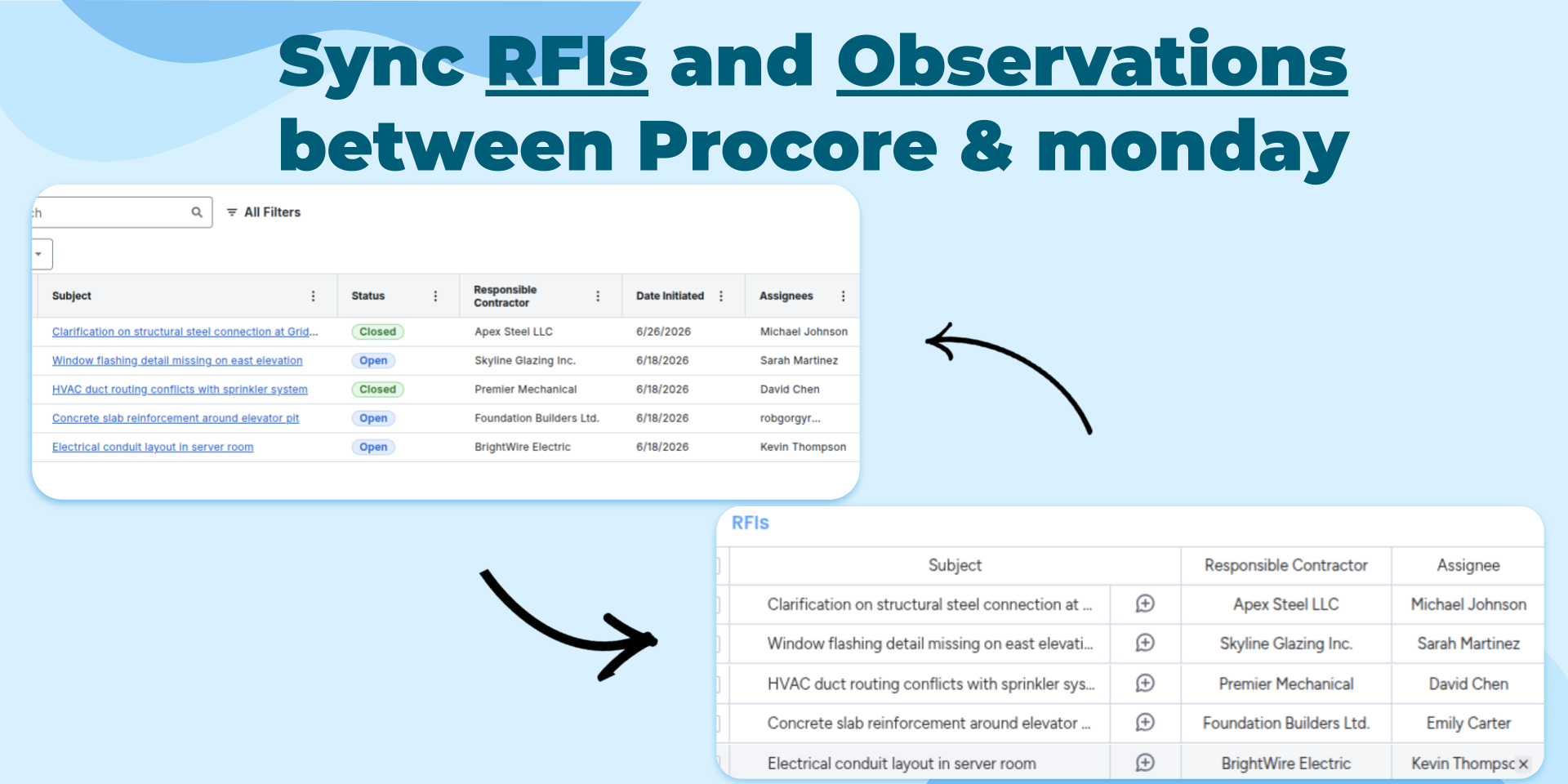
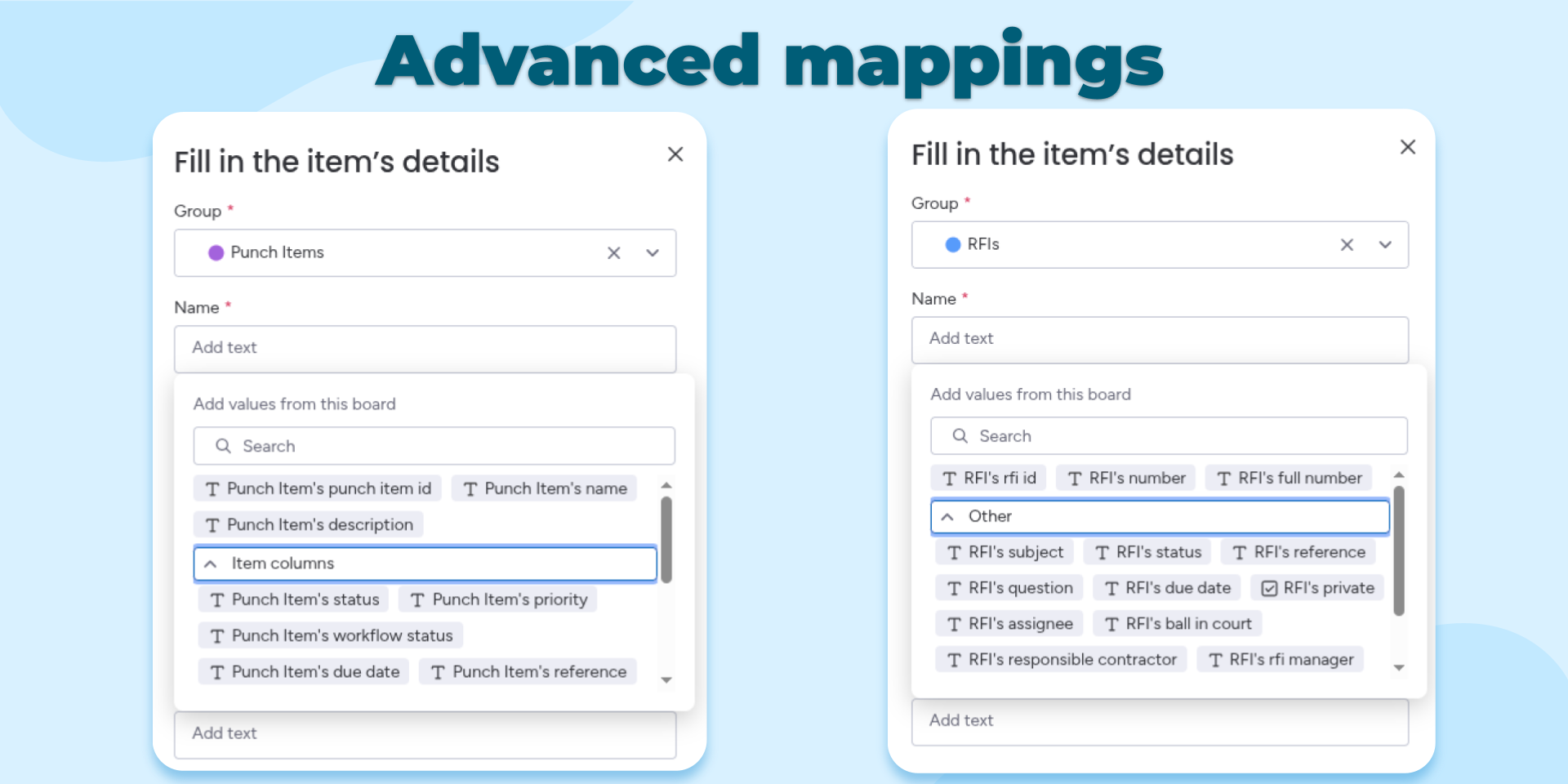
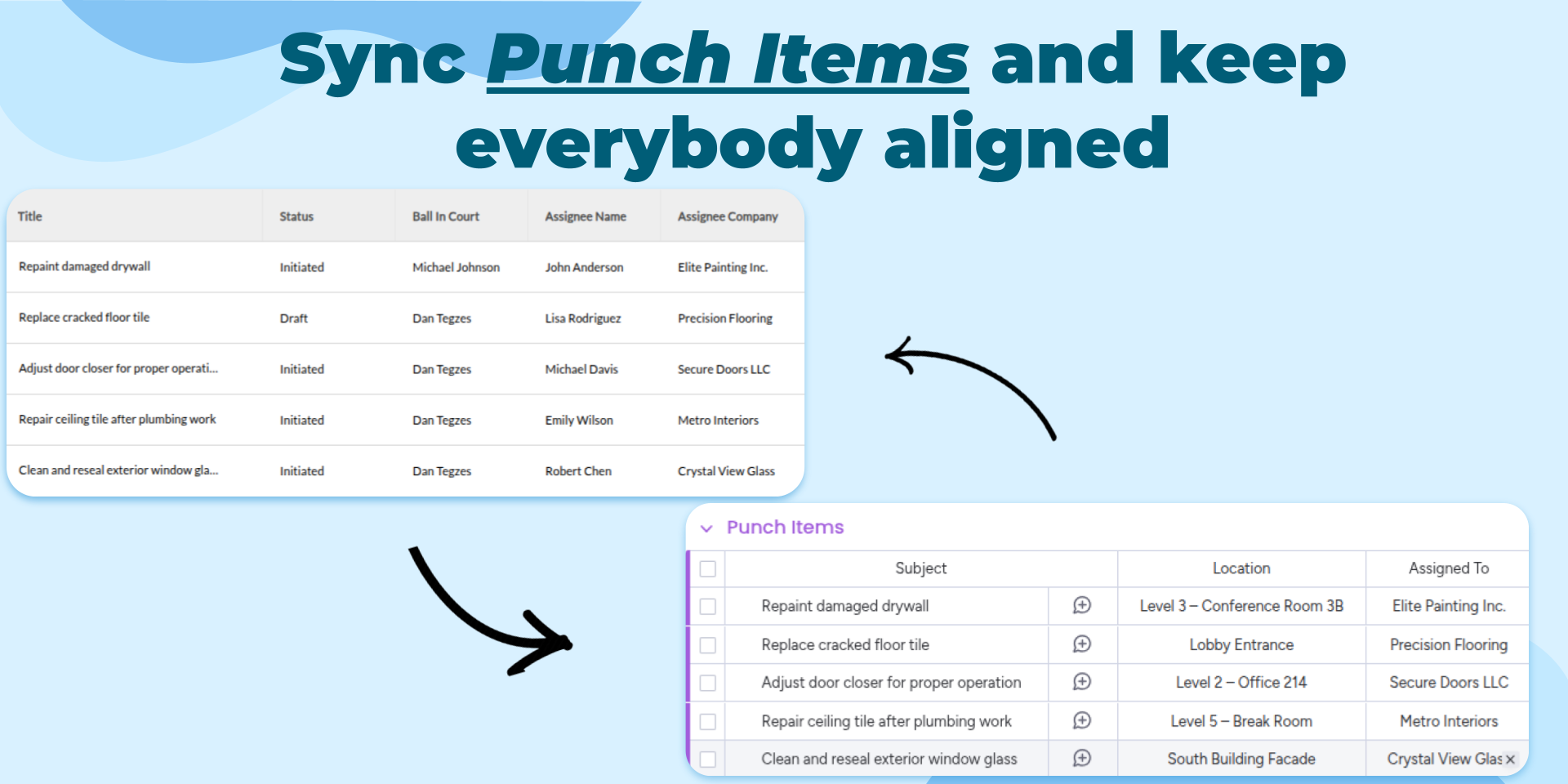
"description": "<p>Keep your construction projects synchronized by automatically bringing important Procore activity into <a href=\"http://monday.com/\" rel=\"noopener noreferrer\" target=\"_blank\">monday.com</a>. Whenever a new RFI, Punch Item, Inspection, or Submittal is created in Procore, the integration automatically creates a corresponding item in your chosen <a href=\"http://monday.com/\" rel=\"noopener noreferrer\" target=\"_blank\">monday.com</a> board, giving your entire team real-time visibility without manual data entry.</p><p>Use this integration to centralize project tracking, automate workflows, and ensure every stakeholder stays informed. Construction managers, project coordinators, and field teams can use <a href=\"http://monday.com/\" rel=\"noopener noreferrer\" target=\"_blank\">monday.com</a> dashboards, automations, notifications, and reporting while Procore remains the system of record.</p><p>Common use cases include:</p><p>• Track new RFIs inside project boards</p><p>• Monitor Punch Items across multiple projects</p><p>• Follow Inspection activity from a centralized workspace</p><p>• Organize and review new Submittals</p><p>• Trigger <a href=\"http://monday.com/\" rel=\"noopener noreferrer\" target=\"_blank\">monday.com</a> automations whenever new construction records are created</p><p>• Build dashboards and reports combining data from multiple Procore projects</p><p>Visit our documentation and blog for setup instructions, examples, and additional configuration options.</p><p>✉️ Have an idea or feature request? Reach out anytime at <a href=\"mailto:contact@stargateapps.io\" rel=\"noopener noreferrer\" target=\"_blank\">contact@stargateapps.io</a></p>",
"short_description": "Sync monday.com and Procore with flexible automations",
"thumbnail_url": "https://cdn.monday.com/marketplace/10001257/10001257_2026_7_2_12_46_41_936uyny.png",
"logo_url": "https://cdn.monday.com/marketplace/10001257/10001257_2026_7_3_5_52_3_xw2squph.png",
"feedback_url": "contact@stargateapps.io",
"privacy_policy_url": "https://www.stargateapps.io/privacy-policy",
"featured": false,
"name": "Procore Integration",
"how_to_use_url": "https://www.stargateapps.io/how-to-use-procore-integration",
"external_pricing_url": null,
"keywords": "Procore,Construction,Construction Management,RFI,Punch List,Inspections,Submittals,Project Management,Workflow Automation,Sync",
"compliance_answers": [],
"created_at": "2026-08-02T12:46:05.000Z",
"updated_at": "2026-08-09T06:12:21.000Z",
"automation_app_id": null,
"marketplace_category_ids": [
10000001,
7,
6
],
"pinned_for_categories_ids": [],
"featured_for_categories_ids": [],
"pricing_data": "Free plan available",
"label": null,
"app_values": [
"Centralize your work on monday.com"
],
"security": false,
"display_in_template_store": false,
"acquisition_source": "No touch",
"is_connector": false,
"show_connections": false,
"terms_of_service_url": "https://www.stargateapps.io/terms",
"available_for_tiers": [],
"available_for_products": [],
"google_analytics_tag_id": null,
"is_solution": false,
"cta_override": null,
"app_scope_str": "boards:read,boards:write,notifications:write",
"app_client_id": "528c70bf0242bc1906b12973dd3c9fb3",
"app_color": {
"hsl": {
"h": 255.00000000000034,
"s": 0,
"l": 1,
"a": 1
},
"hex": "#ffffff",
"rgb": {
"r": 255,
"g": 255,
"b": 255,
"a": 1
},
"hsv": {
"h": 255.00000000000034,
"s": 0,
"v": 1,
"a": 1
},
"oldHue": 255.00000000000034,
"source": "hsv"
},
"plans": [
{
"id": "11516654-1-tier_free",
"appPlanId": "tier_free",
"name": "Free",
"versionId": 1,
"isTrial": false,
"prices": {
"type": "standard",
"monthly": 0,
"yearly": 0
},
"versionState": "live",
"appId": 11516654,
"description": "Get started with Procore and automation. Perfect for exploring workflows and connecting your first construction projects across platforms. Includes 25 automation actions per month.",
"extraData": {
"bullets": [
"25 automation actions / month",
"Unlimited users",
"All automations included",
"Email support"
],
"monthlyFee": 0,
"yearlyFee": 0
},
"isFree": true,
"isRecommended": false,
"currency": "USD"
},
{
"id": "11516654-1-tier_1",
"appPlanId": "tier_1",
"name": "Starter",
"versionId": 1,
"isTrial": false,
"prices": {
"type": "standard",
"monthly": 25,
"yearly": 20
},
"versionState": "live",
"appId": 11516654,
"description": "Automate your essential construction workflows and reduce manual updates. Ideal for smaller teams syncing RFIs, inspections, submittals, and punch items between Procore and monday.com. Includes 300 automation actions per month.",
"extraData": {
"bullets": [
"300 automation actions / month",
"Unlimited users",
"All automations included",
"Email support"
],
"monthlyFee": 25,
"yearlyFee": 20
},
"isFree": false,
"isRecommended": false,
"currency": "USD"
},
{
"id": "11516654-1-tier_2",
"appPlanId": "tier_2",
"name": "Growth",
"versionId": 1,
"isTrial": false,
"prices": {
"type": "standard",
"monthly": 50,
"yearly": 40
},
"versionState": "live",
"appId": 11516654,
"description": "Keep projects moving with more automation capacity and better team coordination. Great for growing construction teams managing multiple projects and keeping field and office teams aligned. Includes 800 automation actions per month.",
"extraData": {
"bullets": [
"800 automation actions / month",
"Unlimited users",
"All automations included",
"Email support"
],
"monthlyFee": 50,
"yearlyFee": 40
},
"isFree": false,
"isRecommended": false,
"currency": "USD"
},
{
"id": "11516654-1-tier_3",
"appPlanId": "tier_3",
"name": "Pro",
"versionId": 1,
"isTrial": false,
"prices": {
"type": "standard",
"monthly": 100,
"yearly": 80
},
"versionState": "live",
"appId": 11516654,
"description": "Power your construction operations with advanced automation capacity. Designed for organizations coordinating high volumes of RFIs, inspections, punch items, submittals, and project updates. Includes 3,000 automation actions per month.",
"extraData": {
"bullets": [
"3000 automation actions / month",
"Unlimited users",
"All automations included",
"Priority support"
],
"monthlyFee": 100,
"yearlyFee": 80
},
"isFree": false,
"isRecommended": false,
"currency": "USD"
},
{
"id": "11516654-1-tier_4",
"appPlanId": "tier_4",
"name": "Business",
"versionId": 1,
"isTrial": false,
"prices": {
"type": "standard",
"monthly": 200,
"yearly": 160
},
"versionState": "live",
"appId": 11516654,
"description": "Automate construction workflows at scale across teams and projects. Built for contractors and construction companies where real-time project information is critical to daily operations. Includes 7,500 automation actions per month.",
"extraData": {
"bullets": [
"7500 automation actions / month",
"Unlimited users",
"All automations included",
"Priority support"
],
"monthlyFee": 200,
"yearlyFee": 160
},
"isFree": false,
"isRecommended": false,
"currency": "USD"
},
{
"id": "11516654-1-tier_5",
"appPlanId": "tier_5",
"name": "Scale",
"versionId": 1,
"isTrial": false,
"prices": {
"type": "standard",
"monthly": 500,
"yearly": 400
},
"versionState": "live",
"appId": 11516654,
"description": "Maximum automation capacity for enterprise construction teams. Best for organizations managing large project portfolios with complex workflows across multiple departments and job sites. Includes 20,000 automation actions per month.",
"extraData": {
"bullets": [
"20000 automation actions / month",
"Unlimited users",
"All automations included",
"Premium support"
],
"monthlyFee": 500,
"yearlyFee": 400
},
"isFree": false,
"isRecommended": false,
"currency": "USD"
},
{
"id": "11516654-2-tier_free",
"appPlanId": "tier_free",
"name": "Free",
"versionId": 2,
"isTrial": false,
"prices": {
"type": "standard",
"monthly": 0,
"yearly": 0
},
"versionState": "live",
"appId": 11516654,
"description": "Get started with Procore and automation. Perfect for exploring workflows and connecting your first construction projects across platforms. Includes 25 automation actions per month.",
"extraData": {
"bullets": [
"25 automation actions / month",
"Unlimited users",
"All automations included",
"Email support"
],
"monthlyFee": 0,
"yearlyFee": 0
},
"isFree": true,
"isRecommended": false,
"currency": "USD"
},
{
"id": "11516654-2-tier_1",
"appPlanId": "tier_1",
"name": "Starter",
"versionId": 2,
"isTrial": false,
"prices": {
"type": "standard",
"monthly": 25,
"yearly": 20
},
"versionState": "live",
"appId": 11516654,
"description": "Automate your essential construction workflows and reduce manual updates. Ideal for smaller teams syncing RFIs, inspections, submittals, and punch items between Procore and monday.com. Includes 300 automation actions per month.",
"extraData": {
"bullets": [
"300 automation actions / month",
"Unlimited users",
"All automations included",
"Email support"
],
"monthlyFee": 25,
"yearlyFee": 20
},
"isFree": false,
"isRecommended": false,
"currency": "USD"
},
{
"id": "11516654-2-tier_2",
"appPlanId": "tier_2",
"name": "Growth",
"versionId": 2,
"isTrial": false,
"prices": {
"type": "standard",
"monthly": 50,
"yearly": 40
},
"versionState": "live",
"appId": 11516654,
"description": "Keep projects moving with more automation capacity and better team coordination. Great for growing construction teams managing multiple projects and keeping field and office teams aligned. Includes 800 automation actions per month.",
"extraData": {
"bullets": [
"800 automation actions / month",
"Unlimited users",
"All automations included",
"Email support"
],
"monthlyFee": 50,
"yearlyFee": 40
},
"isFree": false,
"isRecommended": false,
"currency": "USD"
},
{
"id": "11516654-2-tier_3",
"appPlanId": "tier_3",
"name": "Pro",
"versionId": 2,
"isTrial": false,
"prices": {
"type": "standard",
"monthly": 100,
"yearly": 80
},
"versionState": "live",
"appId": 11516654,
"description": "Power your construction operations with advanced automation capacity. Designed for organizations coordinating high volumes of RFIs, inspections, punch items, submittals, and project updates. Includes 3,000 automation actions per month.",
"extraData": {
"bullets": [
"3,000 automation actions / month",
"Unlimited users",
"All automations included",
"Priority support"
],
"monthlyFee": 100,
"yearlyFee": 80
},
"isFree": false,
"isRecommended": false,
"currency": "USD"
},
{
"id": "11516654-2-tier_4",
"appPlanId": "tier_4",
"name": "Business",
"versionId": 2,
"isTrial": false,
"prices": {
"type": "standard",
"monthly": 200,
"yearly": 160
},
"versionState": "live",
"appId": 11516654,
"description": "Automate construction workflows at scale across teams and projects. Built for contractors and construction companies where real-time project information is critical to daily operations. Includes 7,500 automation actions per month.",
"extraData": {
"bullets": [
"7,500 automation actions / month",
"Unlimited users",
"All automations included",
"Priority support"
],
"monthlyFee": 200,
"yearlyFee": 160
},
"isFree": false,
"isRecommended": true,
"currency": "USD"
},
{
"id": "11516654-2-tier_5",
"appPlanId": "tier_5",
"name": "Scale",
"versionId": 2,
"isTrial": false,
"prices": {
"type": "standard",
"monthly": 500,
"yearly": 400
},
"versionState": "live",
"appId": 11516654,
"description": "Maximum automation capacity for enterprise construction teams. Best for organizations managing large project portfolios with complex workflows across multiple departments and job sites. Includes 20,000 automation actions per month.",
"extraData": {
"bullets": [
"20,000 automation actions / month",
"Unlimited users",
"All automations included",
"Premium support"
],
"monthlyFee": 500,
"yearlyFee": 400
},
"isFree": false,
"isRecommended": false,
"currency": "USD"
}
],
"app_live_version": {
"updated_at": "2026-10-25T19:13:08.371Z",
"id": 19266704
},
"pricing_model": null,
"monetization": {
"monetizationType": "monday",
"hasFreePlan": true,
"hasPaidPlan": true,
"hasTrialPlan": false
},
"badges_data": {
"security": false,
"app_values": [
"Centralize your work on monday.com"
],
"pricing_data": "Free plan available",
"acquisition_source": "No touch",
"display_in_template_store": false
},
"data": {
"is_solution": false,
"cta_override": null,
"is_connector": false,
"show_connections": false,
"available_for_tiers": [],
"terms_of_service_url": "https://www.stargateapps.io/terms",
"available_for_products": [],
"google_analytics_tag_id": null
},
"display": null,
"installsDelta": {
"totalInstalls": 16,
"sevenDays": 1,
"thirtyDays": 1,
"ninetyDays": 13
}
}