Email approvals for monday.com. No login required.
SimplyApprove for monday.com
You need a decision. But you don't want to chase it.
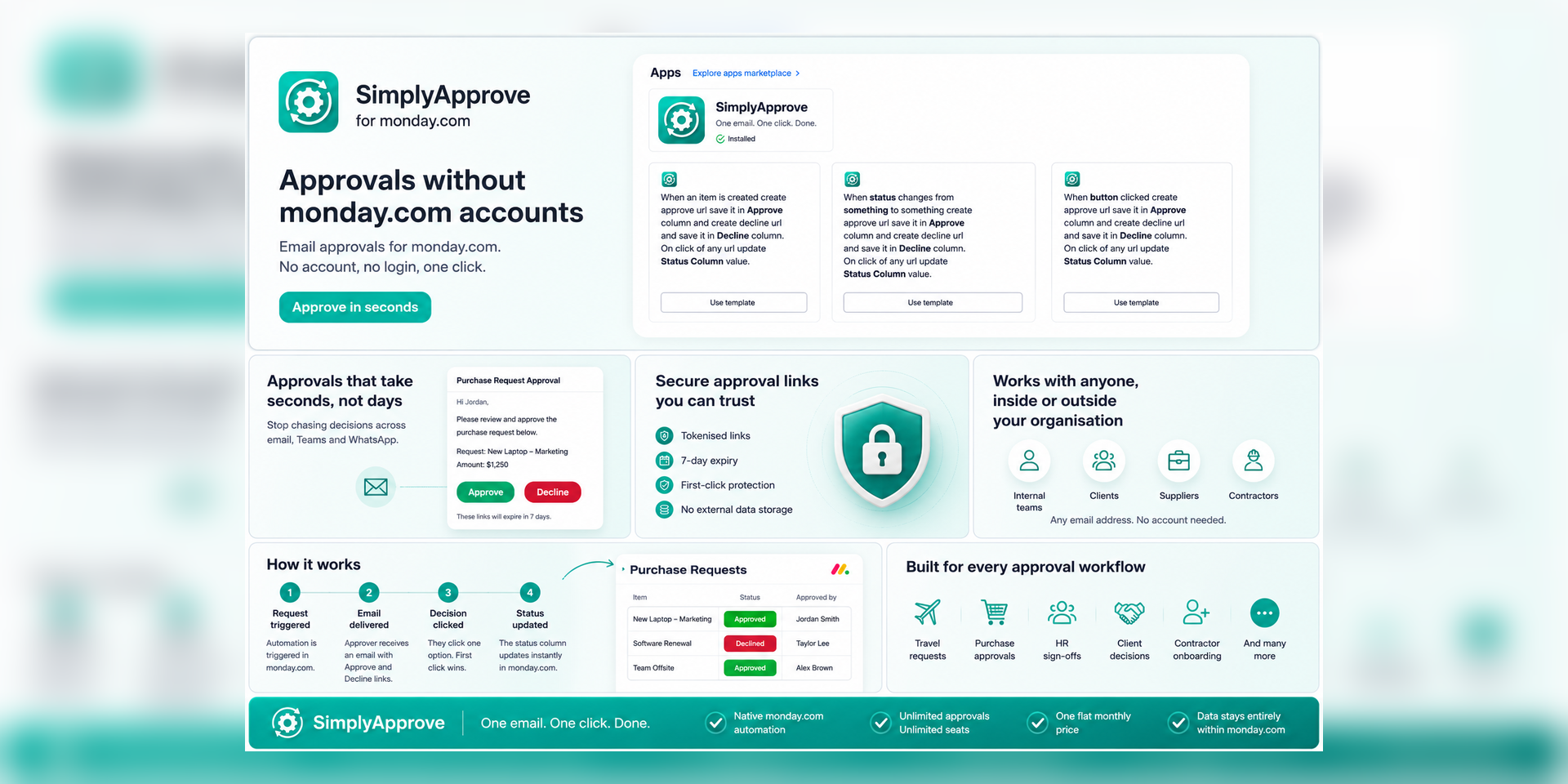
Your manager, client, or external approver doesn't use monday.com. You don't want to give them board access, train them on the platform, or ask them to log in just to click Approve. You want them to get an email, read the request, and make a decision in seconds.
That's SimplyApprove.
The problem it solves
Approval workflows in monday.com typically require the approver to have an account, log in, find the right board, locate the right item, and then action it. For internal power users that's fine. For everyone else, a senior leader, an external client, a supplier, a contractor, it's too much friction. Decisions get delayed. Workflows stall.
The solution
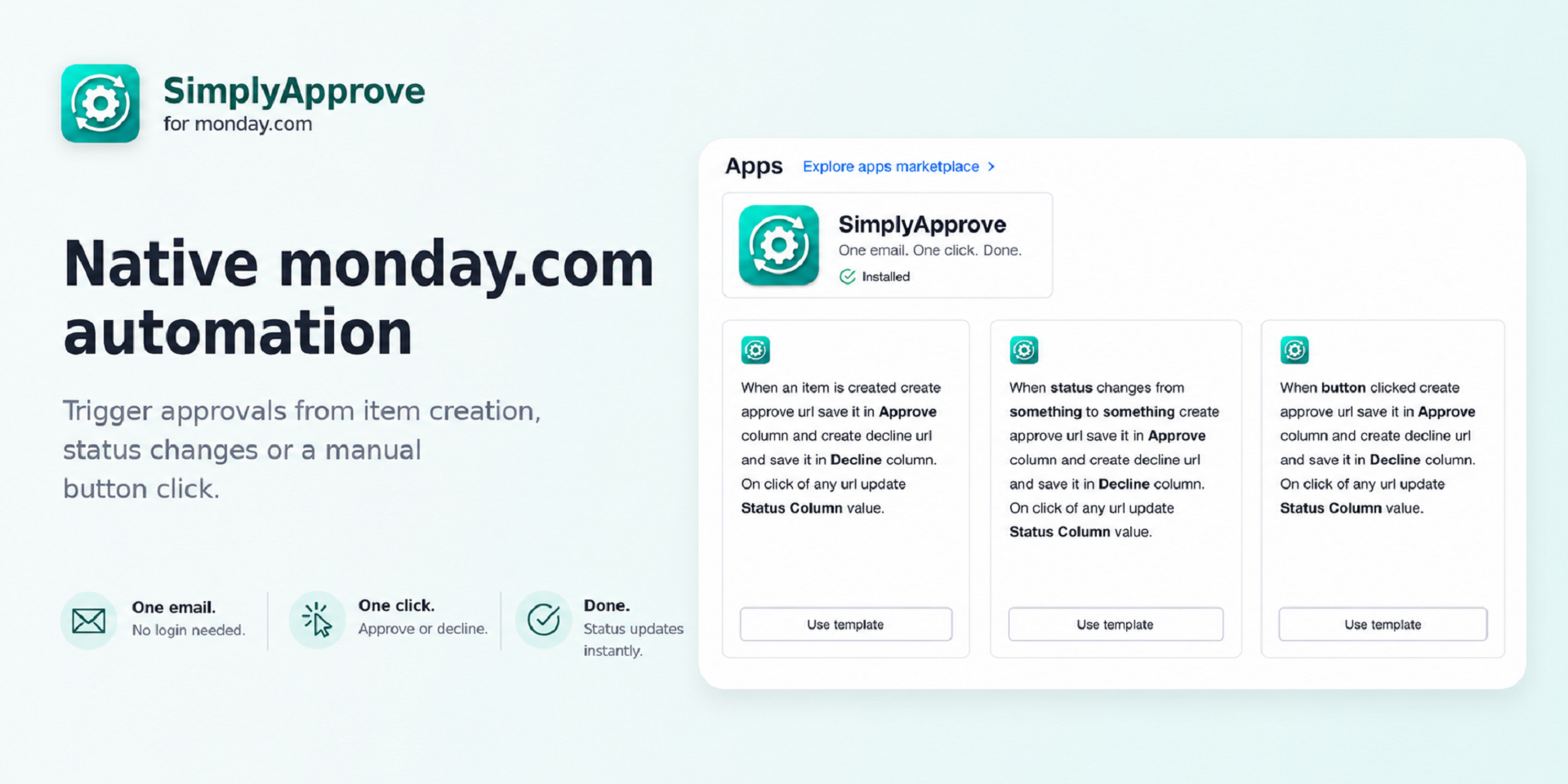
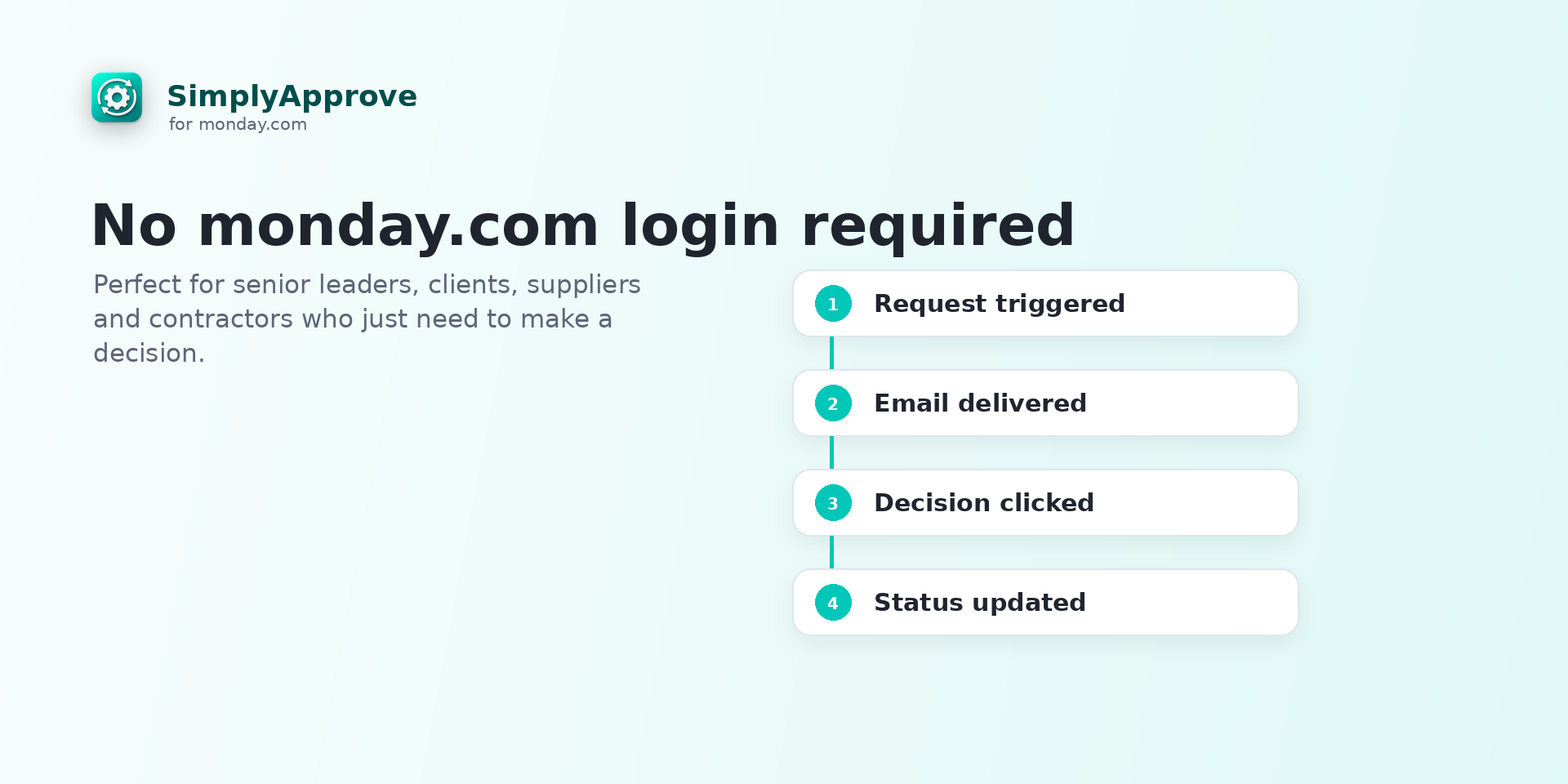
SimplyApprove adds a single action block to monday.com's native automation builder. When triggered, it sends a clean professional email to your chosen approver containing two clear links, Approve and Decline. They click one. The status column updates instantly. You move on.
No monday.com account needed. No login. No searching. Just an email and one click.
Key features
Native monday.com automation, no separate tool to learn
Works with any email address inside or outside your organisation
Triggers from item creation, status change, or manual button
Secure tokenised links with 7 day expiry
First click wins, no duplicate approvals
Data stays entirely within monday.com infrastructure
Unlimited approvals, unlimited seats, one flat monthly price
Built for
Travel requests, purchase approvals, HR sign-offs, client decisions, contractor onboarding, any workflow where someone outside monday.com needs to approve something quickly and simply.
The app developer did not provide the security and compliance information for this app.
Reviews
September 9, 2026
WT: Works perfectly. Used for approvals from senior management for approvals without having to open Monday or navigate to a board. Worked perfectly to update status column so we can track.
Historical data
Installation history
We have data for December 28, 2024 onwards only. Collected sometime after 00:00 UTC daily.
Total number of installs
Change in total number of installs in last 1 day(s)
Compares the number of installs on each date with 1 days previously:
Max
Min
Current
Change in total number of installs in last 7 day(s)
Compares the number of installs on each date with 7 days previously:
Max
Min
Current
Change in total number of installs in last 30 day(s)
Compares the number of installs on each date with 30 days previously:
Max
Min
Current
Change in total number of installs in last 90 day(s)
Compares the number of installs on each date with 90 days previously:
Max
Min
Current
Change in total number of installs in last 180 day(s)
Compares the number of installs on each date with 180 days previously:
Max
Min
Current
Ratings history
Categories history
Each of the following is a yes/no answer, so the graphs show 1 for yes, and 0 for no.
{
  "id": 10001235,
  "marketplace_developer_id": 100000242,
  "app_id": 11334659,
  "app_type": "app",
  "security_info": {},
  "gallery_assets": [
    {
      "url": "https://cdn.monday.com/marketplace/10001235/10001235_2026_6_5_8_11_30_fdxg5c3.png",
      "type": "image"
    },
    {
      "url": "https://cdn.monday.com/marketplace/10001235/10001235_2026_6_5_8_11_37_8om7an3k.png",
      "type": "image"
    },
    {
      "url": "https://cdn.monday.com/marketplace/10001235/10001235_2026_6_5_8_11_41_ylerd44.png",
      "type": "image"
    }
  ],
  "description": "<p><strong>SimplyApprove for monday.com</strong></p><p><br></p><p>You need a decision. But you don't want to chase it.</p><p>Your manager, client, or external approver doesn't use monday.com. You don't want to give them board access, train them on the platform, or ask them to log in just to click Approve. You want them to get an email, read the request, and make a decision in seconds.</p><p>That's SimplyApprove.</p><p><br></p><p><strong>The problem it solves</strong></p><p>Approval workflows in monday.com typically require the approver to have an account, log in, find the right board, locate the right item, and then action it. For internal power users that's fine. For everyone else, a senior leader, an external client, a supplier, a contractor, it's too much friction. Decisions get delayed. Workflows stall.</p><p><br></p><p><strong>The solution</strong></p><p>SimplyApprove adds a single action block to monday.com's native automation builder. When triggered, it sends a clean professional email to your chosen approver containing two clear links, Approve and Decline. They click one. The status column updates instantly. You move on.</p><p><br></p><p><strong>No monday.com account needed. No login. No searching. Just an email and one click.</strong></p><p><br></p><p><strong>Key features</strong></p><p>Native monday.com automation, no separate tool to learn</p><p>Works with any email address inside or outside your organisation</p><p>Triggers from item creation, status change, or manual button</p><p>Secure tokenised links with 7 day expiry</p><p>First click wins, no duplicate approvals</p><p>Data stays entirely within monday.com infrastructure</p><p>Unlimited approvals, unlimited seats, one flat monthly price</p><p><br></p><p><strong>Built for</strong></p><p>Travel requests, purchase approvals, HR sign-offs, client decisions, contractor onboarding, any workflow where someone outside monday.com needs to approve something quickly and simply.</p><p><br></p><p><strong>One email. One click. Done.</strong></p><p><br></p><p>▶ <strong>Watch the </strong><a href=\"https://www.youtube.com/watch?v=j2l4i5mIOHA\" rel=\"noopener noreferrer\" target=\"_blank\"><strong>App Demo Video</strong></a></p><p><strong>📄 </strong><a href=\"https://www.astrodigital.ai/userguide-approve\" rel=\"noopener noreferrer\" target=\"_blank\"><strong>View Documentation</strong></a></p><p><strong>✉️ </strong><a href=\"mailto:support@astrodigital.ai\" rel=\"noopener noreferrer\" target=\"_blank\"><strong>Contact Support</strong></a></p>",
  "short_description": "Email approvals for monday.com. No login required.",
  "thumbnail_url": "https://cdn.monday.com/marketplace/10001235/10001235_2026_6_5_8_10_52_gb7gk5q.png",
  "logo_url": "https://cdn.monday.com/marketplace/10001235/10001235_2026_6_5_8_10_36_j7o98n8.png",
  "feedback_url": "support@astrodigital.ai",
  "privacy_policy_url": "https://www.astrodigital.ai/privacy",
  "featured": false,
  "name": "SimplyApprove",
  "how_to_use_url": "https://www.astrodigital.ai/userguide-approve",
  "external_pricing_url": null,
  "keywords": "approval,approvals,email approval,automation,no login,approve,decline,simplyapprove,simplyapps,simply approve",
  "compliance_answers": [],
  "created_at": "2026-07-05T08:10:14.000Z",
  "updated_at": "2026-09-08T07:59:43.000Z",
  "automation_app_id": null,
  "marketplace_category_ids": [
    10000006,
    5
  ],
  "pinned_for_categories_ids": [],
  "featured_for_categories_ids": [],
  "pricing_data": null,
  "label": null,
  "app_values": [
    "Everyday tasks"
  ],
  "security": false,
  "display_in_template_store": false,
  "acquisition_source": "No touch",
  "is_connector": false,
  "show_connections": false,
  "terms_of_service_url": "https://astrodigital.ai/terms",
  "available_for_tiers": [],
  "available_for_products": [],
  "google_analytics_tag_id": "G-E330R0P0HN",
  "is_solution": false,
  "cta_override": null,
  "app_scope_str": "boards:read,boards:write,account:read",
  "app_client_id": "5585ebabab230e0007b238cda6c25fee",
  "app_color": "#4eccc6",
  "plans": null,
  "app_live_version": {
    "updated_at": "2026-07-19T15:24:48.849Z",
    "id": 16185953
  },
  "pricing_model": null,
  "monetization": {
    "monetizationType": "none",
    "hasFreePlan": false,
    "hasPaidPlan": false,
    "hasTrialPlan": false
  },
  "badges_data": {
    "security": false,
    "app_values": [
      "Everyday tasks"
    ],
    "acquisition_source": "No touch",
    "display_in_template_store": false
  },
  "data": {
    "is_solution": false,
    "cta_override": null,
    "is_connector": false,
    "show_connections": false,
    "available_for_tiers": [],
    "terms_of_service_url": "https://astrodigital.ai/terms",
    "available_for_products": [],
    "google_analytics_tag_id": "G-E330R0P0HN"
  },
  "display": null,
  "installsDelta": {
    "totalInstalls": 12,
    "sevenDays": 0,
    "thirtyDays": 2,
    "ninetyDays": 10
  }
}