Transform your historical board data into actionable future insights instantly. The Forecast widget brings advanced predictive analytics to your monday.com boards, empowering sales and planning teams to anticipate revenue, volume, and capacity trends without writing a single line of code.
Unlock the power of your data with these key benefits:
Stop guessing, start planning: Move beyond gut feelings. We use proven statistical algorithms (Holt-Winters) to detect seasonality and trends in your historical data, projecting them into the future.
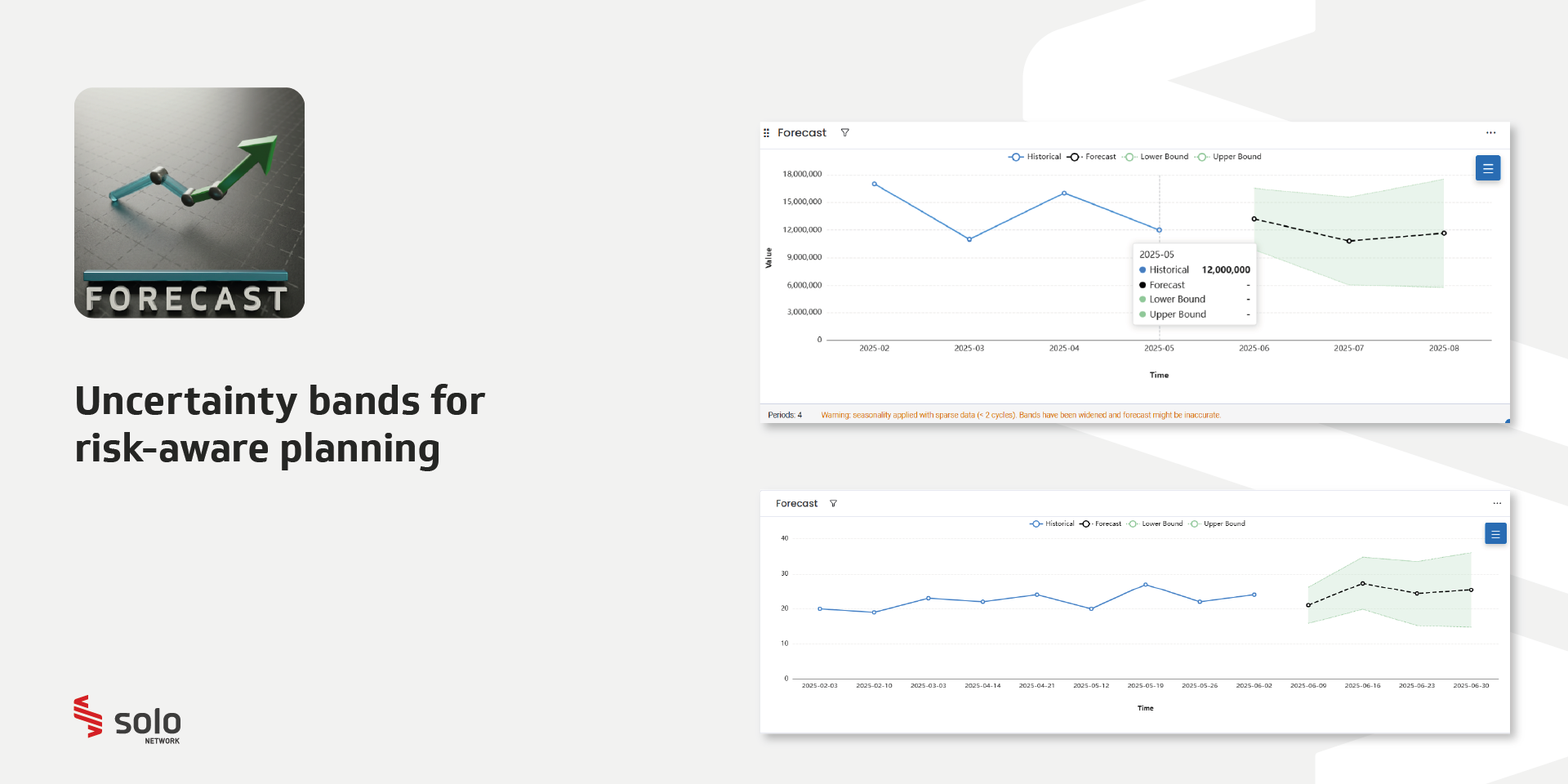
Manage risk with confidence: Visualize the future using dynamic line charts that include uncertainty bands. Adjust confidence levels (from 80% to 99%) to compare conservative versus optimistic scenarios instantly.
Deep dive analysis: Don't settle for high-level averages. Filter your forecast by status or date ranges to isolate specific products, teams, or segments.
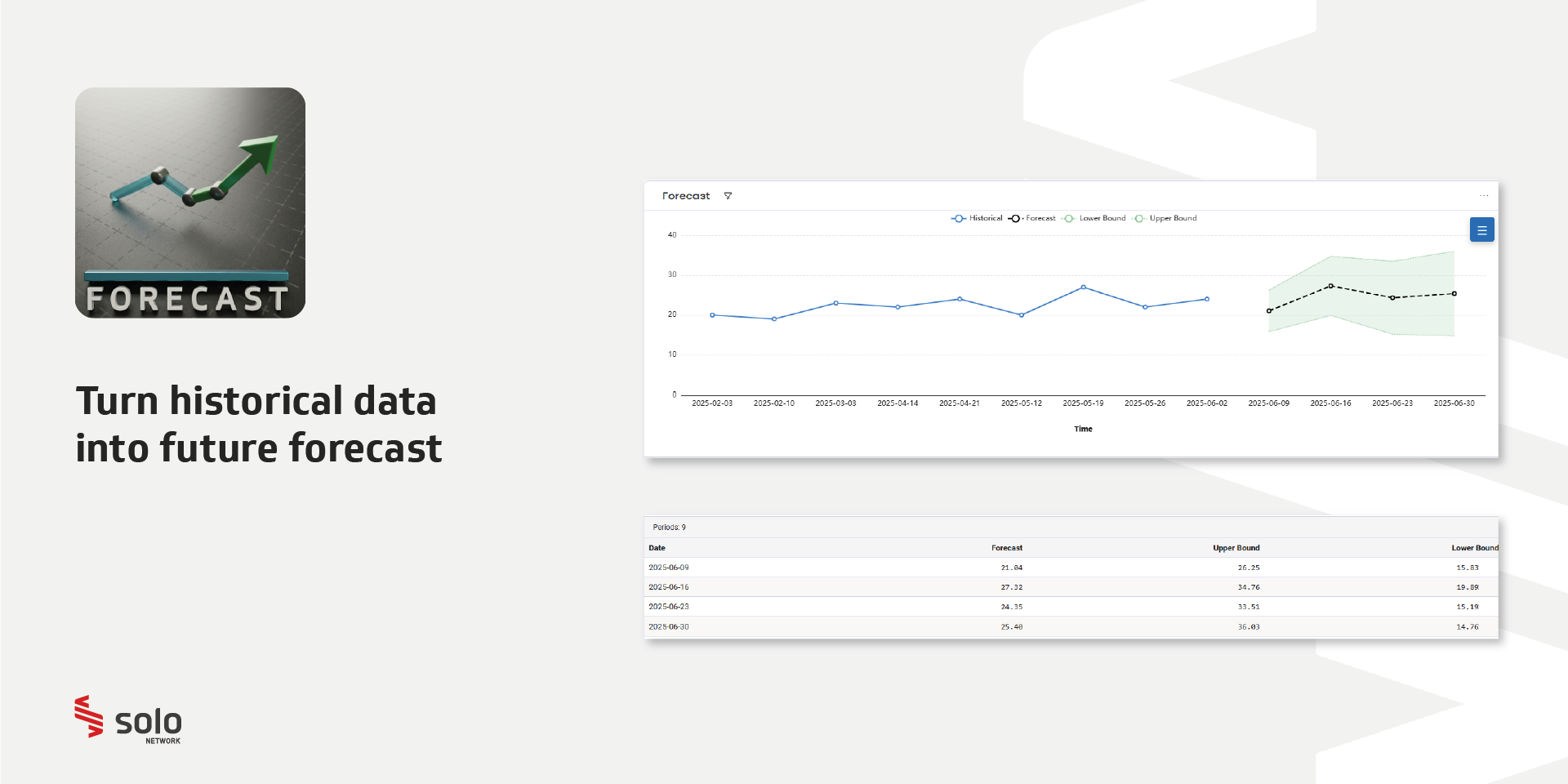
Executive-ready reporting: Need exact numbers? Toggle the forecast table to see predicted values alongside upper and lower bounds. Group results by week, month, or quarter for a clear overview.
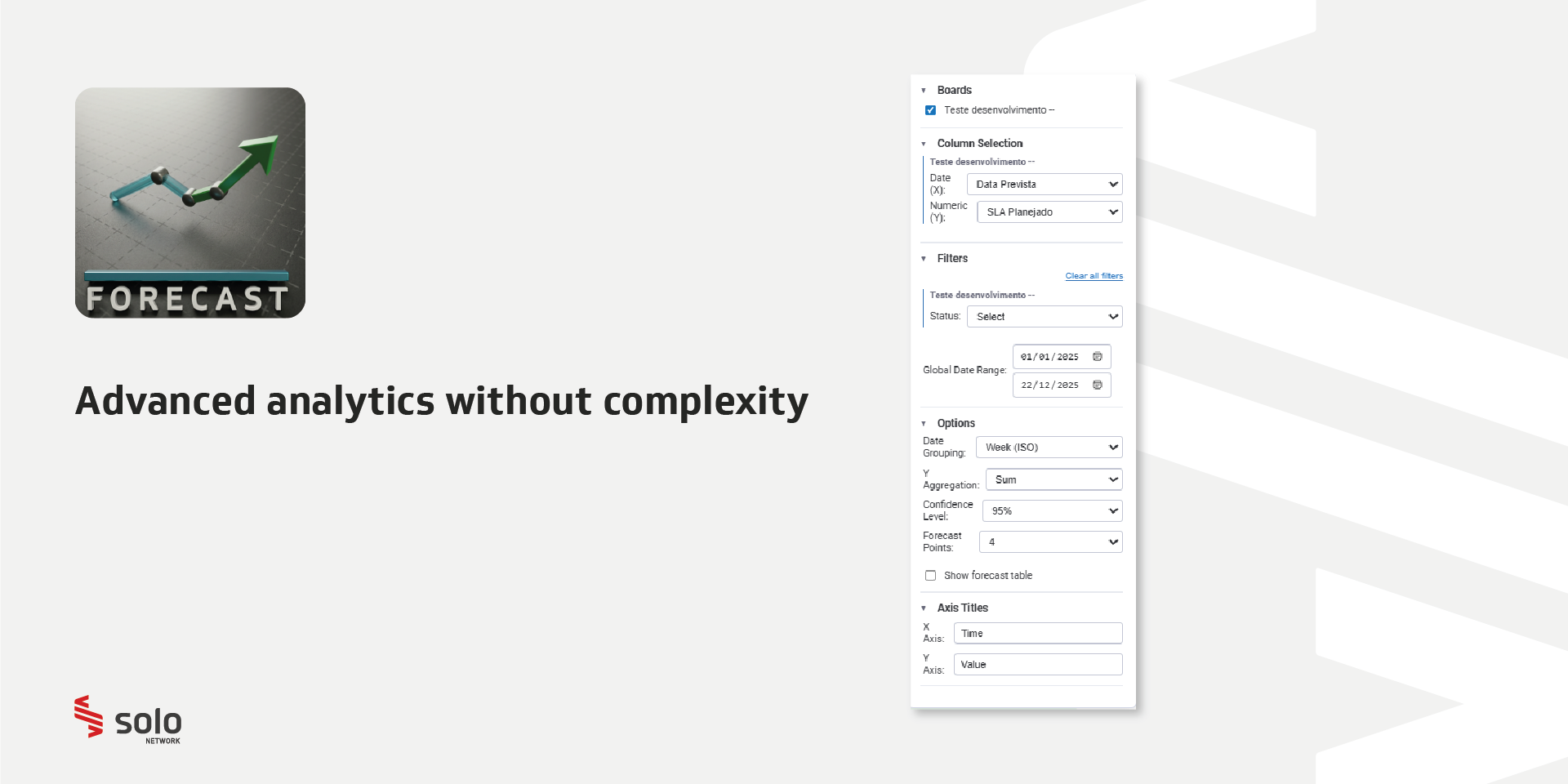
Simple setup: Select your time column (X-axis) and value column (Y-axis), choose your granularity, and set your horizon (1–100 periods). It works natively with your existing number and formula columns.
Real-world use Cases:
Sales teams: Project next quarter's revenue based on the last two years of seasonality to set realistic quotas.
Inventory managers: Predict stock demand for upcoming holidays to prevent shortages or overstocking.
Resource planning: Anticipate support ticket volume spikes to ensure you have enough staff scheduled for busy periods.
Technical specifications: This app utilizes the Holt-Winters exponential Smoothing statistical algorithm to generate time-series forecasts.
Security & Compliance
The app developer did not provide the security and compliance information for this app.
Reviews
No reviews yet.
Historical data
Installation history
We have data for December 28, 2024 onwards only. Collected sometime after 00:00 UTC daily.
Total number of installs
Change in total number of installs in last 1 day(s)
Compares the number of installs on each date with 1 days previously:
Max
Min
Current
Change in total number of installs in last 7 day(s)
Compares the number of installs on each date with 7 days previously:
Max
Min
Current
Change in total number of installs in last 30 day(s)
Compares the number of installs on each date with 30 days previously:
Max
Min
Current
Change in total number of installs in last 90 day(s)
Compares the number of installs on each date with 90 days previously:
Max
Min
Current
Change in total number of installs in last 180 day(s)
Compares the number of installs on each date with 180 days previously:
Max
Min
Current
Ratings history
Categories history
Each of the following is a yes/no answer, so the graphs show 1 for yes, and 0 for no.