Track SLA deadlines using real business hours, not 24/7
Stop letting nights, weekends, and holidays inflate your SLA metrics. WorkWindow SLA is a business-hours-aware SLA engine for monday.com Work OS — your SLA clock only ticks during the hours your team actually works.
Built for ops managers, support leads, and project managers tracking client response and resolution SLAs, WorkWindow writes elapsed business time back to native numeric columns so you can chain monday's own automations for escalation and reporting.
Key features:
• Business-hours precision — timezone-aware and DST-safe working windows
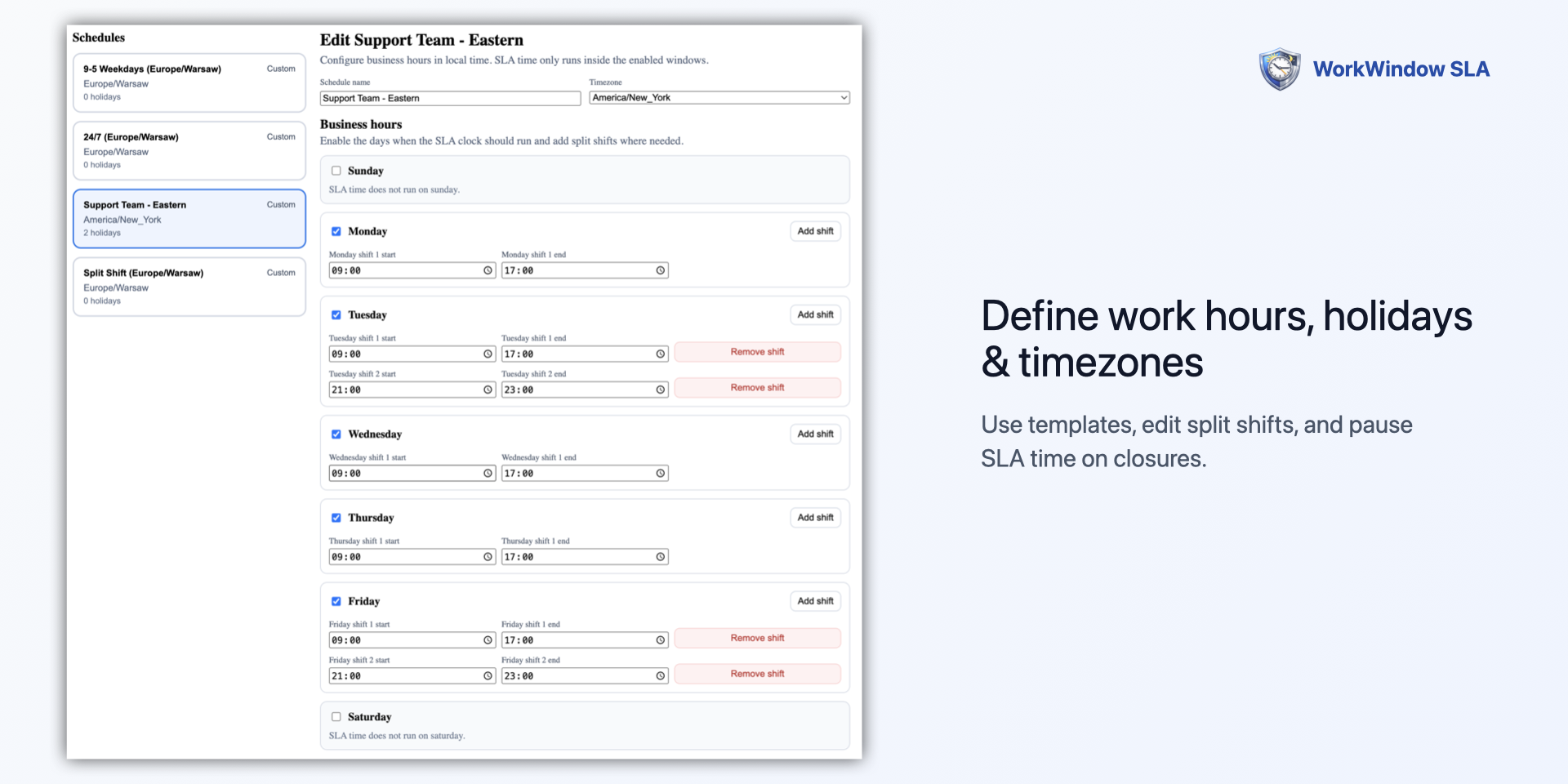
• Custom schedules with full holiday calendar support (pause SLA time on closures)
• Pre-built templates: 9–5 weekdays, 24/7, and split shift for instant setup
• Automatic writeback to native Number columns for automation chaining
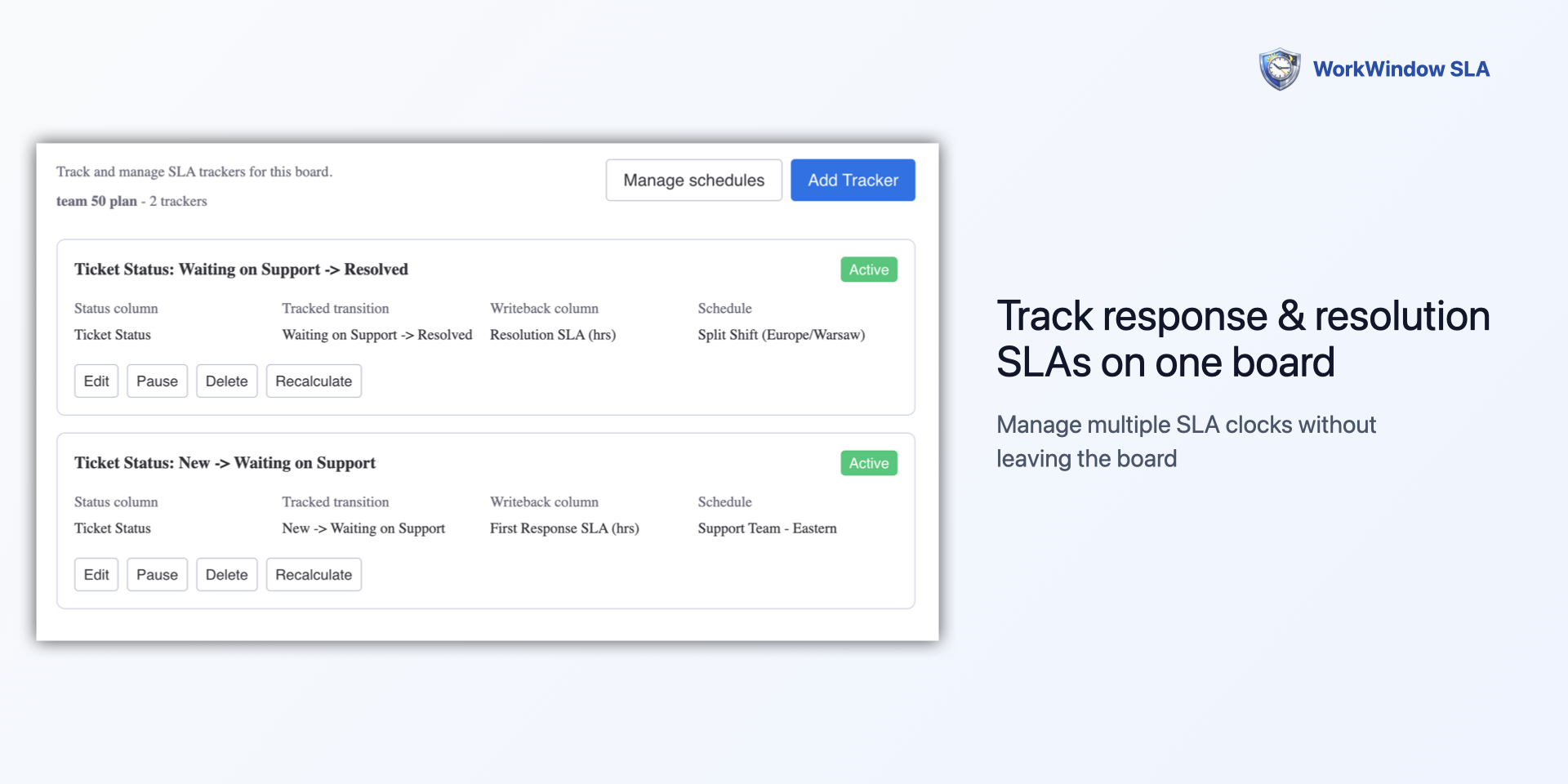
• Multi-tracker per board - track response time AND resolution time side by side
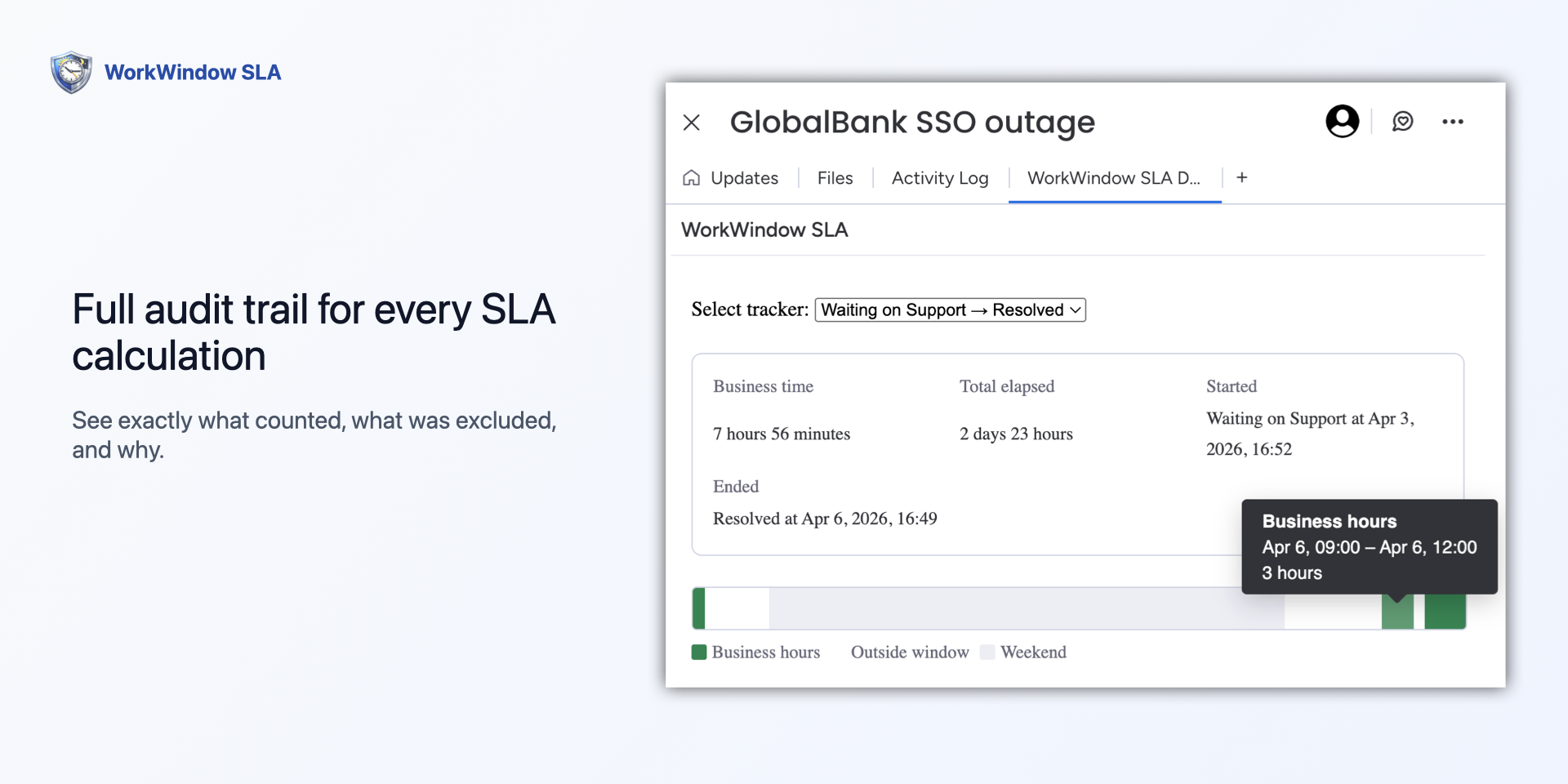
• Per-item audit trail showing exactly which time windows counted, which were excluded, and why
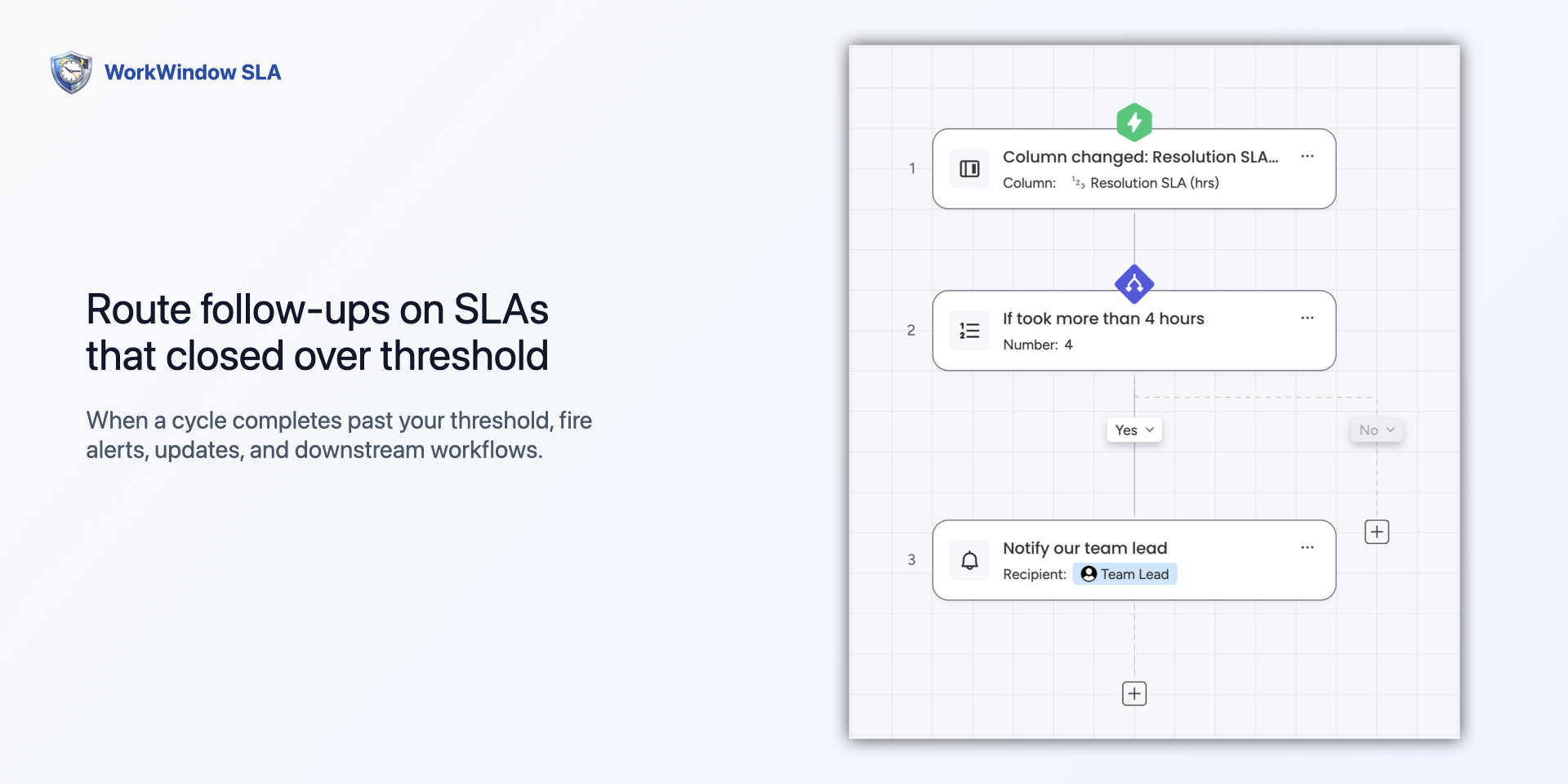
• Workflow trigger: "When SLA Breaches Threshold" - route escalations for completed cycles over threshold
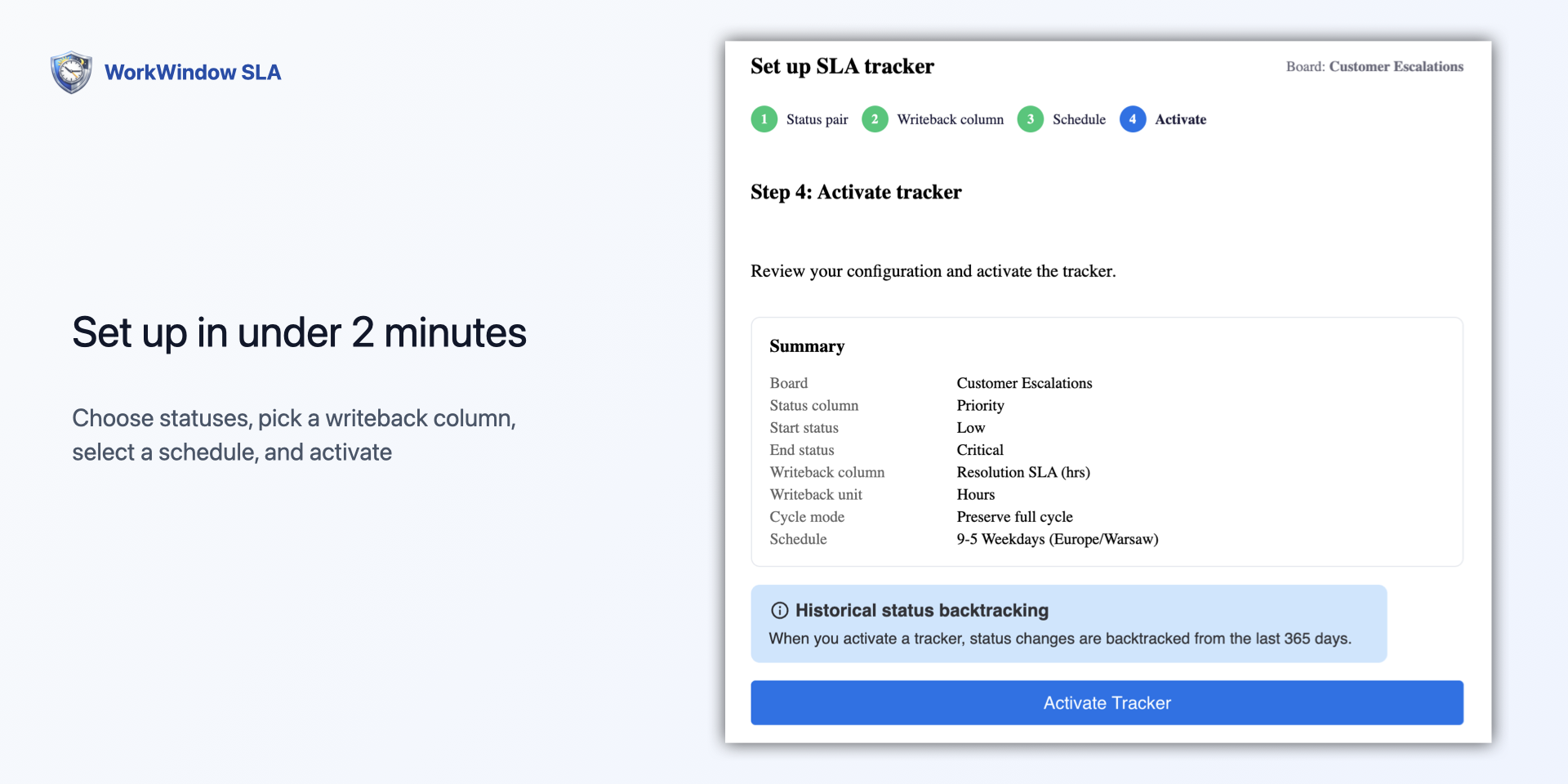
• 4-step guided onboarding wizard — live in under 2 minutes
Why teams choose WorkWindow:
• Works on monday Work OS (not locked to monday Service Pro+ like the native SLA column)
• Simple flat pricing - no opaque credit systems
• Full explainability - every SLA value is auditable down to the minute
Perfect for customer support, IT help desks, professional services, client delivery teams, and anyone tracking response time, resolution time, or compliance SLAs against real working hours.
Security & Compliance
The app developer did not provide the security and compliance information for this app.
Reviews
No reviews yet.
Historical data
Installation history
We have data for December 28, 2024 onwards only. Collected sometime after 00:00 UTC daily.
Total number of installs
Change in total number of installs in last 1 day(s)
Compares the number of installs on each date with 1 days previously:
Max
Min
Current
Change in total number of installs in last 7 day(s)
Compares the number of installs on each date with 7 days previously:
Max
Min
Current
Change in total number of installs in last 30 day(s)
Compares the number of installs on each date with 30 days previously:
Max
Min
Current
Change in total number of installs in last 90 day(s)
Compares the number of installs on each date with 90 days previously:
Max
Min
Current
Change in total number of installs in last 180 day(s)
Compares the number of installs on each date with 180 days previously:
Max
Min
Current
Ratings history
Categories history
Each of the following is a yes/no answer, so the graphs show 1 for yes, and 0 for no.

{
"id": 10001164,
"marketplace_developer_id": 100000220,
"app_id": 10986838,
"app_type": "app",
"security_info": {},
"gallery_assets": [
{
"url": "https://cdn.monday.com/marketplace/10001164/10001164_2026_4_7_11_57_2_i8yidww.png",
"type": "image"
},
{
"url": "https://cdn.monday.com/marketplace/10001164/10001164_2026_4_7_11_57_13_m9789mo.png",
"type": "image"
},
{
"url": "https://cdn.monday.com/marketplace/10001164/10001164_2026_4_7_11_57_22_ruevxry.png",
"type": "image"
},
{
"url": "https://cdn.monday.com/marketplace/10001164/10001164_2026_4_7_11_57_32_3hvfztpg.png",
"type": "image"
},
{
"url": "https://cdn.monday.com/marketplace/10001164/10001164_2026_4_7_11_57_42_a5nj0gm.png",
"type": "image"
}
],
"description": "<p>Stop letting nights, weekends, and holidays inflate your SLA metrics. WorkWindow SLA is a business-hours-aware SLA engine for <a href=\"http://monday.com/\" rel=\"noopener noreferrer\" target=\"_blank\">monday.com</a> Work OS — your SLA clock only ticks during the hours your team actually works.</p><p>Built for ops managers, support leads, and project managers tracking client response and resolution SLAs, WorkWindow writes elapsed business time back to native numeric columns so you can chain monday's own automations for escalation and reporting.</p><p><br></p><p><strong>Key features:</strong></p><p>• Business-hours precision — timezone-aware and DST-safe working windows</p><p>• Custom schedules with full holiday calendar support (pause SLA time on closures)</p><p>• Pre-built templates: 9–5 weekdays, 24/7, and split shift for instant setup</p><p>• Automatic writeback to native Number columns for automation chaining</p><p>• Multi-tracker per board - track response time AND resolution time side by side</p><p>• Per-item audit trail showing exactly which time windows counted, which were excluded, and why</p><p>• Workflow trigger: \"When SLA Breaches Threshold\" - route escalations for completed cycles over threshold</p><p>• 4-step guided onboarding wizard — live in under 2 minutes</p><p><strong>Why teams choose WorkWindow:</strong></p><p><strong>•</strong> Works on monday Work OS (not locked to monday Service Pro+ like the native SLA column)</p><p>• Simple flat pricing - no opaque credit systems</p><p>• Full explainability - every SLA value is auditable down to the minute</p><p>Perfect for customer support, IT help desks, professional services, client delivery teams, and anyone tracking response time, resolution time, or compliance SLAs against real working hours.</p>",
"short_description": "Track SLA deadlines using real business hours, not 24/7",
"thumbnail_url": "https://cdn.monday.com/marketplace/10001164/10001164_2026_4_7_11_56_1_5fzyajs.png",
"logo_url": "https://cdn.monday.com/marketplace/10001164/10001164_2026_4_7_11_55_33_kpg4bykj.png",
"feedback_url": "support@arcpulselabs.com",
"privacy_policy_url": "https://workwindow.arcpulselabs.com/legal/privacy",
"featured": false,
"name": "WorkWindow SLA",
"how_to_use_url": "https://workwindow.arcpulselabs.com/docs",
"external_pricing_url": null,
"keywords": "SLA,business hours,deadline,response time,schedule,escalation,timezone,audit,resolution time",
"compliance_answers": [],
"created_at": "2026-05-07T11:53:35.000Z",
"updated_at": "2026-05-07T11:57:59.000Z",
"automation_app_id": null,
"marketplace_category_ids": [],
"pinned_for_categories_ids": [],
"featured_for_categories_ids": [],
"pricing_data": "Free plan available",
"label": null,
"app_values": [
"Easier resource management"
],
"security": false,
"display_in_template_store": false,
"acquisition_source": "No touch",
"is_connector": false,
"terms_of_service_url": "https://workwindow.arcpulselabs.com/legal/terms",
"available_for_tiers": [],
"available_for_products": [],
"google_analytics_tag_id": null,
"is_solution": false,
"cta_override": null,
"app_scope_str": "me:read,boards:read,boards:write,webhooks:write",
"app_client_id": "e99956505b6a0800684e932abc4e9666",
"app_color": {
"hsl": {
"h": 38.76106194690266,
"s": 0,
"l": 1,
"a": 1
},
"hex": "#ffffff",
"rgb": {
"r": 255,
"g": 255,
"b": 255,
"a": 1
},
"hsv": {
"h": 38.76106194690266,
"s": 0,
"v": 1,
"a": 1
},
"oldHue": 38.76106194690266,
"source": "hsv"
},
"plans": null,
"app_live_version": {
"updated_at": "2026-04-25T22:11:04.838Z",
"id": 14229594
},
"pricing_model": null,
"badges_data": {
"security": false,
"app_values": [
"Easier resource management"
],
"pricing_data": "Free plan available",
"acquisition_source": "No touch",
"display_in_template_store": false
},
"data": {
"is_solution": false,
"cta_override": null,
"is_connector": false,
"available_for_tiers": [],
"terms_of_service_url": "https://workwindow.arcpulselabs.com/legal/terms",
"available_for_products": [],
"google_analytics_tag_id": null
},
"display": null,
"installsDelta": {
"totalInstalls": 3
}
}