Run automations across all 5 subitem levels on monday.com
monday.com now supports 5 levels of subitems.
Native automations don't follow you down there — so every deep hierarchy becomes a copy-paste job, updating the same status across 40 subitems by hand.
Multi Level Subitem Automations fixes that. Real automations across all 5 levels — 100% native, no Zapier, no Make.
In short:
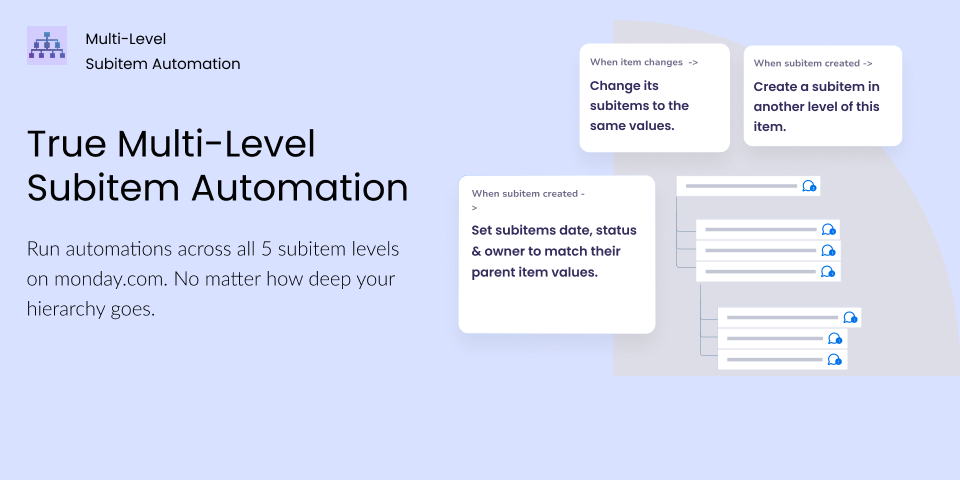
✅ Run automations at any level — top item down to the deepest subitem.
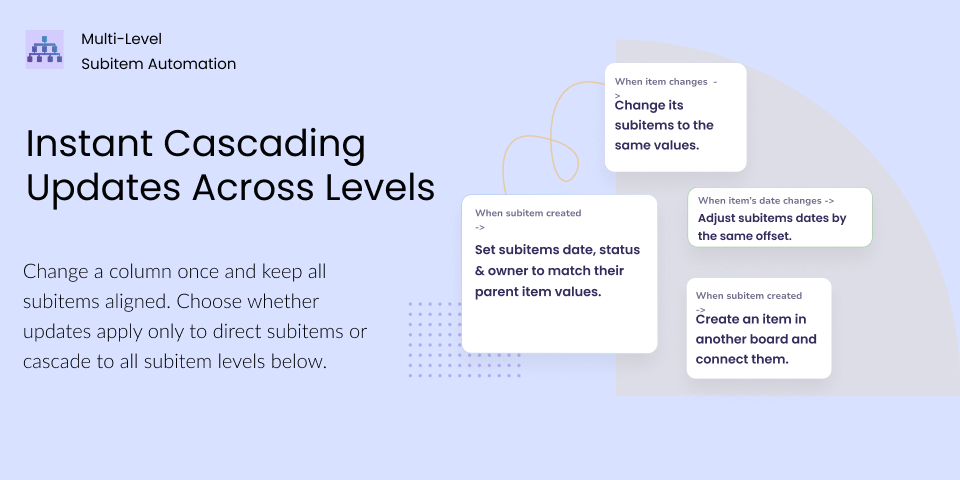
✅ Sync parent values down to all 5 subitem levels, automatically.
✅ Copy entire subitem trees with all column values mapped.
✅ Convert any subitem into a top-level item on any board.
✅ Auto-name subitems with the parent's name as prefix or suffix.
— What You Can Automate —
Sync values across all 5 subitem levels
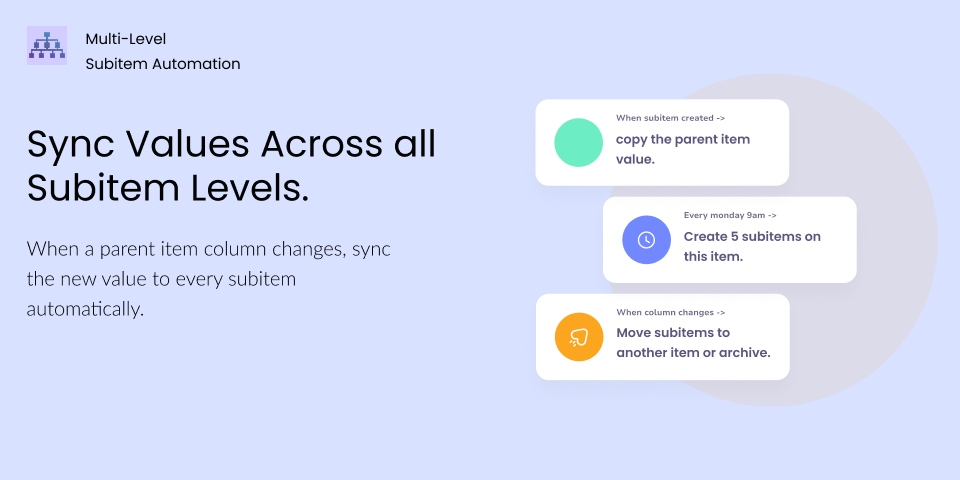
When a parent item column changes, sync the new value to every subitem automatically. No more manual copy-paste.
Set default subitem values
When a new subitem is created, automatically copy a parent column value onto it.
Assign the owner, sync statuses, dates priorities and timelines — all on creation.
Create subitems from a template (on creation & change).
When an item or subitem is created or status changes, copy all subitems from a chosen board to the new item/subitem and values are mapped across boards by name and type.
Convert subitems to items.
Promote any subitem into a standalone item on any board, with column values mapped during the move.
Auto-name subitems with a parent prefix or suffix.
Prepend or append the parent's name with a custom connector. Keeps nested work readable in lists, exports, and dashboards.
Built for monday.com's multi-level boards
Only works on multi-level boards — monday.com's new board type with 5 subitem levels. Cross-board column mapping for files, tags, and all standard columns.
Enterprise-Grade Security
Built on monday.com's native code platform with no data storage and full compliance, ensuring the highest level of security, compliance, and reliability. With no external servers involved, your data remains fully protected within monday.com’s infrastructure, meeting stringent enterprise-grade security standards.
— Who It's For —
Teams who gave up on Zapier because the subitem logic got too deep
Anyone who's said "I'll update these manually this once" then did it 40 times
Projects where one date change cascades to 30 nested subitems
Feedback? Questions? Requests?
We’d love to hear from you. Reach out anytime through the contact form, we reply fast.
Security & Compliance
The app developer did not provide the security and compliance information for this app.
Reviews
No reviews yet.
Historical data
Installation history
We have data for December 28, 2024 onwards only. Collected sometime after 00:00 UTC daily.
Total number of installs
Change in total number of installs in last 1 day(s)
Compares the number of installs on each date with 1 days previously:
Max
Min
Current
Change in total number of installs in last 7 day(s)
Compares the number of installs on each date with 7 days previously:
Max
Min
Current
Change in total number of installs in last 30 day(s)
Compares the number of installs on each date with 30 days previously:
Max
Min
Current
Change in total number of installs in last 90 day(s)
Compares the number of installs on each date with 90 days previously:
Max
Min
Current
Change in total number of installs in last 180 day(s)
Compares the number of installs on each date with 180 days previously:
Max
Min
Current
Ratings history
Categories history
Each of the following is a yes/no answer, so the graphs show 1 for yes, and 0 for no.
{
"id": 10001119,
"marketplace_developer_id": 10000126,
"app_id": 10703082,
"app_type": "app",
"security_info": {},
"gallery_assets": [
{
"url": "https://cdn.monday.com/marketplace/10001119/10001119_2026_3_19_14_27_37_tz86e6u.png",
"type": "image"
},
{
"url": "https://cdn.monday.com/marketplace/10001119/10001119_2026_3_19_14_28_30_640tsd7.png",
"type": "image"
},
{
"url": "https://cdn.monday.com/marketplace/10001119/10001119_2026_3_19_14_28_36_ugr24rcf.png",
"type": "image"
}
],
"description": "<p>monday.com now supports 5 levels of subitems. </p><p><br></p><p>Native automations don't follow you down there — so every deep hierarchy becomes a copy-paste job, updating the same status across 40 subitems by hand.</p><p><br></p><p>Multi Level Subitem Automations fixes that. Real automations across all 5 levels — 100% native, no Zapier, no Make.</p><p><br></p><p><strong>In short:</strong></p><p>✅ Run automations at any level — top item down to the deepest subitem.</p><p>✅ Sync parent values down to all 5 subitem levels, automatically.</p><p>✅ Copy entire subitem trees with all column values mapped.</p><p>✅ Convert any subitem into a top-level item on any board.</p><p>✅ Auto-name subitems with the parent's name as prefix or suffix.</p><p><br></p><p><strong>— What You Can Automate —</strong></p><p><br></p><p><strong>Sync values across all 5 subitem levels</strong></p><p>When a parent item column changes, sync the new value to every subitem automatically. No more manual copy-paste.</p><p><br></p><p><strong>Set default subitem values </strong></p><p>When a new subitem is created, automatically copy a parent column value onto it.</p><p>Assign the owner, sync statuses, dates priorities and timelines — all on creation.</p><p><br></p><p><strong>Create subitems from a template (on creation & change).</strong></p><p>When an item or subitem is created or status changes, copy all subitems from a chosen board to the new item/subitem and values are mapped across boards by name and type.</p><p><br></p><p><strong>Convert subitems to items. </strong></p><p>Promote any subitem into a standalone item on any board, with column values mapped during the move.</p><p><br></p><p><strong>Auto-name subitems with a parent prefix or suffix. </strong></p><p>Prepend or append the parent's name with a custom connector. Keeps nested work readable in lists, exports, and dashboards.</p><p><br></p><p><strong>Built for monday.com's multi-level boards</strong></p><p>Only works on multi-level boards — monday.com's new board type with 5 subitem levels. Cross-board column mapping for files, tags, and all standard columns.</p><p><br></p><p><strong> Enterprise-Grade Security</strong></p><p>Built on monday.com's native code platform with no data storage and full compliance, ensuring the highest level of security, compliance, and reliability. With no external servers involved, your data remains fully protected within monday.com’s infrastructure, meeting stringent enterprise-grade security standards.</p><p><br></p><p><strong>— Who It's For —</strong></p><ul><li>Teams who gave up on Zapier because the subitem logic got too deep</li><li>Anyone who's said \"I'll update these manually this once\" then did it 40 times</li><li>Projects where one date change cascades to 30 nested subitems</li></ul><p><br></p><p><strong>Feedback? Questions? Requests?</strong></p><p>We’d love to hear from you. Reach out anytime through the contact form, we reply fast.</p>",
"short_description": "Run automations across all 5 subitem levels on monday.com",
"thumbnail_url": "https://cdn.monday.com/marketplace/10001119/10001119_2026_2_25_12_18_35_sgx8y2jg.png",
"logo_url": "https://cdn.monday.com/marketplace/10001119/10001119_2026_2_25_12_18_10_genphle.png",
"feedback_url": "support@fantasymedia.io",
"privacy_policy_url": "https://www.fantasymedia.io/privacy-policy",
"featured": false,
"name": "Multi Level Subitem Automations",
"how_to_use_url": "https://www.fantasymedia.io/multi-level-subitem-automations",
"external_pricing_url": null,
"keywords": "subitem,subitems,multi-level,automation, projects,productivity,integration,workflow,sync,hierarchy",
"compliance_answers": [],
"created_at": "2026-03-25T12:17:22.000Z",
"updated_at": "2026-04-19T14:31:37.000Z",
"automation_app_id": null,
"marketplace_category_ids": [
10000001,
6,
5
],
"pinned_for_categories_ids": [],
"featured_for_categories_ids": [],
"pricing_data": "Free plan available",
"label": null,
"app_values": [
"Perfect for automations"
],
"security": false,
"display_in_template_store": false,
"acquisition_source": "No touch",
"is_connector": false,
"show_connections": null,
"terms_of_service_url": "https://www.fantasymedia.io/eula",
"available_for_tiers": [],
"available_for_products": [],
"google_analytics_tag_id": null,
"is_solution": false,
"cta_override": null,
"app_scope_str": "me:read,boards:read,boards:write,users:read,account:read,notifications:write,assets:read,tags:read,webhooks:write,webhooks:read,docs:read,docs:write,updates:read,updates:write",
"app_client_id": "2a47dfdee4ae35aca942688f436f9528",
"app_color": "#443176",
"plans": [
{
"id": "10703082-1-Limited",
"appPlanId": "Limited",
"name": "Limited",
"versionId": 1,
"isTrial": false,
"prices": {
"type": "standard",
"monthly": 0,
"yearly": 0
},
"versionState": "live",
"appId": 10703082,
"description": "The free plan to get started with Multi-Level Subitem Automation.",
"extraData": {
"bullets": [
"Free to use",
"200 actions / month",
"Unlimited users",
"All automations included"
],
"monthlyFee": 0,
"yearlyFee": 0
},
"isFree": true,
"isRecommended": false,
"currency": "USD"
},
{
"id": "10703082-1-Enterprise",
"appPlanId": "Enterprise",
"name": "Enterprise",
"versionId": 1,
"isTrial": false,
"prices": {
"type": "standard",
"monthly": 600,
"yearly": 450
},
"versionState": "live",
"appId": 10703082,
"description": "Built for enterprise-level organizations that rely on Multi-Level Subitem Automation at scale. ",
"extraData": {
"bullets": [
"150,000 actions / month",
"Unlimited users",
"All automations included",
"Premium support + Consultation sessions",
"Custom onboarding and training"
],
"monthlyFee": 600,
"yearlyFee": 450
},
"isFree": false,
"isRecommended": false,
"currency": "USD"
},
{
"id": "10703082-1-Advanced",
"appPlanId": "Advanced",
"name": "Advanced",
"versionId": 1,
"isTrial": false,
"prices": {
"type": "standard",
"monthly": 130,
"yearly": 98
},
"versionState": "live",
"appId": 10703082,
"description": "The ultimate plan to take full advantage of Multi-Level Subitem Automation.",
"extraData": {
"bullets": [
"10,000 actions / month ",
"Unlimited users",
" All automations included",
" Advanced support"
],
"monthlyFee": 130,
"yearlyFee": 98
},
"isFree": false,
"isRecommended": false,
"currency": "USD"
},
{
"id": "10703082-1-Starter",
"appPlanId": "Starter",
"name": "Starter",
"versionId": 1,
"isTrial": false,
"prices": {
"type": "standard",
"monthly": 35,
"yearly": 26
},
"versionState": "live",
"appId": 10703082,
"description": "Ideal for small teams who want to keep it simple but effective. ",
"extraData": {
"bullets": [
"1,000 actions / month ",
"Unlimited users",
"All automations included",
"Email support"
],
"monthlyFee": 35,
"yearlyFee": 26
},
"isFree": false,
"isRecommended": false,
"currency": "USD"
},
{
"id": "10703082-1-Intermediate",
"appPlanId": "Intermediate",
"name": "Intermediate",
"versionId": 1,
"isTrial": false,
"prices": {
"type": "standard",
"monthly": 60,
"yearly": 45
},
"versionState": "live",
"appId": 10703082,
"description": "Perfect for growing teams looking to streamline their workflows. ",
"extraData": {
"bullets": [
"4,000 actions / month ",
"Unlimited users",
"All automations included",
"Email support"
],
"monthlyFee": 60,
"yearlyFee": 45
},
"isFree": false,
"isRecommended": true,
"currency": "USD"
},
{
"id": "10703082-1-Professional",
"appPlanId": "Professional",
"name": "Professional",
"versionId": 1,
"isTrial": false,
"prices": {
"type": "standard",
"monthly": 250,
"yearly": 188
},
"versionState": "live",
"appId": 10703082,
"description": "Designed for larger teams managing complex workflows.",
"extraData": {
"bullets": [
"25,000 actions / month",
"Unlimited users",
"All automations included",
"Premium support + Consultation sessions"
],
"monthlyFee": 250,
"yearlyFee": 188
},
"isFree": false,
"isRecommended": false,
"currency": "USD"
}
],
"app_live_version": {
"updated_at": "2026-07-02T19:28:00.115Z",
"id": 15791308
},
"pricing_model": null,
"monetization": {
"monetizationType": "monday",
"hasFreePlan": true,
"hasPaidPlan": true,
"hasTrialPlan": false
},
"badges_data": {
"security": false,
"app_values": [
"Perfect for automations"
],
"pricing_data": "Free plan available",
"acquisition_source": "No touch",
"display_in_template_store": false
},
"data": {
"is_solution": false,
"cta_override": null,
"is_connector": false,
"available_for_tiers": [],
"terms_of_service_url": "https://www.fantasymedia.io/eula",
"available_for_products": [],
"google_analytics_tag_id": null
},
"display": null,
"installsDelta": {
"totalInstalls": 53,
"sevenDays": 1,
"thirtyDays": 3,
"ninetyDays": 12
}
}