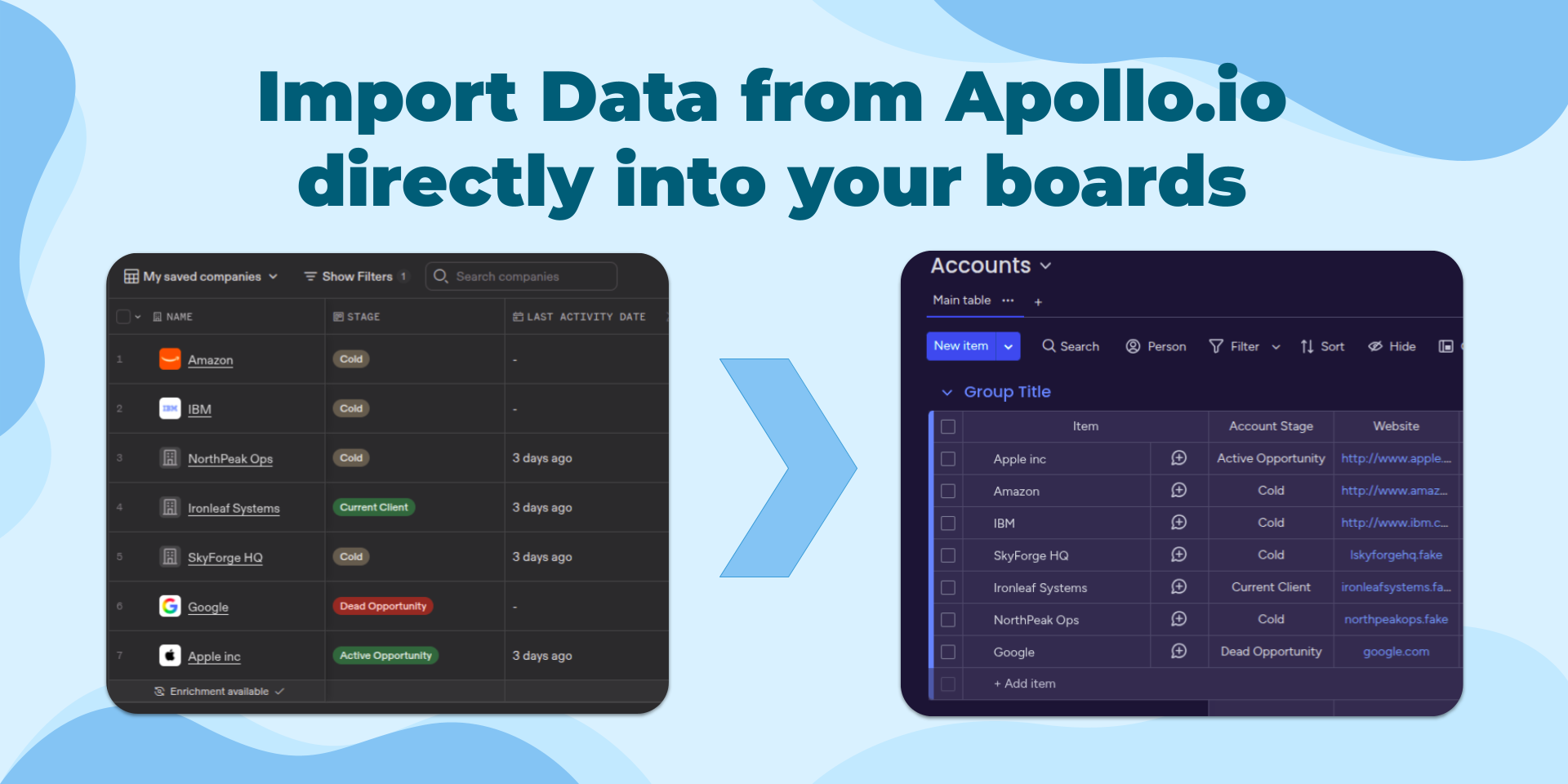
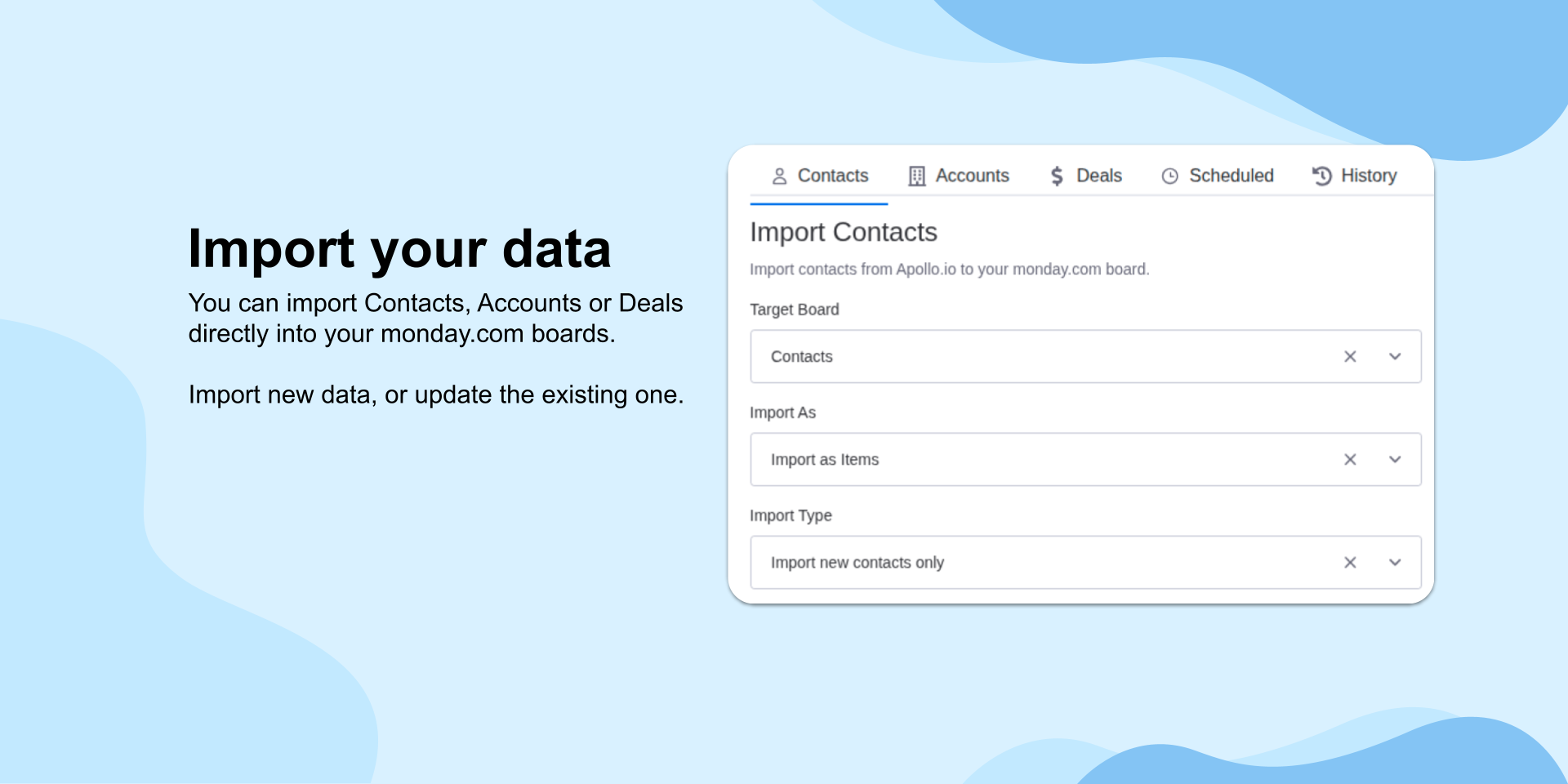
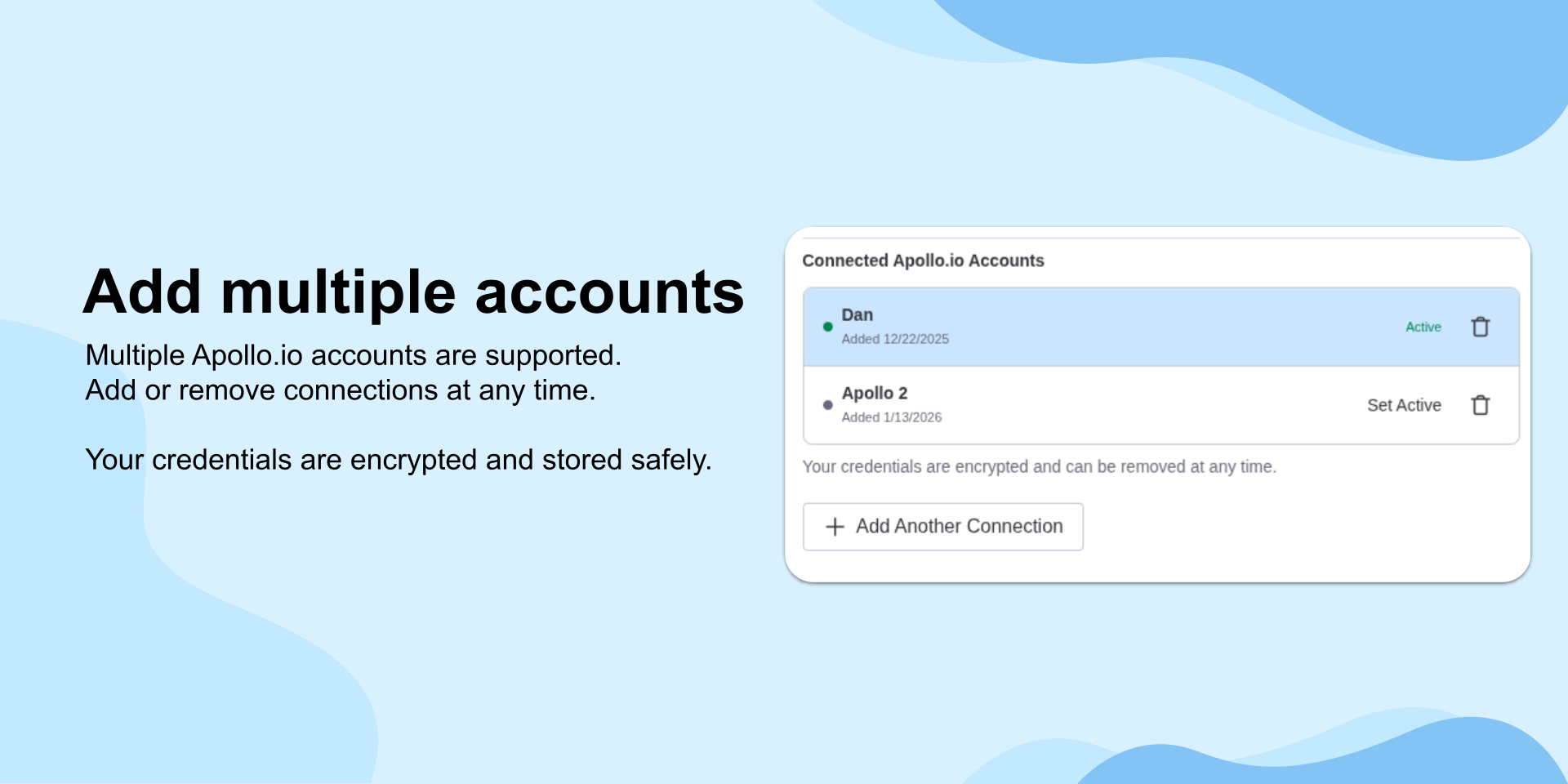
Apollo.io Data Importer helps teams bring Apollo data into monday.com without CSV exports, copy-paste, or manual cleanup. Import Apollo contacts, accounts, and deals directly into monday.com boards, then choose exactly how that data should appear in your workspace. Whether you're building a CRM board, updating pipeline data, or sharing Apollo records with teams that work primarily in monday.com, the app gives you a controlled import workflow that keeps sales data structured and actionable.
Why teams choose Apollo.io Data Importer
- Import Apollo contacts, accounts, and deals directly into monday.com
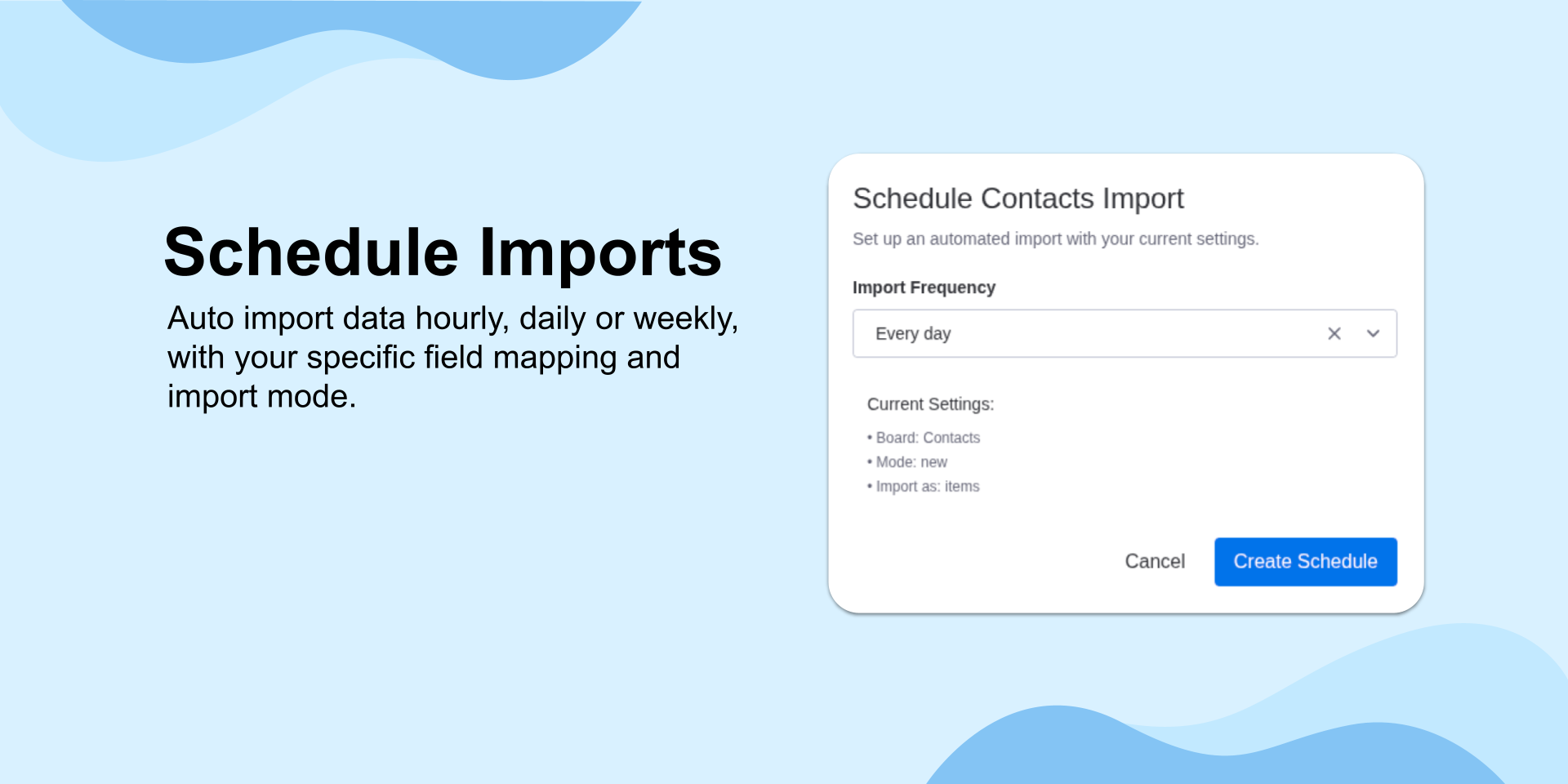
- Run imports manually when you want full control, or schedule them hourly, daily, or weekly
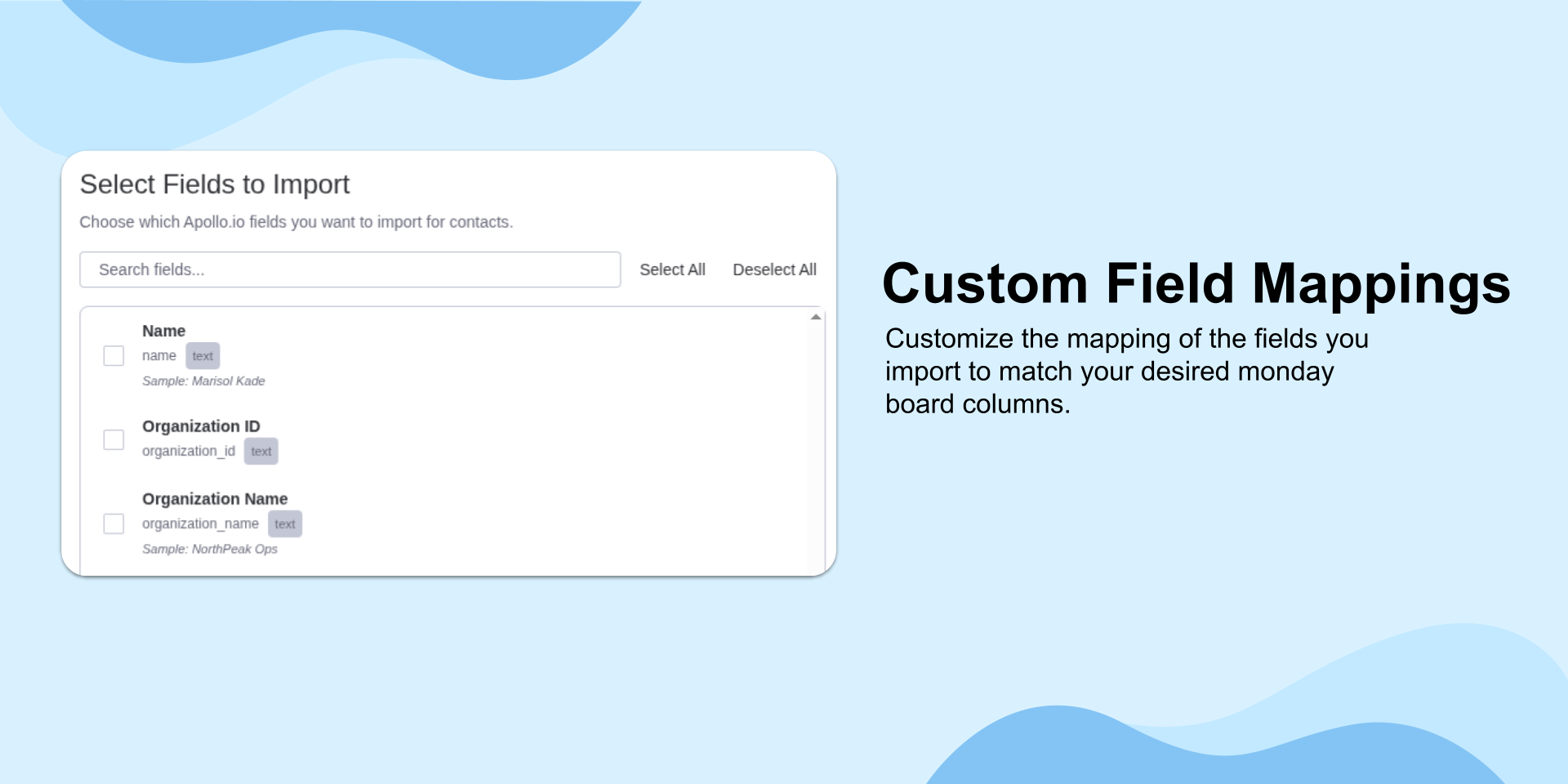
- Map Apollo fields to monday.com columns with custom field mapping
- Import records as items or organize them into groups based on your workflow
- Update only new records, only existing records, or both
- Reduce duplicate and inconsistent CRM data inside monday.com
Key use cases
- CRM setup: Import Apollo leads and contacts into a monday.com board so sales reps and SDRs can work from clean, structured data.
- Account organization: Create groups for accounts or pipeline segments, then bring related Apollo data into the right structure inside monday.com.
- Ongoing data refresh: Schedule imports to keep monday.com boards up to date with the latest Apollo contacts, accounts, and deals without repeating manual work.
Built for control
Apollo.io Data Importer gives teams full control over when data enters monday.com. Run imports on demand when you need them, or schedule them at predictable intervals, so your boards stay current without giving up oversight.
Apollo.io Data Importer is built on monday.com's "monday code" infrastructure, giving teams enterprise-grade security, compliance, and reliability.
✉️ Have an idea or feature request? Reach out anytime at contact@stargateapps.io
Security & Compliance
The app developer did not provide the security and compliance information for this app.
Reviews
No reviews yet.
Historical data
Installation history
We have data for December 28, 2024 onwards only. Collected sometime after 00:00 UTC daily.
Total number of installs
Change in total number of installs in last 1 day(s)
Compares the number of installs on each date with 1 days previously:
Max
Min
Current
Change in total number of installs in last 7 day(s)
Compares the number of installs on each date with 7 days previously:
Max
Min
Current
Change in total number of installs in last 30 day(s)
Compares the number of installs on each date with 30 days previously:
Max
Min
Current
Change in total number of installs in last 90 day(s)
Compares the number of installs on each date with 90 days previously:
Max
Min
Current
Change in total number of installs in last 180 day(s)
Compares the number of installs on each date with 180 days previously:
Max
Min
Current
Ratings history
Categories history
Each of the following is a yes/no answer, so the graphs show 1 for yes, and 0 for no.
{
  "id": 10001106,
  "marketplace_developer_id": 100000121,
  "app_id": 10716887,
  "app_type": "app",
  "security_info": {},
  "gallery_assets": [
    {
      "url": "https://cdn.monday.com/marketplace/10001106/10001106_2026_6_22_20_38_59_ka4qf3i.png",
      "type": "image"
    },
    {
      "url": "https://cdn.monday.com/marketplace/10001106/10001106_2026_6_22_20_39_5_fthvb5q.png",
      "type": "image"
    },
    {
      "url": "https://cdn.monday.com/marketplace/10001106/10001106_2026_6_22_20_39_11_e2l0xc2.png",
      "type": "image"
    },
    {
      "url": "https://cdn.monday.com/marketplace/10001106/10001106_2026_6_22_20_39_17_a15tvi8.png",
      "type": "image"
    },
    {
      "url": "https://cdn.monday.com/marketplace/10001106/10001106_2026_6_22_20_39_23_y21img8.png",
      "type": "image"
    }
  ],
  "description": "<p>Apollo.io Data Importer helps teams bring Apollo data into monday.com without CSV exports, copy-paste, or manual cleanup. Import Apollo contacts, accounts, and deals directly into monday.com boards, then choose exactly how that data should appear in your workspace. Whether you're building a CRM board, updating pipeline data, or sharing Apollo records with teams that work primarily in monday.com, the app gives you a controlled import workflow that keeps sales data structured and actionable.</p><p><br></p><p><strong>Why teams choose Apollo.io Data Importer</strong></p><p>- Import Apollo contacts, accounts, and deals directly into monday.com</p><p>- Run imports manually when you want full control, or schedule them hourly, daily, or weekly</p><p>- Map Apollo fields to monday.com columns with custom field mapping</p><p>- Import records as items or organize them into groups based on your workflow</p><p>- Update only new records, only existing records, or both</p><p>- Reduce duplicate and inconsistent CRM data inside monday.com</p><p><br></p><p><strong>Key use cases</strong></p><p>- CRM setup: Import Apollo leads and contacts into a monday.com board so sales reps and SDRs can work from clean, structured data.</p><p>- Account organization: Create groups for accounts or pipeline segments, then bring related Apollo data into the right structure inside monday.com.</p><p>- Ongoing data refresh: Schedule imports to keep monday.com boards up to date with the latest Apollo contacts, accounts, and deals without repeating manual work.</p><p><br></p><p><strong>Built for control</strong></p><p>Apollo.io Data Importer gives teams full control over when data enters monday.com. Run imports on demand when you need them, or schedule them at predictable intervals, so your boards stay current without giving up oversight.</p><p><br></p><p>Apollo.io Data Importer is built on monday.com's \"monday code\" infrastructure, giving teams enterprise-grade security, compliance, and reliability.</p><p><br></p><p><br></p><p>✉️ Have an idea or feature request? Reach out anytime at contact@stargateapps.io</p>",
  "short_description": "Import Apollo.io data directly into your board.",
  "thumbnail_url": "https://cdn.monday.com/marketplace/10001106/10001106_2026_2_9_9_8_57_0e1qus0k.jpg",
  "logo_url": "https://cdn.monday.com/marketplace/10001106/10001106_2026_2_9_9_8_53_9y8dhiv.png",
  "feedback_url": "contact@stargateapps.io",
  "privacy_policy_url": "https://www.stargateapps.io/privacy-policy",
  "featured": false,
  "name": "Apollo.io Data Importer",
  "how_to_use_url": "https://www.stargateapps.io/how-to-use-apollo-data-importer",
  "external_pricing_url": null,
  "keywords": "data import,client,customers,sales management,sales,data enrichment,apollo,apollo.io,crm,SDR",
  "compliance_answers": [],
  "created_at": "2026-03-09T09:08:13.000Z",
  "updated_at": "2026-08-09T06:23:50.000Z",
  "automation_app_id": null,
  "marketplace_category_ids": [
    10,
    6,
    4
  ],
  "pinned_for_categories_ids": [],
  "featured_for_categories_ids": [],
  "pricing_data": null,
  "label": null,
  "app_values": [
    "Centralize your work on monday.com"
  ],
  "security": false,
  "display_in_template_store": false,
  "acquisition_source": "No touch",
  "is_connector": false,
  "show_connections": null,
  "terms_of_service_url": "https://www.stargateapps.io/terms",
  "available_for_tiers": [],
  "available_for_products": [],
  "google_analytics_tag_id": "Z6GV4B44WG",
  "is_solution": false,
  "cta_override": null,
  "app_scope_str": "boards:write,boards:read",
  "app_client_id": "5f5a933594d31e01c5f9c1320ff88ccc",
  "app_color": {
    "hsl": {
      "h": 12.857142857142856,
      "s": 0,
      "l": 1,
      "a": 1
    },
    "hex": "#ffffff",
    "rgb": {
      "r": 255,
      "g": 255,
      "b": 255,
      "a": 1
    },
    "hsv": {
      "h": 12.857142857142856,
      "s": 0,
      "v": 1,
      "a": 1
    },
    "oldHue": 12.857142857142856,
    "source": "hsv"
  },
  "plans": [
    {
      "id": "10716887-1-starter_plan",
      "appPlanId": "starter_plan",
      "name": "Starter Plan",
      "versionId": 1,
      "isTrial": false,
      "prices": {
        "type": "standard",
        "monthly": 0,
        "yearly": 0
      },
      "versionState": "live",
      "appId": 10716887,
      "description": "Perfect for small teams getting started with manual imports.",
      "extraData": {
        "bullets": [
          "Unlimited manual imports",
          "Import Contacts, Accounts, Opportunities",
          "Basic field mappings",
          "Basic Support"
        ],
        "monthlyFee": 0,
        "yearlyFee": 0
      },
      "isFree": true,
      "isRecommended": false,
      "currency": "USD"
    },
    {
      "id": "10716887-1-pro_plan",
      "appPlanId": "pro_plan",
      "name": "Pro Plan",
      "versionId": 1,
      "isTrial": false,
      "prices": {
        "type": "standard",
        "monthly": 27,
        "yearly": 20
      },
      "versionState": "live",
      "appId": 10716887,
      "description": "Unlock scheduled imports and advanced field mapping.",
      "extraData": {
        "bullets": [
          "Includes everything in Starter, plus:",
          "Scheduled imports (run hourly, daily, or weekly)",
          "Custom fields mapping",
          "Priority support"
        ],
        "monthlyFee": 27,
        "yearlyFee": 20
      },
      "isFree": false,
      "isRecommended": false,
      "currency": "USD"
    }
  ],
  "app_live_version": {
    "updated_at": "2026-10-20T19:48:11.269Z",
    "id": 19102681
  },
  "pricing_model": null,
  "monetization": {
    "monetizationType": "monday",
    "hasFreePlan": true,
    "hasPaidPlan": true,
    "hasTrialPlan": false
  },
  "badges_data": {
    "security": false,
    "app_values": [
      "Centralize your work on monday.com"
    ],
    "acquisition_source": "No touch",
    "display_in_template_store": false
  },
  "data": {
    "is_solution": false,
    "cta_override": null,
    "is_connector": false,
    "available_for_tiers": [],
    "terms_of_service_url": "https://www.stargateapps.io/terms",
    "available_for_products": [],
    "google_analytics_tag_id": "Z6GV4B44WG"
  },
  "display": null,
  "installsDelta": {
    "totalInstalls": 128,
    "sevenDays": 3,
    "thirtyDays": 16,
    "ninetyDays": 50
  }
}