App metadata ID: 10000870 • App ID: 10143988 • Listing updated: April 16, 2026 View app data JSON {
"id": 10000870,
"marketplace_developer_id": 100000073,
"app_id": 10143988,
"app_type": "app",
"security_info": null,
"gallery_assets": [
{
"url": "https://cdn.monday.com/marketplace/10000870/10000870_2025_6_22_6_38_0_jnebsyw.png",
"type": "image"
},
{
"url": "https://cdn.monday.com/marketplace/10000870/10000870_2025_6_22_6_38_9_y767d7e.png",
"type": "image"
},
{
"url": "https://cdn.monday.com/marketplace/10000870/10000870_2025_6_22_6_38_16_3vnhw8q.png",
"type": "image"
},
{
"url": "https://cdn.monday.com/marketplace/10000870/10000870_2025_6_22_6_38_23_u8q2ex8j.png",
"type": "image"
},
{
"url": "https://cdn.monday.com/marketplace/10000870/10000870_2025_6_24_20_36_26_al9dmjl.mp4",
"type": "video"
}
],
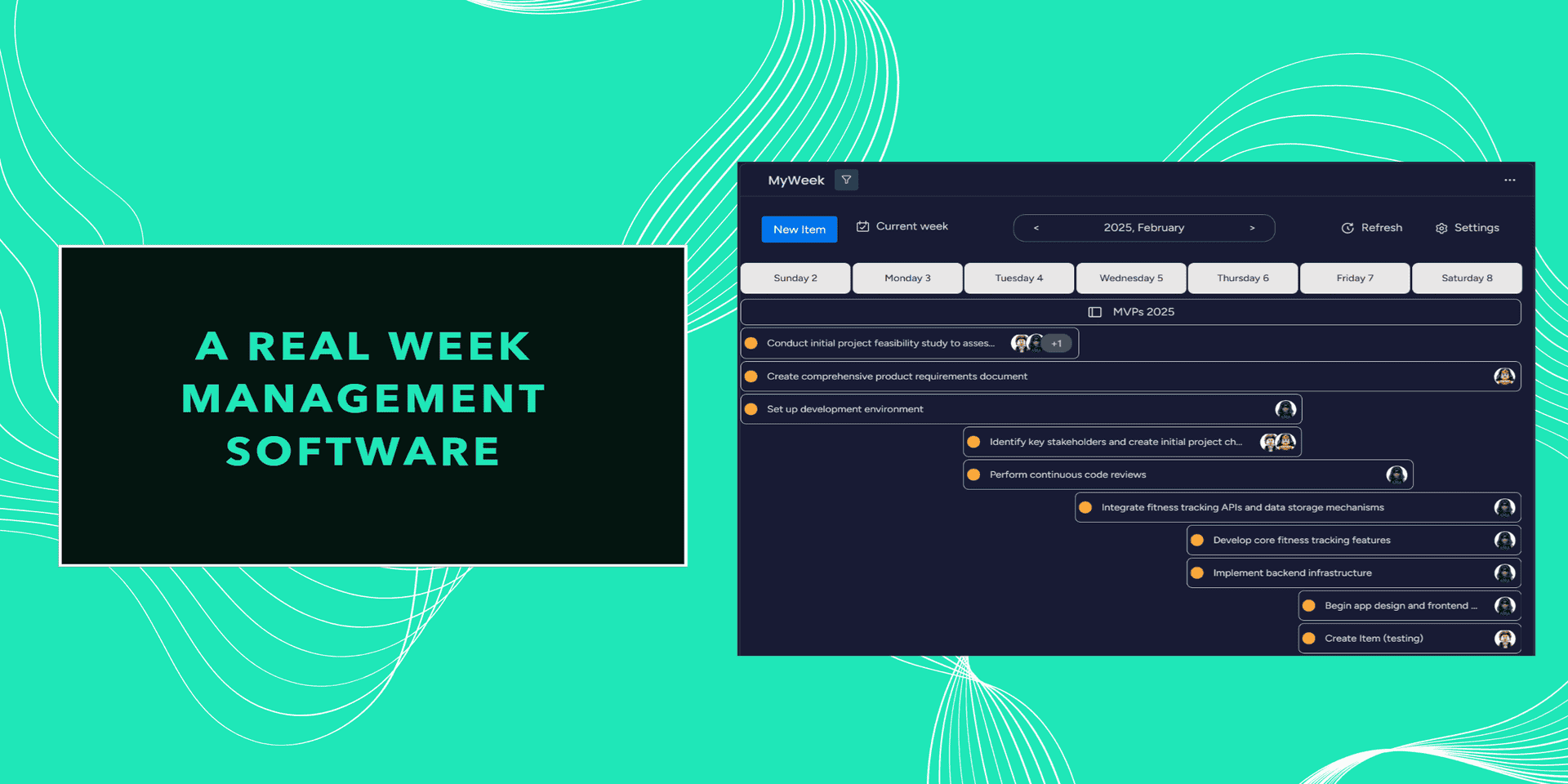
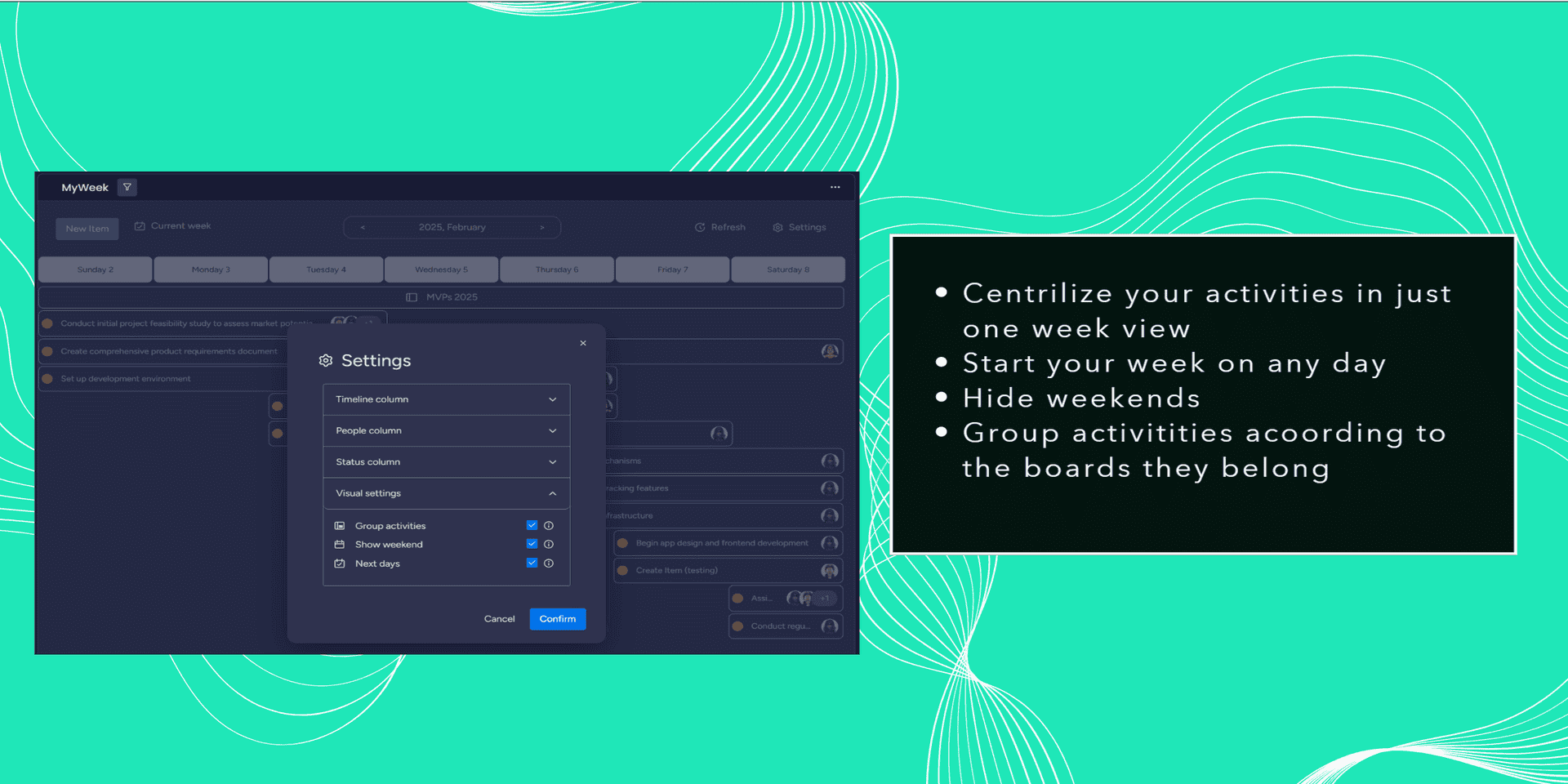
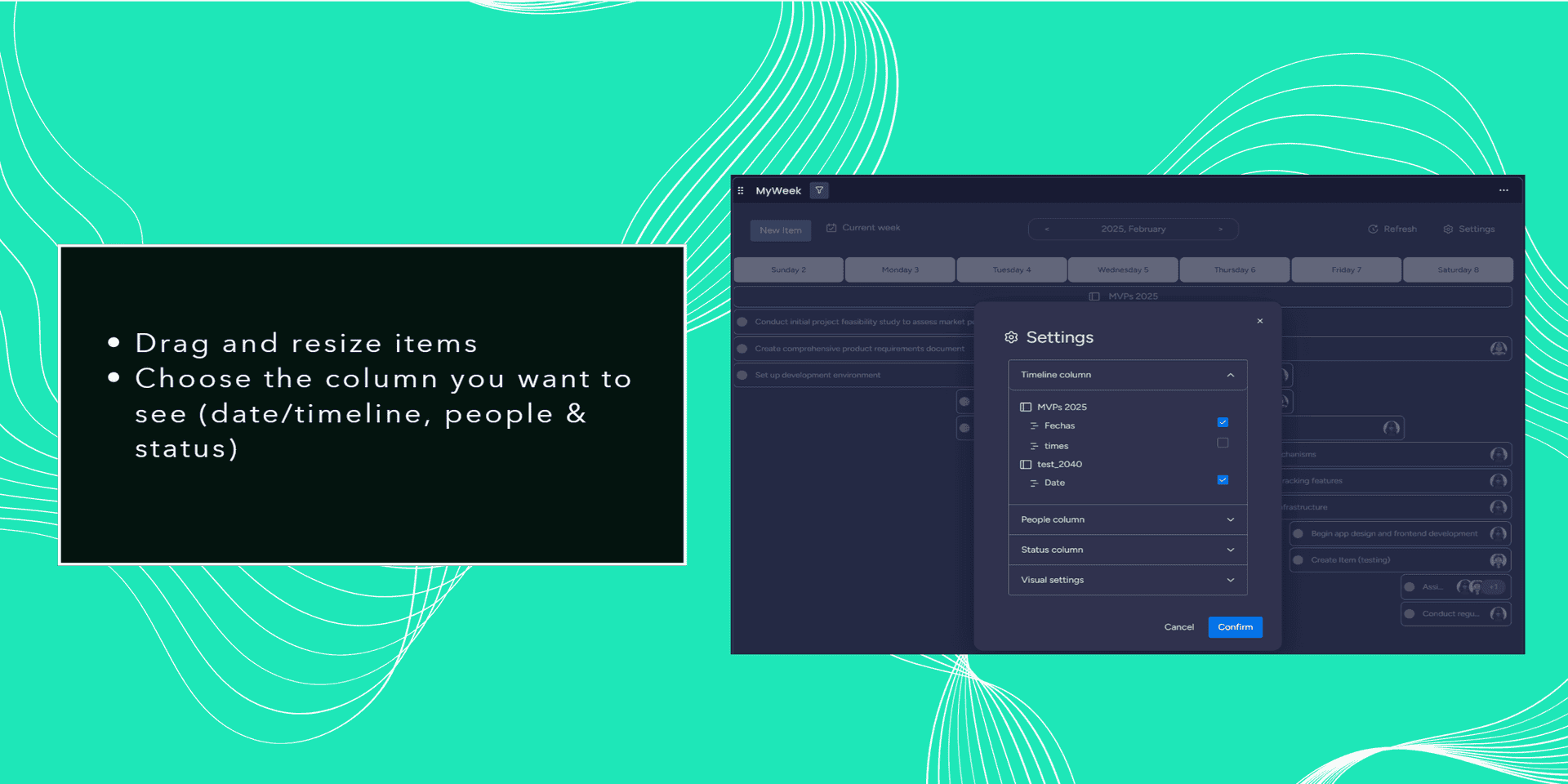
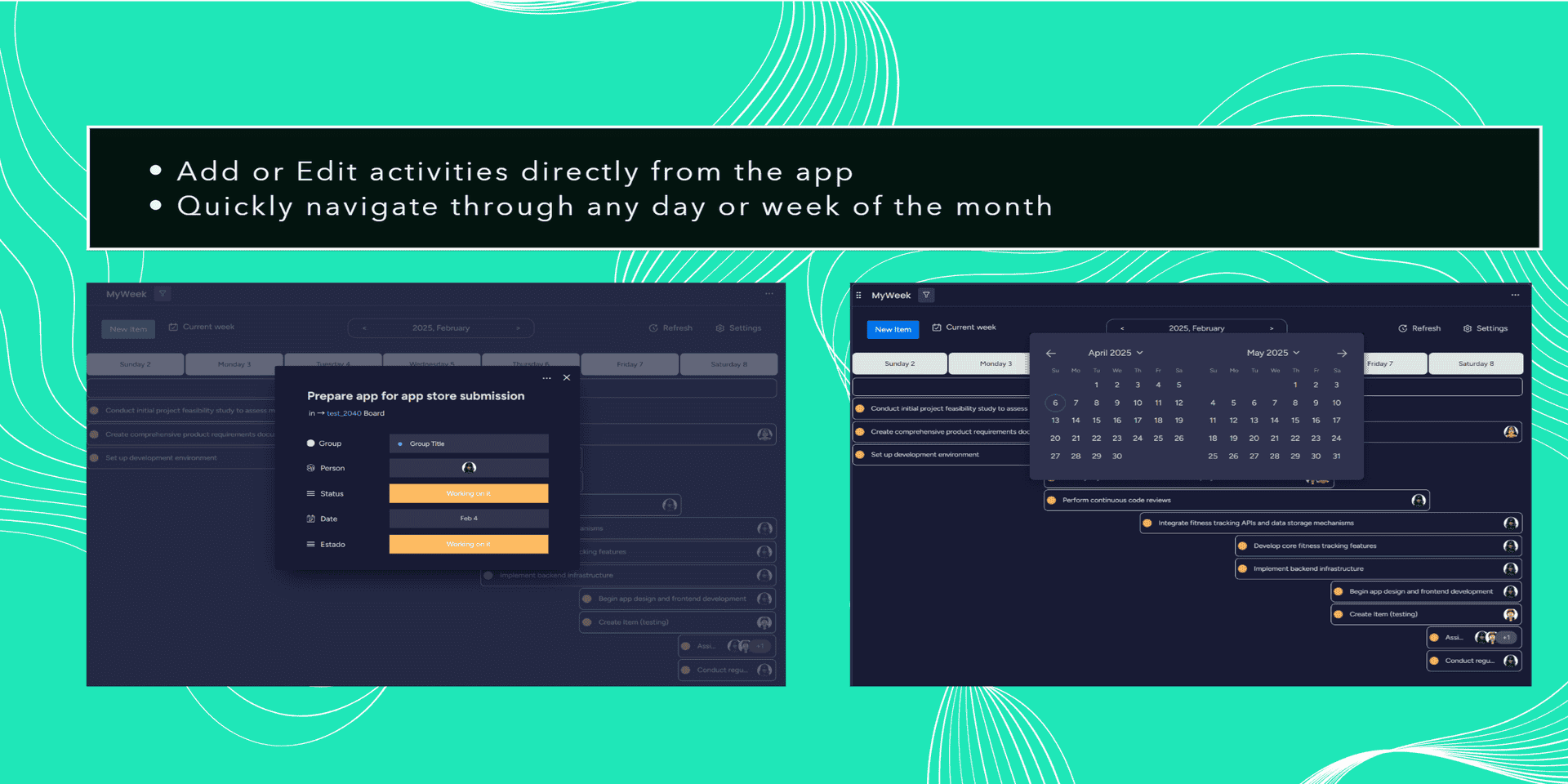
"description": "<p>Are you a manager lost in dozens of boards? <strong>MyWeek</strong> (by Virtual Vines) transforms monday.com into a visual command center. While \"My Work\" is for individuals, MyWeek is built for <strong>Team Leaders</strong> who need to see the \"Big Picture\" across multiple boards.</p><p><br></p><p><strong>Why Choose MyWeek?</strong></p><ul><li><strong>Multi-Board Consolidation:</strong> Break the limits. Sync activities from your entire workspace into one centralized, beautiful calendar.</li><li><strong>Visual Resource Management:</strong> See <strong>Avatars</strong> and <strong>Status Labels</strong> directly on the timeline. Identify bottlenecks and overbooked team members at a glance.</li><li><strong>High-Velocity Scheduling:</strong> Drag, drop, and resize tasks in seconds. Rebalance your team’s workload instantly as priorities shift.</li><li><strong>Dual-Layer Hierarchy:</strong> Manage weekly goals in the top view while fine-tuning hourly execution in the bottom view.</li><li><strong>Total Customization:</strong> Hide weekends, toggle columns (People, Status, Timeline), and set your week’s start day.</li></ul><p><strong>Now 100% FREE</strong></p><p>We believe every leader deserves clarity. No hidden fees, no limits—just professional-grade team planning for your organization.</p><p><strong>Reclaim your time and lead with data-driven clarity. Download MyWeek today.</strong></p><p>Any feedback? I will love to hear it from you. <a href=\"https://wkf.ms/3RUoye3\" rel=\"noopener noreferrer\" target=\"_blank\">https://wkf.ms/3RUoye3</a></p><p>Made by: <a href=\"http://www.virtualvines.io/\" rel=\"noopener noreferrer\" target=\"_blank\">www.virtualvines.io</a></p>",
"short_description": "The Ultimate Team Workload & Multi-Board Planner (Now Free!)",
"thumbnail_url": "https://cdn.monday.com/marketplace/10000870/10000870_2025_6_22_6_37_10_v3s114p.png",
"logo_url": "https://cdn.monday.com/marketplace/10000870/10000870_2025_6_22_6_36_41_prqhl0n.png",
"feedback_url": "support.service@virtualvines.io",
"privacy_policy_url": "https://www.virtualvines.io/myweek-privacy",
"featured": null,
"name": "MyWeek",
"how_to_use_url": "https://view.monday.com/5081062502-ce52274974268e83c8ca66013de75577?r=use1",
"external_pricing_url": null,
"keywords": "Calendar, Week Scheduling, Time Tracking, Activities Boards, Timeline, Date,Team Management,Resource Planning,Multi-board, Productivity",
"compliance_answers": [],
"created_at": "2025-07-22T06:35:17.000Z",
"updated_at": "2026-04-16T11:24:29.000Z",
"automation_app_id": null,
"marketplace_category_ids": [
8,
6,
5
],
"pinned_for_categories_ids": [],
"featured_for_categories_ids": [],
"pricing_data": "14 days trial",
"label": null,
"app_values": [
"Easier resource management"
],
"security": null,
"display_in_template_store": null,
"acquisition_source": "No touch",
"is_connector": null,
"show_connections": null,
"terms_of_service_url": "https://www.virtualvines.io/myweek-tos",
"available_for_tiers": null,
"available_for_products": null,
"google_analytics_tag_id": "G-92N6M7D43W",
"is_solution": null,
"cta_override": null,
"app_scope_str": "boards:read,users:read,boards:write",
"app_client_id": "492bfc43babd4a7534a3e937fe2ba28b",
"app_color": {
"hsl": {
"h": 165.9,
"s": 0.8064516129032258,
"l": 0.5137254901960784,
"a": 1
},
"hex": "#1fe7b8",
"rgb": {
"r": 31,
"g": 231,
"b": 184,
"a": 1
},
"hsv": {
"h": 165.9,
"s": 0.8658008658008658,
"v": 0.9058823529411765,
"a": 1
},
"oldHue": 218.10810810810813,
"source": "hex"
},
"plans": [
{
"id": "10143988-1-1",
"appPlanId": "1",
"name": "Unique",
"versionId": 1,
"isTrial": true,
"prices": {
"type": "standard",
"monthly": 9,
"yearly": 7
},
"versionState": "live",
"appId": 10143988,
"description": "Have access to all MyWeek's features.",
"extraData": {
"bullets": [
"Centrilize your activities in just one week view",
"Start your week on any day",
"Hide weekends",
"Drag and resize items",
"Choose the column you want to see (date/timeline, people & status)"
],
"monthlyFee": 9,
"yearlyFee": 7
},
"isFree": false,
"isRecommended": false,
"currency": "USD"
},
{
"id": "10143988-2-free",
"appPlanId": "free",
"name": "Free",
"versionId": 2,
"isTrial": false,
"prices": {
"type": "standard",
"monthly": 0,
"yearly": 0
},
"versionState": "live",
"appId": 10143988,
"description": "The Ultimate Team Planner & Multi-Board Command Center (FREE)",
"extraData": {
"bullets": [
"Multi-Board Consolidation: Break the limits. Sync activities from your entire workspace into one centralized, beautiful calendar.",
"Visual Resource Management: See Avatars and Status Labels directly on the timeline. Identify bottlenecks and overbooked team members at a glance.",
"High-Velocity Scheduling: Drag, drop, and resize tasks in seconds. Rebalance your team’s workload instantly as priorities shift.",
"Dual-Layer Hierarchy: Manage weekly goals in the top view while fine-tuning hourly execution in the bottom view.",
"Total Customization: Hide weekends, toggle columns (People, Status, Timeline), and set your week’s start day."
],
"monthlyFee": 0,
"yearlyFee": 0
},
"isFree": true,
"isRecommended": false,
"currency": "USD"
}
],
"app_live_version": {
"updated_at": "2026-04-01T01:47:48.507Z",
"id": 13779524
},
"pricing_model": null,
"monetization": {
"monetizationType": "monday",
"hasFreePlan": true,
"hasPaidPlan": false,
"hasTrialPlan": false
},
"badges_data": {
"app_values": [
"Easier resource management"
],
"pricing_data": "14 days trial",
"acquisition_source": "No touch"
},
"data": {
"terms_of_service_url": "https://www.virtualvines.io/myweek-tos",
"google_analytics_tag_id": "G-92N6M7D43W"
},
"display": null,
"installsDelta": {
"totalInstalls": 115,
"sevenDays": 4,
"thirtyDays": 12,
"ninetyDays": 44
}
}