Interactive Path Chart
171 installs, since July 3, 2024. 5 installs/month. App updated January 24, 2025. Listing updated October 31, 2025.
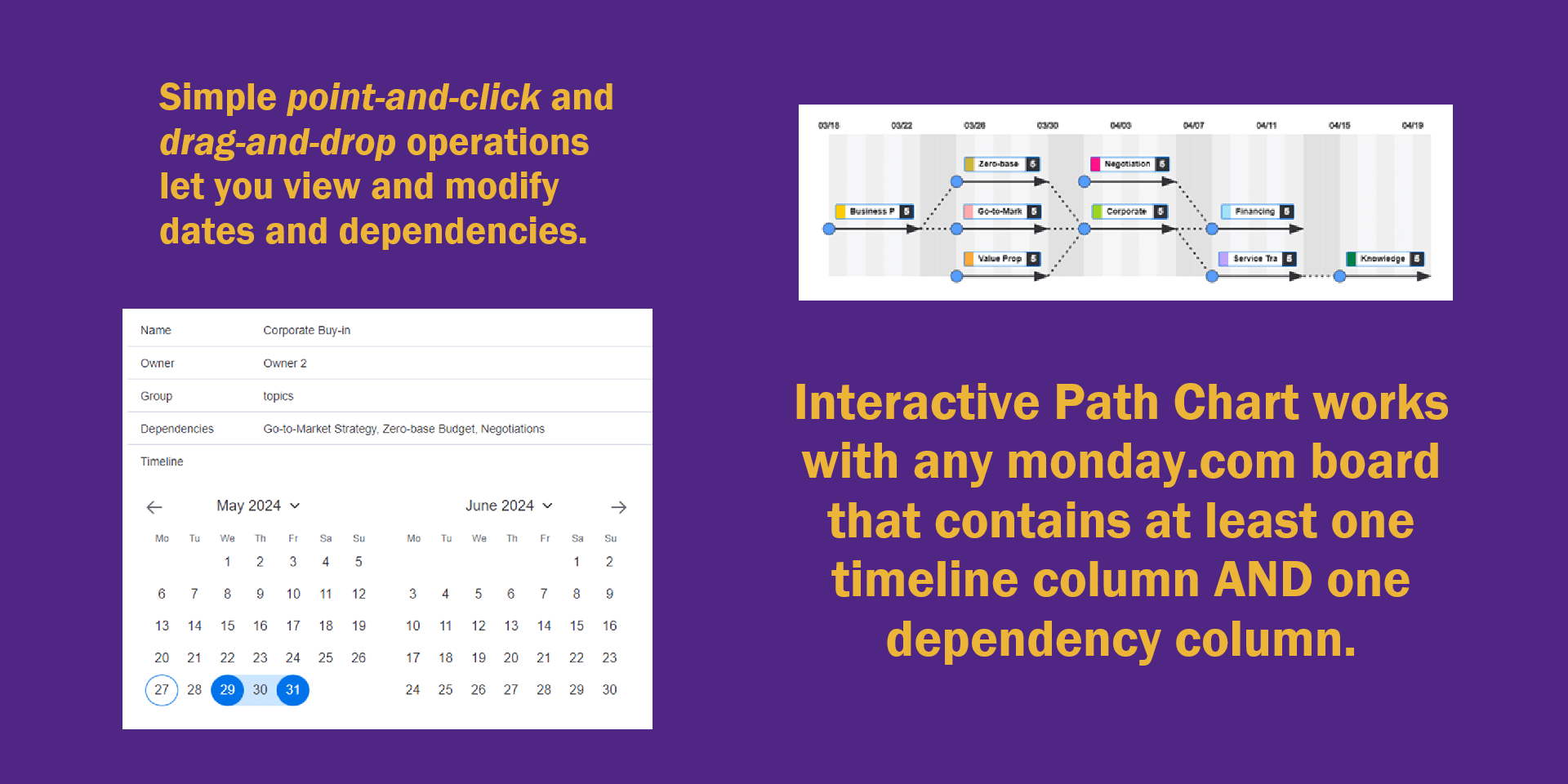
Visualize, organize, and schedule dependency-based projects.
Easily Managed Project Scheduling
Are you…
- · Trying to wrap your head around task dependencies in a table or Gantt chart?
- · Looking for an intuitive timeline visualization for a presentation or planning meeting?
Muhre’s Interactive Path Chart
(IP Chart) view for monday.com
timeline and dependency-based project boards allows you to:
- easily view, manipulate, and edit project timelines and dependencies
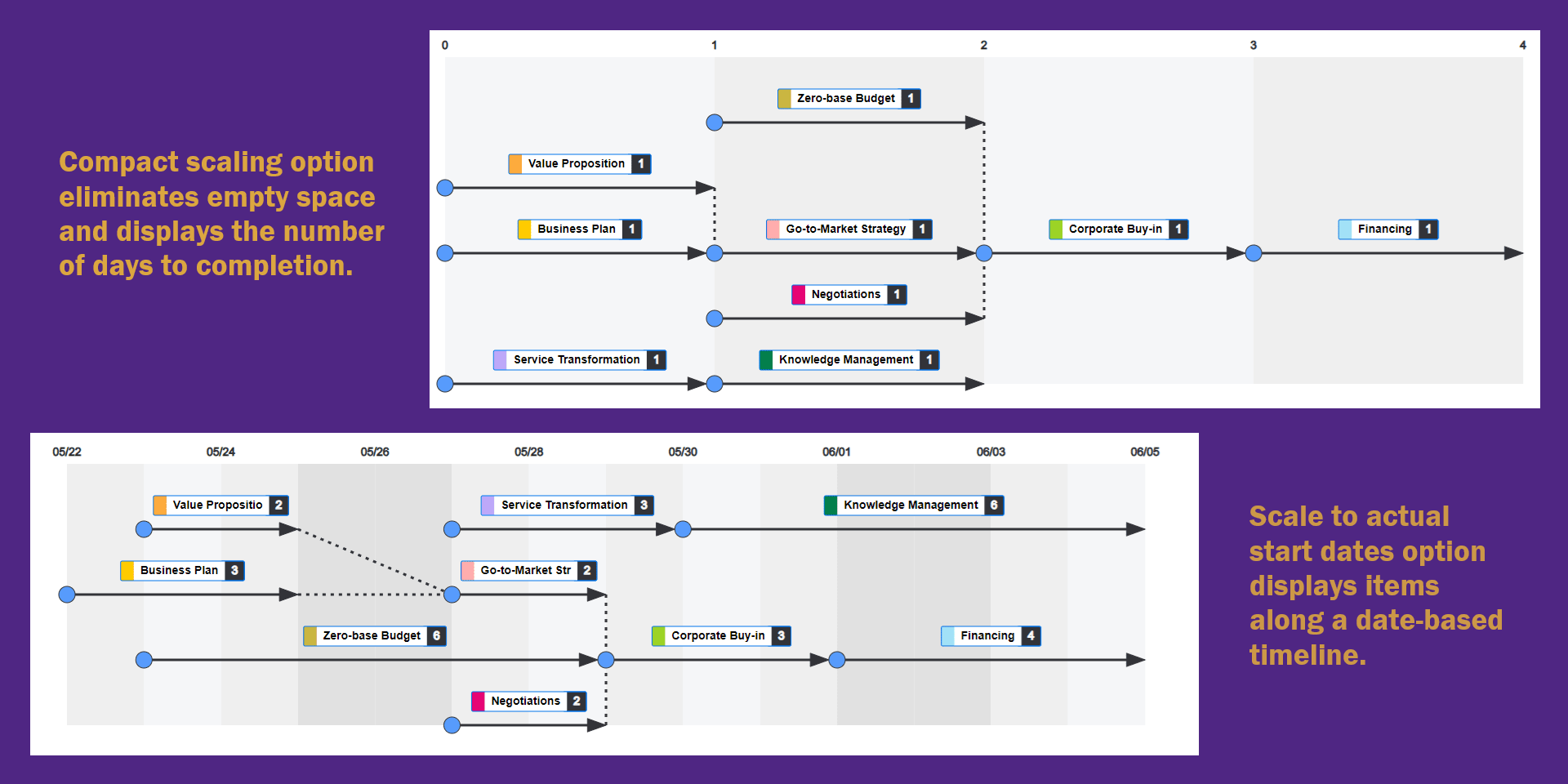
- arrange tasks by relative (compact) or actual start times and durations
- save modified task dates and dependencies to your board
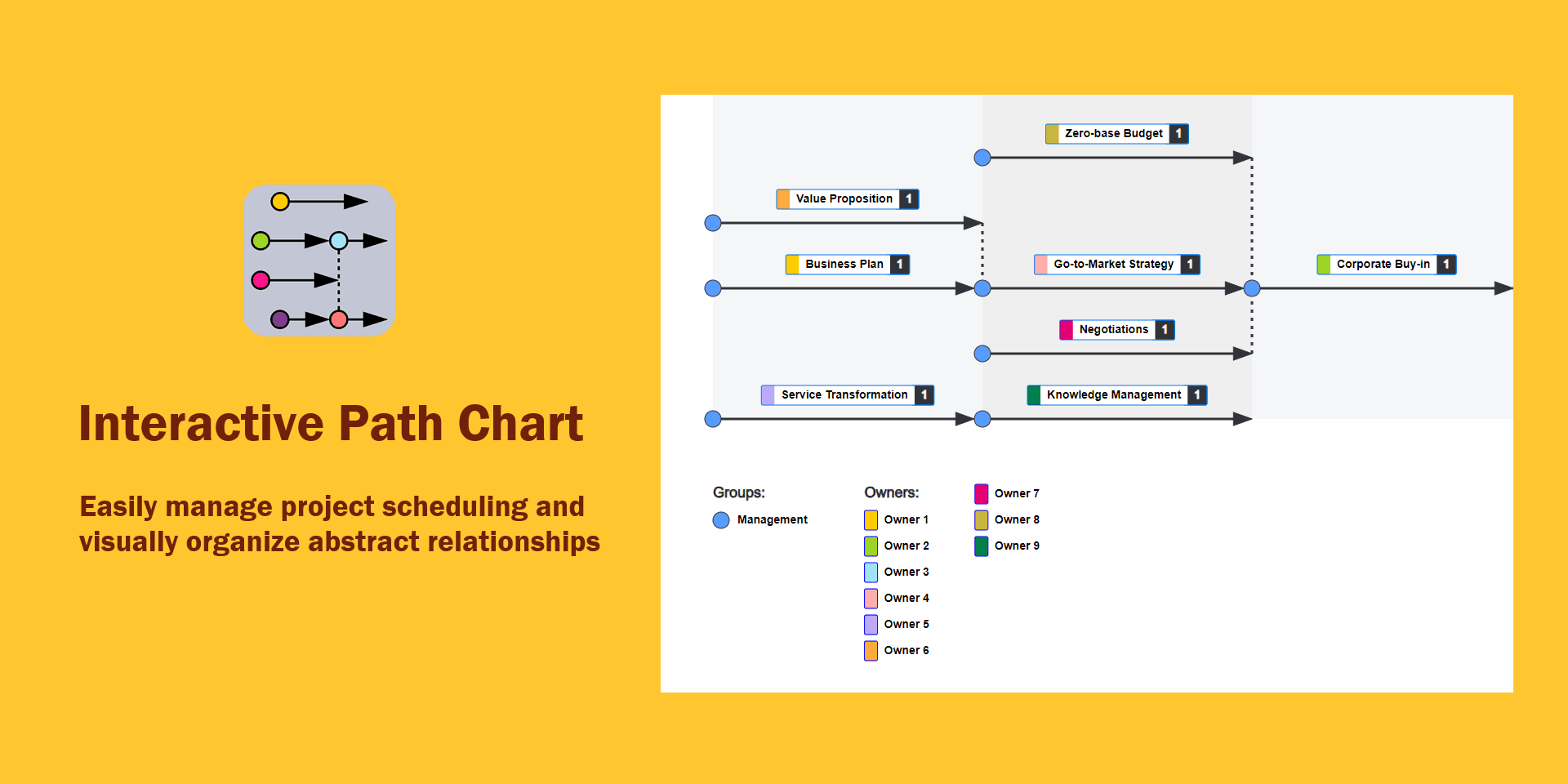
IP Chart visually organizes abstract relationships among tasks in a clear, sequentially displayed manner with:
- simple point-and-click
- and drag-and-drop operations
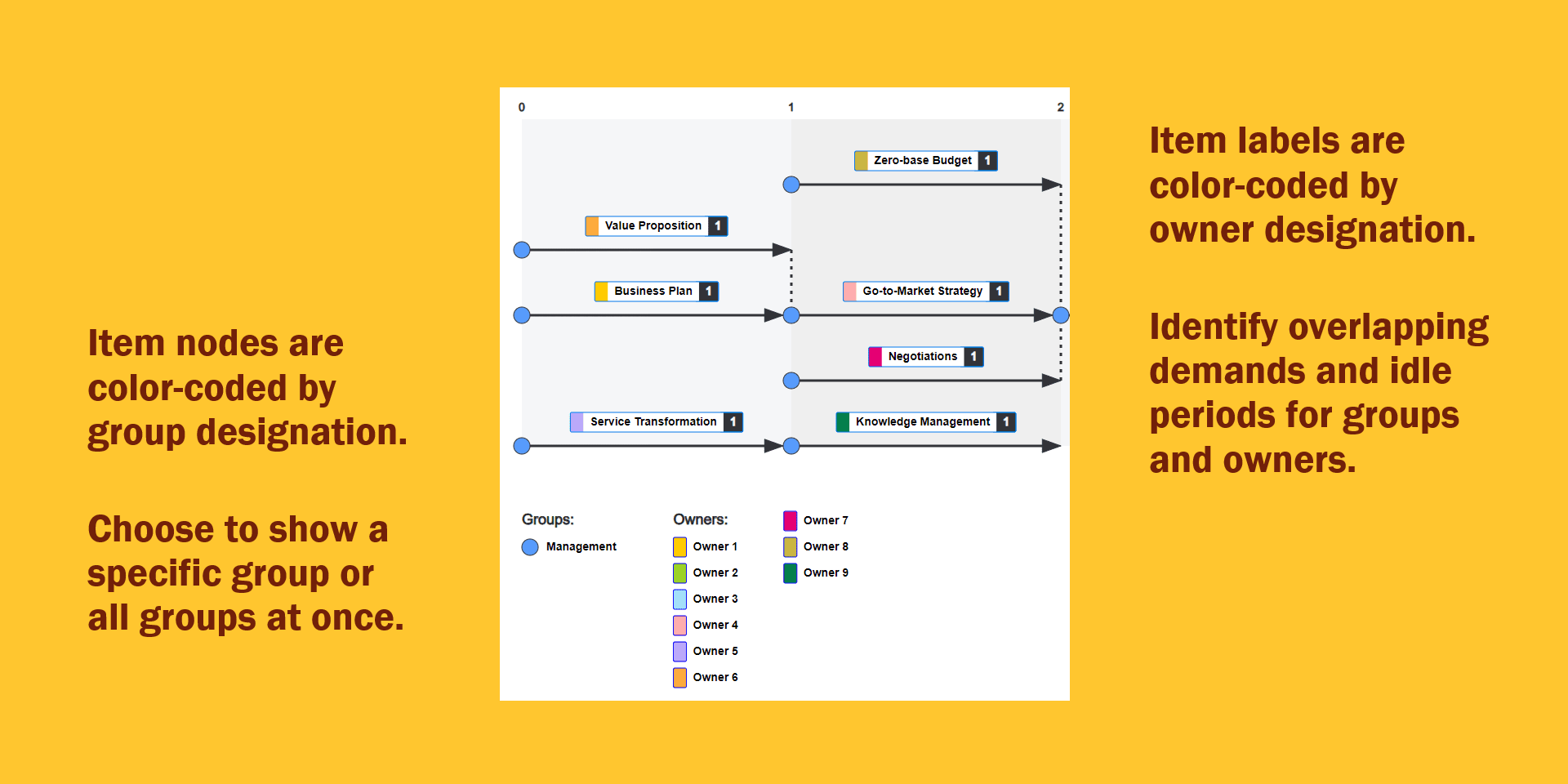
- specific task group selection or all groups at once options
- color-coded item ownership and group designations
- user-initiated SAVE that allows for risk-free scenario testing and what-ifs
IP Chart provides value through intuitive visualization and ease-of-use:
- Coordinate individuals and groups involved in a complex project.
- Modify task start dates and durations to tighten your delivery window.
- Identify overlapping demands or idle periods for an individual or group.
- Ensure dependencies are given time to complete before taking up a critical task.
- Demonstrate how each individual and group fits into the overall timeline picture.
IP Chart works with any monday.com board that contains at least one timeline column AND one dependency column. For the sake of app performance and usability, IP Chart limits the number of active items in its view to the first 250. Items are promoted as active to the view through group assignment and setting selection.
is open to entertaining application and feature requests or providing further information regarding its products. Contact us at inquiries@muhre.com.
Security & Compliance
Security
Does the developer periodically perform penetration testing?
Does the developer have a dedicated security and privacy point of contact for such issues or questions?
Does the app restrict redirects and forwards only to approved destinations, or show a warning when redirecting to potentially untrusted content?
Does the app protect against mass parameter assignment attacks?
Does the app perform encoding and sanitization on all user supplied parameters to protect against Cross-Site Scripting?
Does the developer protect all state-changing actions against Cross-Site Request Forgery (CSRF)?
Does the developer have mechanisms to notify monday.com in case of a security breach?
Does this developer have a process for installing application-level updates and security patches for the service (such as software packages and databases)?
Compliance
Is the app certified with the information security standard ISO/IEC 27001:2022?
Is the app compliant with the Health Insurance Portability and Accountability Act (HIPAA)?
Is the app certified with System and Organization Controls (SOC 2 or SOC 3)?
Is the app compliant with the General Data Protection Regulation (GDPR)?
Data
Does the app send any data outside of monday.com? If yes, indicate whether the data is customer-submitted (e.g., board names, item names, doc content) or non-customer-submitted (e.g., account ID, board ID, user ID).
Where does the app store logs data?
Where does the app store the app data?
Does the developer ensure application logs do not contain secrets or personally-identifiable information (PII)?
Is customer data segregated from the data of other customers (for example logically or physically)?
Privacy
Does the developer enforce multi-factor authentication on employees access to systems which may process customer data?
Does the developer protect access to customer data based on the principle of least privilege?
Reviews
AK: Error messages and crashes on first use
DO: It doesn't work. It displays briefly, then just shows an error. Maybe it's out of date? It's not clear.
Historical data
Installation history
We have data for December 28, 2024 onwards only. Collected sometime after 00:00 UTC daily.
Total number of installs
Change in total number of installs in last 1 day(s)
Compares the number of installs on each date with 1 days previously:
Change in total number of installs in last 7 day(s)
Compares the number of installs on each date with 7 days previously:
Change in total number of installs in last 30 day(s)
Compares the number of installs on each date with 30 days previously:
Change in total number of installs in last 90 day(s)
Compares the number of installs on each date with 90 days previously:
Change in total number of installs in last 180 day(s)
Compares the number of installs on each date with 180 days previously:
Ratings history
Categories history
Each of the following is a yes/no answer, so the graphs show 1 for yes, and 0 for no.