Make Adobe PDFs visible, browsable, actionable for teams
View Adobe PDFs directly in monday.com without leaving your workflow
Fully visible documents
Multiple PDFs in one view
Built-in support
Embed an Adobe PDF into monday.com for easier collaboration and proofreading.
Simply copy/paste a hosted and accessible URL and your PDF will appear.
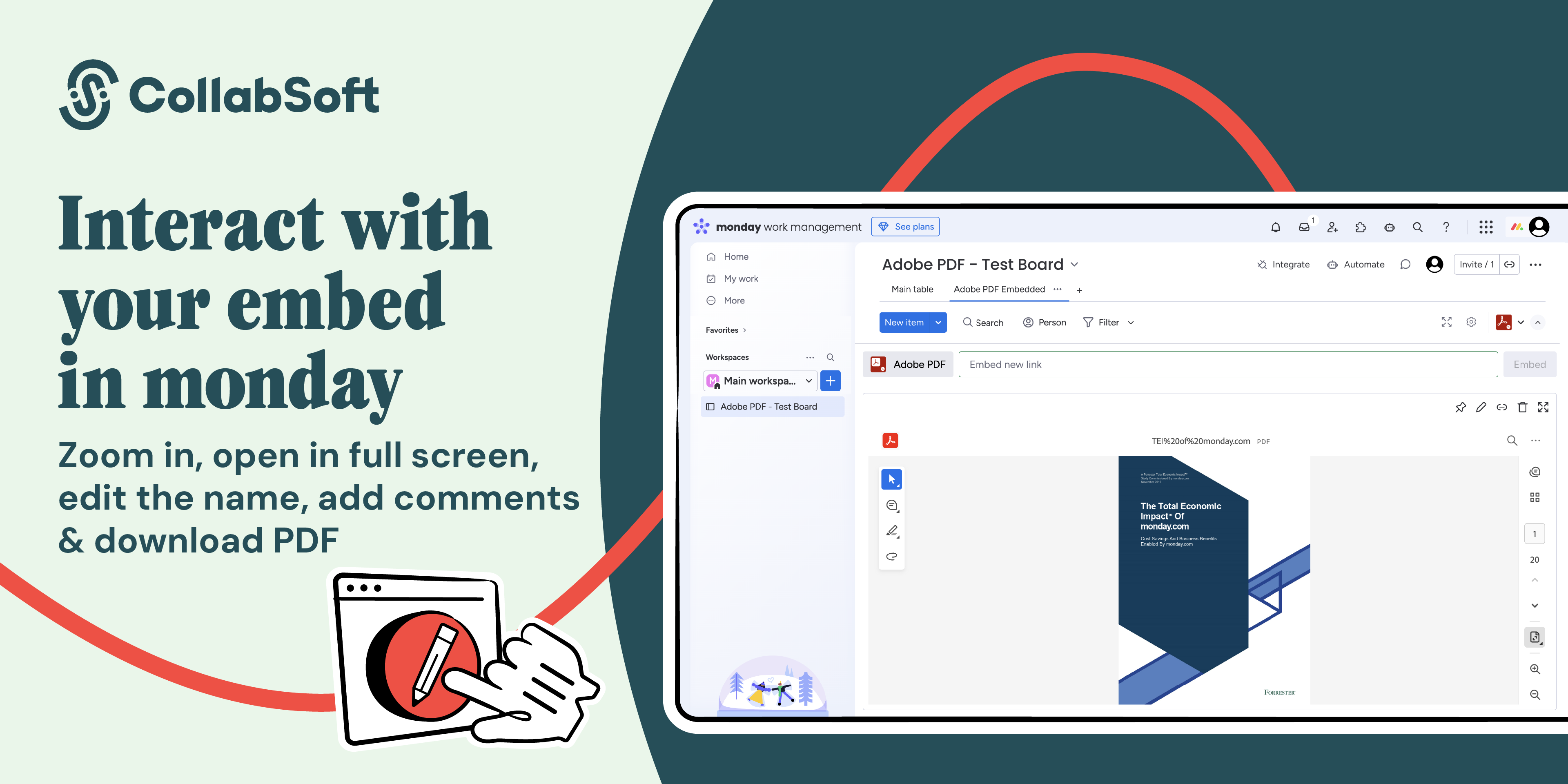
The embedded file shows a full preview and lets you browse all the contents page by page. No need to download files or switch to a different tool.
Share marketing materials, reports, white papers, agreements—any document you need people to see, reference, or work on. Display them in items, boards, or dashboards for maximum flexibility and accessibility.
Add multiple PDFs and pin the most important to the top of the view. Zoom in or open your PDF in full screen for a better view. You can also give each embedded PDF a name.
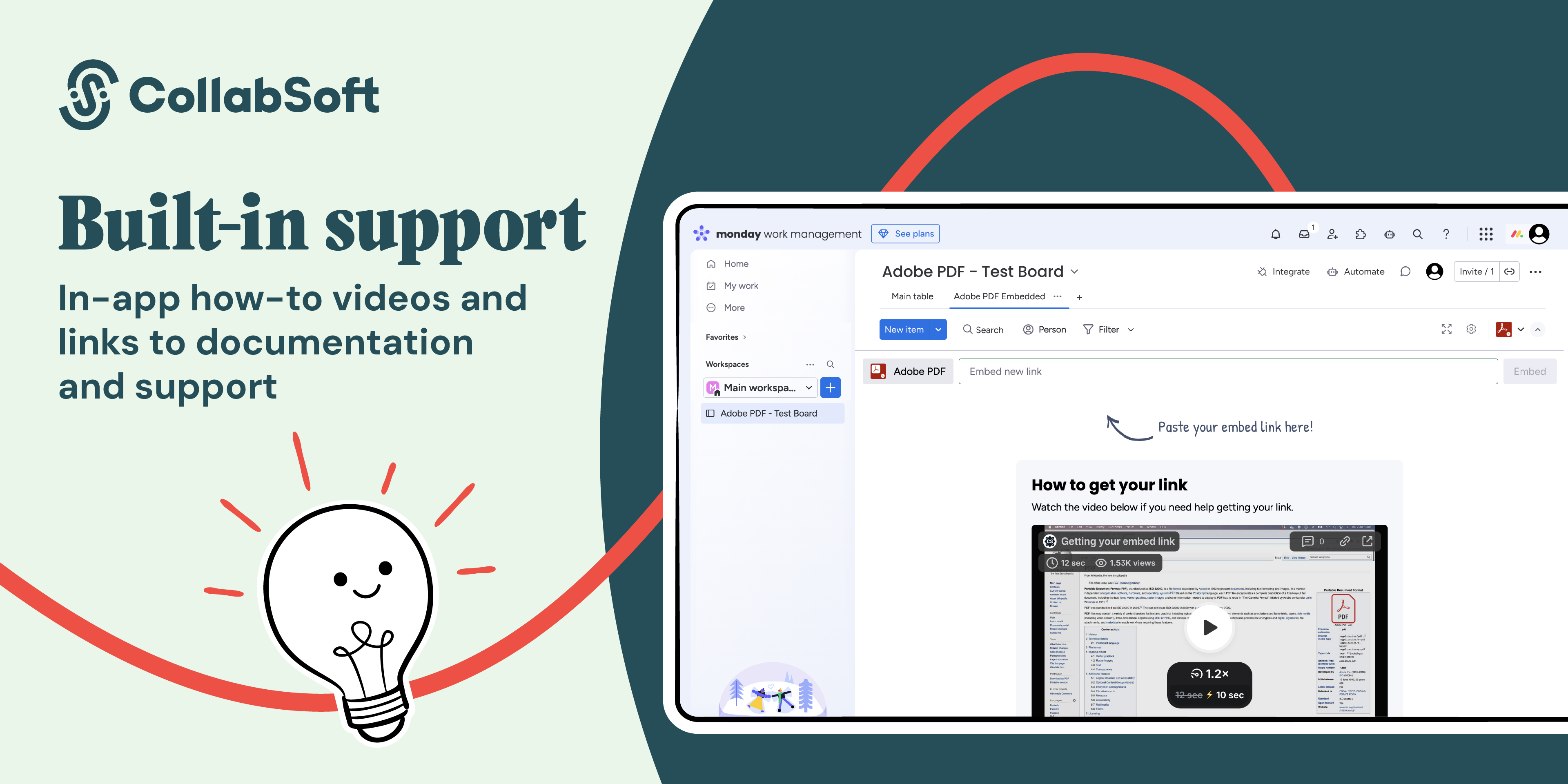
When you open the Adobe PDF Embedded app in monday.com, how-to videos show you how to add a PDF. You’ll also find links to our documentation and support portal if you need more help.
Make your Adobe PDFs visible, browsable, and actionable for all team members.
Security & Compliance
Security
Does the developer periodically perform penetration testing?
Not answered
Does the developer have a dedicated security and privacy point of contact for such issues or questions?
Not answered
Does the app restrict redirects and forwards only to approved destinations, or show a warning when redirecting to potentially untrusted content?
Yes
All user input is checked using Regular Expressions and are required to match a specific input pattern.
Does the app protect against mass parameter assignment attacks?
No
We do not have a back-end nor store any customer data
Does the app perform encoding and sanitization on all user supplied parameters to protect against Cross-Site Scripting?
Yes
We do not encode or sanitise data, but all user input is checked using Regular Expressions and are required to match a specific input pattern.
Does the developer protect all state-changing actions against Cross-Site Request Forgery (CSRF)?
No
Our app does not have a back-end and as such does not make any requests that can be forged.
Does the developer have mechanisms to notify monday.com in case of a security breach?
Yes
We will use the Marketplace Review board for the app and/or Slack
Does this developer have a process for installing application-level updates and security patches for the service (such as software packages and databases)?
Yes
Our infrastructure is hosted by Google Cloud Platform (Firebase) who is responsible for installing security updates regarding their services. Our applications are regularly scanned for vulnerabilities in, and updates to, 3rd party packages by Snyk. Any recommendations are immediately applied and released.
Compliance
Is the app certified with the information security standard ISO/IEC 27001:2022?
Not answered
Is the app compliant with the Health Insurance Portability and Accountability Act (HIPAA)?
Not answered
Is the app certified with System and Organization Controls (SOC 2 or SOC 3)?
Not answered
Is the app compliant with the General Data Protection Regulation (GDPR)?
Not answered
Data
Does the app send any data outside of monday.com? If yes, indicate whether the data is customer-submitted (e.g., board names, item names, doc content) or non-customer-submitted (e.g., account ID, board ID, user ID).
Not answered
Where does the app store logs data?
Not answered
Where does the app store the app data?
Not answered
Does the developer ensure application logs do not contain secrets or personally-identifiable information (PII)?
No
We do not log anything
Is customer data segregated from the data of other customers (for example logically or physically)?
No
We do not store any customer data
Privacy
Does the developer enforce multi-factor authentication on employees access to systems which may process customer data?
Yes
All systems using Google Workspace account based SSO, with MFA required
Does the developer protect access to customer data based on the principle of least privilege?
No
We do not store any customer data
Reviews
No reviews yet.
Historical data
Installation history
We have data for December 28, 2024 onwards only. Collected sometime after 00:00 UTC daily.
Total number of installs
Change in total number of installs in last 1 day(s)
Compares the number of installs on each date with 1 days previously:
Max
Min
Current
Change in total number of installs in last 7 day(s)
Compares the number of installs on each date with 7 days previously:
Max
Min
Current
Change in total number of installs in last 30 day(s)
Compares the number of installs on each date with 30 days previously:
Max
Min
Current
Change in total number of installs in last 90 day(s)
Compares the number of installs on each date with 90 days previously:
Max
Min
Current
Change in total number of installs in last 180 day(s)
Compares the number of installs on each date with 180 days previously:
Max
Min
Current
Ratings history
Categories history
Each of the following is a yes/no answer, so the graphs show 1 for yes, and 0 for no.