Advanced analytics and reporting app for monday.com
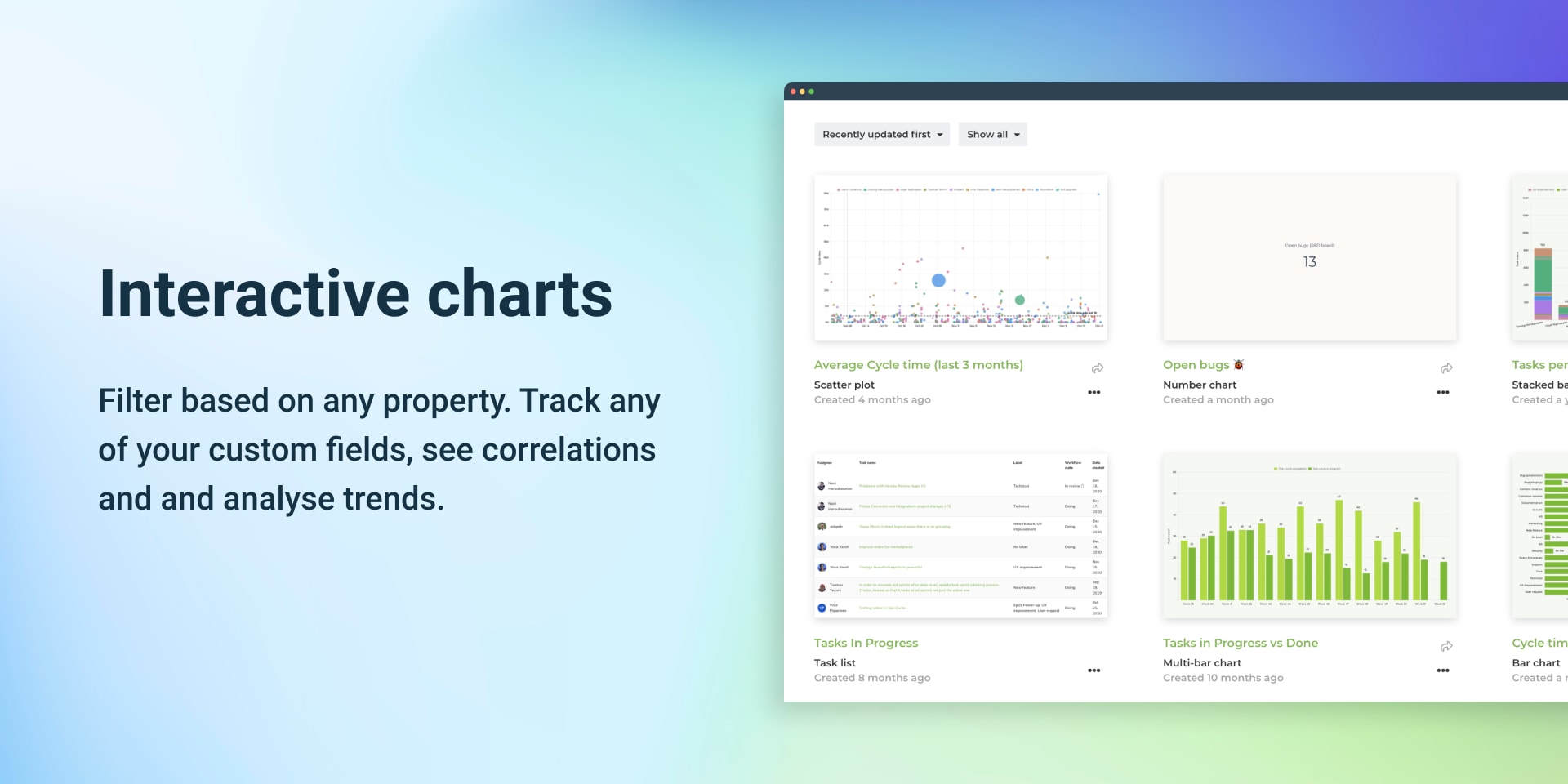
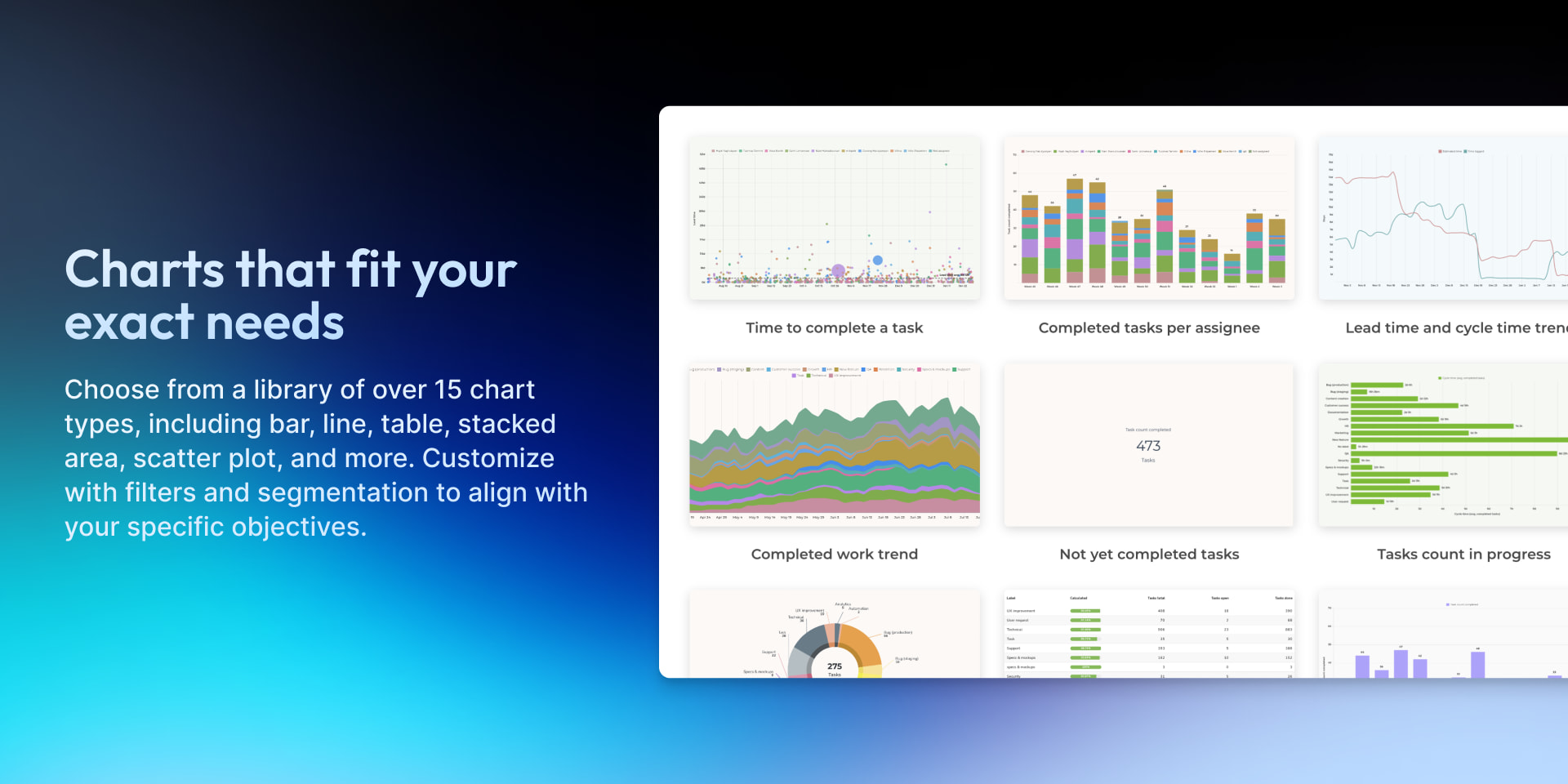
Analytics & Reports by Screenful is a user-friendly business intelligence solution that makes it simple to build charts and reports from your monday.com data and share them with others.
📈 Track unlimited boards, users, items, and subitems.
🔍 Aggregate data from your board columns across all of your boards
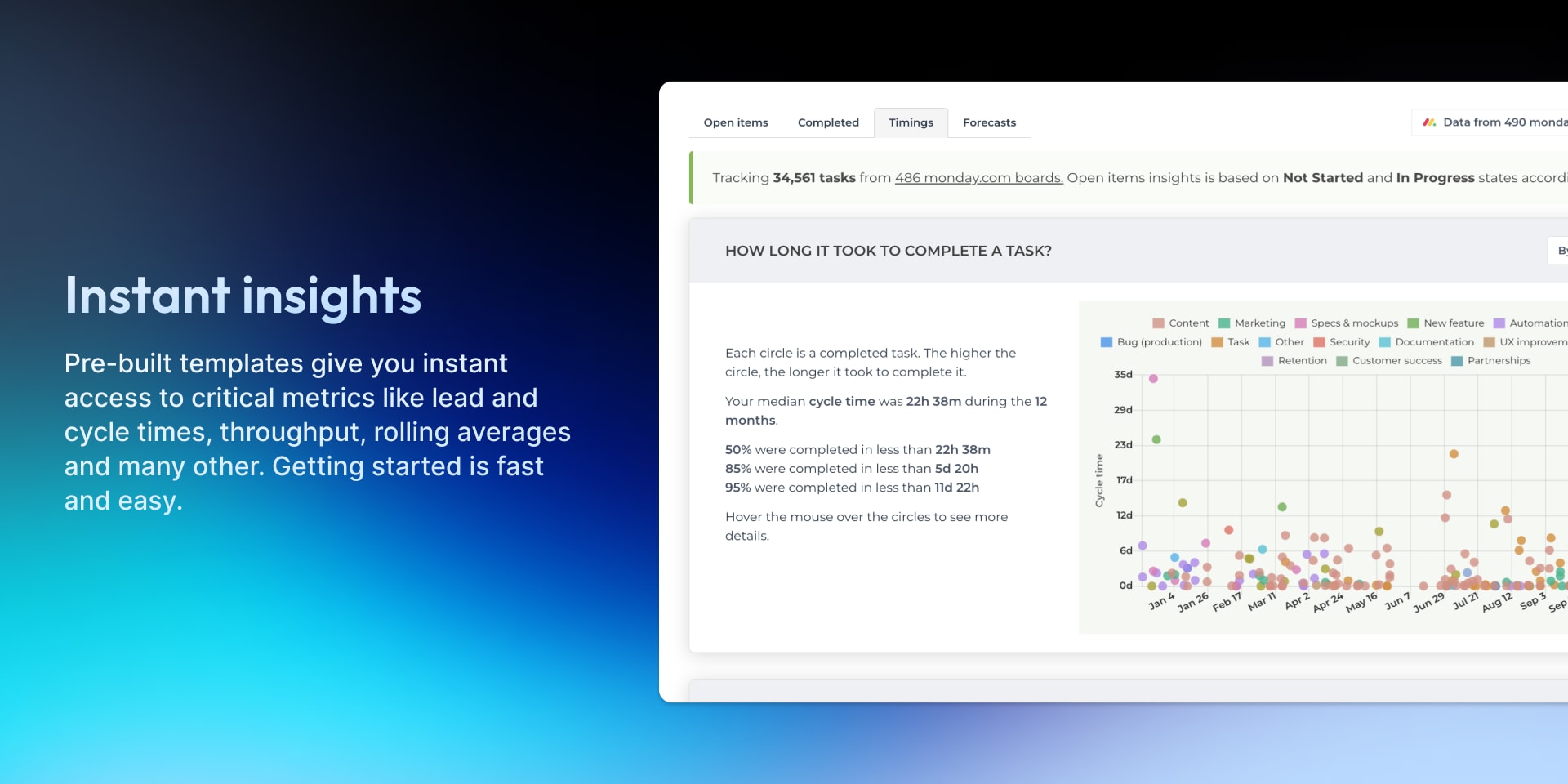
⏳ Track status transitions, time in status, and completion times.
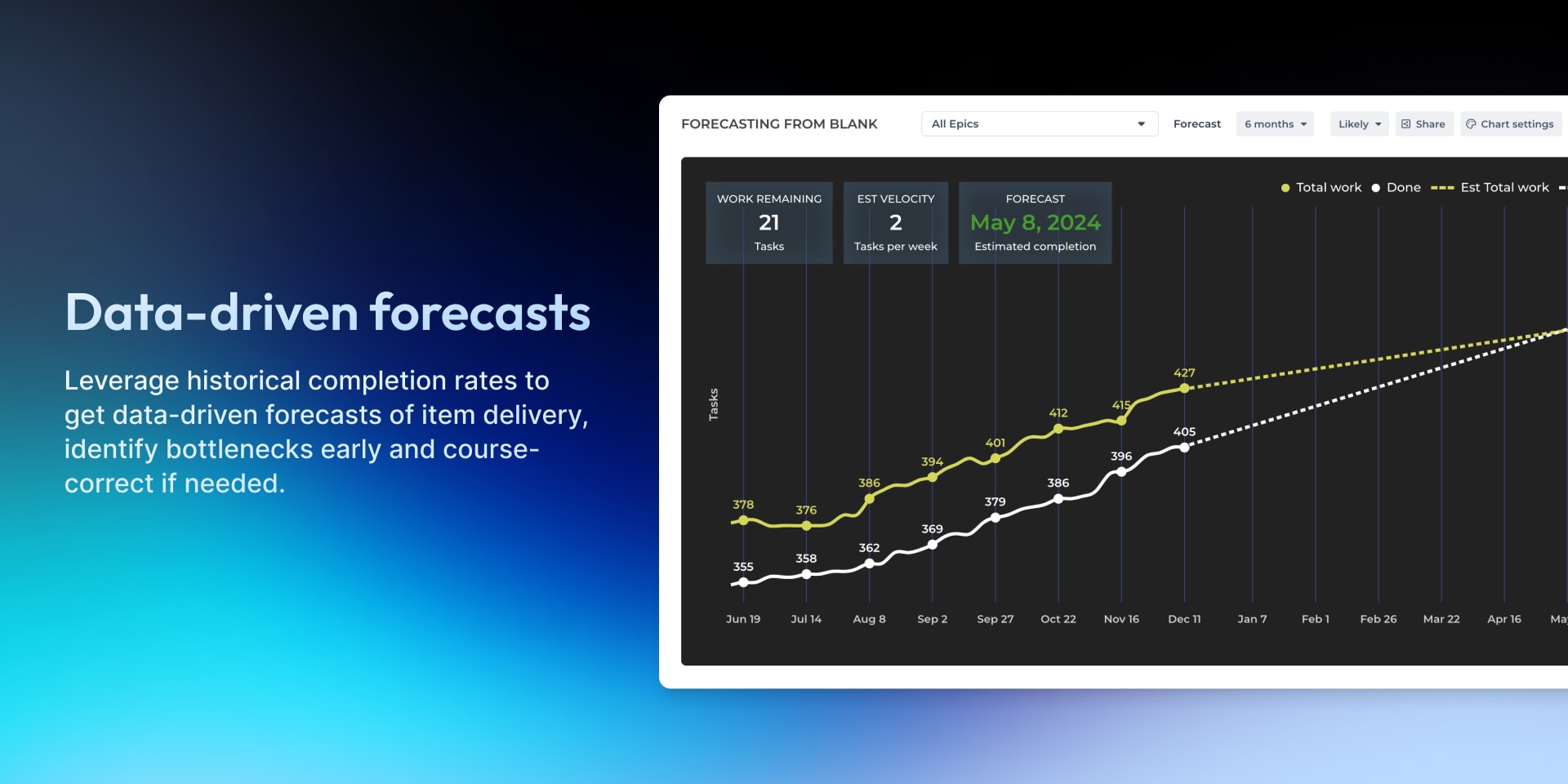
🔥 Burndown chart, velocity, cumulative flow (CFD)
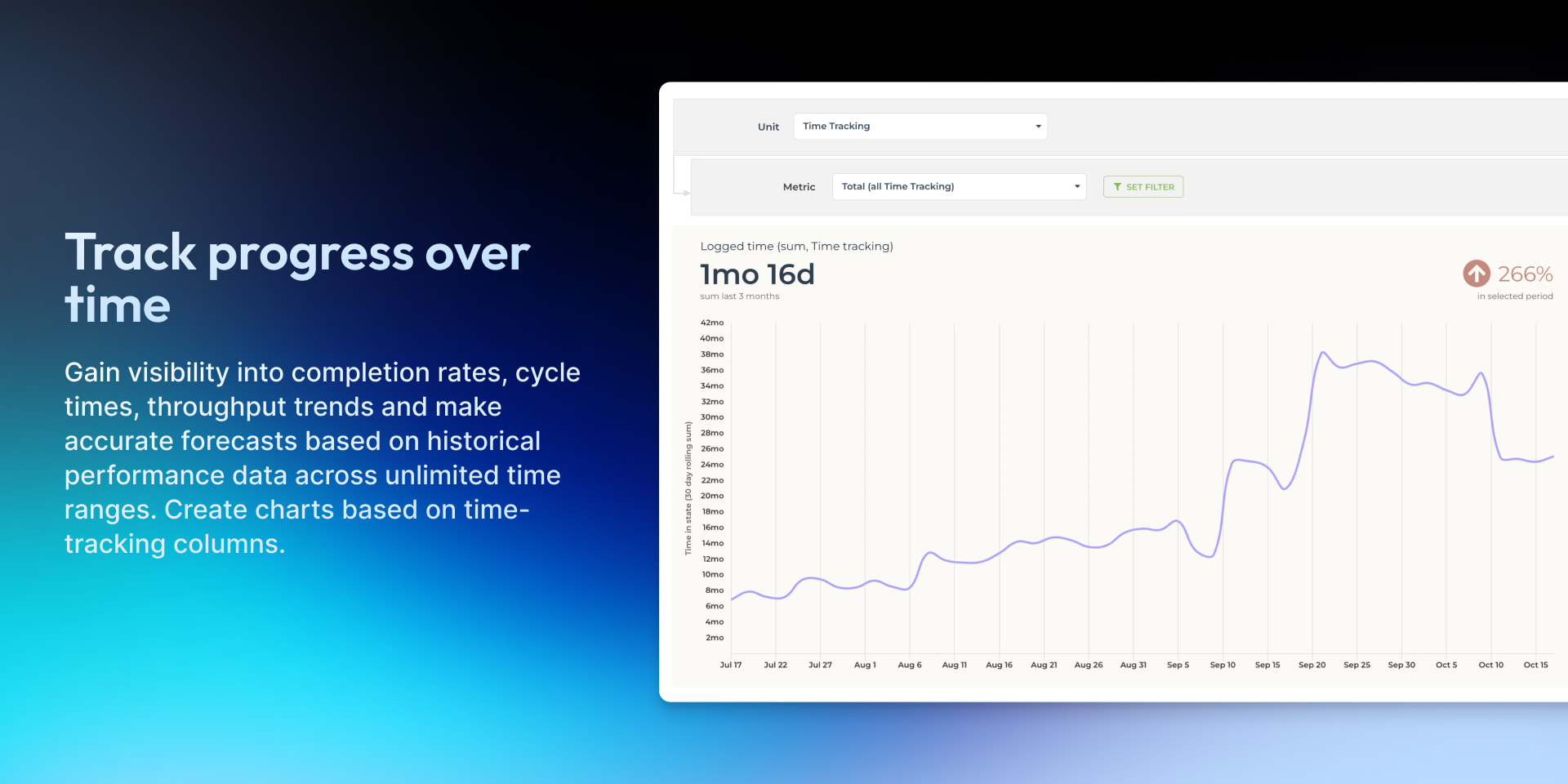
⏱️ Build charts from time tracking logs. Compare planned vs. actual.
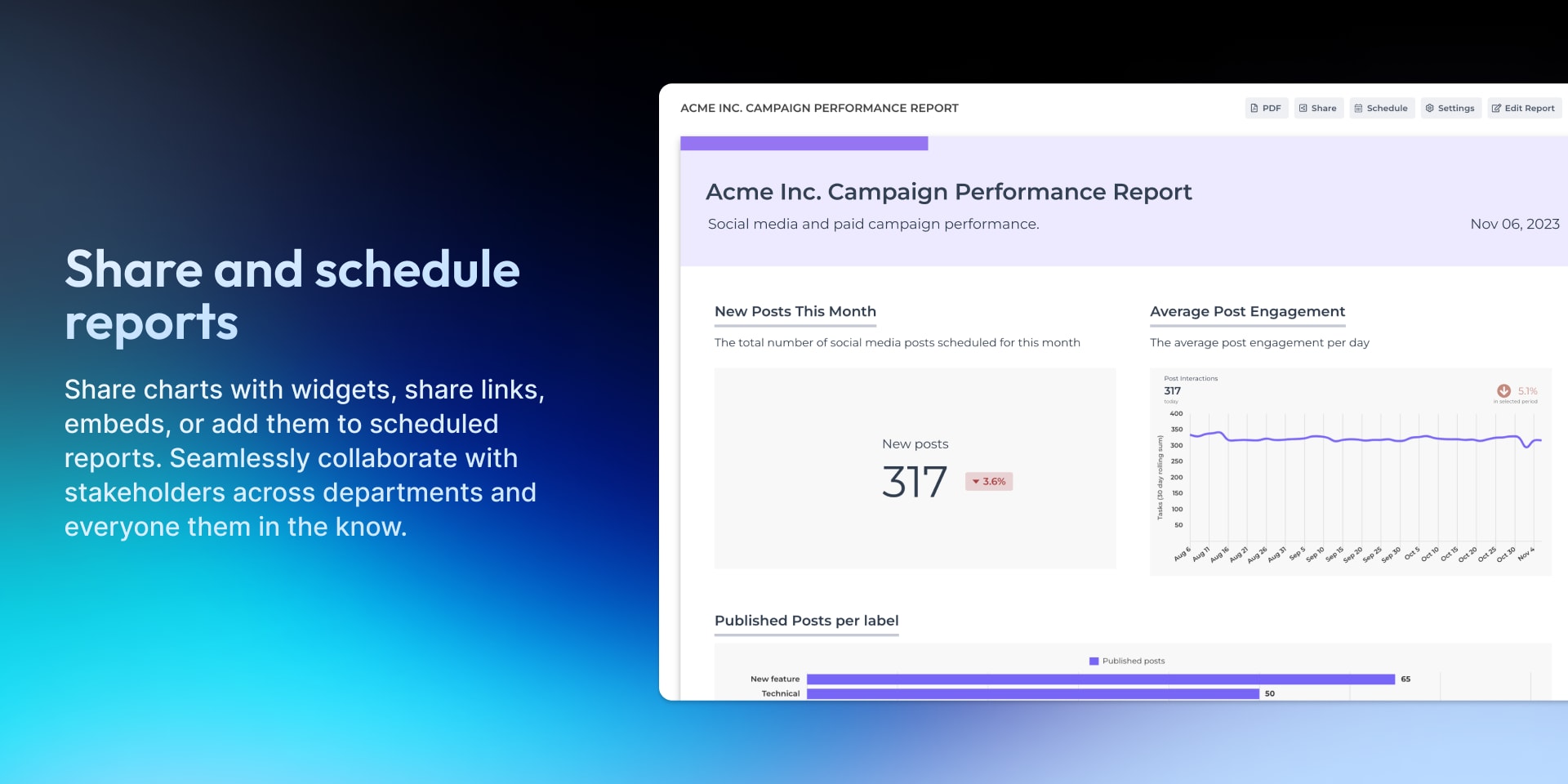
📊 Share reports via email, Slack, share links, and widgets.
⚡️Automatic data updates every hour.
💰Pay according to usage, not by the number of users
Centralize data across boards and workspaces. Create custom charts with AI, track agile metrics, get automated insights, and identify bottlenecks.
"I'm really in love with this tool. It provides useful, actionable insights that help identify process improvement opportunities with a few clicks!" — João Otávio Vieira, A5 Labs.
Does the developer periodically perform penetration testing?
No
We use a third party vulnerability scanner
Does the developer have a dedicated security and privacy point of contact for such issues or questions?
Yes
Does the app restrict redirects and forwards only to approved destinations, or show a warning when redirecting to potentially untrusted content?
Yes
There are only two cases in which Screenful would redirect the user. 1) Authorisation OAuth flow. 2) Opening a task in Monday. In both cases the link leads to monday.com domain
Does the app protect against mass parameter assignment attacks?
Yes
Incoming parameters are explicitly white-listed and/or blacklisted in the API implementation, so properties that users should not be able to change cannot be changed.
Does the app perform encoding and sanitization on all user supplied parameters to protect against Cross-Site Scripting?
Yes
The user interface sanitises all data before showing it. On the server side user input is sanitised, for example when pulling in data via the monday API.
Does the developer protect all state-changing actions against Cross-Site Request Forgery (CSRF)?
Yes
Screenful is a single-page app that uses a REST API for getting and manipulating data. There is no concept of a session, and no cookies are sent with the request for authorization. Instead, when user logs in, a JWT is returned by the API, and stored in the browser local storage. The app uses it to authorise further API requests. The authorisation token is sent in the HTTPS request header.
Does the developer have mechanisms to notify monday.com in case of a security breach?
Yes
As per our Product Security Guidelines document: In the event of a security breach we will take the following actions. • When the breach comes to our attention it is escalated immediately to the CTO. • We evaluate which users are affected and notify them via email. • We notify partners via their specified channels, in the case of monday.com we would first contact support@monday.com • We promptly answer queries from customers and partners. • After the incident is resolved we notify our users and partners about the resolution. • We update our policies and practices accordingly.
Does this developer have a process for installing application-level updates and security patches for the service (such as software packages and databases)?
Yes
Screenful uses the Heroku PaaS as the platform for application hosting and managed databases. You can read more about their security from here: https://heroku.com/escurity. On the application level we use tools that check for vulnerabilities on each source code commit, and we resolve those promptly.
Compliance
Is the app certified with the information security standard ISO/IEC 27001:2022?
Not answered
Is the app compliant with the Health Insurance Portability and Accountability Act (HIPAA)?
No
Is the app certified with System and Organization Controls (SOC 2 or SOC 3)?
No
Is the app compliant with the General Data Protection Regulation (GDPR)?
Yes
Data
Does the app send any data outside of monday.com? If yes, indicate whether the data is customer-submitted (e.g., board names, item names, doc content) or non-customer-submitted (e.g., account ID, board ID, user ID).
Not answered
Where does the app store logs data?
Not answered
Where does the app store the app data?
Not answered
Does the developer ensure application logs do not contain secrets or personally-identifiable information (PII)?
Yes
The main principle is that all data that passes through Screenful API is sent in the HTTPS request body. Only the request URL and query parameters are logged. The same goes for requests Screenful makes to other services. This ensures personal informations is not logged. All authentication and authorisation secrets are passed in HTTPS request headers, which are not logged, or in the request body. As second line of defence we treat logs with confidentiality. They are transferred over secure connections to a centralised logging service to which only authorised employees have access to.
Is customer data segregated from the data of other customers (for example logically or physically)?
Yes
Screenful keeps customer data logically separated. All users are authenticated and every requests is authorised so that users see data only from their own account.
Privacy
Does the developer enforce multi-factor authentication on employees access to systems which may process customer data?
Yes
MFA is required for access to all systems that contain customer data
Does the developer protect access to customer data based on the principle of least privilege?
Yes
Customer support staff and system admins need access to user’s data in order to do their jobs. Access is limited to only those employees that really need it and when they need it, as stated in our information security policy
Reviews
July 31, 2025
NH: Very useful and powerful reporting tool for Monday.com.
November 26, 2024
CS: Great add-on for creating status reports out of Monday.com!
April 16, 2024
MA: Screenful is great for what we need: a customizable reporting dashboard that encompasses every project we need it to, rather than trying to deal with the native limitations. It's a big timesaver for several of our teams, and ensures nothing is missed!
April 3, 2024
CB: This reporting system is awesome. Sami Linnanvuo was much help. I cannot wait to dive in and create more reports with Screenful!
December 23, 2023
TM: This app has pulled the visual KPI and report data together in a brilliant and easy to understand and manipulate way.
Historical data
Installation history
We have data for December 28, 2024 onwards only. Collected sometime after 00:00 UTC daily.
Total number of installs
Change in total number of installs in last 1 day(s)
Compares the number of installs on each date with 1 days previously:
Max
Min
Current
Change in total number of installs in last 7 day(s)
Compares the number of installs on each date with 7 days previously:
Max
Min
Current
Change in total number of installs in last 30 day(s)
Compares the number of installs on each date with 30 days previously:
Max
Min
Current
Change in total number of installs in last 90 day(s)
Compares the number of installs on each date with 90 days previously:
Max
Min
Current
Change in total number of installs in last 180 day(s)
Compares the number of installs on each date with 180 days previously:
Max
Min
Current
Ratings history
Categories history
Each of the following is a yes/no answer, so the graphs show 1 for yes, and 0 for no.
{
"id": 19,
"marketplace_developer_id": 16,
"app_id": 17143,
"app_type": null,
"security_info": {},
"gallery_assets": [
{
"url": "https://dapulse-res.cloudinary.com/video/upload/v1701360640/monday-apps-marketplace/Reports%20by%20Screenful/v4/Screenful_Promo_Video_for_monday.com.mp4",
"type": "video"
},
{
"url": "https://dapulse-res.cloudinary.com/image/upload/v1710857658/monday-apps-marketplace/Reports%20by%20Screenful/Mar%2024/Analytics_for_monday.com_-_2.png",
"type": "image"
},
{
"url": "https://dapulse-res.cloudinary.com/image/upload/v1615227851/monday-apps-marketplace/Reports%20by%20Screenful/v4/Reports_by_Screenful_-_Gallery_Image_2.png"
},
{
"url": "https://dapulse-res.cloudinary.com/image/upload/v1710857660/monday-apps-marketplace/Reports%20by%20Screenful/Mar%2024/Analytics_for_monday.com_-_3.png"
},
{
"url": "https://dapulse-res.cloudinary.com/image/upload/v1710857659/monday-apps-marketplace/Reports%20by%20Screenful/Mar%2024/Analytics_for_monday.com_-_4.png"
},
{
"url": "https://dapulse-res.cloudinary.com/image/upload/v1710857660/monday-apps-marketplace/Reports%20by%20Screenful/Mar%2024/Analytics_for_monday.com_-_5.png",
"type": "image"
},
{
"url": "https://dapulse-res.cloudinary.com/image/upload/v1710857660/monday-apps-marketplace/Reports%20by%20Screenful/Mar%2024/Analytics_for_monday.com_-_6.png"
}
],
"description": "<p><strong>Analytics & Reports by Screenful</strong> is a user-friendly business intelligence solution that makes it simple to build charts and reports from your monday.com data and share them with others.</p><p><br></p><p>📈 Track unlimited boards, users, items, and subitems.</p><p>🔍 Aggregate data from your board columns across all of your boards</p><p>⏳ Track status transitions, time in status, and completion times.</p><p>🔥 Burndown chart, velocity, cumulative flow (CFD)</p><p>⏱️ Build charts from time tracking logs. Compare planned vs. actual.</p><p>📊 Share reports via email, Slack, share links, and widgets.</p><p>⚡️Automatic data updates every hour.</p><p>💰Pay according to usage, not by the number of users</p><p><br></p><p>Centralize data across boards and workspaces. Create custom charts with AI, track agile metrics, get automated insights, and identify bottlenecks.</p><p><br></p><p>New: <a href=\"https://screenful.com/blog/analytics-2-now-available-to-all-monday-users\" rel=\"noopener noreferrer\" target=\"_blank\">Analytics 2 now available to monday.com users</a> 🚀</p><p><br></p><p><a href=\"https://screenful.com/pricing\" rel=\"noopener noreferrer\" target=\"_blank\"><strong>Pricing</strong></a> <a href=\"https://cal.com/vova/screenful\" rel=\"noopener noreferrer\" target=\"_blank\"><strong>Book a demo</strong></a>.</p><p><br></p><p><strong>What our customers are saying:</strong></p><p>\"I'm really in love with this tool. It provides useful, actionable insights that help identify process improvement opportunities with a few clicks!\" — João Otávio Vieira, A5 Labs.</p><p><a href=\"https://www.capterra.com/p/139635/Screenful-for-Agile/\" rel=\"noopener noreferrer\" target=\"_blank\">Read 100+ reviews</a> </p><p><br></p><p>Analytics & Reports by Screenful won a Staff Pick prize at the monday.com Apps Challenge 🏆</p><p><br></p><p>📖 Discover more about <a href=\"https://screenful.com/monday\" rel=\"noopener noreferrer\" target=\"_blank\">Screenful</a>: Explore our <a href=\"https://screenful.com/tour\" rel=\"noopener noreferrer\" target=\"_blank\">product tour</a>, <a href=\"https://screenful.com/pricing\" rel=\"noopener noreferrer\" target=\"_blank\">pricing plans</a>, and the <a href=\"https://screenful.com/product-news\" rel=\"noopener noreferrer\" target=\"_blank\">latest product updates</a>!</p><p>👉 See the <a href=\"https://screenful.com/guide\" rel=\"noopener noreferrer\" target=\"_blank\">Getting Started guide</a> to get started with a free trial.</p>",
"short_description": "Advanced analytics and reporting app for monday.com",
"thumbnail_url": "https://dapulse-res.cloudinary.com/image/upload/v1615227850/monday-apps-marketplace/Reports%20by%20Screenful/v4/Reports_by_Screenful_-_App_Card.png",
"logo_url": "https://dapulse-res.cloudinary.com/image/upload/v1604309760/monday-apps-marketplace/Reports%20by%20Screenful/v2/Screenful_App_Icon_1.png",
"feedback_url": "support@screenful.com",
"privacy_policy_url": "https://screenful.com/legal/data-and-security",
"featured": null,
"name": "Analytics & Reports",
"how_to_use_url": "https://screenful.com/guide/monday/reports-embed",
"external_pricing_url": "https://screenful.com/pricing",
"keywords": "metrics,project,analytics,chart,report,dashboard,agile,business intelligence,insight,track",
"compliance_answers": [
{
"questionId": 1,
"shortAnswer": true,
"detailedAnswer": "Screenful keeps customer data logically separated. All users are authenticated and every requests is authorised so that users see data only from their own account. "
},
{
"questionId": 2,
"shortAnswer": true,
"detailedAnswer": "Screenful uses the Heroku PaaS as the platform for application hosting and managed databases. You can read more about their security from here: https://heroku.com/escurity. On the application level we use tools that check for vulnerabilities on each source code commit, and we resolve those promptly. "
},
{
"questionId": 3,
"shortAnswer": true,
"detailedAnswer": "As per our Product Security Guidelines document:\n\nIn the event of a security breach we will take the following actions.\n\n•\tWhen the breach comes to our attention it is escalated immediately to the CTO.\n•\tWe evaluate which users are affected and notify them via email.\n•\tWe notify partners via their specified channels, in the case of monday.com we would first contact support@monday.com\n•\tWe promptly answer queries from customers and partners.\n•\tAfter the incident is resolved we notify our users and partners about the resolution.\n•\tWe update our policies and practices accordingly."
},
{
"questionId": 4,
"shortAnswer": true,
"detailedAnswer": "Screenful is a single-page app that uses a REST API for getting and manipulating data. There is no concept of a session, and no cookies are sent with the request for authorization. Instead, when user logs in, a JWT is returned by the API, and stored in the browser local storage. The app uses it to authorise further API requests. The authorisation token is sent in the HTTPS request header."
},
{
"questionId": 5,
"shortAnswer": true,
"detailedAnswer": "The user interface sanitises all data before showing it. On the server side user input is sanitised, for example when pulling in data via the monday API."
},
{
"questionId": 6,
"shortAnswer": true,
"detailedAnswer": "Customer support staff and system admins need access to user’s data in order to do their jobs. Access is limited to only those employees that really need it and when they need it, as stated in our information security policy"
},
{
"questionId": 7,
"shortAnswer": true,
"detailedAnswer": "MFA is required for access to all systems that contain customer data"
},
{
"questionId": 8,
"shortAnswer": true,
"detailedAnswer": "The main principle is that all data that passes through Screenful API is sent in the HTTPS request body. Only the request URL and query parameters are logged. The same goes for requests Screenful makes to other services. This ensures personal informations is not logged.\n\nAll authentication and authorisation secrets are passed in HTTPS request headers, which are not logged, or in the request body. \n\nAs second line of defence we treat logs with confidentiality. They are transferred over secure connections to a centralised logging service to which only authorised employees have access to. "
},
{
"questionId": 9,
"shortAnswer": true,
"detailedAnswer": "Incoming parameters are explicitly white-listed and/or blacklisted in the API implementation, so properties that users should not be able to change cannot be changed."
},
{
"questionId": 10,
"shortAnswer": true,
"detailedAnswer": "There are only two cases in which Screenful would redirect the user. 1) Authorisation OAuth flow. 2) Opening a task in Monday. In both cases the link leads to monday.com domain"
},
{
"questionId": 11,
"shortAnswer": true
},
{
"questionId": 12,
"shortAnswer": false
},
{
"questionId": 13,
"shortAnswer": false
},
{
"questionId": 14,
"shortAnswer": true
},
{
"questionId": 15,
"shortAnswer": false,
"detailedAnswer": "We use a third party vulnerability scanner"
}
],
"created_at": "2020-10-04T22:58:37.000Z",
"updated_at": "2025-12-02T15:49:43.000Z",
"automation_app_id": null,
"marketplace_category_ids": [
10,
9,
6
],
"pinned_for_categories_ids": [],
"featured_for_categories_ids": [],
"pricing_data": "21 days trial",
"label": null,
"app_values": [
"Make data-driver decisions"
],
"security": null,
"display_in_template_store": null,
"acquisition_source": "Existing legacy",
"is_connector": null,
"show_connections": null,
"terms_of_service_url": "https://screenful.com/legal/terms-of-service",
"available_for_tiers": null,
"available_for_products": null,
"google_analytics_tag_id": null,
"is_solution": null,
"cta_override": null,
"app_scope_str": "me:read,boards:read,users:read,account:read,updates:read,tags:read,teams:read,workspaces:read",
"app_client_id": "528a9ab7a76dcb6ad9bd292d5b64807f",
"app_color": {
"rgb": {
"r": 255,
"g": 255,
"b": 255,
"a": 1
},
"hex": "#ffffff"
},
"plans": null,
"app_live_version": {
"updated_at": "2026-08-25T11:36:16.833Z",
"id": 17225356
},
"pricing_model": null,
"monetization": {
"monetizationType": "external",
"hasFreePlan": false,
"hasPaidPlan": false,
"hasTrialPlan": false
},
"badges_data": {
"app_values": [
"Make data-driver decisions"
],
"pricing_data": "21 days trial",
"acquisition_source": "Existing legacy"
},
"data": {
"terms_of_service_url": "https://screenful.com/legal/terms-of-service"
},
"display": null,
"installsDelta": {
"totalInstalls": 11694,
"sevenDays": 5,
"thirtyDays": 48,
"ninetyDays": 142
}
}