Evidence Check AI checks whether the file on an item actually meets the requirement you wrote, and keeps an audit trail of every verdict.
For compliance, quality and operations teams who collect proof in monday: certificates, inspection photos, signed forms, delivery notes.
What you get
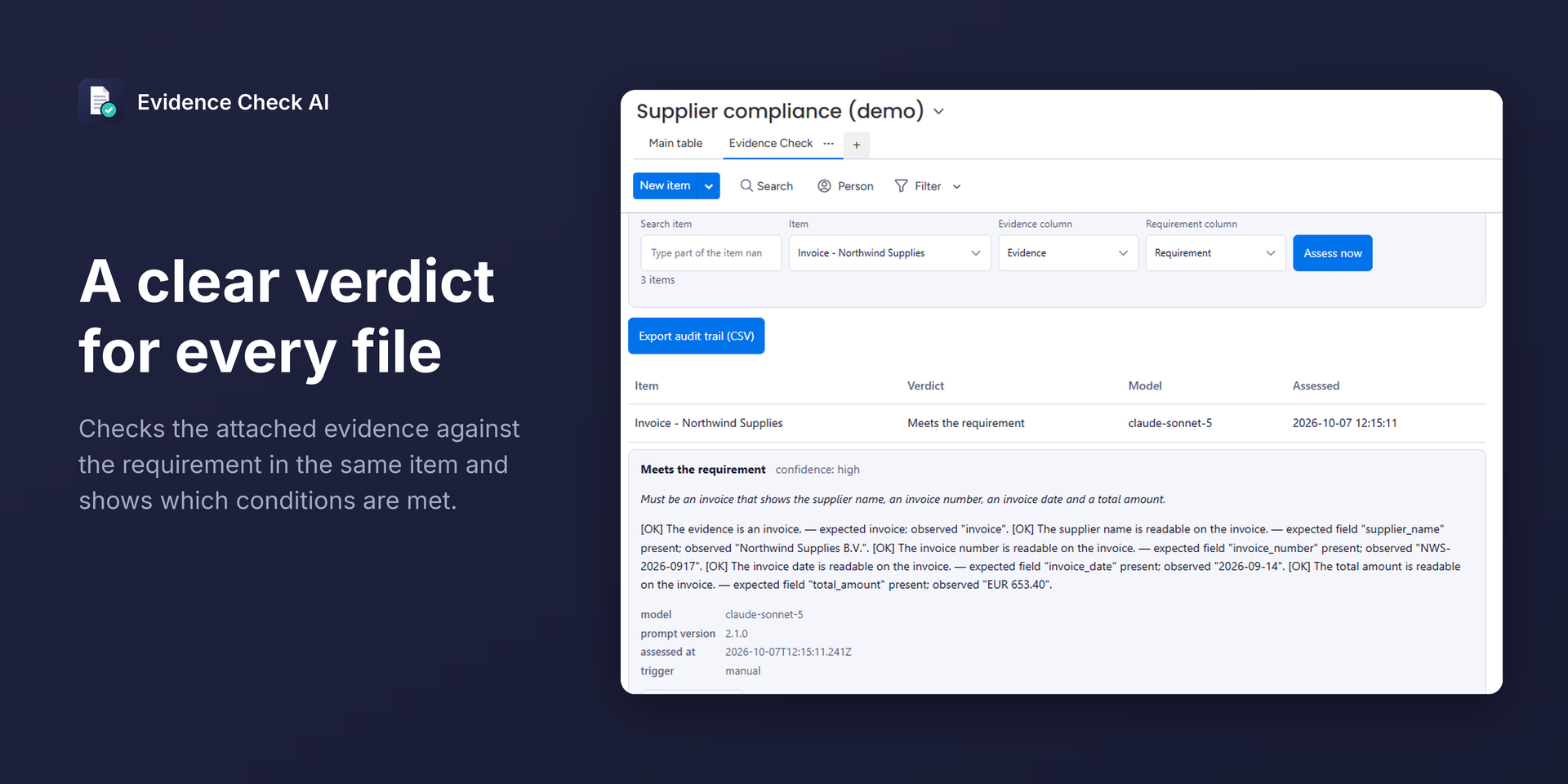
- A verdict per item: Meets the requirement, Partially met — human review required, Does not meet the requirement, or Insufficient evidence, with the conditions that are not met.
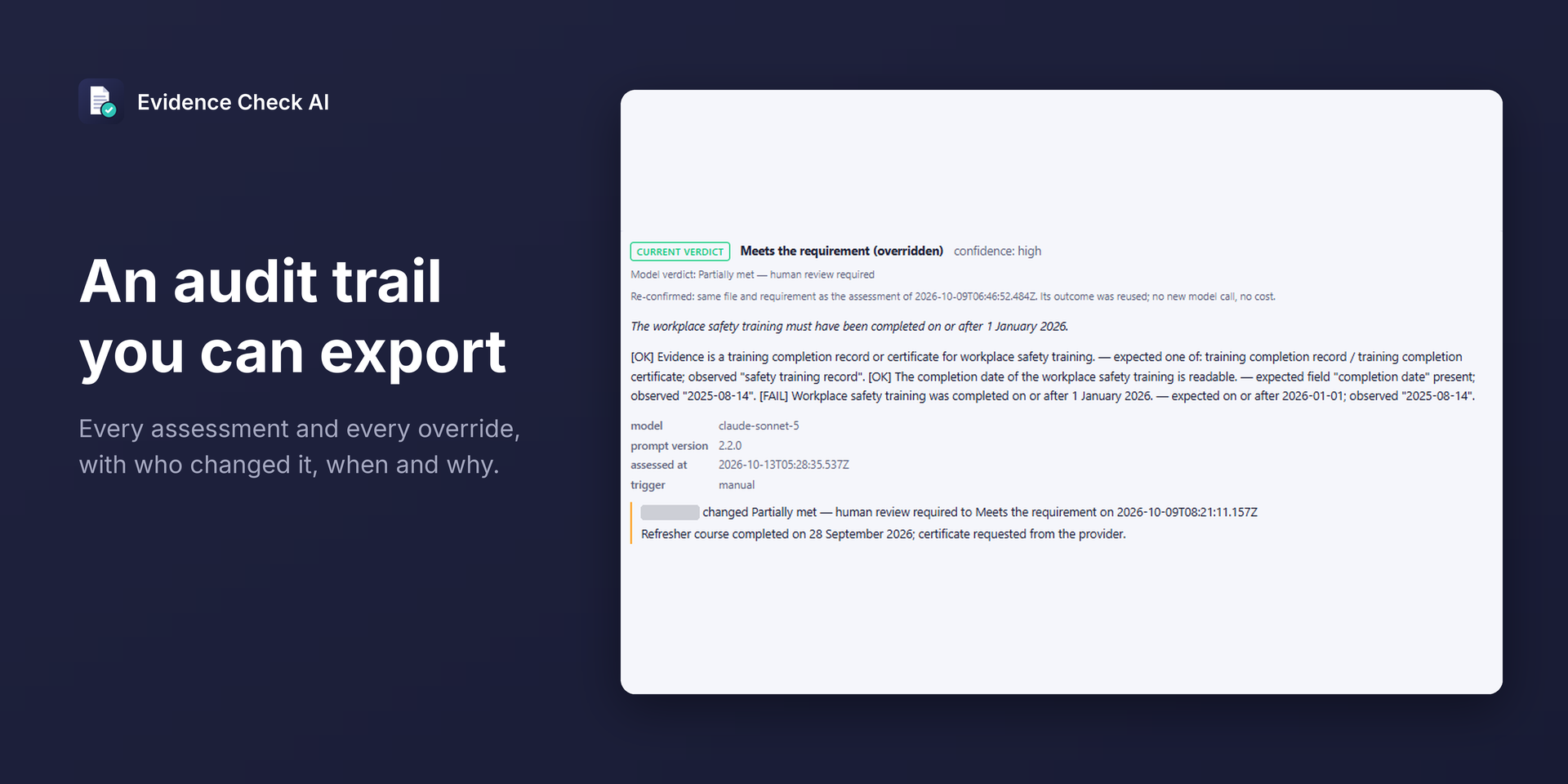
- An audit trail: every verdict with its time, the requirement it was checked against and a fingerprint (SHA-256) of the file. Overrule a verdict with a mandatory reason; the original stays visible.
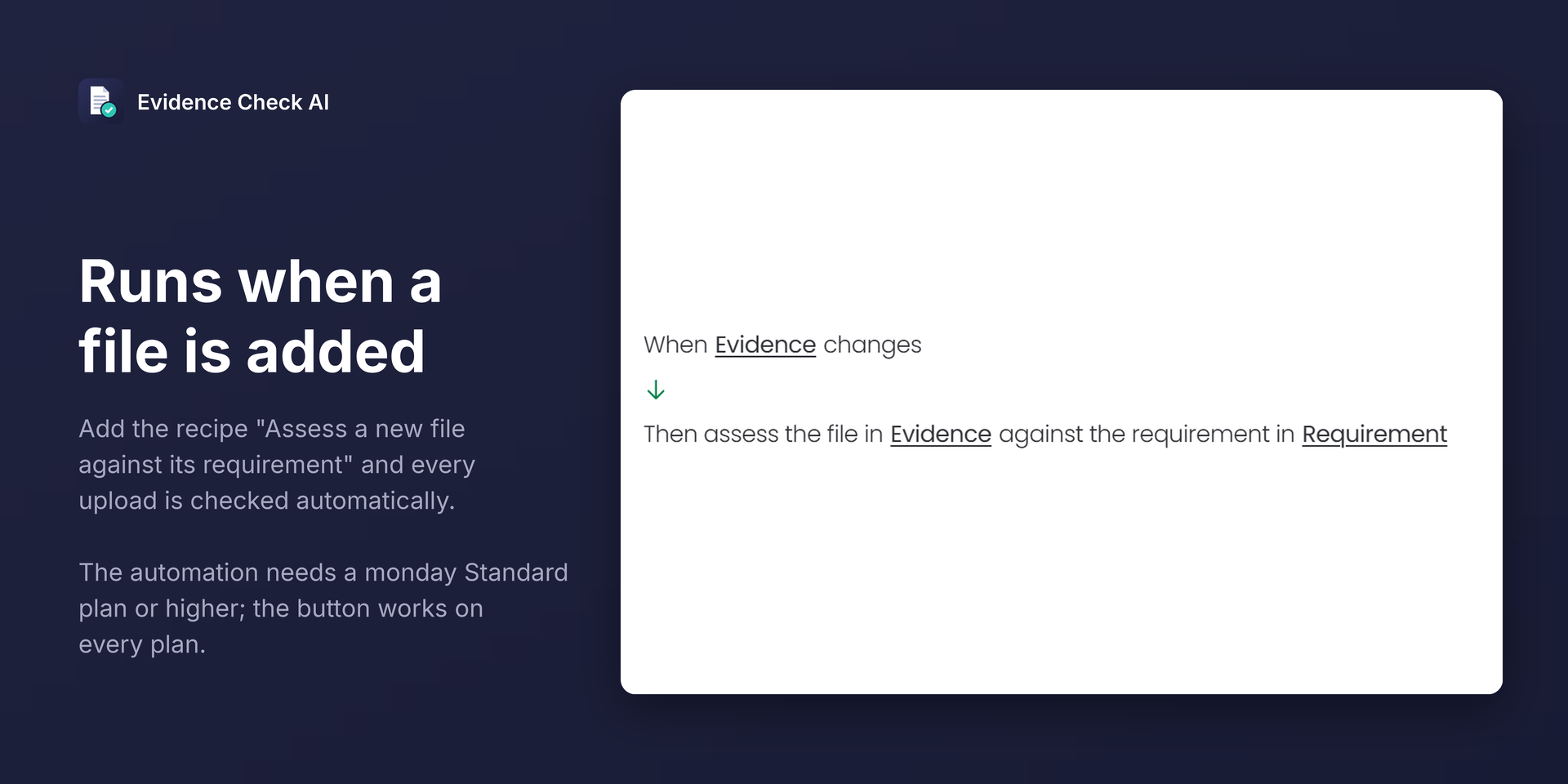
- Automatic or on demand: assess every new file through an automation, or pick an item in the board view.
- CSV export of the full log for your auditor.
How it decides
The attached file is read by an AI model, Anthropic Claude (claude-sonnet-5). The verdict itself is decided by fixed rules, not by the model: the model is not allowed to give a verdict of its own, and every verdict can be traced back to the conditions that failed. Checking the same file against the same requirement again reuses the earlier verdict instead of reading the file again.
Privacy by design
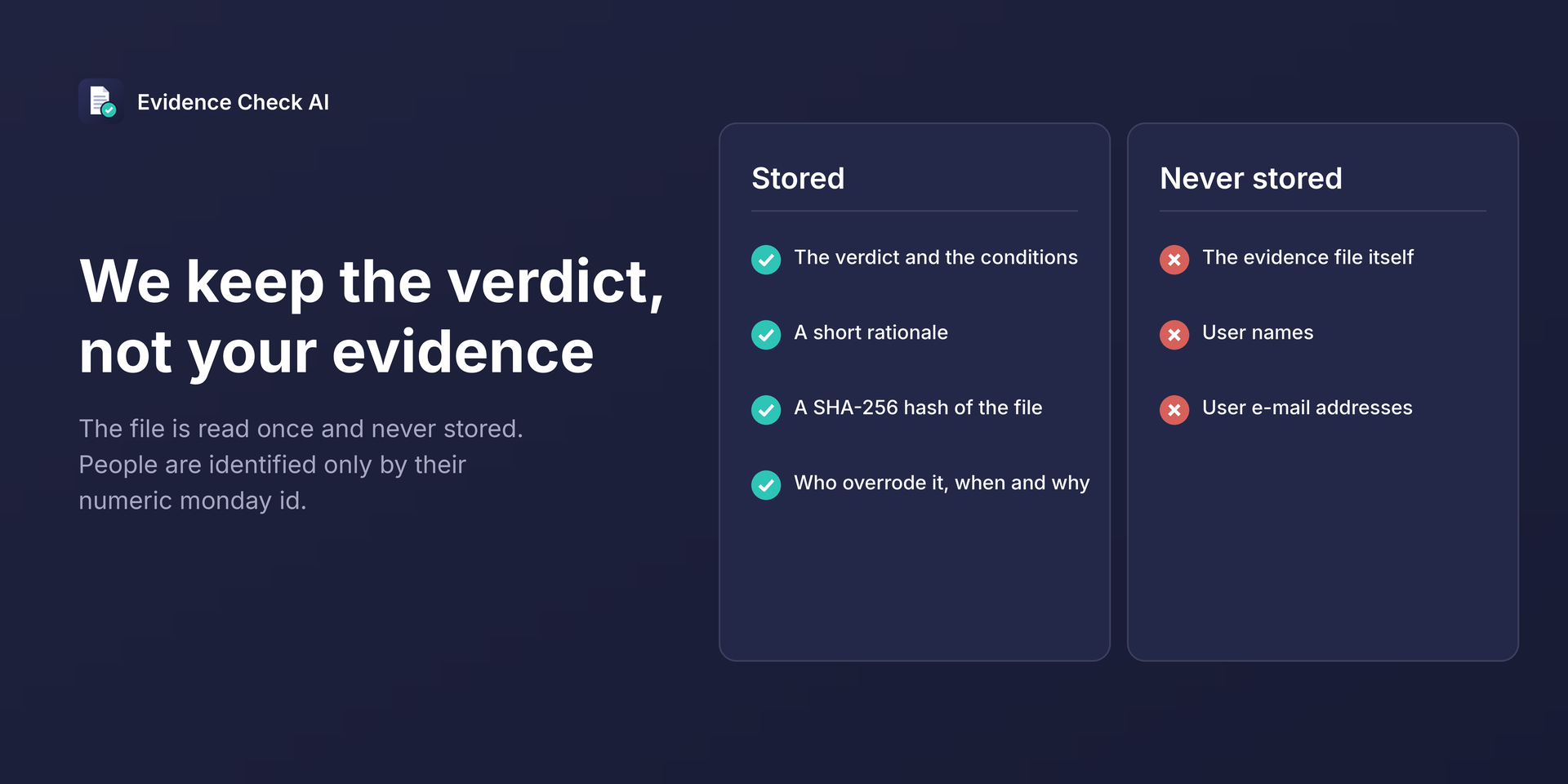
The file itself is never stored: we keep the verdict, a short explanation and the file's fingerprint. Access tokens are encrypted, and all account data is deleted when you uninstall.
Provided by RVDH Interim Management B.V. (GetCompliant).
Security & Compliance
The app developer did not provide the security and compliance information for this app.
Reviews
No reviews yet.
Historical data
Installation history
We have data for December 28, 2024 onwards only. Collected sometime after 00:00 UTC daily.
Total number of installs
Change in total number of installs in last 1 day(s)
Compares the number of installs on each date with 1 days previously:
Max
Min
Current
Change in total number of installs in last 7 day(s)
Compares the number of installs on each date with 7 days previously:
Max
Min
Current
Change in total number of installs in last 30 day(s)
Compares the number of installs on each date with 30 days previously:
Max
Min
Current
Change in total number of installs in last 90 day(s)
Compares the number of installs on each date with 90 days previously:
Max
Min
Current
Change in total number of installs in last 180 day(s)
Compares the number of installs on each date with 180 days previously:
Max
Min
Current
Ratings history
Categories history
Each of the following is a yes/no answer, so the graphs show 1 for yes, and 0 for no.
{
  "id": 10001309,
  "marketplace_developer_id": 100000282,
  "app_id": 11911041,
  "app_type": "app",
  "security_info": {},
  "gallery_assets": [
    {
      "url": "https://cdn.monday.com/marketplace/10001309/10001309_2026_10_24_21_43_58_blf6hlz.png",
      "type": "image"
    },
    {
      "url": "https://cdn.monday.com/marketplace/10001309/10001309_2026_10_24_21_44_4_7uhpm45.png",
      "type": "image"
    },
    {
      "url": "https://cdn.monday.com/marketplace/10001309/10001309_2026_10_24_21_44_7_m8bruh7.png",
      "type": "image"
    },
    {
      "url": "https://cdn.monday.com/marketplace/10001309/10001309_2026_10_24_21_44_9_uptvux5g.png",
      "type": "image"
    }
  ],
  "description": "<p>Evidence Check AI checks whether the file on an item actually meets the requirement you wrote, and keeps an audit trail of every verdict.</p><p>For compliance, quality and operations teams who collect proof in monday: certificates, inspection photos, signed forms, delivery notes.</p><p>What you get</p><p>- A verdict per item: Meets the requirement, Partially met — human review required, Does not meet the requirement, or Insufficient evidence, with the conditions that are not met.</p><p>- An audit trail: every verdict with its time, the requirement it was checked against and a fingerprint (SHA-256) of the file. Overrule a verdict with a mandatory reason; the original stays visible.</p><p>- Automatic or on demand: assess every new file through an automation, or pick an item in the board view.</p><p>- CSV export of the full log for your auditor.</p><p>How it decides</p><p>The attached file is read by an AI model, Anthropic Claude (claude-sonnet-5). The verdict itself is decided by fixed rules, not by the model: the model is not allowed to give a verdict of its own, and every verdict can be traced back to the conditions that failed. Checking the same file against the same requirement again reuses the earlier verdict instead of reading the file again.</p><p>Privacy by design</p><p>The file itself is never stored: we keep the verdict, a short explanation and the file's fingerprint. Access tokens are encrypted, and all account data is deleted when you uninstall.</p><p>Provided by RVDH Interim Management B.V. (GetCompliant).</p>",
  "short_description": "Assess evidence against requirements with AI.",
  "thumbnail_url": "https://cdn.monday.com/marketplace/10001309/10001309_2026_10_24_21_43_27_w63fock.png",
  "logo_url": "https://cdn.monday.com/marketplace/10001309/10001309_2026_10_24_21_43_25_rwt8hso.png",
  "feedback_url": "info@getcompliant.online",
  "privacy_policy_url": "https://evidence-check.getcompliant.nl/privacy",
  "featured": false,
  "name": "Evidence Check AI",
  "how_to_use_url": "https://evidence-check.getcompliant.nl/how-to-use",
  "external_pricing_url": null,
  "keywords": "vendor onboarding,quality assurance,verdict,audit trail,requirement check,document review,AI verification,audit,compliance,evidence",
  "compliance_answers": [],
  "created_at": "2026-11-24T21:42:19.000Z",
  "updated_at": "2026-11-24T21:44:25.000Z",
  "automation_app_id": null,
  "marketplace_category_ids": [],
  "pinned_for_categories_ids": [],
  "featured_for_categories_ids": [],
  "pricing_data": null,
  "label": null,
  "app_values": [
    "Everyday tasks"
  ],
  "security": false,
  "display_in_template_store": false,
  "acquisition_source": "No touch",
  "is_connector": false,
  "show_connections": false,
  "terms_of_service_url": "https://evidence-check.getcompliant.nl/terms",
  "available_for_tiers": [],
  "available_for_products": [],
  "google_analytics_tag_id": null,
  "is_solution": false,
  "cta_override": null,
  "app_scope_str": "me:read,assets:read,boards:read",
  "app_client_id": "34911406aa503601f870f5e9dddf588b",
  "app_color": "#BB3354",
  "plans": null,
  "app_live_version": {
    "updated_at": "2026-11-16T13:32:52.167Z",
    "id": 20181312
  },
  "pricing_model": null,
  "monetization": {
    "monetizationType": "none",
    "hasFreePlan": false,
    "hasPaidPlan": false,
    "hasTrialPlan": false
  },
  "badges_data": {
    "security": false,
    "app_values": [
      "Everyday tasks"
    ],
    "acquisition_source": "No touch",
    "display_in_template_store": false
  },
  "data": {
    "is_solution": false,
    "cta_override": null,
    "is_connector": false,
    "show_connections": false,
    "available_for_tiers": [],
    "terms_of_service_url": "https://evidence-check.getcompliant.nl/terms",
    "available_for_products": [],
    "google_analytics_tag_id": null
  },
  "display": null,
  "installsDelta": {
    "totalInstalls": 5
  }
}