Match items without connect limits; real rollups, Rich AI
See everything related to an item, at any scale, without connect or mirror columns, and ask AI what it means.
Related Items relates high-volume data to your items on monday.com by a shared key, such as an account number or a SKU, and turns it into totals, charts, rollup columns and AI briefings. Built for sales, finance, operations and HR teams.
The problem it solves
Connect Boards columns relate items through stored links, and Mirror columns total them; one account can have thousands of orders, sessions or payments. Related Items stores no links: it matches items by the key itself, so an item can have any number of related items, limited only by the size of your Related Items plan.
What you get
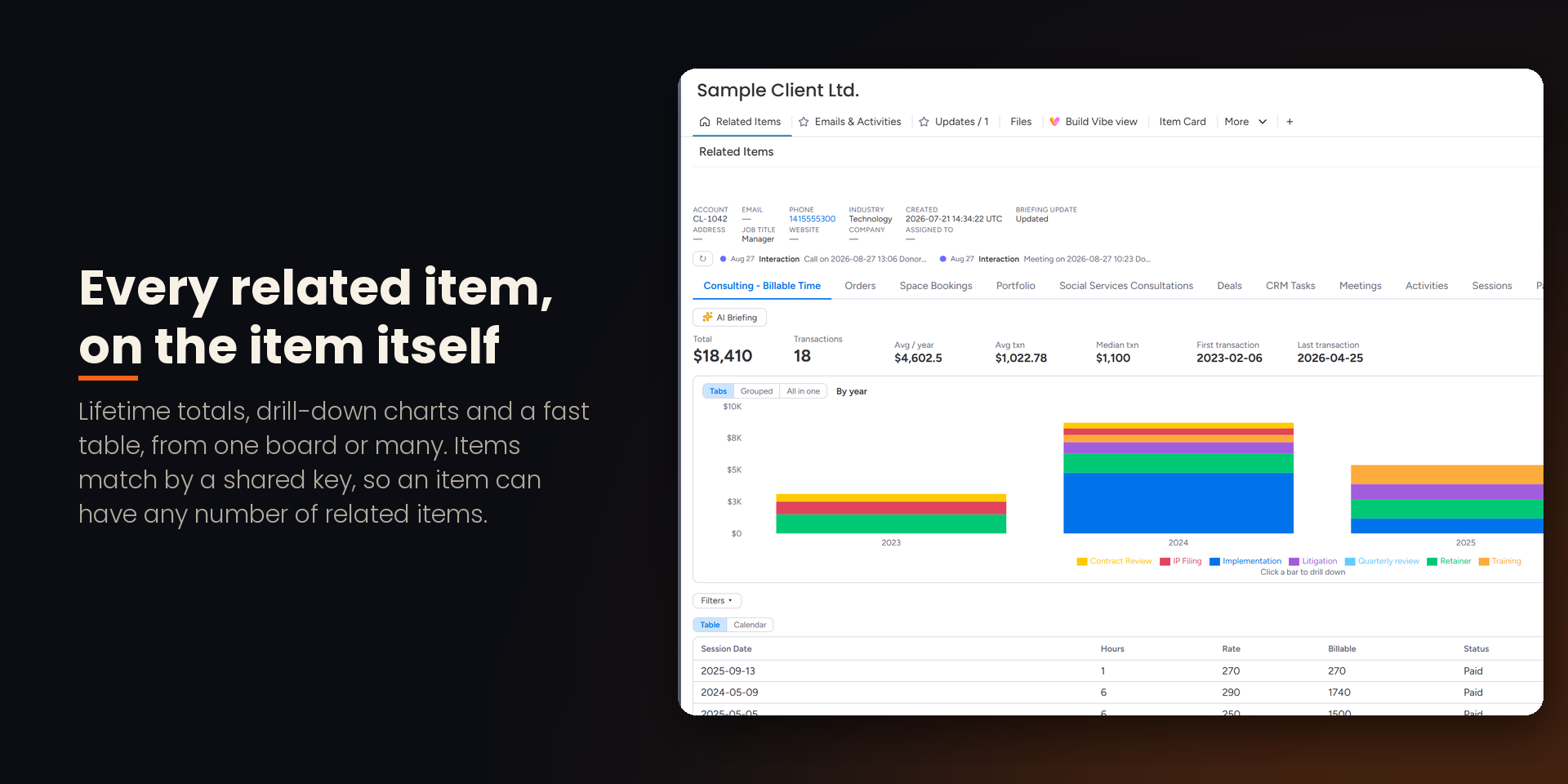
• An Item View with every related item: lifetime totals, drill-down charts by year, quarter and month, and a fast table to sort, filter and export.
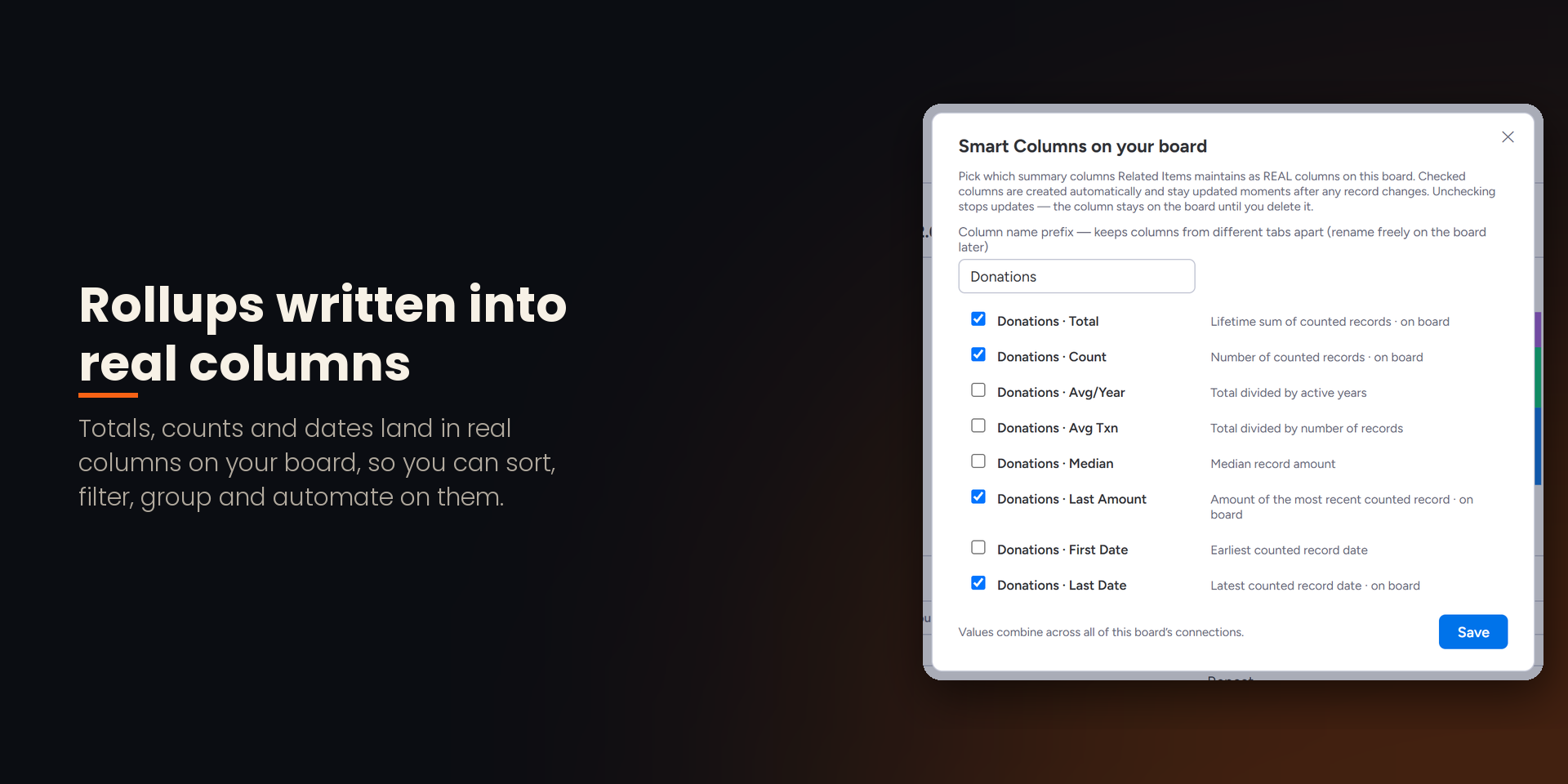
• Smart Columns: rollup totals, counts and dates kept up to date automatically, within minutes of a change, in ordinary Numbers and Date columns on your board: sort, filter, group, chart and automate on them like any other column.
• Board views on the same data: Kanban, Calendar, Funnel, My Agenda, Org Chart, Booking Desk and Order Desk.
• Excel and PDF exports, numbered invoices and statements with your letterhead.
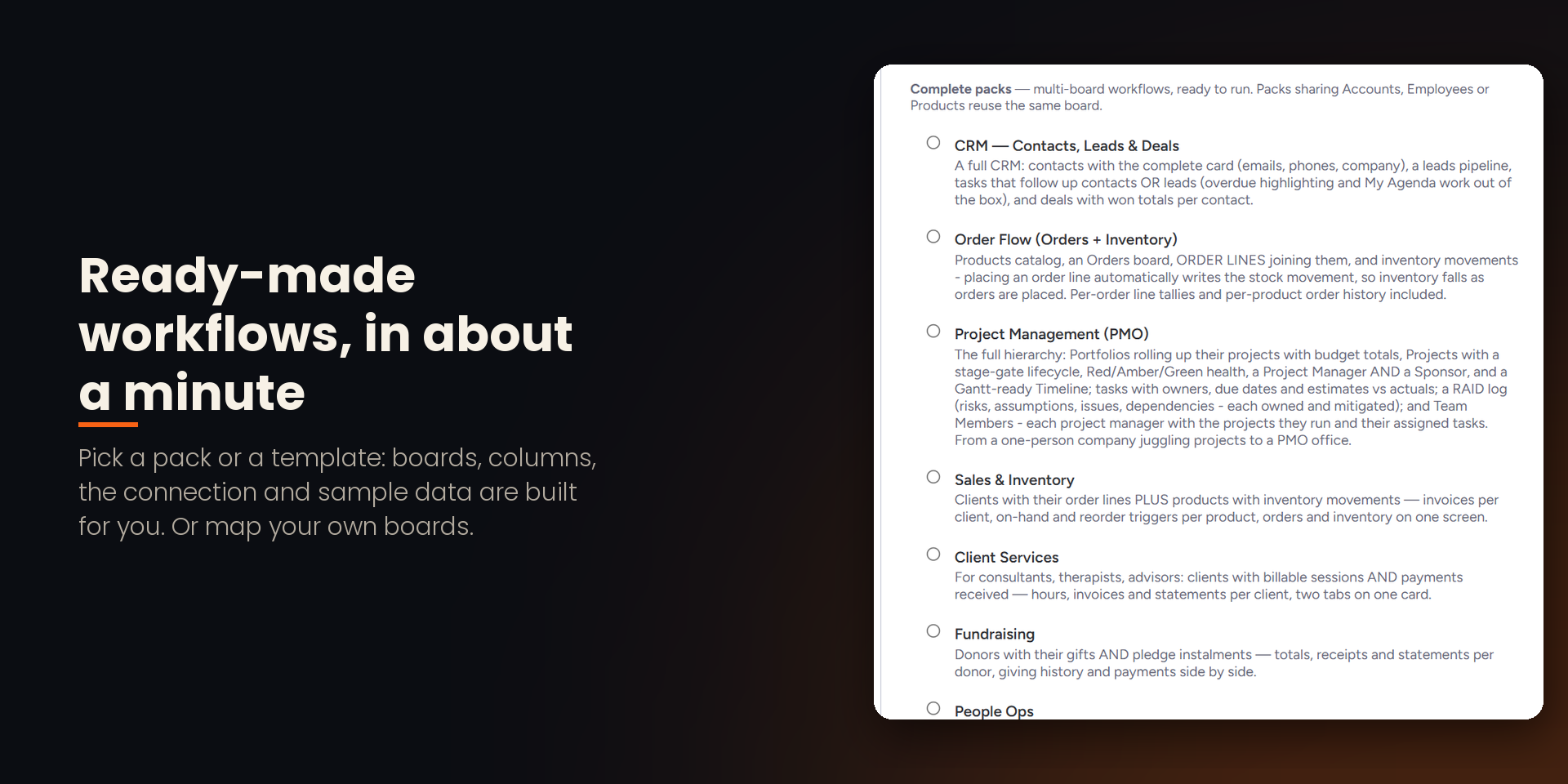
• Ready-made workflows, from Financial Transactions and Billable Time to Inventory, HR and CRM, installed in about a minute.
Rich AI
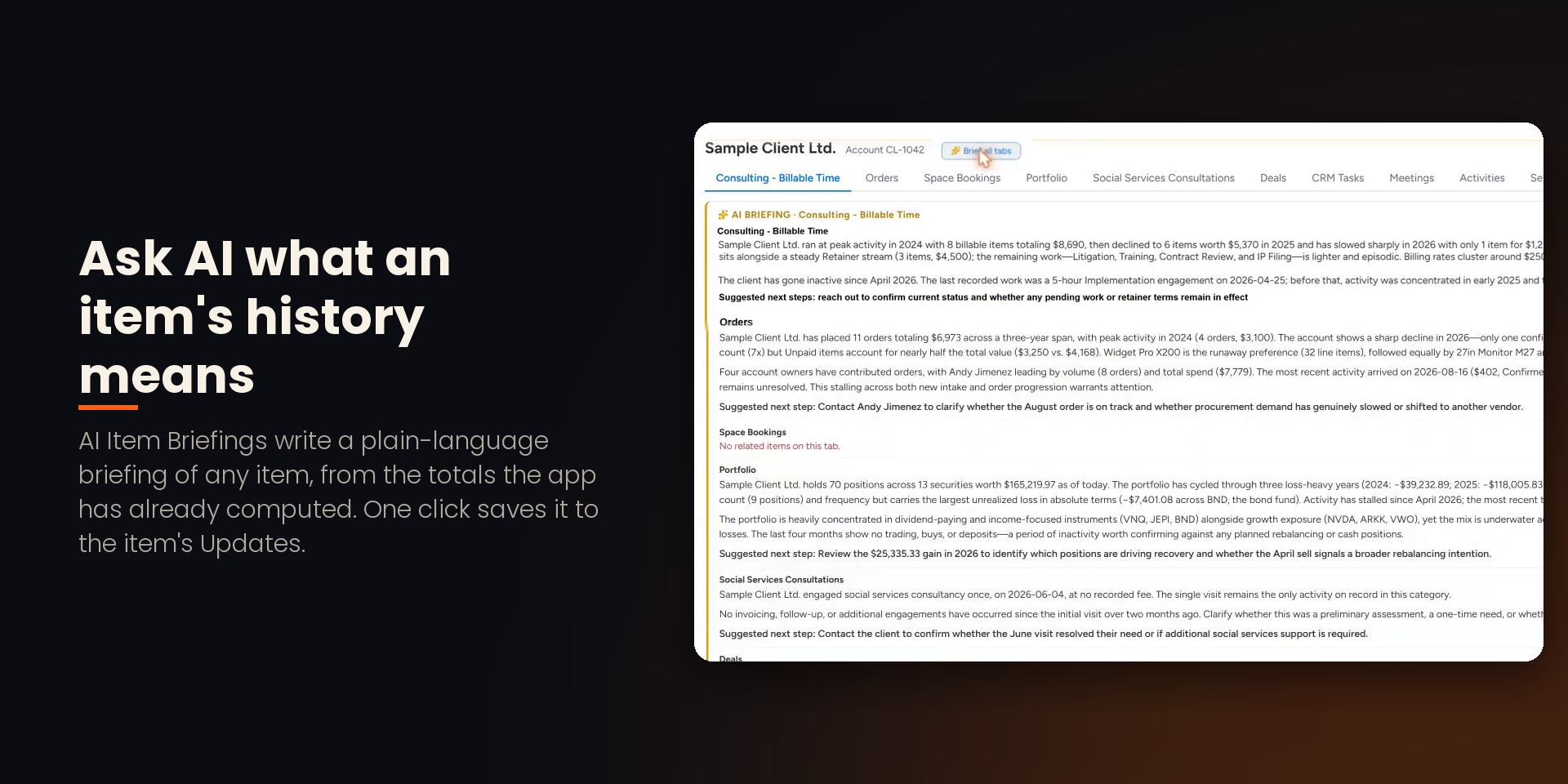
• AI Item Briefings: a written briefing of any item's history in seconds, saved to Updates in one click.
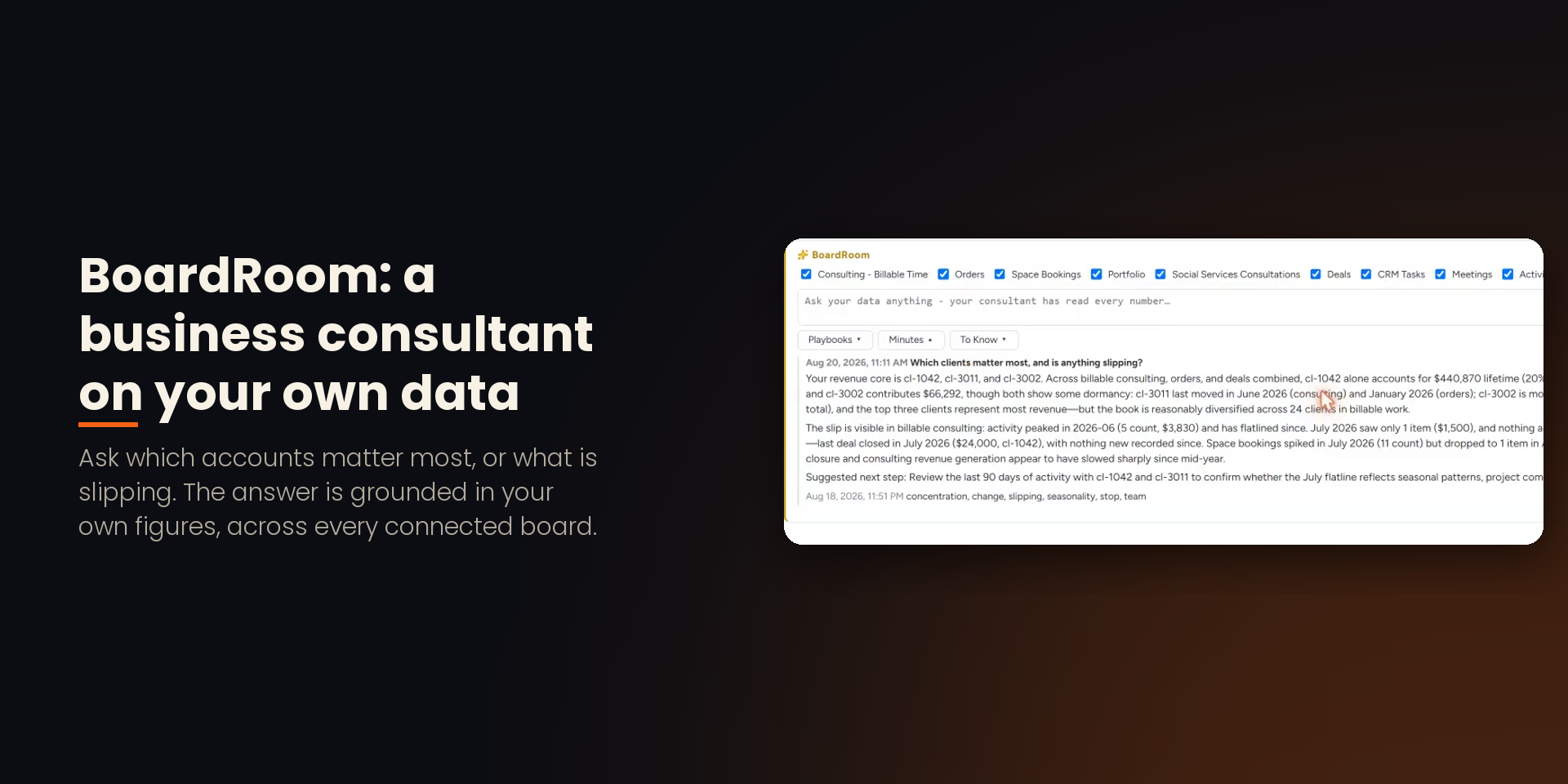
• BoardRoom: a business consultant on your own data. Ask "Which accounts are slowing down?" and get an answer grounded in your own figures.
• "Get item summary": an action for automations and workflows, and an AI skill.
• Your own AI, too: an admin creates a key and your AI assistant or monday agent reads Related Items figures through its MCP door.
AI models: monday.com's own AI through the monday API (model alias monday-fast), on your account's AI allotment.
{
"id": 10001293,
"marketplace_developer_id": 10000285,
"app_id": 11695021,
"app_type": "app",
"security_info": {},
"gallery_assets": [
{
"url": "https://cdn.monday.com/marketplace/10001293/10001293_2026_9_20_11_20_46_55bbde1.png",
"type": "image"
},
{
"url": "https://cdn.monday.com/marketplace/10001293/10001293_2026_9_20_11_20_51_9o4irxb.png",
"type": "image"
},
{
"url": "https://cdn.monday.com/marketplace/10001293/10001293_2026_9_20_11_20_56_w5zmut1.png",
"type": "image"
},
{
"url": "https://cdn.monday.com/marketplace/10001293/10001293_2026_9_20_11_21_0_qh3iod5k.png",
"type": "image"
},
{
"url": "https://cdn.monday.com/marketplace/10001293/10001293_2026_9_20_11_21_4_i9n6lh.png",
"type": "image"
}
],
"description": "<p><strong>See everything related to an item, at any scale, without connect or mirror columns, and ask AI what it means.</strong></p><p>Related Items relates high-volume data to your items on monday.com by a shared key, such as an account number or a SKU, and turns it into totals, charts, rollup columns and AI briefings. Built for sales, finance, operations and HR teams.</p><p><strong>The problem it solves</strong></p><p>Connect Boards columns relate items through stored links, and Mirror columns total them; one account can have thousands of orders, sessions or payments. Related Items stores no links: it matches items by the key itself, so an item can have any number of related items, limited only by the size of your Related Items plan.</p><p><strong>What you get</strong></p><p>• An Item View with every related item: lifetime totals, drill-down charts by year, quarter and month, and a fast table to sort, filter and export.</p><p>• Smart Columns: rollup totals, counts and dates kept up to date automatically, within minutes of a change, in ordinary Numbers and Date columns on your board: sort, filter, group, chart and automate on them like any other column.</p><p>• Board views on the same data: Kanban, Calendar, Funnel, My Agenda, Org Chart, Booking Desk and Order Desk.</p><p>• Excel and PDF exports, numbered invoices and statements with your letterhead.</p><p>• Ready-made workflows, from Financial Transactions and Billable Time to Inventory, HR and CRM, installed in about a minute.</p><p><strong>Rich AI</strong></p><p>• AI Item Briefings: a written briefing of any item's history in seconds, saved to Updates in one click.</p><p>• BoardRoom: a business consultant on your own data. Ask \"Which accounts are slowing down?\" and get an answer grounded in your own figures.</p><p>• \"Get item summary\": an action for automations and workflows, and an AI skill.</p><p>• Your own AI, too: an admin creates a key and your AI assistant or monday agent reads Related Items figures through its MCP door.</p><p>AI models: monday.com's own AI through the monday API (model alias monday-fast), on your account's AI allotment.</p><p><strong>Try it</strong></p><p>Watch the demo: <a href=\"https://youtu.be/qu_3Etshr8s\" rel=\"noopener noreferrer\" target=\"_blank\">https://youtu.be/qu_3Etshr8s</a></p><p>Free plan available, with a 14-day free trial on install. Questions: service@alldayit.com</p><p>AllDayIT Ltd. is a monday.com Authorized Partner and the developer of the Speedometer app.</p>",
"short_description": "Match items without connect limits; real rollups, Rich AI",
"thumbnail_url": "https://cdn.monday.com/marketplace/10001293/10001293_2026_9_20_11_20_22_dzehwte.png",
"logo_url": "https://cdn.monday.com/marketplace/10001293/10001293_2026_9_20_11_20_2_037gvvb.png",
"feedback_url": "service@alldayit.com",
"privacy_policy_url": "https://www.alldayit.com/app-privacy",
"featured": false,
"name": "Related Items",
"how_to_use_url": "https://drive.google.com/file/d/1K4OBBJB8qFlyfQT09BVRSNC5nAkCjjS0/preview",
"external_pricing_url": null,
"keywords": "related records,rollup,summary,aggregate,transactions,invoice,CRM,high volume,dataset,template",
"compliance_answers": [],
"created_at": "2026-10-20T11:19:49.000Z",
"updated_at": "2026-10-20T11:21:18.000Z",
"automation_app_id": null,
"marketplace_category_ids": [],
"pinned_for_categories_ids": [],
"featured_for_categories_ids": [],
"pricing_data": "14 day trial",
"label": null,
"app_values": [
"Easier resource management"
],
"security": false,
"display_in_template_store": false,
"acquisition_source": "No touch",
"is_connector": false,
"show_connections": false,
"terms_of_service_url": "https://www.alldayit.com/app-terms",
"available_for_tiers": [],
"available_for_products": [],
"google_analytics_tag_id": null,
"is_solution": false,
"cta_override": null,
"app_scope_str": "boards:read,boards:write,webhooks:write,workspaces:read,workspaces:write,users:read,updates:write,ai:consume,webhooks:read,me:read,notifications:write,account:read,teams:read,docs:write",
"app_client_id": "1a9fa1abfd2a663bf2289568161165d8",
"app_color": "#FF5AC4",
"plans": null,
"app_live_version": {
"updated_at": "2026-10-19T08:31:32.650Z",
"id": 19028096
},
"pricing_model": null,
"monetization": {
"monetizationType": "none",
"hasFreePlan": false,
"hasPaidPlan": false,
"hasTrialPlan": false
},
"badges_data": {
"security": false,
"app_values": [
"Easier resource management"
],
"pricing_data": "14 day trial",
"acquisition_source": "No touch",
"display_in_template_store": false
},
"data": {
"is_solution": false,
"cta_override": null,
"is_connector": false,
"show_connections": false,
"available_for_tiers": [],
"terms_of_service_url": "https://www.alldayit.com/app-terms",
"available_for_products": [],
"google_analytics_tag_id": null
},
"display": null,
"installsDelta": {
"totalInstalls": 10
}
}