
Folk
1 installs, since October 13, 2026. 1 installs/month. App updated September 28, 2026. Listing updated October 13, 2026.
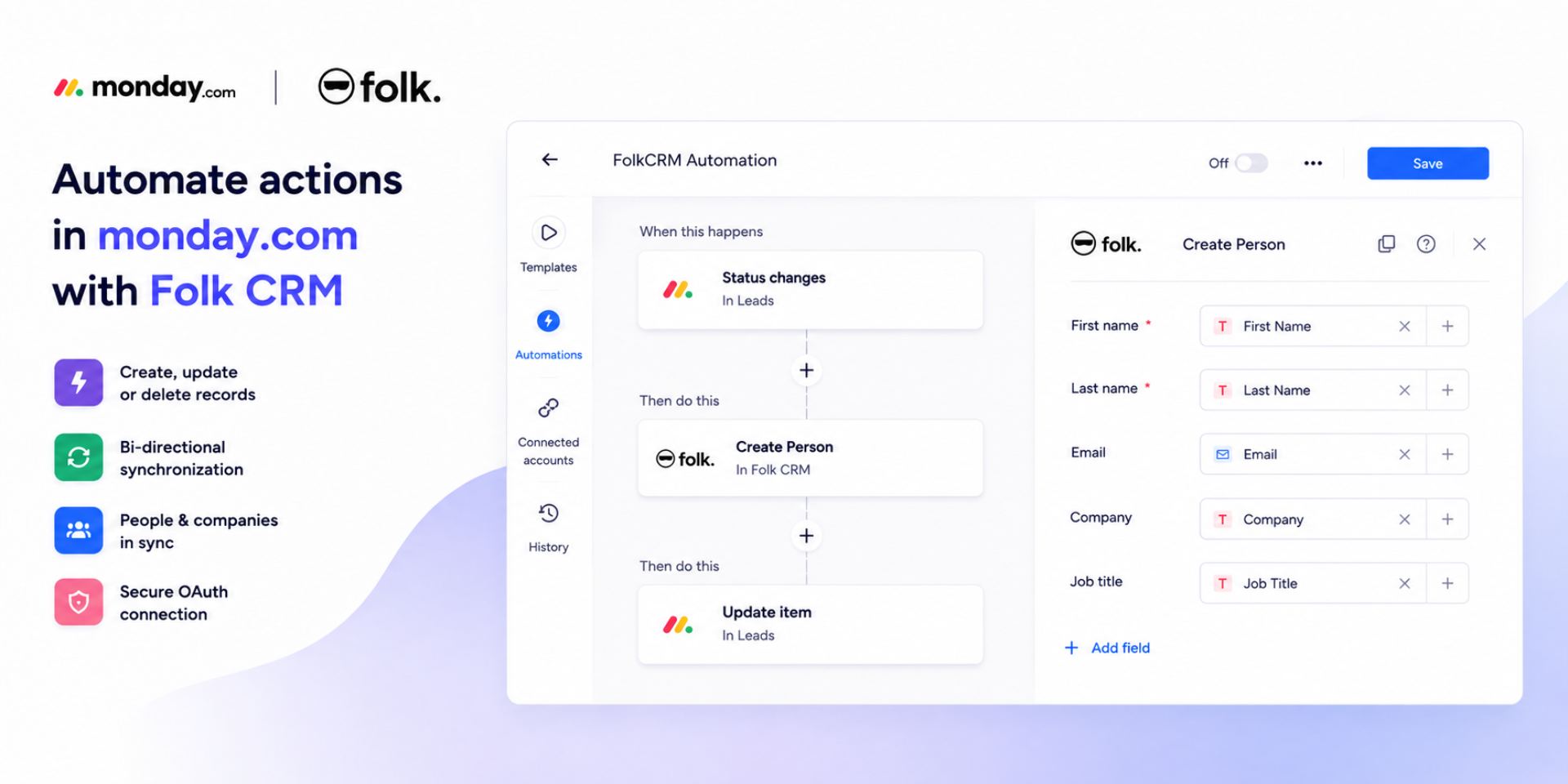
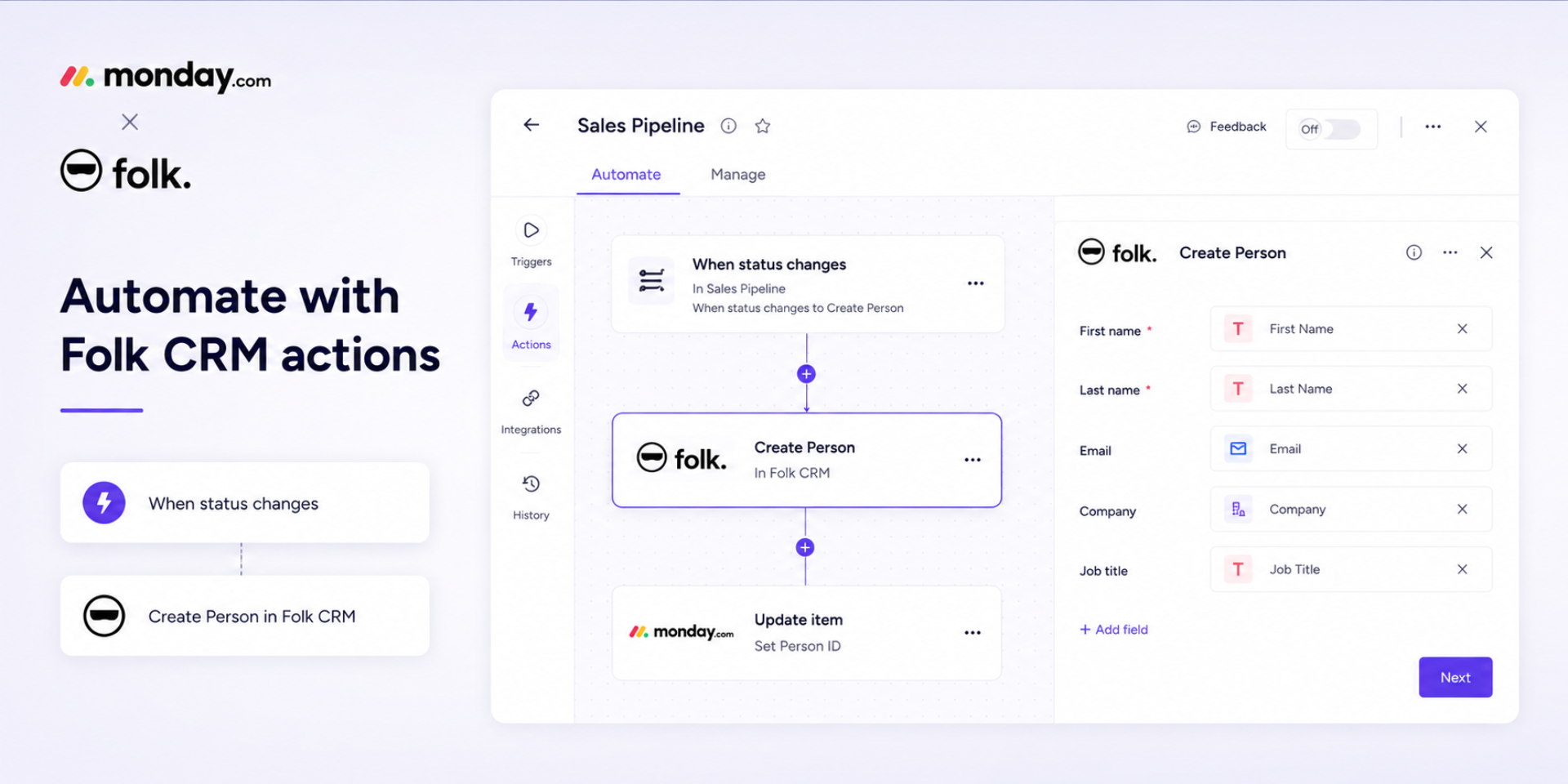
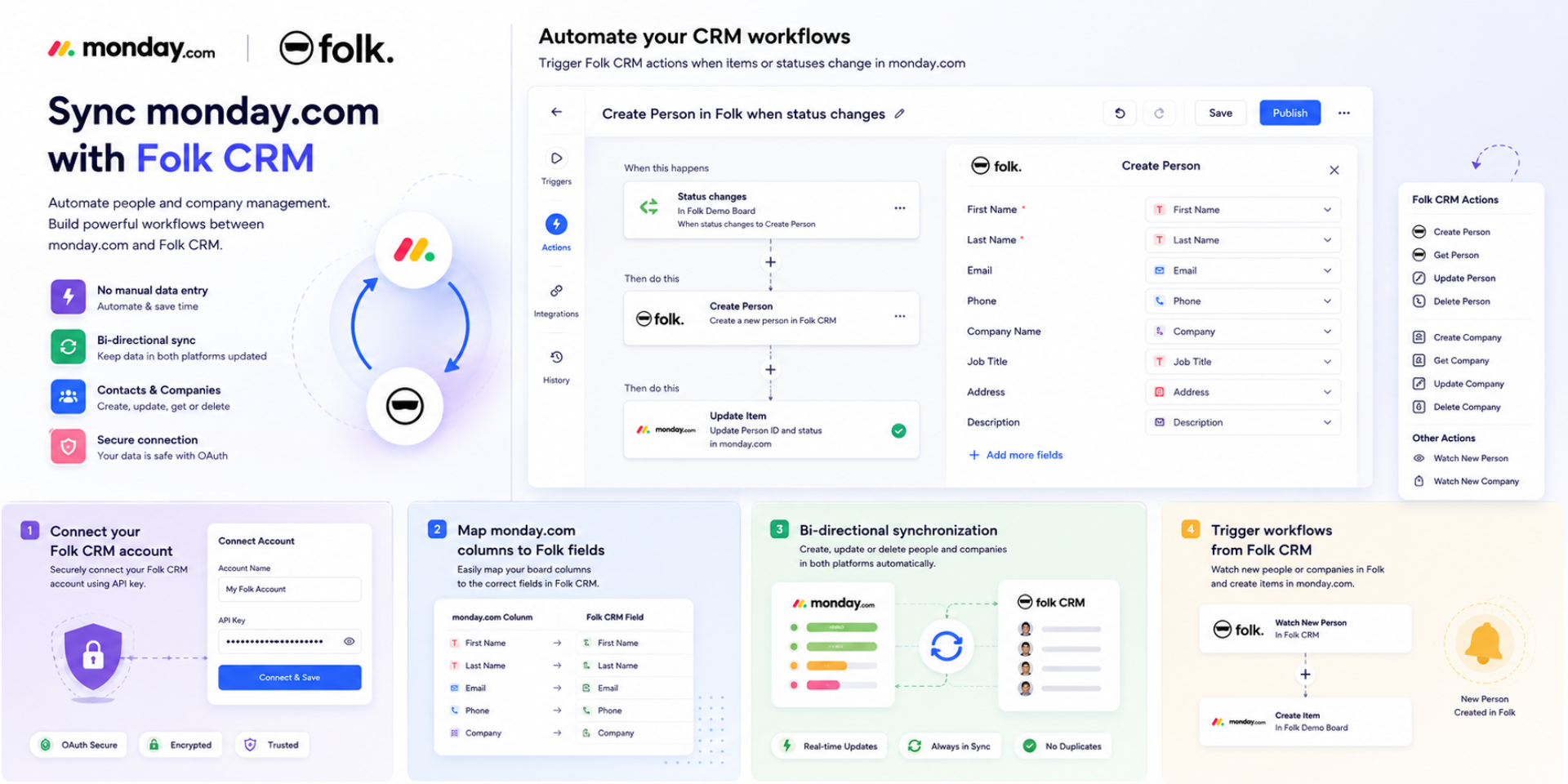
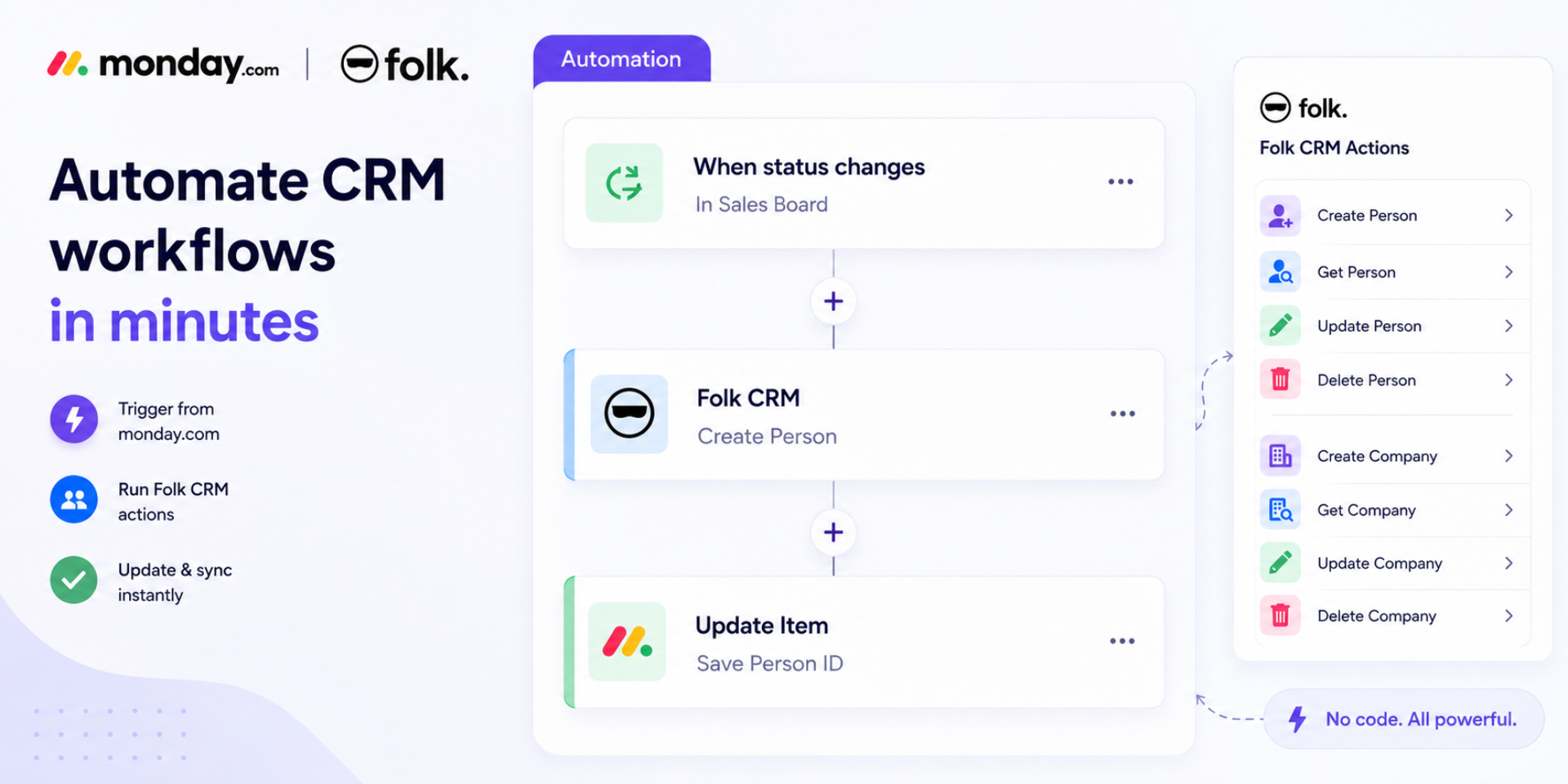
Automate Folk CRM workflows in monday.com
The Folk CRM Integration for monday.com enables teams to seamlessly connect their monday.com workflows with Folk CRM, eliminating manual data entry and keeping customer information synchronized across both platforms.
Using monday.com automations, users can create, retrieve, update, and delete People and Companies in Folk CRM directly from their boards. The integration also supports trigger-based workflows, allowing monday.com automations to run automatically whenever a new Person or Company is created in Folk CRM.
Whether you're managing leads, customers, or company records, this integration helps keep your CRM and monday.com boards aligned in real time. Users can map monday.com columns to Folk CRM fields, store returned record IDs, and build powerful no-code workflows without writing code.
Key Features
Create People in Folk CRM
Update existing People
Retrieve Person details
Delete People
Create Companies
Update Companies
Retrieve Company details
Delete Companies
Trigger monday.com workflows when new People are created in Folk CRM
Trigger monday.com workflows when new Companies are created in Folk CRM
Field mapping between monday.com and Folk CRM
Supports powerful no-code workflow automation
This integration helps sales, customer success, and operations teams automate customer management, reduce repetitive work, and keep data synchronized across both systems.
Security & Compliance
The app developer did not provide the security and compliance information for this app.
Reviews
No reviews yet.
Historical data
Installation history
We have data for December 28, 2024 onwards only. Collected sometime after 00:00 UTC daily.
Total number of installs
Change in total number of installs in last 1 day(s)
Compares the number of installs on each date with 1 days previously:
Change in total number of installs in last 7 day(s)
Compares the number of installs on each date with 7 days previously:
Change in total number of installs in last 30 day(s)
Compares the number of installs on each date with 30 days previously:
Change in total number of installs in last 90 day(s)
Compares the number of installs on each date with 90 days previously:
Change in total number of installs in last 180 day(s)
Compares the number of installs on each date with 180 days previously:
Ratings history
Categories history
Each of the following is a yes/no answer, so the graphs show 1 for yes, and 0 for no.