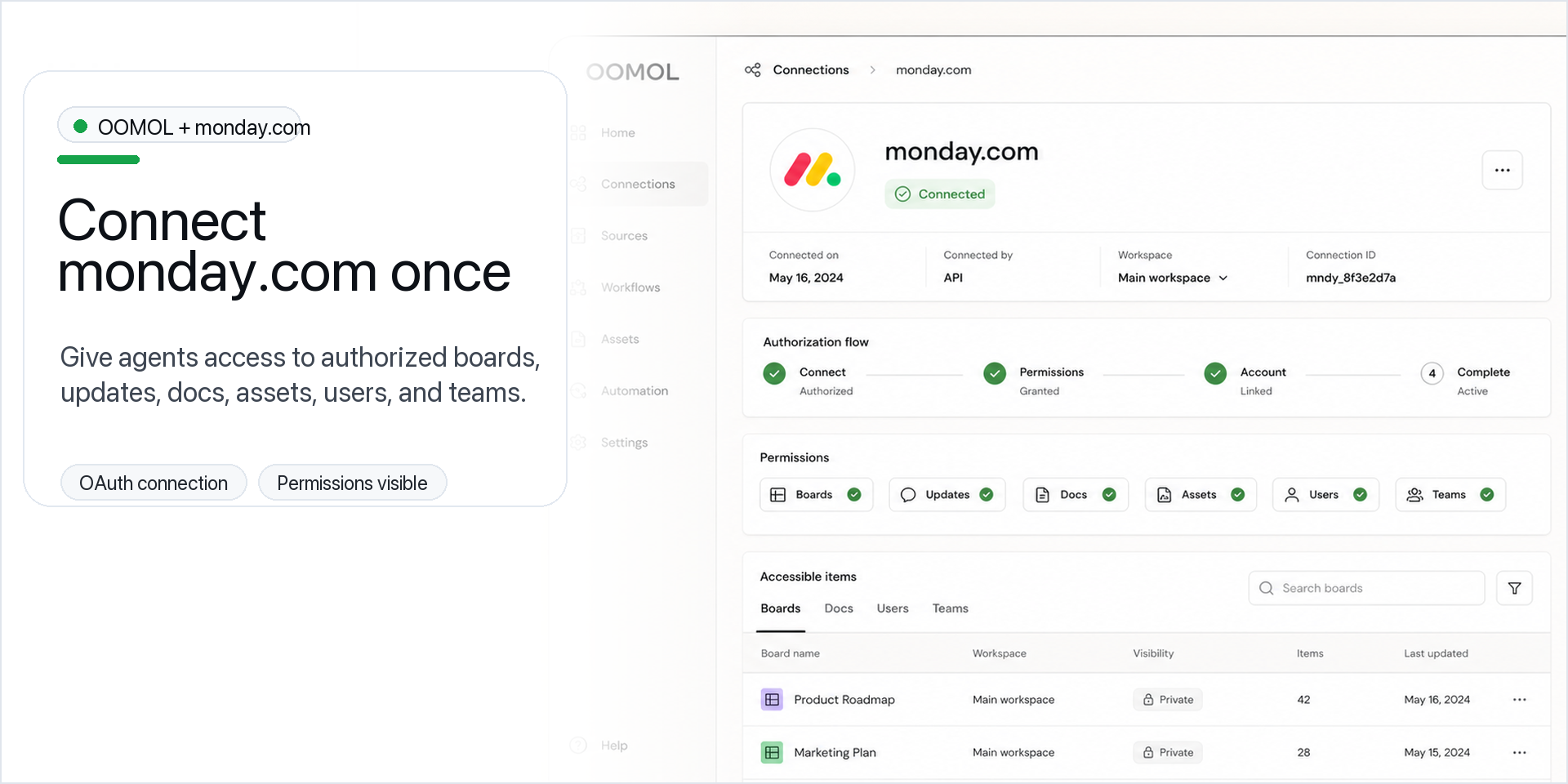
Connect monday.com to OOMOL and make monday.com actions available to your agents and workflows.
OOMOL is for users and teams who want to use their authorized monday.com tools in agent-assisted tasks. Connect your account once, then read, create, update, and organize monday.com data when you ask an agent or workflow to do so.
What you can do
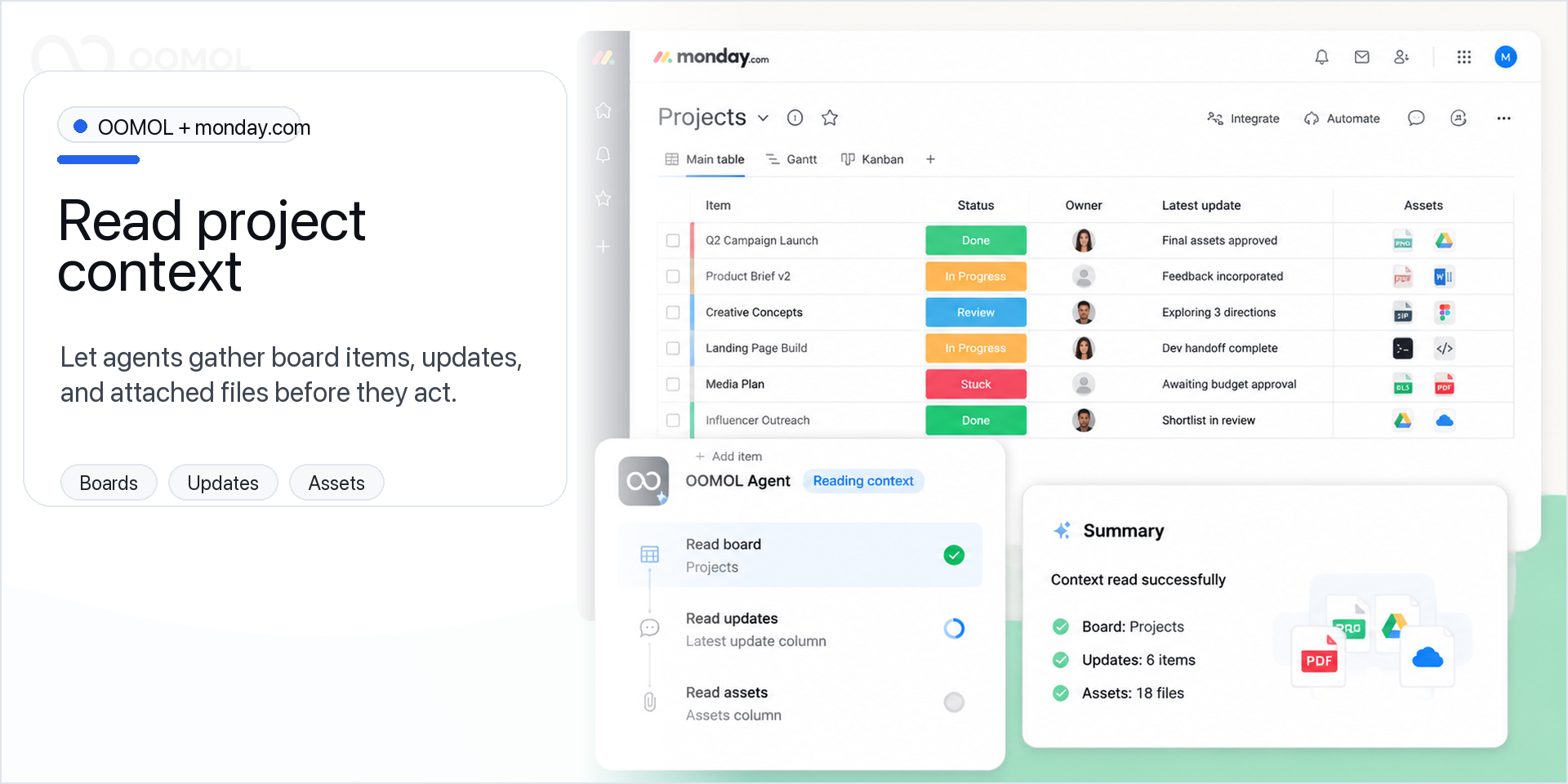
- Work with boards and items: read board data, create or update items, move items, and update column values.
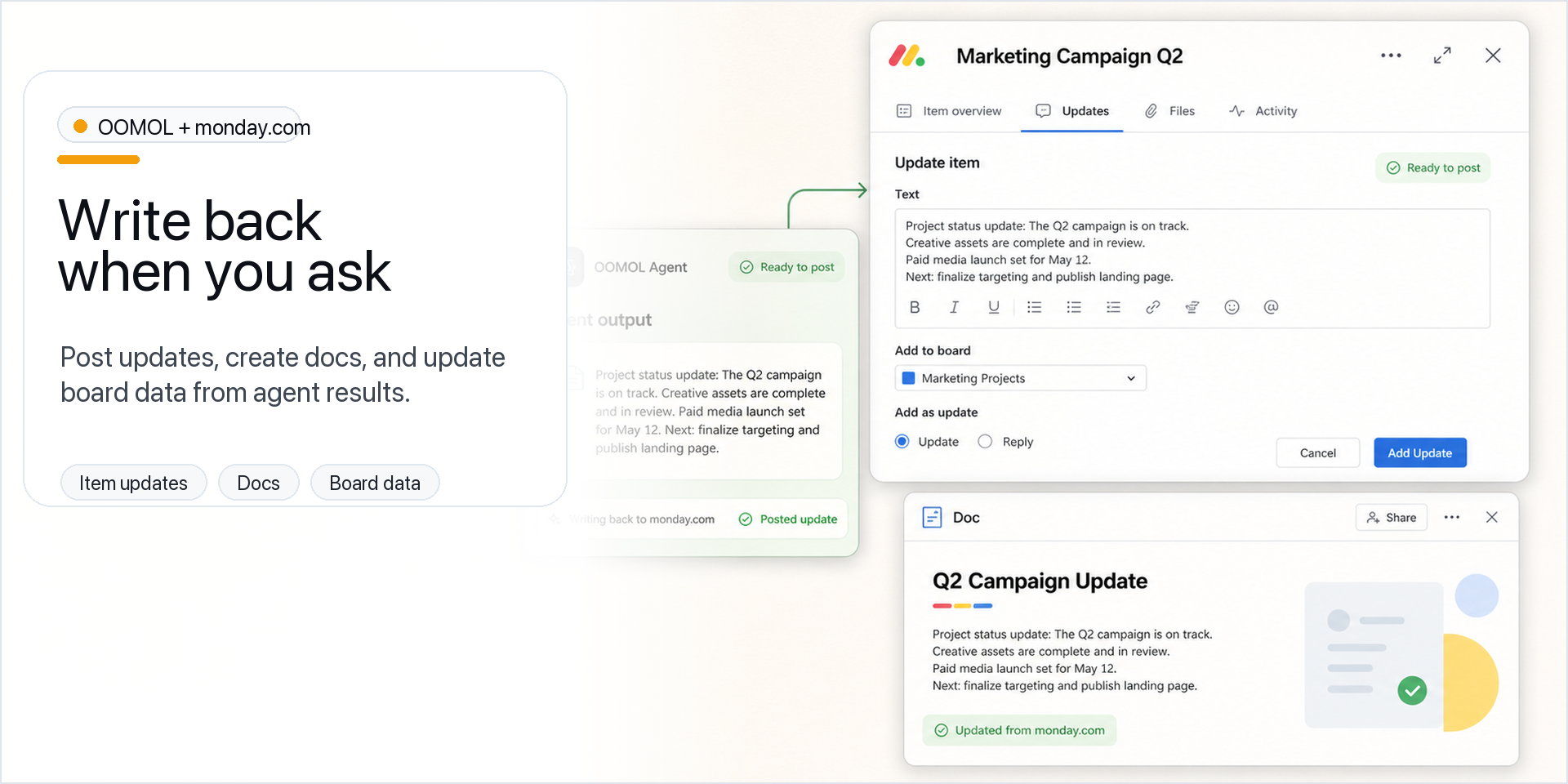
- Turn activity into updates and docs: summarize item updates, post follow-ups, and create or update monday.com docs.
- Use files as workflow input: access asset metadata and files needed for your task.
- Route work with users and teams: resolve assignees, owners, and team context.
- Support administration: manage workspaces and Enterprise departments when the connected account has the required permissions.
Control connection access
In OOMOL Console, open your monday.com connection details. Below the connection info card, Team creators and administrators can configure Member access and Action access. Choose Selected members to allow only specific Team members; exclude a member to block their use of the entire connection. Choose Custom limits to allow only selected actions, such as read actions for reporting. Unselected actions are denied, and Proxy and call_tool are disabled. Action limits apply to everyone using that connection. Access remains limited by the connected monday.com account's permissions and granted OAuth scopes. Allowed members may access that account's private boards through permitted actions, so review access before sharing.
Example uses
Create a project status report, add follow-up items, generate a doc from board activity, or route tasks to the right team.
AI model note
This app does not run a specific AI model. It provides monday.com tools for the agents, Skills, and workflows you choose.
{
  "id": 10001279,
  "marketplace_developer_id": 100000256,
  "app_id": 11150381,
  "app_type": "app",
  "security_info": {},
  "gallery_assets": [
    {
      "url": "https://cdn.monday.com/marketplace/10001279/10001279_2026_8_29_8_19_53_fd1tlyb.png",
      "type": "image"
    },
    {
      "url": "https://cdn.monday.com/marketplace/10001279/10001279_2026_8_29_8_19_57_rzc7ieo.png",
      "type": "image"
    },
    {
      "url": "https://cdn.monday.com/marketplace/10001279/10001279_2026_8_29_8_20_0_dtanc9q.png",
      "type": "image"
    }
  ],
  "description": "<p>Connect <a href=\"http://monday.com/\" rel=\"noopener noreferrer\" target=\"_blank\">monday.com</a> to OOMOL and make <a href=\"http://monday.com/\" rel=\"noopener noreferrer\" target=\"_blank\">monday.com</a> actions available to your agents and workflows.</p><p>OOMOL is for users and teams who want to use their authorized <a href=\"http://monday.com/\" rel=\"noopener noreferrer\" target=\"_blank\">monday.com</a> tools in agent-assisted tasks. Connect your account once, then read, create, update, and organize <a href=\"http://monday.com/\" rel=\"noopener noreferrer\" target=\"_blank\">monday.com</a> data when you ask an agent or workflow to do so.</p><p>What you can do</p><p>- Work with boards and items: read board data, create or update items, move items, and update column values.</p><p>- Turn activity into updates and docs: summarize item updates, post follow-ups, and create or update <a href=\"http://monday.com/\" rel=\"noopener noreferrer\" target=\"_blank\">monday.com</a> docs.</p><p>- Use files as workflow input: access asset metadata and files needed for your task.</p><p>- Route work with users and teams: resolve assignees, owners, and team context.</p><p>- Support administration: manage workspaces and Enterprise departments when the connected account has the required permissions.</p><p>Control connection access</p><p>In OOMOL Console, open your <a href=\"http://monday.com/\" rel=\"noopener noreferrer\" target=\"_blank\">monday.com</a> connection details. Below the connection info card, Team creators and administrators can configure Member access and Action access. Choose Selected members to allow only specific Team members; exclude a member to block their use of the entire connection. Choose Custom limits to allow only selected actions, such as read actions for reporting. Unselected actions are denied, and Proxy and call_tool are disabled. Action limits apply to everyone using that connection. Access remains limited by the connected <a href=\"http://monday.com/\" rel=\"noopener noreferrer\" target=\"_blank\">monday.com</a> account's permissions and granted OAuth scopes. Allowed members may access that account's private boards through permitted actions, so review access before sharing.</p><p>Example uses</p><p>Create a project status report, add follow-up items, generate a doc from board activity, or route tasks to the right team.</p><p>AI model note</p><p>This app does not run a specific AI model. It provides <a href=\"http://monday.com/\" rel=\"noopener noreferrer\" target=\"_blank\">monday.com</a> tools for the agents, Skills, and workflows you choose.</p><p>Guide: <a href=\"https://oomol.com/en/docs/monday/\" rel=\"noopener noreferrer\" target=\"_blank\">https://oomol.com/en/docs/monday/</a></p>",
  "short_description": "Let AI agents summarize and update boards",
  "thumbnail_url": "https://cdn.monday.com/marketplace/10001279/10001279_2026_8_29_8_19_36_q3oedsx.png",
  "logo_url": "https://cdn.monday.com/marketplace/10001279/10001279_2026_8_29_8_19_33_tz8pcqf.png",
  "feedback_url": "support@oomol.com",
  "privacy_policy_url": "https://oomol.com/en/privacy",
  "featured": false,
  "name": "OOMOL",
  "how_to_use_url": "https://oomol.com/en/docs/monday/",
  "external_pricing_url": null,
  "keywords": "Custom Apps,Productivity,Workflow Optimization,CLI,Integrations,Developer Tools,Automation,AI Agents",
  "compliance_answers": [],
  "created_at": "2026-09-29T08:19:04.000Z",
  "updated_at": "2026-09-29T08:21:02.000Z",
  "automation_app_id": null,
  "marketplace_category_ids": [
    7
  ],
  "pinned_for_categories_ids": [],
  "featured_for_categories_ids": [],
  "pricing_data": null,
  "label": null,
  "app_values": [
    "Works with AI Assistant"
  ],
  "security": false,
  "display_in_template_store": false,
  "acquisition_source": "No touch",
  "is_connector": false,
  "show_connections": false,
  "terms_of_service_url": "https://oomol.com/en/terms",
  "available_for_tiers": [],
  "available_for_products": [],
  "google_analytics_tag_id": null,
  "is_solution": false,
  "cta_override": null,
  "app_scope_str": "assets:read,updates:write,updates:read,account:read,users:read,workspaces:write,workspaces:read,boards:write,boards:read,me:read,docs:read,docs:write,departments:read,departments:write,teams:read",
  "app_client_id": "2fadb9aadf5ce5bc38b8c57ff6ddec8b",
  "app_color": {
    "hsl": {
      "h": 238.88888888888886,
      "s": 0.7105263157894736,
      "l": 0.7019607843137254,
      "a": 1
    },
    "hex": "#7d7fe9",
    "rgb": {
      "r": 125,
      "g": 127,
      "b": 233,
      "a": 1
    },
    "hsv": {
      "h": 238.88888888888886,
      "s": 0.463519313304721,
      "v": 0.9137254901960784,
      "a": 1
    },
    "oldHue": 75.55555555555557,
    "source": "hex"
  },
  "plans": null,
  "app_live_version": {
    "updated_at": "2026-08-27T03:28:10.192Z",
    "id": 17296996
  },
  "pricing_model": null,
  "monetization": {
    "monetizationType": "none",
    "hasFreePlan": false,
    "hasPaidPlan": false,
    "hasTrialPlan": false
  },
  "badges_data": {
    "security": false,
    "app_values": [
      "Works with AI Assistant"
    ],
    "acquisition_source": "No touch",
    "display_in_template_store": false
  },
  "data": {
    "is_solution": false,
    "cta_override": null,
    "is_connector": false,
    "show_connections": false,
    "available_for_tiers": [],
    "terms_of_service_url": "https://oomol.com/en/terms",
    "available_for_products": [],
    "google_analytics_tag_id": null
  },
  "display": null,
  "installsDelta": {
    "totalInstalls": 2
  }
}