Sync and manage QuickBooks Desktop within monday.com
Your business workflows are in monday.com, so your QuickBooks Desktop data should be easy to work with there too!
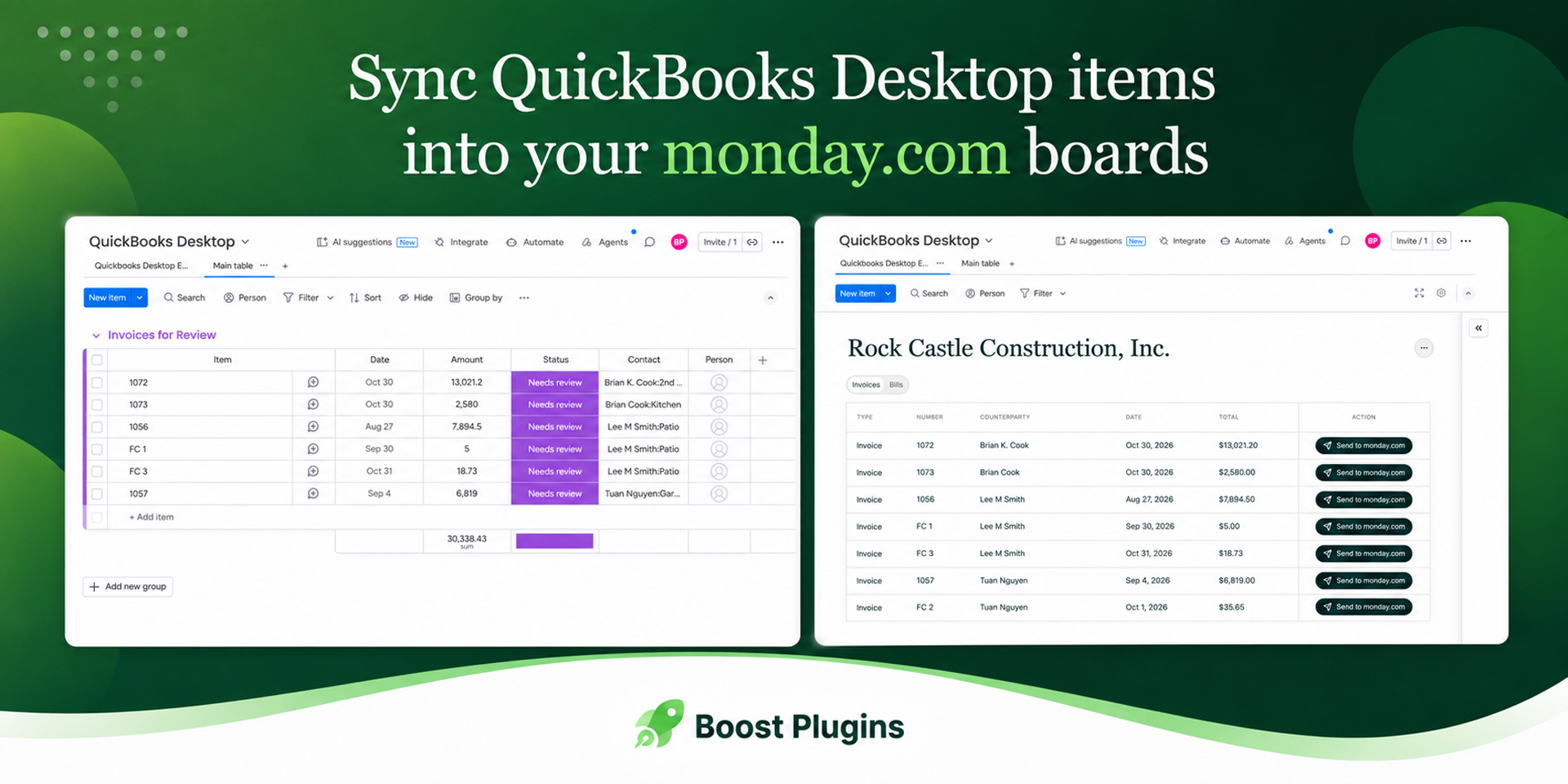
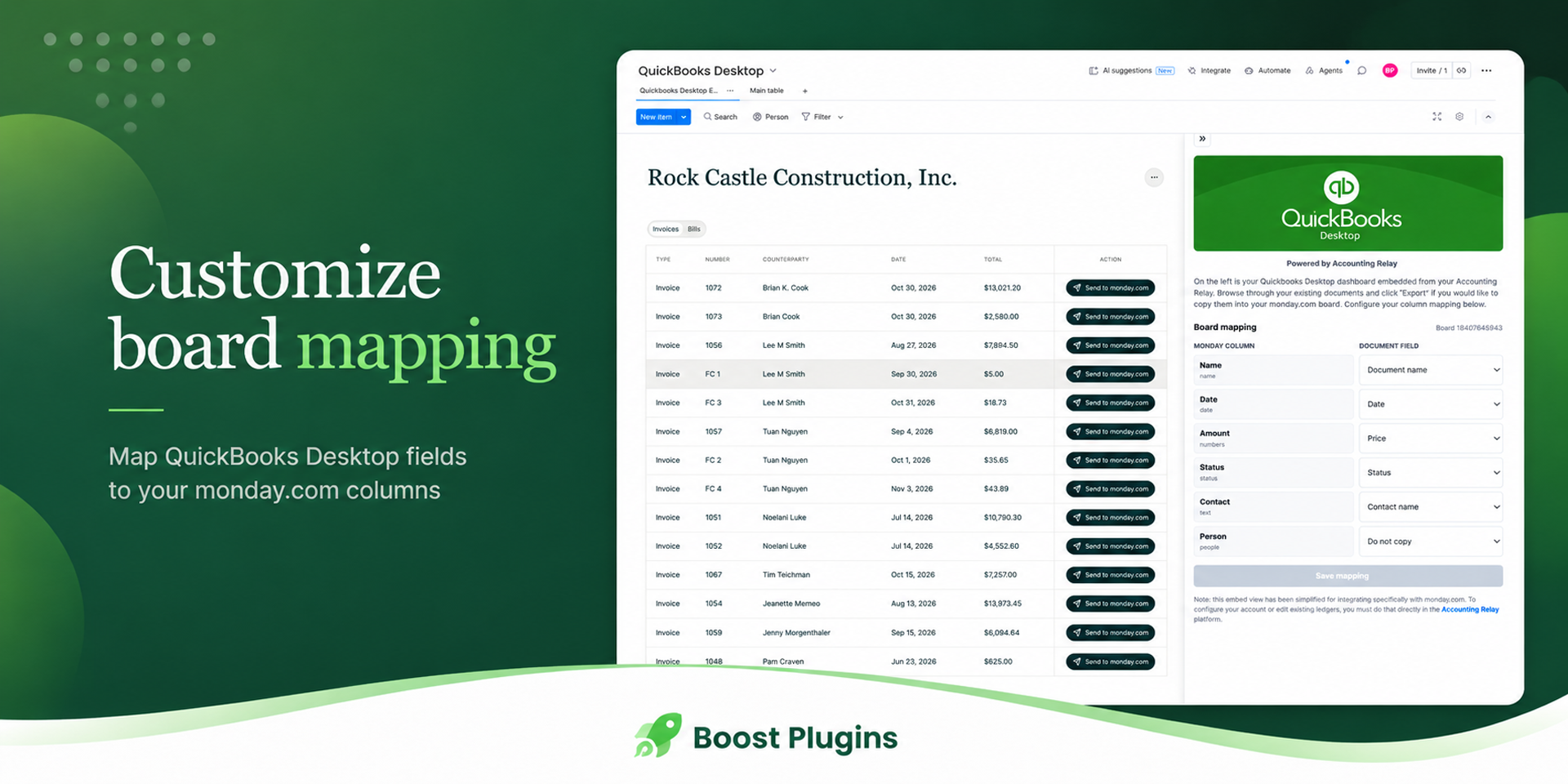
BoostSync for QuickBooks Desktop helps you bring accounting documents from your QuickBooks Desktop workflow into monday.com. The app embeds your Accounting Relay dashboard directly inside monday.com, so your team can browse bills, invoices, and other accounting documents, then export selected records into the monday.com board you are already using.
## What is Accounting Relay?
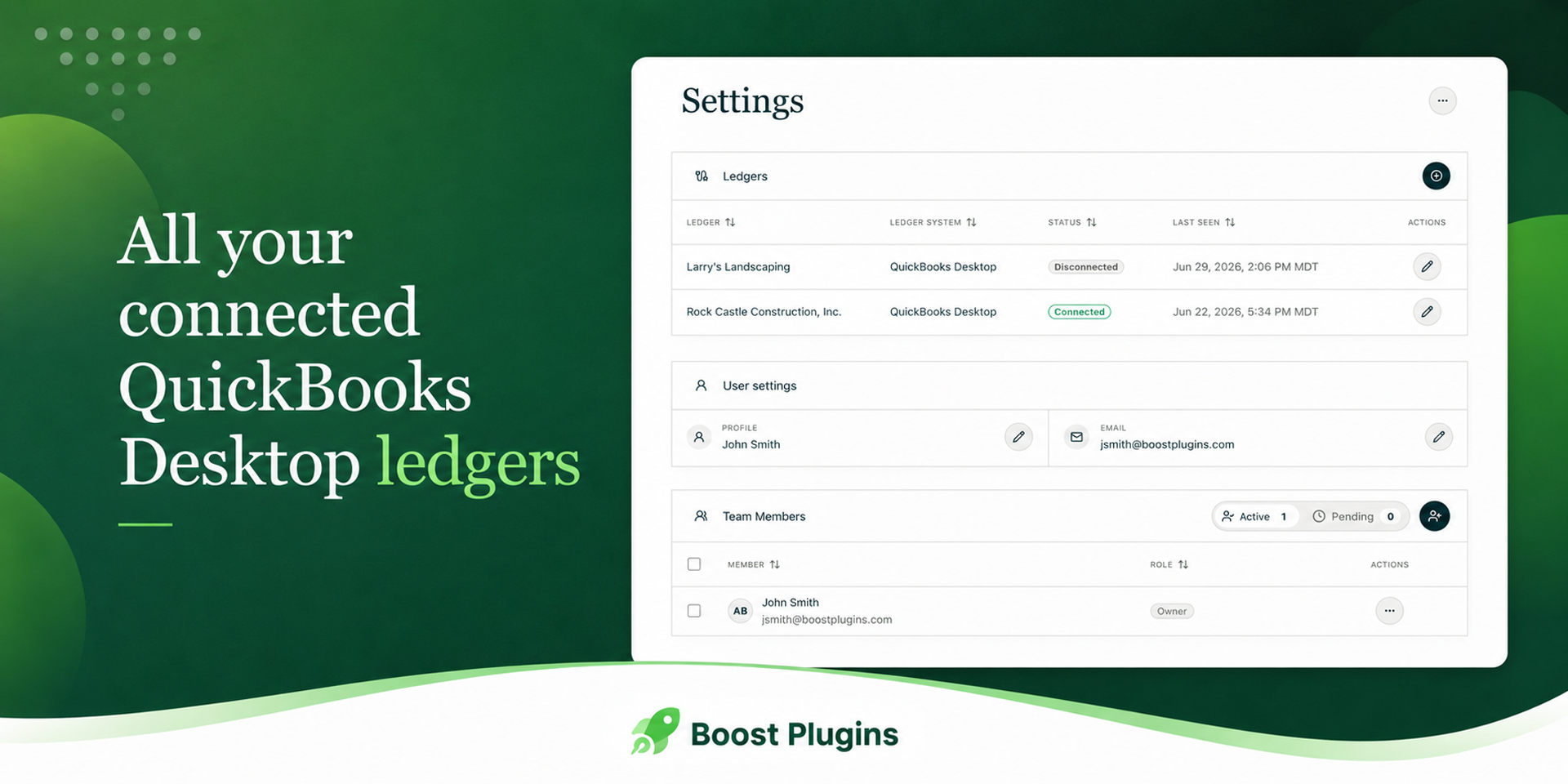
Accounting Relay is a third-party platform used to connect and access your QuickBooks Desktop accounting data securely. This monday.com app does not replace Accounting Relay or configure your QuickBooks Desktop connection directly. Instead, it provides a lightweight bridge between Accounting Relay and monday.com, making it simple to view your accounting documents and copy them into monday.com boards when needed.
{
  "id": 10001278,
  "marketplace_developer_id": 100000039,
  "app_id": 11460915,
  "app_type": "app",
  "security_info": {},
  "gallery_assets": [
    {
      "url": "https://cdn.monday.com/marketplace/10001278/10001278_2026_8_25_9_47_12_vhqkzlm.png",
      "type": "image"
    },
    {
      "url": "https://cdn.monday.com/marketplace/10001278/10001278_2026_8_25_9_47_20_ej31933.png",
      "type": "image"
    },
    {
      "url": "https://cdn.monday.com/marketplace/10001278/10001278_2026_8_25_9_47_30_jtea3bf.png",
      "type": "image"
    }
  ],
  "description": "<p>Your business workflows are in <a href=\"http://monday.com/\" rel=\"noopener noreferrer\" target=\"_blank\">monday.com</a>, so your QuickBooks Desktop data should be easy to work with there too!</p><p>BoostSync for QuickBooks Desktop helps you bring accounting documents from your QuickBooks Desktop workflow into <a href=\"http://monday.com/\" rel=\"noopener noreferrer\" target=\"_blank\">monday.com</a>. The app embeds your Accounting Relay dashboard directly inside <a href=\"http://monday.com/\" rel=\"noopener noreferrer\" target=\"_blank\">monday.com</a>, so your team can browse bills, invoices, and other accounting documents, then export selected records into the <a href=\"http://monday.com/\" rel=\"noopener noreferrer\" target=\"_blank\">monday.com</a> board you are already using.</p><p>## What is Accounting Relay?</p><p>Accounting Relay is a third-party platform used to connect and access your QuickBooks Desktop accounting data securely. This <a href=\"http://monday.com/\" rel=\"noopener noreferrer\" target=\"_blank\">monday.com</a> app does not replace Accounting Relay or configure your QuickBooks Desktop connection directly. Instead, it provides a lightweight bridge between Accounting Relay and <a href=\"http://monday.com/\" rel=\"noopener noreferrer\" target=\"_blank\">monday.com</a>, making it simple to view your accounting documents and copy them into <a href=\"http://monday.com/\" rel=\"noopener noreferrer\" target=\"_blank\">monday.com</a> boards when needed.</p><p>Checkout our [documentation](<a href=\"https://boostplugins.com/docs/sync-for-quickbooks-desktop-monday\" rel=\"noopener noreferrer\" target=\"_blank\">boostplugins.com/docs/sync-for-quickbooks-desktop-monday</a>) for setup steps and tutorials.</p><p>✨ Why BoostSync ✨</p><p>* Embedded Accounting Relay view inside <a href=\"http://monday.com/\" rel=\"noopener noreferrer\" target=\"_blank\">monday.com</a></p><p>* Export invoices, bills, and accounting documents into <a href=\"http://monday.com/\" rel=\"noopener noreferrer\" target=\"_blank\">monday.com</a> boards</p><p>* Configure field-to-column mapping for your board</p><p>* Keep accounting context close to your workflows</p><p>* No custom automation setup required</p><p>* Built specifically for QuickBooks Desktop workflows powered by Accounting Relay</p><p>💳 Pricing</p><p>A subscription is required to set up the Quickbooks Desktop connector</p><p>🚀 Try It Free</p><p>Install directly from the <a href=\"http://monday.com/\" rel=\"noopener noreferrer\" target=\"_blank\">monday.com</a> Apps Marketplace and enjoy a 14-day trial, no credit card required</p>",
  "short_description": "Sync and manage QuickBooks Desktop within monday.com",
  "thumbnail_url": "https://cdn.monday.com/marketplace/10001278/10001278_2026_8_25_9_46_29_bb2lpuj.png",
  "logo_url": "https://cdn.monday.com/marketplace/10001278/10001278_2026_8_25_9_45_55_wbdmmupk.png",
  "feedback_url": "support@boostplugins.com",
  "privacy_policy_url": "https://boostplugins.com/docs/sync-for-quickbooks-desktop-mon/privacy",
  "featured": false,
  "name": "QuickBooks Desktop Integration",
  "how_to_use_url": "https://boostplugins.com/docs/sync-for-quickbooks-desktop-mon",
  "external_pricing_url": null,
  "keywords": "quickbooks,quickbooks desktop,sync,accounting",
  "compliance_answers": [],
  "created_at": "2026-09-25T09:44:47.000Z",
  "updated_at": "2026-09-25T09:49:01.000Z",
  "automation_app_id": null,
  "marketplace_category_ids": [
    10000007,
    9,
    7
  ],
  "pinned_for_categories_ids": [],
  "featured_for_categories_ids": [],
  "pricing_data": "Free",
  "label": null,
  "app_values": [
    "Centralize your work on monday.com"
  ],
  "security": false,
  "display_in_template_store": false,
  "acquisition_source": "No touch",
  "is_connector": false,
  "show_connections": false,
  "terms_of_service_url": "https://boostplugins.com/docs/sync-for-quickbooks-desktop-mon/terms",
  "available_for_tiers": [],
  "available_for_products": [],
  "google_analytics_tag_id": null,
  "is_solution": false,
  "cta_override": null,
  "app_scope_str": "boards:read,boards:write,me:read",
  "app_client_id": "4bed735a469e07c74fad2a935934c3a3",
  "app_color": "#FFCB00",
  "plans": null,
  "app_live_version": {
    "updated_at": "2026-08-04T20:08:27.143Z",
    "id": 16626936
  },
  "pricing_model": null,
  "monetization": {
    "monetizationType": "none",
    "hasFreePlan": false,
    "hasPaidPlan": false,
    "hasTrialPlan": false
  },
  "badges_data": {
    "security": false,
    "app_values": [
      "Centralize your work on monday.com"
    ],
    "pricing_data": "Free",
    "acquisition_source": "No touch",
    "display_in_template_store": false
  },
  "data": {
    "is_solution": false,
    "cta_override": null,
    "is_connector": false,
    "show_connections": false,
    "available_for_tiers": [],
    "terms_of_service_url": "https://boostplugins.com/docs/sync-for-quickbooks-desktop-mon/terms",
    "available_for_products": [],
    "google_analytics_tag_id": null
  },
  "display": null,
  "installsDelta": {
    "totalInstalls": 5
  }
}