Quinsy Clara automatically formats and cleans column data in monday.com whenever a cell changes. No formulas, no manual cleanup, no exports.
THE PROBLEM
Teams enter data inconsistently: mixed phone prefixes, conflicting number formats, messy text, hours entered as decimals or minutes. Fixing it by hand does not scale.
WHAT CLARA DOES
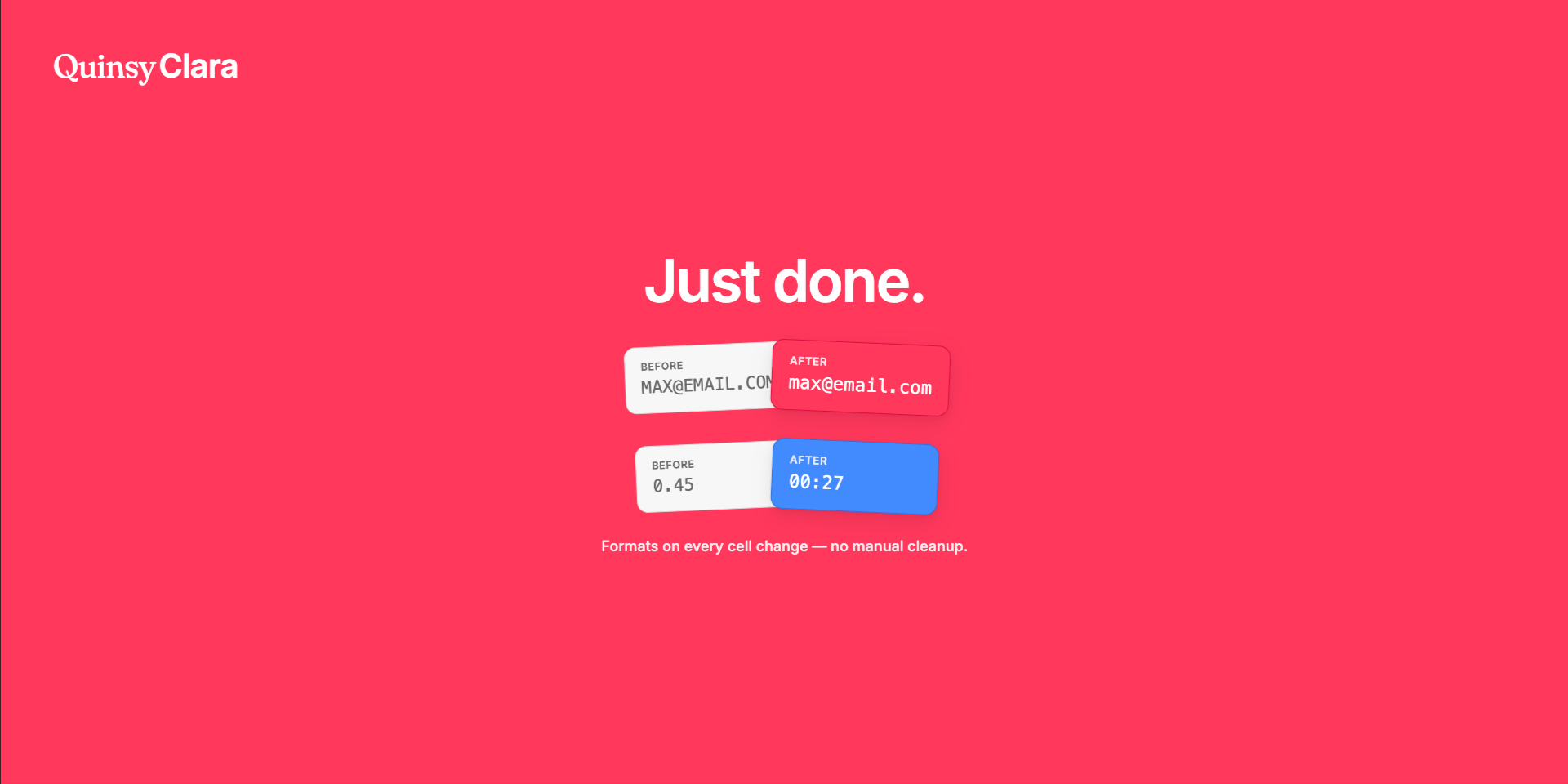
Clara is a workflow action you add to any board automation. When a column changes, Clara reads the cell, applies the format you choose, and writes the result back to the same column.
28 BUILT-IN FORMATTERS
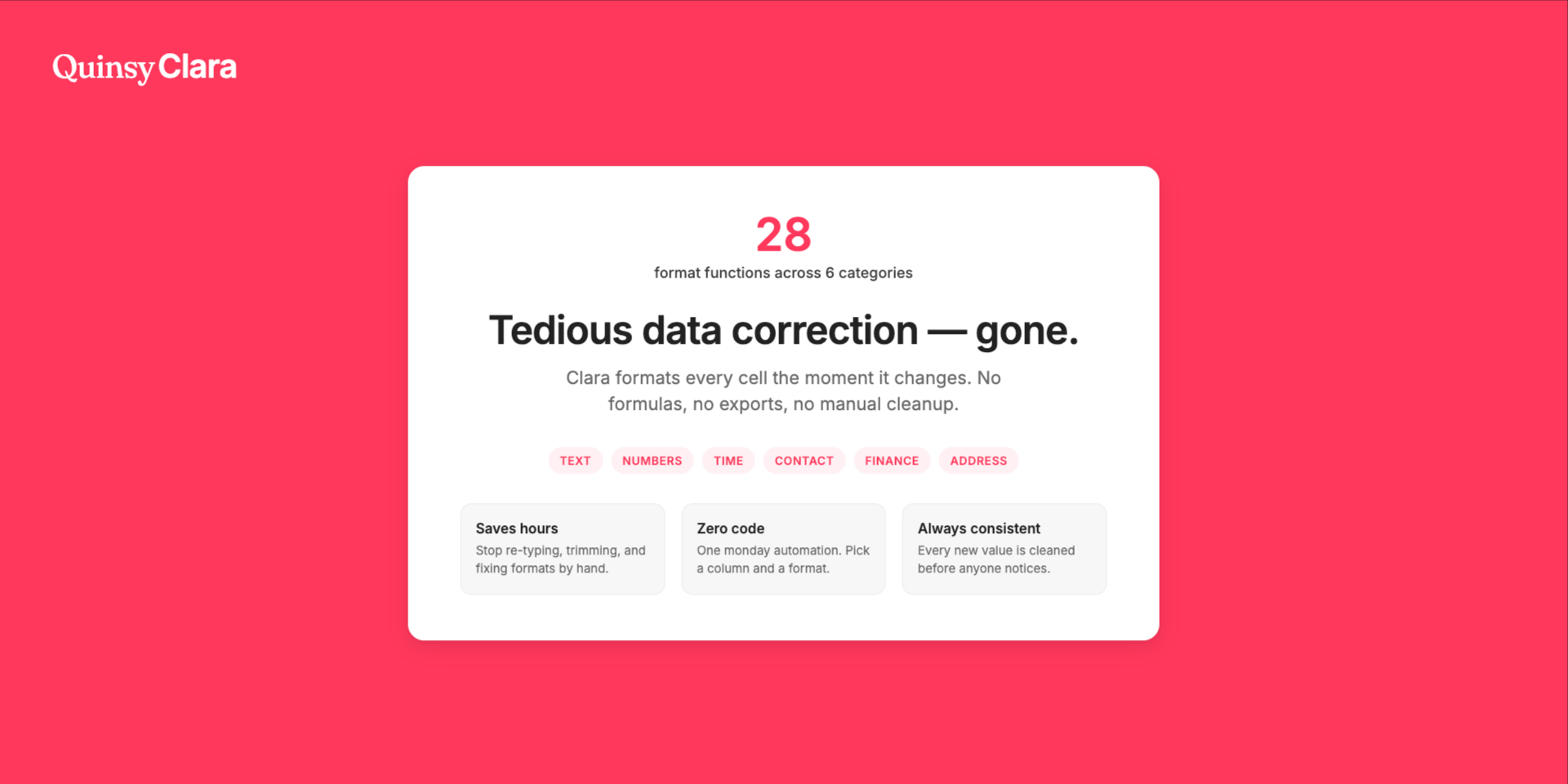
• Text — Title Case, UPPERCASE, lowercase, Trim Spaces
• Address — postal code and country formatting (US, UK, DE, FR, ES, IT)
SETUP IN 3 STEPS
1. Install Quinsy Clara from the monday marketplace
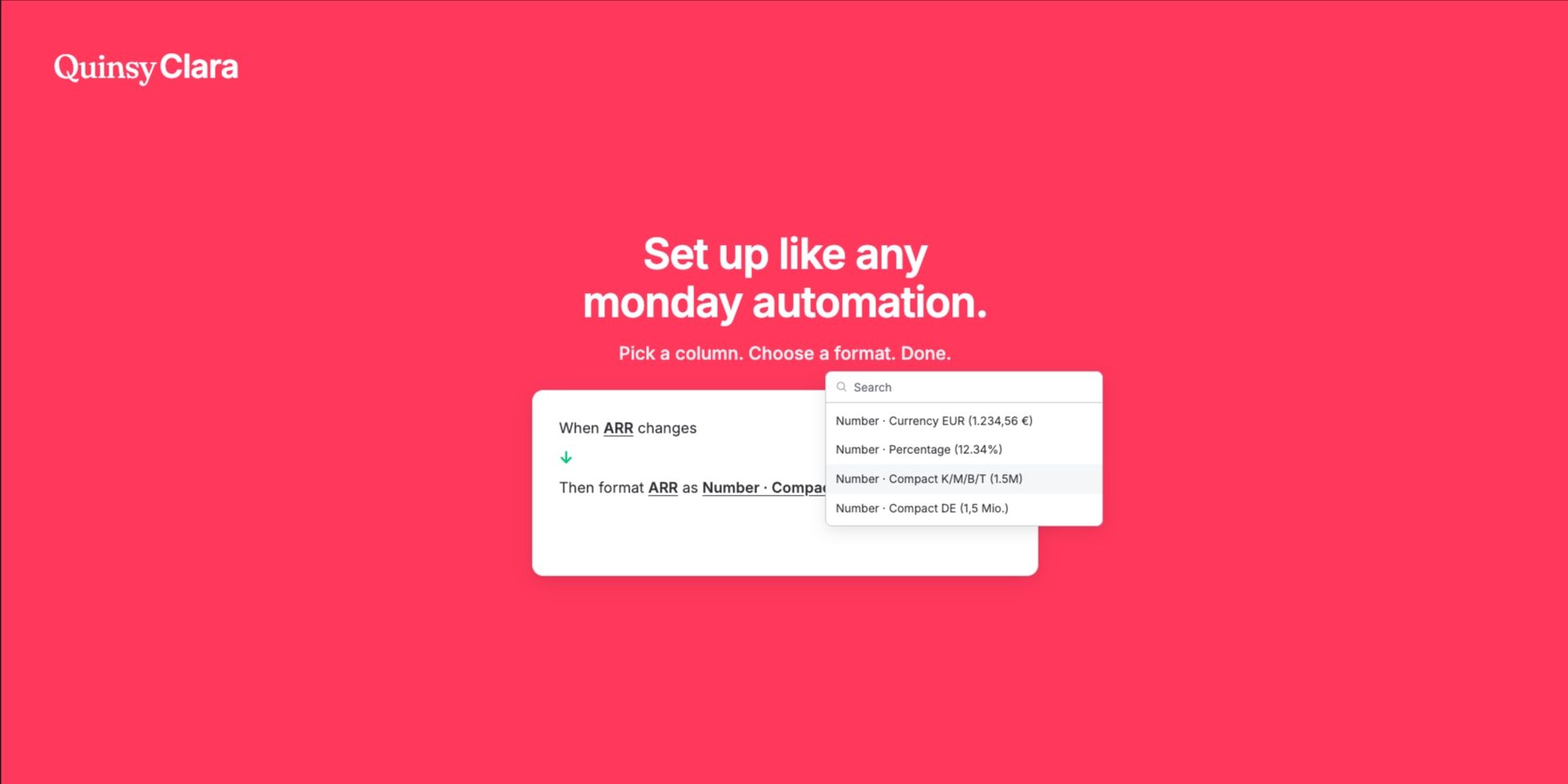
2. Open Automations and add the Quinsy Clara template (When column changes → format column as format)
3. Pick your column and formatter — done
COLUMN TYPES
Text and Long text columns are recommended for full formatted output. Numbers columns work for pure numeric results (symbols like %, €, or min are stripped).
PRIVACY
Cell content is processed in real time during each automation run and is not stored in our database. See our privacy policy for details.
Made by Quinsy — focused productivity tools for modern work.
Security & Compliance
The app developer did not provide the security and compliance information for this app.
Reviews
No reviews yet.
Historical data
Installation history
We have data for December 28, 2024 onwards only. Collected sometime after 00:00 UTC daily.
Total number of installs
Change in total number of installs in last 1 day(s)
Compares the number of installs on each date with 1 days previously:
Max
Min
Current
Change in total number of installs in last 7 day(s)
Compares the number of installs on each date with 7 days previously:
Max
Min
Current
Change in total number of installs in last 30 day(s)
Compares the number of installs on each date with 30 days previously:
Max
Min
Current
Change in total number of installs in last 90 day(s)
Compares the number of installs on each date with 90 days previously:
Max
Min
Current
Change in total number of installs in last 180 day(s)
Compares the number of installs on each date with 180 days previously:
Max
Min
Current
Ratings history
Categories history
Each of the following is a yes/no answer, so the graphs show 1 for yes, and 0 for no.
{
"id": 10001271,
"marketplace_developer_id": 100000276,
"app_id": 11700350,
"app_type": "app",
"security_info": {},
"gallery_assets": [
{
"url": "https://cdn.monday.com/marketplace/10001271/10001271_2026_8_6_4_34_44_qwyw8n5.png",
"type": "image"
},
{
"url": "https://cdn.monday.com/marketplace/10001271/10001271_2026_8_6_4_34_52_78wpivt.png",
"type": "image"
},
{
"url": "https://cdn.monday.com/marketplace/10001271/10001271_2026_8_6_4_34_58_feuendw.png",
"type": "image"
},
{
"url": "https://cdn.monday.com/marketplace/10001271/10001271_2026_8_6_4_35_6_4u1nqea.png",
"type": "image"
},
{
"url": "https://cdn.monday.com/marketplace/10001271/10001271_2026_8_6_4_35_59_5kbvr4n.mp4",
"type": "video"
}
],
"description": "<p>Quinsy Clara automatically formats and cleans column data in <a href=\"http://monday.com/\" rel=\"noopener noreferrer\" target=\"_blank\">monday.com</a> whenever a cell changes. No formulas, no manual cleanup, no exports.</p><p>THE PROBLEM</p><p>Teams enter data inconsistently: mixed phone prefixes, conflicting number formats, messy text, hours entered as decimals or minutes. Fixing it by hand does not scale.</p><p>WHAT CLARA DOES</p><p>Clara is a workflow action you add to any board automation. When a column changes, Clara reads the cell, applies the format you choose, and writes the result back to the same column.</p><p>28 BUILT-IN FORMATTERS</p><p>• Text — Title Case, UPPERCASE, lowercase, Trim Spaces</p><p>• Numbers — US, EU, CH, FR, integers, currency (USD/EUR), percentage, compact (K/M/B/T, German Mio.)</p><p>• Time — HH:MM, decimal hours, hours & minutes, days, weeks, and more</p><p>• Contact — international phone (+prefix), email cleanup (Unicode → ASCII, IDN punycode)</p><p>• Finance — IBAN spacing</p><p>• Address — postal code and country formatting (US, UK, DE, FR, ES, IT)</p><p>SETUP IN 3 STEPS</p><p>1. Install Quinsy Clara from the monday marketplace</p><p>2. Open Automations and add the Quinsy Clara template (When column changes → format column as format)</p><p>3. Pick your column and formatter — done</p><p>COLUMN TYPES</p><p>Text and Long text columns are recommended for full formatted output. Numbers columns work for pure numeric results (symbols like %, €, or min are stripped).</p><p>PRIVACY</p><p>Cell content is processed in real time during each automation run and is not stored in our database. See our privacy policy for details.</p><p>Made by Quinsy — focused productivity tools for modern work.</p>",
"short_description": "Auto-format monday column data on every change",
"thumbnail_url": "https://cdn.monday.com/marketplace/10001271/10001271_2026_8_6_4_34_6_5szaxyy.png",
"logo_url": "https://cdn.monday.com/marketplace/10001271/10001271_2026_8_6_4_33_39_xc602ok.png",
"feedback_url": "clara@quinsy.app",
"privacy_policy_url": "https://clara.quinsy.app/privacy/",
"featured": false,
"name": "Quinsy Clara",
"how_to_use_url": "https://quinsyclara.vercel.app/how-to/",
"external_pricing_url": null,
"keywords": "data formatting,column cleanup,text formatting,phone format,number format,time format,IBAN,automation,data quality,productivity",
"compliance_answers": [],
"created_at": "2026-09-06T04:30:16.000Z",
"updated_at": "2026-09-06T04:36:03.000Z",
"automation_app_id": null,
"marketplace_category_ids": [],
"pinned_for_categories_ids": [],
"featured_for_categories_ids": [],
"pricing_data": "Free plan available",
"label": null,
"app_values": [
"Everyday tasks"
],
"security": false,
"display_in_template_store": false,
"acquisition_source": "No touch",
"is_connector": false,
"show_connections": false,
"terms_of_service_url": "https://clara.quinsy.app/terms/",
"available_for_tiers": [],
"available_for_products": [],
"google_analytics_tag_id": null,
"is_solution": false,
"cta_override": null,
"app_scope_str": "boards:read,boards:write",
"app_client_id": "cbf72d3a9b813a1e5dd6f2a1624d8340",
"app_color": {
"hsl": {
"h": 349.14572864321605,
"s": 1,
"l": 0.6098039215686275,
"a": 1
},
"hex": "#ff385c",
"rgb": {
"r": 255,
"g": 56,
"b": 92,
"a": 1
},
"hsv": {
"h": 349.14572864321605,
"s": 0.7803921568627451,
"v": 1,
"a": 1
},
"oldHue": 144.14634146341461,
"source": "hex"
},
"plans": null,
"app_live_version": {
"updated_at": "2026-08-21T17:54:21.957Z",
"id": 17132317
},
"pricing_model": null,
"monetization": {
"monetizationType": "none",
"hasFreePlan": false,
"hasPaidPlan": false,
"hasTrialPlan": false
},
"badges_data": {
"security": false,
"app_values": [
"Everyday tasks"
],
"pricing_data": "Free plan available",
"acquisition_source": "No touch",
"display_in_template_store": false
},
"data": {
"is_solution": false,
"cta_override": null,
"is_connector": false,
"show_connections": false,
"available_for_tiers": [],
"terms_of_service_url": "https://clara.quinsy.app/terms/",
"available_for_products": [],
"google_analytics_tag_id": null
},
"display": null,
"installsDelta": {
"totalInstalls": 1,
"sevenDays": 0,
"thirtyDays": 0
}
}