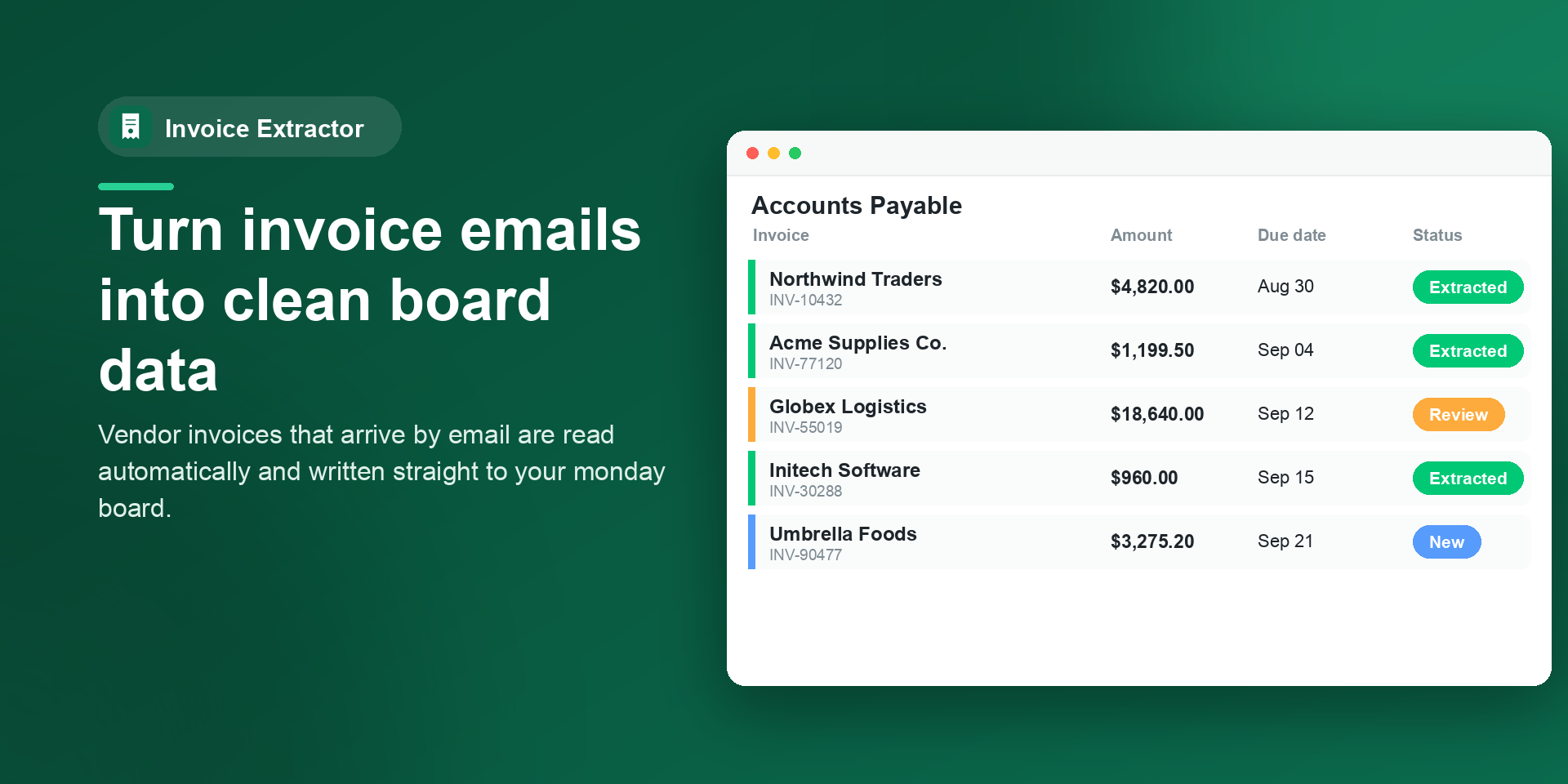
Invoice Extractor reads vendor invoices that land on your monday.com board — from the email body, a PDF or image attachment, or both — and fills in the vendor, invoice number, amount, tax, dates, and status for you. Built for accounts-payable, finance, and operations teams who are tired of retyping invoices by hand.
✨ What you get
• Email-to-board ingestion — forward invoices to your board's email address and each one becomes an item, ready to extract.
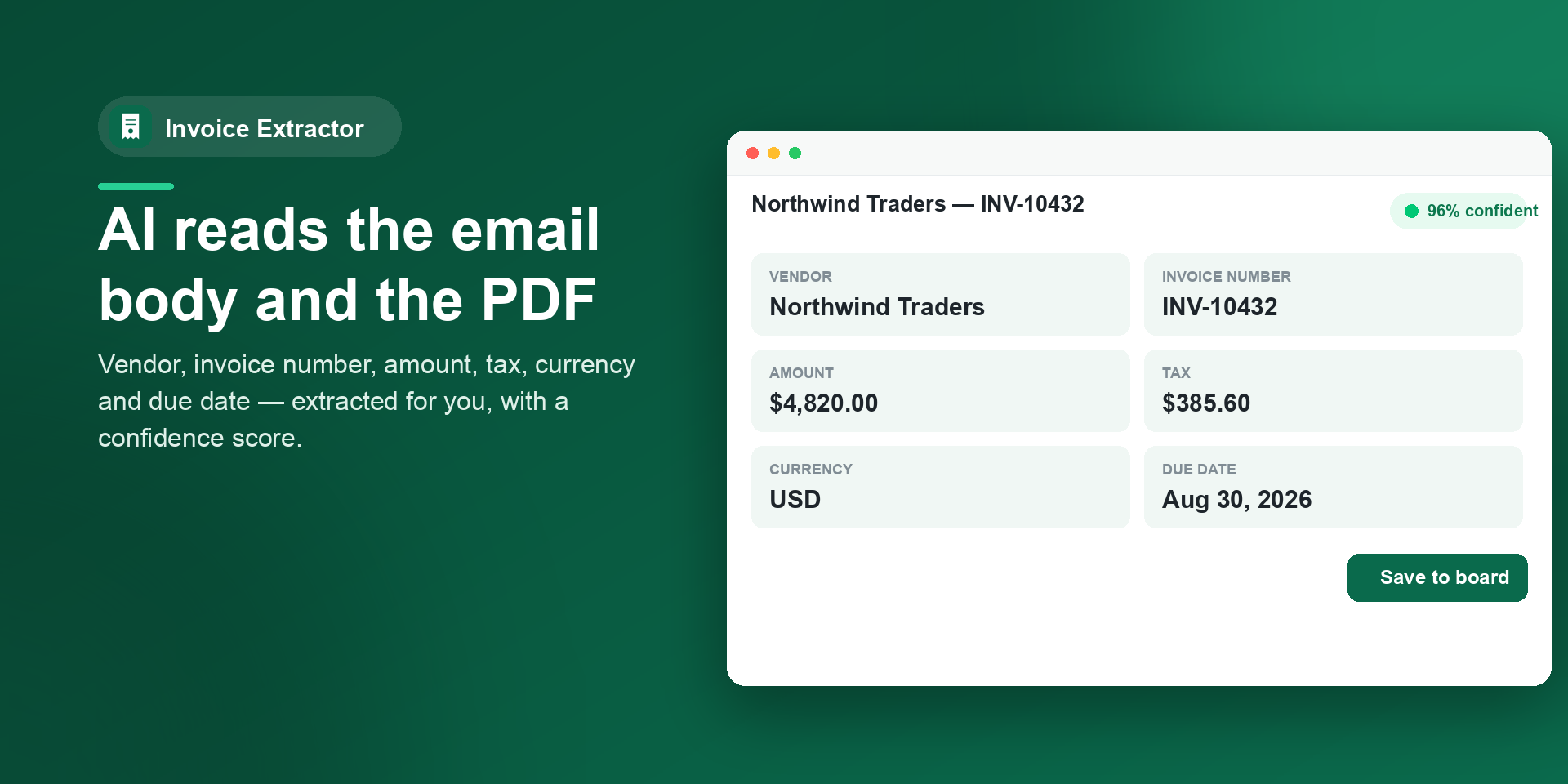
• AI extraction — reads the email body AND the attached PDF/image, then writes vendor, invoice #, PO #, amount, tax, currency, invoice date, and due date straight to your columns.
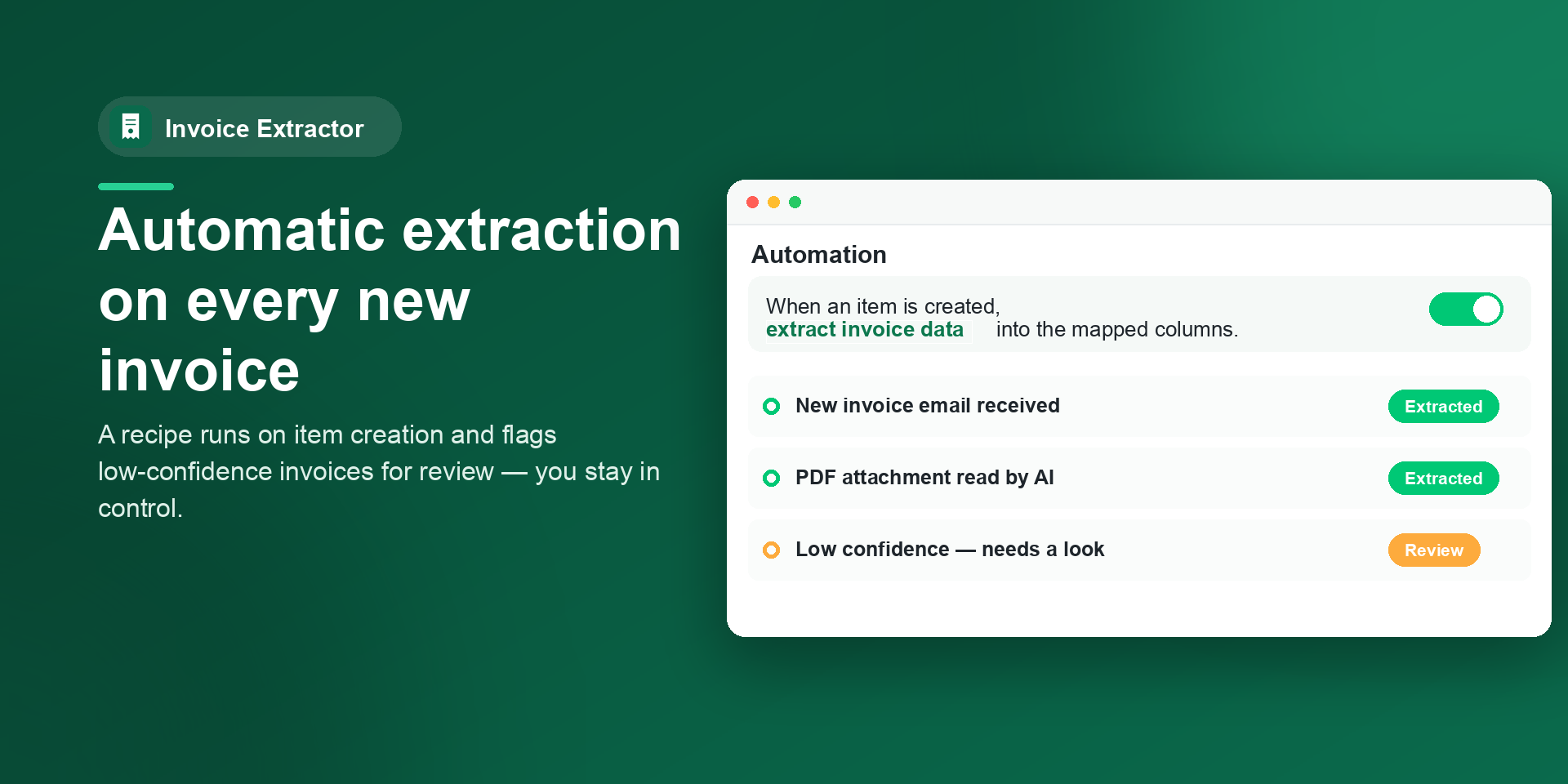
• Automatic or manual — turn on auto-extract to process every new invoice instantly, or review each one with a confidence score before saving.
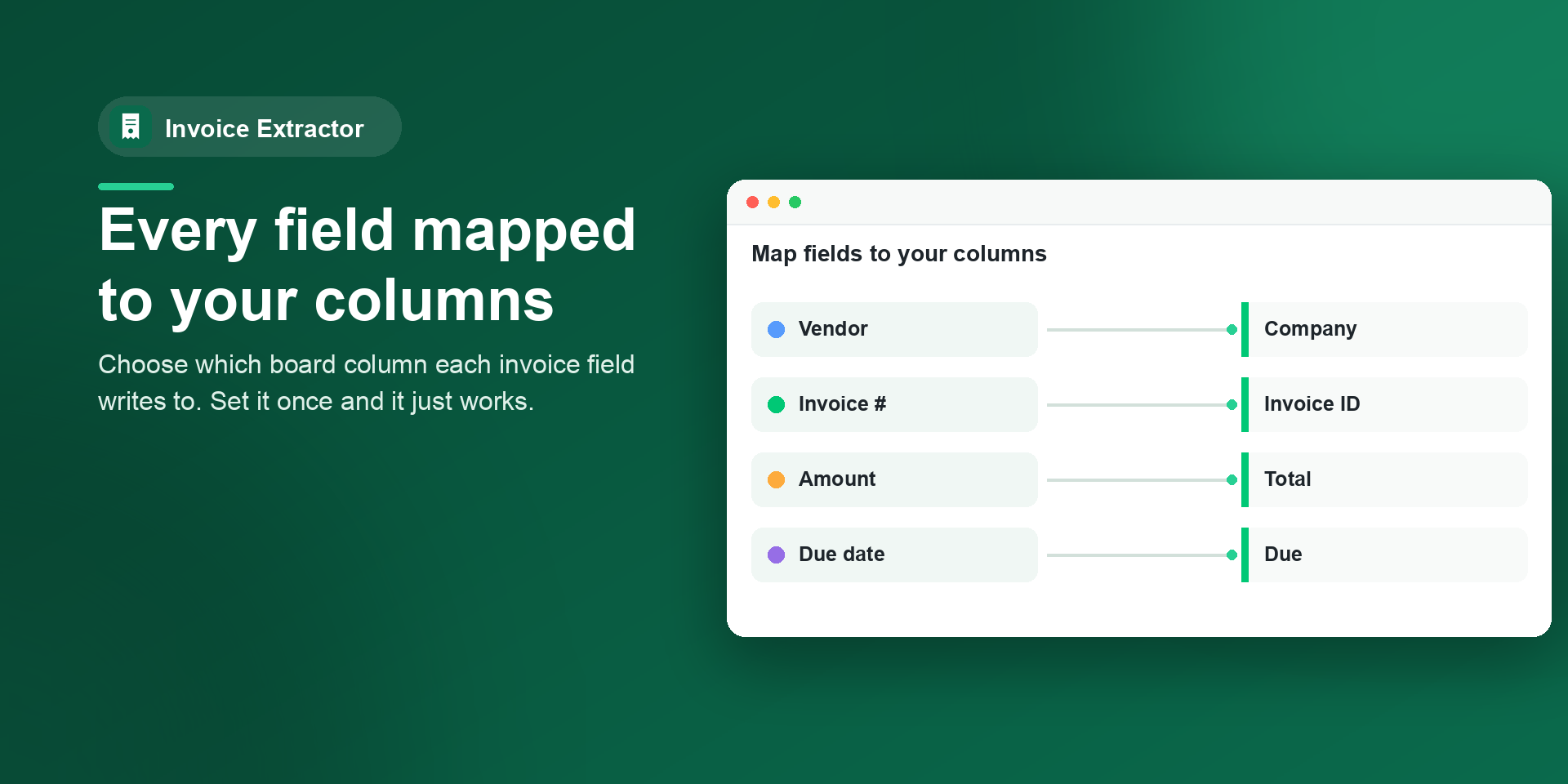
• One-click setup — create the standard invoice columns on any board in a single click, or map your existing ones.
• Review & totals — filter by status, see totals at a glance, and catch low-confidence invoices flagged for review.
🎯 Common use cases
• Accounts payable — eliminate manual entry and keying errors across hundreds of invoices.
• Bookkeeping & finance — standardize vendor, amount, and due-date data for faster reconciliation.
• Operations & procurement — track POs and due dates so nothing slips past payment.
💡 The problem we solve: invoices arrive as messy emails and PDFs, and someone has to retype every field. Invoice Extractor does that in seconds, accurately, right where your team already works.
🤖 AI models: powered by OpenAI GPT-4o mini (vision) to read both PDFs and images. Your data is never used to train models, and invoice content is not stored after extraction.
{
"id": 10001270,
"marketplace_developer_id": 100000171,
"app_id": 11589735,
"app_type": "app",
"security_info": {},
"gallery_assets": [
{
"url": "https://cdn.monday.com/marketplace/10001270/10001270_2026_7_27_6_0_47_v19fhach.png",
"type": "image"
},
{
"url": "https://cdn.monday.com/marketplace/10001270/10001270_2026_7_27_6_0_50_zvi8795.png",
"type": "image"
},
{
"url": "https://cdn.monday.com/marketplace/10001270/10001270_2026_7_27_6_0_53_9jiuc0c.png",
"type": "image"
},
{
"url": "https://cdn.monday.com/marketplace/10001270/10001270_2026_7_27_6_0_57_0h3edaq.png",
"type": "image"
}
],
"description": "<p>🚀 Invoice Extractor — Turn invoice emails into clean board data, automatically</p><p>Invoice Extractor reads vendor invoices that land on your monday.com board — from the email body, a PDF or image attachment, or both — and fills in the vendor, invoice number, amount, tax, dates, and status for you. Built for accounts-payable, finance, and operations teams who are tired of retyping invoices by hand.</p><p>✨ What you get</p><p>• Email-to-board ingestion — forward invoices to your board's email address and each one becomes an item, ready to extract.</p><p>• AI extraction — reads the email body AND the attached PDF/image, then writes vendor, invoice #, PO #, amount, tax, currency, invoice date, and due date straight to your columns.</p><p>• Automatic or manual — turn on auto-extract to process every new invoice instantly, or review each one with a confidence score before saving.</p><p>• One-click setup — create the standard invoice columns on any board in a single click, or map your existing ones.</p><p>• Review & totals — filter by status, see totals at a glance, and catch low-confidence invoices flagged for review.</p><p>🎯 Common use cases</p><p>• Accounts payable — eliminate manual entry and keying errors across hundreds of invoices.</p><p>• Bookkeeping & finance — standardize vendor, amount, and due-date data for faster reconciliation.</p><p>• Operations & procurement — track POs and due dates so nothing slips past payment.</p><p>💡 The problem we solve: invoices arrive as messy emails and PDFs, and someone has to retype every field. Invoice Extractor does that in seconds, accurately, right where your team already works.</p><p>🤖 AI models: powered by OpenAI GPT-4o mini (vision) to read both PDFs and images. Your data is never used to train models, and invoice content is not stored after extraction.</p><p>👉 How to use Invoice Extractor: <a href=\"https://devloggic.com/invoice-extractor/docs\" rel=\"noopener noreferrer\" target=\"_blank\">https://devloggic.com/invoice-extractor/docs</a></p><p>Get started free and let your board do the data entry.</p>",
"short_description": "AI invoice data extraction from emails and PDFs into boards",
"thumbnail_url": "https://cdn.monday.com/marketplace/10001270/10001270_2026_7_27_6_0_34_qnkum4i.png",
"logo_url": "https://cdn.monday.com/marketplace/10001270/10001270_2026_7_27_6_0_31_nz0jk34.png",
"feedback_url": "support@devloggic.com",
"privacy_policy_url": "https://devloggic.com/invoice-extractor/privacy",
"featured": false,
"name": "Invoice Extractor for monday.com",
"how_to_use_url": "https://devloggic.com/invoice-extractor/docs",
"external_pricing_url": null,
"keywords": "invoice management,AI data entry,email to board,PDF data extraction,receipt scanner,invoice processing,AP automation, accounts payable,invoice OCR,invoice extraction",
"compliance_answers": [],
"created_at": "2026-08-27T05:59:44.000Z",
"updated_at": "2026-08-30T06:56:25.000Z",
"automation_app_id": null,
"marketplace_category_ids": [
10000007,
10,
6
],
"pinned_for_categories_ids": [],
"featured_for_categories_ids": [],
"pricing_data": null,
"label": null,
"app_values": [
"Works with AI Assistant"
],
"security": false,
"display_in_template_store": false,
"acquisition_source": "No touch",
"is_connector": false,
"show_connections": false,
"terms_of_service_url": "https://devloggic.com/invoice-extractor/terms",
"available_for_tiers": [],
"available_for_products": [],
"google_analytics_tag_id": null,
"is_solution": false,
"cta_override": null,
"app_scope_str": "boards:read,boards:write,updates:read,assets:read",
"app_client_id": "bc8296431c5f479e6313c8d6095d35e6",
"app_color": "#0A6A4C",
"plans": [
{
"id": "11589735-1-starter",
"appPlanId": "starter",
"name": "Starter",
"versionId": 1,
"isTrial": false,
"prices": {
"type": "standard",
"monthly": 19,
"yearly": 15
},
"versionState": "live",
"appId": 11589735,
"description": "Extract invoices into monday columns, up to 100 per month.",
"extraData": {
"bullets": [
"AI extraction from email body and PDF or image",
"100 extractions per month",
"Manual extract and correct in the item view"
],
"monthlyFee": 19,
"yearlyFee": 15
},
"isFree": false,
"isRecommended": false,
"currency": "USD"
},
{
"id": "11589735-1-pro",
"appPlanId": "pro",
"name": "Pro",
"versionId": 1,
"isTrial": true,
"prices": {
"type": "standard",
"monthly": 49,
"yearly": 39
},
"versionState": "live",
"appId": 11589735,
"description": "Extract up to 500 invoices per month, including automatic extraction on new items.",
"extraData": {
"bullets": [
"Everything in Starter",
"500 extractions per month",
"Auto-extract when an item is created",
"Review and correct fields before they hit the board"
],
"monthlyFee": 49,
"yearlyFee": 39
},
"isFree": false,
"isRecommended": true,
"currency": "USD"
},
{
"id": "11589735-1-business",
"appPlanId": "business",
"name": "Business",
"versionId": 1,
"isTrial": false,
"prices": {
"type": "standard",
"monthly": 99,
"yearly": 79
},
"versionState": "live",
"appId": 11589735,
"description": "High-volume extraction for busy AP teams, up to 2,000 invoices per month.",
"extraData": {
"bullets": [
"Everything in Pro",
"2,000 extractions per month",
"Auto-extract when an item is created",
"Priority email support"
],
"monthlyFee": 99,
"yearlyFee": 79
},
"isFree": false,
"isRecommended": false,
"currency": "USD"
}
],
"app_live_version": {
"updated_at": "2026-09-07T21:00:34.899Z",
"id": 17678641
},
"pricing_model": null,
"monetization": {
"monetizationType": "monday",
"hasFreePlan": false,
"hasPaidPlan": true,
"hasTrialPlan": true
},
"badges_data": {
"security": false,
"app_values": [
"Works with AI Assistant"
],
"acquisition_source": "No touch",
"display_in_template_store": false
},
"data": {
"is_solution": false,
"cta_override": null,
"is_connector": false,
"show_connections": false,
"available_for_tiers": [],
"terms_of_service_url": "https://devloggic.com/invoice-extractor/terms",
"available_for_products": [],
"google_analytics_tag_id": null
},
"display": null,
"installsDelta": {
"totalInstalls": 3,
"sevenDays": 0,
"thirtyDays": 0
}
}