
Zoom Team Chat for monday
6 installs, since August 22, 2026. 2 installs/month. App updated September 21, 2026. Listing updated September 14, 2026.
Send board updates to Zoom Team Chat channels
Your monday board activity, in the Zoom channel your team already watches.
Your team works in Zoom Team Chat all day; your projects live in monday. So when a status flips, a task gets reassigned, or a deadline slips, it sits on the board until someone goes looking. Zoom Team Chat for monday closes that gap: when work moves, a clean, color-coded card posts straight into your Zoom channel, with a one-click deep-link back to the exact item.
It is a focused one-way notifier (monday → Zoom Team Chat) built on Zoom's pre-approved Incoming Webhook, so there is no Zoom login, security review, or inbound endpoint to manage. Connect a channel, set your rules, and board activity starts flowing.
What you get:
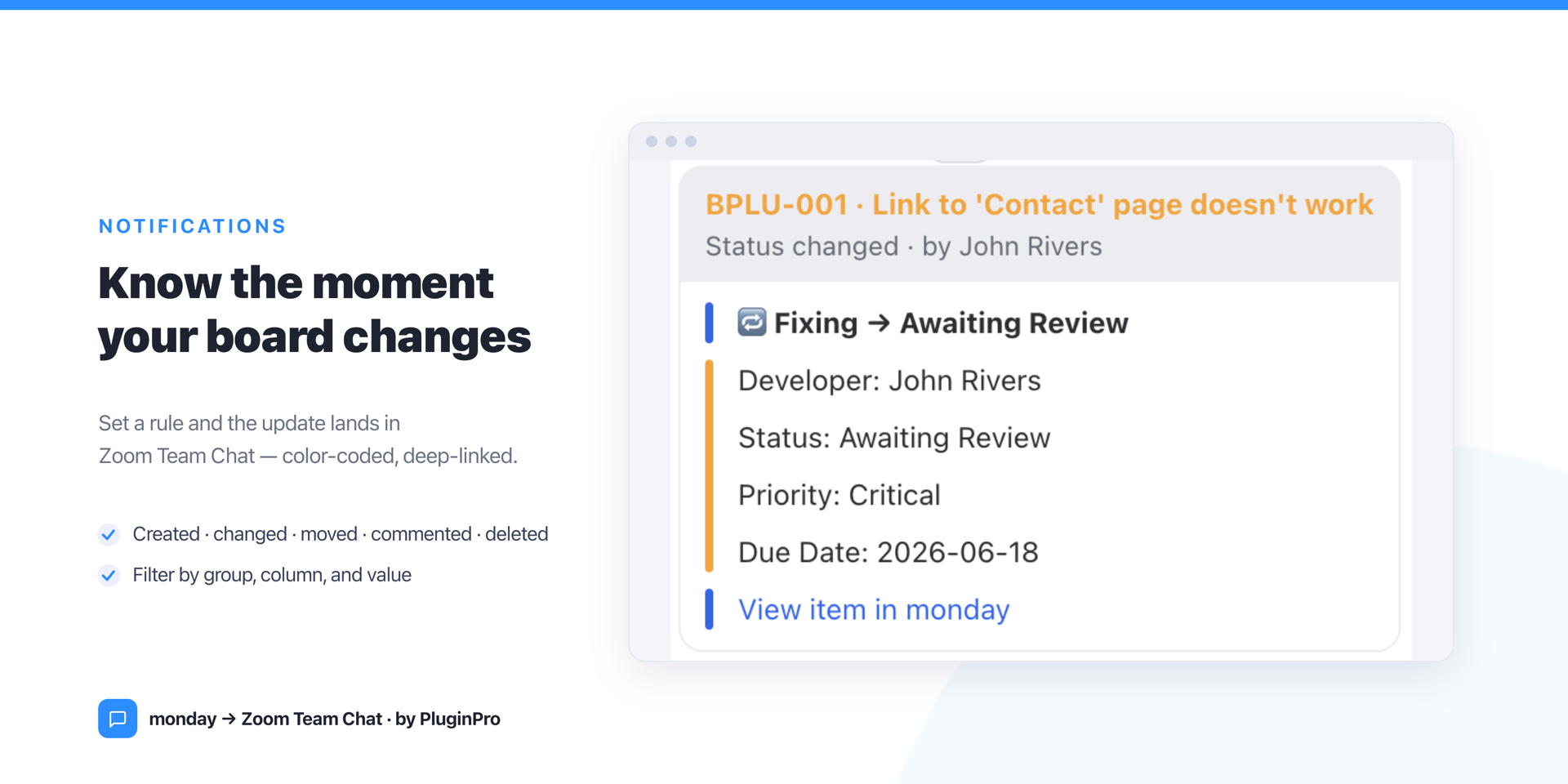
- Notification rules — pick the events that matter (item created, column changed, moved, update posted, deleted) and filter by group, column, and value. Each card uses a message template you control, a status-colored sidebar, and a deep-link to the item.
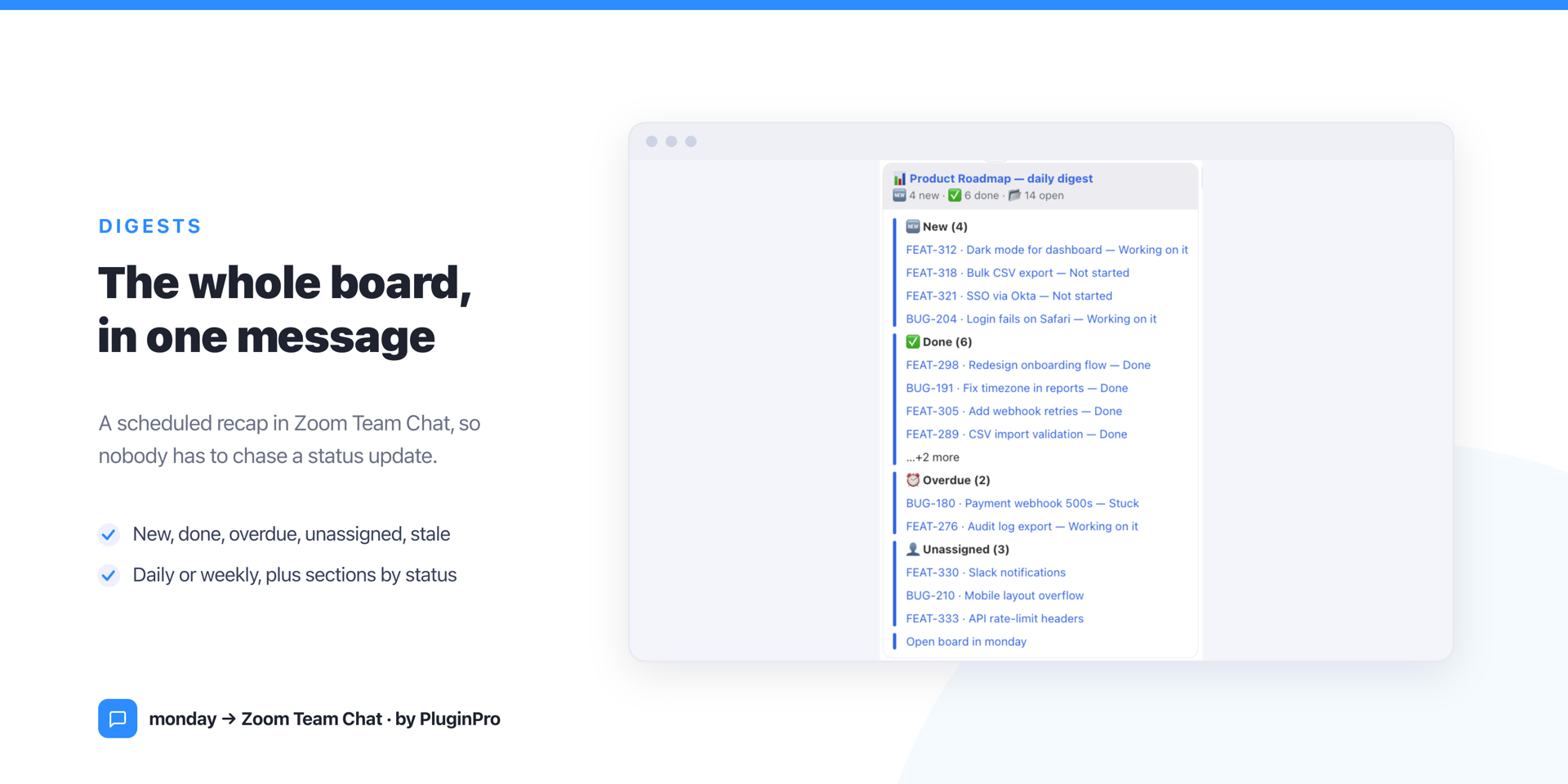
- Scheduled digests — a daily or weekly board summary (new, done, overdue, unassigned, stale, or grouped by status), so the team stays aligned without a status meeting.
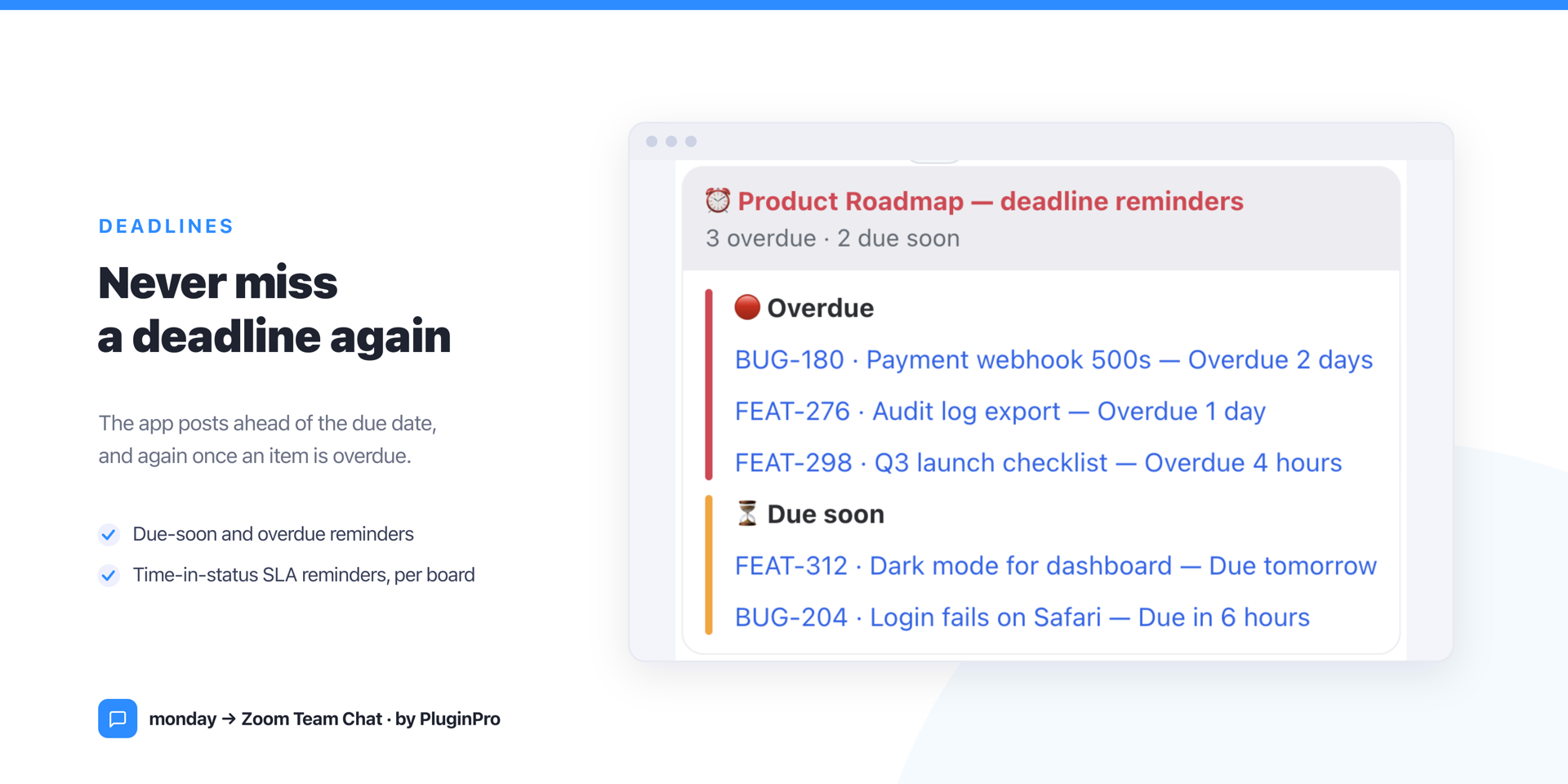
- Deadline & SLA reminders — a heads-up before an item is due, again when it goes overdue, plus time-in-status reminders per board.
- Per-channel routing — connect multiple Zoom channels, set a default, and route each rule, digest, and reminder where it belongs. A built-in Send test and a time-zone setting keep everything dialed in.
Setup takes about two minutes: a monday admin adds Zoom's Incoming Webhook to a channel, runs one command, pastes the reply, and manages it all from one settings page. → Full setup guide
Not in this version: action buttons, two-way sync, slash commands, @mentions, and threaded replies. They need a Zoom custom chatbot and Zoom's review, and are planned for a future release.
Pricing: free for up to 2 seats, then simple per-seat pricing — every feature in every plan. Billed through monday, never on Zoom.
Security & Compliance
The app developer did not provide the security and compliance information for this app.
Reviews
No reviews yet.
Historical data
Installation history
We have data for December 28, 2024 onwards only. Collected sometime after 00:00 UTC daily.
Total number of installs
Change in total number of installs in last 1 day(s)
Compares the number of installs on each date with 1 days previously:
Change in total number of installs in last 7 day(s)
Compares the number of installs on each date with 7 days previously:
Change in total number of installs in last 30 day(s)
Compares the number of installs on each date with 30 days previously:
Change in total number of installs in last 90 day(s)
Compares the number of installs on each date with 90 days previously:
Change in total number of installs in last 180 day(s)
Compares the number of installs on each date with 180 days previously:
Ratings history
Categories history
Each of the following is a yes/no answer, so the graphs show 1 for yes, and 0 for no.