App metadata ID: 10001255 • App ID: 11478264 • Listing updated: August 3, 2026 View app data JSON {
"id": 10001255,
"marketplace_developer_id": 100000096,
"app_id": 11478264,
"app_type": "app",
"security_info": {},
"gallery_assets": [
{
"url": "https://cdn.monday.com/marketplace/10001255/10001255_2026_6_28_12_17_39_qznjkmz.png",
"type": "image"
},
{
"url": "https://cdn.monday.com/marketplace/10001255/10001255_2026_6_28_12_17_46_t0n6pzn.png",
"type": "image"
},
{
"url": "https://cdn.monday.com/marketplace/10001255/10001255_2026_6_28_12_17_53_q249frh.png",
"type": "image"
},
{
"url": "https://cdn.monday.com/marketplace/10001255/10001255_2026_6_28_12_18_0_9r0s9e.png",
"type": "image"
}
],
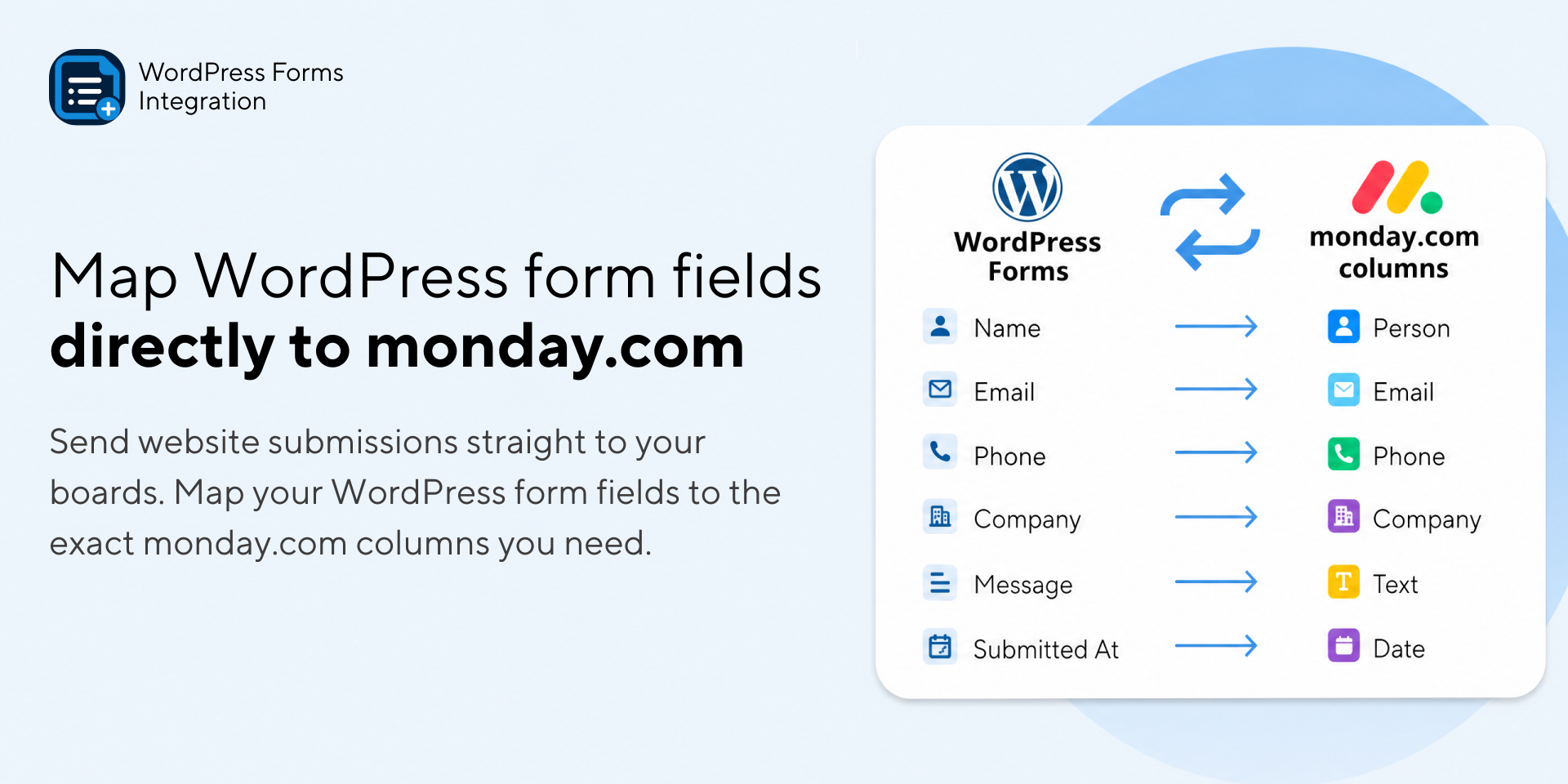
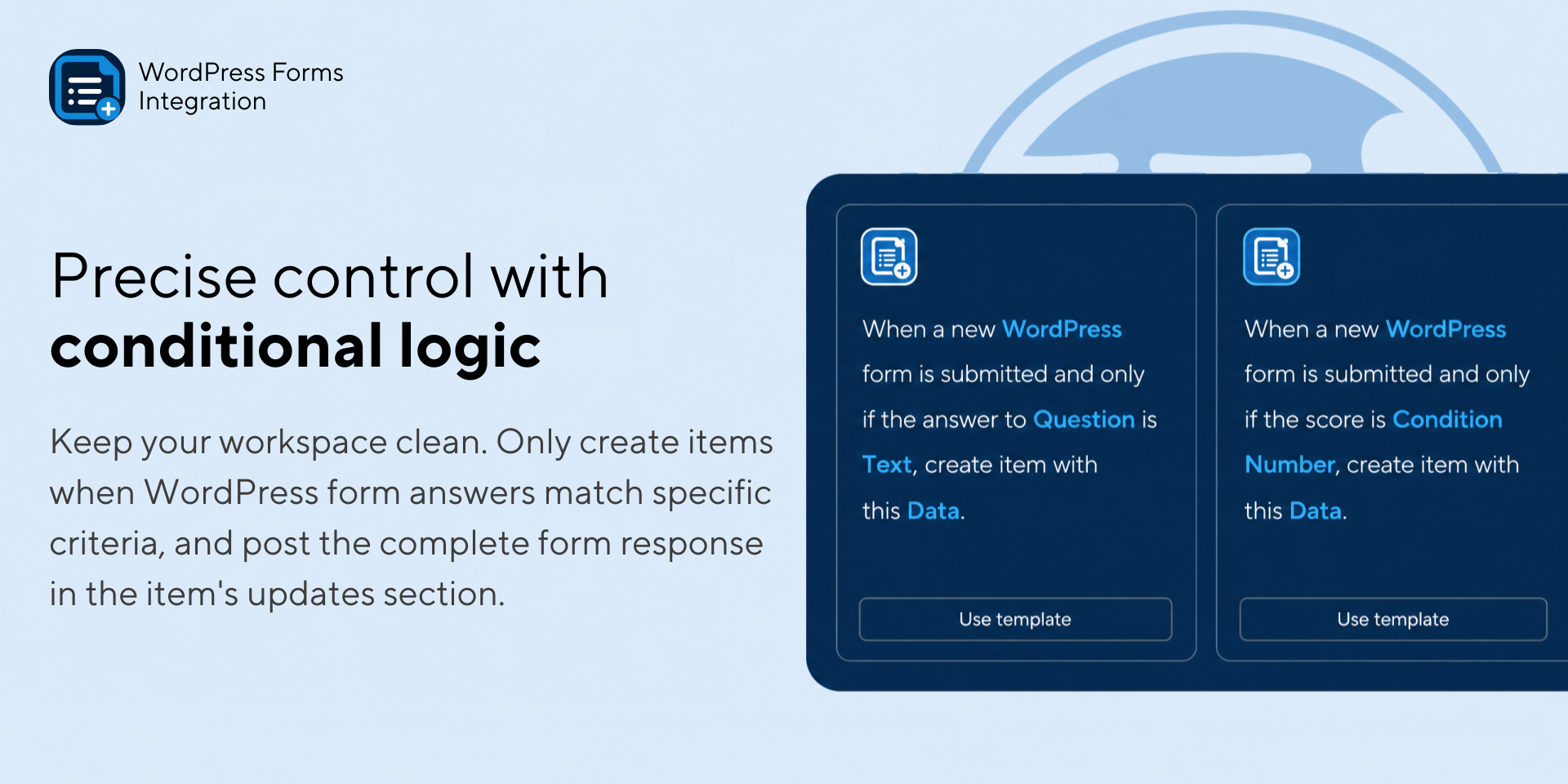
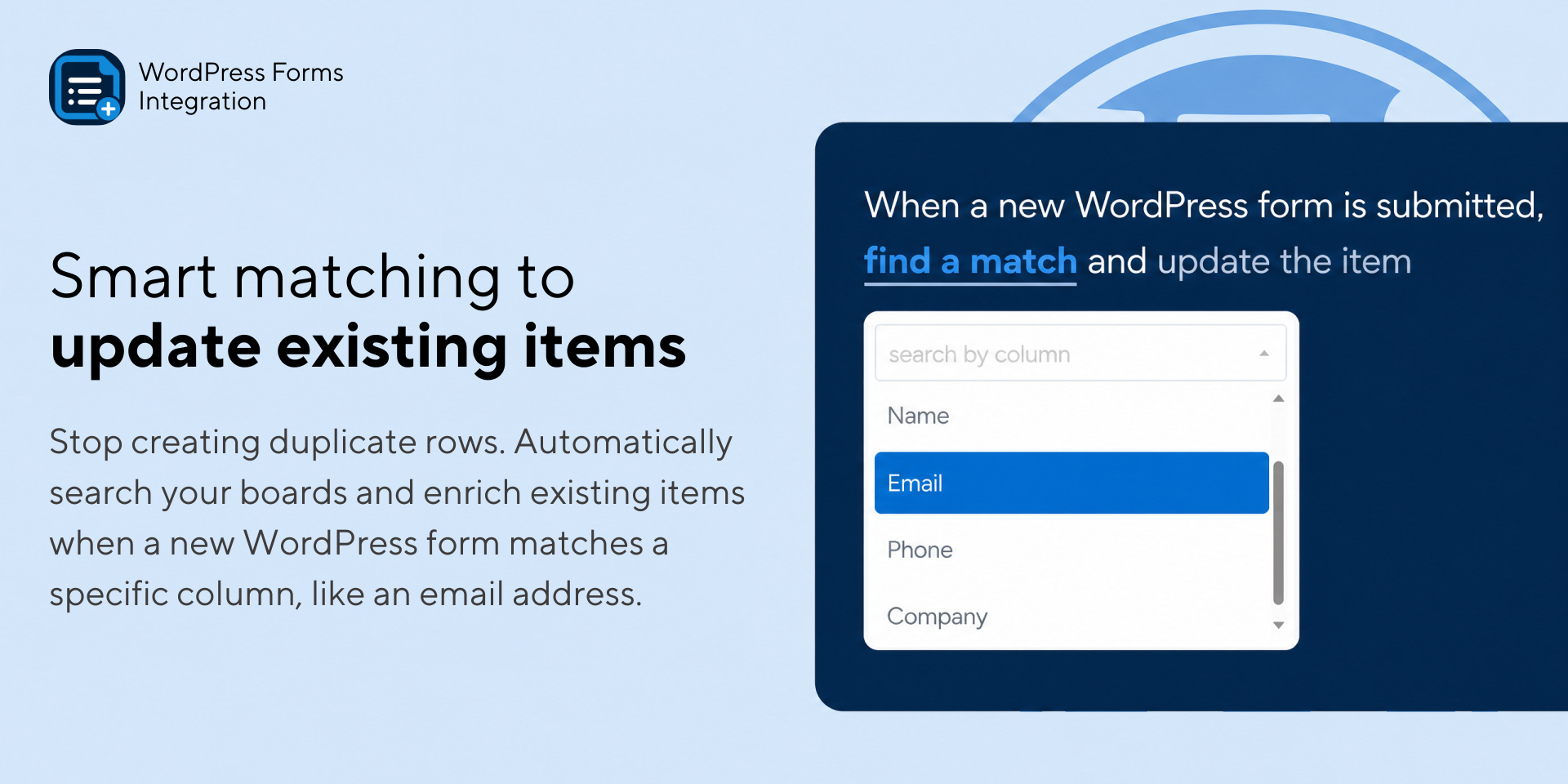
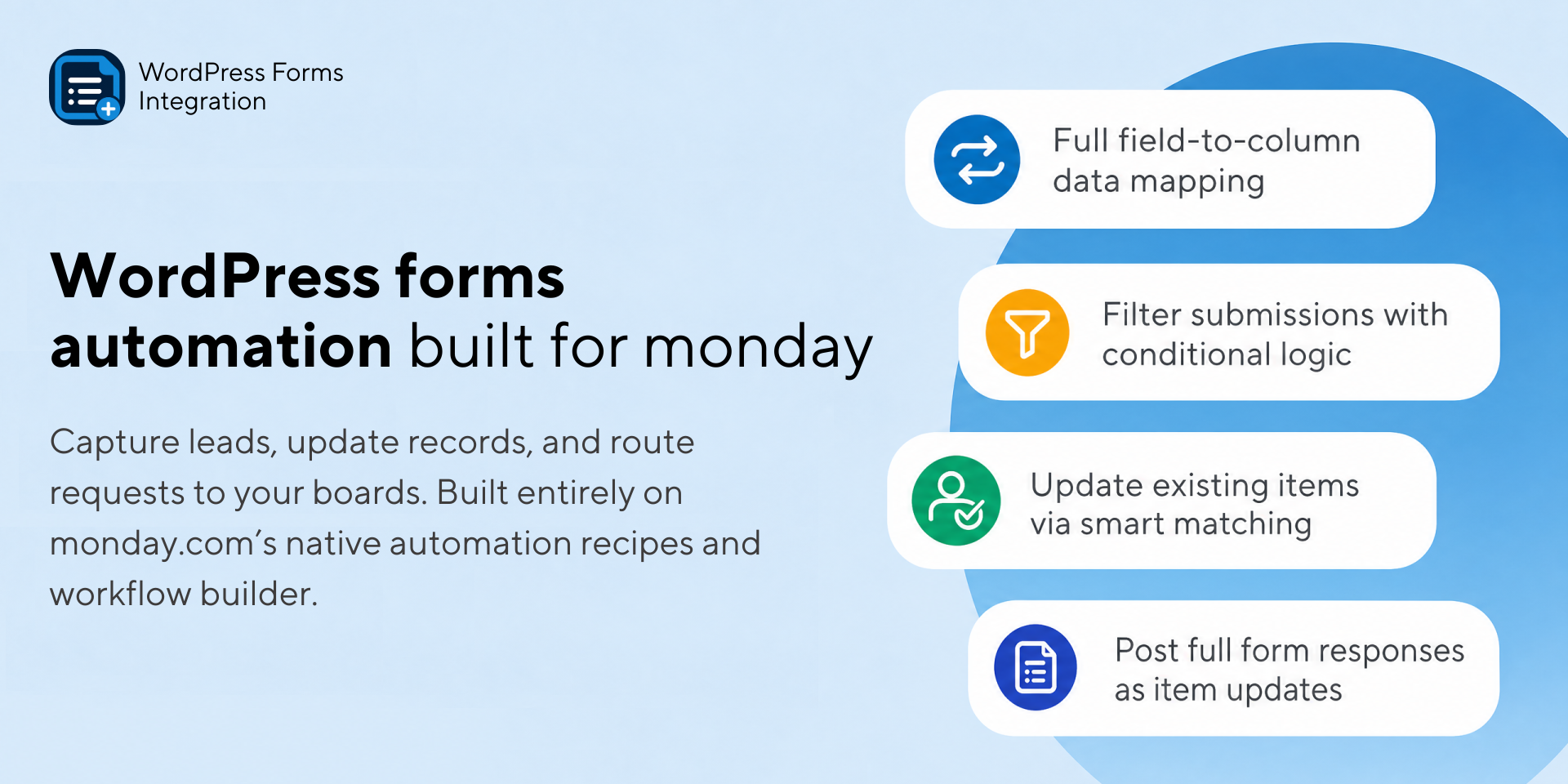
"description": "<p><strong>Connect Your WordPress Forms Directly to monday.com</strong></p><p>Streamline your lead capture, support tickets, and data intake by connecting your WordPress website directly to monday.com. </p><p>This app gives you complete control over your form data with advanced field mapping, conditional logic, and smart record updating natively within monday.com's automation recipes and the workflow builder.</p><p><strong><em>Note:</em></strong><em> The app requires the installation of the publicly approved </em><strong><em>\"Interacti Forms Connector for monday\" </em></strong><em>plugin on your WordPress site to establish the connection.</em></p><p><strong>🔌 Wide Plugin Compatibility</strong></p><p>We support the most popular WordPress form builders, including:</p><ul><li>WPForms</li><li>Gravity Forms</li><li>Contact Form 7</li><li>Fluent Forms</li><li>Ninja Forms</li><li>Formidable Forms</li><li>Forminator Forms</li><li>...and others. (If your form builder isn't listed, please ask us!)</li></ul><p><strong>🔄 Smart Item & Subitem Creation</strong></p><ul><li>Create items or subitems automatically when a WordPress form is submitted.</li><li><strong>Data Mapping:</strong> Map specific WordPress form fields directly to your chosen <a href=\"http://monday.com/\" rel=\"noopener noreferrer\" target=\"_blank\">monday.com</a> columns.</li><li><strong>Response Capture:</strong> Automatically post the entire form submission as an update (comment) in the newly created item so your team has full context.</li></ul><p><strong>🎯 Match & Update Existing Items</strong></p><p>Keep your boards clean and avoid duplicates. Match incoming form responses to existing <a href=\"http://monday.com/\" rel=\"noopener noreferrer\" target=\"_blank\">monday.com</a> items (e.g., matching a \"Email\" field to an existing \"Email\" column) to update user profiles, lead statuses, or open tickets.</p><p><strong>🚦 Conditional Logic</strong></p><p>Keep your workspace clutter-free. Use conditional logic to only create or update items/subitems when a form response matches specific text, numbers, or selection values.</p><p><strong>📋 Native Automation Recipes</strong></p><p>Built entirely with <a href=\"http://monday.com/\" rel=\"noopener noreferrer\" target=\"_blank\">monday.com</a>'s intuitive sentence-based automations and the workflow builder. No complex external dashboards are required.</p><p><strong>💬 Need Help or Want a Quick Walkthrough?</strong></p><p>If you have questions, need assistance with the initial setup, or would like a live walkthrough of the app, we are happy to help.</p><p>👉 <a href=\"https://calendly.com/jefferh30/demos\" rel=\"noopener noreferrer\" target=\"_blank\">Schedule a quick call</a> or email us at <a href=\"mailto:support@interactidigital.com\" rel=\"noopener noreferrer\" target=\"_blank\">support@interactidigital.com</a></p>",
"short_description": "Use your WordPress forms to create automations in monday.com",
"thumbnail_url": "https://cdn.monday.com/marketplace/10001255/10001255_2026_6_28_12_16_51_fisfmzp.png",
"logo_url": "https://cdn.monday.com/marketplace/10001255/10001255_2026_6_28_12_16_25_puanob7g.png",
"feedback_url": "support@interactidigital.com",
"privacy_policy_url": "https://www.interactidigital.com/privacy-policy",
"featured": false,
"name": "WordPress Forms Integration",
"how_to_use_url": "https://www.interactidigital.com/documentation/wordpress",
"external_pricing_url": null,
"keywords": "WordPress Forms,WPForms,Gravity Forms,Contact Form 7,Form automation,Ninja Forms,Fluent Forms,WordPress integration,WordPress automation",
"compliance_answers": [],
"created_at": "2026-07-28T12:15:53.000Z",
"updated_at": "2026-08-03T08:54:41.000Z",
"automation_app_id": null,
"marketplace_category_ids": [
7,
6,
4
],
"pinned_for_categories_ids": [],
"featured_for_categories_ids": [],
"pricing_data": "Free plan available",
"label": null,
"app_values": [
"Everyday tasks"
],
"security": false,
"display_in_template_store": false,
"acquisition_source": "No touch",
"is_connector": false,
"show_connections": false,
"terms_of_service_url": "https://www.interactidigital.com/terms-and-conditions",
"available_for_tiers": [],
"available_for_products": [],
"google_analytics_tag_id": null,
"is_solution": false,
"cta_override": null,
"app_scope_str": "boards:read,boards:write,updates:write",
"app_client_id": "61cae7a56b65f39244b287aaa9a17d36",
"app_color": {
"hsl": {
"h": 207.90697674418607,
"s": 0.5821533106558026,
"l": 0.319374865,
"a": 1
},
"hex": "#225581",
"rgb": {
"r": 34,
"g": 85,
"b": 129,
"a": 1
},
"hsv": {
"h": 207.90697674418607,
"s": 0.7359,
"v": 0.5053,
"a": 1
},
"oldHue": 207.90697674418607,
"source": "hsv"
},
"plans": [
{
"id": "11478264-1-free",
"appPlanId": "free",
"name": "Free",
"versionId": 1,
"isTrial": false,
"prices": {
"type": "standard",
"monthly": 0,
"yearly": 0
},
"versionState": "live",
"appId": 11478264,
"description": "Perfect for testing your integration and initial setup.",
"extraData": {
"bullets": [
"15 automation actions / month",
"Supports multiple WP Form Plugins",
"Full field mapping"
],
"monthlyFee": 0,
"yearlyFee": 0
},
"isFree": true,
"isRecommended": false,
"currency": "USD"
},
{
"id": "11478264-1-starter",
"appPlanId": "starter",
"name": "Starter",
"versionId": 1,
"isTrial": false,
"prices": {
"type": "standard",
"monthly": 15,
"yearly": 12
},
"versionState": "live",
"appId": 11478264,
"description": "Ideal for small websites with low-volume lead capture.",
"extraData": {
"bullets": [
"200 automation actions / month",
"Supports multiple WP Form Plugins",
"Full field mapping"
],
"monthlyFee": 15,
"yearlyFee": 12
},
"isFree": false,
"isRecommended": false,
"currency": "USD"
},
{
"id": "11478264-1-growth",
"appPlanId": "growth",
"name": "Growth",
"versionId": 1,
"isTrial": false,
"prices": {
"type": "standard",
"monthly": 29,
"yearly": 23
},
"versionState": "live",
"appId": 11478264,
"description": "Designed for growing businesses and active marketing forms.",
"extraData": {
"bullets": [
"1000 automation actions / month",
"Supports multiple WP Form Plugins",
"Full field mapping"
],
"monthlyFee": 29,
"yearlyFee": 23
},
"isFree": false,
"isRecommended": false,
"currency": "USD"
},
{
"id": "11478264-1-business",
"appPlanId": "business",
"name": "Business",
"versionId": 1,
"isTrial": false,
"prices": {
"type": "standard",
"monthly": 49,
"yearly": 39
},
"versionState": "live",
"appId": 11478264,
"description": "Built for high-traffic websites and multi-form management.",
"extraData": {
"bullets": [
"2,000 automation actions / month",
"Supports multiple WP Form Plugins",
"Full field mapping",
"Priority support"
],
"monthlyFee": 49,
"yearlyFee": 39
},
"isFree": false,
"isRecommended": true,
"currency": "USD"
},
{
"id": "11478264-1-agency",
"appPlanId": "agency",
"name": "Agency",
"versionId": 1,
"isTrial": false,
"prices": {
"type": "standard",
"monthly": 75,
"yearly": 60
},
"versionState": "live",
"appId": 11478264,
"description": "Tailored for web agencies, developers, and large multi-site networks.",
"extraData": {
"bullets": [
"5,000 automation actions / month",
"Supports multiple WP Form Plugins",
"Full field mapping",
"Priority support"
],
"monthlyFee": 75,
"yearlyFee": 60
},
"isFree": false,
"isRecommended": false,
"currency": "USD"
},
{
"id": "11478264-1-unlimited",
"appPlanId": "unlimited",
"name": "Unlimited",
"versionId": 1,
"isTrial": false,
"prices": {
"type": "standard",
"monthly": 145,
"yearly": 115
},
"versionState": "live",
"appId": 11478264,
"description": "Perfect for enterprise brands and high-volume operations.",
"extraData": {
"bullets": [
"Unlimited automation actions / month",
"Supports multiple WP Form Plugins",
"Full field mapping",
"Priority support"
],
"monthlyFee": 145,
"yearlyFee": 115
},
"isFree": false,
"isRecommended": false,
"currency": "USD"
}
],
"app_live_version": {
"updated_at": "2026-10-24T20:32:49.450Z",
"id": 19251341
},
"pricing_model": null,
"monetization": {
"monetizationType": "monday",
"hasFreePlan": true,
"hasPaidPlan": true,
"hasTrialPlan": false
},
"badges_data": {
"security": false,
"app_values": [
"Everyday tasks"
],
"pricing_data": "Free plan available",
"acquisition_source": "No touch",
"display_in_template_store": false
},
"data": {
"is_solution": false,
"cta_override": null,
"is_connector": false,
"show_connections": false,
"available_for_tiers": [],
"terms_of_service_url": "https://www.interactidigital.com/terms-and-conditions",
"available_for_products": [],
"google_analytics_tag_id": null
},
"display": null,
"installsDelta": {
"totalInstalls": 26,
"sevenDays": 2,
"thirtyDays": 5,
"ninetyDays": 21
}
}