Send, sign & track Adobe Sign documents in monday.com
Send, sign, and track Adobe Sign documents — without leaving monday.com
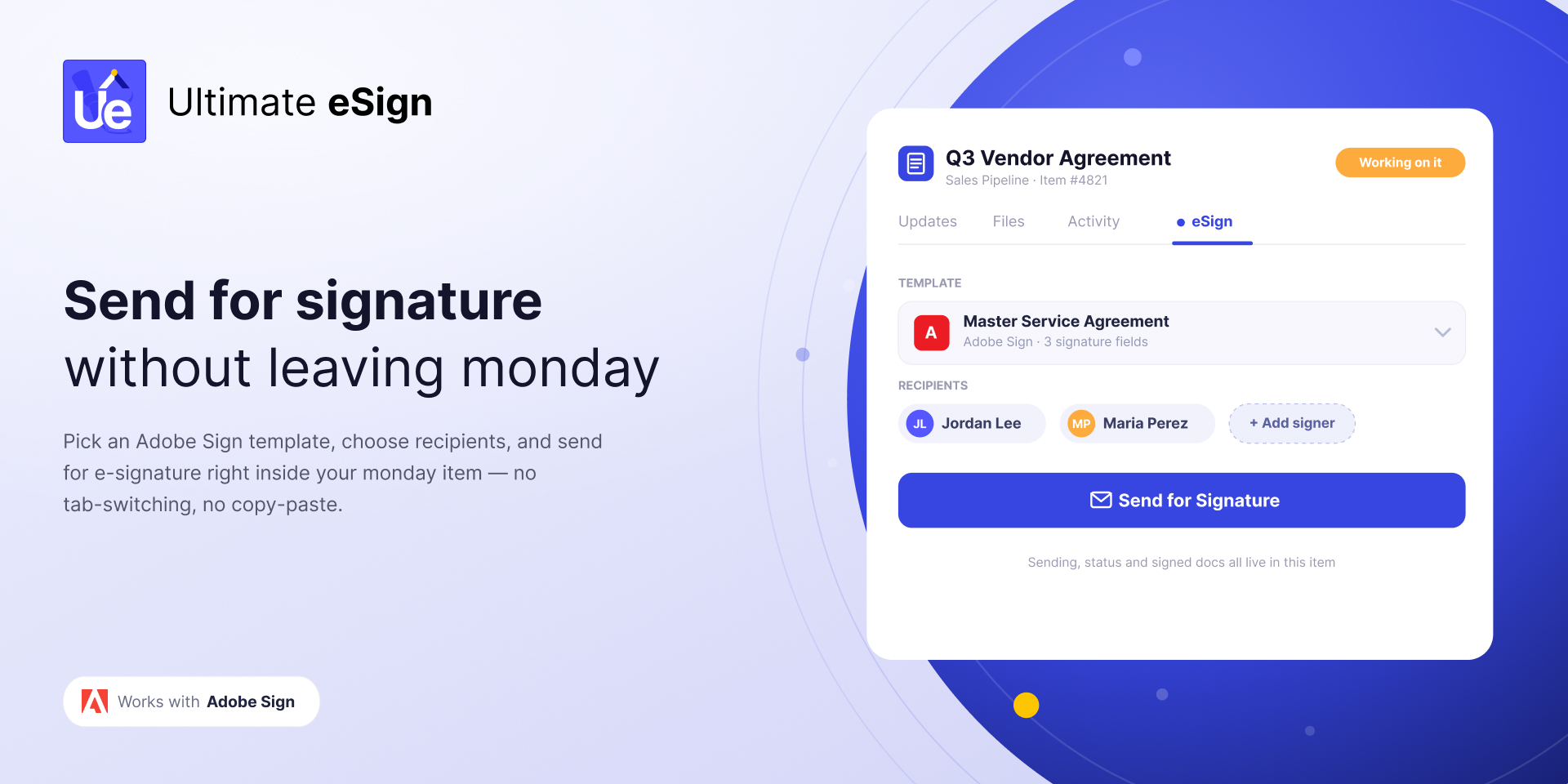
Sending a contract today means leaving monday.com, hunting for the right template, retyping the client's details, and checking back daily to see if it was signed. Ultimate eSign – Adobe Sign removes those steps by connecting your existing Adobe Sign account directly to your boards. Send for signature, auto-fill from board data, track status live, and get the signed PDF back — all inside monday.com.
Perfect for teams handling contracts, onboarding, NDAs, quotes, and approvals who don't want to jump between platforms or update statuses by hand.
✍️ Send From Any Item
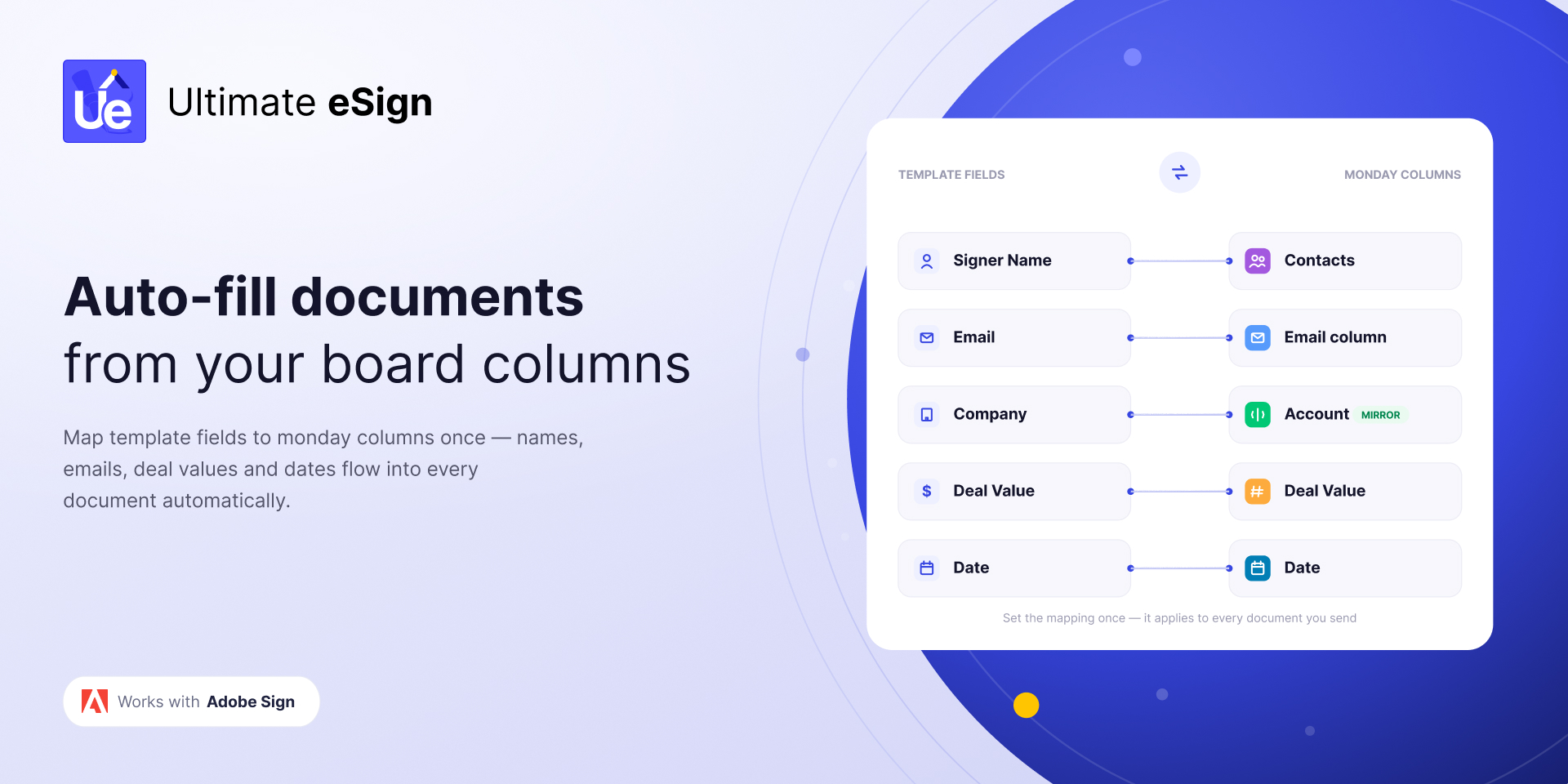
Use your existing Adobe Sign templates and send in a few clicks — recipient name, email, company, deal value, and dates are pulled straight from your board columns. No retyping.
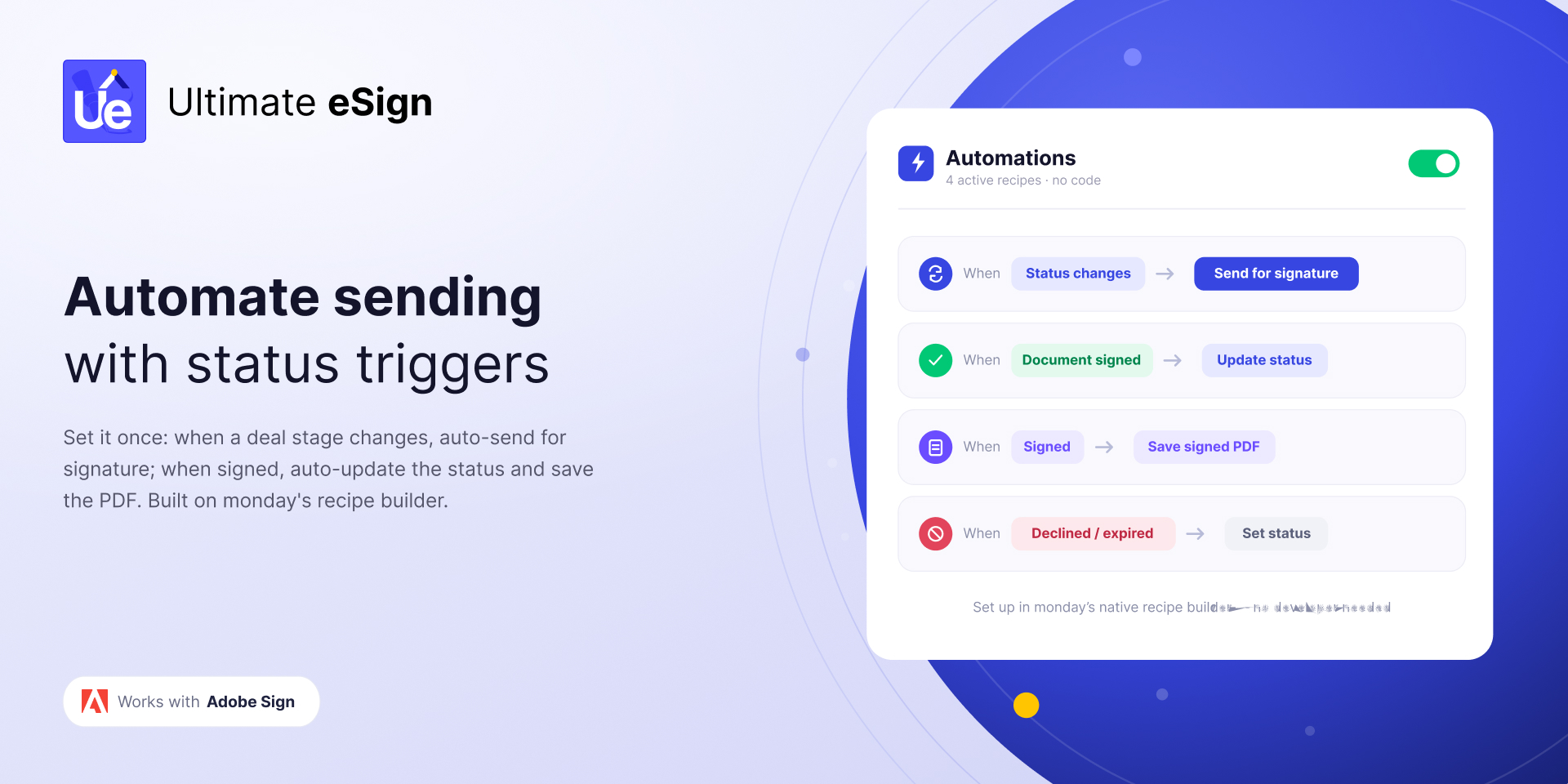
⚙️ Automate the Send
Trigger documents automatically when a status changes, a deal reaches a pipeline stage, or a renewal date arrives. Set it up once and let it run.
🔄 Track Status in Real Time
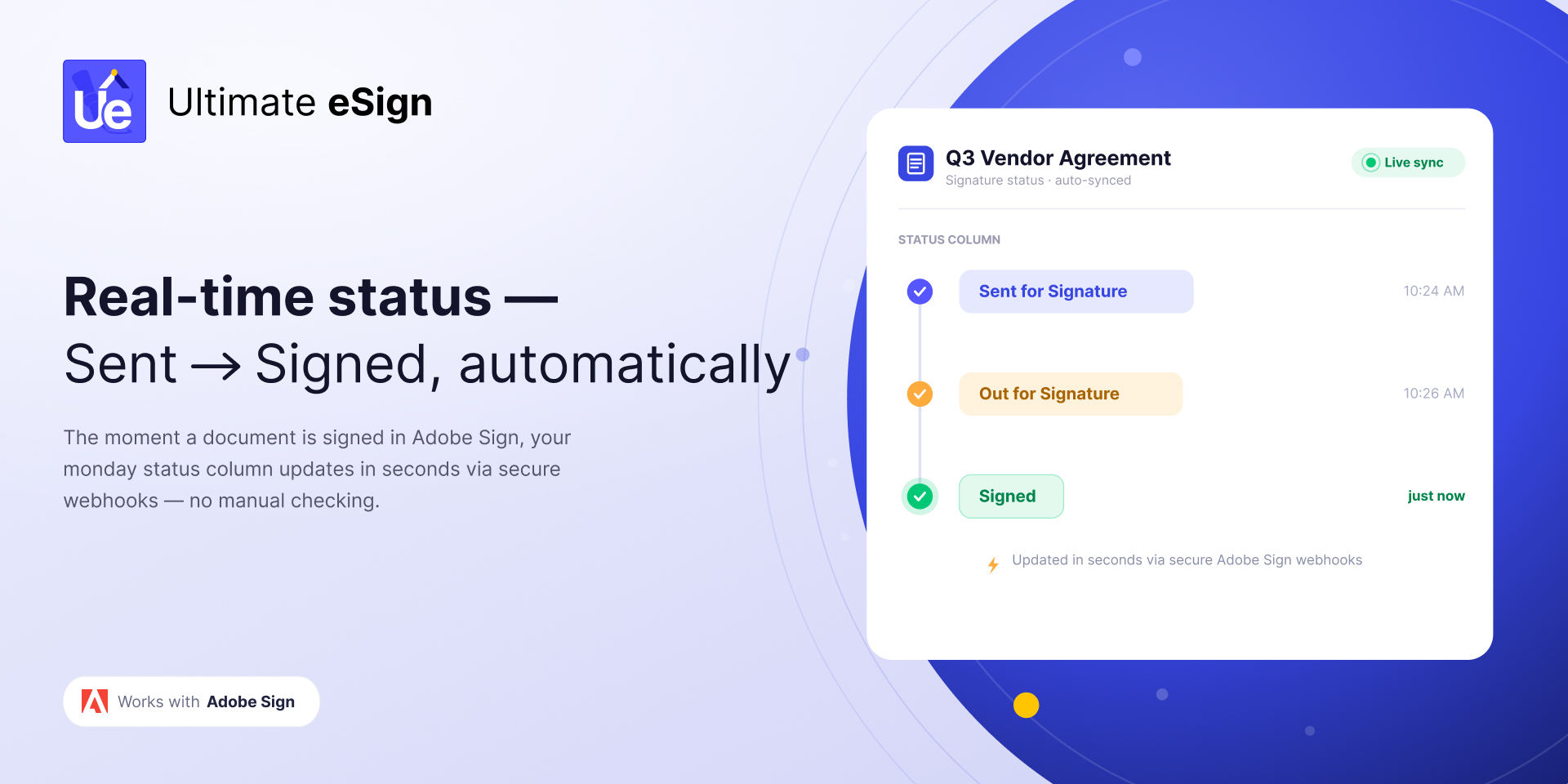
Your board updates the moment a recipient signs, declines, or lets a document expire — powered by secure Adobe Sign webhooks. No manual checking.
📄 Get the Signed Document Back
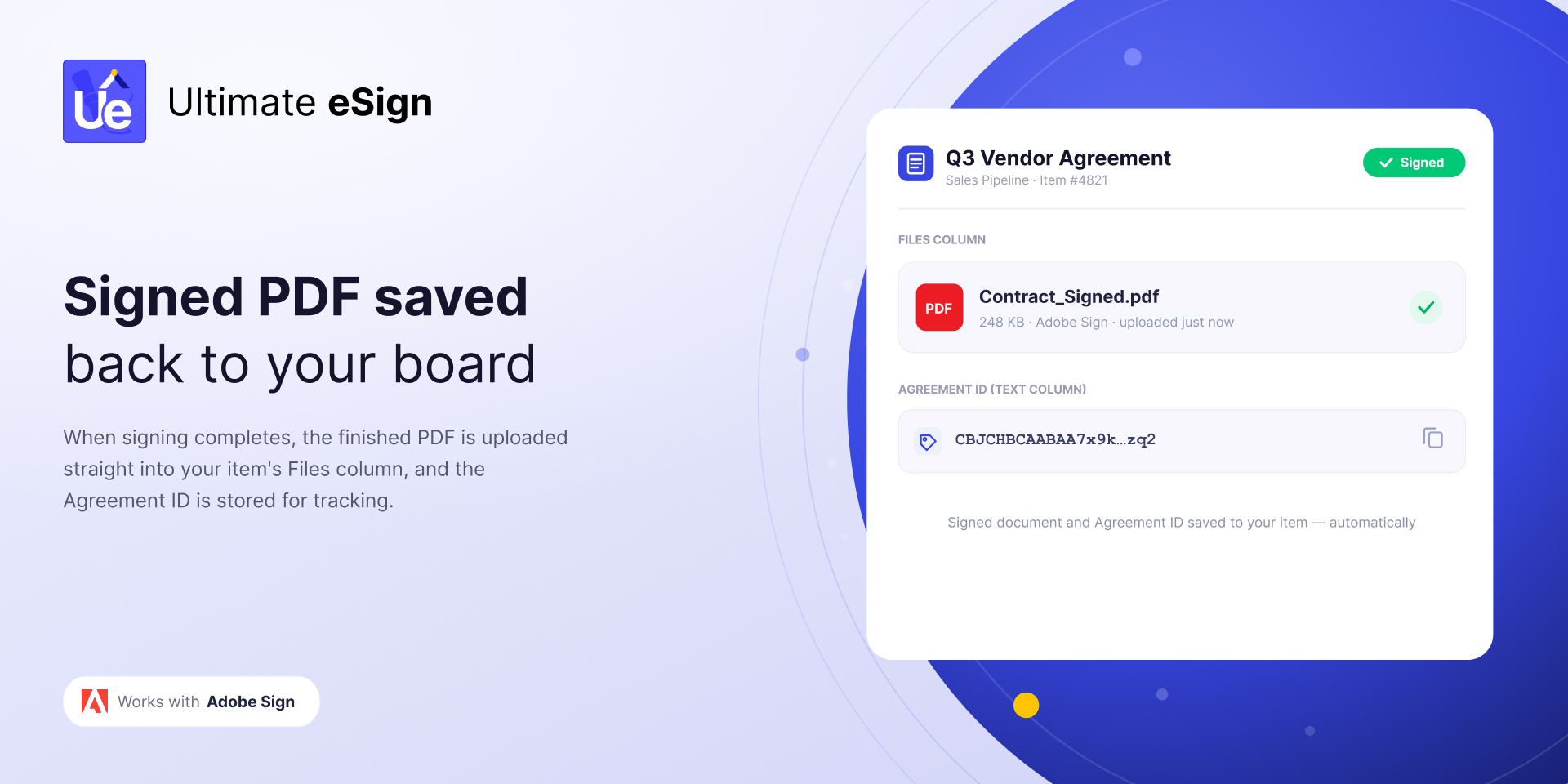
The executed PDF lands in your Files column the instant signing completes, and the Agreement ID is stored on the item for tracking.
🧩 Works With Your Board and CRM
Map fields from Text, Email, Numbers, Date, Status, People, Formula, Mirror, and Connected Boards columns. Pull the signer's email from a linked Contact and work seamlessly across Deals, Contacts, and Accounts — even on boards with 1,000+ items.
👥 Who It's For
Sales — auto-send contracts and quotes, move deals to Closed Won when signed
HR & Recruiting — offer letters, NDAs, and onboarding documents
Legal & Operations — agreements and vendor approvals
Finance — purchase orders and approvals, filed automatically
🔒 Enterprise-Grade Security
Your Adobe Sign connection uses secure OAuth — we never see your password. Tokens and personal data are encrypted at rest, everything runs over HTTPS, and the app is GDPR-compliant. Legally binding signatures are powered by Adobe Sign.
💬 Questions?
Visit ultimateesign.com for a full walkthrough and FAQs, or reach out via Support anytime.
Security & Compliance
The app developer did not provide the security and compliance information for this app.
Reviews
No reviews yet.
Historical data
Installation history
We have data for December 28, 2024 onwards only. Collected sometime after 00:00 UTC daily.
Total number of installs
Change in total number of installs in last 1 day(s)
Compares the number of installs on each date with 1 days previously:
Max
Min
Current
Change in total number of installs in last 7 day(s)
Compares the number of installs on each date with 7 days previously:
Max
Min
Current
Change in total number of installs in last 30 day(s)
Compares the number of installs on each date with 30 days previously:
Max
Min
Current
Change in total number of installs in last 90 day(s)
Compares the number of installs on each date with 90 days previously:
Max
Min
Current
Change in total number of installs in last 180 day(s)
Compares the number of installs on each date with 180 days previously:
Max
Min
Current
Ratings history
Categories history
Each of the following is a yes/no answer, so the graphs show 1 for yes, and 0 for no.
{
"id": 10001254,
"marketplace_developer_id": 100000059,
"app_id": 11335819,
"app_type": "app",
"security_info": {},
"gallery_assets": [
{
"url": "https://cdn.monday.com/marketplace/10001254/10001254_2026_6_28_12_4_4_w2h05igh.jpg",
"type": "image"
},
{
"url": "https://cdn.monday.com/marketplace/10001254/10001254_2026_6_28_12_4_11_w42ceygk.jpg",
"type": "image"
},
{
"url": "https://cdn.monday.com/marketplace/10001254/10001254_2026_6_28_12_4_18_06rtoj5.jpg",
"type": "image"
},
{
"url": "https://cdn.monday.com/marketplace/10001254/10001254_2026_6_28_12_4_24_69enlf1.jpg",
"type": "image"
},
{
"url": "https://cdn.monday.com/marketplace/10001254/10001254_2026_6_28_12_4_31_s1le4y6.jpg",
"type": "image"
}
],
"description": "<p><strong>Send, sign, and track Adobe Sign documents — without leaving </strong><a href=\"http://monday.com/\" rel=\"noopener noreferrer\" target=\"_blank\"><strong>monday.com</strong></a></p><p>Sending a contract today means leaving <a href=\"http://monday.com/\" rel=\"noopener noreferrer\" target=\"_blank\">monday.com</a>, hunting for the right template, retyping the client's details, and checking back daily to see if it was signed. Ultimate eSign – Adobe Sign removes those steps by connecting your existing Adobe Sign account directly to your boards. Send for signature, auto-fill from board data, track status live, and get the signed PDF back — all inside <a href=\"http://monday.com/\" rel=\"noopener noreferrer\" target=\"_blank\">monday.com</a>.</p><p><br></p><p>Perfect for teams handling contracts, onboarding, NDAs, quotes, and approvals who don't want to jump between platforms or update statuses by hand.</p><p><br></p><p><strong>✍️ Send From Any Item</strong></p><p>Use your existing Adobe Sign templates and send in a few clicks — recipient name, email, company, deal value, and dates are pulled straight from your board columns. No retyping.</p><p><br></p><p><strong>⚙️ Automate the Send</strong></p><p>Trigger documents automatically when a status changes, a deal reaches a pipeline stage, or a renewal date arrives. Set it up once and let it run.</p><p><br></p><p><strong>🔄 Track Status in Real Time</strong></p><p>Your board updates the moment a recipient signs, declines, or lets a document expire — powered by secure Adobe Sign webhooks. No manual checking.</p><p><br></p><p><strong>📄 Get the Signed Document Back</strong></p><p>The executed PDF lands in your Files column the instant signing completes, and the Agreement ID is stored on the item for tracking.</p><p><br></p><p><strong>🧩 Works With Your Board and CRM</strong></p><p>Map fields from Text, Email, Numbers, Date, Status, People, Formula, Mirror, and Connected Boards columns. Pull the signer's email from a linked Contact and work seamlessly across Deals, Contacts, and Accounts — even on boards with 1,000+ items.</p><p><br></p><p><strong>👥 Who It's For</strong></p><p>Sales — auto-send contracts and quotes, move deals to Closed Won when signed</p><p>HR & Recruiting — offer letters, NDAs, and onboarding documents</p><p>Legal & Operations — agreements and vendor approvals</p><p>Finance — purchase orders and approvals, filed automatically</p><p><br></p><p><strong>🔒 Enterprise-Grade Security</strong></p><p>Your Adobe Sign connection uses secure OAuth — we never see your password. Tokens and personal data are encrypted at rest, everything runs over HTTPS, and the app is GDPR-compliant. Legally binding signatures are powered by Adobe Sign.</p><p><br></p><p><strong>💬 Questions?</strong></p><p>Visit <a href=\"http://ultimateesign.com/\" rel=\"noopener noreferrer\" target=\"_blank\">ultimateesign.com</a> for a full walkthrough and FAQs, or reach out via Support anytime.</p>",
"short_description": "Send, sign & track Adobe Sign documents in monday.com",
"thumbnail_url": "https://cdn.monday.com/marketplace/10001254/10001254_2026_6_28_12_3_4_v4lsqwi.png",
"logo_url": "https://cdn.monday.com/marketplace/10001254/10001254_2026_6_28_12_2_36_3tgq2pa.png",
"feedback_url": "support@inceptionsoftware.org",
"privacy_policy_url": "https://ultimateesign.com/privacy-policy/",
"featured": false,
"name": "Ultimate eSign - Adobe Sign",
"how_to_use_url": "https://docs.inceptionsoftware.org/category/44-ultimate-esign-adobe-sign-mondaycom-app",
"external_pricing_url": null,
"keywords": "eSignature,Adobe Sign,electronic signature,digital signature,sign documents,contracts,document signing,acrobat sign,agreements,PDF signing",
"compliance_answers": [],
"created_at": "2026-07-28T12:01:24.000Z",
"updated_at": "2026-08-19T11:09:45.000Z",
"automation_app_id": null,
"marketplace_category_ids": [
7,
6,
4
],
"pinned_for_categories_ids": [],
"featured_for_categories_ids": [],
"pricing_data": "Free plan available",
"label": null,
"app_values": [
"Everyday tasks"
],
"security": false,
"display_in_template_store": false,
"acquisition_source": "No touch",
"is_connector": false,
"show_connections": false,
"terms_of_service_url": "https://ultimateesign.com/terms-of-service/",
"available_for_tiers": [],
"available_for_products": [],
"google_analytics_tag_id": null,
"is_solution": false,
"cta_override": null,
"app_scope_str": "boards:read,boards:write,account:read,me:read",
"app_client_id": "38dcf1ee511db85c9cc399b40532b4ca",
"app_color": {
"hsl": {
"h": 240,
"s": 1,
"l": 0.6686274509803922,
"a": 1
},
"hex": "#5656ff",
"rgb": {
"r": 86,
"g": 86,
"b": 255,
"a": 1
},
"hsv": {
"h": 240,
"s": 0.6627450980392157,
"v": 1,
"a": 1
},
"oldHue": 240,
"source": "hex"
},
"plans": [
{
"id": "11335819-1-free",
"appPlanId": "free",
"name": "Free",
"versionId": 1,
"isTrial": false,
"prices": {
"type": "standard",
"monthly": 0,
"yearly": 0
},
"versionState": "live",
"appId": 11335819,
"description": "Get started with e-signatures at no cost — 5 documents to try.",
"extraData": {
"bullets": [
"5 documents to get started (one-time)",
"Up to 5 signers per document",
"Send Adobe Sign templates from any item",
"Status sync + signed PDF to your board"
],
"monthlyFee": 0,
"yearlyFee": 0
},
"isFree": true,
"isRecommended": false,
"currency": "USD"
},
{
"id": "11335819-1-starter",
"appPlanId": "starter",
"name": "Starter",
"versionId": 1,
"isTrial": false,
"prices": {
"type": "standard",
"monthly": 19,
"yearly": 15
},
"versionState": "live",
"appId": 11335819,
"description": "For individuals and small teams sending documents regularly.",
"extraData": {
"bullets": [
"75 documents per month",
"Up to 5 signers per document",
"Auto-send on status change",
"Real-time status sync + signed PDF"
],
"monthlyFee": 19,
"yearlyFee": 15
},
"isFree": false,
"isRecommended": false,
"currency": "USD"
},
{
"id": "11335819-1-business",
"appPlanId": "business",
"name": "Business",
"versionId": 1,
"isTrial": false,
"prices": {
"type": "standard",
"monthly": 49,
"yearly": 39
},
"versionState": "live",
"appId": 11335819,
"description": "For growing teams handling contracts, onboarding and approvals.",
"extraData": {
"bullets": [
"250 documents per month",
"Up to 5 signers per document",
"Everything in Starter",
"Automation recipes + Formula/Mirror/Connected column mapping"
],
"monthlyFee": 49,
"yearlyFee": 39
},
"isFree": false,
"isRecommended": true,
"currency": "USD"
},
{
"id": "11335819-1-growth",
"appPlanId": "growth",
"name": "Growth",
"versionId": 1,
"isTrial": false,
"prices": {
"type": "standard",
"monthly": 86,
"yearly": 69
},
"versionState": "live",
"appId": 11335819,
"description": "For high-volume teams sending hundreds of documents a month.",
"extraData": {
"bullets": [
"600 documents per month",
"Up to 5 signers per document",
"Everything in Business",
"Priority processing for high volume"
],
"monthlyFee": 86,
"yearlyFee": 69
},
"isFree": false,
"isRecommended": false,
"currency": "USD"
},
{
"id": "11335819-1-unlimited",
"appPlanId": "unlimited",
"name": "Unlimited",
"versionId": 1,
"isTrial": false,
"prices": {
"type": "standard",
"monthly": 149,
"yearly": 119
},
"versionState": "live",
"appId": 11335819,
"description": "For large teams with high volume and unlimited signers.",
"extraData": {
"bullets": [
"2,000 documents per month",
"Unlimited signers per document",
"Everything in Growth",
"Best for large teams"
],
"monthlyFee": 149,
"yearlyFee": 119
},
"isFree": false,
"isRecommended": false,
"currency": "USD"
}
],
"app_live_version": {
"updated_at": "2026-07-22T13:56:41.337Z",
"id": 16276737
},
"pricing_model": null,
"monetization": {
"monetizationType": "monday",
"hasFreePlan": true,
"hasPaidPlan": true,
"hasTrialPlan": false
},
"badges_data": {
"security": false,
"app_values": [
"Everyday tasks"
],
"pricing_data": "Free plan available",
"acquisition_source": "No touch",
"display_in_template_store": false
},
"data": {
"is_solution": false,
"cta_override": null,
"is_connector": false,
"show_connections": false,
"available_for_tiers": [],
"terms_of_service_url": "https://ultimateesign.com/terms-of-service/",
"available_for_products": [],
"google_analytics_tag_id": null
},
"display": null,
"installsDelta": {
"totalInstalls": 38,
"sevenDays": 3,
"thirtyDays": 9,
"ninetyDays": 23
}
}