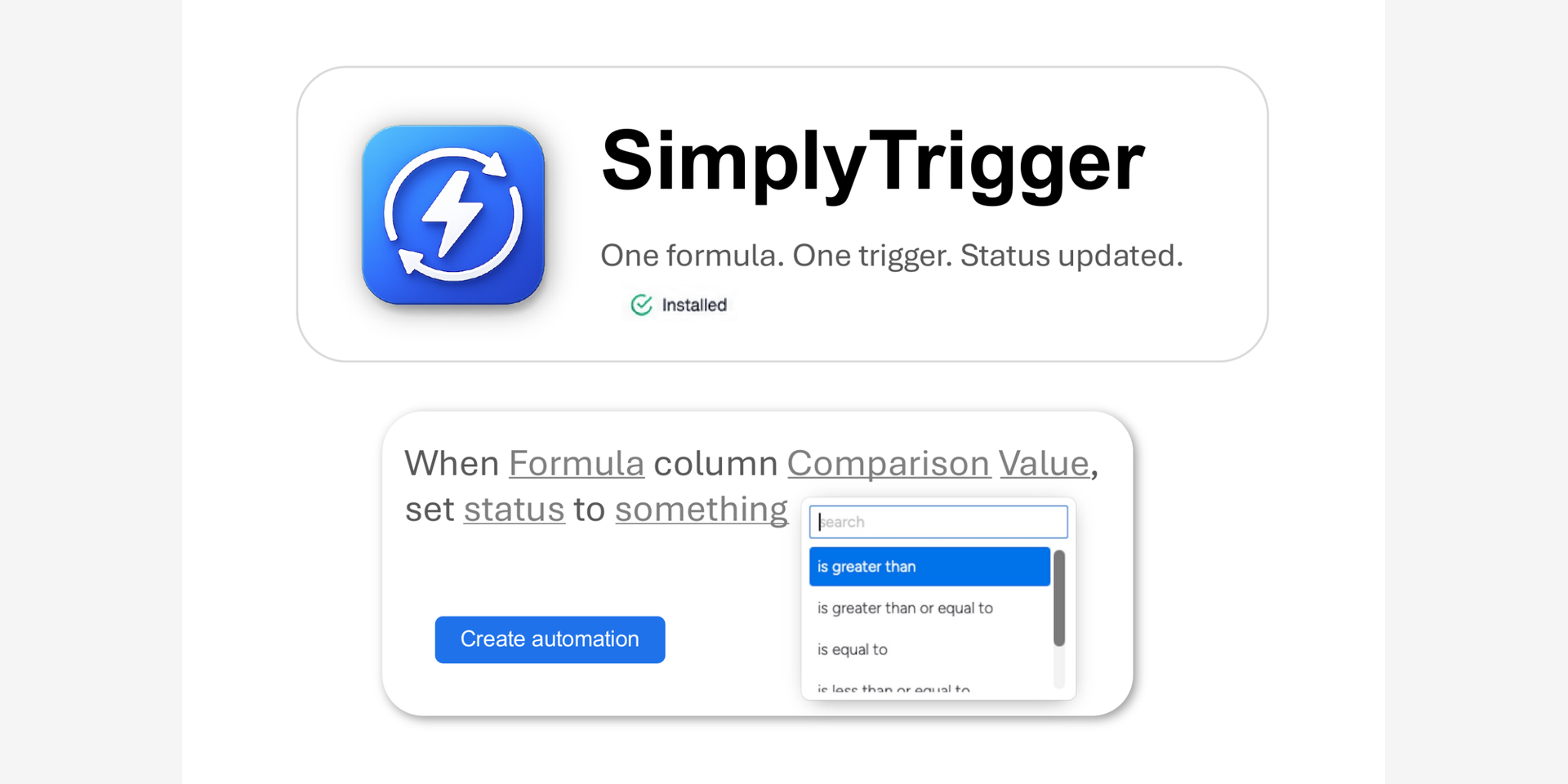
Turn formula results into status changes. Automatically.
The monday.com formula column is powerful — but it stops short. It calculates beautifully. Days between dates, fuel usage, budget variance, percentages — the formula column works it all out. But then the result just sits there.
1. You can't trigger anything from it.
2. You can't change a status when a number crosses a line.
The insight is on the board, but it doesn't do anything.
SimplyTrigger fixes that.
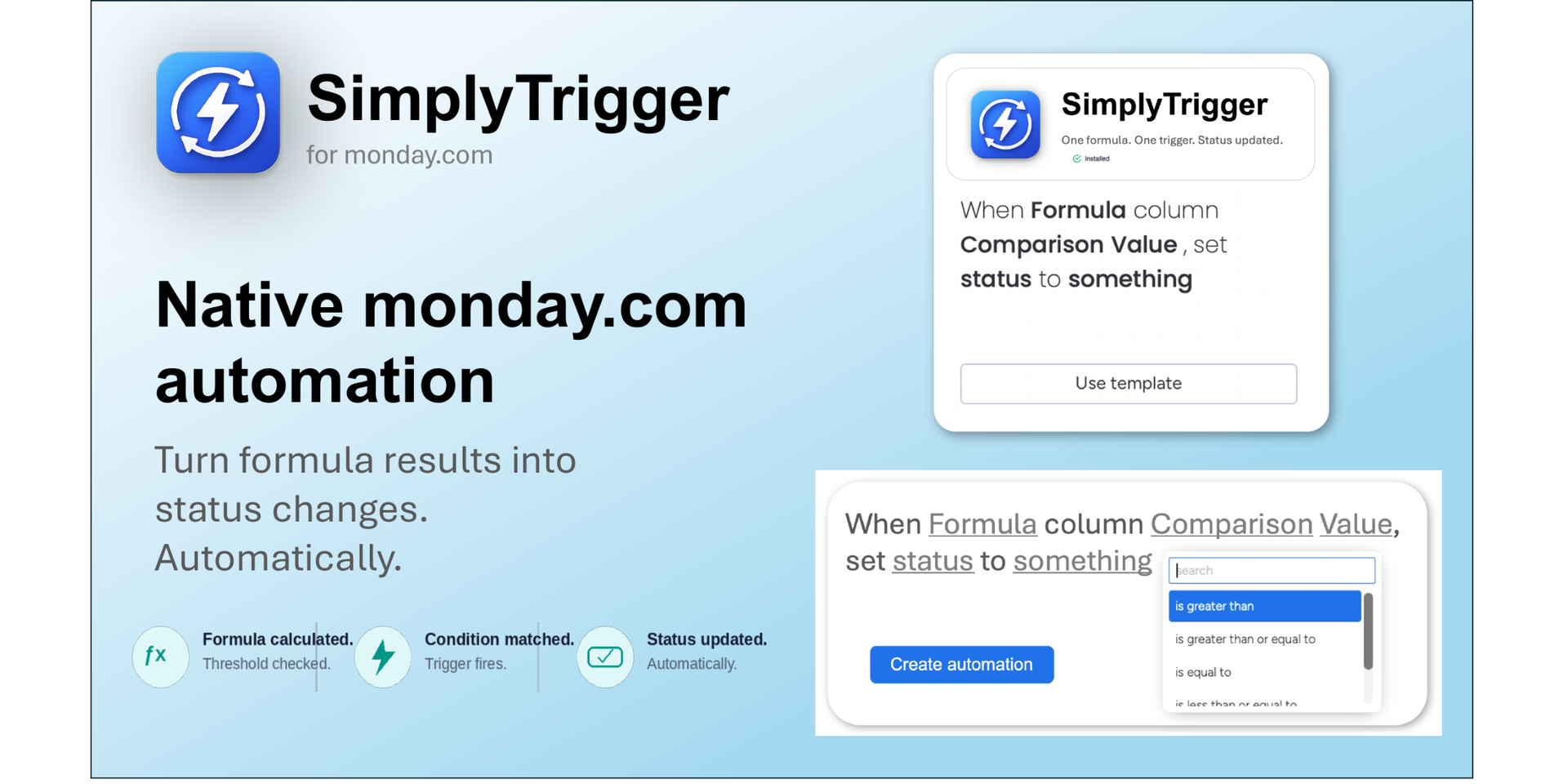
SimplyTrigger adds a simple automation recipe to monday.com's native automation builder. You set a threshold on any numeric formula column — and when the formula result crosses it, the status changes automatically.
How it works:
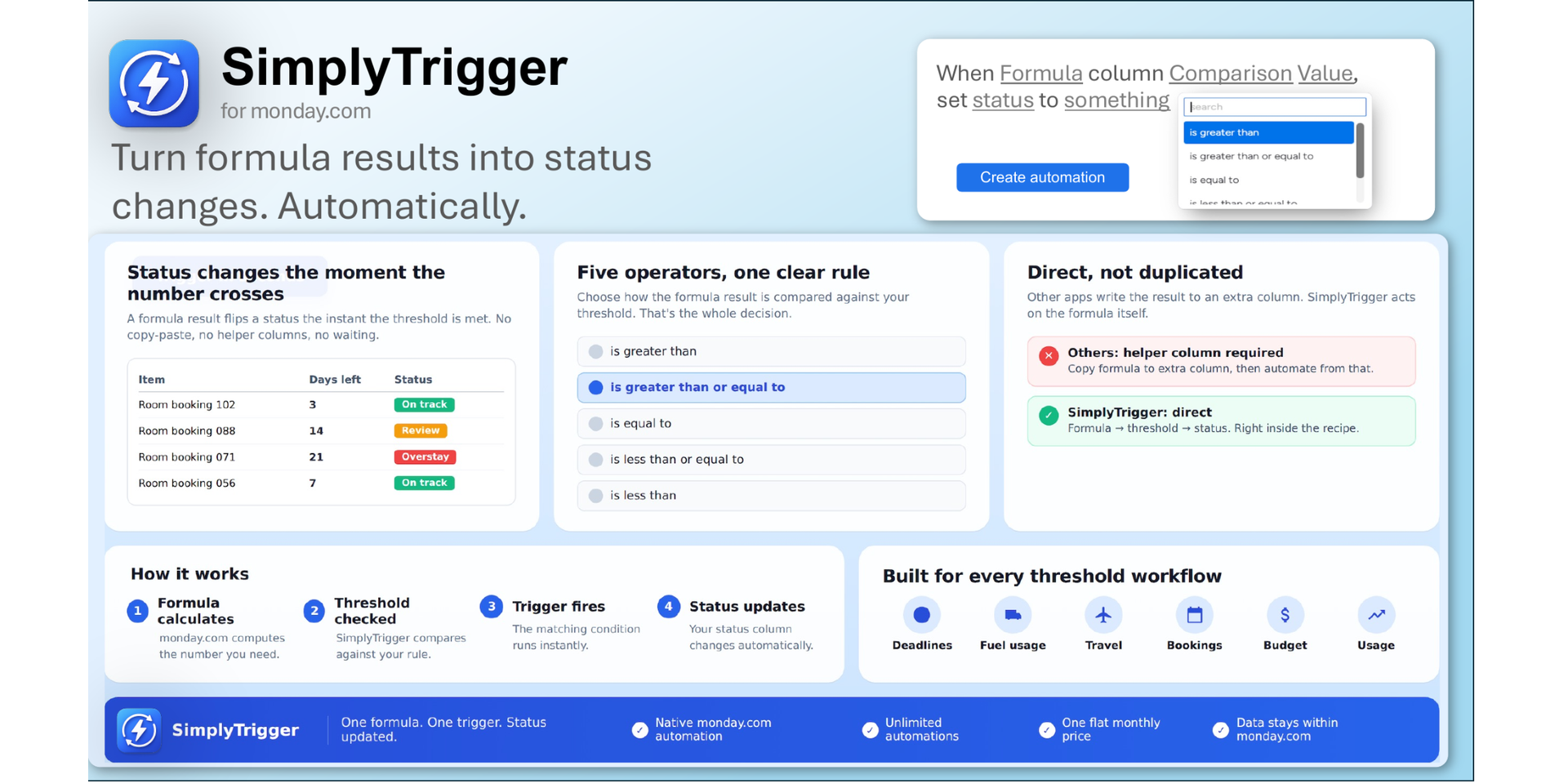
Open your automation centre, choose the SimplyTrigger recipe, and set your rule: when a formula column is greater than, greater than or equal to, equal to, less than or equal to, or less than a value you choose, change a status column to the status you want.
That's it. It lives inside monday.com's automation builder, so it feels exactly like a native automation.
Key features:
- Works with any numeric formula column on your board
- Five comparison operators for precise threshold control
- Change any status column to any status value
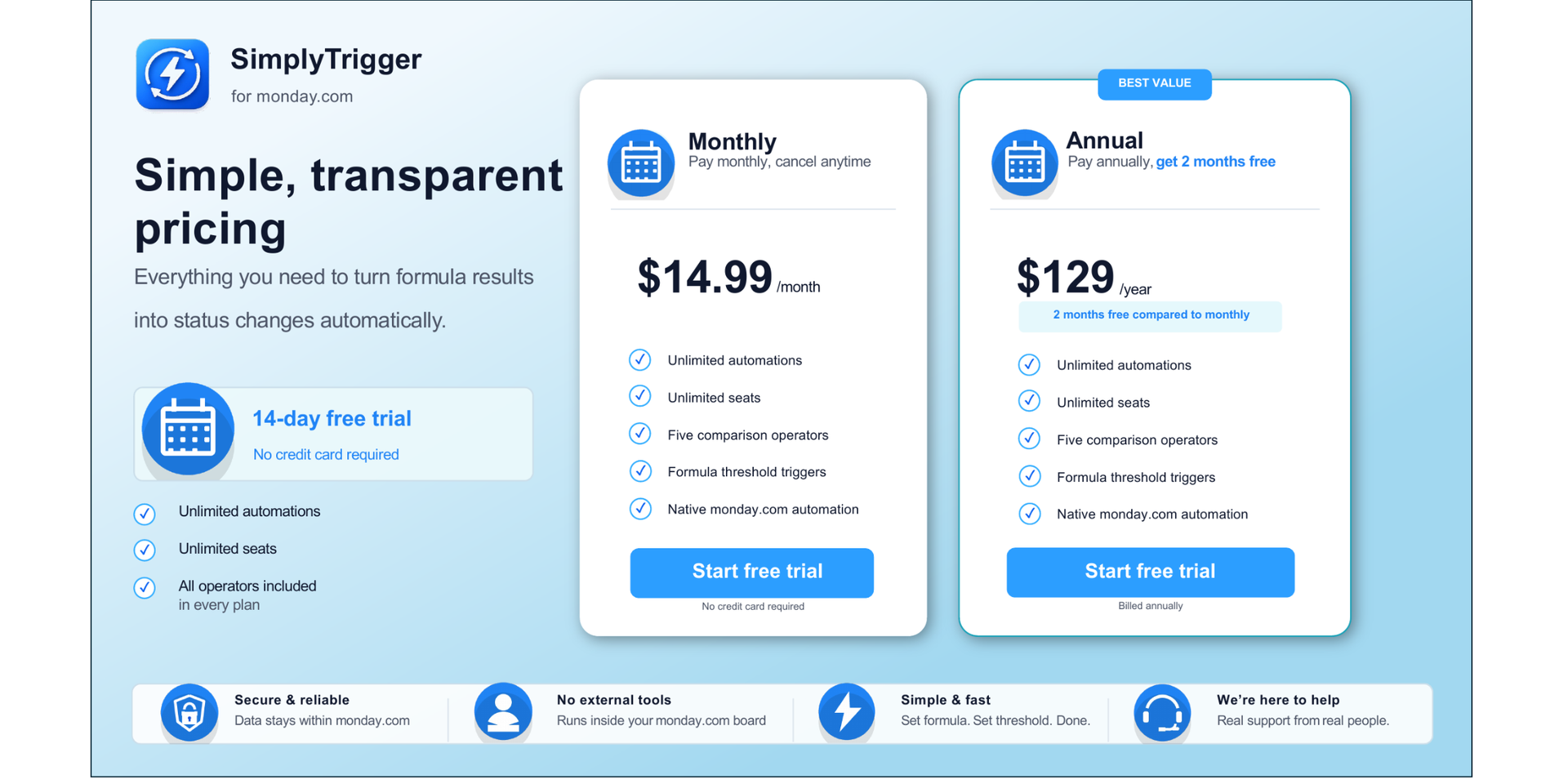
- Unlimited automations — no per-board caps, no feature gates
- Built entirely within monday.com — no external servers, no data leaves the platform
- Native automation builder integration — nothing new to learn
Perfect for:
- Flagging overdue or at-risk items based on calculated dates
- Fuel, budget, or usage monitoring against thresholds
- Travel and booking limits — trip duration, length of stay
- Any workflow where a calculated number should drive a status
{
  "id": 10001252,
  "marketplace_developer_id": 100000242,
  "app_id": 11417473,
  "app_type": "app",
  "security_info": {},
  "gallery_assets": [
    {
      "url": "https://cdn.monday.com/marketplace/10001252/10001252_2026_6_28_7_22_2_fnuvjzi.png",
      "type": "image"
    },
    {
      "url": "https://cdn.monday.com/marketplace/10001252/10001252_2026_6_28_7_22_8_8me1mggf.png",
      "type": "image"
    },
    {
      "url": "https://cdn.monday.com/marketplace/10001252/10001252_2026_6_28_7_22_12_zusfben.png",
      "type": "image"
    },
    {
      "url": "https://cdn.monday.com/marketplace/10001252/10001252_2026_6_28_7_22_15_1bmrt4u.png",
      "type": "image"
    },
    {
      "url": "https://cdn.monday.com/marketplace/10001252/10001252_2026_6_28_7_22_18_52rqoxi.png",
      "type": "image"
    }
  ],
  "description": "<p>The <a href=\"http://monday.com/\" rel=\"noopener noreferrer\" target=\"_blank\">monday.com</a> formula column is powerful — but it stops short. It calculates beautifully.  Days between dates, fuel usage, budget variance, percentages — the formula column works it all out. But then the result just sits there.</p><p><br></p><p>1. You can't trigger anything from it.</p><p>2. You can't change a status when a number crosses a line.</p><p><br></p><p>The insight is on the board, but it doesn't do anything.</p><p><br></p><p>SimplyTrigger fixes that.</p><p><br></p><p>SimplyTrigger adds a simple automation recipe to <a href=\"http://monday.com/\" rel=\"noopener noreferrer\" target=\"_blank\">monday.com</a>'s native automation builder. You set a threshold on any numeric formula column — and when the formula result crosses it, the status changes automatically.</p><p><br></p><p><strong>How it works:</strong> </p><p><br></p><p>Open your automation centre, choose the SimplyTrigger recipe, and set your rule: when a formula column is greater than, greater than or equal to, equal to, less than or equal to, or less than a value you choose, change a status column to the status you want. </p><p>That's it. It lives inside <a href=\"http://monday.com/\" rel=\"noopener noreferrer\" target=\"_blank\">monday.com</a>'s automation builder, so it feels exactly like a native automation.</p><p><br></p><p><strong>Key features:</strong> </p><p><br></p><p>- Works with any numeric formula column on your board </p><p>- Five comparison operators for precise threshold control </p><p>- Change any status column to any status value </p><p>- Unlimited automations — no per-board caps, no feature gates </p><p>- Built entirely within <a href=\"http://monday.com/\" rel=\"noopener noreferrer\" target=\"_blank\">monday.com</a> — no external servers, no data leaves the platform </p><p>- Native automation builder integration — nothing new to learn </p><p><br></p><p><strong>Perfect for: </strong></p><p><br></p><p>- Flagging overdue or at-risk items based on calculated dates </p><p>- Fuel, budget, or usage monitoring against thresholds </p><p>- Travel and booking limits — trip duration, length of stay </p><p>- Any workflow where a calculated number should drive a status </p><p><br></p><p><strong>Set the threshold. Trigger the action. Done.</strong></p><p><br></p><p><strong>📄 </strong><a href=\"https://www.astrodigital.ai/userguide-trigger\" rel=\"noopener noreferrer\" target=\"_blank\"><strong>View Documentation</strong></a></p><p><strong>✉️ </strong><a href=\"mailto:support@astrodigital.ai\" rel=\"noopener noreferrer\" target=\"_blank\"><strong>Contact Support</strong></a></p>",
  "short_description": "Turn formula results into status changes. Automatically.",
  "thumbnail_url": "https://cdn.monday.com/marketplace/10001252/10001252_2026_6_28_7_21_49_93unutv.png",
  "logo_url": "https://cdn.monday.com/marketplace/10001252/10001252_2026_6_28_7_21_45_j3zo6t9.png",
  "feedback_url": "support@astrodigital.ai",
  "privacy_policy_url": "https://astrodigital.ai/privacy",
  "featured": false,
  "name": "SimplyTrigger",
  "how_to_use_url": "https://www.astrodigital.ai/userguide-trigger",
  "external_pricing_url": null,
  "keywords": "monday formula, column,workflow,threshold,automation,status,trigger,formula,simplytrigger,simply trigger",
  "compliance_answers": [],
  "created_at": "2026-07-28T07:21:18.000Z",
  "updated_at": "2026-09-14T08:01:12.000Z",
  "automation_app_id": null,
  "marketplace_category_ids": [
    10000007,
    10000001
  ],
  "pinned_for_categories_ids": [],
  "featured_for_categories_ids": [],
  "pricing_data": null,
  "label": null,
  "app_values": [
    "Everyday tasks"
  ],
  "security": false,
  "display_in_template_store": false,
  "acquisition_source": "No touch",
  "is_connector": false,
  "show_connections": false,
  "terms_of_service_url": "https://astrodigital.ai/terms",
  "available_for_tiers": [],
  "available_for_products": [],
  "google_analytics_tag_id": null,
  "is_solution": false,
  "cta_override": null,
  "app_scope_str": "boards:read,boards:write,webhooks:write,webhooks:read",
  "app_client_id": "86f14a0488f356706998b9361f6f8963",
  "app_color": {
    "hsl": {
      "h": 27.610619469026542,
      "s": 0,
      "l": 1,
      "a": 1
    },
    "hex": "#ffffff",
    "rgb": {
      "r": 255,
      "g": 255,
      "b": 255,
      "a": 1
    },
    "hsv": {
      "h": 27.610619469026542,
      "s": 0,
      "v": 1,
      "a": 1
    },
    "oldHue": 27.610619469026542,
    "source": "rgb"
  },
  "plans": [
    {
      "id": "11417473-1-professional",
      "appPlanId": "professional",
      "name": "Professional",
      "versionId": 1,
      "isTrial": true,
      "prices": {
        "type": "standard",
        "monthly": 15,
        "yearly": 11
      },
      "versionState": "live",
      "appId": 11417473,
      "description": "Everything you need to turn formula results into real board actions.",
      "extraData": {
        "bullets": [
          "Unlimited automations",
          "Unlimited seats",
          "Five comparison operators",
          "Access to all app features"
        ],
        "monthlyFee": 15,
        "yearlyFee": 11
      },
      "isFree": false,
      "isRecommended": false,
      "currency": "USD"
    }
  ],
  "app_live_version": {
    "updated_at": "2026-07-14T16:20:36.910Z",
    "id": 15922654
  },
  "pricing_model": null,
  "monetization": {
    "monetizationType": "monday",
    "hasFreePlan": false,
    "hasPaidPlan": true,
    "hasTrialPlan": true
  },
  "badges_data": {
    "security": false,
    "app_values": [
      "Everyday tasks"
    ],
    "acquisition_source": "No touch",
    "display_in_template_store": false
  },
  "data": {
    "is_solution": false,
    "cta_override": null,
    "is_connector": false,
    "show_connections": false,
    "available_for_tiers": [],
    "terms_of_service_url": "https://astrodigital.ai/terms",
    "available_for_products": [],
    "google_analytics_tag_id": null
  },
  "display": null,
  "installsDelta": {
    "totalInstalls": 3,
    "sevenDays": 0,
    "thirtyDays": 0,
    "ninetyDays": 1
  }
}