Run monday.com from Discord — act on items, 2-way sync.
Bring your monday.com boards into Discord and keep work moving — no tab-switching, no status-chasing. Your team acts on items, stays in the loop, and updates flow back to monday automatically: a true two-way loop, not a one-way notifier. Every feature is included in every plan — you only pay as your monday team grows.
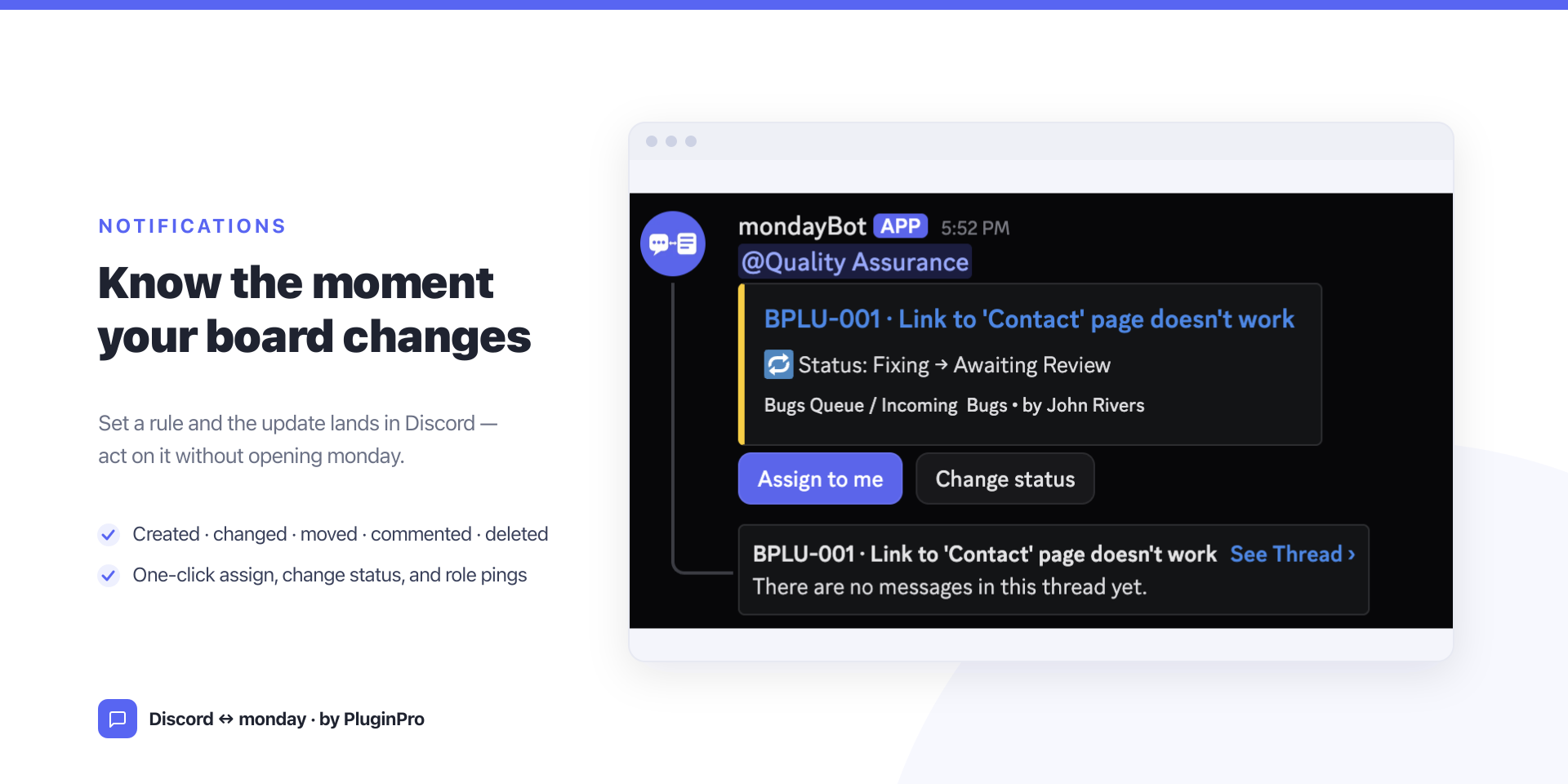
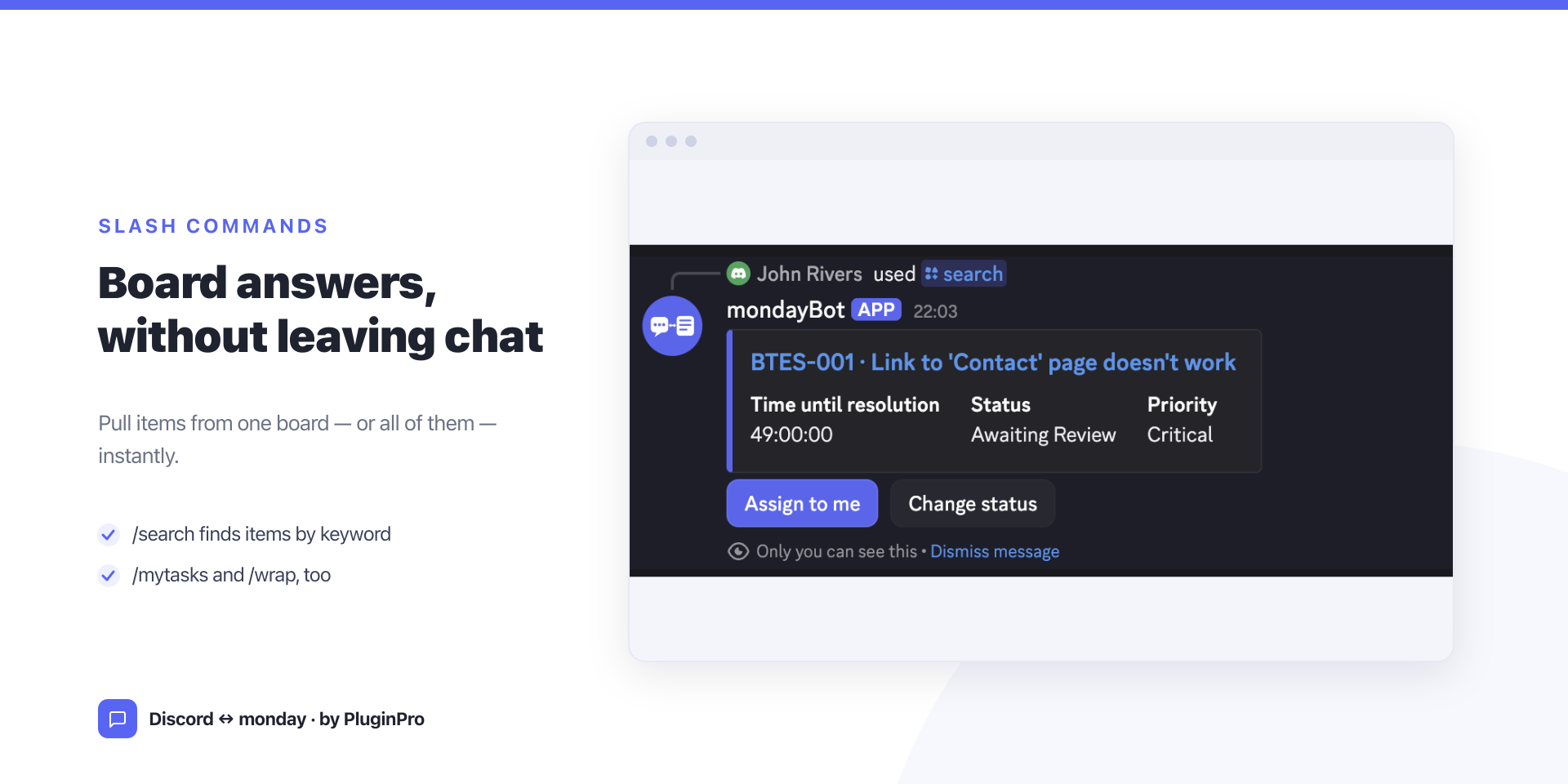
Notifications that act — rules post on created / changed / moved / commented / deleted, filtered by group, column, and value, with Open · Assign to me · Change status buttons and @mentions — so work moves forward without leaving Discord.
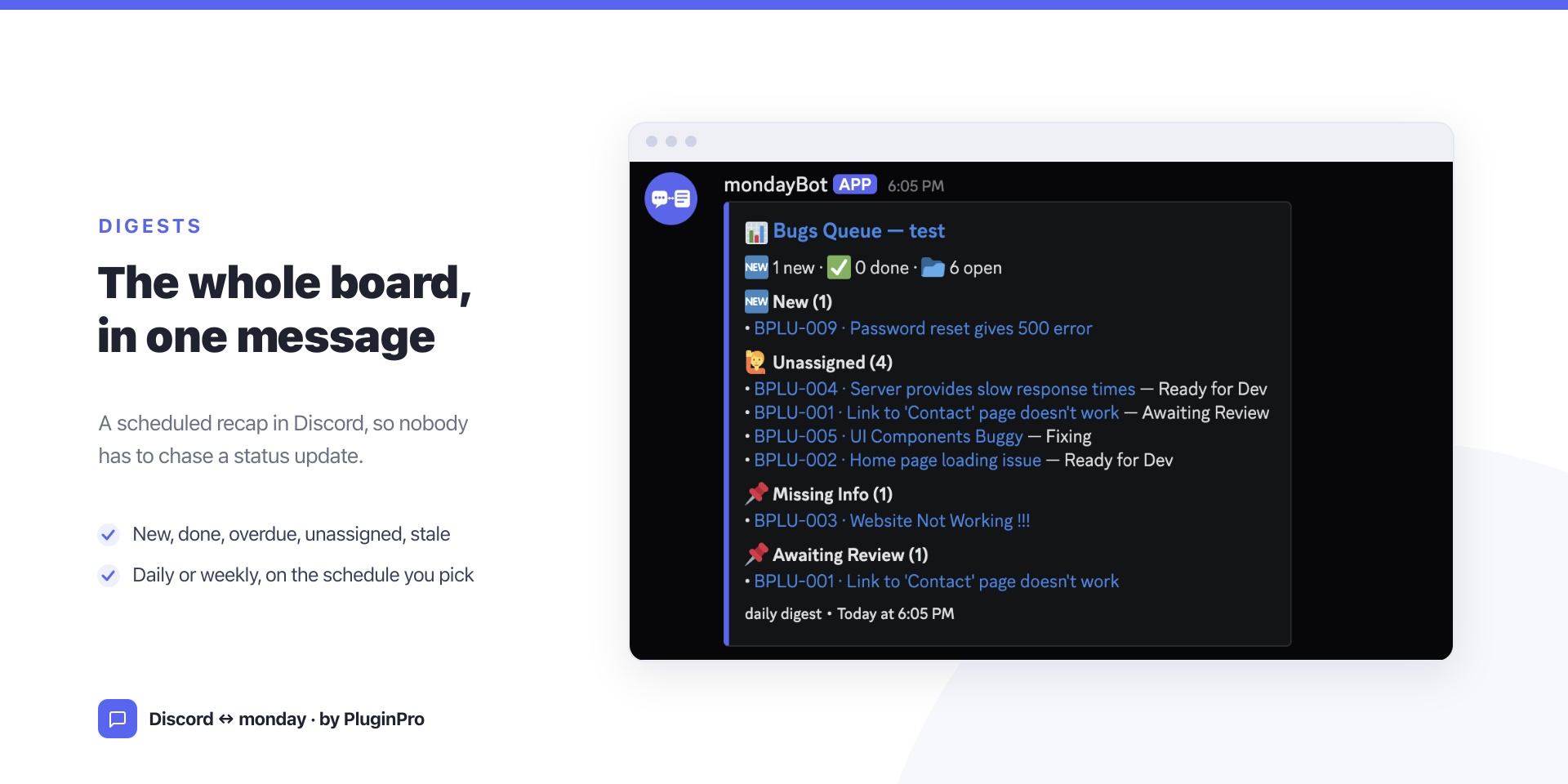
Digests — scheduled daily/weekly summaries (new, done, overdue, unassigned, stale, or by status) keep the team aligned without status meetings.
Slash commands — /search, /mytasks, /wrap to find work, see your tasks, and wrap up instantly.
Two-way sync — Discord thread replies mirror back as monday updates, so the discussion stays attached to the item.
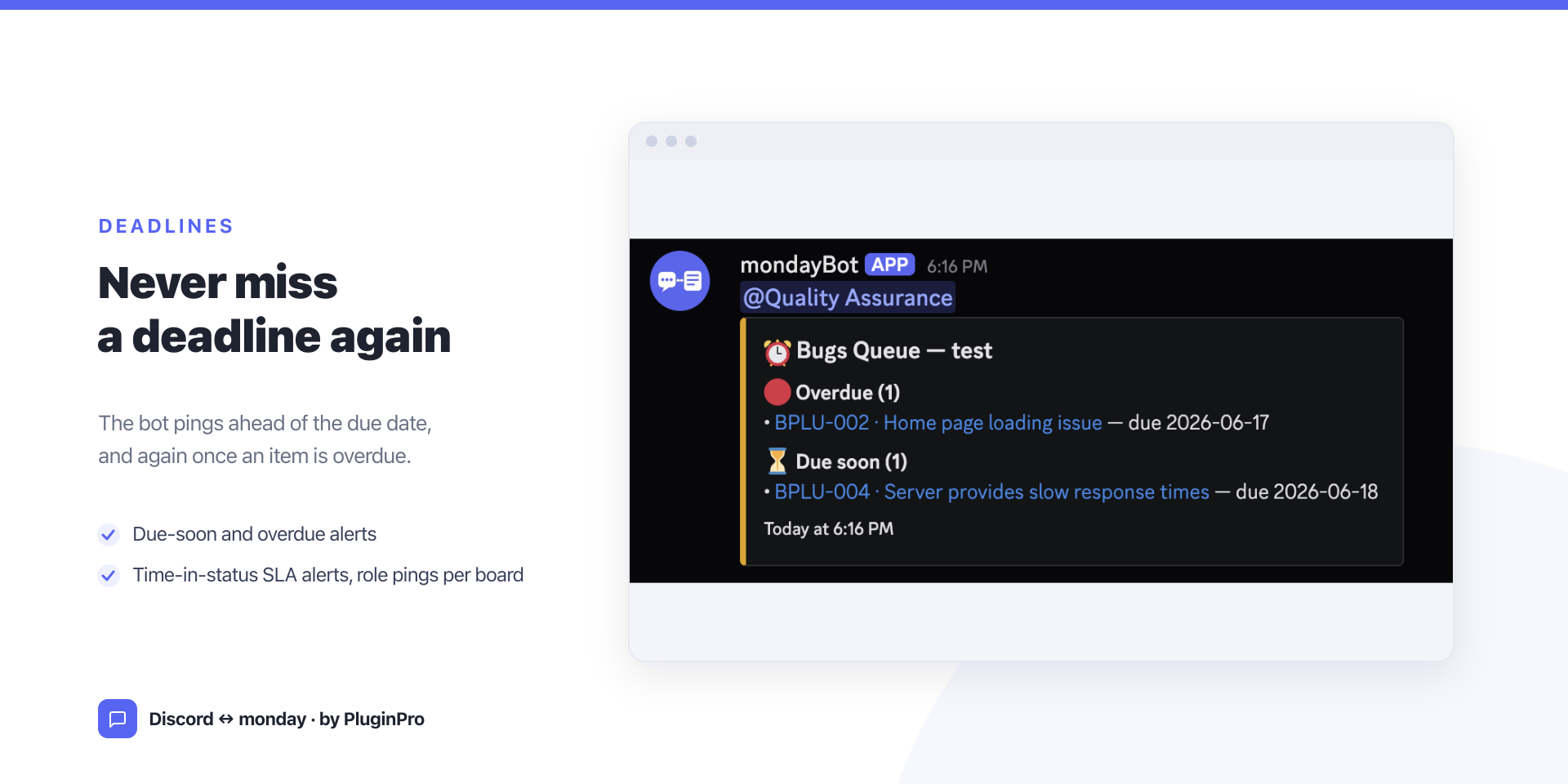
Deadlines & SLA — due-soon / overdue reminders plus time-in-status alerts so nothing slips.
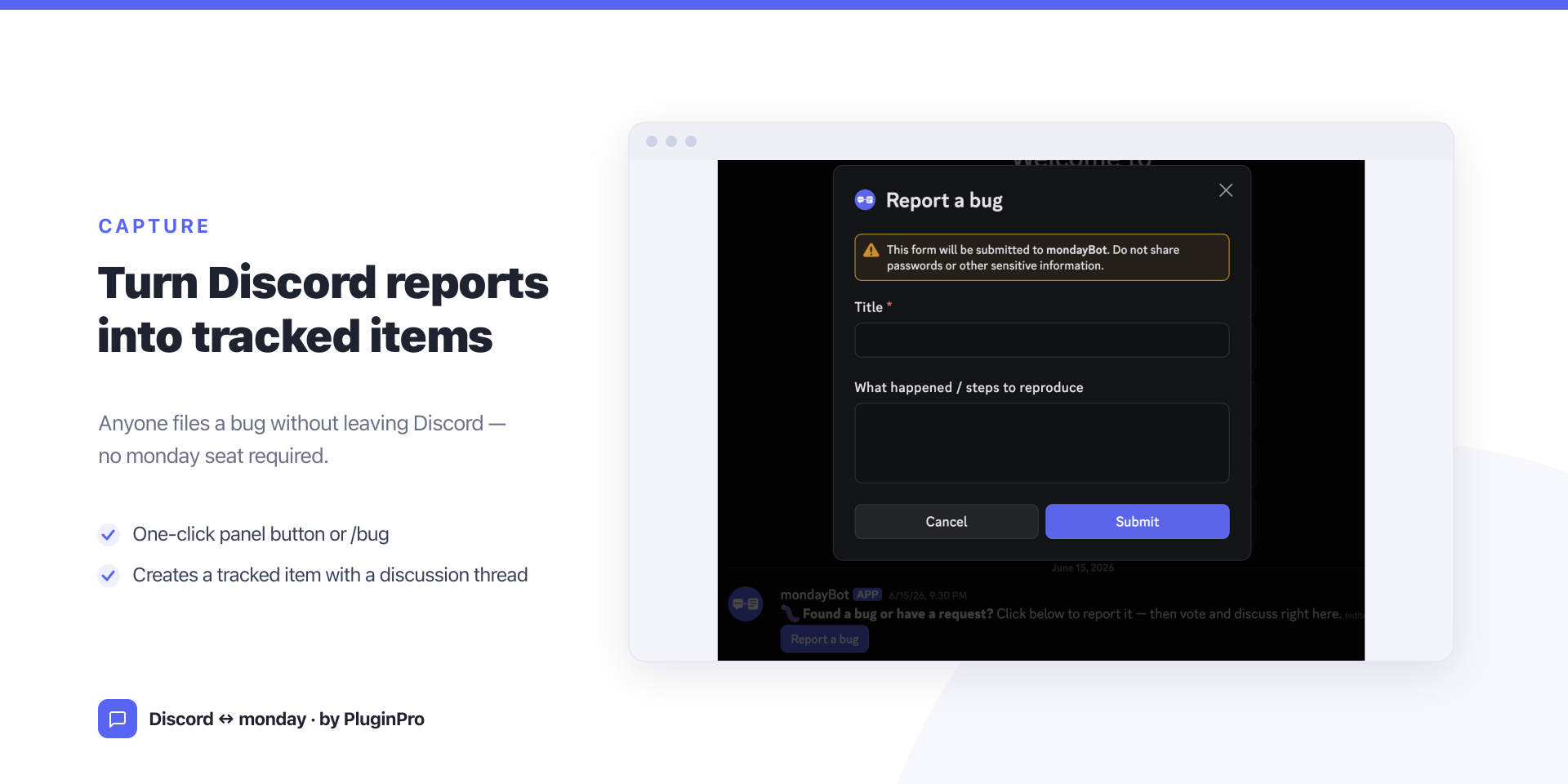
Capture — turn any message into a monday item (a button or /bug) on the board and columns you map, with a card, 👍 voting, and a thread. No extra monday seats — your whole Discord community can submit work without buying monday licenses.
A monday admin configures everything from one settings page; each member runs /connect once so actions are attributed correctly. → Full setup guide
Pricing: Simple per-seat pricing — every feature in every plan. 14-day trial, no card to start.
Security & Compliance
Security
Does the developer periodically perform penetration testing?
Not answered
Does the developer have a dedicated security and privacy point of contact for such issues or questions?
Not answered
Does the app restrict redirects and forwards only to approved destinations, or show a warning when redirecting to potentially untrusted content?
Not answered
Does the app protect against mass parameter assignment attacks?
Yes
Does the app perform encoding and sanitization on all user supplied parameters to protect against Cross-Site Scripting?
Not answered
Does the developer protect all state-changing actions against Cross-Site Request Forgery (CSRF)?
Not answered
Does the developer have mechanisms to notify monday.com in case of a security breach?
Not answered
Does this developer have a process for installing application-level updates and security patches for the service (such as software packages and databases)?
Not answered
Compliance
Is the app certified with the information security standard ISO/IEC 27001:2022?
Not answered
Is the app compliant with the Health Insurance Portability and Accountability Act (HIPAA)?
Not answered
Is the app certified with System and Organization Controls (SOC 2 or SOC 3)?
Not answered
Is the app compliant with the General Data Protection Regulation (GDPR)?
Not answered
Data
Does the app send any data outside of monday.com? If yes, indicate whether the data is customer-submitted (e.g., board names, item names, doc content) or non-customer-submitted (e.g., account ID, board ID, user ID).
Not answered
Where does the app store logs data?
monday
Where does the app store the app data?
monday
Does the developer ensure application logs do not contain secrets or personally-identifiable information (PII)?
Yes
Is customer data segregated from the data of other customers (for example logically or physically)?
Yes
Privacy
Does the developer enforce multi-factor authentication on employees access to systems which may process customer data?
Not answered
Does the developer protect access to customer data based on the principle of least privilege?
Not answered
Reviews
No reviews yet.
Historical data
Installation history
We have data for December 28, 2024 onwards only. Collected sometime after 00:00 UTC daily.
Total number of installs
Change in total number of installs in last 1 day(s)
Compares the number of installs on each date with 1 days previously:
Max
Min
Current
Change in total number of installs in last 7 day(s)
Compares the number of installs on each date with 7 days previously:
Max
Min
Current
Change in total number of installs in last 30 day(s)
Compares the number of installs on each date with 30 days previously:
Max
Min
Current
Change in total number of installs in last 90 day(s)
Compares the number of installs on each date with 90 days previously:
Max
Min
Current
Change in total number of installs in last 180 day(s)
Compares the number of installs on each date with 180 days previously:
Max
Min
Current
Ratings history
Categories history
Each of the following is a yes/no answer, so the graphs show 1 for yes, and 0 for no.