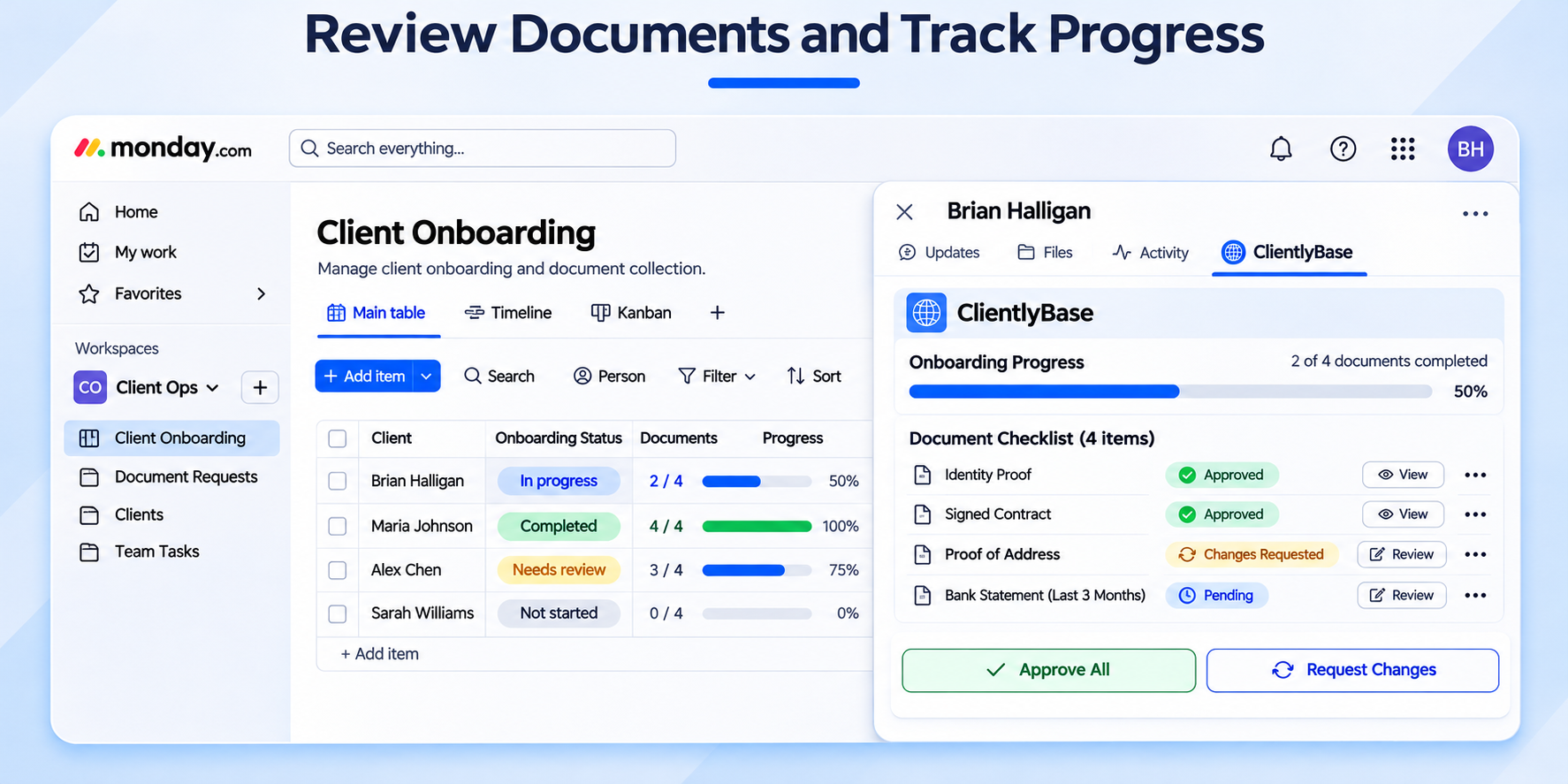
Collect client documents and track requests in monday.com
Client Onboarding & Document Collection for monday.com
Stop chasing clients for missing documents through emails, spreadsheets, and manual follow-ups.
ClientlyBase helps you request documents, collect files, review submissions, and track client onboarding progress from your monday.com workflow.
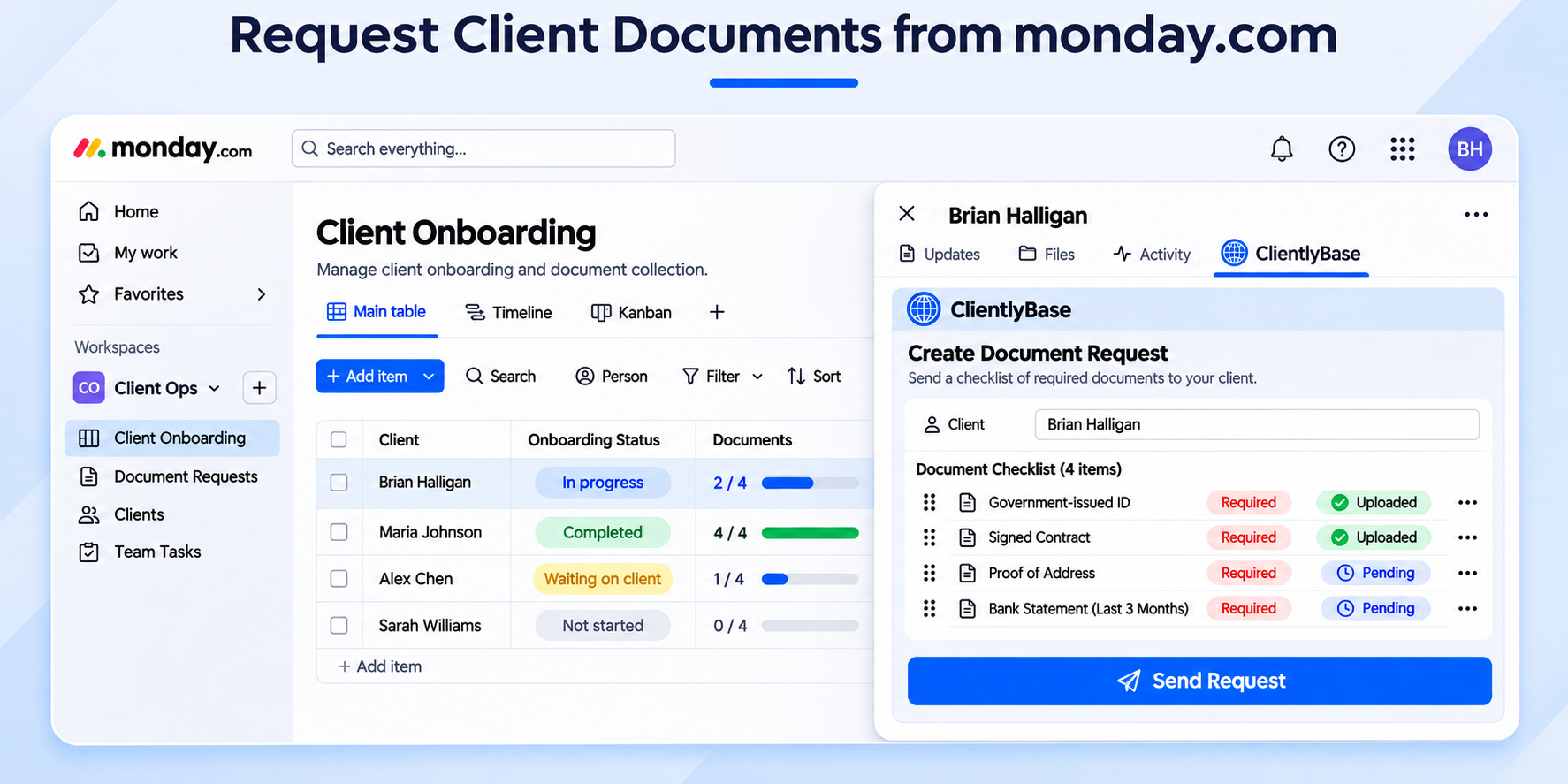
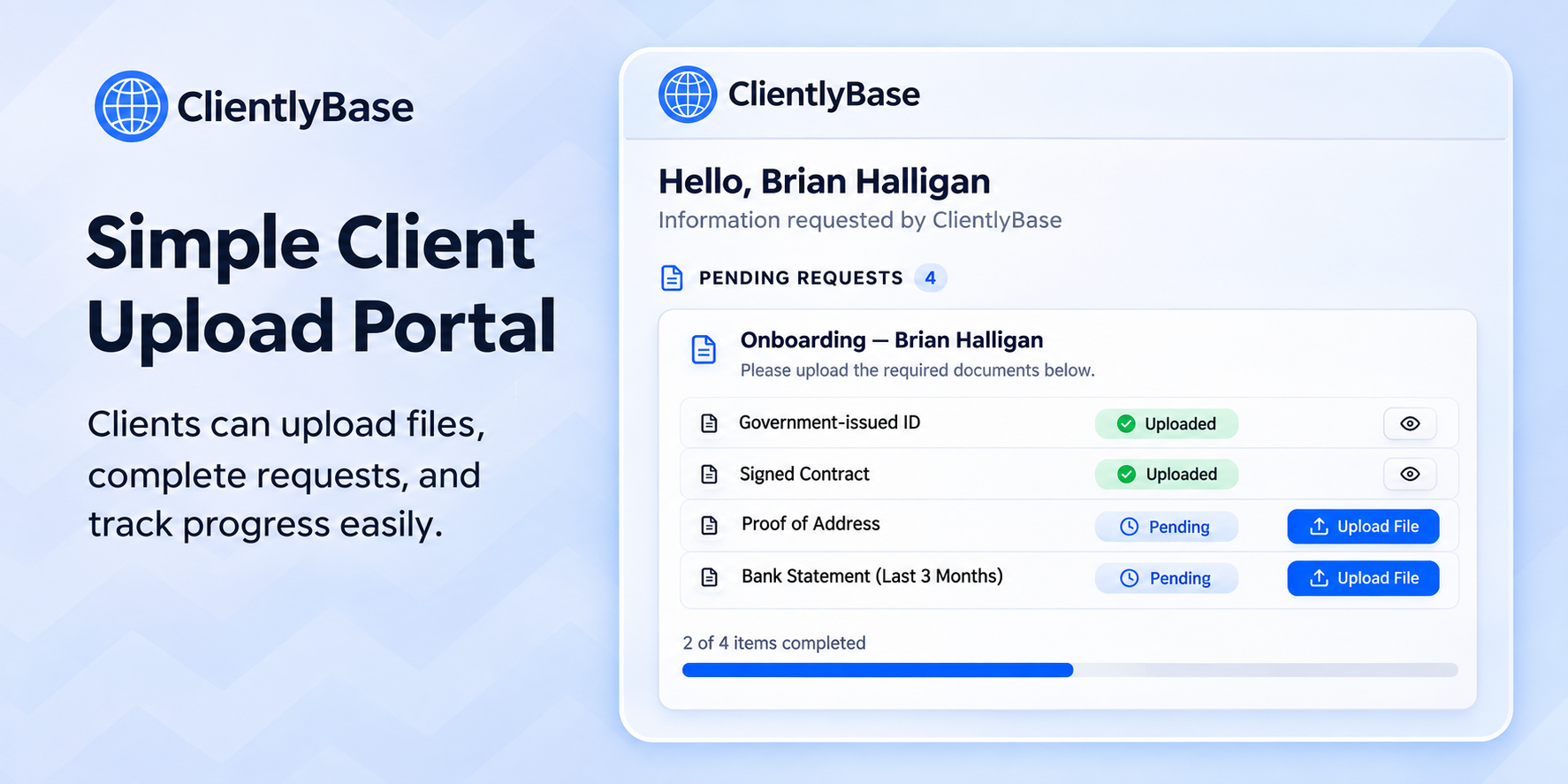
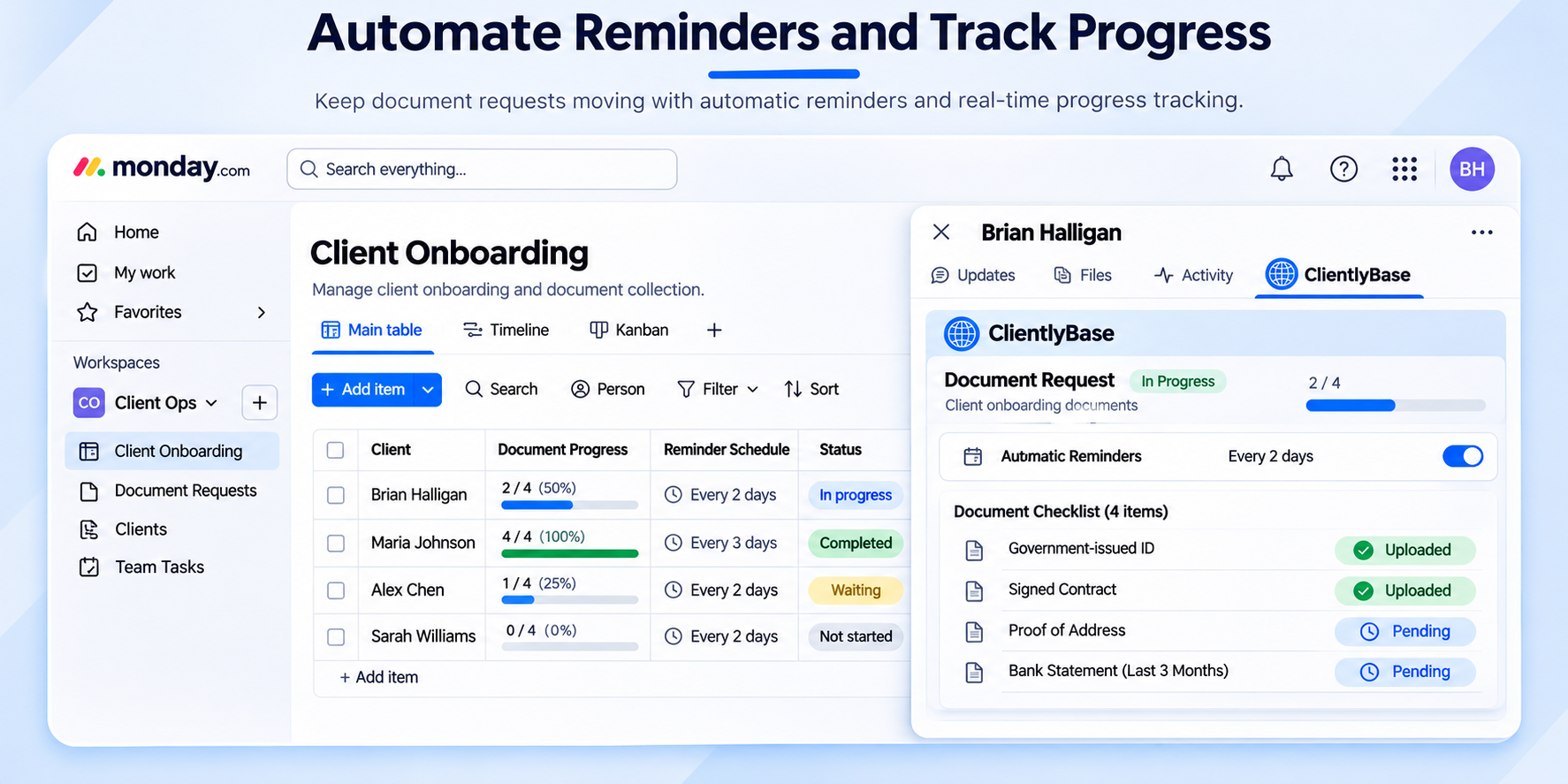
Create structured document requests using customizable checklists. Clients receive a secure upload portal where they can submit files without creating an account. Your team can track what's missing, approve submissions or request changes, and automate reminders.
How it works
Create a document request from monday.com.
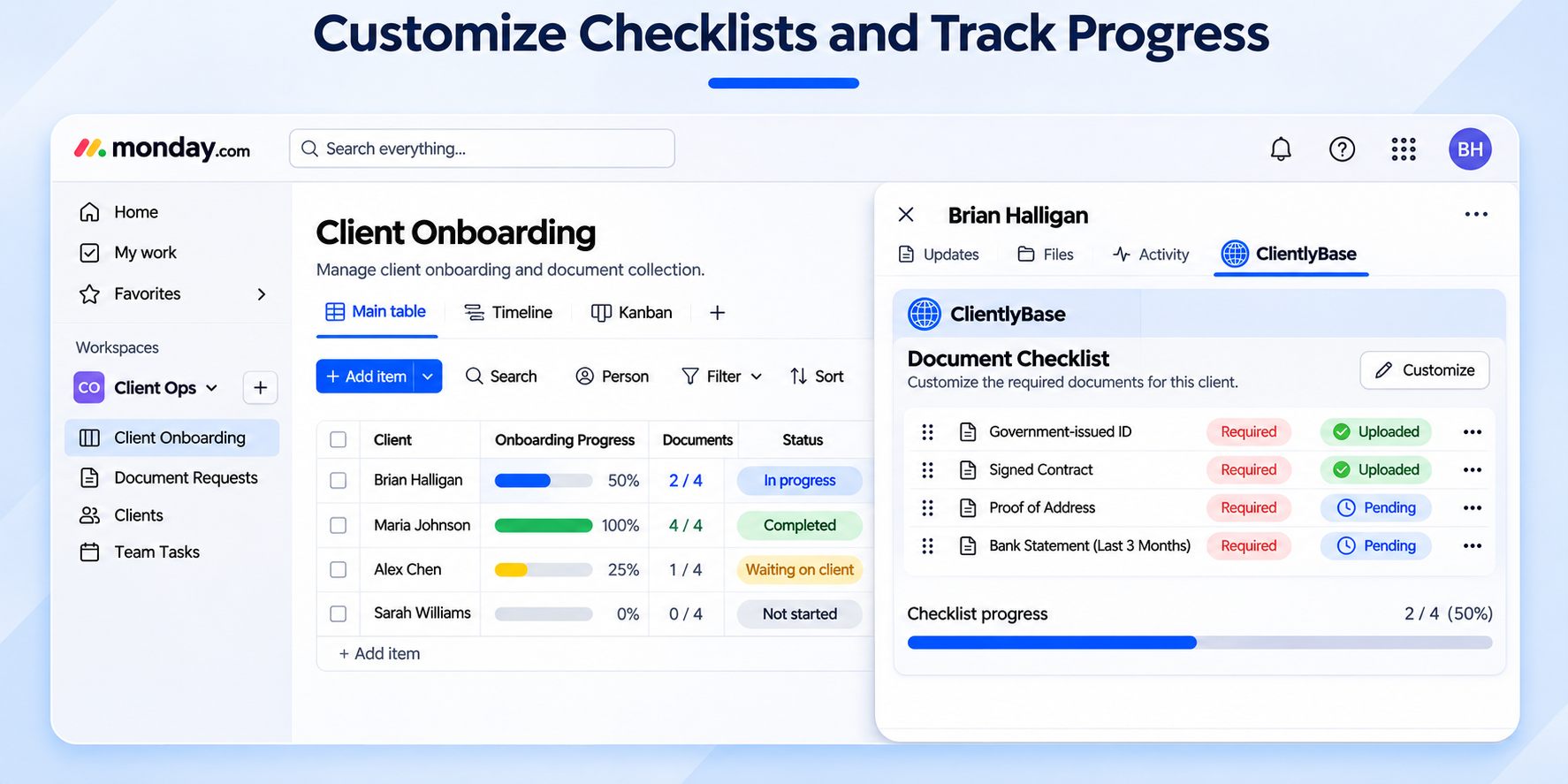
Select or customize the document checklist for your client.
Send a secure upload link to collect the required files.
Review submitted documents and request changes when needed.
Track progress and outstanding documents from monday.com.
Key features
Document requests: Collect required files and information through structured checklists.
Customizable checklists: Tailor document requirements to each client.
Client upload portal: Give clients a simple, no-login experience.
Document review: Approve submissions or request changes.
Automatic reminders: Follow up on outstanding documents.
Progress tracking: Monitor document collection status from monday.com.
Who is it for?
Accounting and tax firms: Collect financial records, tax documents, and supporting files.
Mortgage and financial services: Request identity documents, financial statements, and client paperwork.
Migration and immigration agencies: Collect application documents, identification, and supporting evidence.
Legal teams: Organize client intake documents and case files.
Agencies and consultants: Gather briefs, agreements, and onboarding materials.
Keep your team's work organized in monday.com while giving clients a straightforward way to submit documents.
Security & Compliance
The app developer did not provide the security and compliance information for this app.
Reviews
No reviews yet.
Historical data
Installation history
We have data for December 28, 2024 onwards only. Collected sometime after 00:00 UTC daily.
Total number of installs
Change in total number of installs in last 1 day(s)
Compares the number of installs on each date with 1 days previously:
Max
Min
Current
Change in total number of installs in last 7 day(s)
Compares the number of installs on each date with 7 days previously:
Max
Min
Current
Change in total number of installs in last 30 day(s)
Compares the number of installs on each date with 30 days previously:
Max
Min
Current
Change in total number of installs in last 90 day(s)
Compares the number of installs on each date with 90 days previously:
Max
Min
Current
Change in total number of installs in last 180 day(s)
Compares the number of installs on each date with 180 days previously:
Max
Min
Current
Ratings history
Categories history
Each of the following is a yes/no answer, so the graphs show 1 for yes, and 0 for no.