
NexGen-CPQ
4 installs, since July 5, 2026. 1 installs/month. App updated June 29, 2026. Listing updated July 5, 2026.
CPQ tool for quotes, pricing & approvals in monday.com
NexGen CPQ is enterprise-grade Configure-Price-Quote software built natively for small and medium sales teams on monday.com. It lets your team create accurate quotes, automate complex pricing rules, and enforce discount approvals - all from within the monday.com board where your deals already live. No spreadsheets, no switching tabs, no re-entering data.
What You Get
- • Product Catalogue — Manage products with families, categories, specifications, and SKUs. Build bundles with flat-rate or itemised pricing. Import products in bulk via CSV or Excel.
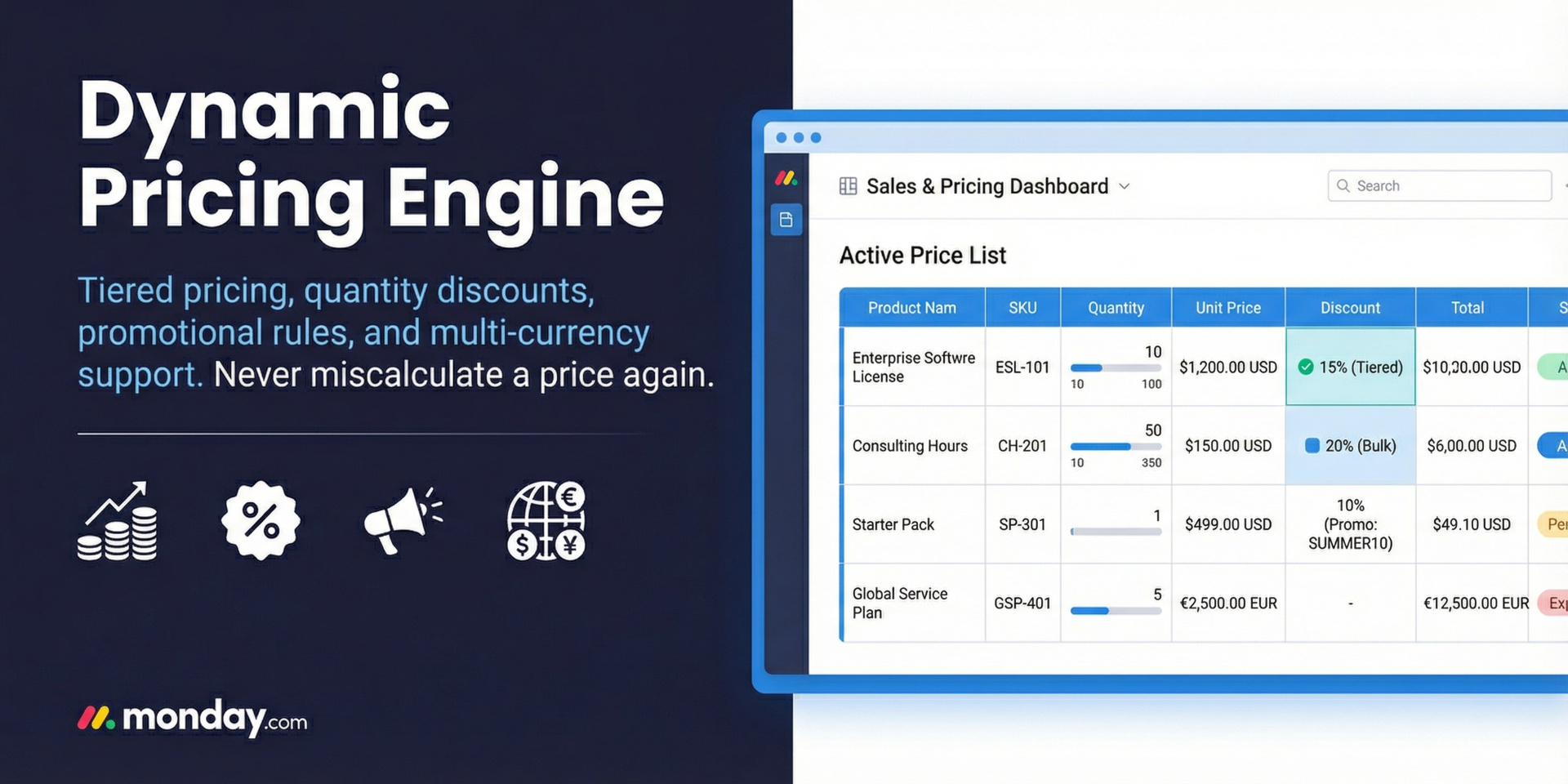
- • Dynamic Pricing Engine — Tiered quantity-based pricing, pricebooks per market or region, promotional rules with promo codes, and automatic tax calculations for one-time and recurring charges.
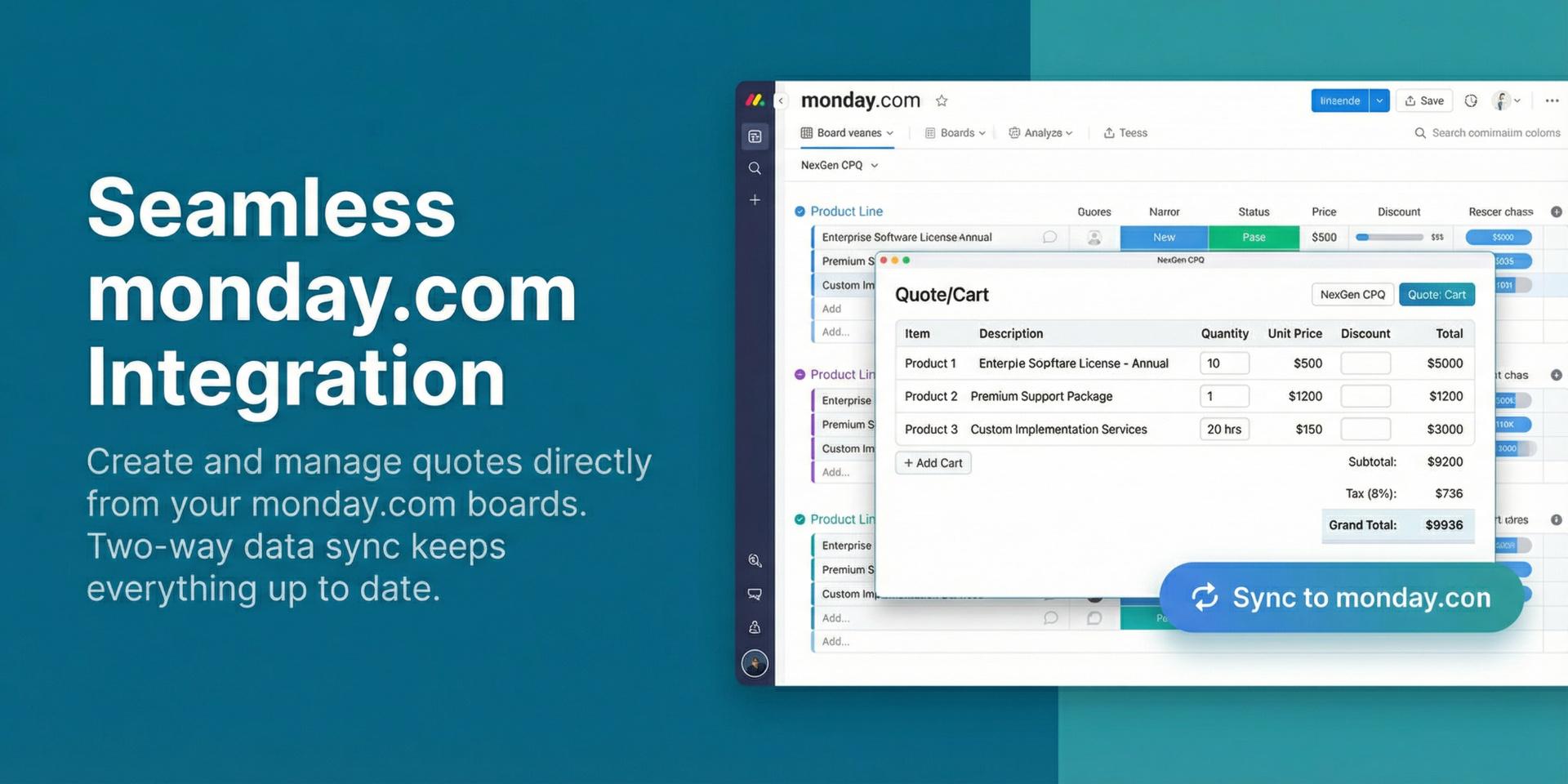
- • Smart Cart & Quoting — Build quotes by adding products, bundles, and custom line items to a cart. Apply promo codes and manual discounts. Real-time price and tax calculations throughout.
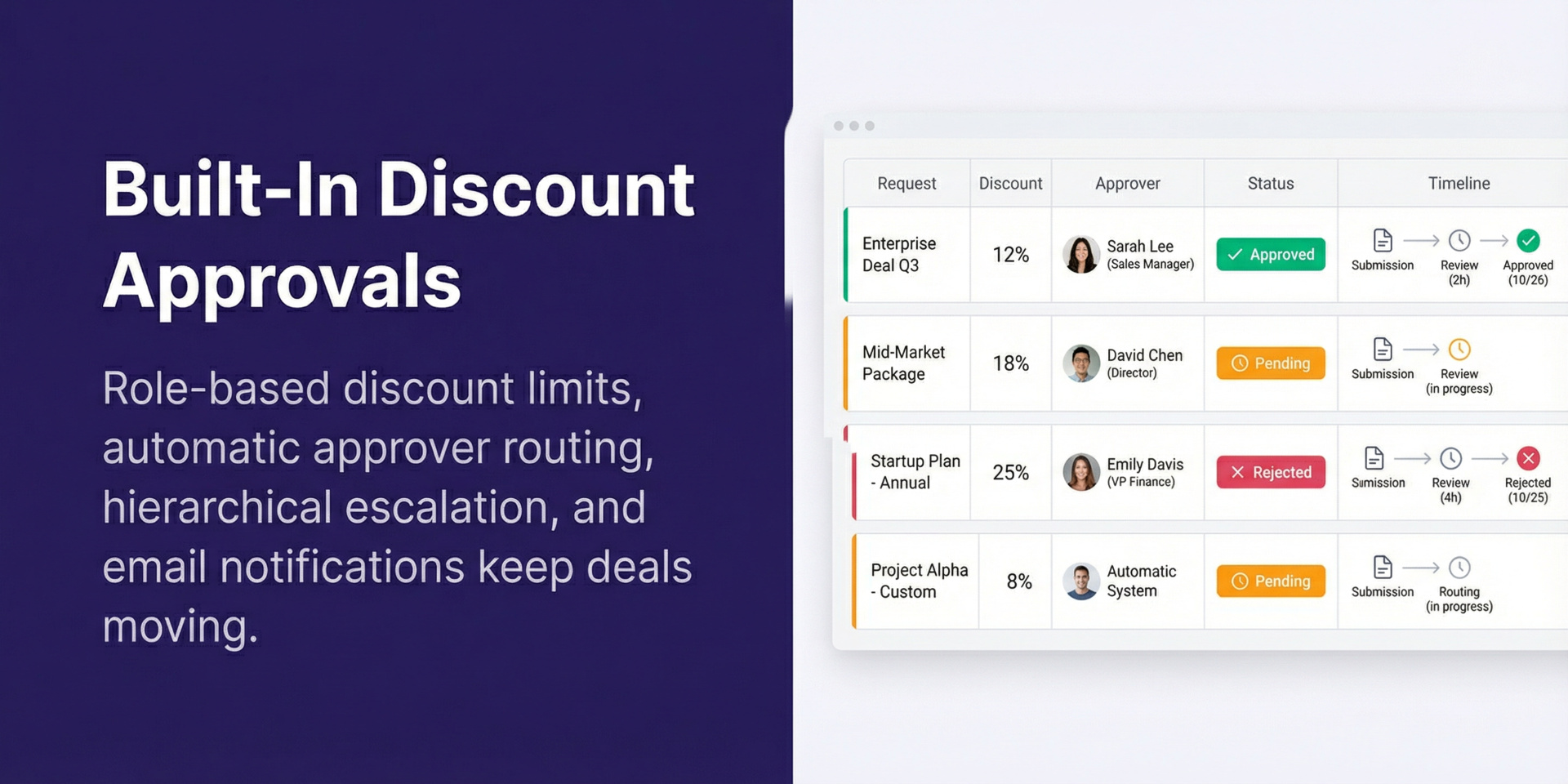
- • Discount Approval Workflows — Define maximum discount limits per user role. Discounts within the limit are auto-approved. Over-limit requests automatically route to the right approver, with hierarchical escalation and email notifications.
- • monday.com Board View & Sync — Runs as a native board view inside monday.com. On sync, quote totals, taxes, and each line item are written directly to the deal item and its subitems.
- • Security & Governance — JWT authentication, role-based access control (RBAC), configurable password policies, and a full audit trail of every user action.
- • AI Assistant — An in-workflow AI chat helps with catalogue search and pricing questions. Available on Professional and Enterprise plans.
- • Native UX — Fully respects monday.com light, dark, and night themes. Automatically detects view-only users and adjusts the interface accordingly.
Available on Starter, Professional, and Enterprise plans. Install free from the monday.com Marketplace.
Questions or a walkthrough: contact-us@beenait.com (we respond within 24 hours). Learn more at https://cpq.beenait.com
Security & Compliance
The app developer did not provide the security and compliance information for this app.
Reviews
No reviews yet.
Historical data
Installation history
We have data for December 28, 2024 onwards only. Collected sometime after 00:00 UTC daily.
Total number of installs
Change in total number of installs in last 1 day(s)
Compares the number of installs on each date with 1 days previously:
Change in total number of installs in last 7 day(s)
Compares the number of installs on each date with 7 days previously:
Change in total number of installs in last 30 day(s)
Compares the number of installs on each date with 30 days previously:
Change in total number of installs in last 90 day(s)
Compares the number of installs on each date with 90 days previously:
Change in total number of installs in last 180 day(s)
Compares the number of installs on each date with 180 days previously:
Ratings history
Categories history
Each of the following is a yes/no answer, so the graphs show 1 for yes, and 0 for no.