
Client Report Generator
4 installs, since July 2, 2026. 1 installs/month. App updated May 27, 2026. Listing updated August 4, 2026.
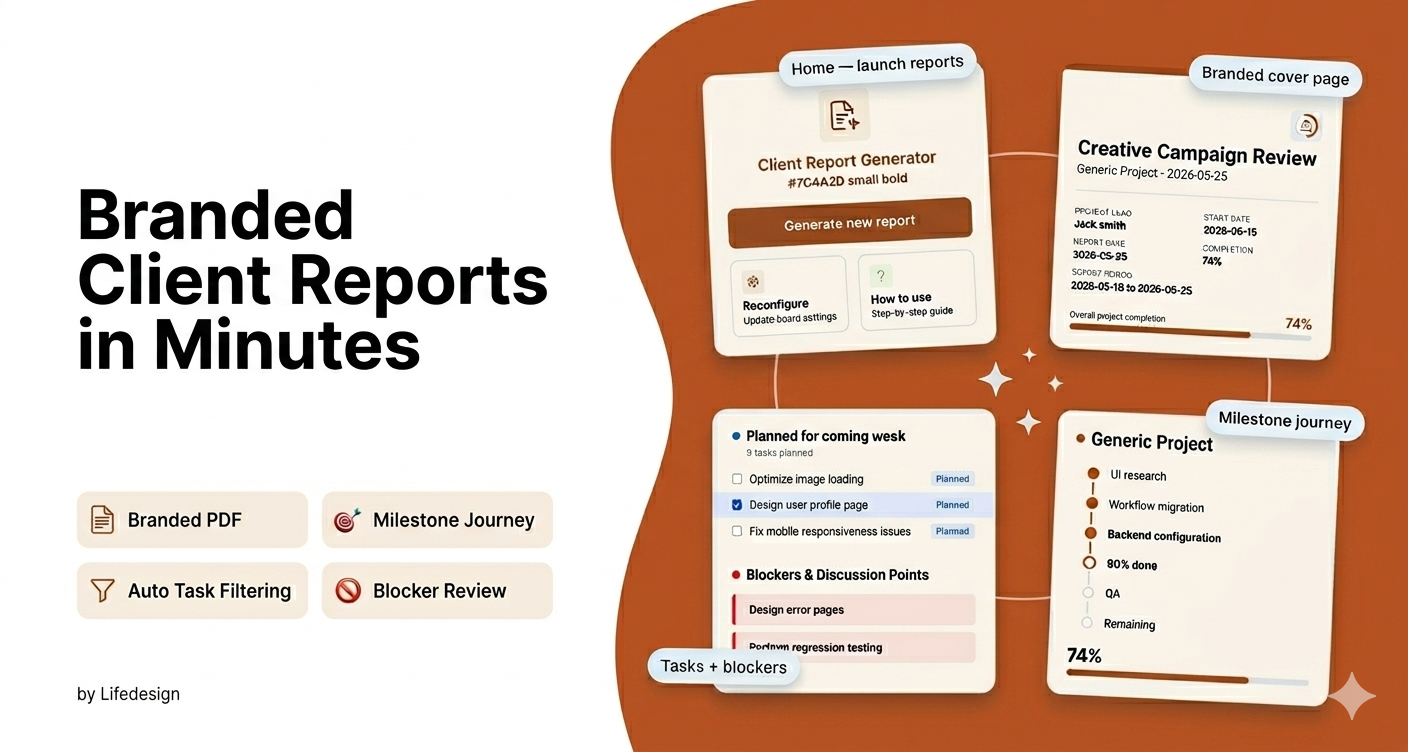
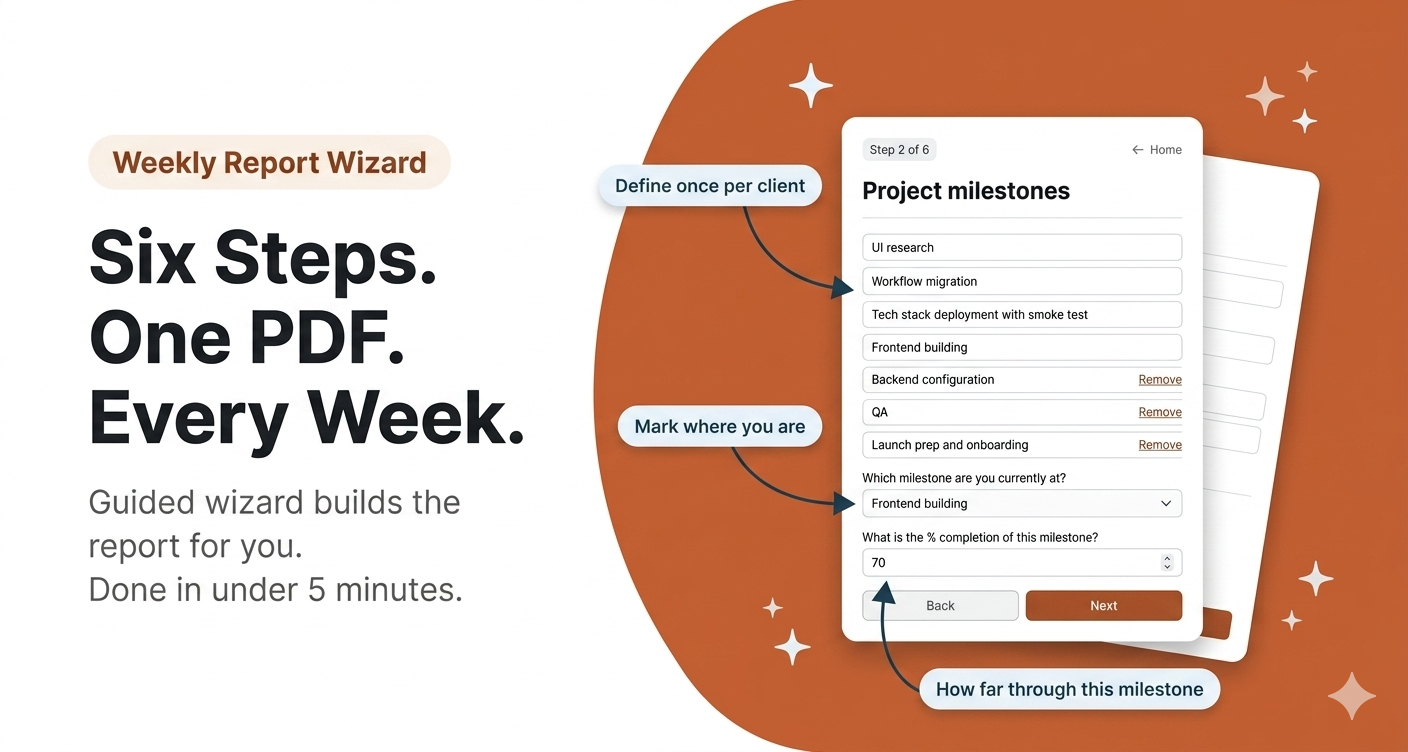
Branded Client reports - straight from your monday boards.
Client Report Generator is a board view app for monday.com that generates branded, professional PDF project status reports directly from your board data — built for digital agencies, marketing agencies, consulting firms, and design studios managing multiple client projects on monday.com.
If your agency manages multiple clients on monday.com, your team is spending hours every week just on reporting. Client Report Generator brings that to minutes — total, across all clients.
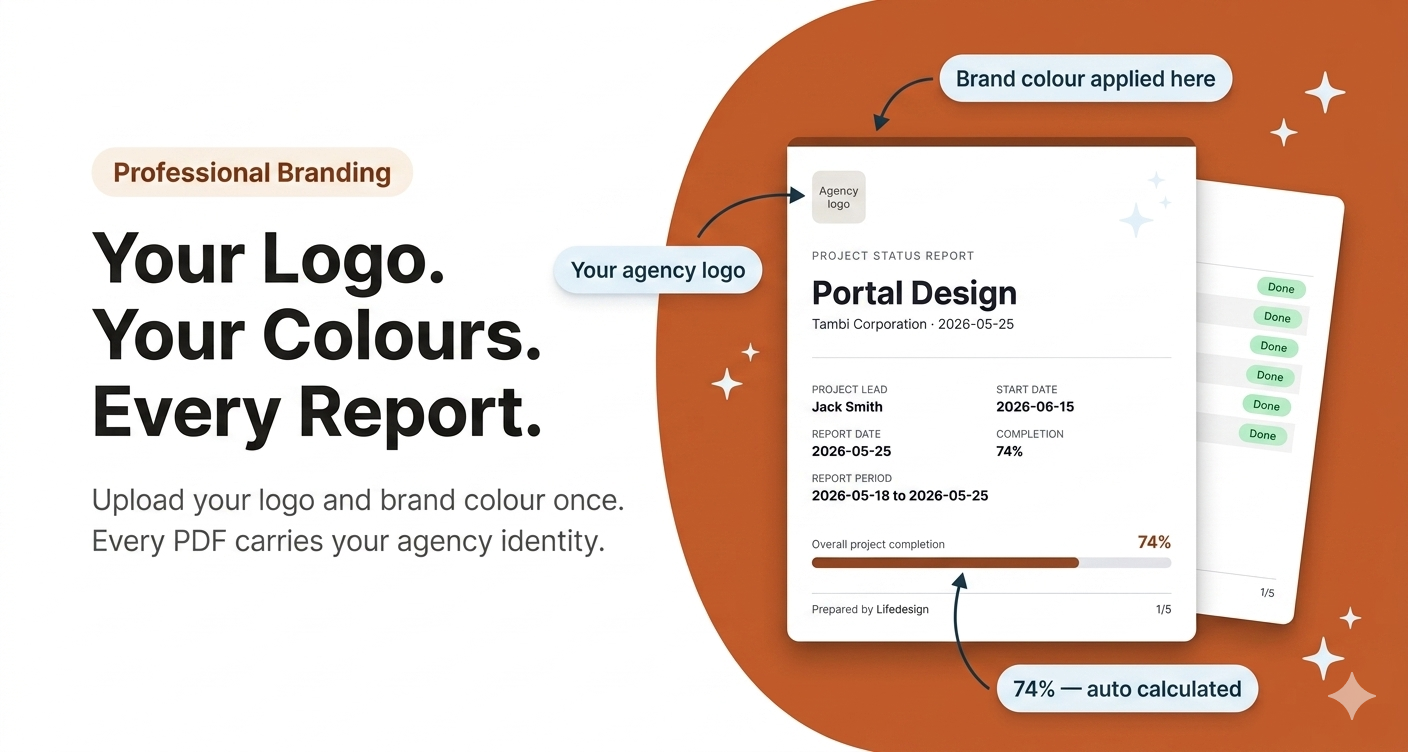
Most reporting tools give you data exports or internal dashboards. This is different — it produces a client-facing PDF that looks like your team spent hours designing it. Your agency logo. Your brand colour. A structured layout a CEO can read in two minutes. All generated directly from your monday.com board with no reformatting, no copy-pasting, and no external tools.
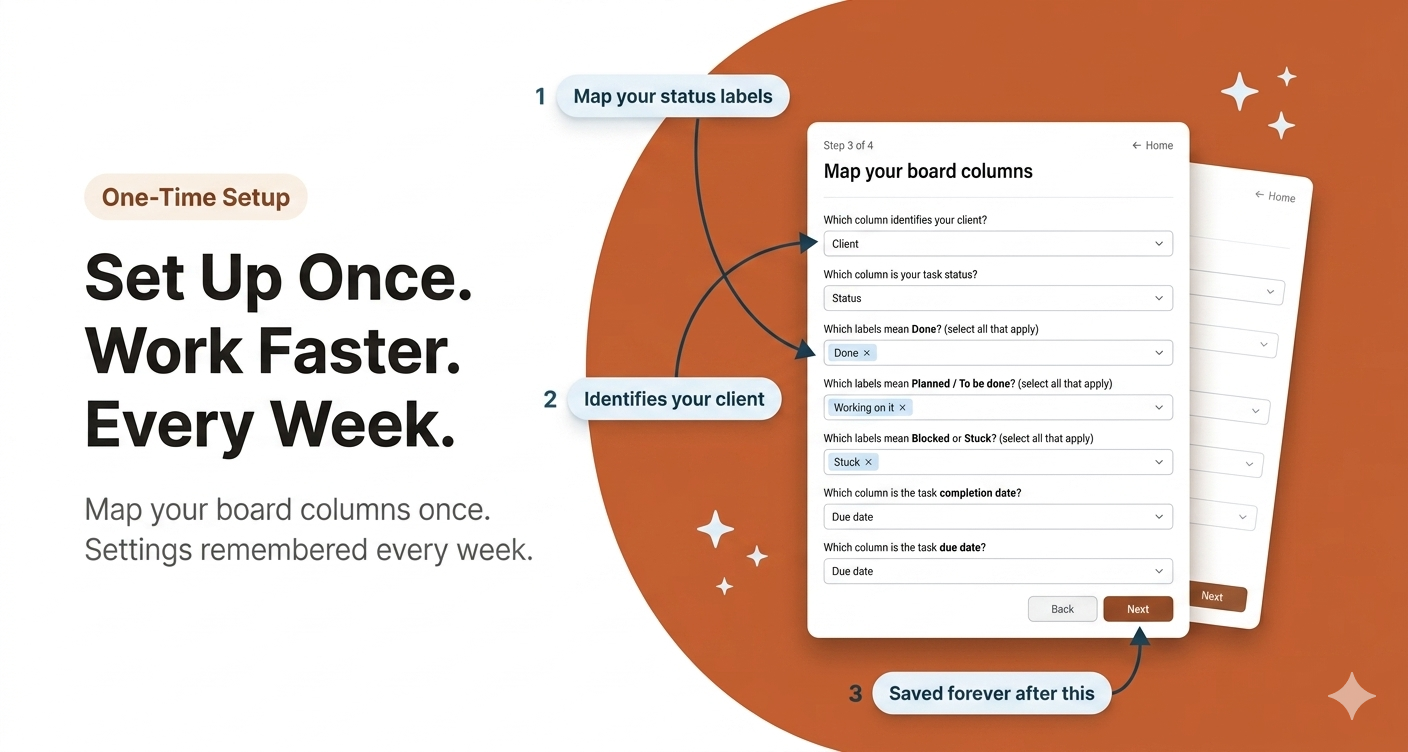
Each client board gets its own saved configuration. Milestones defined, columns mapped, branding applied — once. From that point, every weekly update for that client is generated in under 5 minutes. Across a full client roster, that is a meaningful amount of time returned to your team every week.
What every report includes
- Branded cover page — logo, brand colour, project meta, and overall completion progress bar
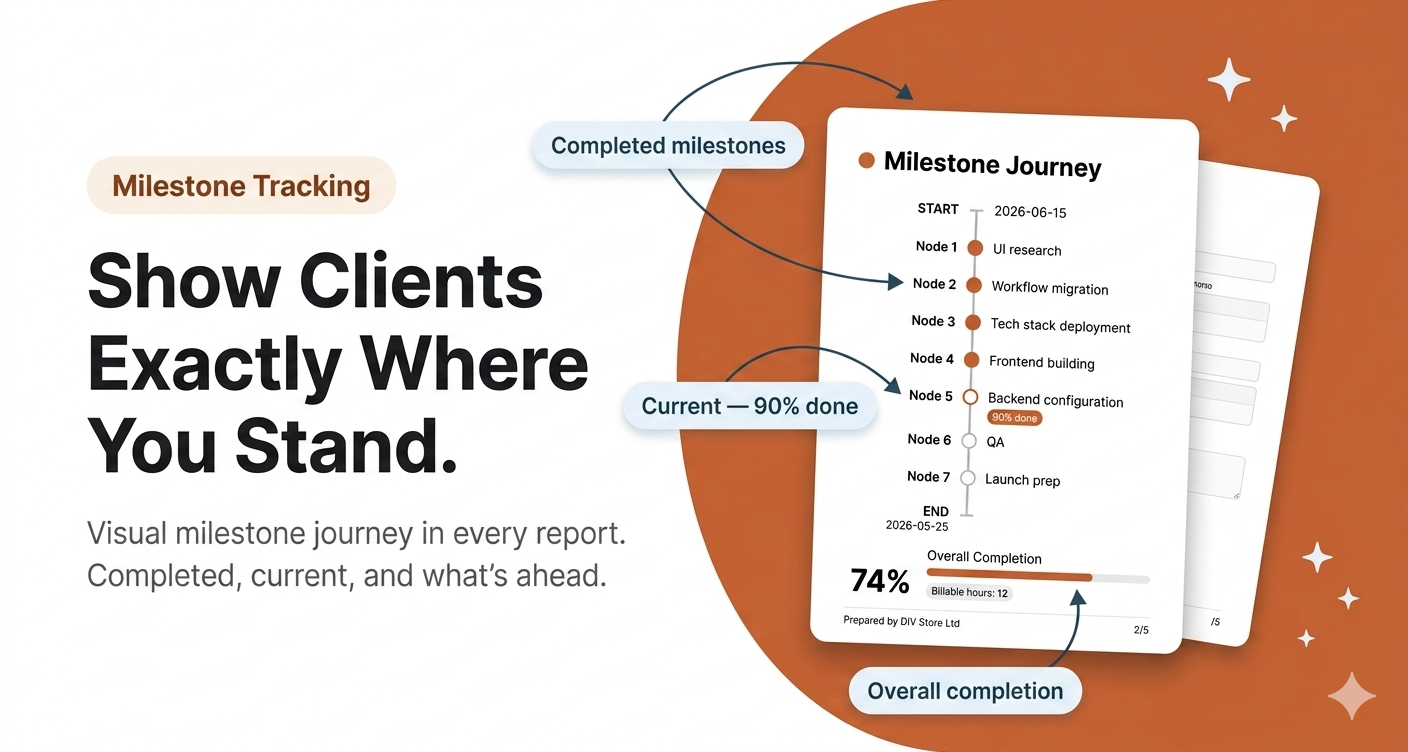
- Milestone journey — visual timeline from project start to finish with current milestone percentage
- Accomplished tasks — automatically surfaced from Done items in the last 7 days using your status columns
- Planned tasks — next week's work pulled from your board automatically
- Blocker review — approve which blockers appear before generating; add open discussion points
- Per-client memory — settings and milestones saved so every return visit starts ready
Who it's for
Digital agencies, marketing agencies, consulting firms, and design studios that manage client projects on monday.com and need a faster, more professional way to communicate weekly progress to clients.
Get in touch
Questions or feedback? Reach us at support@lifedesignos.com
Security & Compliance
The app developer did not provide the security and compliance information for this app.
Reviews
No reviews yet.
Historical data
Installation history
We have data for December 28, 2024 onwards only. Collected sometime after 00:00 UTC daily.
Total number of installs
Change in total number of installs in last 1 day(s)
Compares the number of installs on each date with 1 days previously:
Change in total number of installs in last 7 day(s)
Compares the number of installs on each date with 7 days previously:
Change in total number of installs in last 30 day(s)
Compares the number of installs on each date with 30 days previously:
Change in total number of installs in last 90 day(s)
Compares the number of installs on each date with 90 days previously:
Change in total number of installs in last 180 day(s)
Compares the number of installs on each date with 180 days previously:
Ratings history
Categories history
Each of the following is a yes/no answer, so the graphs show 1 for yes, and 0 for no.