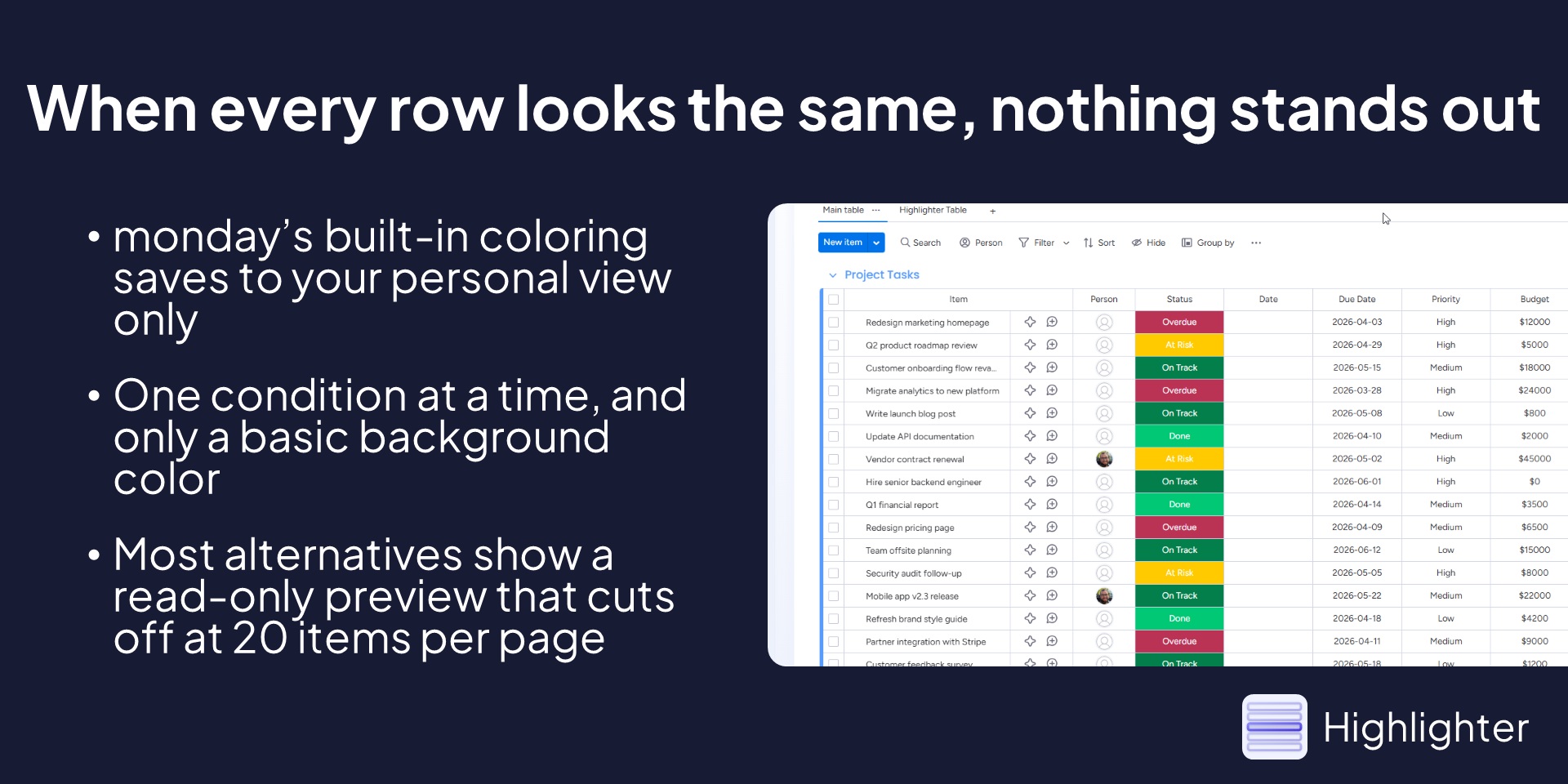
monday.com's built-in conditional coloring has been on the community wish list for improvements since 2019. It saves to your personal view only, supports one condition at a time, and tops out at a background color fill. Most third-party alternatives aren't much better... a rule configurator bolted onto a read-only preview table that paginates at 20 items.
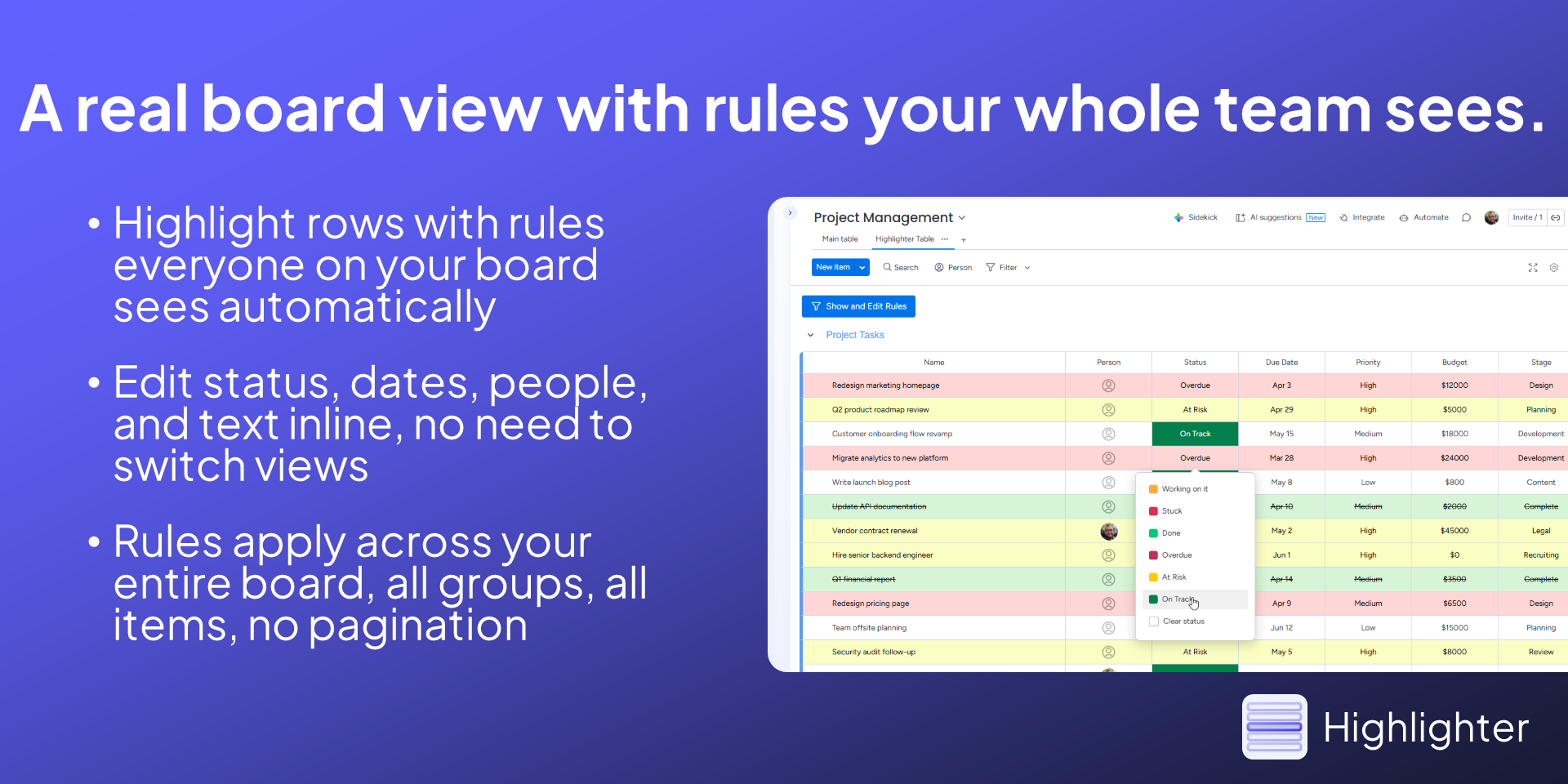
Highlighter is a real board view. You can edit status columns, dates, people, text, numbers, checkboxes and everything else right inside it. Rules apply live across your entire board, no page-flipping, and everyone on your team sees the same highlighting automatically.
Here's what you can actually do with it:
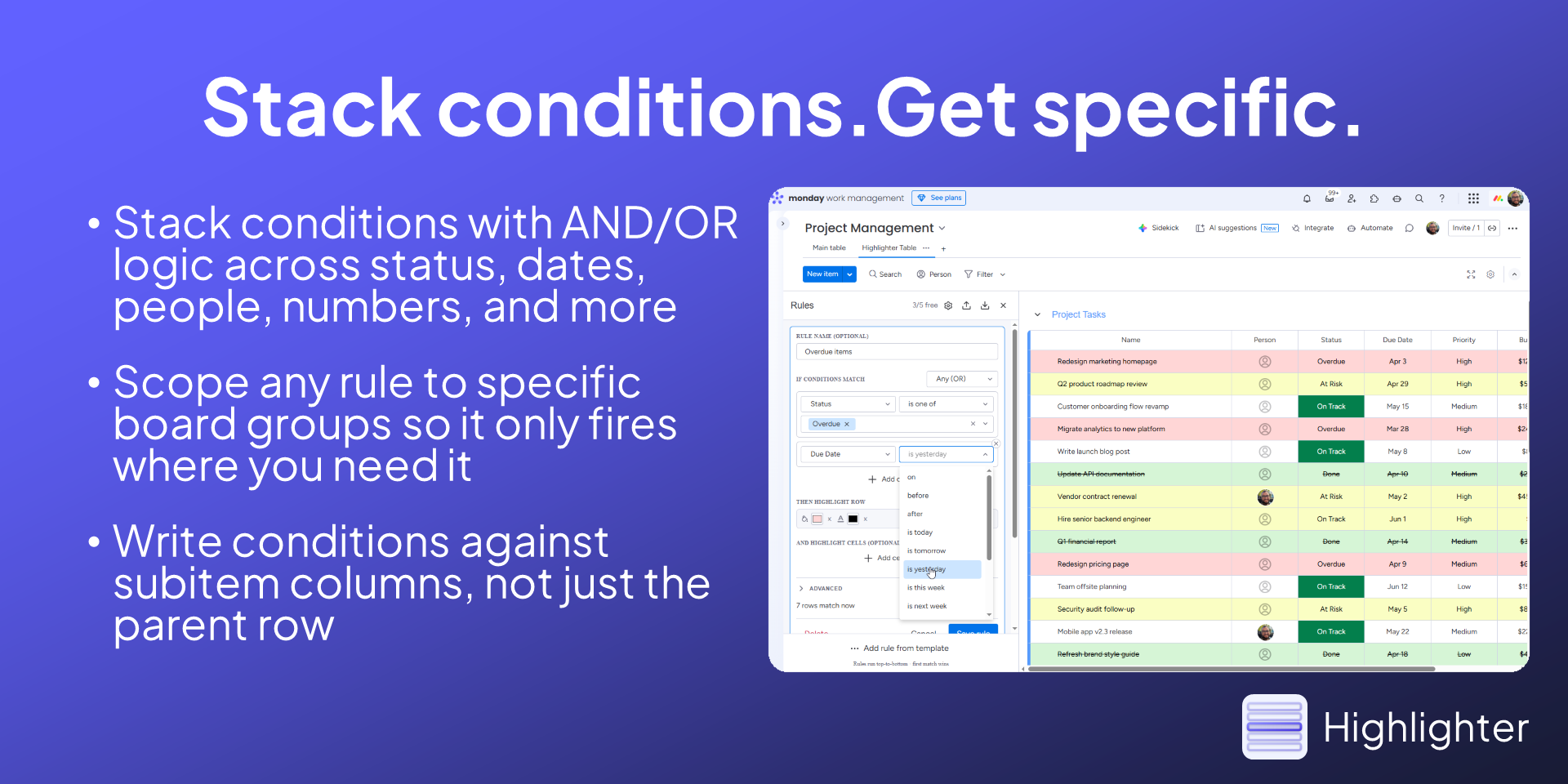
Match on text, numbers, dates, status labels, people, tags, checkboxes, dropdowns, and more, with AND/OR logic across as many conditions as you need
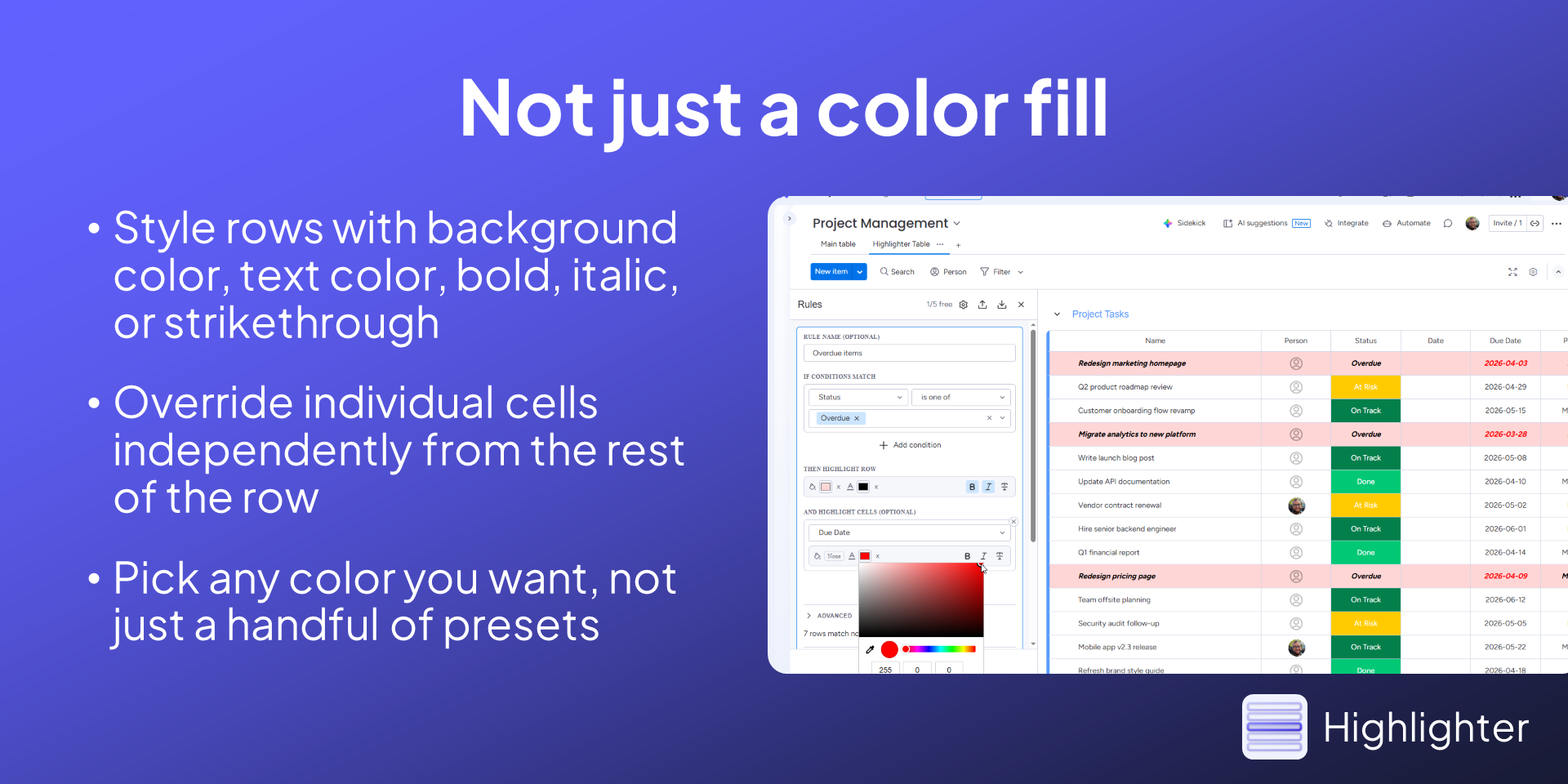
Style rows with background color, text color, bold, italic, or strikethrough, not just a color fill
Override individual cells independently from the row, so one column can look different from the rest
Scope rules to specific board groups so they only fire where you need them
Write conditions against subitem columns, not just the parent row
Export and import rule sets as files, with automatic column remapping when board structures don't match perfectly
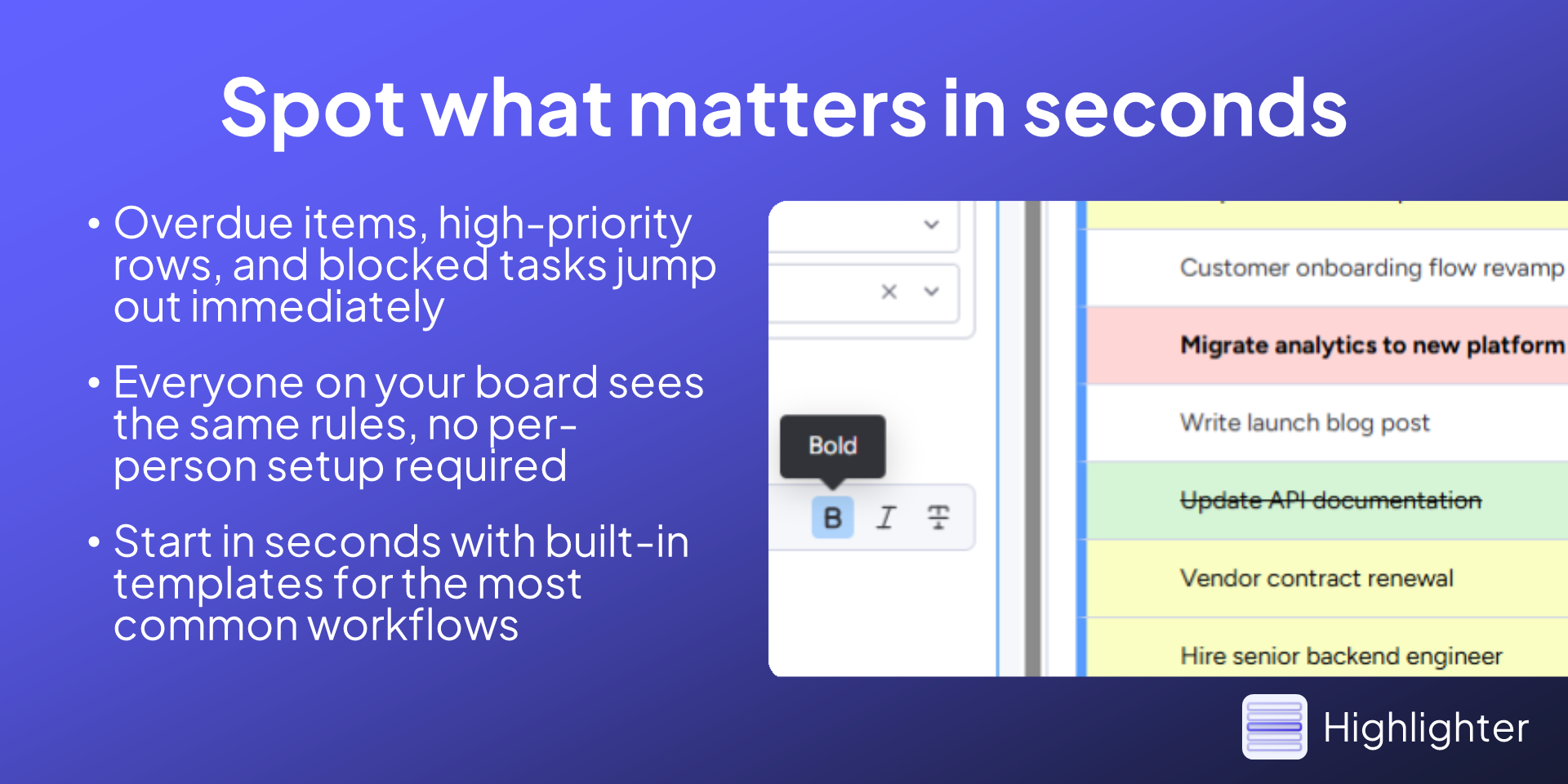
Start in seconds with built-in templates for the most common cases: overdue items, due this week, high priority, and done items
Rules run top-to-bottom. First match wins. Simple, predictable, and shared across your whole team
Does the developer periodically perform penetration testing?
Not answered
Does the developer have a dedicated security and privacy point of contact for such issues or questions?
Yes
Yes, you are welcome to contact us at security@asplundsoftware.com with any questions or concerns.
Does the app restrict redirects and forwards only to approved destinations, or show a warning when redirecting to potentially untrusted content?
Yes
Yes The app runs inside monday.com's frontend and only redirects when a user chooses to open a monday doc, file, or link from their own board, the same way the native board view behaves. We don't generate redirects to any external destinations on our own.
Does the app protect against mass parameter assignment attacks?
Not answered
Does the app perform encoding and sanitization on all user supplied parameters to protect against Cross-Site Scripting?
Yes
All user input, including board data, is sanitized before it's rendered to protect against script injection and Cross-Site Scripting.
Does the developer protect all state-changing actions against Cross-Site Request Forgery (CSRF)?
Yes
The app only runs within monday.com's board view, and the only state it changes is its own rule configuration, which is saved through monday's authenticated API using the user's existing session. There's no separate backend endpoint that an external party could target.
Does the developer have mechanisms to notify monday.com in case of a security breach?
Yes
If we became aware of a security incident affecting the app, we would notify monday.com through their developer and partner support channels, alongside notifying any affected customers directly.
Does this developer have a process for installing application-level updates and security patches for the service (such as software packages and databases)?
Yes
We keep dependencies and packages up to date and apply security patches as they're released, with updates rolled out through monday's app versioning system.
Compliance
Is the app certified with the information security standard ISO/IEC 27001:2022?
Not answered
Is the app compliant with the Health Insurance Portability and Accountability Act (HIPAA)?
Not answered
Is the app certified with System and Organization Controls (SOC 2 or SOC 3)?
Not answered
Is the app compliant with the General Data Protection Regulation (GDPR)?
Yes
es. The app itself runs in the browser and doesn't send any board or item data to our servers, so we never act as a processor for your monday.com data. The one piece of personal data we do receive is the standard installation metadata monday.com sends to developers (admin name, email, and account name on install and uninstall). For that limited data we act as an independent controller, we store it in systems under our own control within the EU/EEA, we don't sell it or use third-party sub-processors for it, and we handle it in line with GDPR. Full details are in our privacy policy: https://asplundsoftware.com/apps/highlighter/privacy-policy
Data
Does the app send any data outside of monday.com? If yes, indicate whether the data is customer-submitted (e.g., board names, item names, doc content) or non-customer-submitted (e.g., account ID, board ID, user ID).
No
No. The app runs entirely within monday.com's frontend, and all data stays inside monday's infrastructure.
Where does the app store logs data?
Not answered
Where does the app store the app data?
monday
App configuration and rule data is stored using monday's hosted storage, so it never leaves monday's environment.
Does the developer ensure application logs do not contain secrets or personally-identifiable information (PII)?
Yes
Logs are limited to operational information needed for debugging and don't include secrets, tokens, or personally identifiable information.
Is customer data segregated from the data of other customers (for example logically or physically)?
Yes
Each customer's data is stored and accessed per account through monday's storage, so it's logically isolated from every other account.
Privacy
Does the developer enforce multi-factor authentication on employees access to systems which may process customer data?
Yes
Asplund Software is a single-developer operation, and multi-factor authentication is enabled on all accounts that touch development, hosting, and customer data.
Does the developer protect access to customer data based on the principle of least privilege?
Yes
Access is limited to what's needed to operate and support the app, and since the app stores its data within monday's own infrastructure, there's no broad standing access to customer board content.
Reviews
No reviews yet.
Historical data
Installation history
We have data for December 28, 2024 onwards only. Collected sometime after 00:00 UTC daily.
Total number of installs
Change in total number of installs in last 1 day(s)
Compares the number of installs on each date with 1 days previously:
Max
Min
Current
Change in total number of installs in last 7 day(s)
Compares the number of installs on each date with 7 days previously:
Max
Min
Current
Change in total number of installs in last 30 day(s)
Compares the number of installs on each date with 30 days previously:
Max
Min
Current
Change in total number of installs in last 90 day(s)
Compares the number of installs on each date with 90 days previously:
Max
Min
Current
Change in total number of installs in last 180 day(s)
Compares the number of installs on each date with 180 days previously:
Max
Min
Current
Ratings history
Categories history
Each of the following is a yes/no answer, so the graphs show 1 for yes, and 0 for no.
{
  "id": 10001203,
  "marketplace_developer_id": 100000131,
  "app_id": 11144045,
  "app_type": "app",
  "security_info": {},
  "gallery_assets": [
    {
      "url": "https://cdn.monday.com/marketplace/10001203/10001203_2026_4_31_6_8_36_v8oiinx.PNG",
      "type": "image"
    },
    {
      "url": "https://cdn.monday.com/marketplace/10001203/10001203_2026_4_31_6_8_39_jw3aqn.PNG",
      "type": "image"
    },
    {
      "url": "https://cdn.monday.com/marketplace/10001203/10001203_2026_4_31_6_8_43_1fiw2rl.PNG",
      "type": "image"
    },
    {
      "url": "https://cdn.monday.com/marketplace/10001203/10001203_2026_4_31_6_8_47_rg0h73p.PNG",
      "type": "image"
    },
    {
      "url": "https://cdn.monday.com/marketplace/10001203/10001203_2026_4_31_6_8_50_p2gxo50j.PNG",
      "type": "image"
    }
  ],
  "description": "<p><a href=\"http://monday.com/\" rel=\"noopener noreferrer\" target=\"_blank\">monday.com</a>'s built-in conditional coloring has been on the community wish list for improvements since 2019. It saves to your personal view only, supports one condition at a time, and tops out at a background color fill. Most third-party alternatives aren't much better... a rule configurator bolted onto a read-only preview table that paginates at 20 items.</p><p>Highlighter is a <strong>real board view</strong>. You can edit status columns, dates, people, text, numbers, checkboxes and everything else right inside it. Rules apply live across your entire board, no page-flipping, and everyone on your team sees the same highlighting automatically.</p><p>Here's what you can actually do with it:</p><ul><li><strong>Match </strong>on text, numbers, dates, status labels, people, tags, checkboxes, dropdowns, and more, with AND/OR logic across as many conditions as you need</li><li><strong>Style rows</strong> with background color, text color, bold, italic, or strikethrough, not just a color fill</li><li><strong>Override individual cells</strong> independently from the row, so one column can look different from the rest</li><li>Scope rules to <strong>specific board groups</strong> so they only fire where you need them</li><li>Write conditions against <strong>subitem columns</strong>, not just the parent row</li><li><strong>Export </strong>and <strong>import </strong>rule sets as files, with automatic column remapping when board structures don't match perfectly</li><li>Start in seconds with <strong>built-in templates</strong> for the most common cases: overdue items, due this week, high priority, and done items</li></ul><p>Rules run top-to-bottom. First match wins. Simple, predictable, and shared across your whole team</p><p>Free plan includes 5 rules per board.</p><p>Visit <a href=\"https://asplundsoftware.com/apps/highlighter/how-to\" rel=\"noopener noreferrer\" target=\"_blank\">https://asplundsoftware.com/apps/highlighter/how-to</a> to learn more.</p>",
  "short_description": "Color-code your board. Rules everyone can see.",
  "thumbnail_url": "https://cdn.monday.com/marketplace/10001203/10001203_2026_4_31_6_8_20_2elo6s1j.png",
  "logo_url": "https://cdn.monday.com/marketplace/10001203/10001203_2026_4_31_6_8_17_0rdkjk7.png",
  "feedback_url": "support@asplundsoftware.com",
  "privacy_policy_url": "https://asplundsoftware.com/apps/highlighter/privacy-policy",
  "featured": false,
  "name": "Highlighter",
  "how_to_use_url": "https://asplundsoftware.com/apps/highlighter/how-to",
  "external_pricing_url": null,
  "keywords": "date-based coloring,status highlighting,visual formatting,priority flagging,overdue tasks,board view,conditional coloring,color coding,row highlighting,conditional formatting",
  "compliance_answers": [
    {
      "questionId": 19,
      "shortAnswer": false,
      "detailedAnswer": "No. The app runs entirely within monday.com's frontend, and all data stays inside monday's infrastructure."
    },
    {
      "questionId": 17,
      "detailedAnswer": "App configuration and rule data is stored using monday's hosted storage, so it never leaves monday's environment.",
      "dataHostingProvider": "monday"
    },
    {
      "questionId": 14,
      "shortAnswer": true,
      "detailedAnswer": "Yes, you are welcome to contact us at security@asplundsoftware.com with any questions or concerns."
    },
    {
      "questionId": 11,
      "shortAnswer": true,
      "detailedAnswer": "es. The app itself runs in the browser and doesn't send any board or item data to our servers, so we never act as a processor for your monday.com data. The one piece of personal data we do receive is the standard installation metadata monday.com sends to developers (admin name, email, and account name on install and uninstall). For that limited data we act as an independent controller, we store it in systems under our own control within the EU/EEA, we don't sell it or use third-party sub-processors for it, and we handle it in line with GDPR. Full details are in our privacy policy: https://asplundsoftware.com/apps/highlighter/privacy-policy"
    },
    {
      "questionId": 10,
      "shortAnswer": true,
      "detailedAnswer": "Yes\nThe app runs inside monday.com's frontend and only redirects when a user chooses to open a monday doc, file, or link from their own board, the same way the native board view behaves. We don't generate redirects to any external destinations on our own."
    },
    {
      "questionId": 8,
      "shortAnswer": true,
      "detailedAnswer": "Logs are limited to operational information needed for debugging and don't include secrets, tokens, or personally identifiable information."
    },
    {
      "questionId": 7,
      "shortAnswer": true,
      "detailedAnswer": "Asplund Software is a single-developer operation, and multi-factor authentication is enabled on all accounts that touch development, hosting, and customer data."
    },
    {
      "questionId": 6,
      "shortAnswer": true,
      "detailedAnswer": "Access is limited to what's needed to operate and support the app, and since the app stores its data within monday's own infrastructure, there's no broad standing access to customer board content."
    },
    {
      "questionId": 5,
      "shortAnswer": true,
      "detailedAnswer": "All user input, including board data, is sanitized before it's rendered to protect against script injection and Cross-Site Scripting."
    },
    {
      "questionId": 4,
      "shortAnswer": true,
      "detailedAnswer": "The app only runs within monday.com's board view, and the only state it changes is its own rule configuration, which is saved through monday's authenticated API using the user's existing session. There's no separate backend endpoint that an external party could target."
    },
    {
      "questionId": 3,
      "shortAnswer": true,
      "detailedAnswer": "If we became aware of a security incident affecting the app, we would notify monday.com through their developer and partner support channels, alongside notifying any affected customers directly."
    },
    {
      "questionId": 2,
      "shortAnswer": true,
      "detailedAnswer": "We keep dependencies and packages up to date and apply security patches as they're released, with updates rolled out through monday's app versioning system."
    },
    {
      "questionId": 1,
      "shortAnswer": true,
      "detailedAnswer": "Each customer's data is stored and accessed per account through monday's storage, so it's logically isolated from every other account."
    }
  ],
  "created_at": "2026-05-31T06:07:50.000Z",
  "updated_at": "2026-06-01T14:05:51.000Z",
  "automation_app_id": null,
  "marketplace_category_ids": [
    10000001,
    9,
    6
  ],
  "pinned_for_categories_ids": [],
  "featured_for_categories_ids": [],
  "pricing_data": null,
  "label": null,
  "app_values": [
    "Easier resource management"
  ],
  "security": true,
  "display_in_template_store": false,
  "acquisition_source": "No touch",
  "is_connector": false,
  "show_connections": null,
  "terms_of_service_url": "https://asplundsoftware.com/apps/highlighter/terms",
  "available_for_tiers": [],
  "available_for_products": [],
  "google_analytics_tag_id": null,
  "is_solution": false,
  "cta_override": null,
  "app_scope_str": "boards:read,boards:write,docs:read,docs:write,users:read,updates:read,tags:read,teams:read",
  "app_client_id": "48e2a8559688667d675341abb2eccbaa",
  "app_color": {
    "hsl": {
      "h": 269.9999999999998,
      "s": 0,
      "l": 1,
      "a": 1
    },
    "hex": "#ffffff",
    "rgb": {
      "r": 255,
      "g": 255,
      "b": 255,
      "a": 1
    },
    "hsv": {
      "h": 269.9999999999998,
      "s": 0,
      "v": 1,
      "a": 1
    },
    "oldHue": 269.9999999999998,
    "source": "hsv"
  },
  "plans": [
    {
      "id": "11144045-1-free",
      "appPlanId": "free",
      "name": "Free",
      "versionId": 1,
      "isTrial": false,
      "prices": {
        "type": "standard",
        "monthly": 0,
        "yearly": 0
      },
      "versionState": "live",
      "appId": 11144045,
      "description": "Plenty for straightforward boards that need a few well-placed rules.",
      "extraData": {
        "bullets": [
          "5 rules per board, plenty for most everyday workflows",
          "Full AND/OR condition logic on every rule",
          "Row-level styling: background color, text color, bold, italic, and strikethrough",
          "Cell-level style overrides so individual columns can stand out from the rest of the row",
          "Built-in templates to get started in seconds"
        ],
        "monthlyFee": 0,
        "yearlyFee": 0
      },
      "isFree": true,
      "isRecommended": false,
      "currency": "USD"
    },
    {
      "id": "11144045-1-pro",
      "appPlanId": "pro",
      "name": "Pro",
      "versionId": 1,
      "isTrial": true,
      "prices": {
        "type": "standard",
        "monthly": 19,
        "yearly": 15
      },
      "versionState": "live",
      "appId": 11144045,
      "description": "For complex boards and teams who need rules without limits.",
      "extraData": {
        "bullets": [
          "Unlimited rules across all your boards",
          "Subitem column conditions for more complex board structures",
          "Group scoping to target rules at specific sections of your board",
          "Import and export rule sets as files, with automatic column remapping across boards",
          "Use any rule as a native monday.com board filter with one click"
        ],
        "monthlyFee": 19,
        "yearlyFee": 15
      },
      "isFree": false,
      "isRecommended": true,
      "currency": "USD"
    }
  ],
  "app_live_version": {
    "updated_at": "2026-09-25T21:26:37.275Z",
    "id": 15040954
  },
  "pricing_model": null,
  "monetization": {
    "monetizationType": "monday",
    "hasFreePlan": true,
    "hasPaidPlan": true,
    "hasTrialPlan": true
  },
  "badges_data": {
    "security": true,
    "app_values": [
      "Easier resource management"
    ],
    "acquisition_source": "No touch",
    "display_in_template_store": false
  },
  "data": {
    "is_solution": false,
    "cta_override": null,
    "is_connector": false,
    "available_for_tiers": [],
    "terms_of_service_url": "https://asplundsoftware.com/apps/highlighter/terms",
    "available_for_products": [],
    "google_analytics_tag_id": null
  },
  "display": null,
  "installsDelta": {
    "totalInstalls": 21,
    "sevenDays": 1,
    "thirtyDays": 2,
    "ninetyDays": 8
  }
}