
GetSet Sync
Bulltehead lifestyle pvt. ltd.
3 installs, since May 29, 2026. 0.5 installs/month. App updated April 17, 2026. Listing updated May 29, 2026.
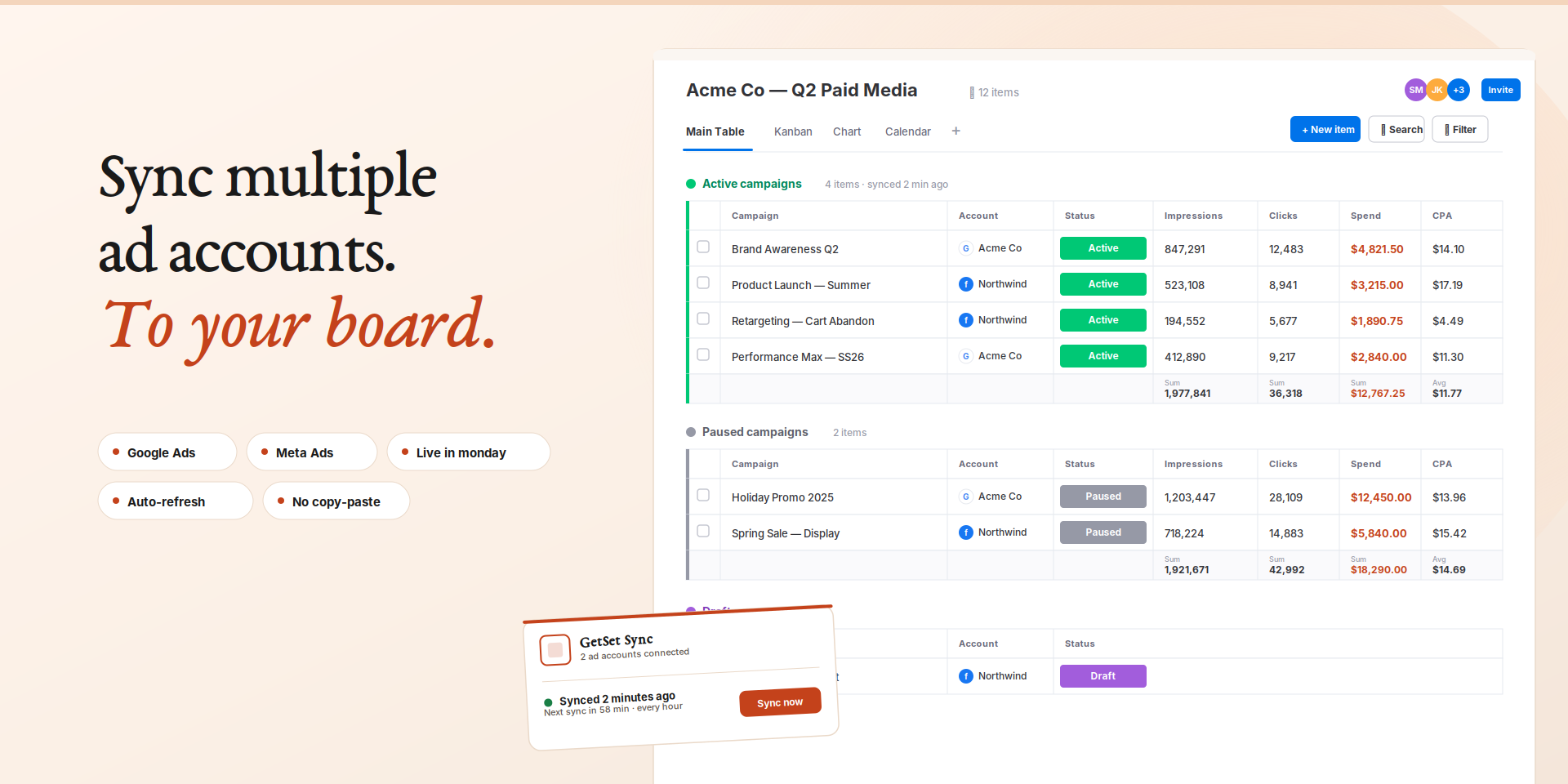
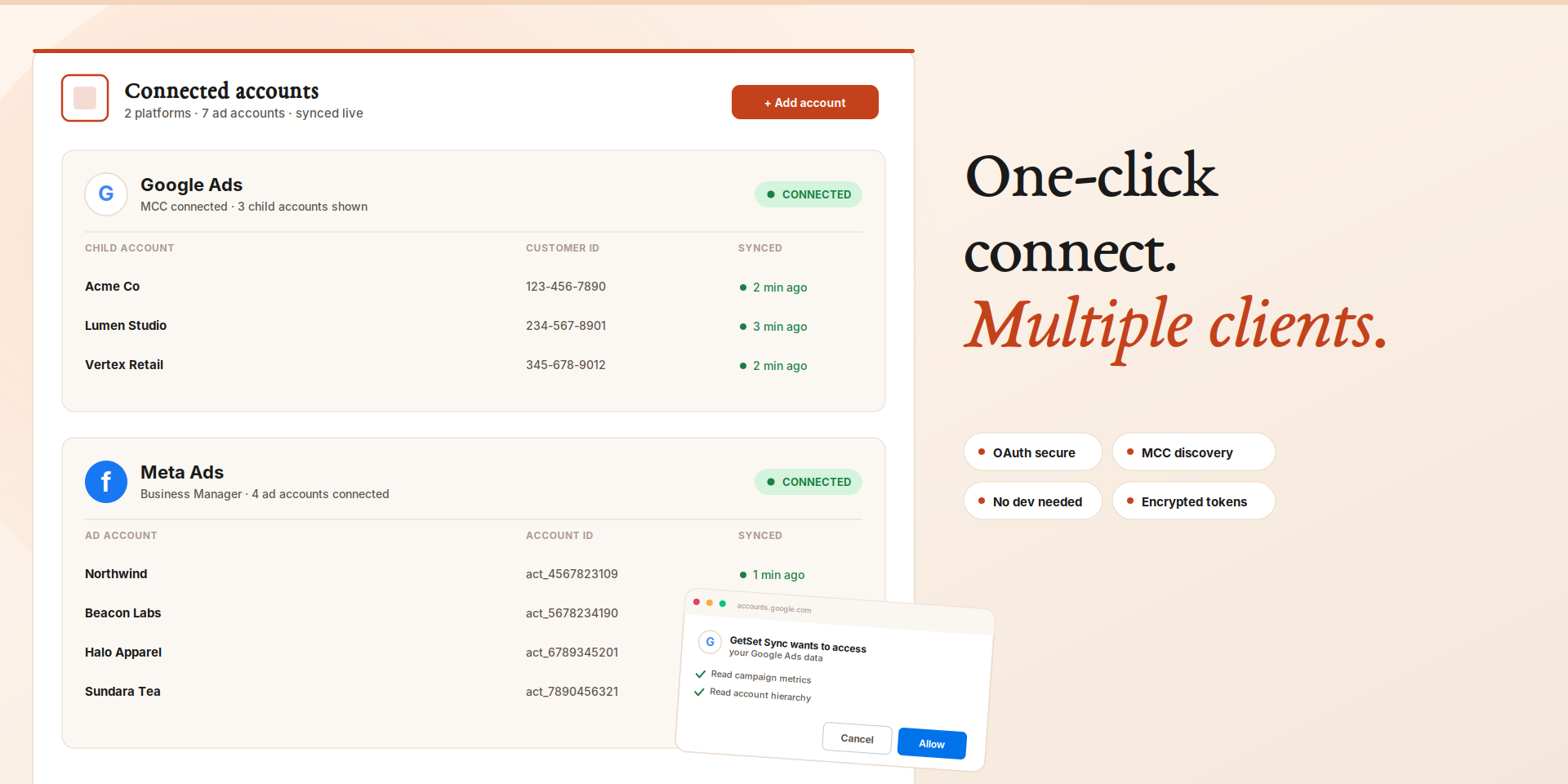
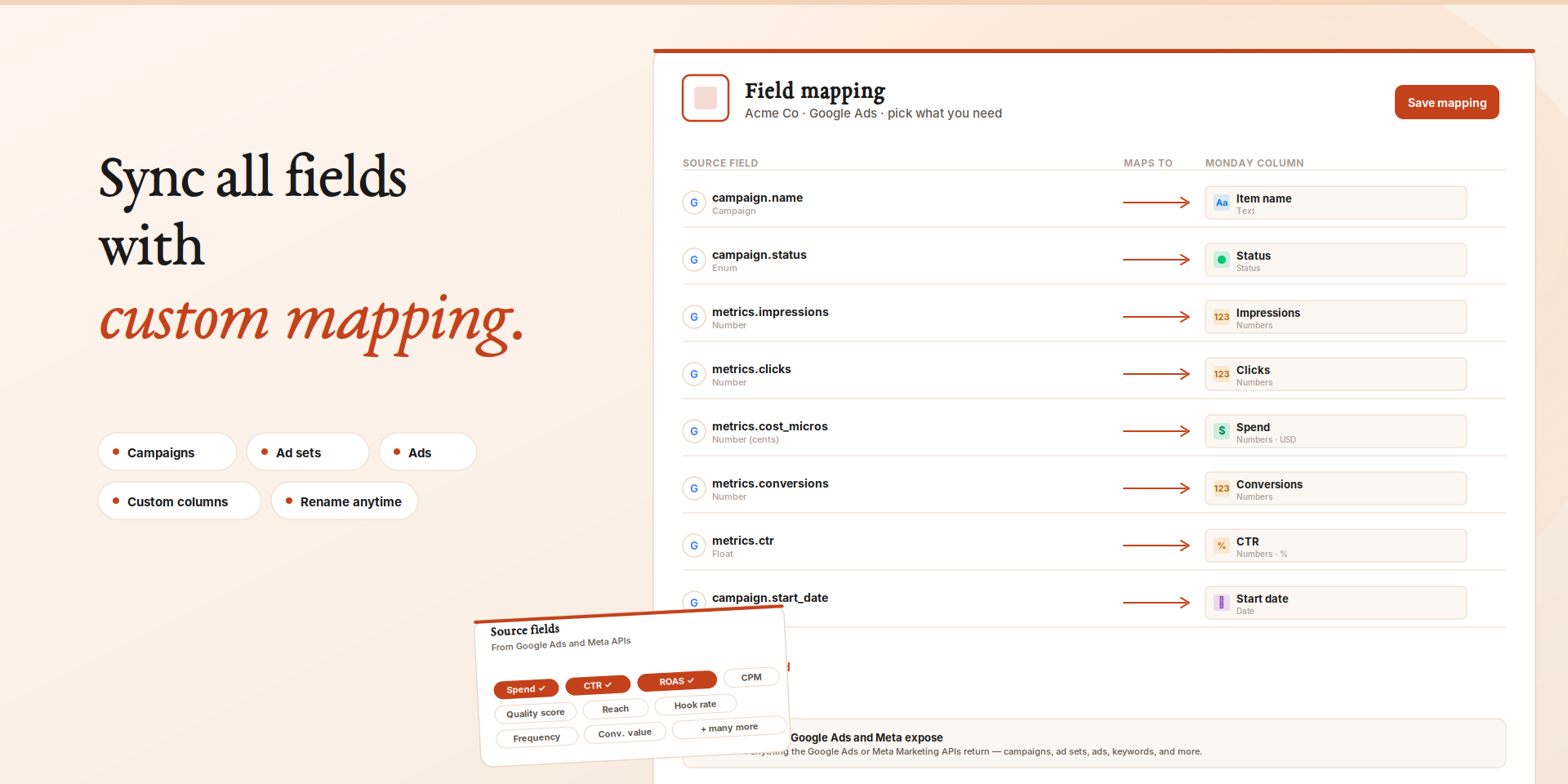
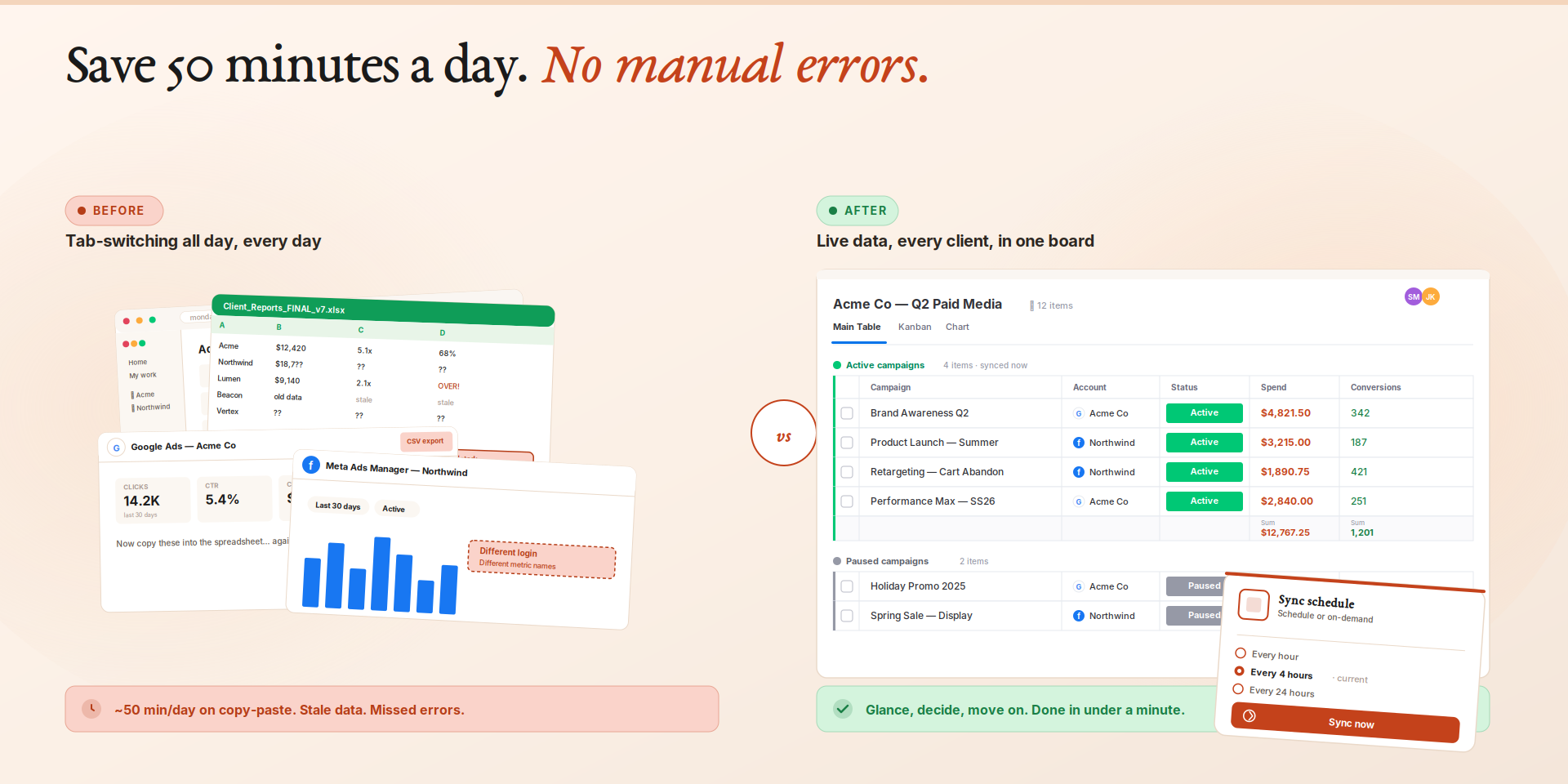
Sync Google Ads & Meta Ads metrics automatically
GetSet Sync brings your ad performance data directly into monday.com — no more exporting CSVs or switching between platforms.
Connect your Google Ads and Meta Ads accounts and automatically sync campaign metrics like impressions, clicks, spend, conversions, CPA, and more into your monday.com board columns. Updated on a schedule you set.
**How It Works:**
1. **Connect** your Google Ads or Meta Ads account with one click using secure OAuth.
2. **Choose** the metrics you want to sync — performance, cost, conversions, engagement, and more.
3. **Your board updates automatically.** No manual work required.
**Key Features:**
- **Multiple ad accounts** — Sync from multiple Google Ads and Meta Ads accounts into the same or different boards.
- **Custom field mapping** — Choose which metrics appear and name the columns however you want.
- **Automated scheduling** — Set your sync interval and your board stays current automatically.
- **Campaign, ad group, and ad level data** — Sync at the granularity that matters to your team.
- **Change indicators** — See period-over-period changes at a glance.
- **Secure by design** — OAuth tokens encrypted with AES-256-GCM. We only read data, never modify your ad accounts.
Built for marketing teams and agencies on monday.com. See your campaign performance right where your team works.
Security & Compliance
The app developer did not provide the security and compliance information for this app.
Reviews
No reviews yet.
Historical data
Installation history
We have data for December 28, 2024 onwards only. Collected sometime after 00:00 UTC daily.
Total number of installs
Change in total number of installs in last 1 day(s)
Compares the number of installs on each date with 1 days previously:
Change in total number of installs in last 7 day(s)
Compares the number of installs on each date with 7 days previously:
Change in total number of installs in last 30 day(s)
Compares the number of installs on each date with 30 days previously:
Change in total number of installs in last 90 day(s)
Compares the number of installs on each date with 90 days previously:
Change in total number of installs in last 180 day(s)
Compares the number of installs on each date with 180 days previously:
Ratings history
Categories history
Each of the following is a yes/no answer, so the graphs show 1 for yes, and 0 for no.