Create or update monday.com items from Tally form entries.
Why You'll Love It
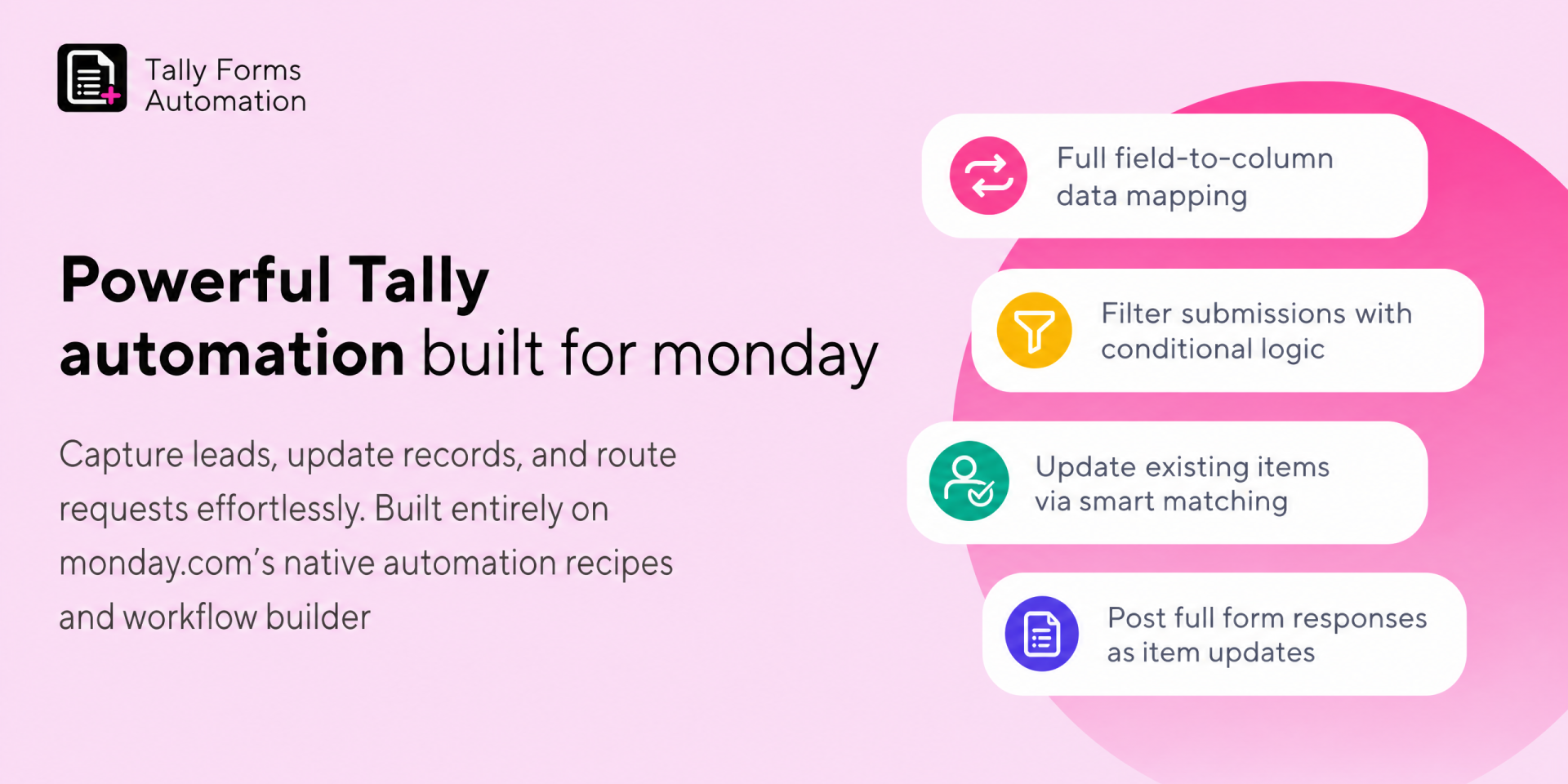
Seamlessly connect Tally Forms with monday.com to build powerful, custom automations. This app gives you complete control over your data with advanced field mapping, conditional logic, and smart record updating natively within monday.com's automation recipes and the new workflow builder.
Keep your boards clean, update existing records automatically, and trigger workflows exactly the way you want without any manual data entry.
🔄 Smart Item & Subitem Creation
- Create items or subitems automatically when a Tally form is submitted.
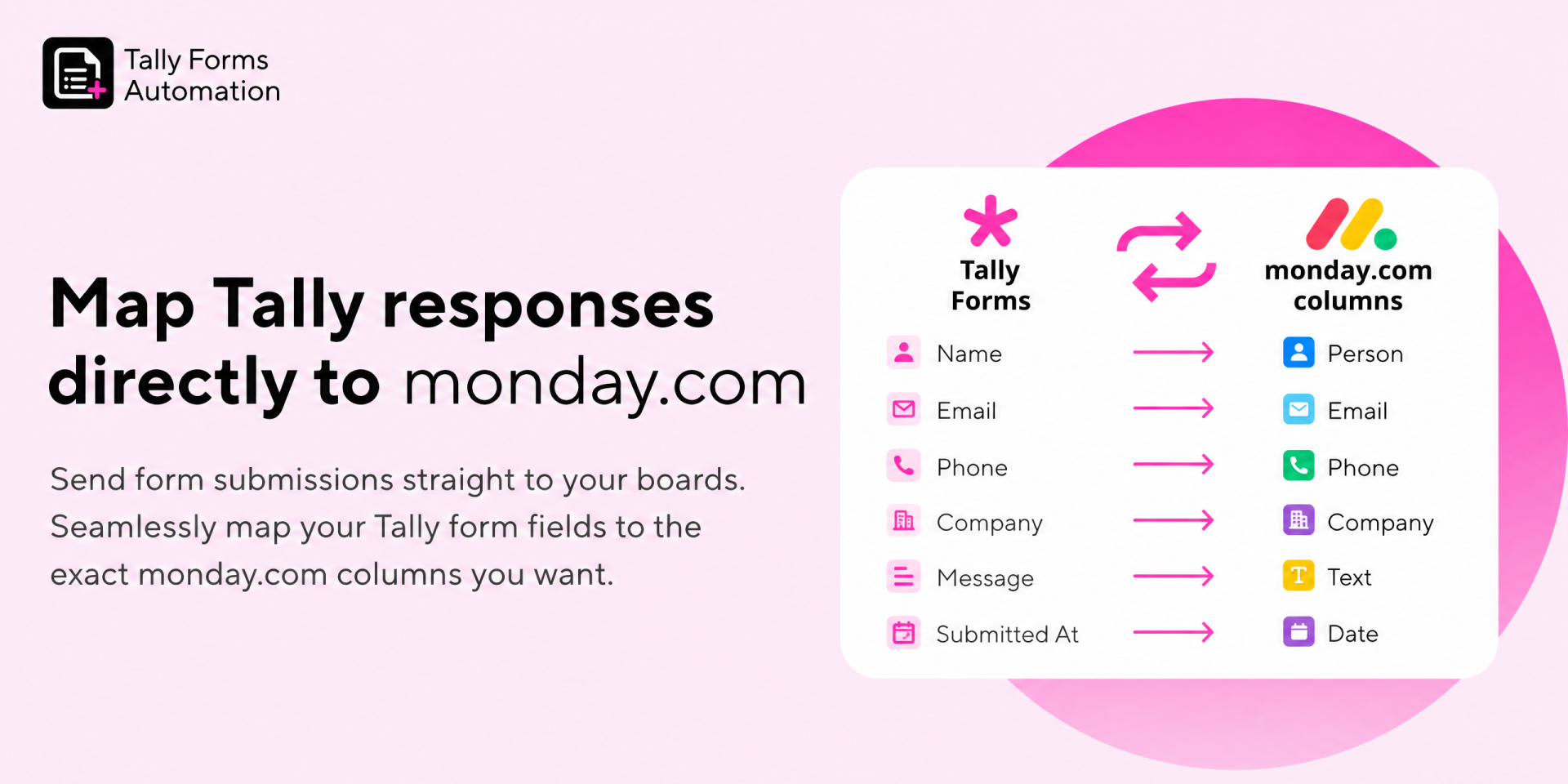
- Full Data Mapping: Map specific Tally form fields directly to your chosen monday.com columns.
- Full Response Capture: Automatically post the entire Tally form response as an update (comment) in the newly created item so your team has all the context in one place.
🎯 Match & Update Existing Items
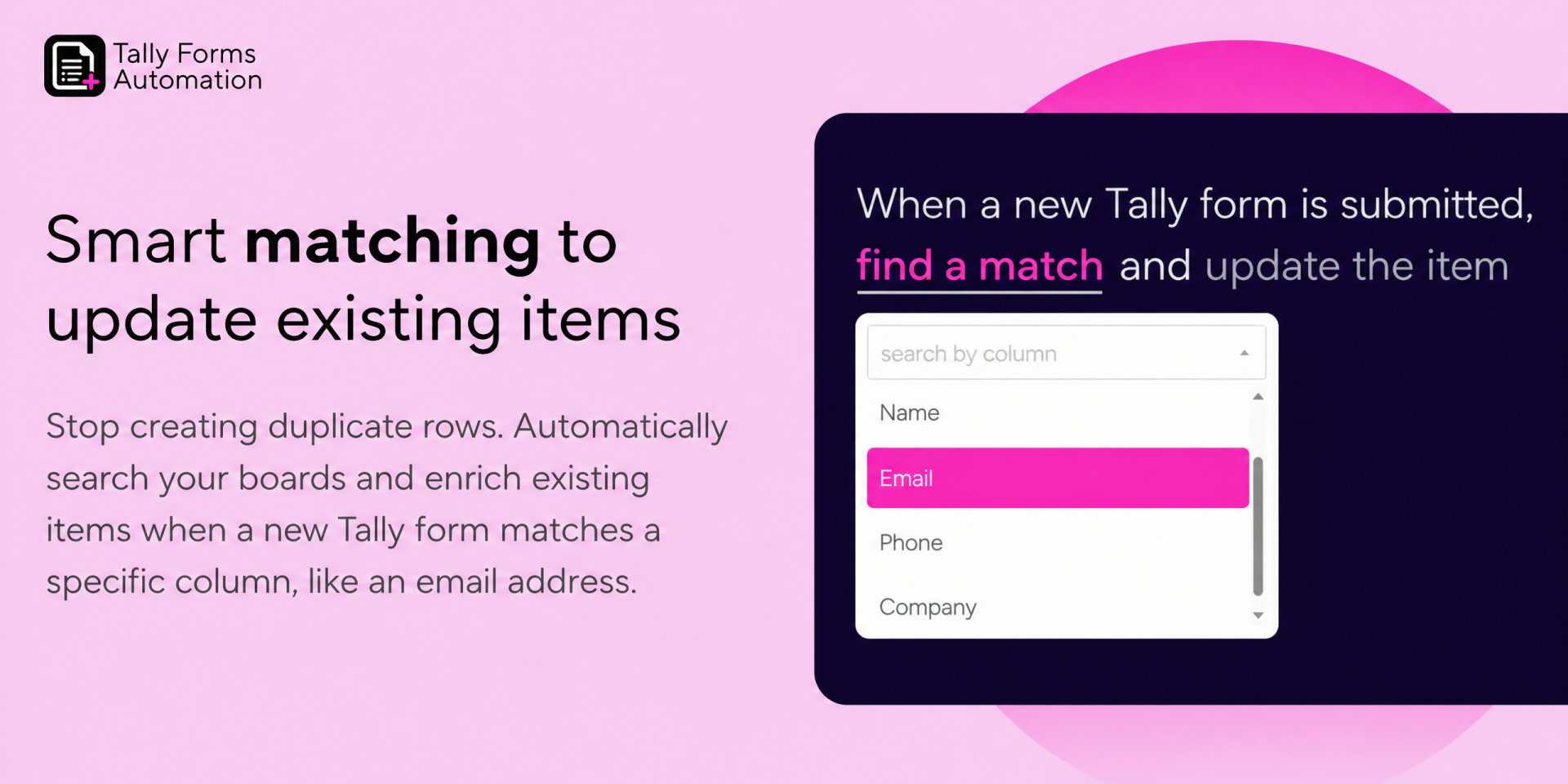
Don't just create new items, update your existing data! Match incoming Tally responses to existing monday.com items (e.g., matching a Tally "Email" field to a monday.com "Email" column). Perfect for updating user profiles, lead statuses, or existing support tickets without creating duplicates.
🚦 Powerful Conditional Logic
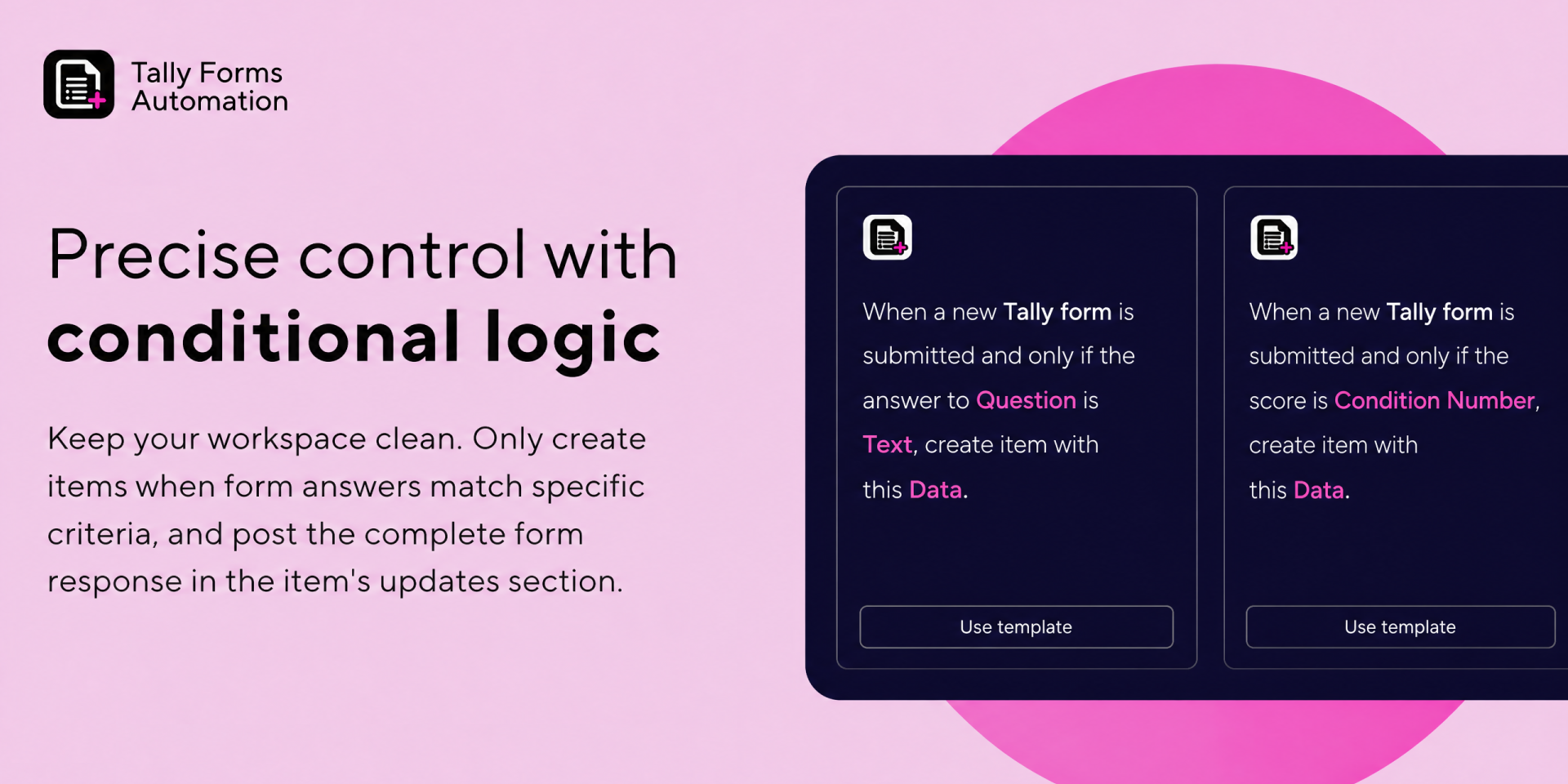
Keep your workspace clutter-free. Use conditional logic to only create or update items/subitems when a Tally response matches a specific text, number, or dropdown selection.
📋 Pure Automation Recipes
Built entirely with monday.com's intuitive sentence-based automations and the new workflow builder. No complex external setup, just simple, powerful recipes that work exactly like the native automations you already know.
Who It's For
- Sales & CRM: Update existing lead records with new inquiry data.
- HR Teams: Conditionally route applicant submissions to specific boards or subitems.
- Customer Support: Create tickets or append new feedback to existing client records.
- Operations: Build complex intake workflows using custom logic.
Security & Compliance
The app developer did not provide the security and compliance information for this app.
Reviews
No reviews yet.
Historical data
Installation history
We have data for December 28, 2024 onwards only. Collected sometime after 00:00 UTC daily.
Total number of installs
Change in total number of installs in last 1 day(s)
Compares the number of installs on each date with 1 days previously:
Max
Min
Current
Change in total number of installs in last 7 day(s)
Compares the number of installs on each date with 7 days previously:
Max
Min
Current
Change in total number of installs in last 30 day(s)
Compares the number of installs on each date with 30 days previously:
Max
Min
Current
Change in total number of installs in last 90 day(s)
Compares the number of installs on each date with 90 days previously:
Max
Min
Current
Change in total number of installs in last 180 day(s)
Compares the number of installs on each date with 180 days previously:
Max
Min
Current
Ratings history
Categories history
Each of the following is a yes/no answer, so the graphs show 1 for yes, and 0 for no.

{
"id": 10001201,
"marketplace_developer_id": 100000096,
"app_id": 10892647,
"app_type": "app",
"security_info": {},
"gallery_assets": [
{
"url": "https://cdn.monday.com/marketplace/10001201/10001201_2026_4_28_8_18_28_53t3q4kk.png",
"type": "image"
},
{
"url": "https://cdn.monday.com/marketplace/10001201/10001201_2026_4_28_8_18_38_w13f94v.png",
"type": "image"
},
{
"url": "https://cdn.monday.com/marketplace/10001201/10001201_2026_4_28_8_18_53_9v9fmyx.png",
"type": "image"
},
{
"url": "https://cdn.monday.com/marketplace/10001201/10001201_2026_4_28_8_19_4_ntzd2pw.png",
"type": "image"
}
],
"description": "<p>Why You'll Love It</p><p>Seamlessly connect Tally Forms with <a href=\"http://monday.com/\" rel=\"noopener noreferrer\" target=\"_blank\">monday.com</a> to build powerful, custom automations. This app gives you complete control over your data with advanced field mapping, conditional logic, and smart record updating natively within <a href=\"http://monday.com/\" rel=\"noopener noreferrer\" target=\"_blank\">monday.com</a>'s automation recipes and the new workflow builder.</p><p>Keep your boards clean, update existing records automatically, and trigger workflows exactly the way you want without any manual data entry.</p><p>🔄 Smart Item & Subitem Creation</p><p>- Create items or subitems automatically when a Tally form is submitted.</p><p>- Full Data Mapping: Map specific Tally form fields directly to your chosen <a href=\"http://monday.com/\" rel=\"noopener noreferrer\" target=\"_blank\">monday.com</a> columns.</p><p>- Full Response Capture: Automatically post the entire Tally form response as an update (comment) in the newly created item so your team has all the context in one place.</p><p>🎯 Match & Update Existing Items</p><p>Don't just create new items, update your existing data! Match incoming Tally responses to existing <a href=\"http://monday.com/\" rel=\"noopener noreferrer\" target=\"_blank\">monday.com</a> items (e.g., matching a Tally \"Email\" field to a <a href=\"http://monday.com/\" rel=\"noopener noreferrer\" target=\"_blank\">monday.com</a> \"Email\" column). Perfect for updating user profiles, lead statuses, or existing support tickets without creating duplicates.</p><p>🚦 Powerful Conditional Logic</p><p>Keep your workspace clutter-free. Use conditional logic to only create or update items/subitems when a Tally response matches a specific text, number, or dropdown selection.</p><p>📋 Pure Automation Recipes</p><p>Built entirely with <a href=\"http://monday.com/\" rel=\"noopener noreferrer\" target=\"_blank\">monday.com</a>'s intuitive sentence-based automations and the new workflow builder. No complex external setup, just simple, powerful recipes that work exactly like the native automations you already know.</p><p>Who It's For</p><p>- Sales & CRM: Update existing lead records with new inquiry data.</p><p>- HR Teams: Conditionally route applicant submissions to specific boards or subitems.</p><p>- Customer Support: Create tickets or append new feedback to existing client records.</p><p>- Operations: Build complex intake workflows using custom logic.</p>",
"short_description": "Create or update monday.com items from Tally form entries.",
"thumbnail_url": "https://cdn.monday.com/marketplace/10001201/10001201_2026_4_28_8_17_32_zfi3l28.png",
"logo_url": "https://cdn.monday.com/marketplace/10001201/10001201_2026_4_28_8_16_26_024jpoq.png",
"feedback_url": "support@interactidigital.com",
"privacy_policy_url": "https://www.interactidigital.com/privacy-policy",
"featured": false,
"name": "Tally Forms Automation",
"how_to_use_url": "https://www.interactidigital.com/documentation/tally",
"external_pricing_url": null,
"keywords": "Tally Forms,Tally.so,Tally Forms Automation,Tally Forms Integration,Form automation",
"compliance_answers": [],
"created_at": "2026-05-28T08:12:50.000Z",
"updated_at": "2026-05-28T08:19:31.000Z",
"automation_app_id": null,
"marketplace_category_ids": [],
"pinned_for_categories_ids": [],
"featured_for_categories_ids": [],
"pricing_data": "Free plan available",
"label": null,
"app_values": [
"Centralize your work on monday.com"
],
"security": false,
"display_in_template_store": false,
"acquisition_source": "No touch",
"is_connector": false,
"terms_of_service_url": "https://www.interactidigital.com/terms-and-conditions",
"available_for_tiers": [],
"available_for_products": [],
"google_analytics_tag_id": null,
"is_solution": false,
"cta_override": null,
"app_scope_str": "boards:read,boards:write,updates:write",
"app_client_id": "daaa0e0686d7d75e614b7e8d1bd050fb",
"app_color": {
"hsl": {
"h": 219.99999999999997,
"s": 0.1982505541908813,
"l": 0.054496115,
"a": 1
},
"hex": "#0b0d11",
"rgb": {
"r": 11,
"g": 13,
"b": 17,
"a": 1
},
"hsv": {
"h": 219.99999999999997,
"s": 0.33089999999999997,
"v": 0.0653,
"a": 1
},
"oldHue": 219.99999999999997,
"source": "hsv"
},
"plans": null,
"app_live_version": {
"updated_at": "2026-05-09T19:55:23.371Z",
"id": 14498920
},
"pricing_model": null,
"badges_data": {
"security": false,
"app_values": [
"Centralize your work on monday.com"
],
"pricing_data": "Free plan available",
"acquisition_source": "No touch",
"display_in_template_store": false
},
"data": {
"is_solution": false,
"cta_override": null,
"is_connector": false,
"available_for_tiers": [],
"terms_of_service_url": "https://www.interactidigital.com/terms-and-conditions",
"available_for_products": [],
"google_analytics_tag_id": null
},
"display": null,
"installsDelta": {
"totalInstalls": 2
}
}