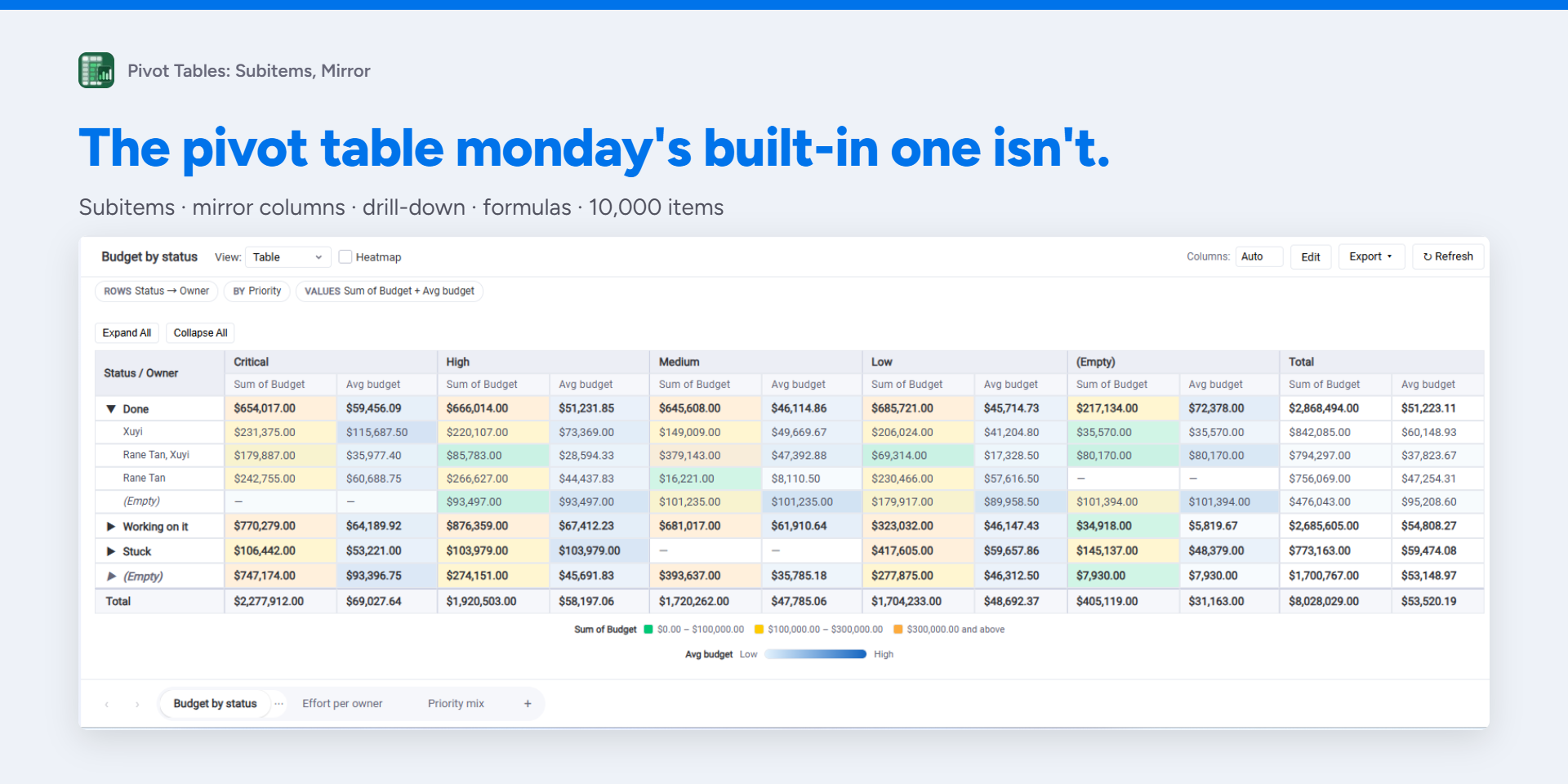
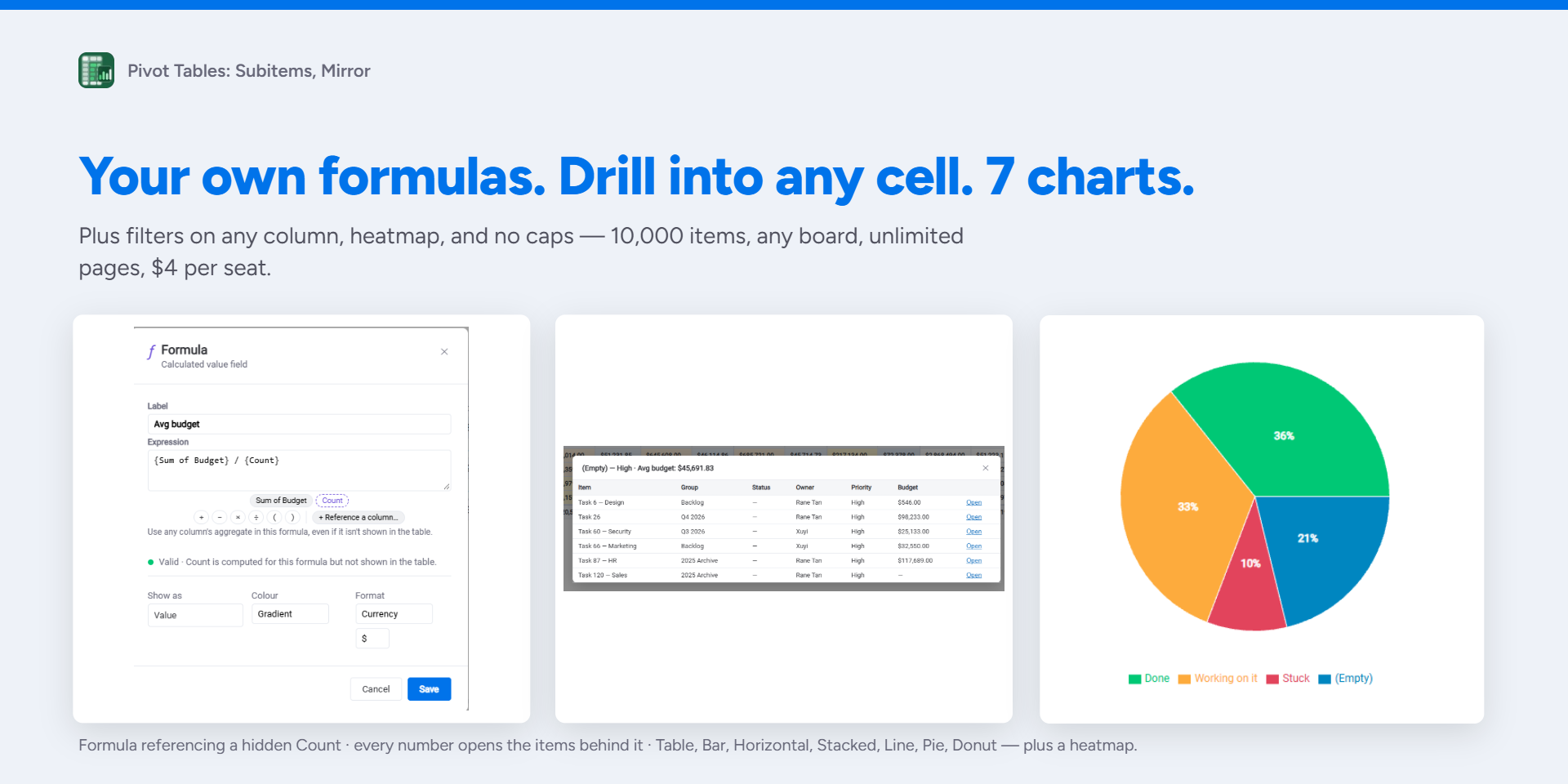
The pivot table monday's built-in one isn't. Works on items, subitems and mirror columns, in board views and dashboards.
Pivot subitems with the parent item as a row or column. Read mirror and connect columns. Click any number to see the items behind it. Add your own formula columns. Up to 10,000 items, any board, unlimited pages — one price, every feature.
✨ Why teams switch
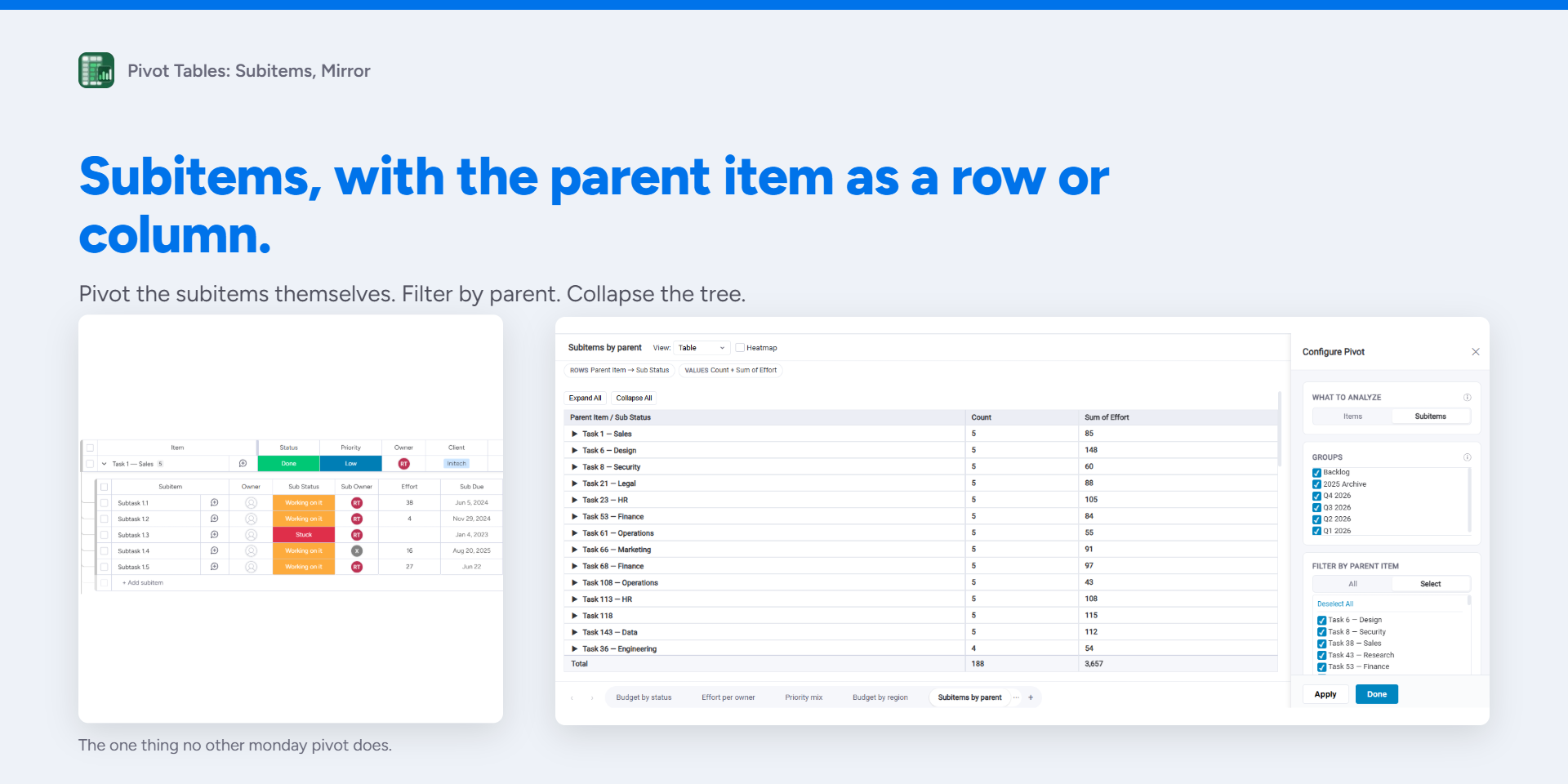
🧩 Subitems as a dimension
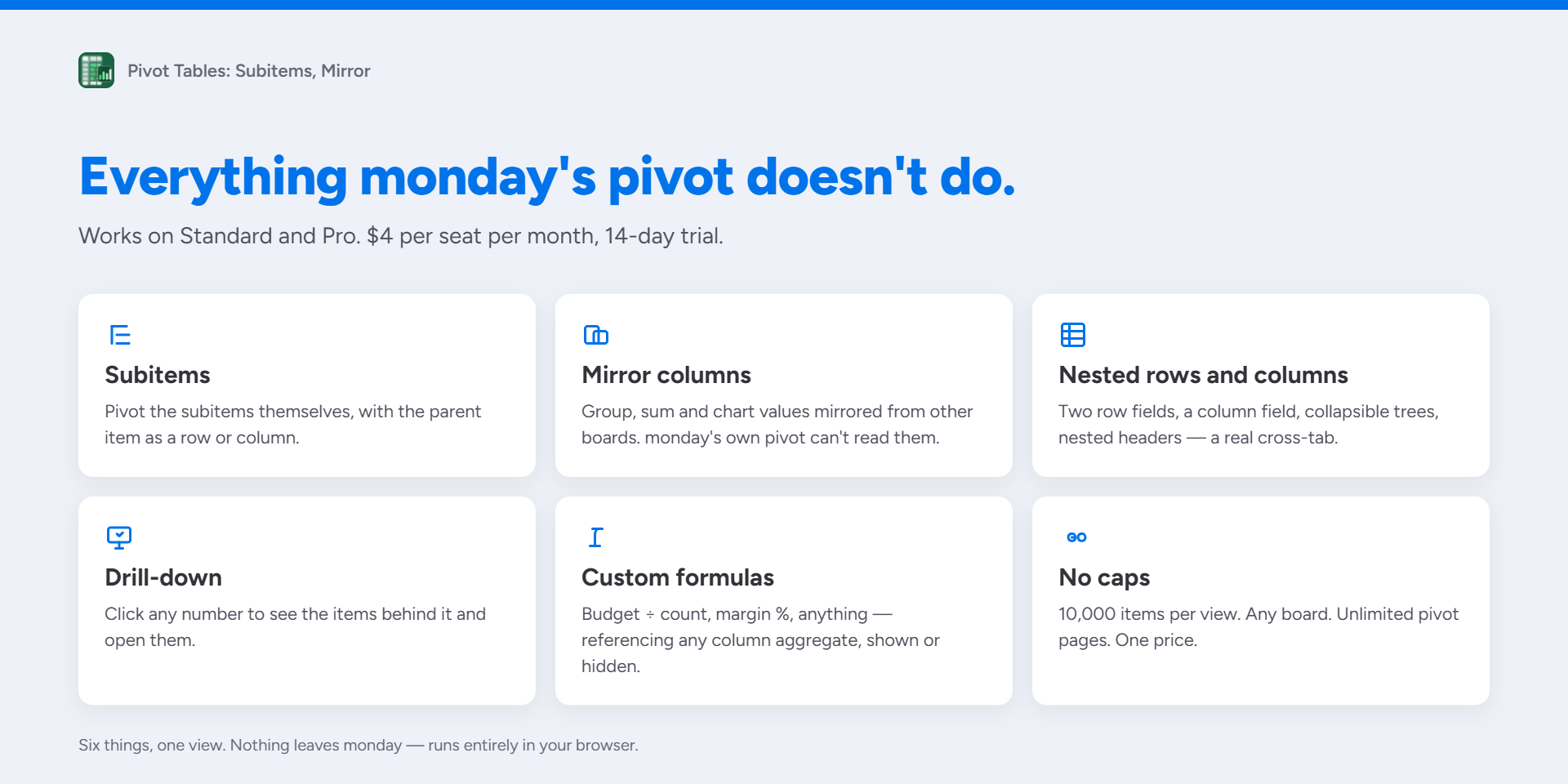
Pivot the subitems themselves; group or cross-tabulate by parent item, not just filter by it. Items and subitems never mix.
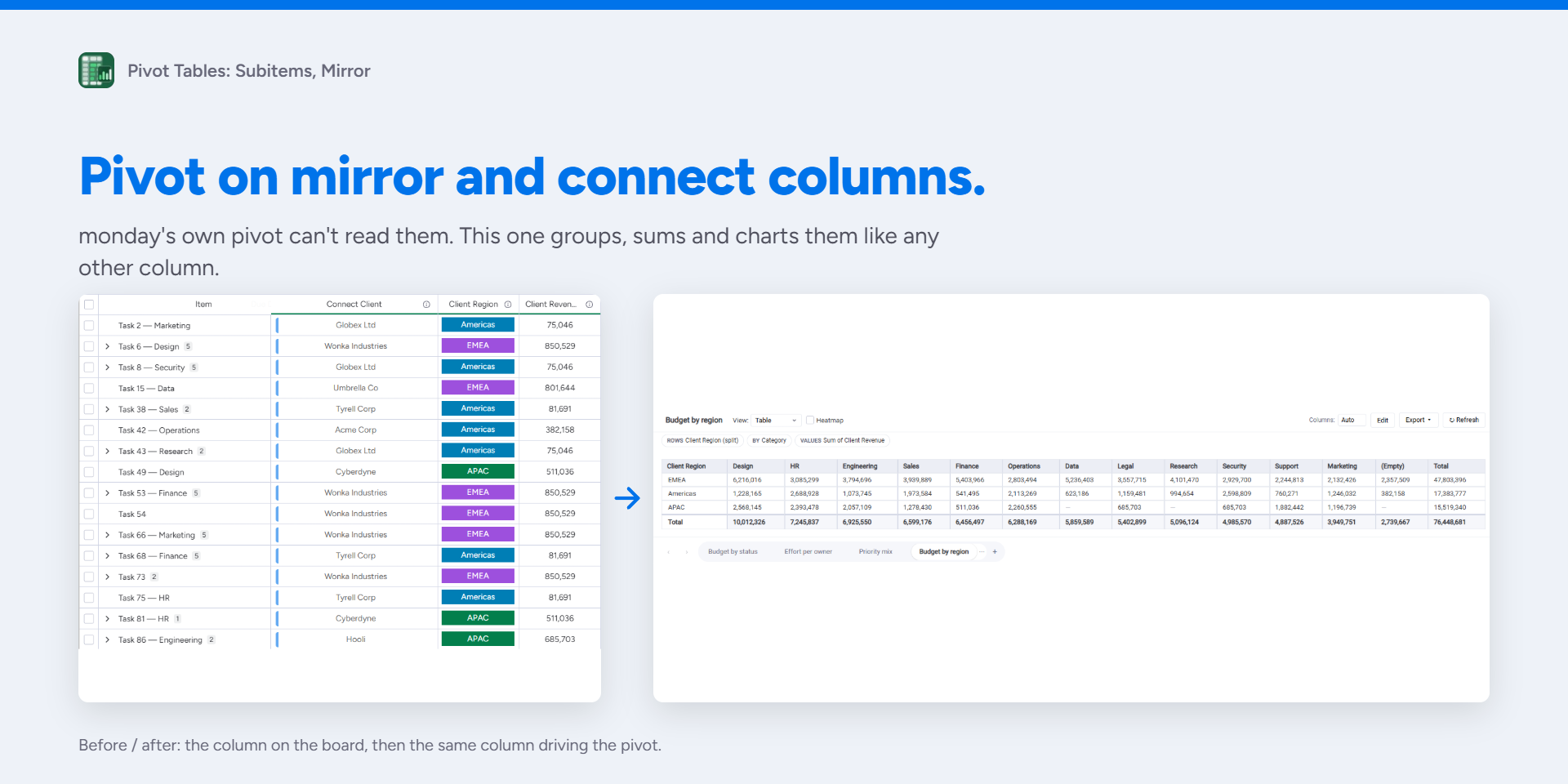
🪞 Mirror & connect columns
Group, sum and chart values mirrored from other boards. Monday's own pivot doesn't support them
♾️ No caps
10,000 items per view, any board, unlimited saved pivot pages.
🔍 Drill-down
Every cell opens the items behind it; open the item card without leaving the pivot.
🧮 Custom formulas
Budget ÷ Count, margin %, anything; reference any column aggregate, even ones not shown in the table.
🧱 Nested rows & columns
Two row fields, a column field, collapsible tree, nested headers.
📊 Boards and dashboards
Same pivots as a board view or a dashboard widget. Dashboard filters apply to the widget automatically.
📦 Also in the box
- Filters on any column — status, people, dropdown, date, number; AND logic
- Split multi-value cells so an item counts under each value
- Group and parent-item filters
- Date grouping — day, week, month, quarter, year
- Sum, Count, Average, Min, Max, Median, Distinct
- % of row, column or total
- Colour ranges and gradients; currency and number formats
- 7 chart views and a heatmap
- Export to Excel, CSV or PNG
- monday formula columns aggregated like any number
- Follows your monday.com theme — light, dark and night
- Dashboard widget: pick a board, build the same pivots, charts and exports
📌 Good to know
One board per view. Refresh on demand — a banner tells you when the board changed. Charts show the first 20 rows. Up to 5 formula columns; formulas can't reference mirror columns yet.
🔒 Privacy
100% client-side — nothing leaves monday.com. Only monday's Storage API is used, for your configurations.
💰 Pricing
$4 per seat per month, every feature. 14-day free trial.
💬 Need something it doesn't do yet?
Tell us — support@elephatech.com. Most of what's above started as a customer request.
Security & Compliance
The app developer did not provide the security and compliance information for this app.
Reviews
No reviews yet.
Historical data
Installation history
We have data for December 28, 2024 onwards only. Collected sometime after 00:00 UTC daily.
Total number of installs
Change in total number of installs in last 1 day(s)
Compares the number of installs on each date with 1 days previously:
Max
Min
Current
Change in total number of installs in last 7 day(s)
Compares the number of installs on each date with 7 days previously:
Max
Min
Current
Change in total number of installs in last 30 day(s)
Compares the number of installs on each date with 30 days previously:
Max
Min
Current
Change in total number of installs in last 90 day(s)
Compares the number of installs on each date with 90 days previously:
Max
Min
Current
Change in total number of installs in last 180 day(s)
Compares the number of installs on each date with 180 days previously:
Max
Min
Current
Ratings history
Categories history
Each of the following is a yes/no answer, so the graphs show 1 for yes, and 0 for no.