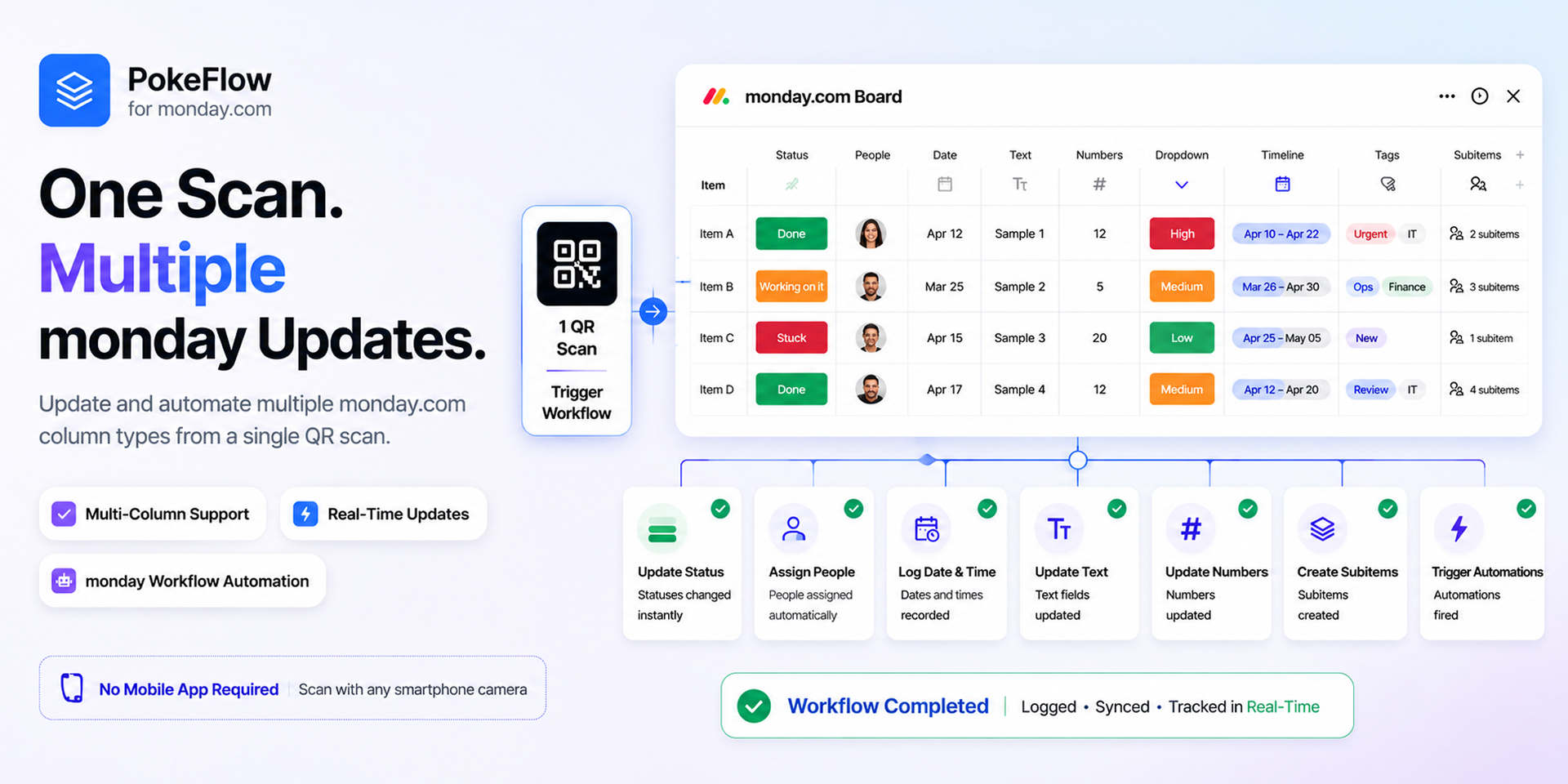
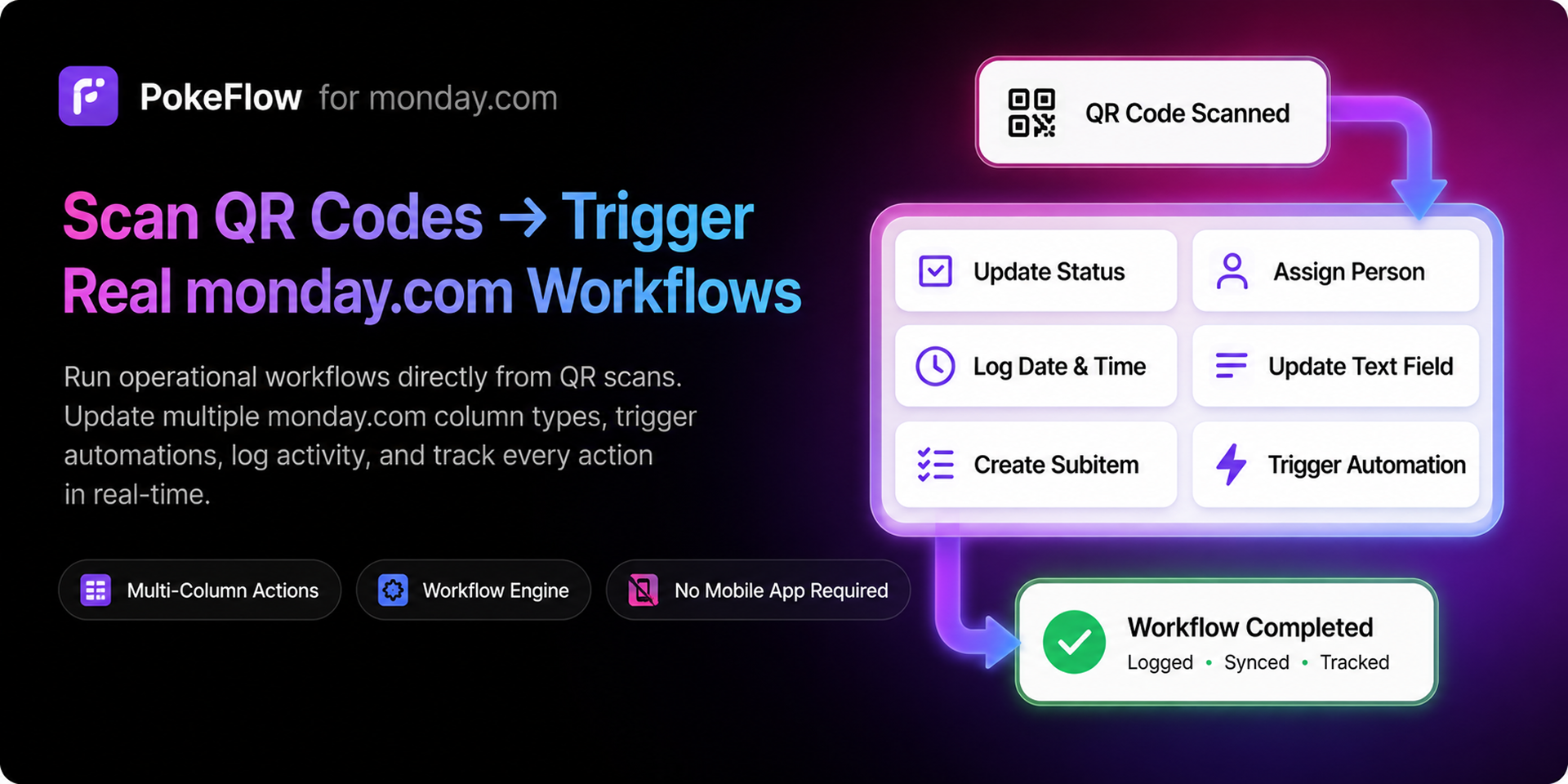
PokeFlow transforms monday.com boards into real-world operational workflows powered by smart QR codes.
Generate QR codes for any monday.com item, scan them from any smartphone, and instantly trigger secure workflows, update multiple column types, log actions, and track every operation in real-time — all directly inside monday.com.
PokeFlow bridges the gap between physical actions and digital execution, helping teams automate operational processes with full visibility, accountability, and control.
🚀 What you can do with PokeFlow
• Generate unique QR codes for any monday.com item, workflow, or process
• Trigger operational workflows instantly from QR scans
• Update multiple monday.com column types from a single scan
• Assign people, log dates, update text, numbers, dropdowns, timelines, and more
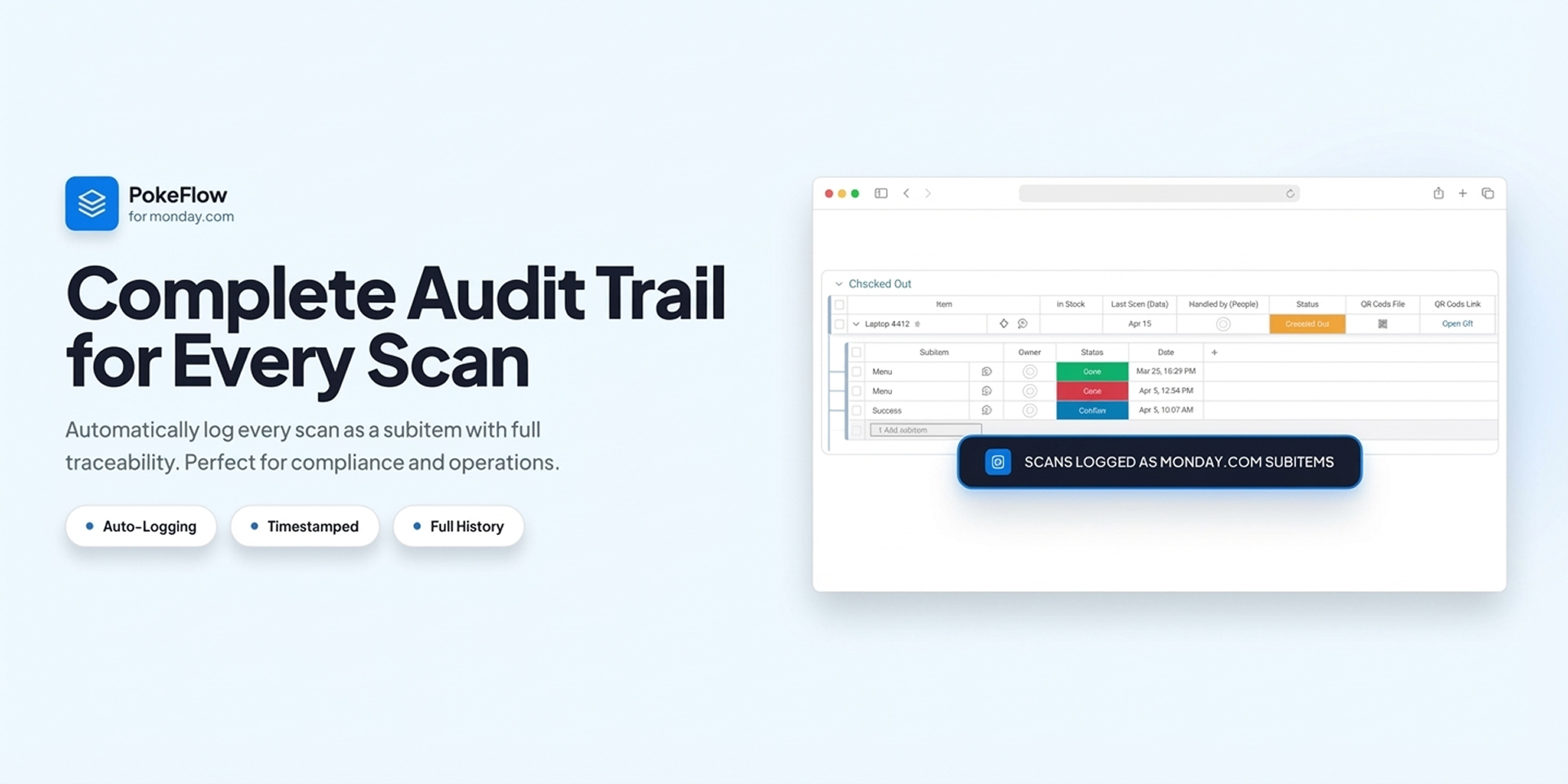
• Create subitems and activity logs automatically
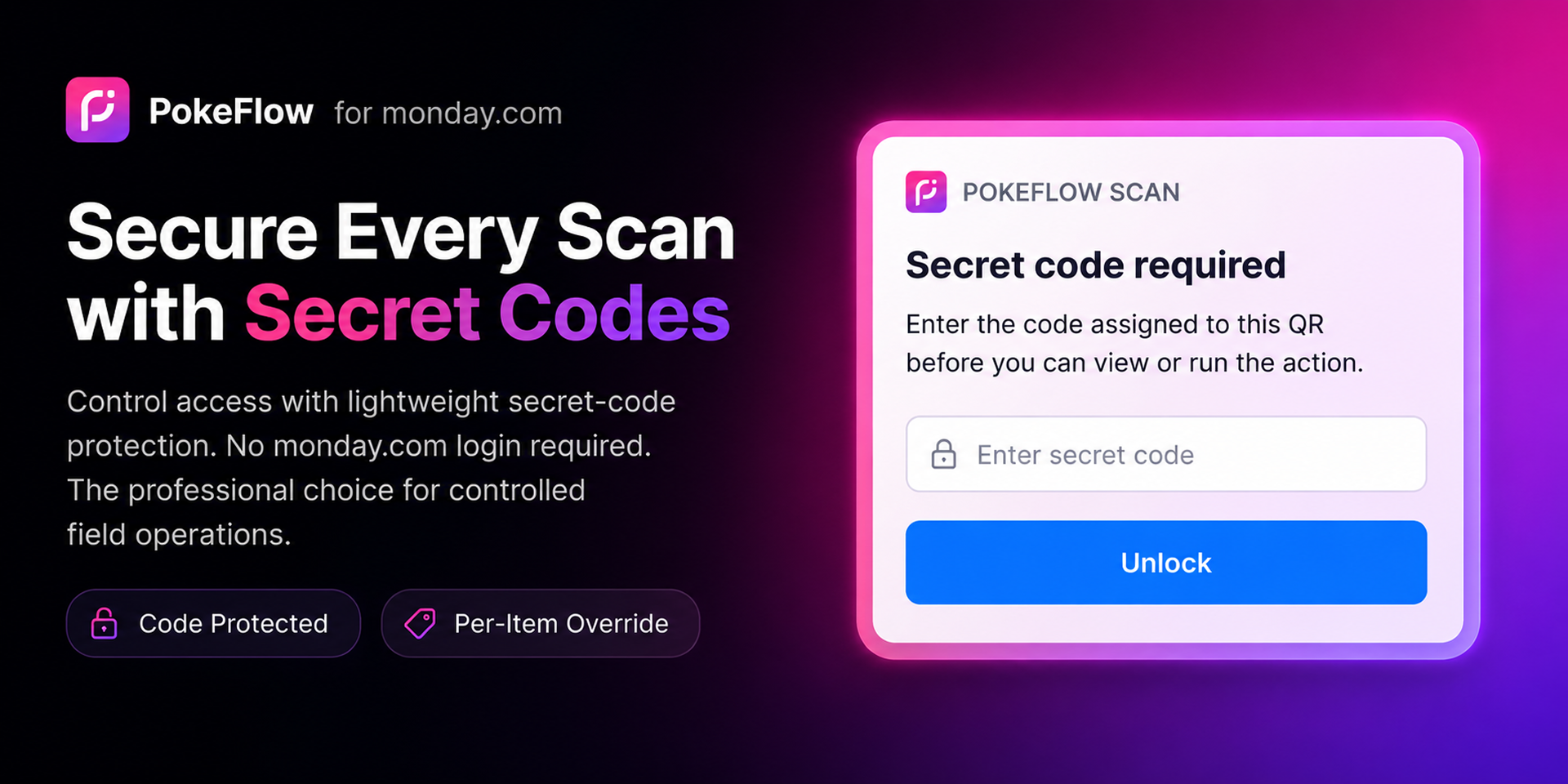
• Add optional security layers with secret-code verification
• Track every scan with full audit history and traceability
• Run workflows directly from any smartphone camera — no mobile app required
🎯 Built for Real Operations
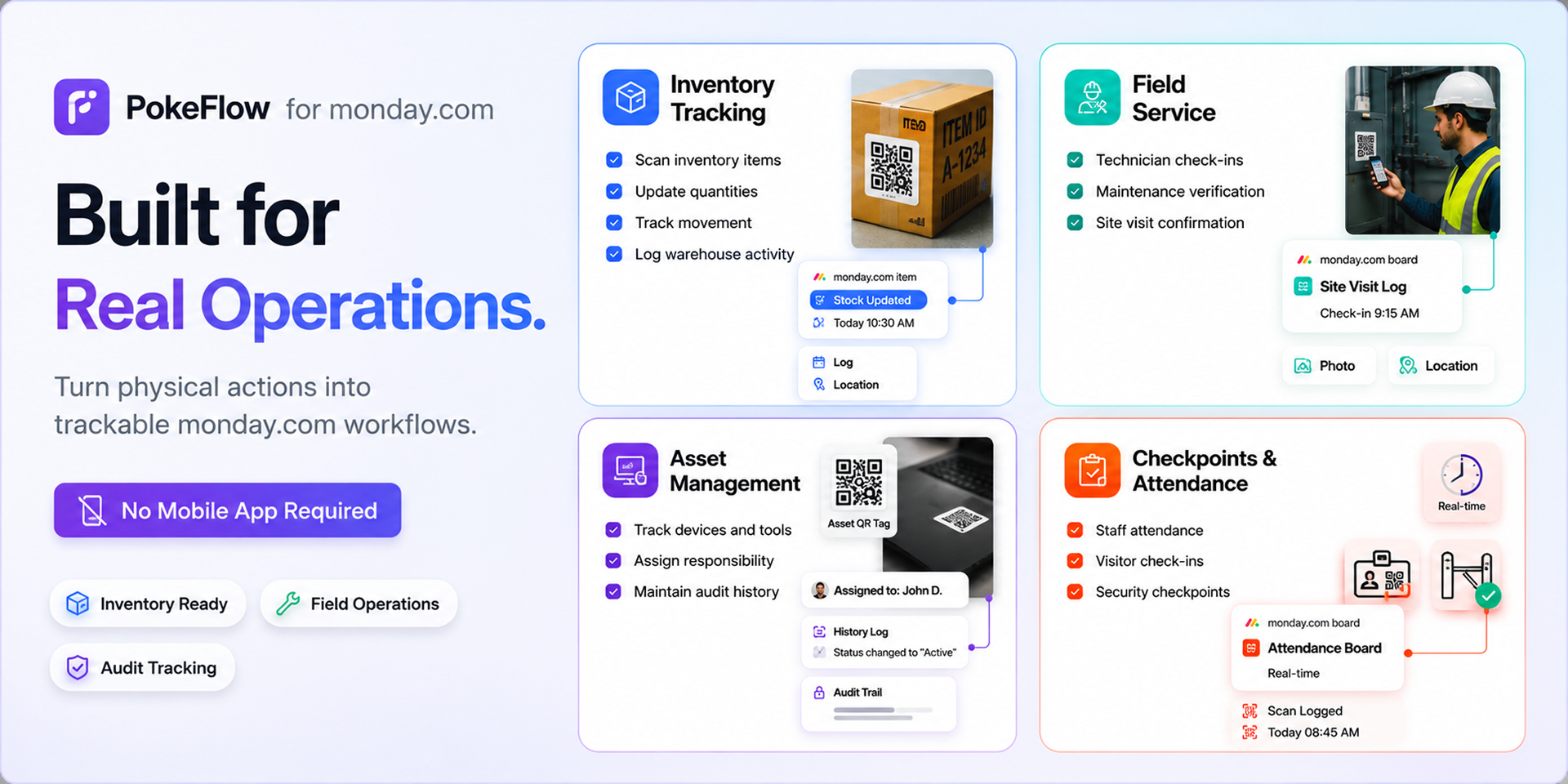
PokeFlow is designed for teams that manage operational workflows in the real world, including:
• Inventory check-in / check-out
• Warehouse and asset tracking
• Field service operations
• Staff attendance and visitor check-ins
• Delivery confirmation and proof of execution
• Maintenance verification workflows
• Approval checkpoints and controlled actions
• QR-powered operational task execution
💡 Why teams choose PokeFlow
• Eliminate manual updates and operational bottlenecks
• Reduce human error and improve accountability
• Connect physical actions directly to monday.com workflows
• Build secure, controlled, and traceable operational flows
• Improve visibility across teams and field operations
• Easy setup with no technical knowledge required
• Flexible workflow engine built for monday.com
🔐 Security & Control
PokeFlow supports optional secret-code protection, controlled execution flows, and per-item workflow customization — making it ideal for professional operational environments that require secure and verified actions.
📈 The Result
Faster operations. Fewer mistakes. Full traceability.
Turn every QR scan into a trackable monday.com workflow and bring real-world execution directly into your boards.
Start building QR-powered monday.com workflows for your operations. contact us
Security & Compliance
Security
Does the developer periodically perform penetration testing?
Not answered
Does the developer have a dedicated security and privacy point of contact for such issues or questions?
Yes
Security and privacy related inquiries can be directed to: support@elasticday.com We actively monitor and respond to security, privacy, and compliance reports.
Does the app restrict redirects and forwards only to approved destinations, or show a warning when redirecting to potentially untrusted content?
Yes
The app only allows redirects to approved and trusted domains that are predefined in the application configuration and monday OAuth settings. User-controlled redirects are not allowed, and all external redirects are validated before execution to prevent open redirect vulnerabilities or malicious destinations.
Does the app protect against mass parameter assignment attacks?
Yes
Database operations never use raw request bodies directly. All models use controlled field mapping and validation middleware before persistence.
Does the app perform encoding and sanitization on all user supplied parameters to protect against Cross-Site Scripting?
Yes
The application sanitizes and validates all user-supplied input on both the client and server side to protect against Cross-Site Scripting (XSS) attacks. User input is escaped or sanitized before rendering, and unsafe HTML or script content is not executed. The backend also validates incoming payloads and rejects malicious or invalid content. On the frontend, React’s built-in escaping mechanisms are used, and additional sanitization is applied where necessary.
Does the developer protect all state-changing actions against Cross-Site Request Forgery (CSRF)?
Yes
The application protects state-changing operations against CSRF attacks by validating authenticated sessions and request origins. Sensitive API routes require valid authorization tokens and are protected through backend authentication and request validation mechanisms.
Does the developer have mechanisms to notify monday.com in case of a security breach?
Yes
We have internal monitoring and incident response procedures in place. In the event of a confirmed security incident or data breach affecting monday.com users or services, we will promptly notify monday.com through the appropriate support and security communication channels.
Does this developer have a process for installing application-level updates and security patches for the service (such as software packages and databases)?
Yes
We regularly monitor and update application dependencies, backend services, and infrastructure components to apply security patches and reduce known vulnerabilities. Security updates are reviewed and deployed as part of our ongoing maintenance process.
Compliance
Is the app certified with the information security standard ISO/IEC 27001:2022?
No
Is the app compliant with the Health Insurance Portability and Accountability Act (HIPAA)?
No
Is the app certified with System and Organization Controls (SOC 2 or SOC 3)?
No
Is the app compliant with the General Data Protection Regulation (GDPR)?
Yes
The application follows GDPR security and privacy principles, including data minimization, secure storage, encrypted sensitive data, limited data retention, and user data deletion upon uninstall or request. Customer data is processed only for legitimate application functionality and protected using industry-standard security practices.
Data
Does the app send any data outside of monday.com? If yes, indicate whether the data is customer-submitted (e.g., board names, item names, doc content) or non-customer-submitted (e.g., account ID, board ID, user ID).
Yes
The app sends and stores limited data outside of monday.com in order to provide its core functionality, including QR automation processing, scan logging, recipe configuration, and authentication handling. Stored data may include customer-submitted data such as board IDs, item IDs, item names, scan logs, and automation settings. Sensitive data such as access tokens are encrypted before storage.
Where does the app store logs data?
other
Application logs are stored on secured backend infrastructure hosted on DigitalOcean servers. Logs are used for debugging, monitoring, and security auditing purposes.
Where does the app store the app data?
DB
Application data is stored in a secured MongoDB database hosted on DigitalOcean Managed MongoDB infrastructure. Data is encrypted in transit using TLS and sensitive information is encrypted before storage.
Does the developer ensure application logs do not contain secrets or personally-identifiable information (PII)?
Yes
The application is designed to avoid logging sensitive information such as access tokens, secrets, authentication credentials, or personally identifiable information (PII). Sensitive fields are filtered or masked before logging.
Is customer data segregated from the data of other customers (for example logically or physically)?
Yes
Customer data is logically segregated by account and workspace identifiers. Each customer can only access data associated with their own monday.com account and authorized resources.
Privacy
Does the developer enforce multi-factor authentication on employees access to systems which may process customer data?
Yes
Multi-factor authentication (MFA) is enabled on all critical systems and services used to access or manage customer data, including cloud infrastructure, source control, and administrative accounts.
Does the developer protect access to customer data based on the principle of least privilege?
Yes
Access to customer data is restricted based on the principle of least privilege. The application only requests the minimum OAuth scopes required for functionality, and access to infrastructure, databases, and administrative systems is limited to authorized personnel only.
Reviews
No reviews yet.
Historical data
Installation history
We have data for December 28, 2024 onwards only. Collected sometime after 00:00 UTC daily.
Total number of installs
Change in total number of installs in last 1 day(s)
Compares the number of installs on each date with 1 days previously:
Max
Min
Current
Change in total number of installs in last 7 day(s)
Compares the number of installs on each date with 7 days previously:
Max
Min
Current
Change in total number of installs in last 30 day(s)
Compares the number of installs on each date with 30 days previously:
Max
Min
Current
Change in total number of installs in last 90 day(s)
Compares the number of installs on each date with 90 days previously:
Max
Min
Current
Change in total number of installs in last 180 day(s)
Compares the number of installs on each date with 180 days previously:
Max
Min
Current
Ratings history
Categories history
Each of the following is a yes/no answer, so the graphs show 1 for yes, and 0 for no.
{
"id": 10001176,
"marketplace_developer_id": 10000032,
"app_id": 10949371,
"app_type": "app",
"security_info": {},
"gallery_assets": [
{
"url": "https://cdn.monday.com/marketplace/10001176/10001176_2026_4_14_9_5_36_ld32gfsk.png",
"type": "image"
},
{
"url": "https://cdn.monday.com/marketplace/10001176/10001176_2026_4_14_9_5_44_4iln0dr.png",
"type": "image"
},
{
"url": "https://cdn.monday.com/marketplace/10001176/10001176_2026_4_14_9_6_10_jha8olj.png",
"type": "image"
},
{
"url": "https://cdn.monday.com/marketplace/10001176/10001176_2026_4_14_9_6_16_skl2z07.png",
"type": "image"
},
{
"url": "https://cdn.monday.com/marketplace/10001176/10001176_2026_4_14_9_6_21_seefrch.png",
"type": "image"
},
{
"url": "https://cdn.monday.com/marketplace/10001176/10001176_2026_4_14_9_6_35_6mk0ur5.png",
"type": "image"
}
],
"description": "<p><strong>PokeFlow transforms monday.com boards into real-world operational workflows powered by smart QR codes.</strong></p><p><br></p><p><strong>Generate QR</strong> codes for any monday.com item, <strong>scan them from any smartphone</strong>, and instantly <strong>trigger secure workflows</strong>, <strong>update multiple column types</strong>, <strong>log actions</strong>, and <strong>track every operation</strong> in real-time — all directly inside monday.com.</p><p><br></p><p>PokeFlow bridges the gap between physical actions and digital execution, helping teams automate operational processes with full visibility, accountability, and control.</p><p><br></p><p><strong>🚀 What you can do with PokeFlow</strong></p><p>• Generate unique QR codes for any monday.com item, workflow, or process</p><p>• Trigger operational workflows instantly from QR scans</p><p>• Update multiple monday.com column types from a single scan</p><p>• Assign people, log dates, update text, numbers, dropdowns, timelines, and more</p><p>• Create subitems and activity logs automatically</p><p>• Add optional security layers with secret-code verification</p><p>• Track every scan with full audit history and traceability</p><p>• Run workflows directly from any smartphone camera — no mobile app required</p><p><br></p><p><strong>🎯 Built for Real Operations</strong></p><p>PokeFlow is designed for teams that manage operational workflows in the real world, including:</p><p>• Inventory check-in / check-out</p><p>• Warehouse and asset tracking</p><p>• Field service operations</p><p>• Staff attendance and visitor check-ins</p><p>• Delivery confirmation and proof of execution</p><p>• Maintenance verification workflows</p><p>• Approval checkpoints and controlled actions</p><p>• QR-powered operational task execution</p><p><br></p><p><strong>💡 Why teams choose PokeFlow</strong></p><p>• Eliminate manual updates and operational bottlenecks</p><p>• Reduce human error and improve accountability</p><p>• Connect physical actions directly to monday.com workflows</p><p>• Build secure, controlled, and traceable operational flows</p><p>• Improve visibility across teams and field operations</p><p>• Easy setup with no technical knowledge required</p><p>• Flexible workflow engine built for monday.com</p><p><br></p><p><strong>🔐 Security & Control</strong></p><p>PokeFlow supports optional secret-code protection, controlled execution flows, and per-item workflow customization — making it ideal for professional operational environments that require secure and verified actions.</p><p><br></p><p><strong>📈 The Result</strong></p><p>Faster operations. Fewer mistakes. Full traceability.</p><p>Turn every QR scan into a trackable monday.com workflow and bring real-world execution directly into your boards.</p><p><br></p><p>Start building QR-powered monday.com workflows for your operations. <a href=\"https://wkf.ms/4wLsEZx\" rel=\"noopener noreferrer\" target=\"_blank\">contact us</a></p>",
"short_description": "Smart QR-powered workflows for monday.com",
"thumbnail_url": "https://cdn.monday.com/marketplace/10001176/10001176_2026_4_13_8_41_0_ql67p2a.png",
"logo_url": "https://cdn.monday.com/marketplace/10001176/10001176_2026_4_13_8_40_58_hb8ncna.png",
"feedback_url": "support@elasticday.com",
"privacy_policy_url": "https://pokeflow.app/privacy",
"featured": false,
"name": "PokeFlow – Smart QR Automation",
"how_to_use_url": "https://pokeflow.app/how-to-use",
"external_pricing_url": null,
"keywords": "monday Integration,Check-in,Audit,Field Service,Operations,Tracking,Inventory,Workflow,Automation,QR Code",
"compliance_answers": [
{
"questionId": 20,
"shortAnswer": false,
"detailedAnswer": ""
},
{
"questionId": 19,
"shortAnswer": true,
"detailedAnswer": "The app sends and stores limited data outside of monday.com in order to provide its core functionality, including QR automation processing, scan logging, recipe configuration, and authentication handling.\n\nStored data may include customer-submitted data such as board IDs, item IDs, item names, scan logs, and automation settings.\nSensitive data such as access tokens are encrypted before storage."
},
{
"questionId": 18,
"detailedAnswer": "Application logs are stored on secured backend infrastructure hosted on DigitalOcean servers.\nLogs are used for debugging, monitoring, and security auditing purposes.",
"logHostingProvider": "other"
},
{
"questionId": 17,
"detailedAnswer": "Application data is stored in a secured MongoDB database hosted on DigitalOcean Managed MongoDB infrastructure.\nData is encrypted in transit using TLS and sensitive information is encrypted before storage.",
"dataHostingProvider": "DB"
},
{
"questionId": 14,
"shortAnswer": true,
"detailedAnswer": "Security and privacy related inquiries can be directed to:\nsupport@elasticday.com\n\nWe actively monitor and respond to security, privacy, and compliance reports."
},
{
"questionId": 13,
"shortAnswer": false,
"detailedAnswer": ""
},
{
"questionId": 12,
"shortAnswer": false,
"detailedAnswer": ""
},
{
"questionId": 11,
"shortAnswer": true,
"detailedAnswer": "The application follows GDPR security and privacy principles, including data minimization, secure storage, encrypted sensitive data, limited data retention, and user data deletion upon uninstall or request.\n\nCustomer data is processed only for legitimate application functionality and protected using industry-standard security practices."
},
{
"questionId": 10,
"shortAnswer": true,
"detailedAnswer": "The app only allows redirects to approved and trusted domains that are predefined in the application configuration and monday OAuth settings.\n\nUser-controlled redirects are not allowed, and all external redirects are validated before execution to prevent open redirect vulnerabilities or malicious destinations."
},
{
"questionId": 9,
"shortAnswer": true,
"detailedAnswer": "Database operations never use raw request bodies directly.\nAll models use controlled field mapping and validation middleware before persistence."
},
{
"questionId": 8,
"shortAnswer": true,
"detailedAnswer": "The application is designed to avoid logging sensitive information such as access tokens, secrets, authentication credentials, or personally identifiable information (PII).\nSensitive fields are filtered or masked before logging."
},
{
"questionId": 7,
"shortAnswer": true,
"detailedAnswer": "Multi-factor authentication (MFA) is enabled on all critical systems and services used to access or manage customer data, including cloud infrastructure, source control, and administrative accounts."
},
{
"questionId": 6,
"shortAnswer": true,
"detailedAnswer": "Access to customer data is restricted based on the principle of least privilege.\n\nThe application only requests the minimum OAuth scopes required for functionality, and access to infrastructure, databases, and administrative systems is limited to authorized personnel only."
},
{
"questionId": 5,
"shortAnswer": true,
"detailedAnswer": "The application sanitizes and validates all user-supplied input on both the client and server side to protect against Cross-Site Scripting (XSS) attacks.\n\nUser input is escaped or sanitized before rendering, and unsafe HTML or script content is not executed.\n\nThe backend also validates incoming payloads and rejects malicious or invalid content.\n\nOn the frontend, React’s built-in escaping mechanisms are used, and additional sanitization is applied where necessary."
},
{
"questionId": 4,
"shortAnswer": true,
"detailedAnswer": "The application protects state-changing operations against CSRF attacks by validating authenticated sessions and request origins.\n\nSensitive API routes require valid authorization tokens and are protected through backend authentication and request validation mechanisms."
},
{
"questionId": 3,
"shortAnswer": true,
"detailedAnswer": "We have internal monitoring and incident response procedures in place.\nIn the event of a confirmed security incident or data breach affecting monday.com users or services, we will promptly notify monday.com through the appropriate support and security communication channels."
},
{
"questionId": 2,
"shortAnswer": true,
"detailedAnswer": "We regularly monitor and update application dependencies, backend services, and infrastructure components to apply security patches and reduce known vulnerabilities.\n\nSecurity updates are reviewed and deployed as part of our ongoing maintenance process."
},
{
"questionId": 1,
"shortAnswer": true,
"detailedAnswer": "Customer data is logically segregated by account and workspace identifiers.\nEach customer can only access data associated with their own monday.com account and authorized resources."
}
],
"created_at": "2026-05-13T08:40:29.000Z",
"updated_at": "2026-05-19T09:02:31.000Z",
"automation_app_id": null,
"marketplace_category_ids": [
6
],
"pinned_for_categories_ids": [],
"featured_for_categories_ids": [],
"pricing_data": null,
"label": null,
"app_values": [
"Perfect for automations"
],
"security": false,
"display_in_template_store": false,
"acquisition_source": "No touch",
"is_connector": false,
"show_connections": null,
"terms_of_service_url": "https://pokeflow.app/terms",
"available_for_tiers": [],
"available_for_products": [],
"google_analytics_tag_id": null,
"is_solution": false,
"cta_override": null,
"app_scope_str": "boards:read,boards:write,users:read,me:read,account:read,notifications:write,webhooks:write,webhooks:read",
"app_client_id": "40aff98d3176ddc98cf54e125e99fad0",
"app_color": {
"hsl": {
"h": 260.14925373134326,
"s": 0.5929203539823008,
"l": 0.5568627450980392,
"a": 1
},
"hex": "#784bd1",
"rgb": {
"r": 120,
"g": 75,
"b": 209,
"a": 1
},
"hsv": {
"h": 260.14925373134326,
"s": 0.6411483253588516,
"v": 0.8196078431372549,
"a": 1
},
"oldHue": 75.37190082644628,
"source": "hex"
},
"plans": [
{
"id": "10949371-1-starter",
"appPlanId": "starter",
"name": "STARTER",
"versionId": 1,
"isTrial": true,
"prices": {
"type": "standard",
"monthly": 29,
"yearly": 29
},
"versionState": "live",
"appId": 10949371,
"description": "Perfect for small teams getting started with QR workflows and scan tracking inside monday.com.",
"extraData": {
"bullets": [
"1,000 QR Codes",
"3,000 Scans/month",
"Unlimited Boards"
],
"monthlyFee": 29,
"yearlyFee": 29
},
"isFree": false,
"isRecommended": false,
"currency": "USD"
},
{
"id": "10949371-1-business",
"appPlanId": "business",
"name": "BUSINESS",
"versionId": 1,
"isTrial": false,
"prices": {
"type": "standard",
"monthly": 135,
"yearly": 135
},
"versionState": "live",
"appId": 10949371,
"description": "Built for operational teams that need scalable QR processes, advanced management, and higher usage limits.",
"extraData": {
"bullets": [
"20,000 QR Codes",
"50,000 Scans/month",
"Unlimited Boards"
],
"monthlyFee": 135,
"yearlyFee": 135
},
"isFree": false,
"isRecommended": false,
"currency": "USD"
},
{
"id": "10949371-1-unlimited",
"appPlanId": "unlimited",
"name": "UNLIMITED",
"versionId": 1,
"isTrial": false,
"prices": {
"type": "standard",
"monthly": 249,
"yearly": 249
},
"versionState": "live",
"appId": 10949371,
"description": "Full access to all features, maximum limits, and enterprise-ready QR workflow management without restrictions.",
"extraData": {
"bullets": [
"Unlimited QR Codes",
"Unlimited Scans",
"Unlimited Boards"
],
"monthlyFee": 249,
"yearlyFee": 249
},
"isFree": false,
"isRecommended": false,
"currency": "USD"
},
{
"id": "10949371-1-pro",
"appPlanId": "pro",
"name": "PRO",
"versionId": 1,
"isTrial": false,
"prices": {
"type": "standard",
"monthly": 69,
"yearly": 69
},
"versionState": "live",
"appId": 10949371,
"description": "Advanced automation, tracking, and workflow control for growing teams and daily operations.",
"extraData": {
"bullets": [
"5,000 QR Codes",
"15,000 Scans/month",
"Unlimited Boards"
],
"monthlyFee": 69,
"yearlyFee": 69
},
"isFree": false,
"isRecommended": false,
"currency": "USD"
}
],
"app_live_version": {
"updated_at": "2026-04-30T17:44:10.660Z",
"id": 14335253
},
"pricing_model": null,
"monetization": {
"monetizationType": "monday",
"hasFreePlan": false,
"hasPaidPlan": true,
"hasTrialPlan": true
},
"badges_data": {
"security": false,
"app_values": [
"Perfect for automations"
],
"acquisition_source": "No touch",
"display_in_template_store": false
},
"data": {
"is_solution": false,
"cta_override": null,
"is_connector": false,
"available_for_tiers": [],
"terms_of_service_url": "https://pokeflow.app/terms",
"available_for_products": [],
"google_analytics_tag_id": null
},
"display": null,
"installsDelta": {
"totalInstalls": 6,
"sevenDays": 0,
"thirtyDays": 1,
"ninetyDays": 2
}
}