App metadata
ID: 10001175 • App ID: 11092705 • Listing updated: July 23, 2026 {
"id": 10001175,
"marketplace_developer_id": 100000223,
"app_id": 11092705,
"app_type": "app",
"security_info": {},
"gallery_assets": [
{
"url": "https://cdn.monday.com/marketplace/10001175/10001175_2026_4_12_20_52_55_nxzvycp.png",
"type": "image"
},
{
"url": "https://cdn.monday.com/marketplace/10001175/10001175_2026_4_12_20_52_59_dufa9zy.png",
"type": "image"
},
{
"url": "https://cdn.monday.com/marketplace/10001175/10001175_2026_4_12_20_53_2_a0a6qfw.png",
"type": "image"
},
{
"url": "https://cdn.monday.com/marketplace/10001175/10001175_2026_4_12_20_53_5_m91uwg2.png",
"type": "image"
},
{
"url": "https://cdn.monday.com/marketplace/10001175/10001175_2026_4_12_20_53_8_rwq41vc.png",
"type": "image"
}
],
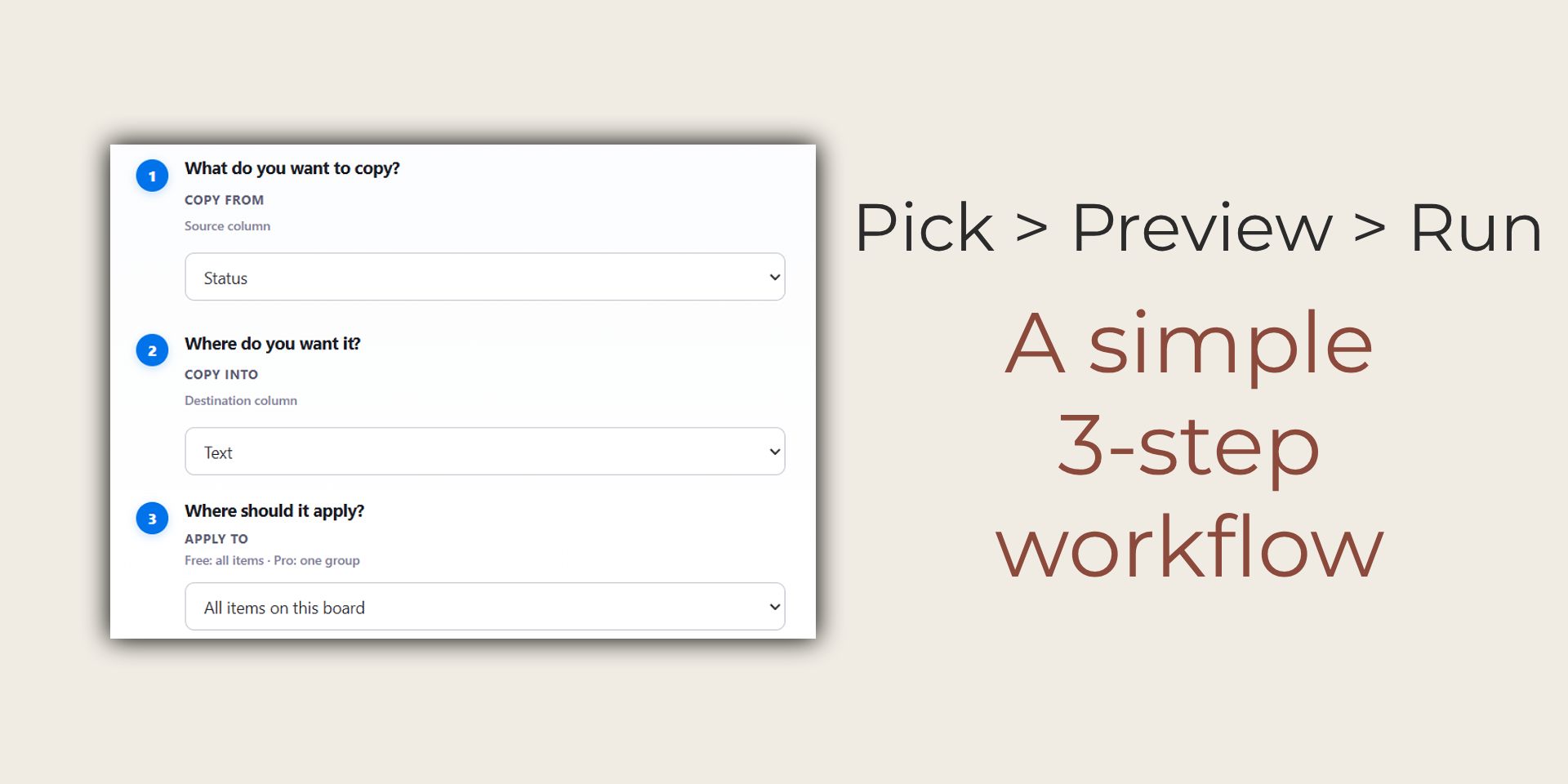
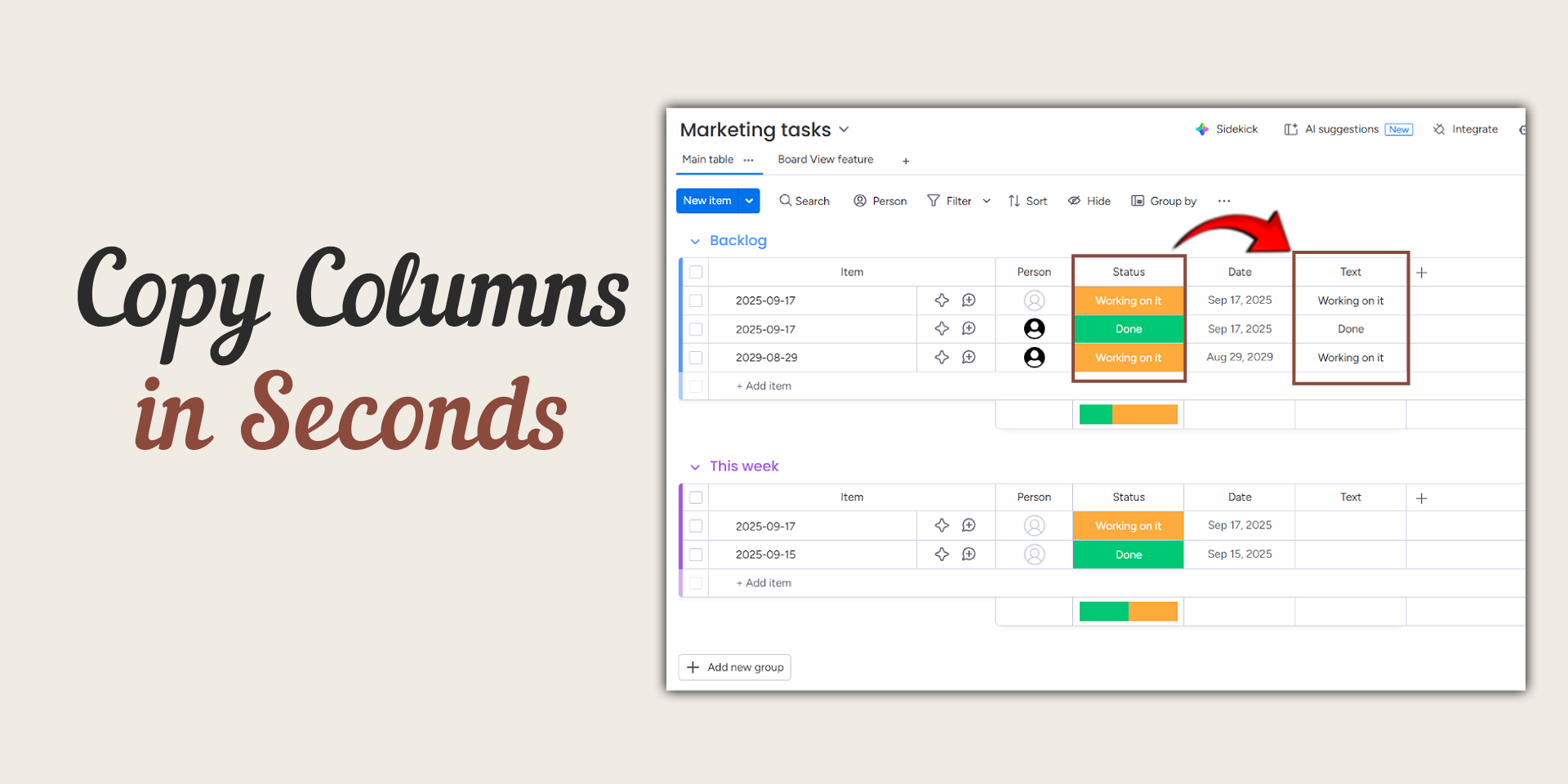
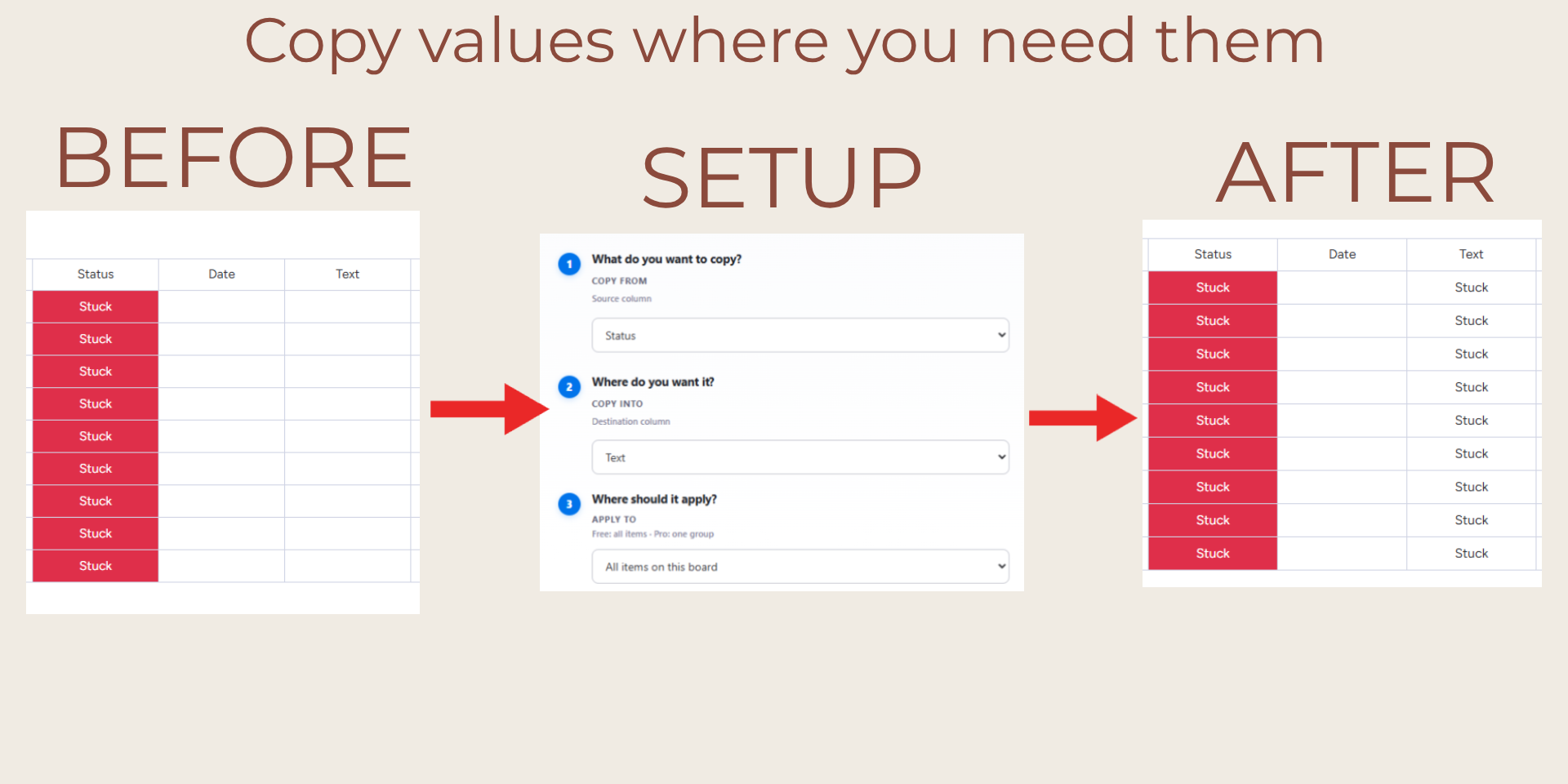
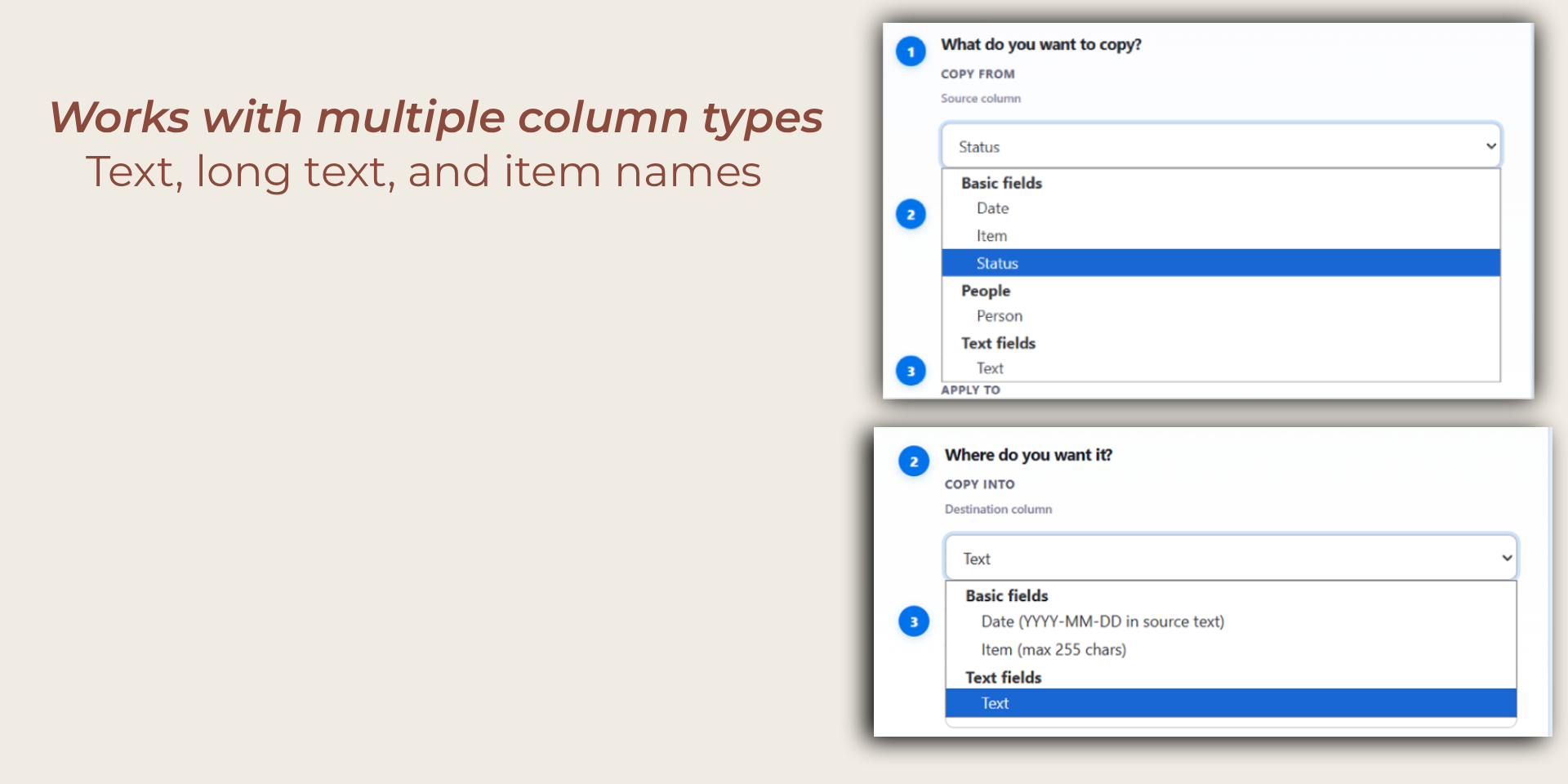
"description": "<p><strong>Mirror Copy Booster</strong> helps <a href=\"http://monday.com/\" rel=\"noopener noreferrer\" target=\"_blank\">monday.com</a> teams copy values from one column to another across many items in seconds.</p><p>It is designed for operations teams, project managers, and workspace admins who need fast, accurate bulk updates without repetitive manual work.</p><p><strong>What customers get from Mirror Copy Booster</strong></p><ul><li><strong>Faster bulk updates:</strong> copy values from a source column into a target column in one run.</li><li><strong>Cleaner board data:</strong> standardize values and keep boards consistent across teams.</li><li><strong>Less manual effort:</strong> reduce repetitive copy/paste work and save time.</li><li><strong>Fewer human errors:</strong> run controlled bulk actions instead of editing item-by-item.</li><li><strong>Simple workflow:</strong> choose source, choose target, and apply to the relevant items.</li></ul><p><strong>Problems this app solves</strong></p><ul><li>Time-consuming manual updates on large boards</li><li>Inconsistent values between items and columns</li><li>Repeated cleanup work before reporting, automations, or handoffs</li></ul><p><strong>Example use cases</strong></p><ul><li>Copy item names into a text field for reporting or integrations</li><li>Mirror text from one helper column to another for process consistency</li><li>Prepare structured board data before exports and downstream workflows</li></ul><p><strong>AI usage</strong></p><ul><li>This app currently does <strong>not</strong> use AI models.</li></ul><p><strong>About us</strong></p><ul><li>Puffly App builds practical <a href=\"http://monday.com/\" rel=\"noopener noreferrer\" target=\"_blank\">monday.com</a> tools focused on speed, clarity, and reliable day-to-day operations.</li></ul>",
"short_description": "Copy column values in bulk across your monday board",
"thumbnail_url": "https://cdn.monday.com/marketplace/10001175/10001175_2026_4_12_20_52_33_ldd9cidk.png",
"logo_url": "https://cdn.monday.com/marketplace/10001175/10001175_2026_4_12_20_52_30_h08s7lh.png",
"feedback_url": "pufflyapp@gmail.com",
"privacy_policy_url": "https://introducepuffly.pufflyapp.workers.dev/privacy",
"featured": false,
"name": "Mirror Copy Booster",
"how_to_use_url": "https://docs.google.com/document/d/1koOLJcYydabWu8a6TyYT1dkuUinA2vgz2fpNFRJLfss/edit?usp=sharing",
"external_pricing_url": null,
"keywords": "workflow,groups,text,duplicate,bulk,items,board,columns,column,copy",
"compliance_answers": [],
"created_at": "2026-05-12T20:52:00.000Z",
"updated_at": "2026-07-23T14:50:56.000Z",
"automation_app_id": null,
"marketplace_category_ids": [
10000001,
8,
6
],
"pinned_for_categories_ids": [],
"featured_for_categories_ids": [],
"pricing_data": null,
"label": null,
"app_values": [
"Everyday tasks"
],
"security": false,
"display_in_template_store": false,
"acquisition_source": "No touch",
"is_connector": false,
"show_connections": false,
"terms_of_service_url": "https://introducepuffly.pufflyapp.workers.dev/terms",
"available_for_tiers": [],
"available_for_products": [],
"google_analytics_tag_id": null,
"is_solution": false,
"cta_override": null,
"app_scope_str": "boards:read,boards:write",
"app_client_id": "69e169452960d6f07f028c46064ea5e3",
"app_color": "#AD967A",
"plans": [
{
"id": "11092705-1-free",
"appPlanId": "free",
"name": "Free",
"versionId": 1,
"isTrial": false,
"prices": {
"type": "standard",
"monthly": 0,
"yearly": 0
},
"versionState": "live",
"appId": 11092705,
"description": "Free bulk column copy with a monthly run limit on the whole board.",
"extraData": {
"bullets": [
"Up to 10 bulk copy runs per calendar month",
"Runs apply to all items on the board (no single-group runs)",
"Monthly limit is tracked in the app in your browser and resets each calendar month",
"Clearing monday.com site data for this browser resets saved counters (including rules)"
],
"monthlyFee": 0,
"yearlyFee": 0
},
"isFree": true,
"isRecommended": false,
"currency": "USD"
},
{
"id": "11092705-1-pro",
"appPlanId": "pro",
"name": "Pro",
"versionId": 1,
"isTrial": false,
"prices": {
"type": "standard",
"monthly": 9,
"yearly": 7
},
"versionState": "live",
"appId": 11092705,
"description": "Unlimited bulk column copy with group targeting and saved rules.",
"extraData": {
"bullets": [
"Unlimited bulk copy runs",
"Run copies scoped to a single board group",
"Save and reuse copy setups (saved rules)",
"When not using a group, applies to all items on the board"
],
"monthlyFee": 9,
"yearlyFee": 7
},
"isFree": false,
"isRecommended": false,
"currency": "USD"
}
],
"app_live_version": {
"updated_at": "2026-05-11T13:24:52.666Z",
"id": 14575903
},
"pricing_model": null,
"monetization": {
"monetizationType": "monday",
"hasFreePlan": true,
"hasPaidPlan": true,
"hasTrialPlan": false
},
"badges_data": {
"security": false,
"app_values": [
"Everyday tasks"
],
"acquisition_source": "No touch",
"display_in_template_store": false
},
"data": {
"is_solution": false,
"cta_override": null,
"is_connector": false,
"show_connections": false,
"available_for_tiers": [],
"terms_of_service_url": "https://introducepuffly.pufflyapp.workers.dev/terms",
"available_for_products": [],
"google_analytics_tag_id": null
},
"display": null,
"installsDelta": {
"totalInstalls": 5,
"sevenDays": 0,
"thirtyDays": 1,
"ninetyDays": 1
}
}