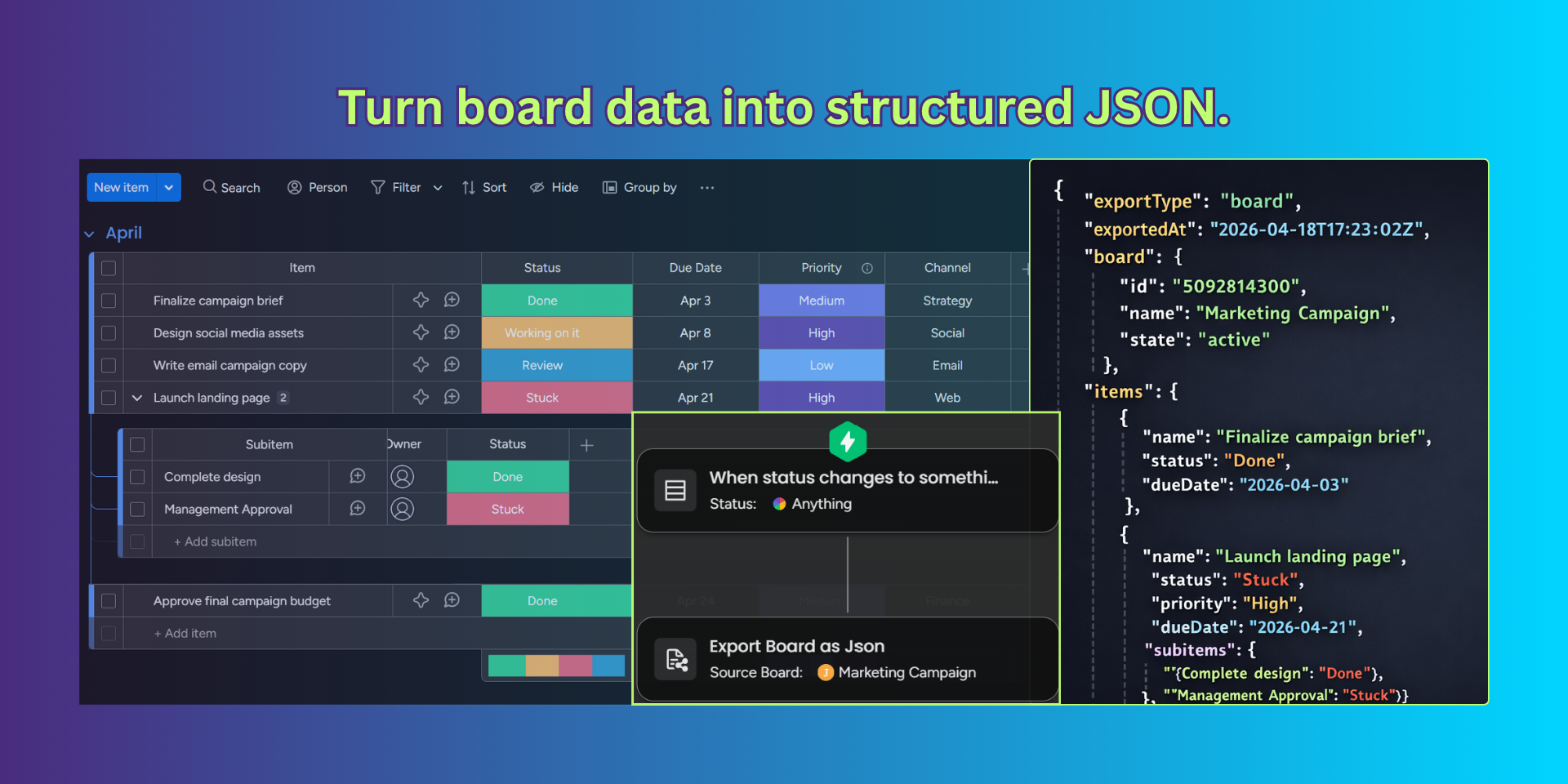
Export JSON is a powerful integration tool designed to help you seamlessly transform your monday.com data into structured JSON; unlocking new possibilities for automation, integrations, and data portability.
🚀 Core Features
🔹 Export Board as JSON
Easily export entire boards into clean, well-structured JSON format. Perfect for backups, analytics, or syncing large datasets with external systems.
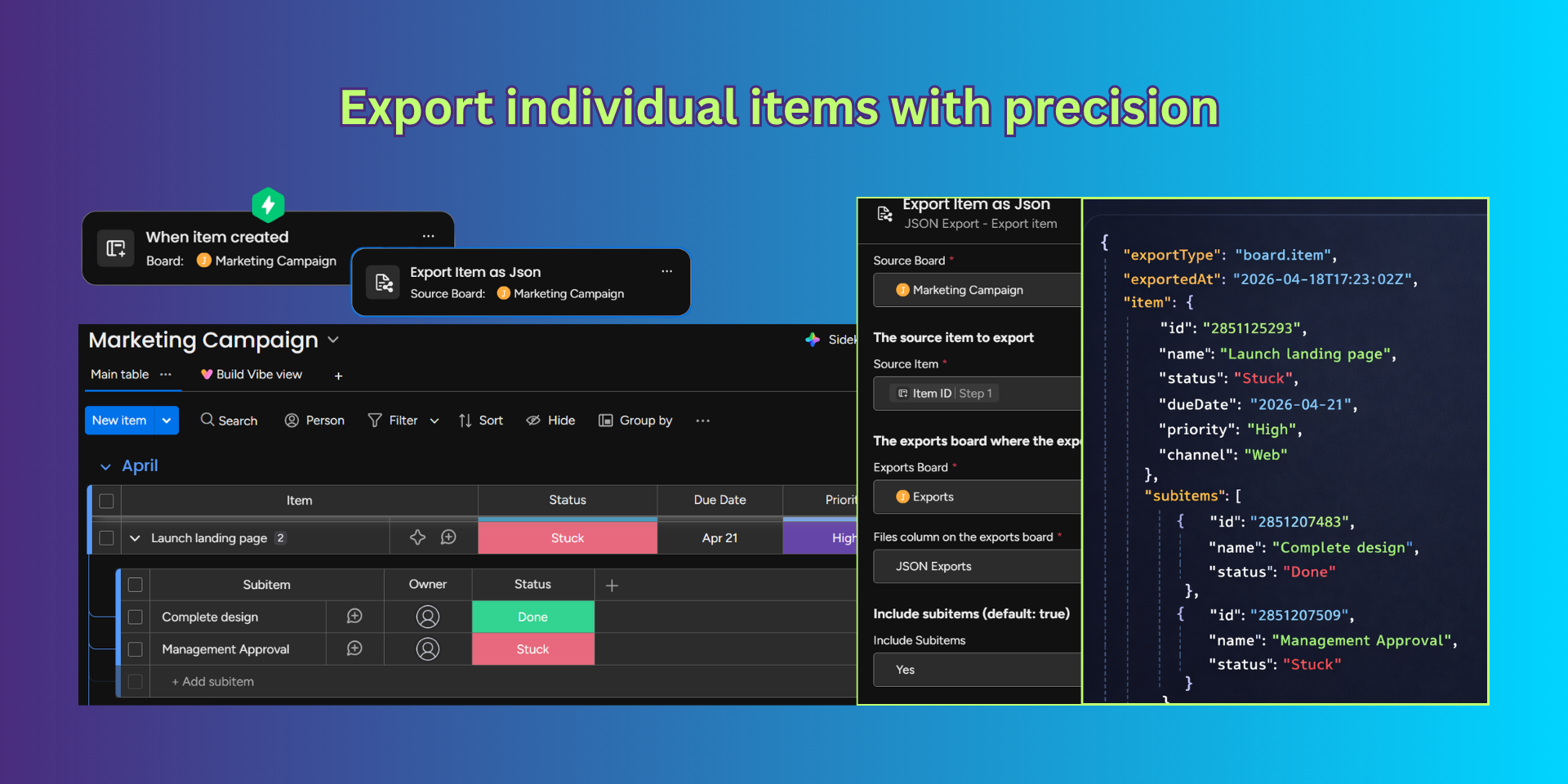
🔹 Export Item as JSON
Need more granular control? Export individual items with precision, enabling targeted workflows and real-time data exchange.
Take automation to the next level by sending your exported JSON directly to a webhook.
This enables seamless communication between monday.com and other platforms, such as:
• Custom backends
• Automation tools
• Data pipelines
• Third-party services
💡 Why Use Export JSON?
• Eliminate manual data handling
• Enable real-time integrations and workflows
• Maintain consistency with structured data exports
• Bridge the gap between monday.com and external systems
Whether you’re a developer building integrations or a team looking to automate workflows, Export JSON provides a fast, flexible, and reliable way to move your data where it needs to go.
Security & Compliance
The app developer did not provide the security and compliance information for this app.
Reviews
No reviews yet.
Historical data
Installation history
We have data for December 28, 2024 onwards only. Collected sometime after 00:00 UTC daily.
Total number of installs
Change in total number of installs in last 1 day(s)
Compares the number of installs on each date with 1 days previously:
Max
Min
Current
Change in total number of installs in last 7 day(s)
Compares the number of installs on each date with 7 days previously:
Max
Min
Current
Change in total number of installs in last 30 day(s)
Compares the number of installs on each date with 30 days previously:
Max
Min
Current
Change in total number of installs in last 90 day(s)
Compares the number of installs on each date with 90 days previously:
Max
Min
Current
Change in total number of installs in last 180 day(s)
Compares the number of installs on each date with 180 days previously:
Max
Min
Current
Ratings history
Categories history
Each of the following is a yes/no answer, so the graphs show 1 for yes, and 0 for no.