Create & send invoices and quotes from your boards
Create, edit, and send professional invoices and quotes — without ever leaving monday.com.
Easy Invoice turns your monday.com boards into a complete invoicing workspace. No spreadsheets, no external tools, no double entry. Your board stores the data, the board view is the experience — a clean, document-style editor that looks exactly like the final PDF.
In short:
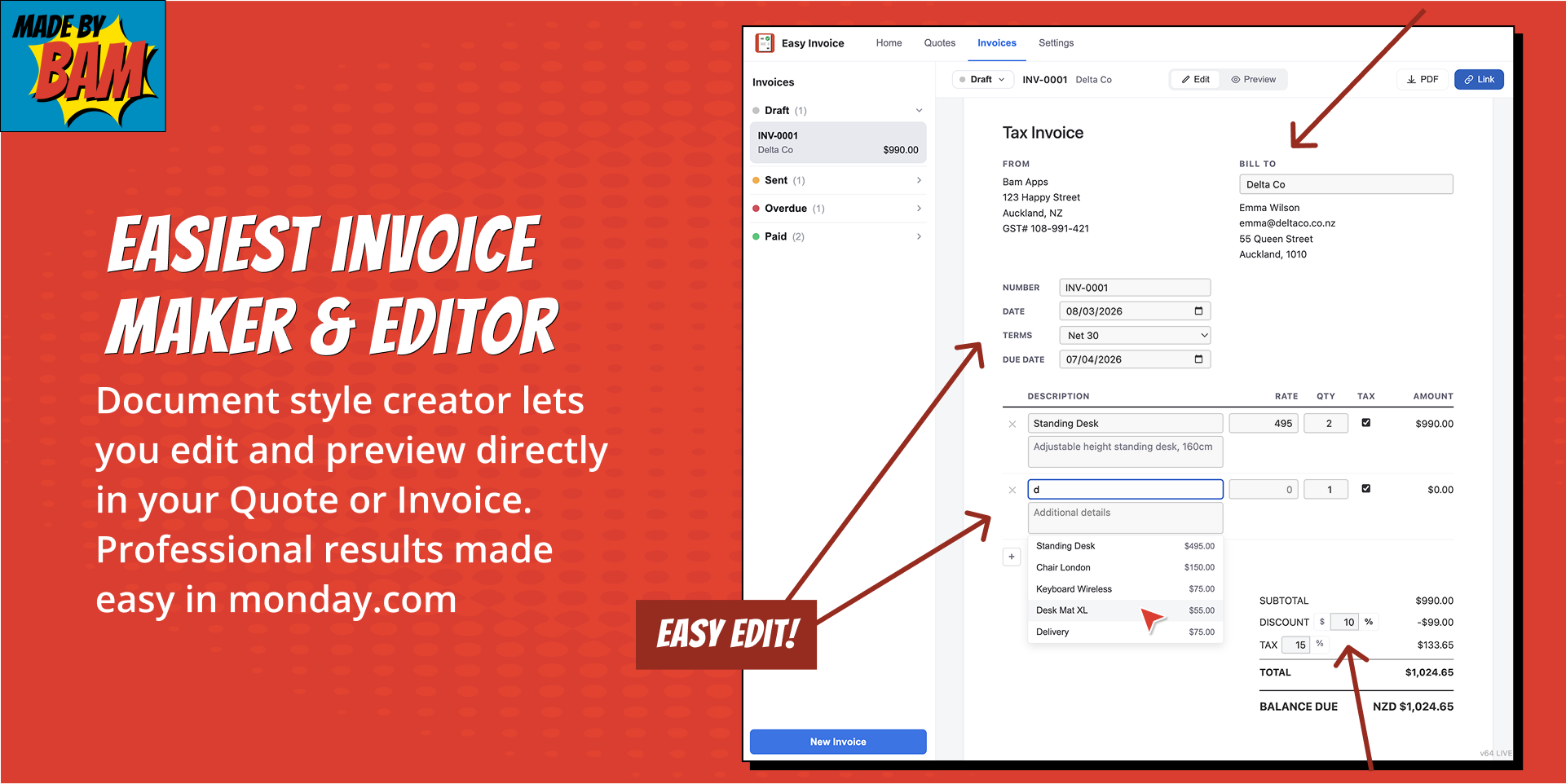
✅ Document-style editor — what you edit is what you get in the PDF
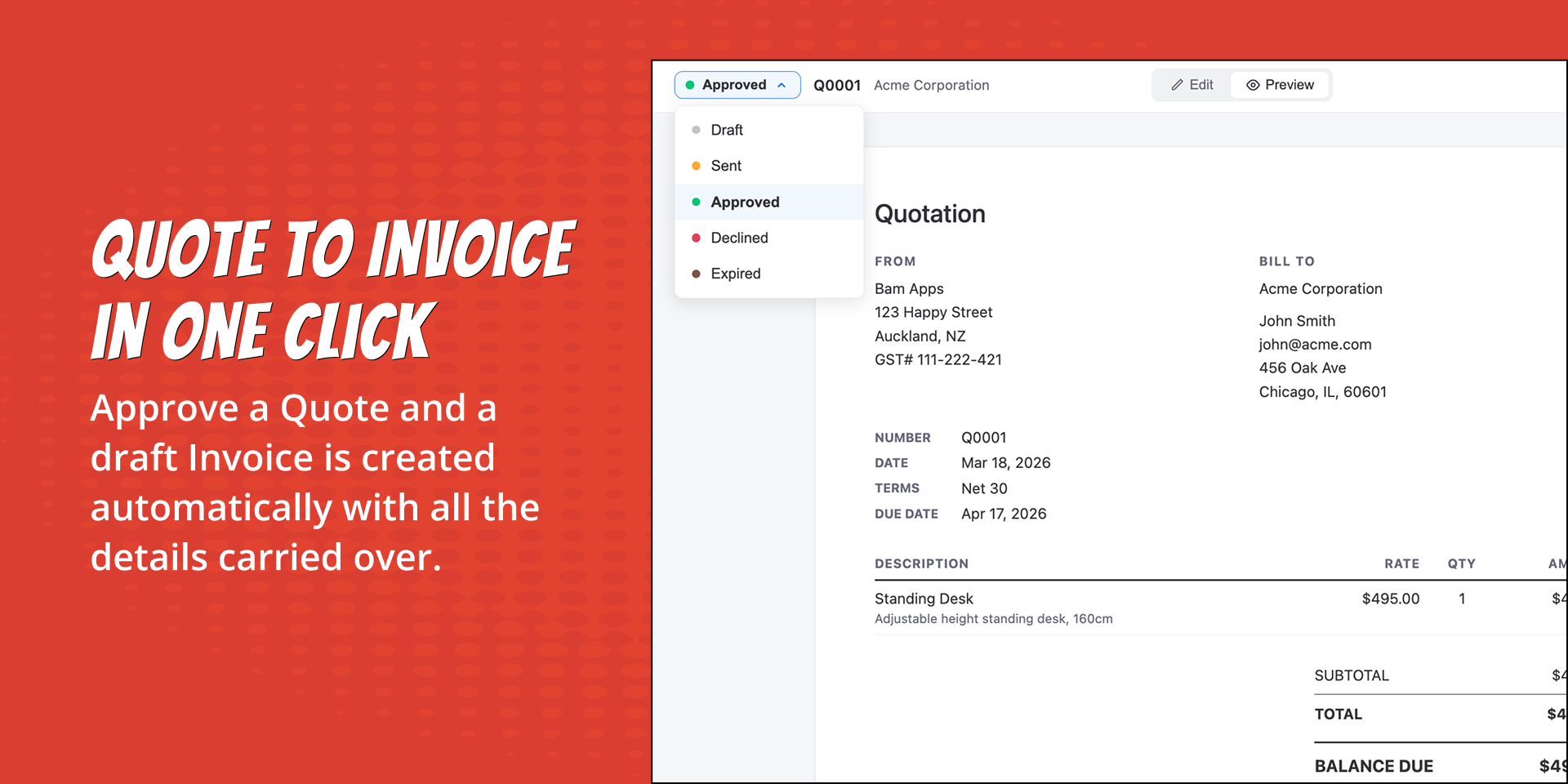
✅ Quote-to-invoice workflow — approve a quote and a draft invoice is created automatically
✅ Customer and product catalog — pick from your boards, auto-fill the details
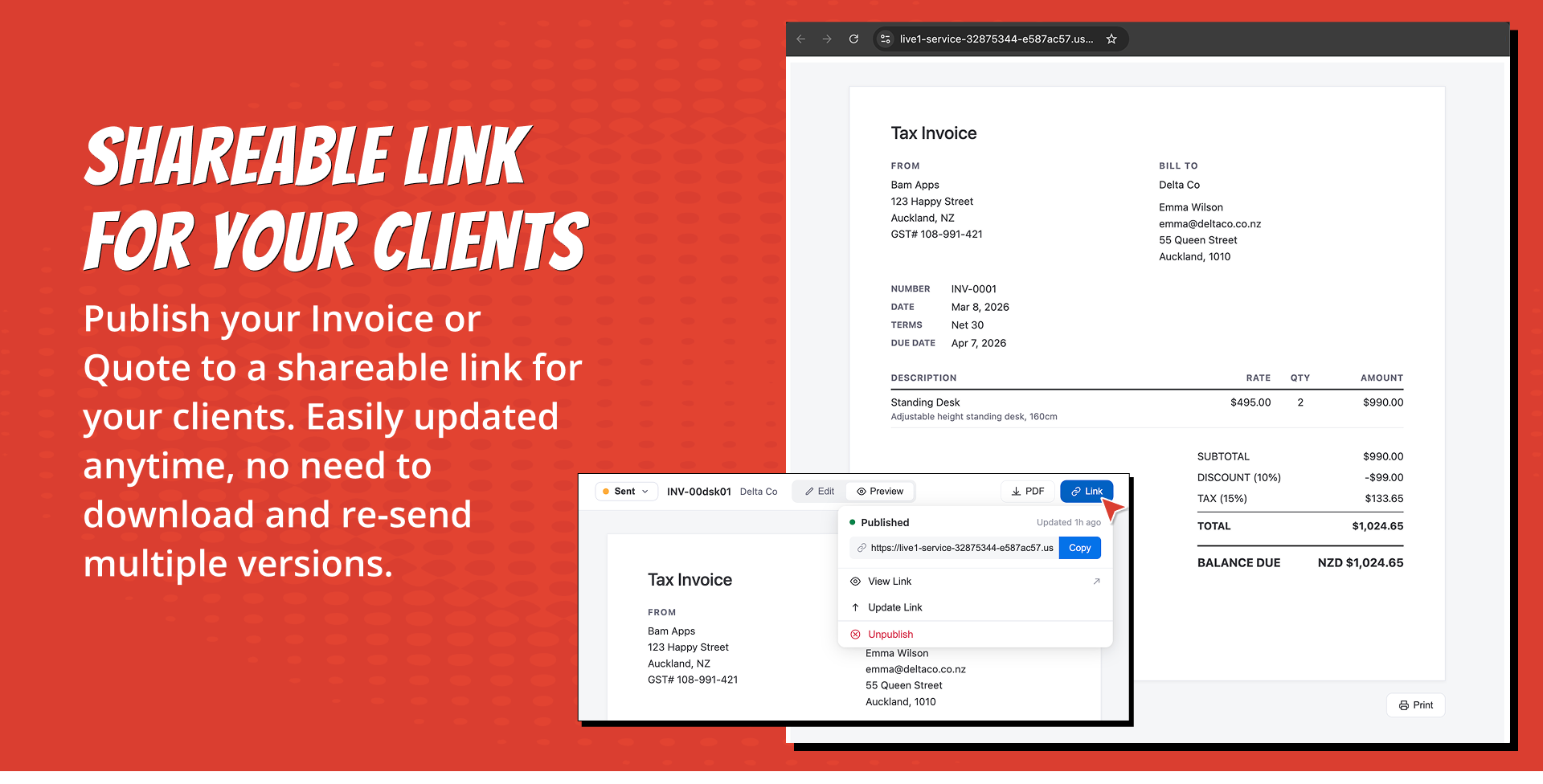
✅ Client-side PDF generation — download or publish a shareable link
✅ Publish your invoice as a shareable link - send to your client in email, TXT or your prefered chat client.
✅ 100% hosted on monday.com's platform — no external databases or servers
Stop juggling spreadsheets and external invoicing tools.
If you're using monday.com to manage projects, you've probably hit this wall: you track the work in monday, then switch to another tool to invoice for it. You re-type customer details, copy line items, and hope nothing gets lost. It breaks the flow.
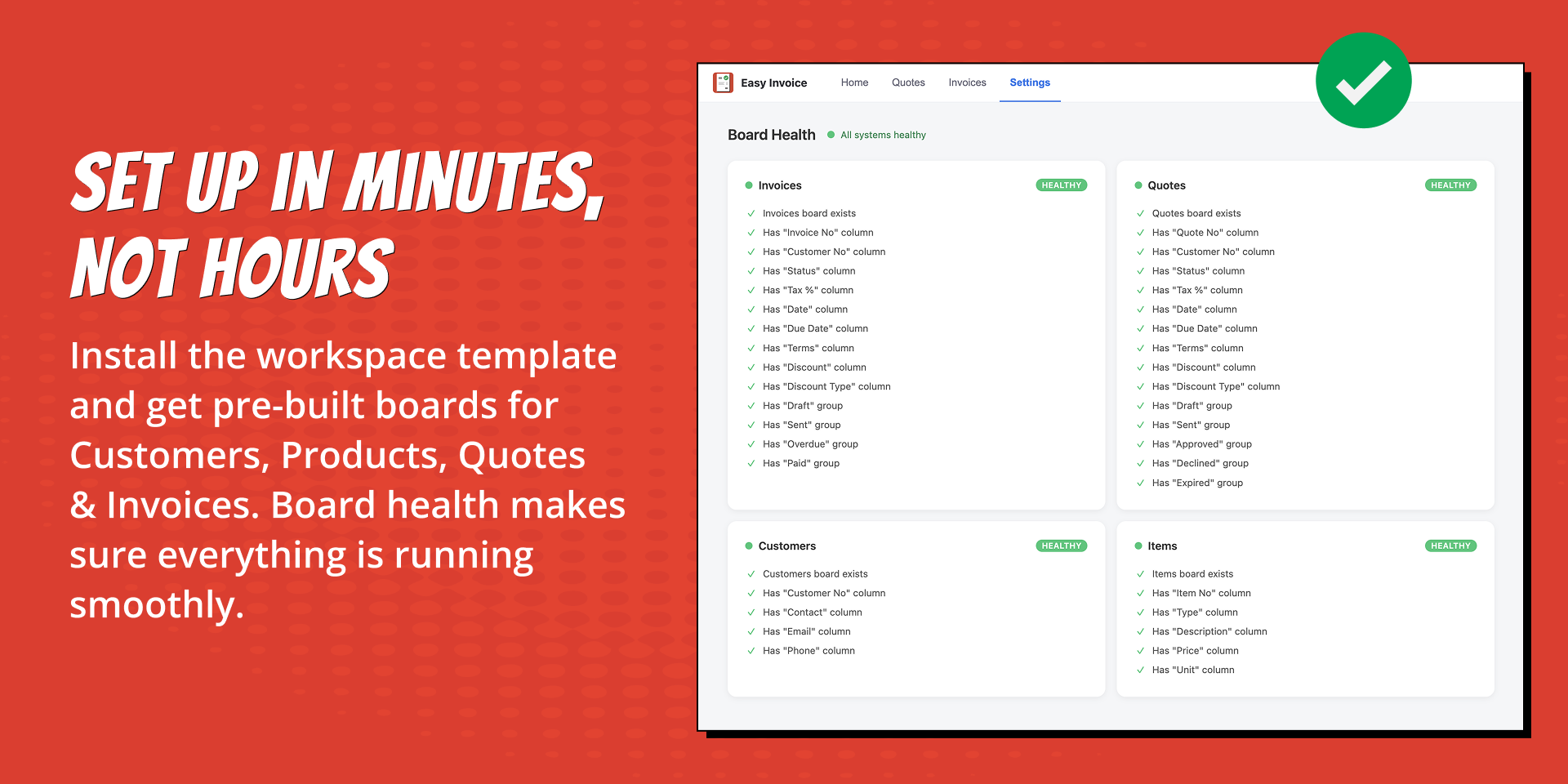
Easy Invoice is the fix. Install the workspace template, configure your company details, and start invoicing — all inside monday.com.
Features
📄 Document-style editor — a clean, InvoiceSimple-inspired form that looks like the final invoice. Edit and preview in one place.
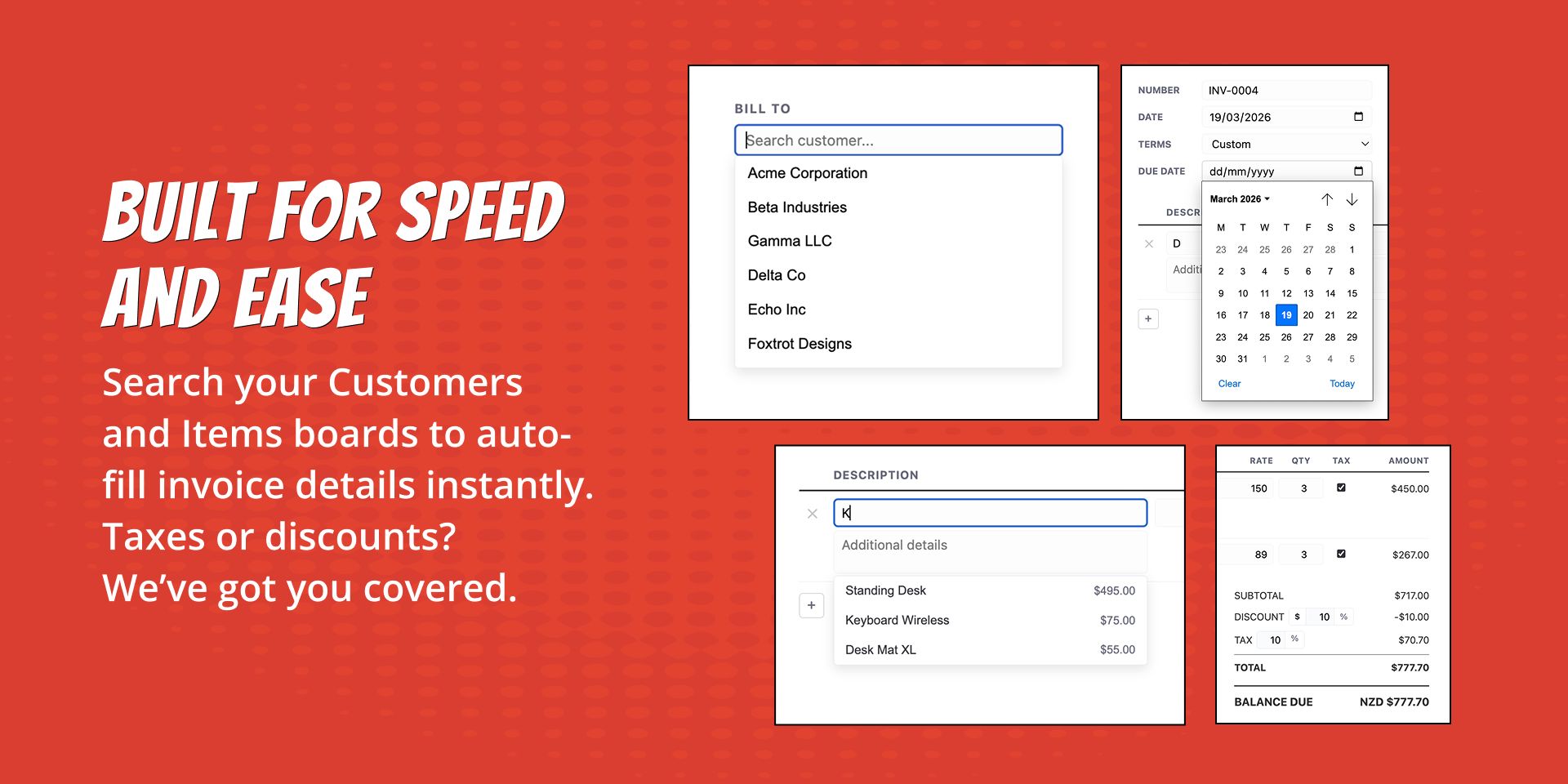
👥 Customer picker — search your Customers board, select a customer, and their details auto-fill. No re-typing.
📦 Product catalog — browse your Items board, pick products or services, and line items populate with description, rate, and unit type.
🔄 Quote-to-invoice conversion — approve a quote and a draft invoice is created with all line items, customer details, and terms carried over.
💰 Tax, discounts & multi-currency — configurable tax rate (Tax/GST/VAT), percentage or fixed discounts, and 18 supported currencies.
📑 PDF generation — generate professional Quotes and Invoices, Download instantly as a PDF or publish as a shareable link.
Does the developer periodically perform penetration testing?
Yes
The app runs on Monday Code, which is covered by monday.com's annual third-party penetration testing program. At the application level, we conduct ongoing security audits and automated penetration testing using AI-powered security agents that review the codebase for OWASP Top 10 vulnerabilities, authentication weaknesses, and insecure data handling. Application dependencies are continuously scanned via `npm audit` and GitHub Dependabot, and identified issues are remediated before each release.
Does the developer have a dedicated security and privacy point of contact for such issues or questions?
Does the app restrict redirects and forwards only to approved destinations, or show a warning when redirecting to potentially untrusted content?
Yes
The app does not perform any redirects or forwards. There is no OAuth flow — authentication uses monday.com's session token exclusively. No user-supplied URLs are ever used in any redirect, forward, or server-side request.
Does the app protect against mass parameter assignment attacks?
Yes
All API routes explicitly extract and validate individual properties from request bodies. Request bodies are never spread or passed directly to storage.
Does the app perform encoding and sanitization on all user supplied parameters to protect against Cross-Site Scripting?
Yes
The React frontend uses JSX auto-escaping with no `dangerouslySetInnerHTML` usage. All user inputs are sanitized both client-side and server-side, and published pages are served with a strict Content Security Policy that blocks all JavaScript execution.
Does the developer protect all state-changing actions against Cross-Site Request Forgery (CSRF)?
Yes
The app uses Bearer token authentication and sets no cookies, so browser-based CSRF attacks cannot forge valid requests.
Does the developer have mechanisms to notify monday.com in case of a security breach?
Yes
We maintain an incident response process that includes notifying monday.com within 72 hours of any confirmed breach. Reports can be initiated at security@bam-apps.com.
Does this developer have a process for installing application-level updates and security patches for the service (such as software packages and databases)?
Yes
Monday Code handles all infrastructure-level patching automatically. Application dependencies are monitored via GitHub Dependabot and patched before each release.
Compliance
Is the app certified with the information security standard ISO/IEC 27001:2022?
Yes
The app is hosted entirely on Monday Code, which is covered by monday.com's ISO 27001 certification ([trust.monday.com](https://trust.monday.com)).
Is the app compliant with the Health Insurance Portability and Accountability Act (HIPAA)?
Not answered
Is the app certified with System and Organization Controls (SOC 2 or SOC 3)?
Yes
The app is hosted entirely on Monday Code, which is covered by monday.com's SOC 2 Type II and SOC 3 certifications ([trust.monday.com](https://trust.monday.com)).
Is the app compliant with the General Data Protection Regulation (GDPR)?
Yes
The app runs on monday.com's GDPR-compliant platform and stores all data exclusively on Monday infrastructure. All data is purged on uninstall, and the app uses no cookies. Data subject requests can be directed to privacy@bam-apps.com.
Data
Does the app send any data outside of monday.com? If yes, indicate whether the data is customer-submitted (e.g., board names, item names, doc content) or non-customer-submitted (e.g., account ID, board ID, user ID).
Yes
The app does not send any data outside of monday.com. There are no external APIs, analytics services, or third-party integrations. All data is stored and processed exclusively within monday.com's platform.
Where does the app store logs data?
monday
Logs are stored in Monday Code's built-in logging infrastructure, covered by monday.com's SOC 2 and ISO 27001 certifications.
Where does the app store the app data?
monday
All app data — invoice snapshots, settings, and secrets — is stored exclusively on monday.com's platform via Monday SecureStorage, Storage API, and SecretsManager. No external database or third-party storage is used.
Does the developer ensure application logs do not contain secrets or personally-identifiable information (PII)?
Yes
Logs contain only non-PII identifiers and operation outcomes. Session tokens, email addresses, and user names are never logged.
Is customer data segregated from the data of other customers (for example logically or physically)?
Yes
Monday Code provides infrastructure isolation between accounts. At the application level, all stored data uses composite keys scoped by account ID, ensuring complete logical isolation.
Privacy
Does the developer enforce multi-factor authentication on employees access to systems which may process customer data?
Yes
MFA is enforced on all systems with access to app configuration: GitHub and monday.com Developer Center.
Does the developer protect access to customer data based on the principle of least privilege?
Yes
The app requests only the minimum monday.com scopes required for its functionality: `boards:read`, `boards:write`, `me:read`, and `account:read`. No OAuth or third-party API scopes are used. All stored data is scoped to the authenticated account, and only authenticated users within the same account can access or modify data.
Reviews
No reviews yet.
Historical data
Installation history
We have data for December 28, 2024 onwards only. Collected sometime after 00:00 UTC daily.
Total number of installs
Change in total number of installs in last 1 day(s)
Compares the number of installs on each date with 1 days previously:
Max
Min
Current
Change in total number of installs in last 7 day(s)
Compares the number of installs on each date with 7 days previously:
Max
Min
Current
Change in total number of installs in last 30 day(s)
Compares the number of installs on each date with 30 days previously:
Max
Min
Current
Change in total number of installs in last 90 day(s)
Compares the number of installs on each date with 90 days previously:
Max
Min
Current
Change in total number of installs in last 180 day(s)
Compares the number of installs on each date with 180 days previously:
Max
Min
Current
Ratings history
Categories history
Each of the following is a yes/no answer, so the graphs show 1 for yes, and 0 for no.