Turn your boards into interactive, synced mind maps
Turn any monday.com board into a structured, interactive mind map. Install, add the view, done.
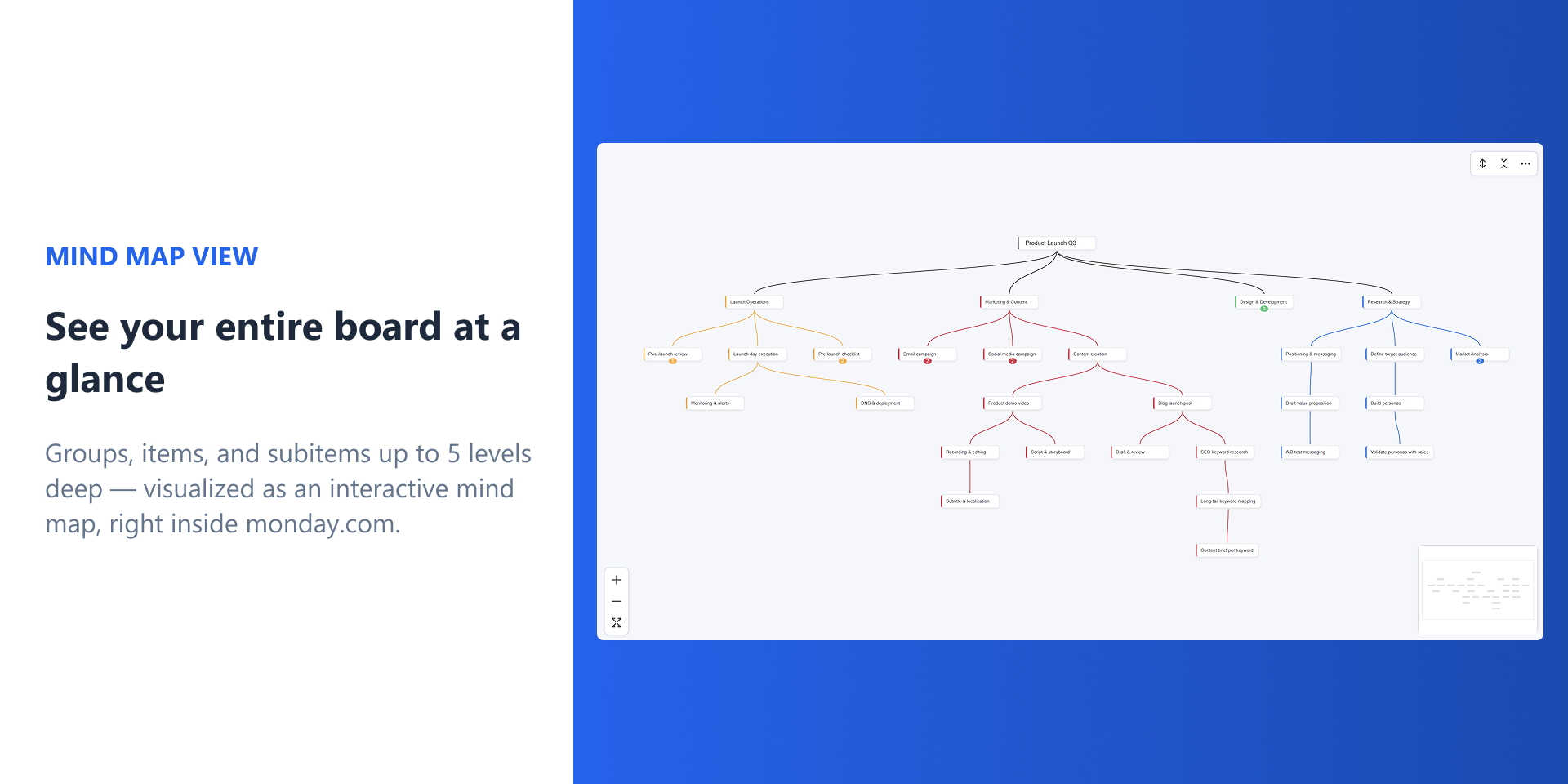
Your board hierarchy — Groups, Items, and Subitems up to 5 levels deep — becomes a visual map that stays in sync at all times. No "Refresh" button, no re-typing, no configuration.
Your data never leaves monday.com. No backend, no external servers — built entirely on the monday.com platform.
Why teams switch to Mind Map View
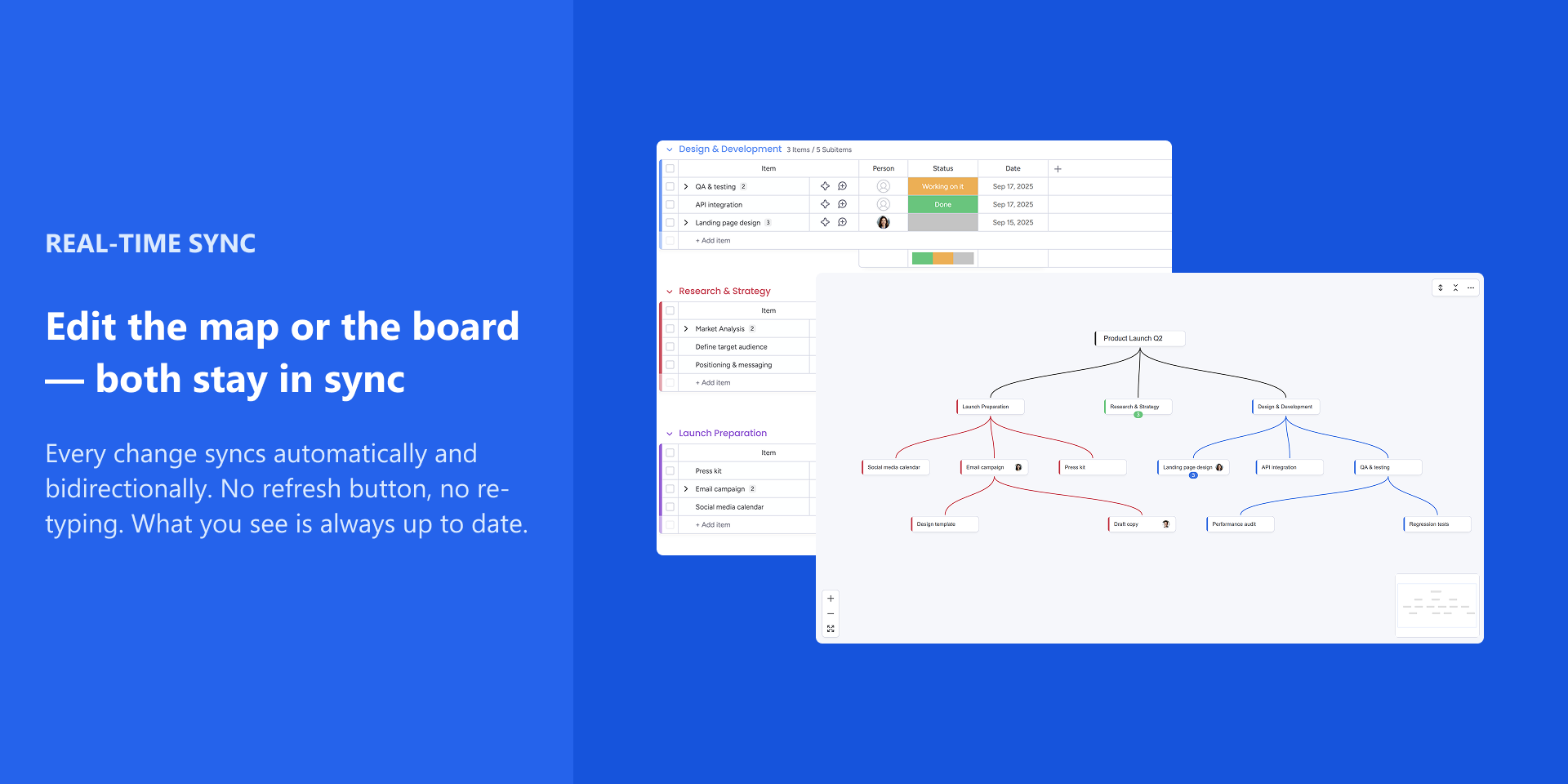
Real-time bidirectional sync — Create, rename, move, or delete nodes. Changes flow to your board instantly, and board updates flow back to the map. Always aligned, always current.
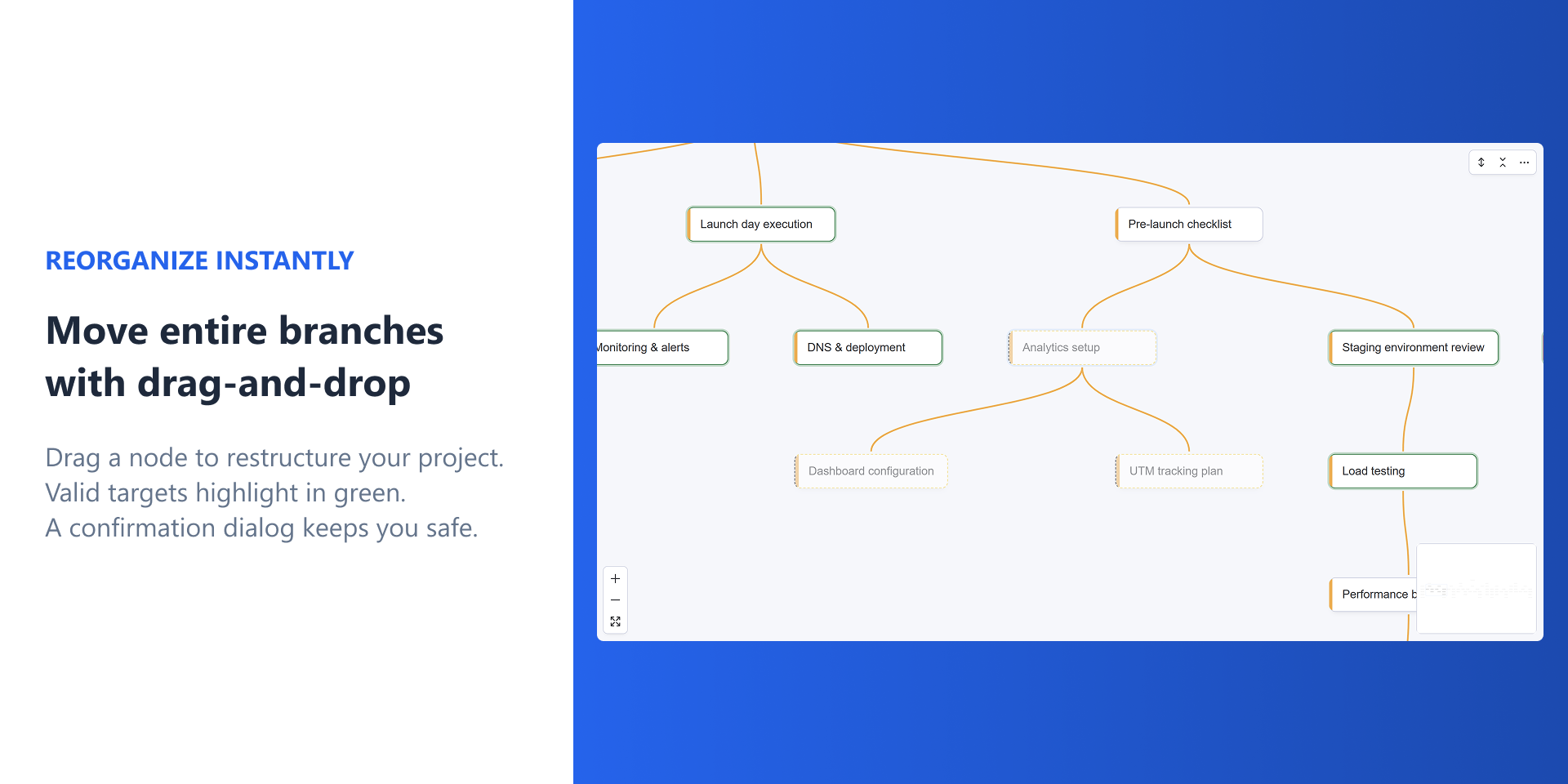
Reorganize entire branches — Drag-and-drop or cut/copy/paste to restructure your project visually. The board updates automatically.
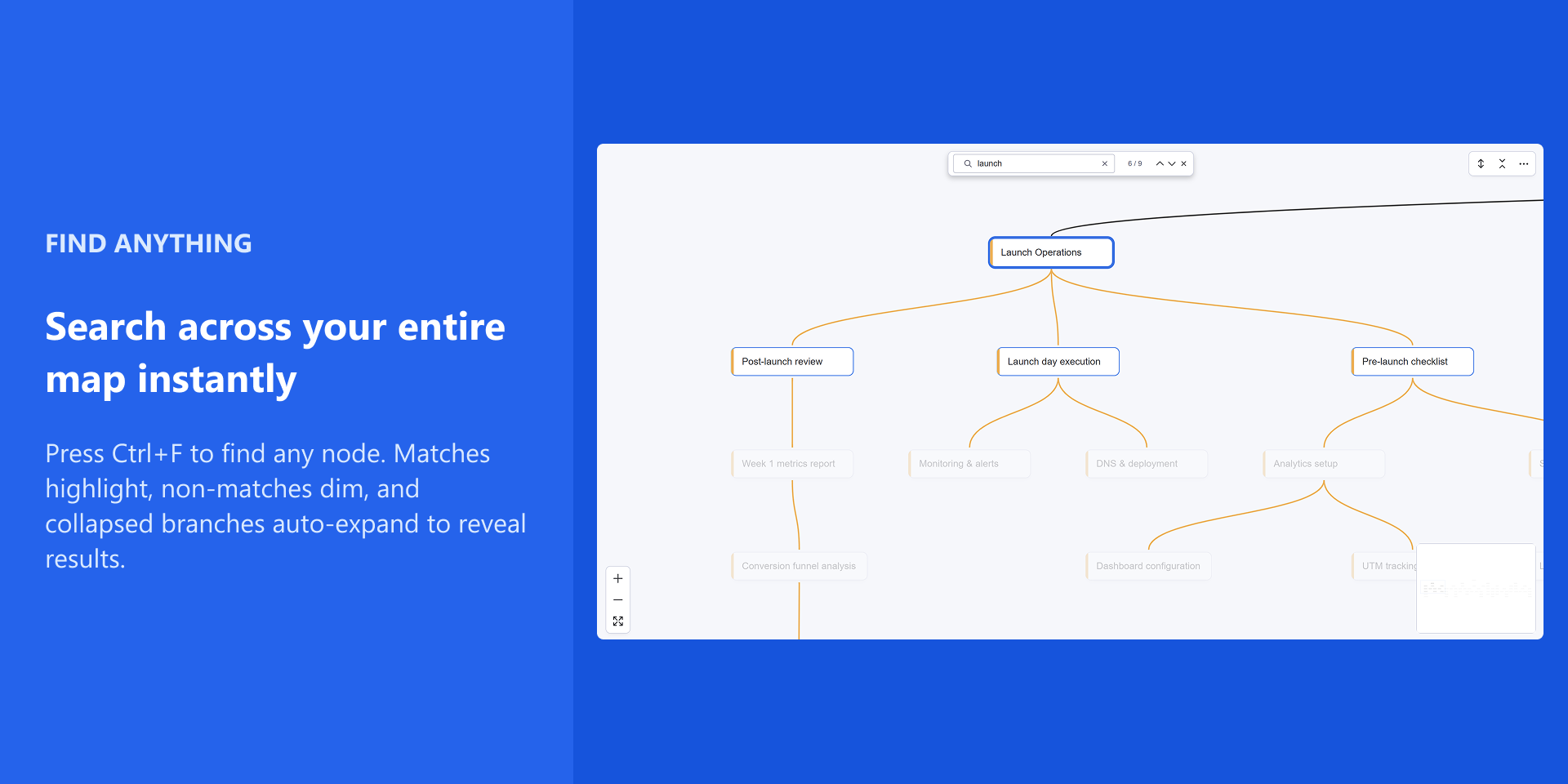
Find anything fast — Searches all nodes, even inside collapsed branches. Jump to what matters in seconds.
See who's working on what — Assignee avatars display directly on nodes. Assign people without leaving the map.
Focus on what matters — Collapse and expand branches to zoom in on active work and hide the noise.
Keyboard-first navigation — Tab, Enter, Delete, arrow keys, Space to edit. Power users never touch the mouse.
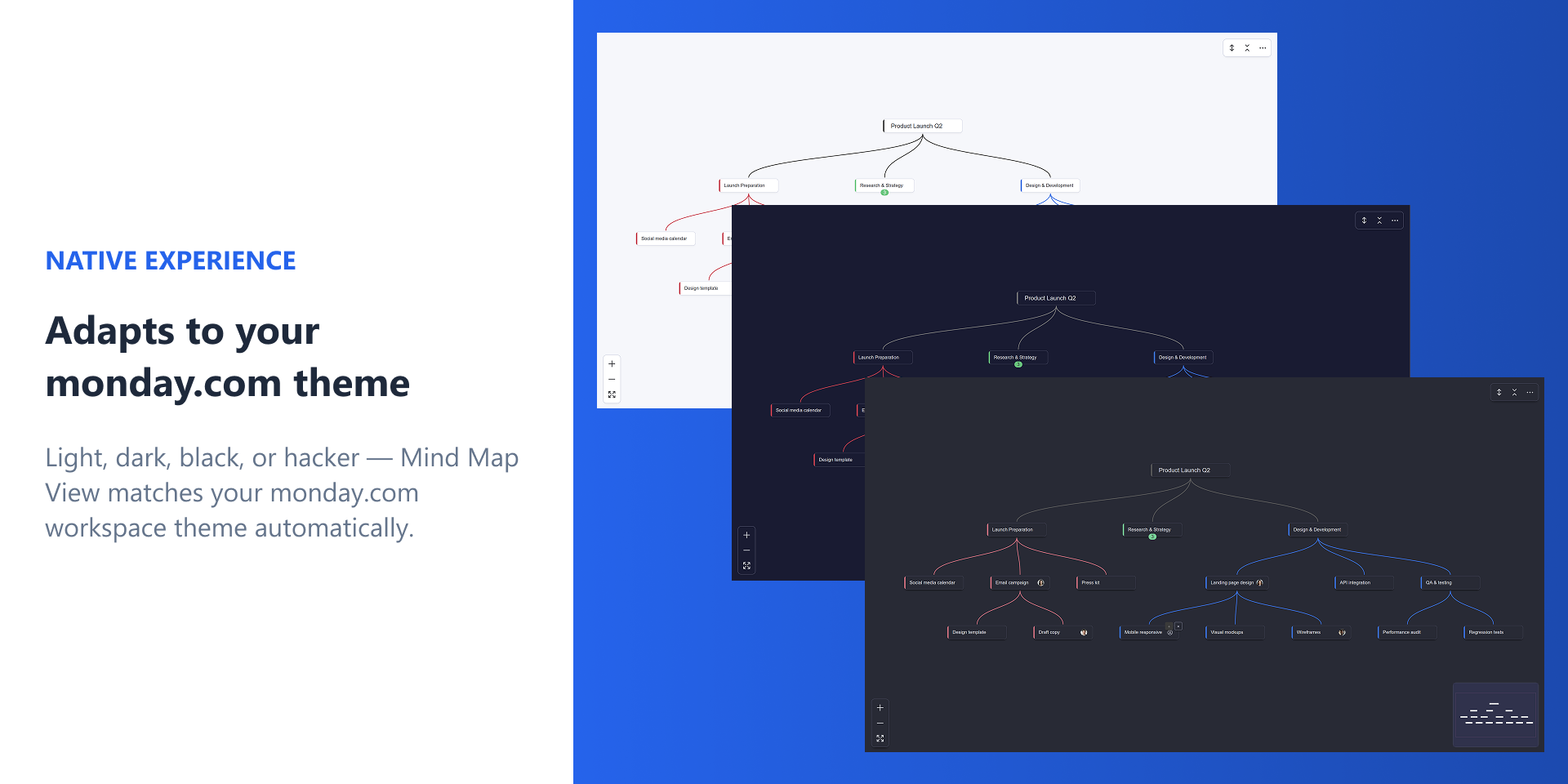
Native look and feel — A real board view inside monday.com. Supports Light, Dark, and Night themes.
From ideas to action
Brainstorming — Map out ideas that become real tasks without re-typing
Project breakdown — Decompose complex work visually, keep it current as the team updates the board
Sprint planning — See your hierarchy at a glance, reorganize priorities in seconds
Team onboarding — Give newcomers the big picture of any project in one view
Get started in seconds
Install the app, add Mind Map View to any board — a built-in tutorial walks you through the basics.
Use the ⋯ menu anytime to replay the tutorial, report a bug, or request a feature.
Security & Compliance
Security
Does the developer periodically perform penetration testing?
No
Our app is a client-side only board view with no backend server, no database, and no external data storage. All communication goes directly to Monday.com's GraphQL API via the Monday SDK within the iframe. Given this minimal attack surface (no server infrastructure to test), we have not performed formal penetration testing.
Does the developer have a dedicated security and privacy point of contact for such issues or questions?
Yes
Security and privacy inquiries can be directed to hello@sorobu.io.
Does the app restrict redirects and forwards only to approved destinations, or show a warning when redirecting to potentially untrusted content?
Yes
Our app does not perform any redirects or forwards. It runs entirely within the Monday.com iframe as a client-side board view, communicating only with Monday.com's GraphQL API via the Monday SDK. There are no external URLs or user-controlled redirect targets.
Does the app protect against mass parameter assignment attacks?
Yes
Our app has no backend server or database. It is a client-side only application running within the Monday.com iframe. All data mutations are performed through Monday.com's GraphQL API using specific, explicitly defined fields — there is no server-side object binding or ORM that could be vulnerable to mass assignment.
Does the app perform encoding and sanitization on all user supplied parameters to protect against Cross-Site Scripting?
Yes
Our app is built with React, which automatically escapes all rendered content by default, preventing XSS through DOM injection. All user input (node labels) is passed to Monday.com's GraphQL API using parameterized variables, never through string interpolation. The app does not use dangerouslySetInnerHTML or any raw HTML injection.
Does the developer protect all state-changing actions against Cross-Site Request Forgery (CSRF)?
Yes
Our app has no backend server and exposes no API endpoints. All state-changing operations are performed through the Monday.com SDK within the iframe, which handles authentication and session management. There are no custom endpoints that could be targeted by CSRF attacks.
Does the developer have mechanisms to notify monday.com in case of a security breach?
Yes
In the event of a security breach, we will promptly notify monday.com via their partner communication channels and at security@monday.com. As a client-side only app with no backend or data storage, the attack surface is minimal, but we commit to immediate disclosure if any security issue is identified.
Does this developer have a process for installing application-level updates and security patches for the service (such as software packages and databases)?
Yes
We maintain an automated CI pipeline (GitHub Actions) that runs on every push and pull request. This pipeline includes a mandatory security audit step (npm audit) that flags high-severity vulnerabilities and blocks deployment if any are found. Dependencies are regularly updated and security patches are applied promptly. As a client-side only app with no server infrastructure or database, patching is limited to front-end dependencies, which are kept up to date and redeployed via monday.com's app hosting.
Compliance
Is the app certified with the information security standard ISO/IEC 27001:2022?
No
we are not ISO/IEC 27001 certified. However, our app minimizes security risk by design: it is a client-side only application with no backend, no database, and no external data storage. All data remains within monday.com's own ISO 27001-certified infrastructure.
Is the app compliant with the Health Insurance Portability and Accountability Act (HIPAA)?
No
Our app is not HIPAA compliant. It is a general-purpose mind mapping tool that does not process, store, or transmit any protected health information (PHI). All data resides within monday.com's infrastructure.
Is the app certified with System and Organization Controls (SOC 2 or SOC 3)?
No
we do not hold SOC 2 or SOC 3 certification. Our app has no backend infrastructure to audit — it is a client-side only application where all data processing and storage is handled by monday.com's own SOC 2-certified infrastructure.
Is the app compliant with the General Data Protection Regulation (GDPR)?
Yes
Our app is GDPR compliant by design. It does not collect, store, or process any personal data independently — all data remains within monday.com's infrastructure. The app has no backend, no database, no cookies, no analytics, and no third-party tracking. Local browser logs (localStorage) contain only operational data and can be cleared by the user at any time. For any data-related requests, users can contact us at hello@sorobu.io.
Data
Does the app send any data outside of monday.com? If yes, indicate whether the data is customer-submitted (e.g., board names, item names, doc content) or non-customer-submitted (e.g., account ID, board ID, user ID).
No
Our app does not send any data outside of monday.com. It is a client-side only application running within the monday.com iframe. All communication is exclusively between the app and monday.com's GraphQL API via the Monday SDK. No data is sent to any third-party service, external server, or analytics platform.
Where does the app store logs data?
other
Logs are stored exclusively in the browser's localStorage on the user's device (client-side only). They are kept in a circular buffer (max 5,000 entries) and never sent to any external server or third-party service. Logs can be exported manually as JSON by the user via a debug panel for troubleshooting purposes. No log data leaves the user's browser.
Where does the app store the app data?
monday
All app data is stored using monday.com's native infrastructure. Board data (groups, items, subitems) is managed through monday.com's GraphQL API. App-specific settings (board designation, onboarding state, review prompt tracking) are stored using monday.com's Storage API (monday.storage). No external database or vendor-hosted storage is used.
Does the developer ensure application logs do not contain secrets or personally-identifiable information (PII)?
Yes
Logs are stored locally in the user's own browser (localStorage) and are never transmitted externally. Log entries contain only operational data: session IDs (randomly generated), board IDs, log categories, and action descriptions. No passwords, tokens, API keys, email addresses, or personal names are stored in logs. The userId field contains only the monday.com numeric user ID (not names or emails), and it is only accessible to the user themselves within their own browser session.
Is customer data segregated from the data of other customers (for example logically or physically)?
Yes
Our app does not store or manage customer data itself. All data segregation is handled by monday.com's infrastructure. Each user accesses the app within their own monday.com iframe session, scoped to their specific board and account. The Monday SDK and GraphQL API enforce access controls, ensuring users can only access data from their own account. There is no shared backend, database, or cache where data from different customers could be mixed.
Privacy
Does the developer enforce multi-factor authentication on employees access to systems which may process customer data?
Yes
MFA is enabled on GitHub, which hosts the source code repository and CI/CD pipeline. As a client-side only app with no backend or database, there is no server infrastructure processing customer data. The app runs entirely within the monday.com iframe, and customer data is managed by monday.com's own security infrastructure.
Does the developer protect access to customer data based on the principle of least privilege?
Yes
Our app follows the principle of least privilege at multiple levels: API scopes: The app only requests the monday.com API scopes strictly necessary for its board view functionality (reading and writing board data). Viewer gating (ADR-025): Users with "Viewer" role are detected at the source and blocked from all API calls — no data is fetched or exposed to unauthorized users. No backend/no storage: The app does not store, cache, or persist any customer data outside of monday.com. All data remains within monday.com's infrastructure.
Reviews
No reviews yet.
Historical data
Installation history
We have data for December 28, 2024 onwards only. Collected sometime after 00:00 UTC daily.
Total number of installs
Change in total number of installs in last 1 day(s)
Compares the number of installs on each date with 1 days previously:
Max
Min
Current
Change in total number of installs in last 7 day(s)
Compares the number of installs on each date with 7 days previously:
Max
Min
Current
Change in total number of installs in last 30 day(s)
Compares the number of installs on each date with 30 days previously:
Max
Min
Current
Change in total number of installs in last 90 day(s)
Compares the number of installs on each date with 90 days previously:
Max
Min
Current
Change in total number of installs in last 180 day(s)
Compares the number of installs on each date with 180 days previously:
Max
Min
Current
Ratings history
Categories history
Each of the following is a yes/no answer, so the graphs show 1 for yes, and 0 for no.