Sync Linear issues to monday.com boards in real time
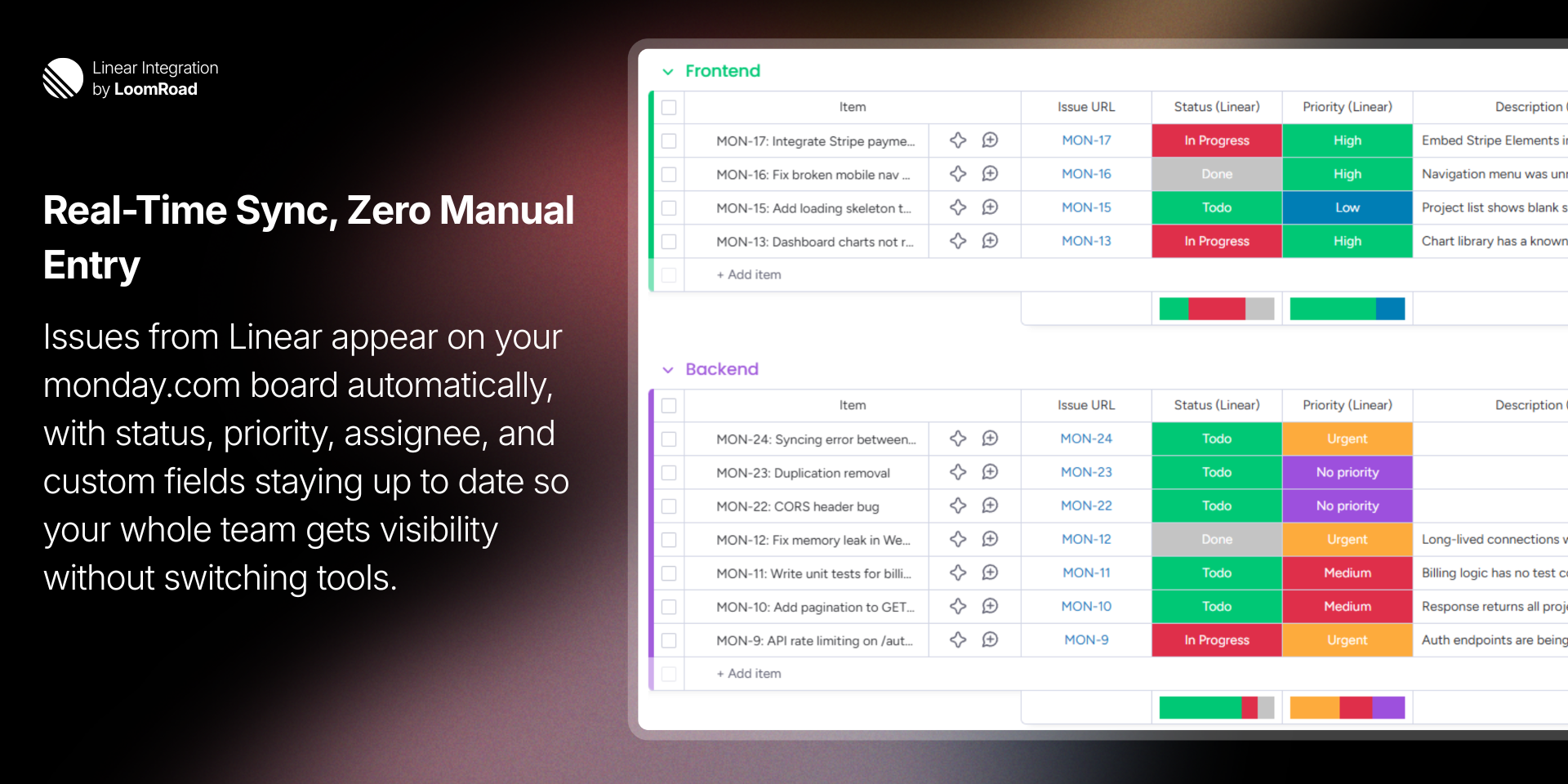
Linear Integration syncs your Linear issues to monday.com boards in real time, giving your entire team visibility into engineering work without leaving monday.com.
This app requires admin permissions on monday.com to configure. Non-admin users will see a message directing them to contact their admin.
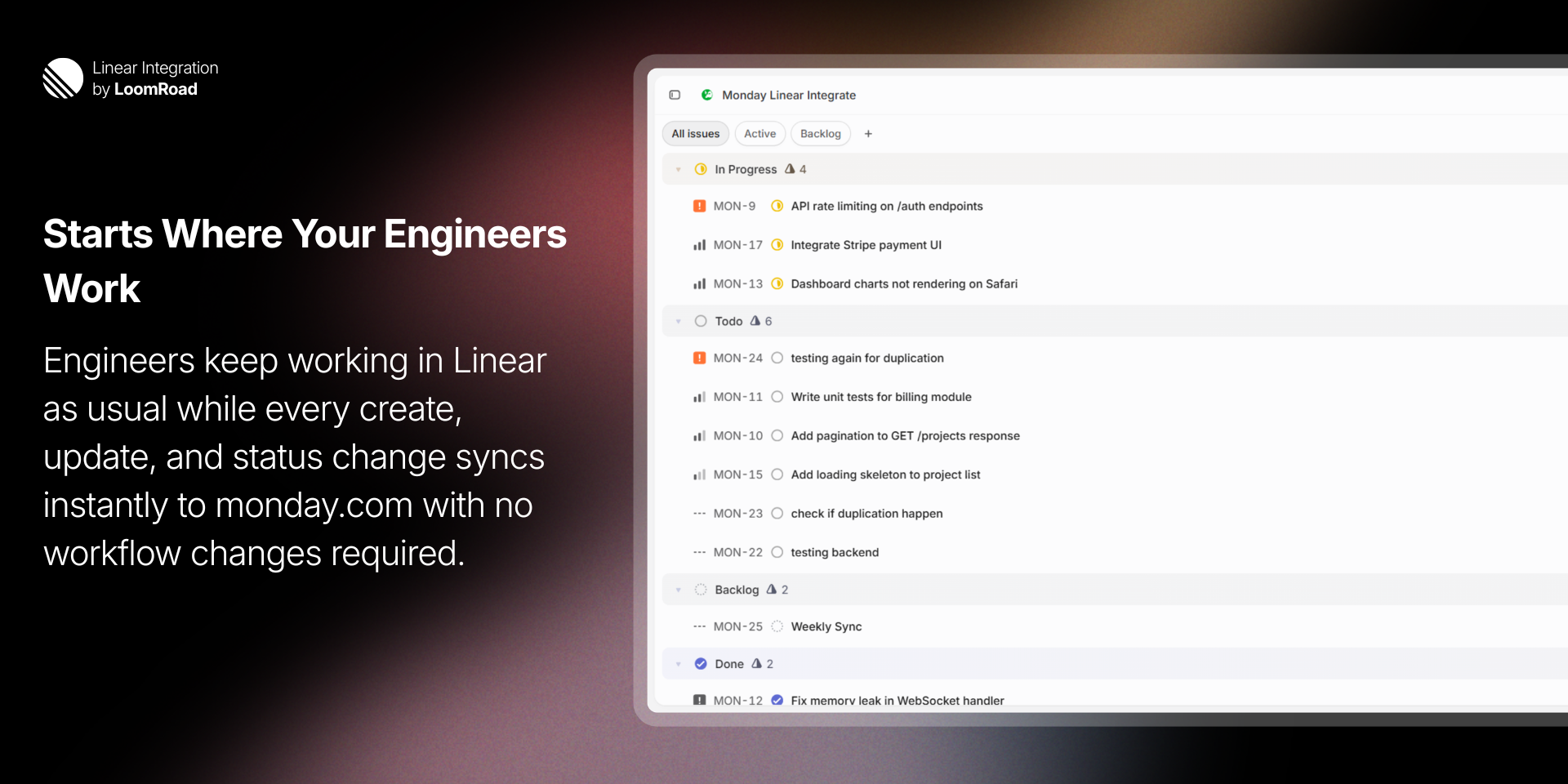
When an issue is created, updated, or closed in Linear, the change appears on your monday.com board within seconds. Fields supported include:
Status — workflow states mapped to monday.com status labels
Priority — Urgent, High, Medium, Low
Assignee, Labels, Due Date, Estimate
Cycle, Project, Description, Issue URL, and more
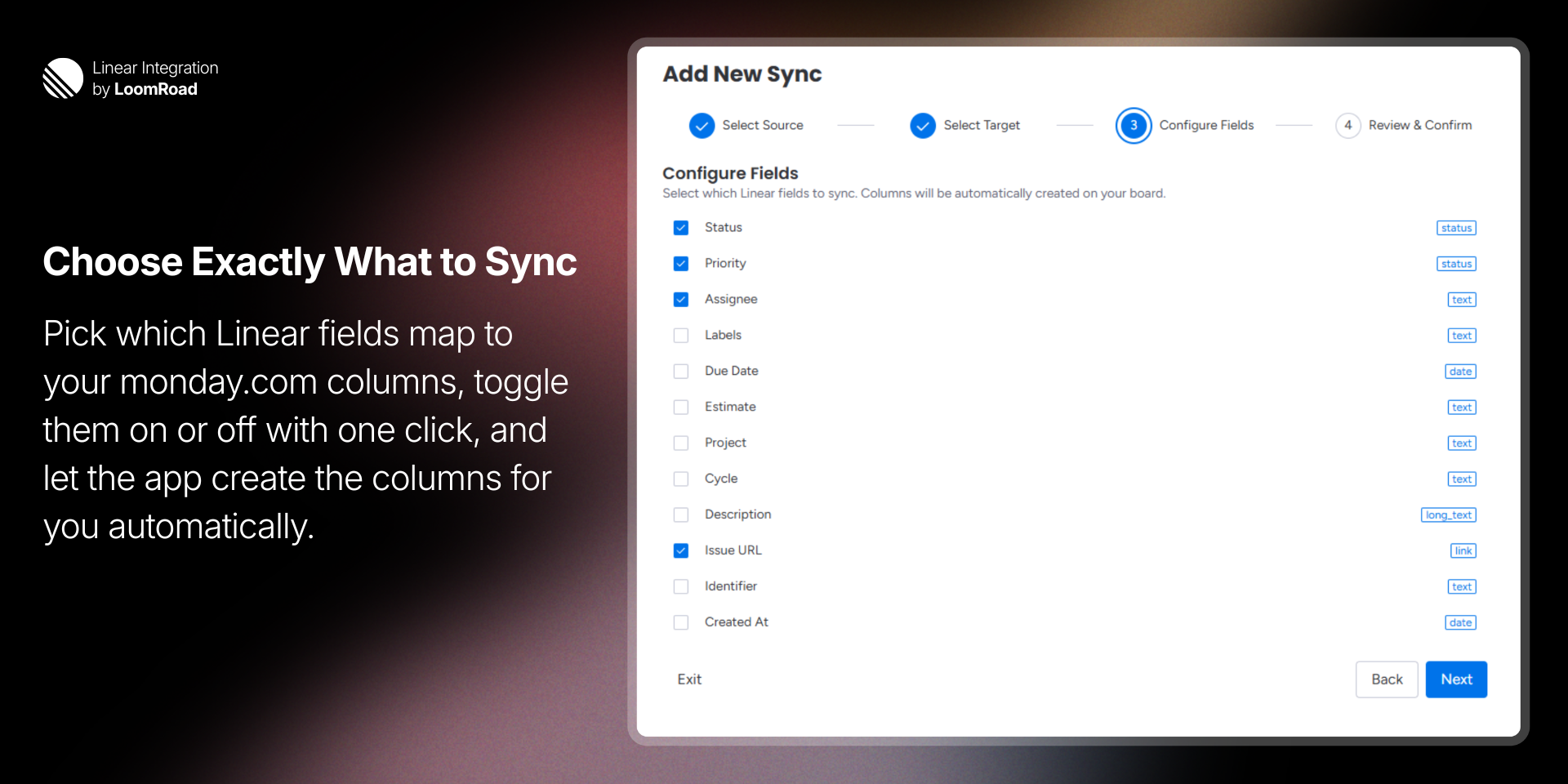
Getting started takes under two minutes. A guided four-step wizard lets you:
Select a Linear team and projects
Choose a target group on your board
Configure which fields to sync
Review and confirm — columns are created automatically
You can sync existing issues on setup or start fresh with only new issues going forward.
Each board supports multiple syncs, so you can pull issues from different teams or projects into separate groups on the same board. Pause, resume, or delete any sync at any time.
Does the developer periodically perform penetration testing?
Not answered
Does the developer have a dedicated security and privacy point of contact for such issues or questions?
Yes
Security and privacy inquiries can be directed to support@loomroad.com
Does the app restrict redirects and forwards only to approved destinations, or show a warning when redirecting to potentially untrusted content?
Yes
Does the app protect against mass parameter assignment attacks?
Yes
All API endpoints explicitly destructure only the expected fields from the request body. No endpoint passes the raw request body directly to the database or to internal functions.
Does the app perform encoding and sanitization on all user supplied parameters to protect against Cross-Site Scripting?
Yes
Does the developer protect all state-changing actions against Cross-Site Request Forgery (CSRF)?
Not answered
Does the developer have mechanisms to notify monday.com in case of a security breach?
Not answered
Does this developer have a process for installing application-level updates and security patches for the service (such as software packages and databases)?
Not answered
Compliance
Is the app certified with the information security standard ISO/IEC 27001:2022?
Not answered
Is the app compliant with the Health Insurance Portability and Accountability Act (HIPAA)?
Not answered
Is the app certified with System and Organization Controls (SOC 2 or SOC 3)?
Not answered
Is the app compliant with the General Data Protection Regulation (GDPR)?
Not answered
Data
Does the app send any data outside of monday.com? If yes, indicate whether the data is customer-submitted (e.g., board names, item names, doc content) or non-customer-submitted (e.g., account ID, board ID, user ID).
Not answered
Where does the app store logs data?
aws
Application logs are stored in Amazon CloudWatch Logs. Logs contain only operational data and never contain secrets or PII.
Where does the app store the app data?
DB
All application data is stored in Amazon DynamoDB. Sensitive data is encrypted at the application level before being written to DynamoDB. DynamoDB also provides encryption at rest by default via AWS-managed keys.
Does the developer ensure application logs do not contain secrets or personally-identifiable information (PII)?
Yes
All tokens are encrypted with AES-256-GCM before storage and are only decrypted in-memory at the point of use.
Is customer data segregated from the data of other customers (for example logically or physically)?
Yes
Privacy
Does the developer enforce multi-factor authentication on employees access to systems which may process customer data?
Not answered
Does the developer protect access to customer data based on the principle of least privilege?
Yes
Reviews
No reviews yet.
Historical data
Installation history
We have data for December 28, 2024 onwards only. Collected sometime after 00:00 UTC daily.
Total number of installs
Change in total number of installs in last 1 day(s)
Compares the number of installs on each date with 1 days previously:
Max
Min
Current
Change in total number of installs in last 7 day(s)
Compares the number of installs on each date with 7 days previously:
Max
Min
Current
Change in total number of installs in last 30 day(s)
Compares the number of installs on each date with 30 days previously:
Max
Min
Current
Change in total number of installs in last 90 day(s)
Compares the number of installs on each date with 90 days previously:
Max
Min
Current
Change in total number of installs in last 180 day(s)
Compares the number of installs on each date with 180 days previously:
Max
Min
Current
Ratings history
Categories history
Each of the following is a yes/no answer, so the graphs show 1 for yes, and 0 for no.