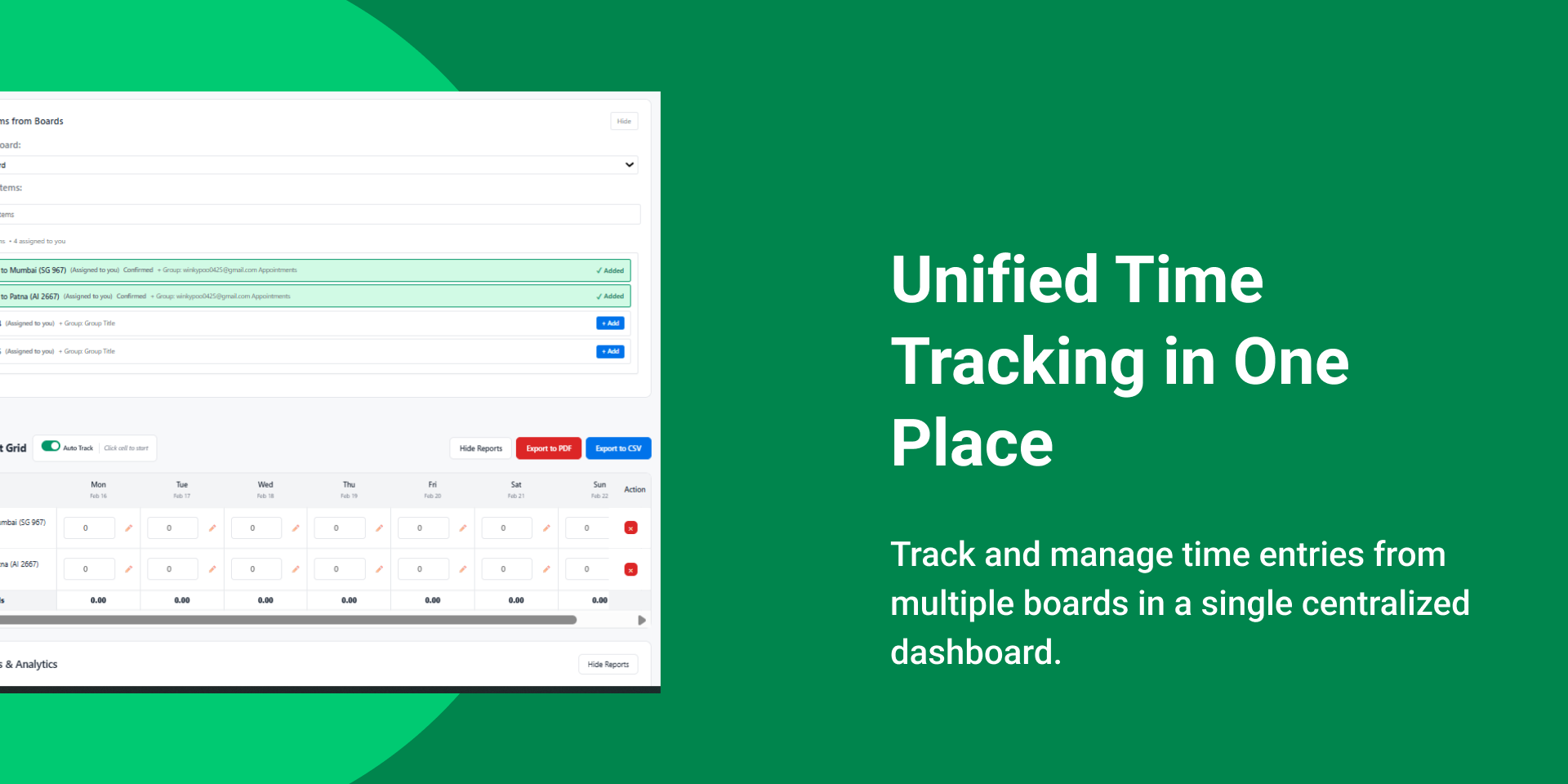
Track time on monday items. Submit and approve timesheets.
Take Control of Your Time with Unified Timesheet
Unified Timesheet is a powerful, all-in-one time tracking and approval app built natively for monday.com. It replaces messy spreadsheets and disconnected tools with a single, streamlined workflow where time is logged against real work, approved by the right manager, and ready for reporting or payroll—fast and friction-free.
Why You’ll Love This App:
🎨 Accurate Time Tracking: Log hours directly on monday boards and items. Select projects or tasks, enter daily hours, and add notes for full context—no duplicate tools or guesswork.
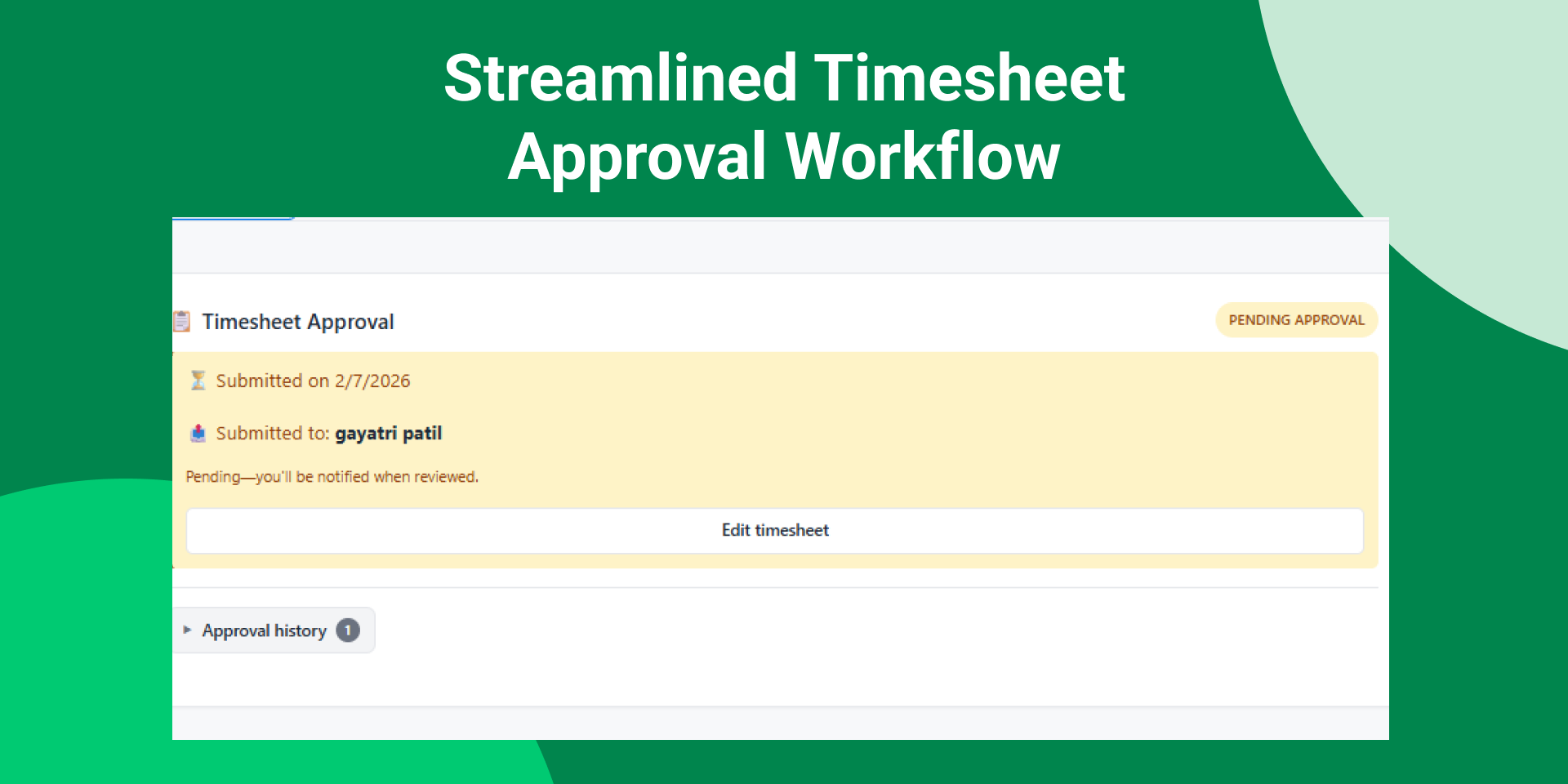
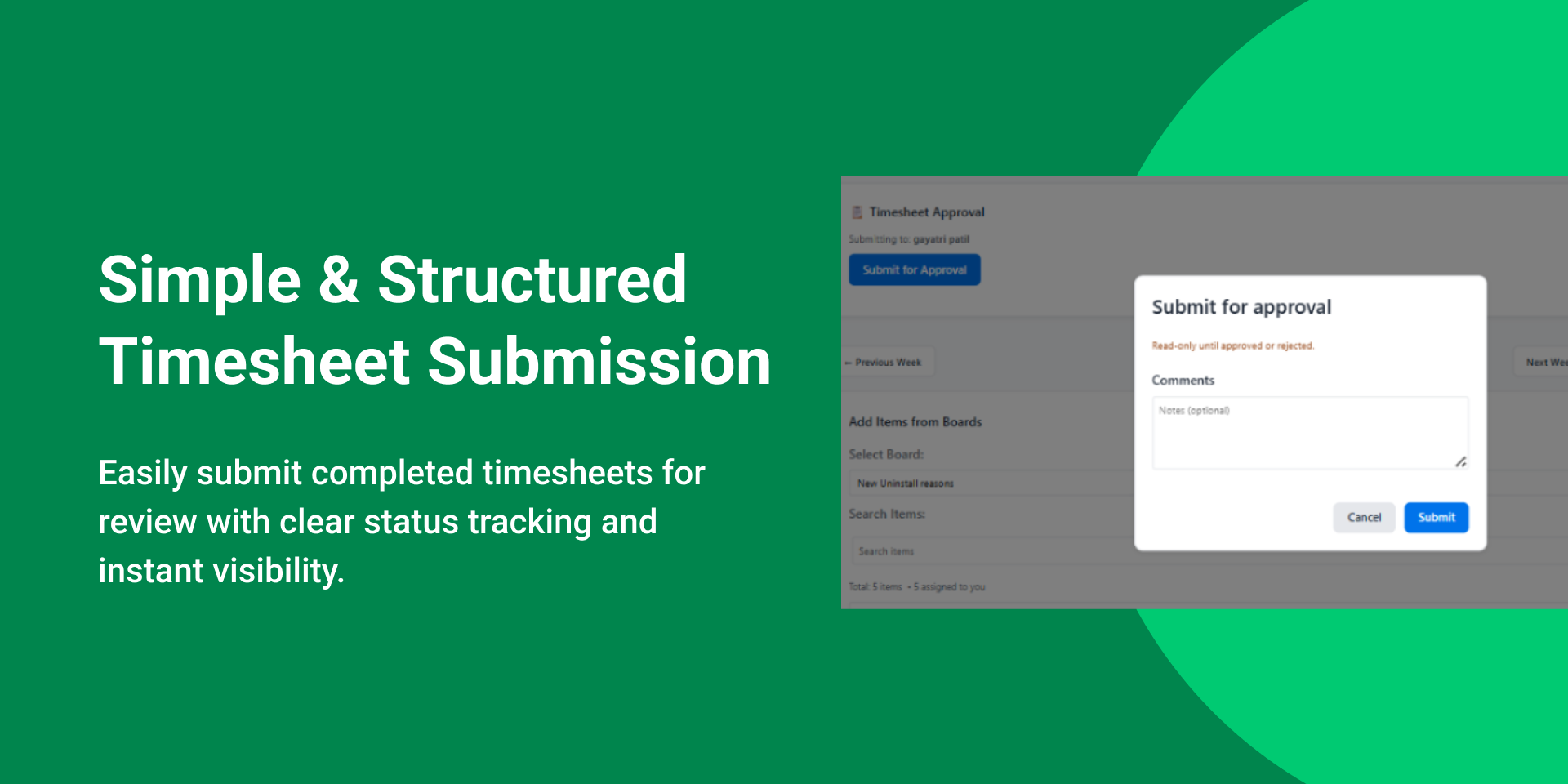
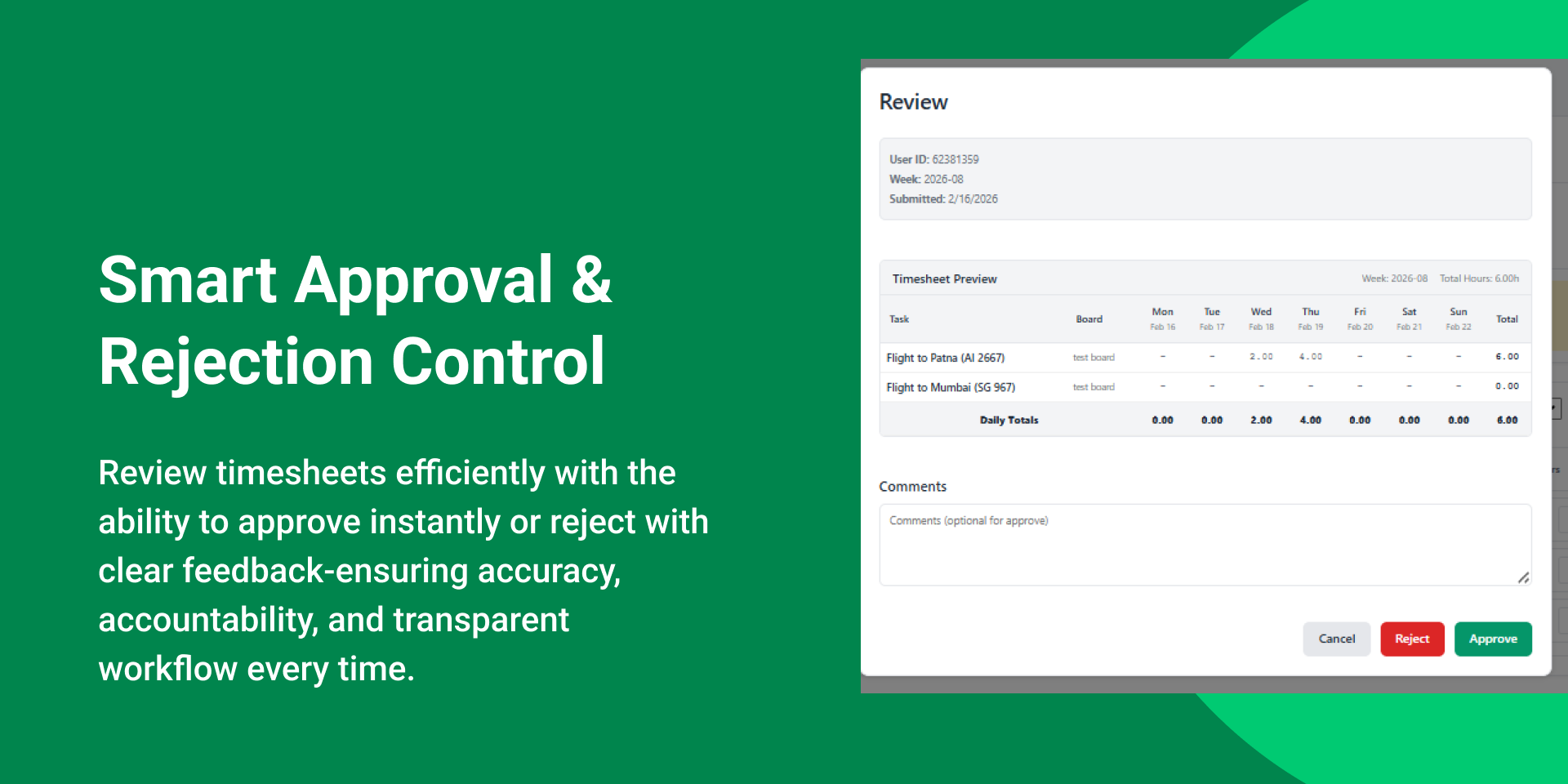
🧠 Simple Approval Workflow: Submit weekly timesheets in one click. Managers get a clear approval queue to approve or reject with comments—ensuring accountability and a full audit trail.
📅 Smart Manager Assignment: Admins assign a manager to each user so every submission automatically reaches the right approver. No missed approvals. No confusion.
🛡️ Full Admin Control: A dedicated admin panel lets you manage admins, assign managers, control access, and view any user’s timesheet for complete visibility.
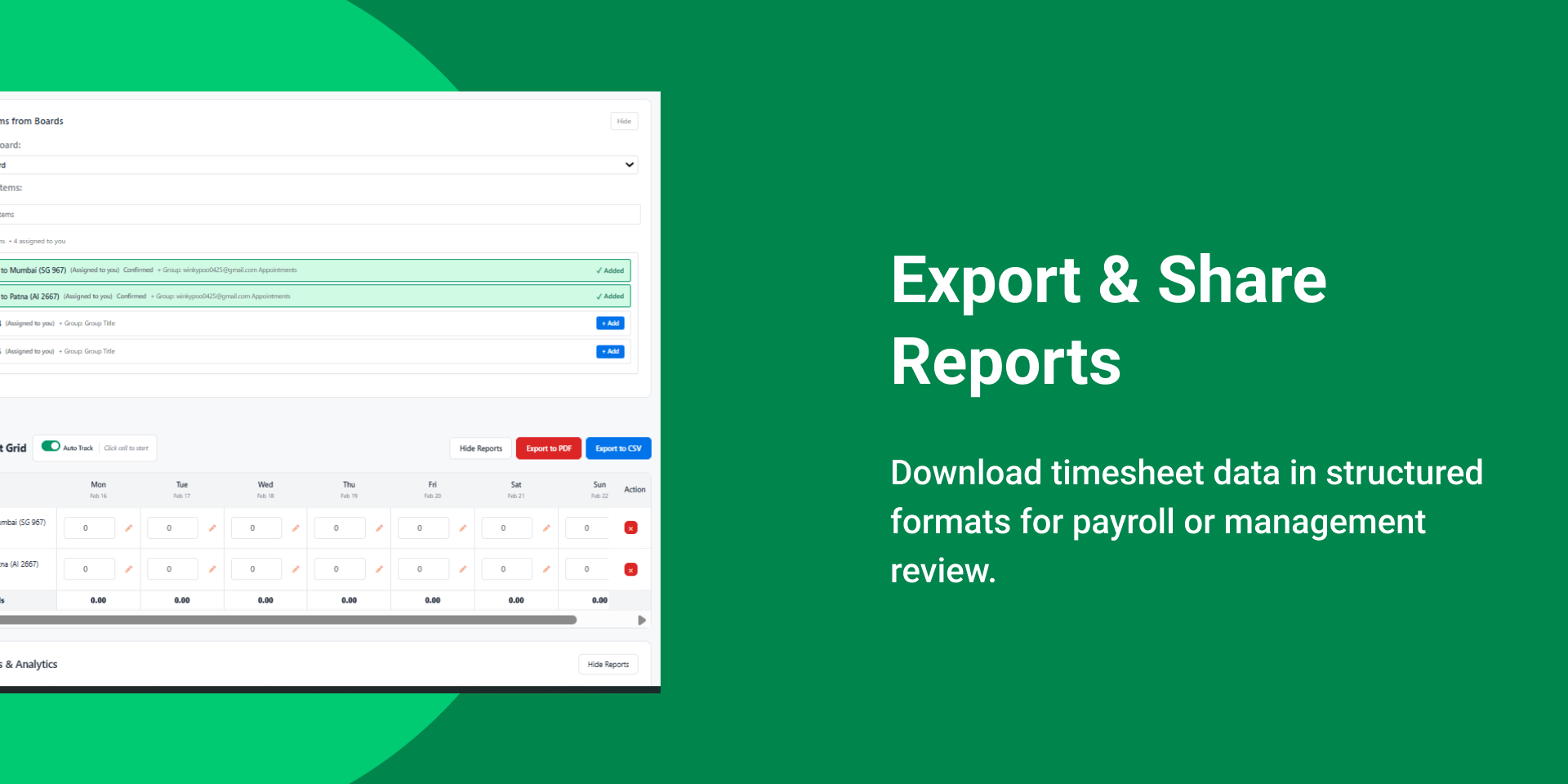
📊 Export-Ready Records: Generate PDF and CSV exports for payroll, compliance, billing, or internal reporting—ready when you need them.
🔔 Automated Reminders: Smart reminders notify users about pending or overdue submissions, keeping teams on schedule without manual follow-ups.
✨ Viewer-Safe Experience: Viewers see a clear explanation instead of a broken interface.
Transformative Use Cases:Consultants: Track time per client or project and submit weekly for approval,Product Teams: Measure effort per feature and plan capacity confidently, Agencies: Log project hours and export professional reports for client billing.
Problems We Eliminate: Time scattered across spreadsheets and tools,Manual approval follow-ups, Wrong approvers reviewing timesheets
Does the developer periodically perform penetration testing?
Not answered
Does the developer have a dedicated security and privacy point of contact for such issues or questions?
Yes
Yes. We have a dedicated security and privacy point of contact for inquiries and incident-related communications. Security & Privacy Contact: Serena Hagen (Data Protection Officer) serena@<satisfactiondrivers.com>. Please remove "<" & ">" before sending email.
Does the app restrict redirects and forwards only to approved destinations, or show a warning when redirecting to potentially untrusted content?
Yes
Yes, redirect behavior is restricted. The app does not implement user-controlled redirects or forwarding to arbitrary external destinations. Any external navigation is limited to approved monday.com resources and Satisfaction Drivers support resources and is presented as explicit user actions rather than automatic redirects. The app’s timesheet tracking, approvals, exports, and reporting workflows operate within the monday.com embedded environment and do not introduce arbitrary external redirect paths.
Does the app protect against mass parameter assignment attacks?
Yes
Yes. We protect against mass parameter assignment by accepting only explicitly allowlisted parameters and rejecting unexpected or unsupported fields. Server-side validation is enforced for all requests. Because the app operates as an embedded monday.com integration, additional controls are also enforced by the hosting platform. Time entries, approval actions, manager assignments, export settings, and administrative actions are validated before processing.
Does the app perform encoding and sanitization on all user supplied parameters to protect against Cross-Site Scripting?
Yes
Yes. The app treats all user-supplied input as untrusted and applies validation, sanitization, and context-aware output encoding to protect against Cross-Site Scripting (XSS). We do not render raw user input as executable HTML or JavaScript. Timesheet notes, comments, approval feedback, exported reports, and user-generated content are sanitized prior to rendering or export. Additional browser isolation protections are also provided by the monday.com embedding environment.
Does the developer protect all state-changing actions against Cross-Site Request Forgery (CSRF)?
Yes
Yes. All state-changing actions are protected against CSRF using standard protections appropriate to the request flow, including anti-CSRF tokens, SameSite cookie protections where applicable, authentication validation, and request integrity checks such as Origin and Referer verification. As the app operates within monday.com, certain authentication and session protections are additionally enforced by monday.com infrastructure.
Does the developer have mechanisms to notify monday.com in case of a security breach?
Yes
Yes. We maintain an incident response and escalation process that includes notification procedures for security events impacting the app, customer data, or the monday.com platform. If a relevant security incident occurs, we will promptly notify monday.com through the appropriate channels and provide available details regarding scope, impact, containment, mitigation, and remediation progress. Internal logging and investigation procedures are maintained to support timely response and resolution.
Does this developer have a process for installing application-level updates and security patches for the service (such as software packages and databases)?
Yes
Yes. We maintain a documented process for managing application updates and security patches across dependencies, infrastructure, and supporting services. Security advisories are monitored continuously, patches are prioritized based on severity and exposure, and updates are deployed through controlled testing and release procedures. Critical security updates are expedited, and deployment workflows include validation and rollback mechanisms where appropriate.
Compliance
Is the app certified with the information security standard ISO/IEC 27001:2022?
Not answered
Is the app compliant with the Health Insurance Portability and Accountability Act (HIPAA)?
Not answered
Is the app certified with System and Organization Controls (SOC 2 or SOC 3)?
Not answered
Is the app compliant with the General Data Protection Regulation (GDPR)?
Yes
Yes. We operate the app in a GDPR-aligned manner and apply privacy-by-design principles. The app is designed to minimize data processing and only processes customer information necessary to provide timesheet tracking, approvals, reminders, reporting, and export functionality within monday.com. We implement appropriate access controls, data minimization practices, and incident response procedures consistent with GDPR expectations. Customer data is processed solely for operational timesheet and reporting workflows and is not used for unrelated processing activities. We also maintain a dedicated privacy contact, Serena Hagen (Data Protection Officer, Serena@<satisfactiondrivers.com>), for GDPR and privacy-related inquiries.
Data
Does the app send any data outside of monday.com? If yes, indicate whether the data is customer-submitted (e.g., board names, item names, doc content) or non-customer-submitted (e.g., account ID, board ID, user ID).
Yes
The app processes limited customer-submitted data necessary to support timesheet tracking, approval workflows, reminders, and export functionality. This may include timesheet entries, logged hours, project or task names, notes, approval comments, manager assignments, export records, and related board content. The app may also process limited non-customer-submitted identifiers required for operational functionality, such as user IDs, board IDs, item IDs, account IDs, approval workflow metadata, and notification status information. Customer data is processed solely for providing timesheet tracking, approvals, reporting, payroll exports, and operational functionality associated with the app.
Where does the app store logs data?
monday
We are using logging services provided by monday.com.
Where does the app store the app data?
monday
We are using storage services provided by monday.com. Any timesheet records, approval workflows, export configurations, manager assignments, reminder settings, or operational metadata required for the app functionality is stored within monday.com infrastructure.
Does the developer ensure application logs do not contain secrets or personally-identifiable information (PII)?
Yes
Yes. We intentionally minimize logging and avoid storing sensitive information, including credentials, access tokens, exported report contents, or personally identifiable information (PII), within application logs wherever possible. Logs are restricted to operational and technical events required for monitoring, approval workflow reliability, troubleshooting, notifications, exports, and audit purposes. We also do not use third-party session replay or screen capture tools that record user screens, keystrokes, or timesheet content.
Is customer data segregated from the data of other customers (for example logically or physically)?
Yes
Yes. Customer data is logically segregated through monday.com account boundaries and application-level access controls to prevent unauthorized cross-customer access. Timesheet records, approvals, exports, and reporting data are processed only within the context of the authenticated customer workspace, reducing the risk of cross-customer data exposure.
Privacy
Does the developer enforce multi-factor authentication on employees access to systems which may process customer data?
Yes
Yes. We require multi-factor authentication (MFA) for employee access to systems that may process customer data, including cloud infrastructure, administrative tooling, and source control systems. Access is additionally governed through least-privilege principles. For monday.com customer environments, authentication and account-level MFA settings are administered by the customer within monday.com.
Does the developer protect access to customer data based on the principle of least privilege?
Yes
Yes. We enforce least-privilege access controls for employee and system access to operational and support environments. Access is limited to authorized personnel and granted only when necessary for support, maintenance, or security purposes. The app restricts visibility and approval access based on configured user roles, assigned managers, and monday.com permissions. Users can access only their own timesheets unless elevated administrative or managerial access has been explicitly granted. Additionally, we do not use session replay or screen-recording tools that capture customer board content or user activity.
Reviews
No reviews yet.
Historical data
Installation history
We have data for December 28, 2024 onwards only. Collected sometime after 00:00 UTC daily.
Total number of installs
Change in total number of installs in last 1 day(s)
Compares the number of installs on each date with 1 days previously:
Max
Min
Current
Change in total number of installs in last 7 day(s)
Compares the number of installs on each date with 7 days previously:
Max
Min
Current
Change in total number of installs in last 30 day(s)
Compares the number of installs on each date with 30 days previously:
Max
Min
Current
Change in total number of installs in last 90 day(s)
Compares the number of installs on each date with 90 days previously:
Max
Min
Current
Change in total number of installs in last 180 day(s)
Compares the number of installs on each date with 180 days previously:
Max
Min
Current
Ratings history
Categories history
Each of the following is a yes/no answer, so the graphs show 1 for yes, and 0 for no.
{
"id": 10001071,
"marketplace_developer_id": 100000026,
"app_id": 10656402,
"app_type": "app",
"security_info": {},
"gallery_assets": [
{
"url": "https://cdn.monday.com/marketplace/10001071/10001071_2026_1_18_14_30_55_9q49lki.png",
"type": "image"
},
{
"url": "https://cdn.monday.com/marketplace/10001071/10001071_2026_1_18_14_31_0_ftydqmv.png",
"type": "image"
},
{
"url": "https://cdn.monday.com/marketplace/10001071/10001071_2026_1_18_14_31_5_i2fvuvv.png",
"type": "image"
},
{
"url": "https://cdn.monday.com/marketplace/10001071/10001071_2026_1_18_14_31_10_vt0q65d.png",
"type": "image"
},
{
"url": "https://cdn.monday.com/marketplace/10001071/10001071_2026_1_18_14_31_15_rb4b4r5.png",
"type": "image"
}
],
"description": "<p><strong>Take Control of Your Time with Unified Timesheet</strong></p><p>Unified Timesheet is a powerful, all-in-one time tracking and approval app built natively for monday.com. It replaces messy spreadsheets and disconnected tools with a single, streamlined workflow where time is logged against real work, approved by the right manager, and ready for reporting or payroll—fast and friction-free.</p><p><strong>Why You’ll Love This App:</strong></p><p>🎨 <strong>Accurate Time Tracking:</strong> Log hours directly on monday boards and items. Select projects or tasks, enter daily hours, and add notes for full context—no duplicate tools or guesswork.</p><p>🧠 <strong>Simple Approval Workflow:</strong> Submit weekly timesheets in one click. Managers get a clear approval queue to approve or reject with comments—ensuring accountability and a full audit trail.</p><p>📅 <strong>Smart Manager Assignment:</strong> Admins assign a manager to each user so every submission automatically reaches the right approver. No missed approvals. No confusion.</p><p>🛡️ <strong>Full Admin Control:</strong> A dedicated admin panel lets you manage admins, assign managers, control access, and view any user’s timesheet for complete visibility.</p><p>📊 <strong>Export-Ready Records:</strong> Generate PDF and CSV exports for payroll, compliance, billing, or internal reporting—ready when you need them.</p><p>🔔 <strong>Automated Reminders:</strong> Smart reminders notify users about pending or overdue submissions, keeping teams on schedule without manual follow-ups.</p><p>✨ <strong>Viewer-Safe Experience:</strong> Viewers see a clear explanation instead of a broken interface.</p><p><strong>Transformative Use Cases:</strong>Consultants: Track time per client or project and submit weekly for approval,Product Teams: Measure effort per feature and plan capacity confidently, Agencies: Log project hours and export professional reports for client billing.</p><p><strong>Problems We Eliminate:</strong> Time scattered across spreadsheets and tools,Manual approval follow-ups, Wrong approvers reviewing timesheets</p><p><strong>💬 Need Help?</strong><a href=\"https://satisfactiondrivers.com/contact-us/\" rel=\"noopener noreferrer\" target=\"_blank\"><strong>https://satisfactiondrivers.com/contact-us/</strong></a></p>",
"short_description": "Track time on monday items. Submit and approve timesheets.",
"thumbnail_url": "https://cdn.monday.com/marketplace/10001071/10001071_2026_1_18_14_30_10_mv1ir6o.png",
"logo_url": "https://cdn.monday.com/marketplace/10001071/10001071_2026_1_18_14_29_48_9rh6b0f.jpeg",
"feedback_url": "tech@satisfactiondrivers.com",
"privacy_policy_url": "https://satisfactiondrivers.com/privacy",
"featured": false,
"name": "Unified Timesheet app",
"how_to_use_url": "https://satisfactiondrivers.com/unified-timesheet-documentation/",
"external_pricing_url": null,
"keywords": "Timesheet,Time Tracking,Work Hours,Task Management,Productivity,Analytics,Weekly Reports,Time Log,Project Tracking,PDF Export",
"compliance_answers": [
{
"questionId": 19,
"shortAnswer": true,
"detailedAnswer": "The app processes limited customer-submitted data necessary to support timesheet tracking, approval workflows, reminders, and export functionality. This may include timesheet entries, logged hours, project or task names, notes, approval comments, manager assignments, export records, and related board content.\n\nThe app may also process limited non-customer-submitted identifiers required for operational functionality, such as user IDs, board IDs, item IDs, account IDs, approval workflow metadata, and notification status information.\n\nCustomer data is processed solely for providing timesheet tracking, approvals, reporting, payroll exports, and operational functionality associated with the app."
},
{
"questionId": 18,
"detailedAnswer": "We are using logging services provided by monday.com.",
"logHostingProvider": "monday"
},
{
"questionId": 17,
"detailedAnswer": "We are using storage services provided by monday.com. Any timesheet records, approval workflows, export configurations, manager assignments, reminder settings, or operational metadata required for the app functionality is stored within monday.com infrastructure.",
"dataHostingProvider": "monday"
},
{
"questionId": 14,
"shortAnswer": true,
"detailedAnswer": "Yes. We have a dedicated security and privacy point of contact for inquiries and incident-related communications.\n\nSecurity & Privacy Contact: Serena Hagen (Data Protection Officer) serena@<satisfactiondrivers.com>. Please remove \"<\" & \">\" before sending email."
},
{
"questionId": 11,
"shortAnswer": true,
"detailedAnswer": "Yes. We operate the app in a GDPR-aligned manner and apply privacy-by-design principles. The app is designed to minimize data processing and only processes customer information necessary to provide timesheet tracking, approvals, reminders, reporting, and export functionality within monday.com.\n\nWe implement appropriate access controls, data minimization practices, and incident response procedures consistent with GDPR expectations. Customer data is processed solely for operational timesheet and reporting workflows and is not used for unrelated processing activities.\n\nWe also maintain a dedicated privacy contact, Serena Hagen (Data Protection Officer, Serena@<satisfactiondrivers.com>), for GDPR and privacy-related inquiries."
},
{
"questionId": 10,
"shortAnswer": true,
"detailedAnswer": "Yes, redirect behavior is restricted. The app does not implement user-controlled redirects or forwarding to arbitrary external destinations. Any external navigation is limited to approved monday.com resources and Satisfaction Drivers support resources and is presented as explicit user actions rather than automatic redirects.\n\nThe app’s timesheet tracking, approvals, exports, and reporting workflows operate within the monday.com embedded environment and do not introduce arbitrary external redirect paths."
},
{
"questionId": 9,
"shortAnswer": true,
"detailedAnswer": "Yes. We protect against mass parameter assignment by accepting only explicitly allowlisted parameters and rejecting unexpected or unsupported fields. Server-side validation is enforced for all requests.\n\nBecause the app operates as an embedded monday.com integration, additional controls are also enforced by the hosting platform. Time entries, approval actions, manager assignments, export settings, and administrative actions are validated before processing."
},
{
"questionId": 8,
"shortAnswer": true,
"detailedAnswer": "Yes. We intentionally minimize logging and avoid storing sensitive information, including credentials, access tokens, exported report contents, or personally identifiable information (PII), within application logs wherever possible.\n\nLogs are restricted to operational and technical events required for monitoring, approval workflow reliability, troubleshooting, notifications, exports, and audit purposes. We also do not use third-party session replay or screen capture tools that record user screens, keystrokes, or timesheet content."
},
{
"questionId": 7,
"shortAnswer": true,
"detailedAnswer": "Yes. We require multi-factor authentication (MFA) for employee access to systems that may process customer data, including cloud infrastructure, administrative tooling, and source control systems. Access is additionally governed through least-privilege principles.\n\nFor monday.com customer environments, authentication and account-level MFA settings are administered by the customer within monday.com."
},
{
"questionId": 6,
"shortAnswer": true,
"detailedAnswer": "Yes. We enforce least-privilege access controls for employee and system access to operational and support environments. Access is limited to authorized personnel and granted only when necessary for support, maintenance, or security purposes.\n\nThe app restricts visibility and approval access based on configured user roles, assigned managers, and monday.com permissions. Users can access only their own timesheets unless elevated administrative or managerial access has been explicitly granted. Additionally, we do not use session replay or screen-recording tools that capture customer board content or user activity."
},
{
"questionId": 5,
"shortAnswer": true,
"detailedAnswer": "Yes. The app treats all user-supplied input as untrusted and applies validation, sanitization, and context-aware output encoding to protect against Cross-Site Scripting (XSS). We do not render raw user input as executable HTML or JavaScript.\n\nTimesheet notes, comments, approval feedback, exported reports, and user-generated content are sanitized prior to rendering or export. Additional browser isolation protections are also provided by the monday.com embedding environment."
},
{
"questionId": 4,
"shortAnswer": true,
"detailedAnswer": "Yes. All state-changing actions are protected against CSRF using standard protections appropriate to the request flow, including anti-CSRF tokens, SameSite cookie protections where applicable, authentication validation, and request integrity checks such as Origin and Referer verification.\n\nAs the app operates within monday.com, certain authentication and session protections are additionally enforced by monday.com infrastructure."
},
{
"questionId": 3,
"shortAnswer": true,
"detailedAnswer": "Yes. We maintain an incident response and escalation process that includes notification procedures for security events impacting the app, customer data, or the monday.com platform.\n\nIf a relevant security incident occurs, we will promptly notify monday.com through the appropriate channels and provide available details regarding scope, impact, containment, mitigation, and remediation progress. Internal logging and investigation procedures are maintained to support timely response and resolution."
},
{
"questionId": 2,
"shortAnswer": true,
"detailedAnswer": "Yes. We maintain a documented process for managing application updates and security patches across dependencies, infrastructure, and supporting services. Security advisories are monitored continuously, patches are prioritized based on severity and exposure, and updates are deployed through controlled testing and release procedures.\nCritical security updates are expedited, and deployment workflows include validation and rollback mechanisms where appropriate."
},
{
"questionId": 1,
"shortAnswer": true,
"detailedAnswer": "Yes. Customer data is logically segregated through monday.com account boundaries and application-level access controls to prevent unauthorized cross-customer access.\n\nTimesheet records, approvals, exports, and reporting data are processed only within the context of the authenticated customer workspace, reducing the risk of cross-customer data exposure."
}
],
"created_at": "2026-02-18T14:29:30.000Z",
"updated_at": "2026-05-13T17:34:20.000Z",
"automation_app_id": null,
"marketplace_category_ids": [
10,
9,
6
],
"pinned_for_categories_ids": [],
"featured_for_categories_ids": [],
"pricing_data": "14 days trial",
"label": null,
"app_values": [
"Everyday tasks"
],
"security": false,
"display_in_template_store": false,
"acquisition_source": "No touch",
"is_connector": false,
"show_connections": null,
"terms_of_service_url": "https://satisfactiondrivers.com/terms-and-conditions/",
"available_for_tiers": [],
"available_for_products": [],
"google_analytics_tag_id": null,
"is_solution": false,
"cta_override": null,
"app_scope_str": "me:read,boards:read,boards:write,workspaces:read,users:read,account:read,notifications:write,updates:read",
"app_client_id": "1de6083e6d5f16cb51d10ca0d96f677f",
"app_color": "#1E435C",
"plans": [
{
"id": "10656402-1-basic_01",
"appPlanId": "basic_01",
"name": "Standard",
"versionId": 1,
"isTrial": true,
"prices": {
"type": "standard",
"monthly": 4,
"yearly": 3
},
"versionState": "live",
"appId": 10656402,
"description": "Advanced tracking, approval workflow, exports, and manager dashboard",
"extraData": {
"bullets": [
"Approval and Rejection workflow",
"dashboard view",
"Export reports",
"Time tracking"
],
"monthlyFee": 4,
"yearlyFee": 3
},
"isFree": false,
"isRecommended": false,
"currency": "USD"
},
{
"id": "10656402-2-2",
"appPlanId": "2",
"name": "Free",
"versionId": 2,
"isTrial": false,
"prices": {
"type": "standard",
"monthly": 0,
"yearly": 0
},
"versionState": "live",
"appId": 10656402,
"description": "Advanced tracking, approval workflow, exports, and manager dashboard",
"extraData": {
"bullets": [
"Approval and Rejection workflow",
"Dashboard view",
"Export reports",
"Time tracking"
],
"monthlyFee": 0,
"yearlyFee": 0
},
"isFree": true,
"isRecommended": false,
"currency": "USD"
},
{
"id": "10656402-3-1",
"appPlanId": "1",
"name": "Pro",
"versionId": 3,
"isTrial": true,
"prices": {
"type": "standard",
"monthly": 8,
"yearly": 7
},
"versionState": "live",
"appId": 10656402,
"description": "Advanced tracking, approval workflow, exports, and manager dashboard",
"extraData": {
"bullets": [
"Approval and Rejection workflow",
"Dashboard view",
"Export reports",
"Time tracking"
],
"monthlyFee": 8,
"yearlyFee": 7
},
"isFree": false,
"isRecommended": false,
"currency": "USD"
}
],
"app_live_version": {
"updated_at": "2026-06-21T12:08:44.979Z",
"id": 15509868
},
"pricing_model": null,
"monetization": {
"monetizationType": "monday",
"hasFreePlan": false,
"hasPaidPlan": true,
"hasTrialPlan": true
},
"badges_data": {
"security": false,
"app_values": [
"Everyday tasks"
],
"pricing_data": "14 days trial",
"acquisition_source": "No touch",
"display_in_template_store": false
},
"data": {
"is_solution": false,
"is_connector": false,
"available_for_tiers": [],
"terms_of_service_url": "https://satisfactiondrivers.com/terms-and-conditions/",
"available_for_products": [],
"google_analytics_tag_id": null
},
"display": null,
"installsDelta": {
"totalInstalls": 27,
"sevenDays": 1,
"thirtyDays": 1,
"ninetyDays": 7
}
}