✨ Start for free — upload your first PDF in minutes
Security & Compliance
Security
Does the developer periodically perform penetration testing?
Not answered
Does the developer have a dedicated security and privacy point of contact for such issues or questions?
Yes
Yes, all security and privacy inquiries can be directed to: support@rocketapps.dev
Does the app restrict redirects and forwards only to approved destinations, or show a warning when redirecting to potentially untrusted content?
Not answered
Does the app protect against mass parameter assignment attacks?
Not answered
Does the app perform encoding and sanitization on all user supplied parameters to protect against Cross-Site Scripting?
Yes
The user interface, developed with the React Framework, inherently mitigates common XSS vulnerabilities. We also use the library DOMPurify for all parameters.
Does the developer protect all state-changing actions against Cross-Site Request Forgery (CSRF)?
Not answered
Does the developer have mechanisms to notify monday.com in case of a security breach?
Yes
In the event of a security breach, we promptly notify monday.com via email and provide all relevant details about the incident.
Does this developer have a process for installing application-level updates and security patches for the service (such as software packages and databases)?
Yes
We prioritize the installation of critical updates and security patches. Critical issues are addressed immediately, while other vulnerabilities are remediated promptly based on their severity to ensure continuous protection against threats.
Compliance
Is the app certified with the information security standard ISO/IEC 27001:2022?
Not answered
Is the app compliant with the Health Insurance Portability and Accountability Act (HIPAA)?
Not answered
Is the app certified with System and Organization Controls (SOC 2 or SOC 3)?
Not answered
Is the app compliant with the General Data Protection Regulation (GDPR)?
Yes
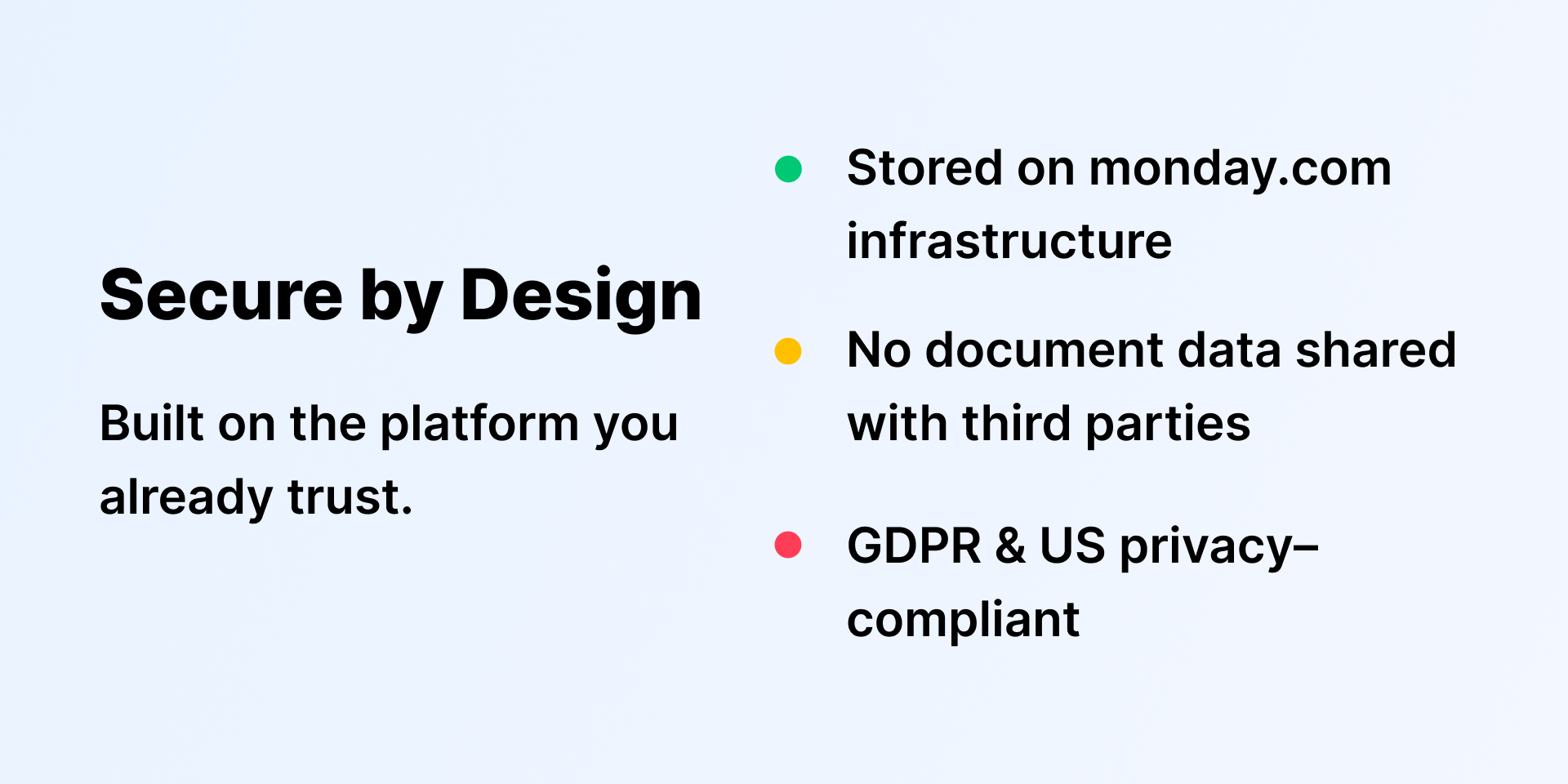
The app is hosted on monday.com infrastructure and does not store or process personal data outside of monday.com.
Data
Does the app send any data outside of monday.com? If yes, indicate whether the data is customer-submitted (e.g., board names, item names, doc content) or non-customer-submitted (e.g., account ID, board ID, user ID).
No
No. The app does not send any data outside of monday.com. All data remains within monday.com's infrastructure.
Where does the app store logs data?
monday
Where does the app store the app data?
monday
Does the developer ensure application logs do not contain secrets or personally-identifiable information (PII)?
Yes
Is customer data segregated from the data of other customers (for example logically or physically)?
Yes
Yes. Customer data is logically segregated by monday.com account ID. Each user can only access data within their own monday.com account, enforced by monday.com's API and authentication system.
Privacy
Does the developer enforce multi-factor authentication on employees access to systems which may process customer data?
Not answered
Does the developer protect access to customer data based on the principle of least privilege?
Yes
Yes. We follow the principle of least privilege, granting access only to the specific systems and data required for an individual’s role.
Reviews
No reviews yet.
Historical data
Installation history
We have data for December 28, 2024 onwards only. Collected sometime after 00:00 UTC daily.
Total number of installs
Change in total number of installs in last 1 day(s)
Compares the number of installs on each date with 1 days previously:
Max
Min
Current
Change in total number of installs in last 7 day(s)
Compares the number of installs on each date with 7 days previously:
Max
Min
Current
Change in total number of installs in last 30 day(s)
Compares the number of installs on each date with 30 days previously:
Max
Min
Current
Change in total number of installs in last 90 day(s)
Compares the number of installs on each date with 90 days previously:
Max
Min
Current
Change in total number of installs in last 180 day(s)
Compares the number of installs on each date with 180 days previously:
Max
Min
Current
Ratings history
Categories history
Each of the following is a yes/no answer, so the graphs show 1 for yes, and 0 for no.
{
"id": 10000992,
"marketplace_developer_id": 100000130,
"app_id": 10571627,
"app_type": "app",
"security_info": {},
"gallery_assets": [
{
"url": "https://cdn.monday.com/marketplace/10000992/10000992_2025_11_5_16_1_51_0x5d3kc.png",
"type": "image"
},
{
"url": "https://cdn.monday.com/marketplace/10000992/10000992_2025_11_17_10_2_57_rsieeb1.png",
"type": "image"
},
{
"url": "https://cdn.monday.com/marketplace/10000992/10000992_2025_11_17_10_3_26_6sis0em.png",
"type": "image"
},
{
"url": "https://cdn.monday.com/marketplace/10000992/10000992_2025_11_17_10_10_23_o56lecq.png",
"type": "image"
},
{
"url": "https://cdn.monday.com/marketplace/10000992/10000992_2025_11_17_10_10_36_sgiyas4k.png",
"type": "image"
},
{
"url": "https://cdn.monday.com/marketplace/10000992/10000992_2026_2_27_13_42_17_25w8xtr.png",
"type": "image"
}
],
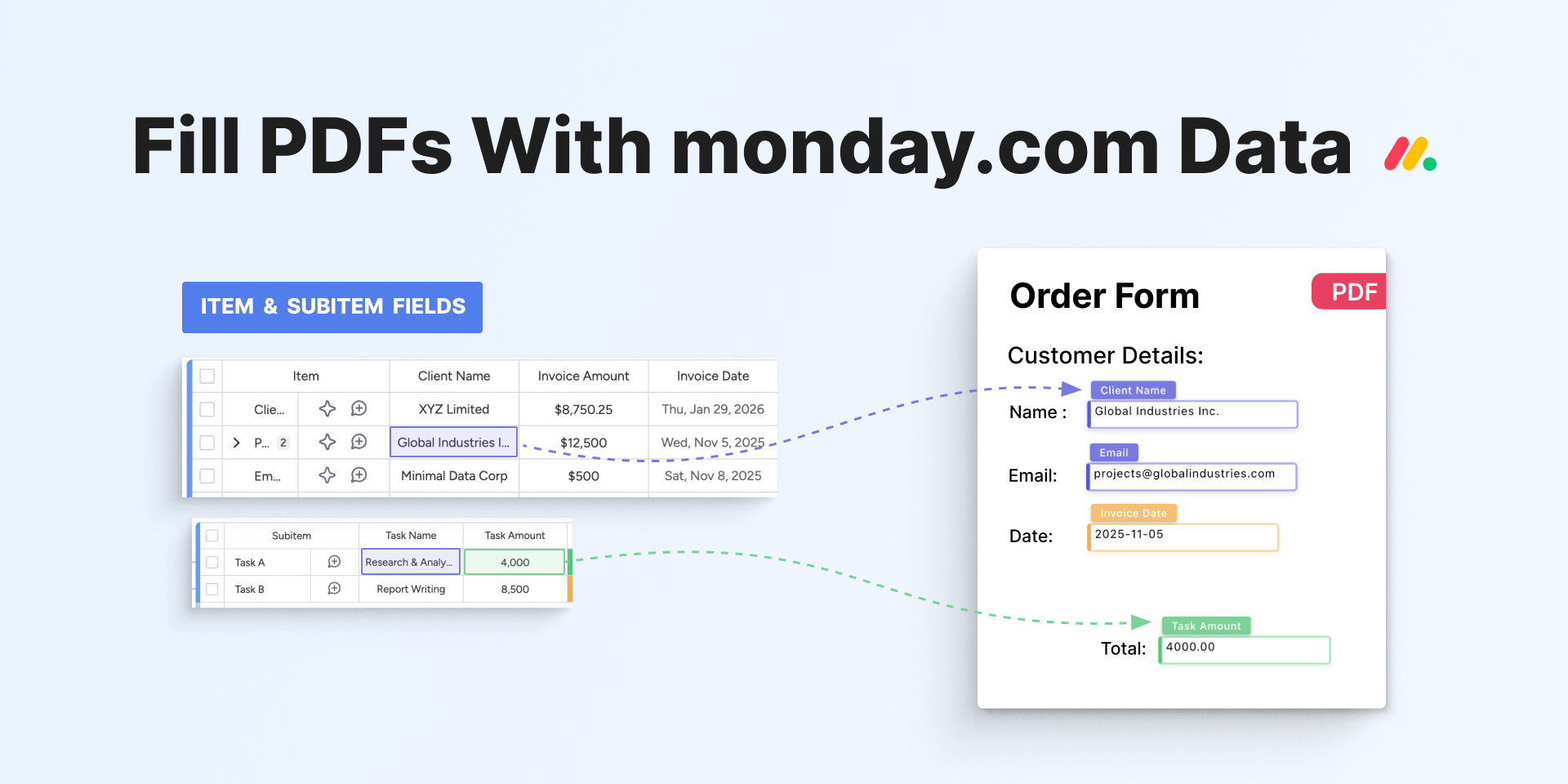
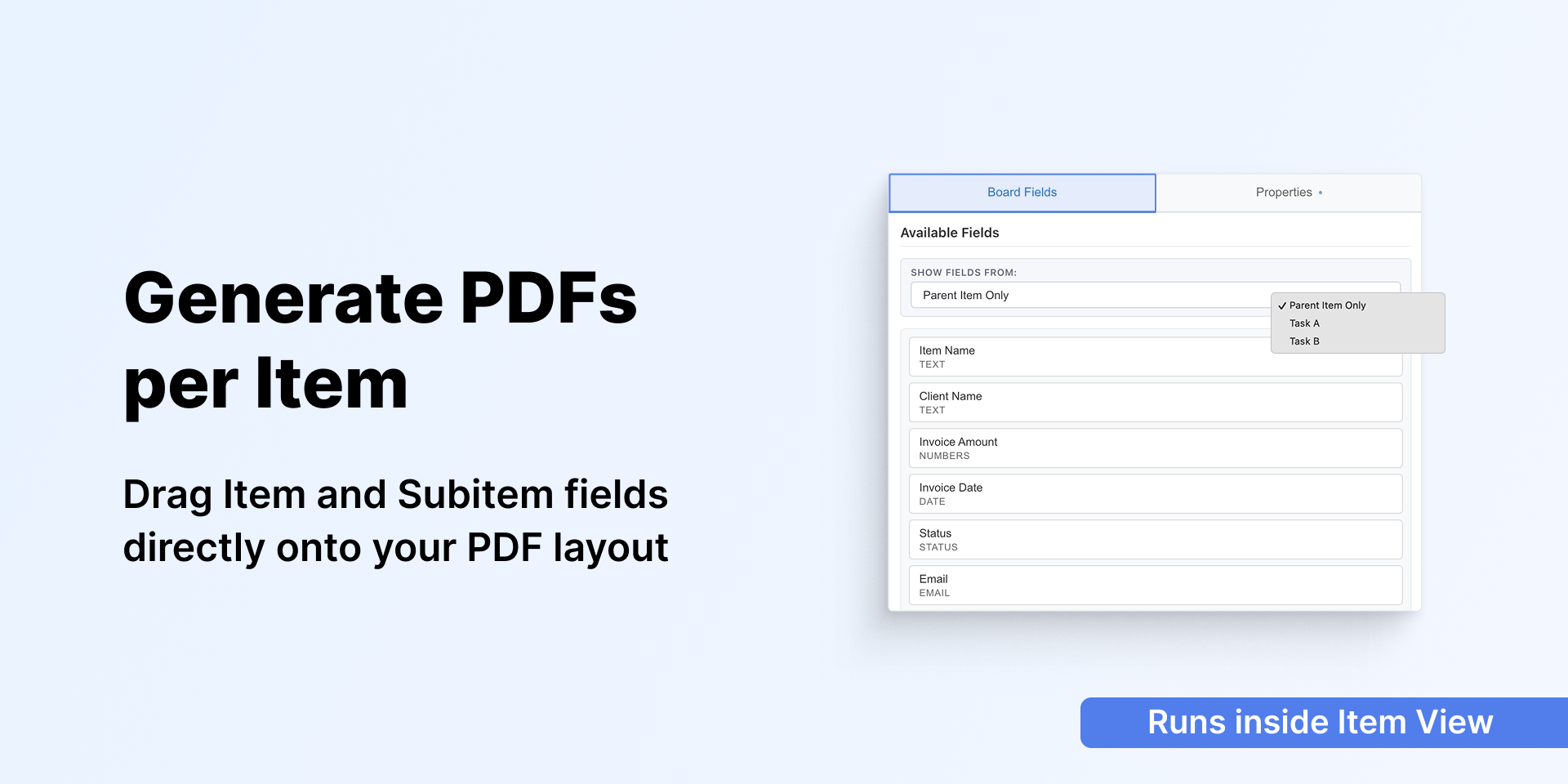
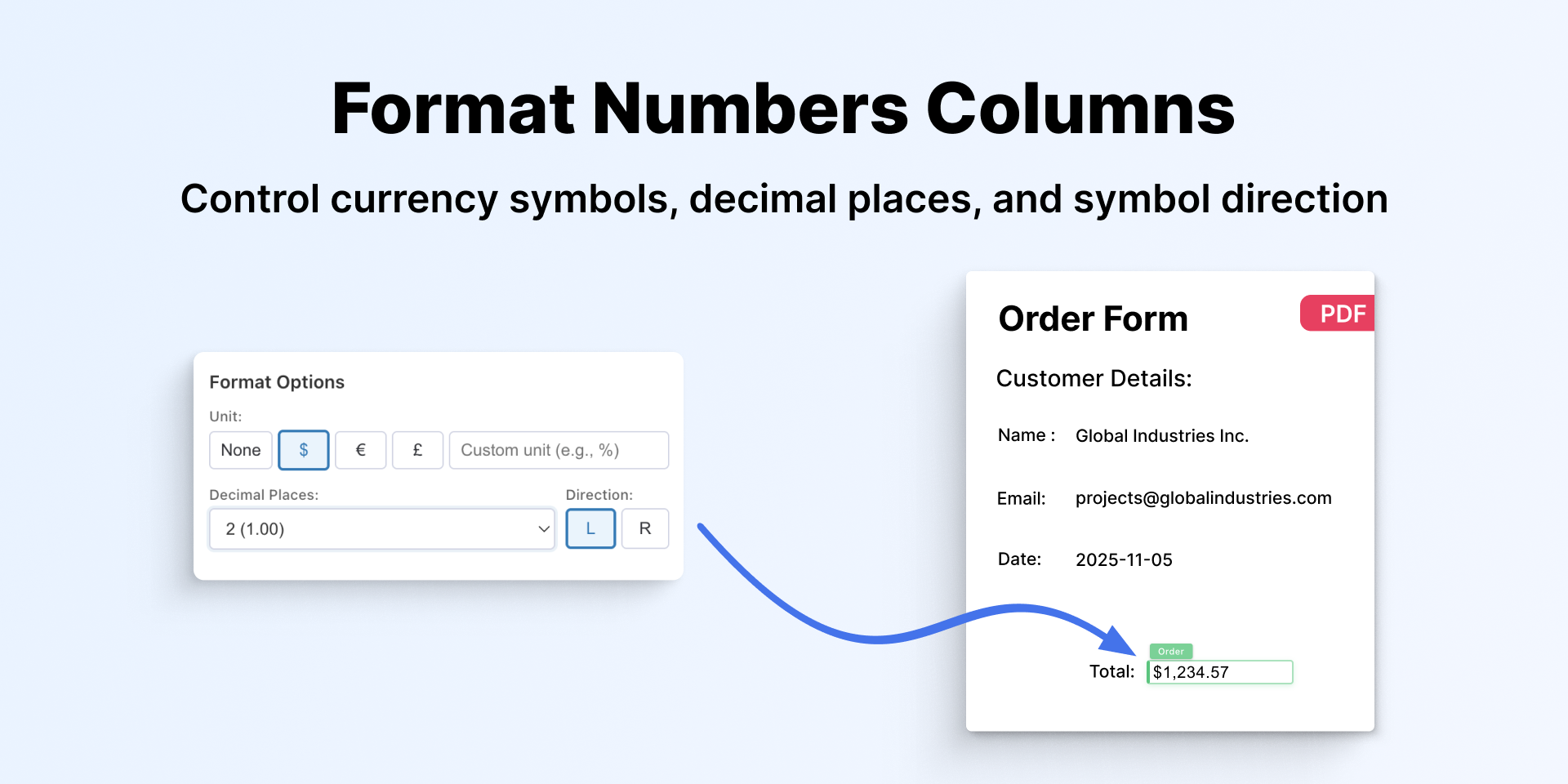
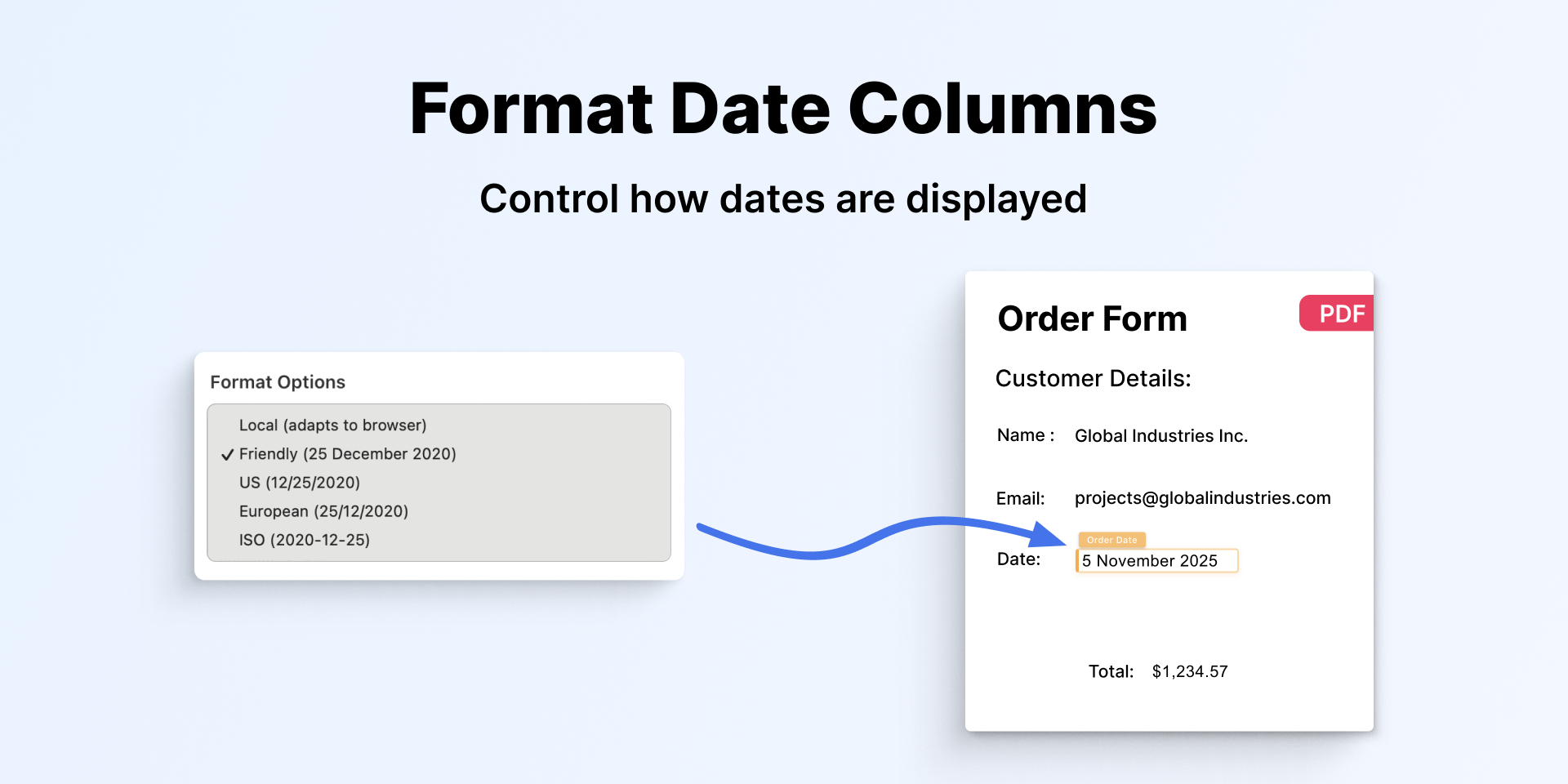
"description": "<p>Fill your existing PDF templates with monday.com item data automatically. Your branded invoices, contracts, and forms, filled and ready to send.</p><p><br></p><p>⭐ <strong>What teams use it for</strong></p><ul><li>Generate client invoices and quotes directly from monday.com items</li><li>Create signed-ready contracts and proposals from CRM board data</li><li>Produce project reports and job sheets from item data</li><li>Fill HR documents, offer letters and certificates from employee records</li><li>Turn form submissions into formatted, branded PDF documents</li></ul><p><br></p><p>⭐ <strong>Use your own PDF templates</strong></p><ul><li>Upload any PDF directly — no conversion, no reformatting needed</li><li>Map your monday.com fields once and reuse the template anytime</li><li>Generate filled PDFs instantly from any monday.com item with a single click</li><li>Works with any board — projects, CRM, HR, operations and more</li></ul><p><br></p><p>⭐ <strong>Works with all your monday.com data</strong></p><ul><li>Pull data from both items and subitems into a single document</li><li>Display invoice amounts, prices and totals with currency symbols and decimal precision</li><li>Show dates in any regional format — US, European, ISO or local</li><li>Create documents that show current task status, assignees and team data automatically</li></ul><p><br></p><p>🛡️ <strong>Why teams choose PDF Template Filler</strong></p><p>Every other document app starts with \"build your template here\". PDF Template Filler starts with the PDF you already have.</p><p><br></p><p>🔒 <strong>Your data stays within monday.com</strong></p><p>Your documents and settings are stored exclusively on monday.com infrastructure — the same secure environment you already trust.</p><p><br></p><p>⭐ <strong>What you can generate</strong></p><p><em>Invoices • Quotes • Contracts • Job sheets • Proposals • Project reports • HR documents • Offer letters • Certificates • Compliance forms • Form submissions • Custom forms </em>• And more</p><p><br></p><p>💬 <strong>Help & Support</strong></p><ul><li>Help <a href=\"https://rocketapps.dev/pdf-template-filler.html\" rel=\"noopener noreferrer\" target=\"_blank\">docs & video tutorials</a></li><li>Questions or feedback? <a href=\"mailto:hello@rocketapps.dev\" rel=\"noopener noreferrer\" target=\"_blank\">Contact us</a></li></ul><p><br></p><p>✨ <strong>Start for free — upload your first PDF in minutes</strong></p>",
"short_description": "Upload your PDF and auto-fill it with item & subitem data",
"thumbnail_url": "https://cdn.monday.com/marketplace/10000992/10000992_2025_11_5_16_1_8_98v3n9u.png",
"logo_url": "https://cdn.monday.com/marketplace/10000992/10000992_2025_11_5_16_0_24_iyxp09q.png",
"feedback_url": "support@rocketapps.dev",
"privacy_policy_url": "https://rocketapps.dev/privacy-policy.html",
"featured": false,
"name": "PDF Template Filler",
"how_to_use_url": "https://rocketapp.replit.app/pdf-template-filler-embeddable.html",
"external_pricing_url": null,
"keywords": "PDF Template Generator,Document Filler,PDF Export Tool,Custom PDF Templates,Form Auto Fill,Item and Subitem Data,Invoice PDF,Export Subitems,Board Data to PDF,Item Fields to PDF",
"compliance_answers": [
{
"questionId": 19,
"shortAnswer": false,
"detailedAnswer": "No. The app does not send any data outside of monday.com. All data remains within monday.com's infrastructure."
},
{
"questionId": 18,
"detailedAnswer": "",
"logHostingProvider": "monday"
},
{
"questionId": 17,
"detailedAnswer": "",
"dataHostingProvider": "monday"
},
{
"questionId": 14,
"shortAnswer": true,
"detailedAnswer": "Yes, all security and privacy inquiries can be directed to:\nsupport@rocketapps.dev"
},
{
"questionId": 11,
"shortAnswer": true,
"detailedAnswer": "The app is hosted on monday.com infrastructure and does not store or process personal data outside of monday.com."
},
{
"questionId": 8,
"shortAnswer": true,
"detailedAnswer": ""
},
{
"questionId": 6,
"shortAnswer": true,
"detailedAnswer": "Yes. We follow the principle of least privilege, granting access only to the specific systems and data required for an individual’s role."
},
{
"questionId": 5,
"shortAnswer": true,
"detailedAnswer": "The user interface, developed with the React Framework, inherently mitigates common XSS vulnerabilities. We also use the library DOMPurify for all parameters."
},
{
"questionId": 3,
"shortAnswer": true,
"detailedAnswer": "In the event of a security breach, we promptly notify monday.com via email and provide all relevant details about the incident."
},
{
"questionId": 2,
"shortAnswer": true,
"detailedAnswer": "We prioritize the installation of critical updates and security patches. Critical issues are addressed immediately, while other vulnerabilities are remediated promptly based on their severity to ensure continuous protection against threats."
},
{
"questionId": 1,
"shortAnswer": true,
"detailedAnswer": "Yes. Customer data is logically segregated by monday.com account ID. Each user can only access data within their own monday.com account, enforced by monday.com's API and authentication system."
}
],
"created_at": "2025-12-05T15:57:46.000Z",
"updated_at": "2026-04-05T13:23:16.000Z",
"automation_app_id": null,
"marketplace_category_ids": [
10000001,
9,
6
],
"pinned_for_categories_ids": [],
"featured_for_categories_ids": [],
"pricing_data": "14 days trial",
"label": null,
"app_values": [
"Everyday tasks"
],
"security": true,
"display_in_template_store": false,
"acquisition_source": "No touch",
"is_connector": false,
"show_connections": null,
"terms_of_service_url": "https://rocketapps.dev/terms-of-service.html",
"available_for_tiers": [],
"available_for_products": [],
"google_analytics_tag_id": null,
"is_solution": false,
"cta_override": null,
"app_scope_str": "boards:read,boards:write,updates:write,me:read,users:read",
"app_client_id": "3ab49db4b5fb51089ddcadd325131fb2",
"app_color": {
"hsl": {
"h": 223.0120481927711,
"s": 0,
"l": 1,
"a": 1
},
"hex": "#ffffff",
"rgb": {
"r": 255,
"g": 255,
"b": 255,
"a": 1
},
"hsv": {
"h": 223.0120481927711,
"s": 0,
"v": 1,
"a": 1
},
"oldHue": 223.0120481927711,
"source": "hex"
},
"plans": [
{
"id": "10571627-1-pro",
"appPlanId": "pro",
"name": "Pro",
"versionId": 1,
"isTrial": true,
"prices": {
"type": "standard",
"monthly": 20,
"yearly": 17
},
"versionState": "live",
"appId": 10571627,
"description": "Generate PDFs from your monday.com items and subitems using custom templates — fast, easy, and unlimited.",
"extraData": {
"bullets": [
"Upload your own PDF templates",
"Map item fields to PDF placeholders",
"Generate unlimited PDFs",
"Save time with reusable templates"
],
"monthlyFee": 20,
"yearlyFee": 17
},
"isFree": false,
"isRecommended": false,
"currency": "USD"
},
{
"id": "10571627-2-pro",
"appPlanId": "pro",
"name": "Pro",
"versionId": 2,
"isTrial": true,
"prices": {
"type": "standard",
"monthly": 10,
"yearly": 8
},
"versionState": "live",
"appId": 10571627,
"description": "Generate PDFs from your monday.com items and subitems using custom templates — fast, easy, and unlimited.",
"extraData": {
"bullets": [
"Upload your own PDF templates",
"Map item fields to PDF placeholders",
"Generate unlimited PDFs",
"Save time with reusable templates"
],
"monthlyFee": 10,
"yearlyFee": 8
},
"isFree": false,
"isRecommended": false,
"currency": "USD"
},
{
"id": "10571627-3-pro",
"appPlanId": "pro",
"name": "Pro",
"versionId": 3,
"isTrial": false,
"prices": {
"type": "standard",
"monthly": 10,
"yearly": 8
},
"versionState": "live",
"appId": 10571627,
"description": "Generate PDFs from your monday.com items and subitems using your own branded PDF templates — fast and easy.",
"extraData": {
"bullets": [
"Up to 5 reusable PDF templates",
"Map item and subitem fields to placeholders",
"Unlimited PDF generation",
"Use your branded PDFs"
],
"monthlyFee": 10,
"yearlyFee": 8
},
"isFree": false,
"isRecommended": false,
"currency": "USD"
},
{
"id": "10571627-3-advanced",
"appPlanId": "advanced",
"name": "Advanced",
"versionId": 3,
"isTrial": false,
"prices": {
"type": "standard",
"monthly": 25,
"yearly": 20
},
"versionState": "live",
"appId": 10571627,
"description": "Generate PDFs from your monday.com items and subitems using your own branded PDF templates — fast and easy.",
"extraData": {
"bullets": [
"Up to 15 reusable PDF templates",
"Map item and subitem fields to placeholders",
"Unlimited PDF generation",
"Use your branded PDFs"
],
"monthlyFee": 25,
"yearlyFee": 20
},
"isFree": false,
"isRecommended": true,
"currency": "USD"
},
{
"id": "10571627-3-free",
"appPlanId": "free",
"name": "Free",
"versionId": 3,
"isTrial": false,
"prices": {
"type": "standard",
"monthly": 0,
"yearly": 0
},
"versionState": "live",
"appId": 10571627,
"description": "Generate PDFs from your monday.com items and subitems using your own branded PDF templates — fast and easy.",
"extraData": {
"bullets": [
"Up to 2 reusable PDF templates",
"Map item and subitem fields to placeholders",
"Unlimited PDF generation",
"Use your branded PDFs"
],
"monthlyFee": 0,
"yearlyFee": 0
},
"isFree": true,
"isRecommended": false,
"currency": "USD"
}
],
"app_live_version": {
"updated_at": "2026-09-07T11:42:13.586Z",
"id": 17664960
},
"pricing_model": null,
"monetization": {
"monetizationType": "monday",
"hasFreePlan": true,
"hasPaidPlan": true,
"hasTrialPlan": false
},
"badges_data": {
"security": true,
"app_values": [
"Everyday tasks"
],
"pricing_data": "14 days trial",
"acquisition_source": "No touch",
"display_in_template_store": false
},
"data": {
"is_solution": false,
"is_connector": false,
"available_for_tiers": [],
"terms_of_service_url": "https://rocketapps.dev/terms-of-service.html",
"available_for_products": [],
"google_analytics_tag_id": null
},
"display": null,
"installsDelta": {
"totalInstalls": 62,
"sevenDays": 1,
"thirtyDays": 3,
"ninetyDays": 11
}
}