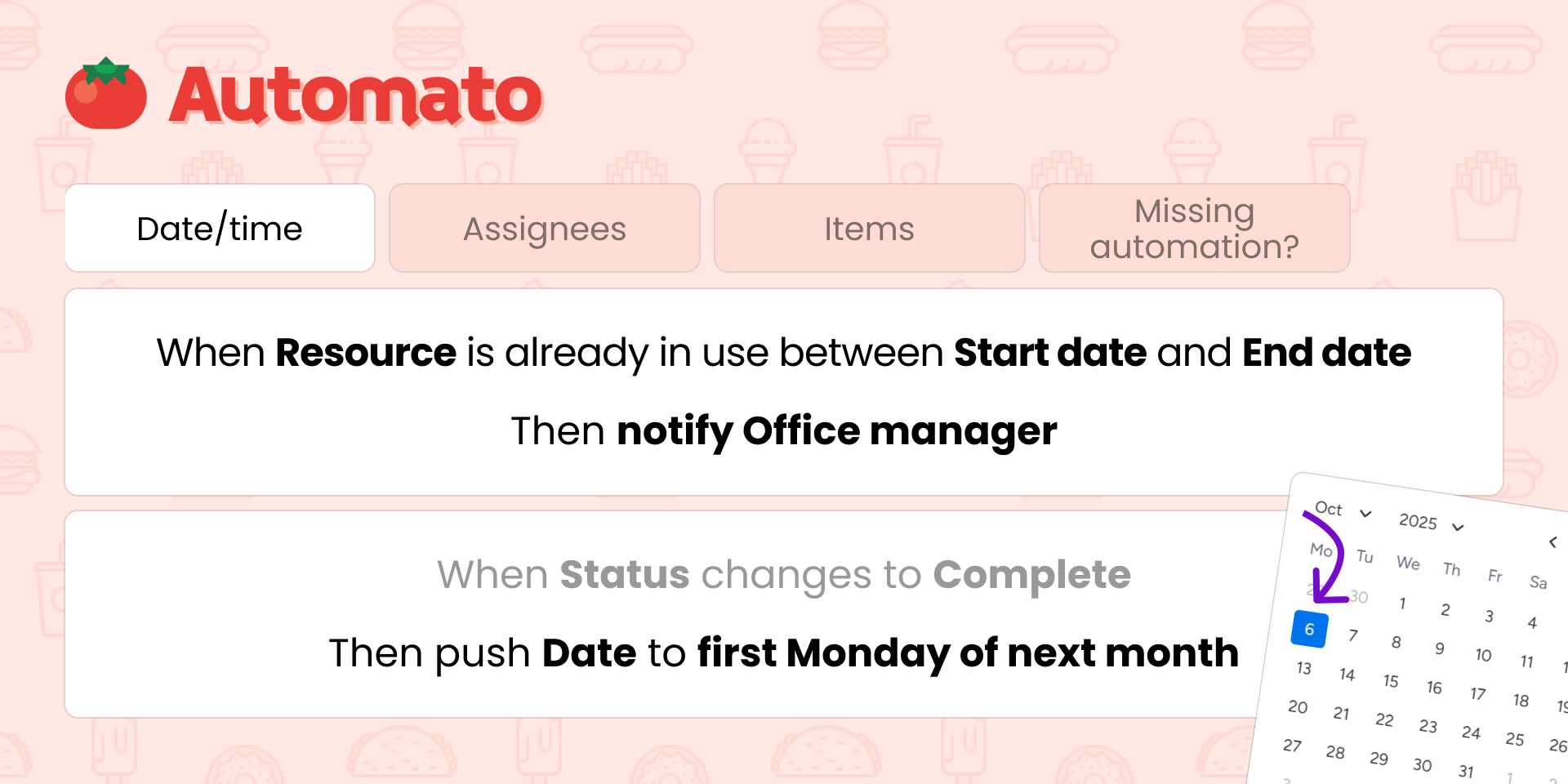
Need to push a deadline to next Wednesday, skip weekends when counting business days, or get a heads-up before a meeting starts? 🍅 Automato has the date automation recipes your monday.com workflow is missing; whether you're managing projects, scheduling field crews, coordinating events, or running recurring billing cycles.
⏩ Advanced date pushing
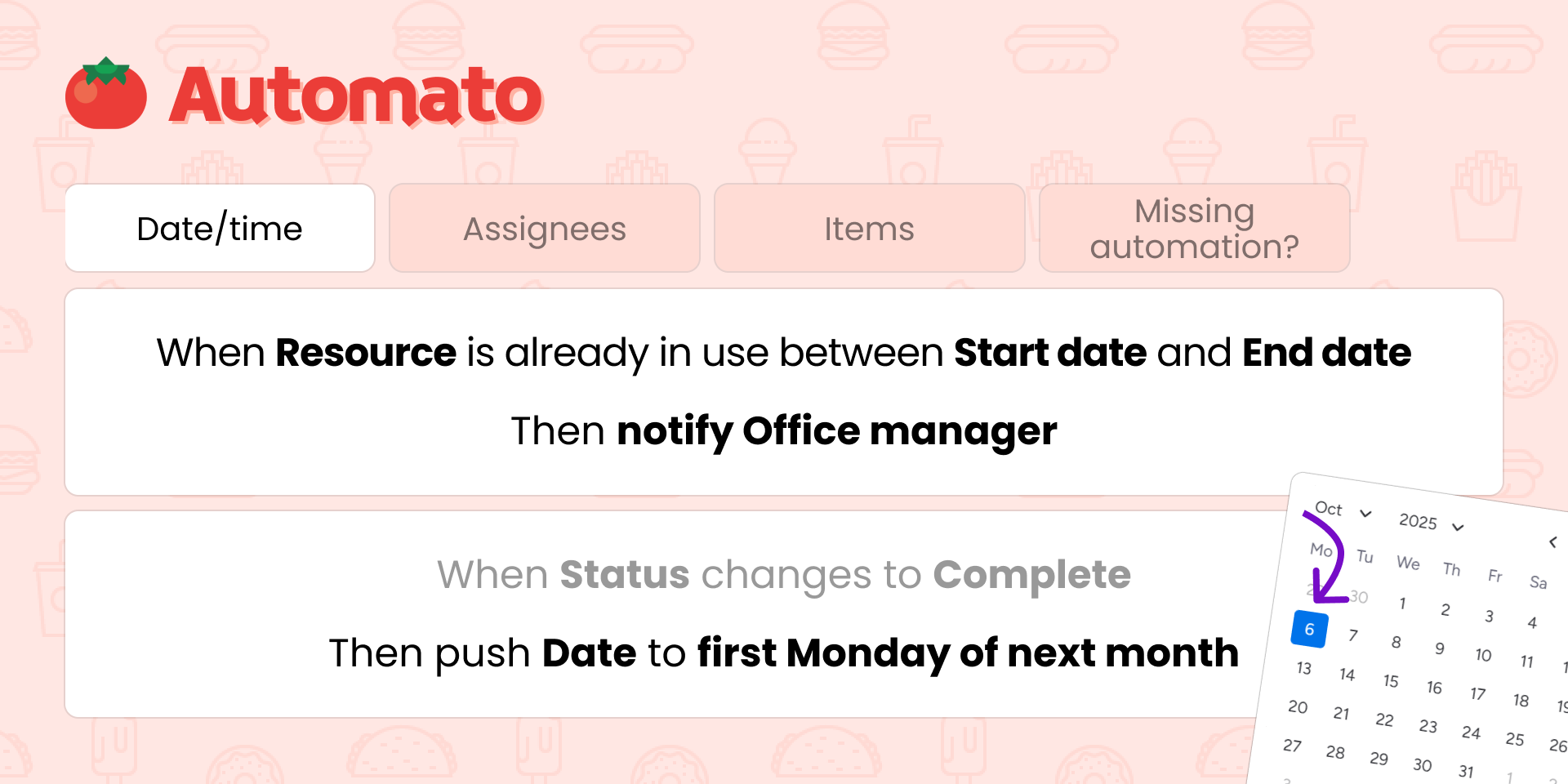
Push a due date to the next Friday, pull it back 5 business days, or snap it to the second Tuesday of next month. Copy a start date to a separate deadline column and shift it forward by 10 working days automatically. You choose which days to skip (weekends, Fridays, or any custom pattern), so the result always lands on a day your team actually works. Ideal for roject managers, account managers, construction schedulers, legal teams tracking response windows, and operations teams juggling deadlines across weeks and months.
💥 Avoid double booking
When a meeting room, company vehicle, piece of equipment, or team member is already scheduled between two dates, Automato detects the conflict and raises the alarm before it becomes a problem. Works with status, people, and dropdown columns, so it fits however your team tracks resource availability, in any industry.
⏰ Take action before a date arrives
Fire a notification 10 minutes before a meeting starts, or automatically assign a team leader 1 hour before a job kicks off. When your date has no time component, the action triggers the configured duration before midnight, so it works for deadlines just as well as appointments. Perfect for field service teams, event coordinators, healthcare schedulers, and any client-facing team that needs to prepare before a date lands.
📅 Set dates to the nth of the month
Snap billing dates, review milestones, or renewal deadlines to the 1st, 15th, or last day of the month, with smart end-of-month capping so a "31st" in February doesn't break your board. Great for finance teams, SaaS operations, and HR departments managing recurring monthly cycles.
🍅 Date automations are just the start.
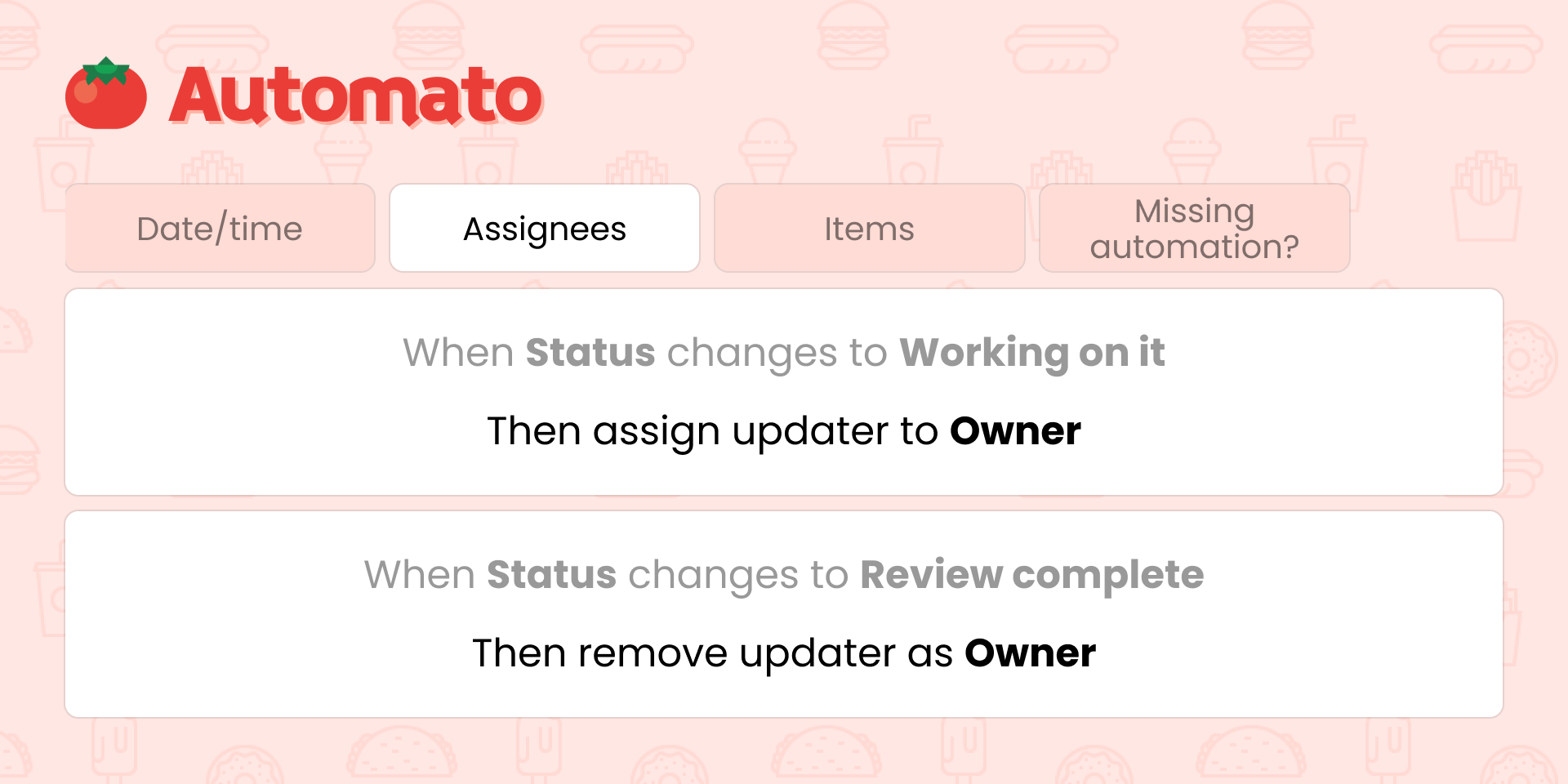
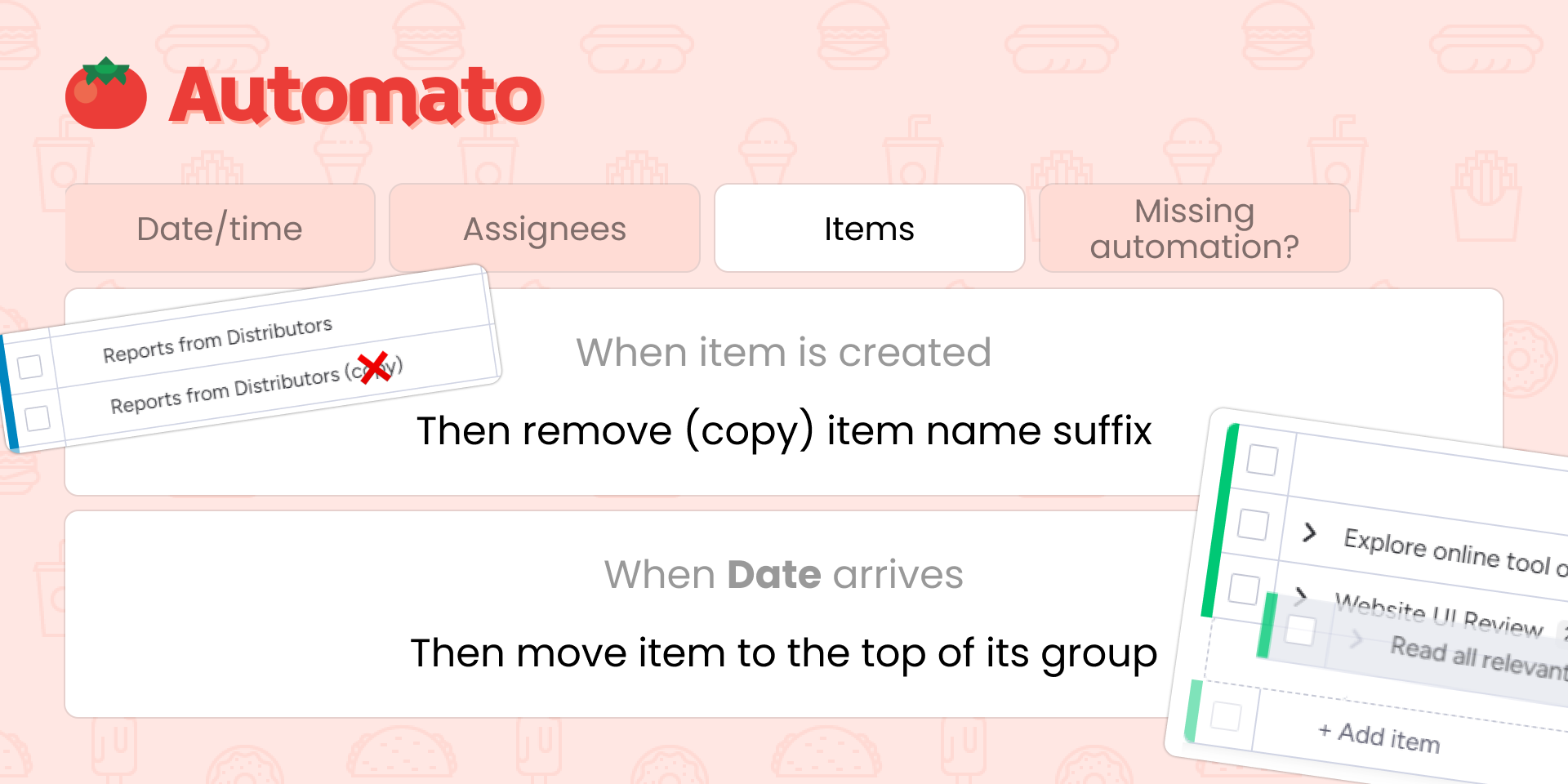
Automato also covers people management (auto-assign whoever made a change), subitems (set all subitem statuses in one step), and board housekeeping: stripping the (copy) suffix after duplicating items or clearing a status when an item is restored from the archive. One app, a full pantry of recipes for your entire monday.com account.
{
"id": 10000944,
"marketplace_developer_id": 10000204,
"app_id": 10163145,
"app_type": "app",
"security_info": {},
"gallery_assets": [
{
"url": "https://cdn.monday.com/marketplace/10000944/10000944_2025_9_3_7_16_16_7v3rlb7i.png",
"type": "image"
},
{
"url": "https://cdn.monday.com/marketplace/10000944/10000944_2025_9_3_7_16_19_qtu5uea.png",
"type": "image"
},
{
"url": "https://cdn.monday.com/marketplace/10000944/10000944_2025_9_3_7_16_22_weqk1oc.png",
"type": "image"
},
{
"url": "https://cdn.monday.com/marketplace/10000944/10000944_2025_9_3_7_16_26_2f8jkxr.png",
"type": "image"
},
{
"url": "https://cdn.monday.com/marketplace/10000944/10000944_2025_9_3_7_17_6_qist6ap.png",
"type": "image"
}
],
"description": "<p>Need to push a deadline to next Wednesday, skip weekends when counting business days, or get a heads-up before a meeting starts? 🍅 Automato has the date automation recipes your monday.com workflow is missing; whether you're managing projects, scheduling field crews, coordinating events, or running recurring billing cycles.</p><p><br></p><p><strong>⏩ Advanced date pushing</strong></p><p>\nPush a due date to the next Friday, pull it back 5 business days, or snap it to the second Tuesday of next month. Copy a start date to a separate deadline column and shift it forward by 10 working days automatically. You choose which days to skip (weekends, Fridays, or any custom pattern), so the result always lands on a day your team actually works. Ideal for roject managers, account managers, construction schedulers, legal teams tracking response windows, and operations teams juggling deadlines across weeks and months.\n</p><p><br></p><p><strong>💥 Avoid double booking</strong></p><p>When a meeting room, company vehicle, piece of equipment, or team member is already scheduled between two dates, Automato detects the conflict and raises the alarm before it becomes a problem. Works with status, people, and dropdown columns, so it fits however your team tracks resource availability, in any industry.</p><p><br></p><p><strong>⏰ Take action before a date arrives</strong></p><p>Fire a notification 10 minutes before a meeting starts, or automatically assign a team leader 1 hour before a job kicks off. When your date has no time component, the action triggers the configured duration before midnight, so it works for deadlines just as well as appointments. Perfect for field service teams, event coordinators, healthcare schedulers, and any client-facing team that needs to prepare before a date lands.\n</p><p><br></p><p><strong>📅 Set dates to the nth of the month</strong></p><p>Snap billing dates, review milestones, or renewal deadlines to the 1st, 15th, or last day of the month, with smart end-of-month capping so a \"31st\" in February doesn't break your board. Great for finance teams, SaaS operations, and HR departments managing recurring monthly cycles.\n</p><p><br></p><p>🍅 <strong>Date automations are just the start.</strong></p><p>Automato also covers people management (auto-assign whoever made a change), subitems (set all subitem statuses in one step), and board housekeeping: stripping the <em>(copy)</em> suffix after duplicating items or clearing a status when an item is restored from the archive. One app, a full pantry of recipes for your entire monday.com account.</p><p><br></p><p><a href=\"https://automagical.work/automato/automations?utm_source=marketplace&utm_content=description\" rel=\"noopener noreferrer\" target=\"_blank\">⟨ View all available automations ⟩</a></p><p><br></p><p>Craving an automation we haven't cooked up yet? Reach out to our responsive support team and we'll add it to the menu.</p>",
"short_description": "Push dates, skip weekends & avoid scheduling conflicts",
"thumbnail_url": "https://cdn.monday.com/marketplace/10000944/10000944_2025_9_3_7_15_4_erjxv0d.png",
"logo_url": "https://cdn.monday.com/marketplace/10000944/10000944_2025_9_3_7_14_36_gofhxtsj.png",
"feedback_url": "support@teamautomagical.com",
"privacy_policy_url": "https://automagical.work/automato/privacy-policy?utm_source=marketplace&utm_content=listingvendorlink",
"featured": false,
"name": "Automato Date Automations",
"how_to_use_url": "https://automagical.work/automato/how-to-use-standalone",
"external_pricing_url": null,
"keywords": "push date,business days,weekdays,date automation,double booking,next weekday,deadline automation,skip weekends,day of month,schedule automation",
"compliance_answers": [],
"created_at": "2025-10-03T07:13:27.000Z",
"updated_at": "2026-03-22T11:24:22.000Z",
"automation_app_id": null,
"marketplace_category_ids": [
10000001,
8,
6
],
"pinned_for_categories_ids": [],
"featured_for_categories_ids": [],
"pricing_data": "Free plan available",
"label": null,
"app_values": [
"Perfect for automations"
],
"security": false,
"display_in_template_store": false,
"acquisition_source": "No touch",
"is_connector": false,
"show_connections": null,
"terms_of_service_url": "https://automagical.work/automato/terms-of-service?utm_source=marketplace&utm_content=listingvendorlink",
"available_for_tiers": [],
"available_for_products": [],
"google_analytics_tag_id": "G-HW2XJRW22Y",
"is_solution": false,
"cta_override": null,
"app_scope_str": "boards:read,boards:write,me:read,webhooks:write,webhooks:read,notifications:write",
"app_client_id": "d244587830a2245f64de91e4d48fe37f",
"app_color": {
"hsl": {
"h": 8.571428571428598,
"s": 1,
"l": 0.9450980392156862,
"a": 1
},
"hex": "#ffe7e3",
"rgb": {
"r": 255,
"g": 231,
"b": 227,
"a": 1
},
"hsv": {
"h": 8.571428571428598,
"s": 0.1098039215686275,
"v": 1,
"a": 1
},
"oldHue": 9.130434782608695,
"source": "hex"
},
"plans": [
{
"id": "10163145-1-free",
"appPlanId": "free",
"name": "Free snack pack",
"versionId": 1,
"isTrial": false,
"prices": {
"type": "standard",
"monthly": 0,
"yearly": 0
},
"versionState": "live",
"appId": 10163145,
"description": "50 ops to nibble on every month.",
"extraData": {
"bullets": [
"50 ops per month",
"Unlimited recipes",
"Request new recipes"
],
"monthlyFee": 0,
"yearlyFee": 0
},
"isFree": true,
"isRecommended": false,
"currency": "USD"
},
{
"id": "10163145-1-ops500",
"appPlanId": "ops500",
"name": "500 ops",
"versionId": 1,
"isTrial": false,
"prices": {
"type": "standard",
"monthly": 5,
"yearly": 4
},
"versionState": "live",
"appId": 10163145,
"description": "Let your workflows bubble with 500 ops per month.",
"extraData": {
"bullets": [
"500 ops per month",
"Unlimited recipes",
"Request new recipes"
],
"monthlyFee": 5,
"yearlyFee": 4
},
"isFree": false,
"isRecommended": false,
"currency": "USD"
},
{
"id": "10163145-1-ops2500",
"appPlanId": "ops2500",
"name": "2,500 ops",
"versionId": 1,
"isTrial": true,
"prices": {
"type": "standard",
"monthly": 15,
"yearly": 12
},
"versionState": "live",
"appId": 10163145,
"description": "Keep your workflows sizzling with 2,500 ops per month.",
"extraData": {
"bullets": [
"2,500 ops per month",
"Unlimited recipes",
"Request new recipes"
],
"monthlyFee": 15,
"yearlyFee": 12
},
"isFree": false,
"isRecommended": true,
"currency": "USD"
},
{
"id": "10163145-1-ops15000",
"appPlanId": "ops15000",
"name": "15,000 ops",
"versionId": 1,
"isTrial": false,
"prices": {
"type": "standard",
"monthly": 60,
"yearly": 48
},
"versionState": "live",
"appId": 10163145,
"description": "Turn chaos into a well-seasoned masterpiece with 15,000 ops per month.",
"extraData": {
"bullets": [
"15,000 ops per month",
"Unlimited recipes",
"Request new recipes"
],
"monthlyFee": 60,
"yearlyFee": 48
},
"isFree": false,
"isRecommended": false,
"currency": "USD"
},
{
"id": "10163145-1-ops50000",
"appPlanId": "ops50000",
"name": "50,000 ops",
"versionId": 1,
"isTrial": false,
"prices": {
"type": "standard",
"monthly": 150,
"yearly": 120
},
"versionState": "live",
"appId": 10163145,
"description": "Perfectly plated workflows with 50,000 ops per month.",
"extraData": {
"bullets": [
"50,000 ops per month",
"Unlimited recipes",
"Request new recipes"
],
"monthlyFee": 150,
"yearlyFee": 120
},
"isFree": false,
"isRecommended": false,
"currency": "USD"
},
{
"id": "10163145-1-ops100000",
"appPlanId": "ops100000",
"name": "100,000 ops",
"versionId": 1,
"isTrial": false,
"prices": {
"type": "standard",
"monthly": 250,
"yearly": 200
},
"versionState": "live",
"appId": 10163145,
"description": "Never run out of ingredients with 100,000 ops per month.",
"extraData": {
"bullets": [
"100,000 ops per month",
"Unlimited recipes",
"Request new recipes"
],
"monthlyFee": 250,
"yearlyFee": 200
},
"isFree": false,
"isRecommended": false,
"currency": "USD"
},
{
"id": "10163145-1-ops250000",
"appPlanId": "ops250000",
"name": "250,000 ops",
"versionId": 1,
"isTrial": false,
"prices": {
"type": "standard",
"monthly": 500,
"yearly": 400
},
"versionState": "live",
"appId": 10163145,
"description": "Michelin-level efficiency with 250,000 ops per month.",
"extraData": {
"bullets": [
"250,000 ops per month",
"Unlimited recipes",
"Request new recipes"
],
"monthlyFee": 500,
"yearlyFee": 400
},
"isFree": false,
"isRecommended": false,
"currency": "USD"
},
{
"id": "10163145-1-custom_a",
"appPlanId": "custom_a",
"name": "Custom A*",
"versionId": 1,
"isTrial": false,
"prices": {
"type": "standard",
"monthly": 2000,
"yearly": 2000
},
"versionState": "live",
"appId": 10163145,
"description": "The chef's special.",
"extraData": {
"bullets": [
"Price will be adjusted for your specific needs",
"Unlimited recipes",
"Request new recipes"
],
"monthlyFee": 2000,
"yearlyFee": 2000
},
"isFree": false,
"isRecommended": false,
"currency": "USD"
},
{
"id": "10163145-1-custom_b",
"appPlanId": "custom_b",
"name": "Custom B*",
"versionId": 1,
"isTrial": false,
"prices": {
"type": "standard",
"monthly": 2000,
"yearly": 2000
},
"versionState": "live",
"appId": 10163145,
"description": "The secret recipe.",
"extraData": {
"bullets": [
"Price will be adjusted for your specific needs",
"Unlimited recipes",
"Request new recipes"
],
"monthlyFee": 2000,
"yearlyFee": 2000
},
"isFree": false,
"isRecommended": false,
"currency": "USD"
}
],
"app_live_version": {
"updated_at": "2026-05-25T10:40:08.981Z",
"id": 13431975
},
"pricing_model": null,
"monetization": {
"monetizationType": "monday",
"hasFreePlan": true,
"hasPaidPlan": true,
"hasTrialPlan": true
},
"badges_data": {
"security": false,
"app_values": [
"Perfect for automations"
],
"pricing_data": "Free plan available",
"acquisition_source": "No touch",
"display_in_template_store": false
},
"data": {
"is_solution": false,
"is_connector": false,
"available_for_tiers": [],
"terms_of_service_url": "https://automagical.work/automato/terms-of-service?utm_source=marketplace&utm_content=listingvendorlink",
"available_for_products": [],
"google_analytics_tag_id": "G-HW2XJRW22Y"
},
"display": null,
"installsDelta": {
"totalInstalls": 54,
"sevenDays": 0,
"thirtyDays": 3,
"ninetyDays": 7
}
}