
Column Clone & Sync
108 installs, since March 6, 2025. 5 installs/month. App updated September 16, 2026. Listing updated April 30, 2026.
Clone & sync any column instantly. Mirror, Formula & more.
You're building a workflow in monday.com and you hit a wall.
Column Clone & Sync lets you move data between any column types in monday.com - instantly.
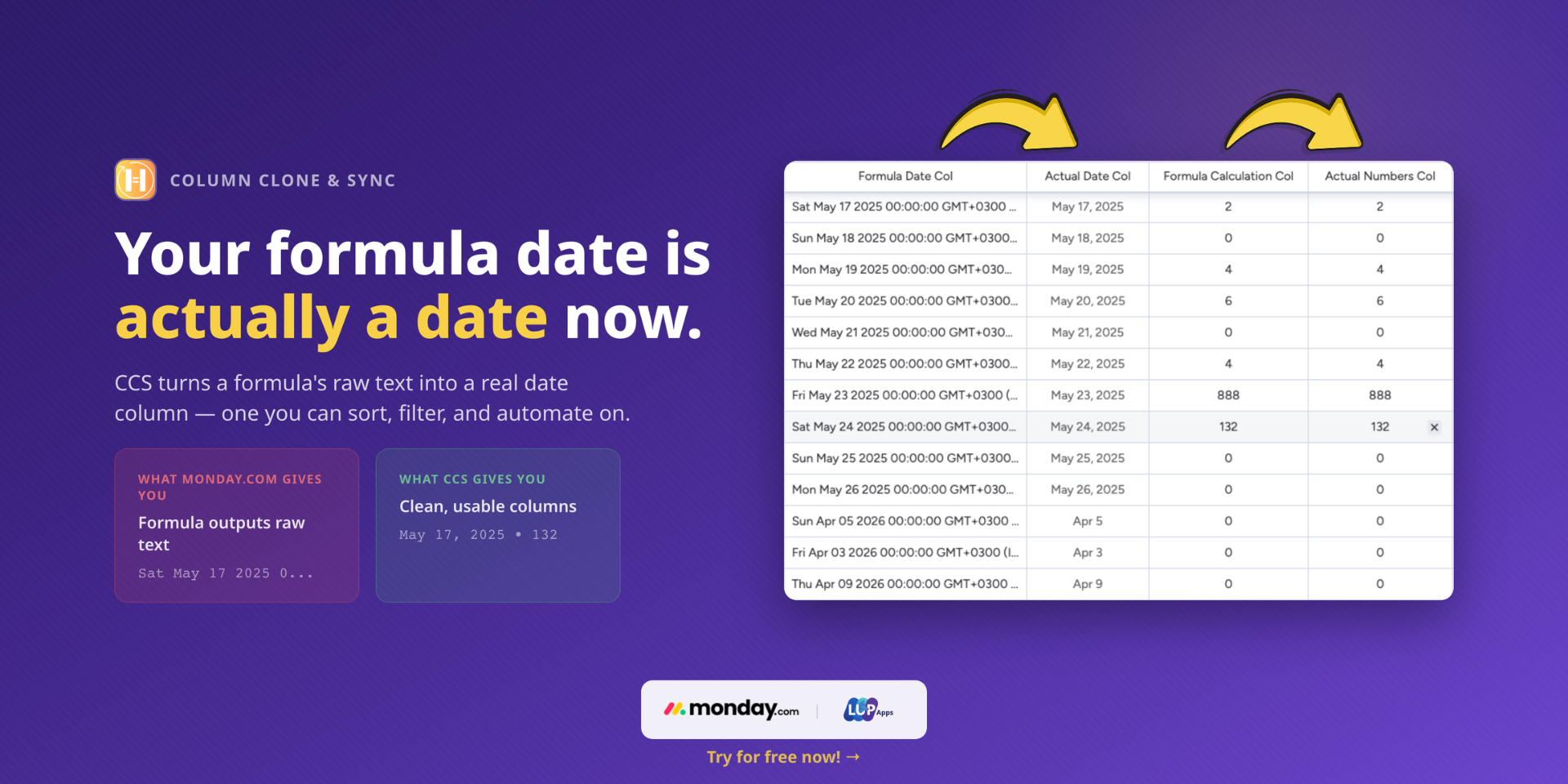
Formula results that need to be in a date column? Done. Mirror values you need in automations? Done. Timeline dates you need split into separate columns? Done. It just works.
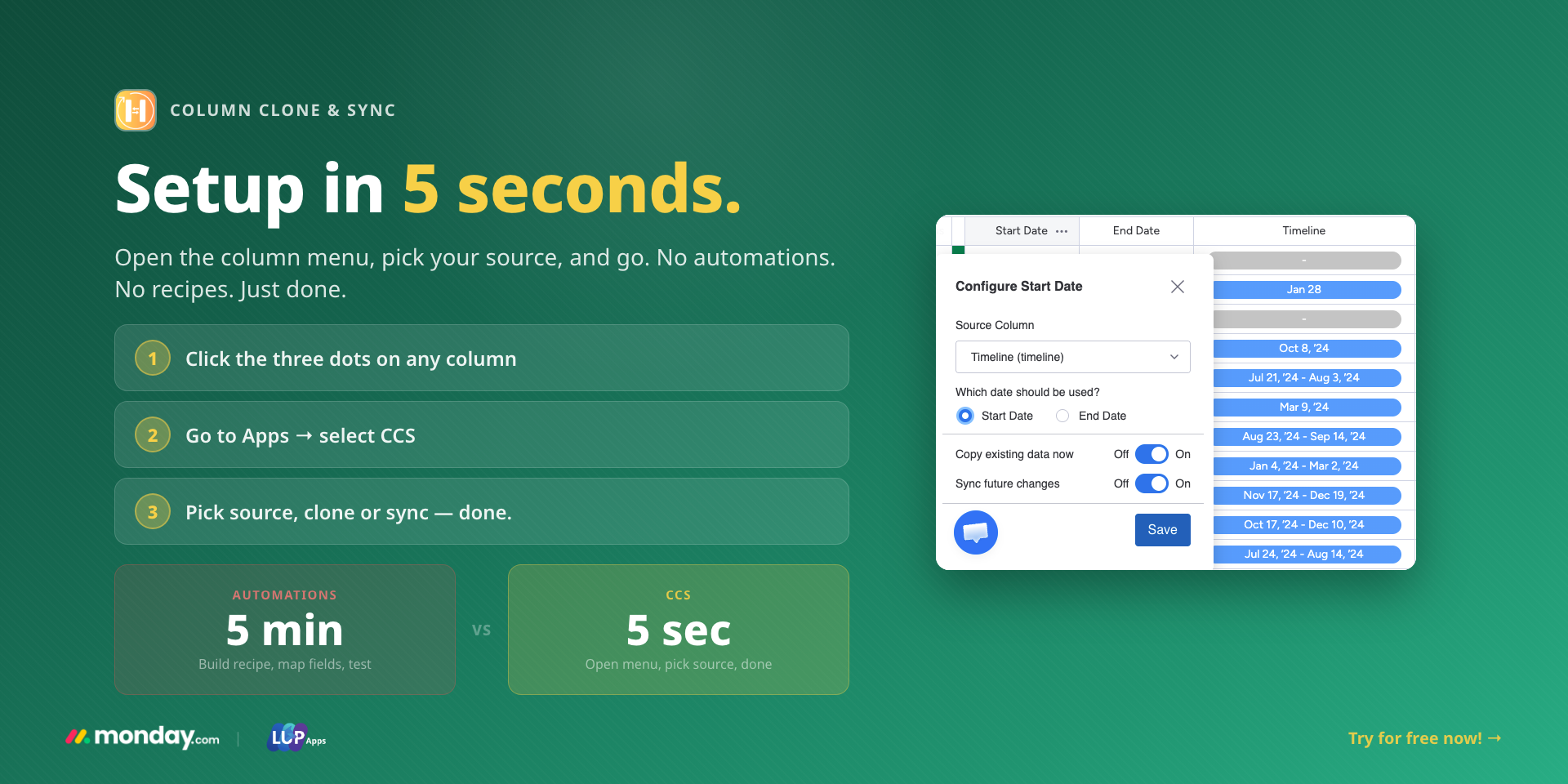
CCS runs as a column extension — not an automation. Setup takes up to 5 seconds. Open the column menu, pick your source, pick your target, choose copy or sync. That's it.
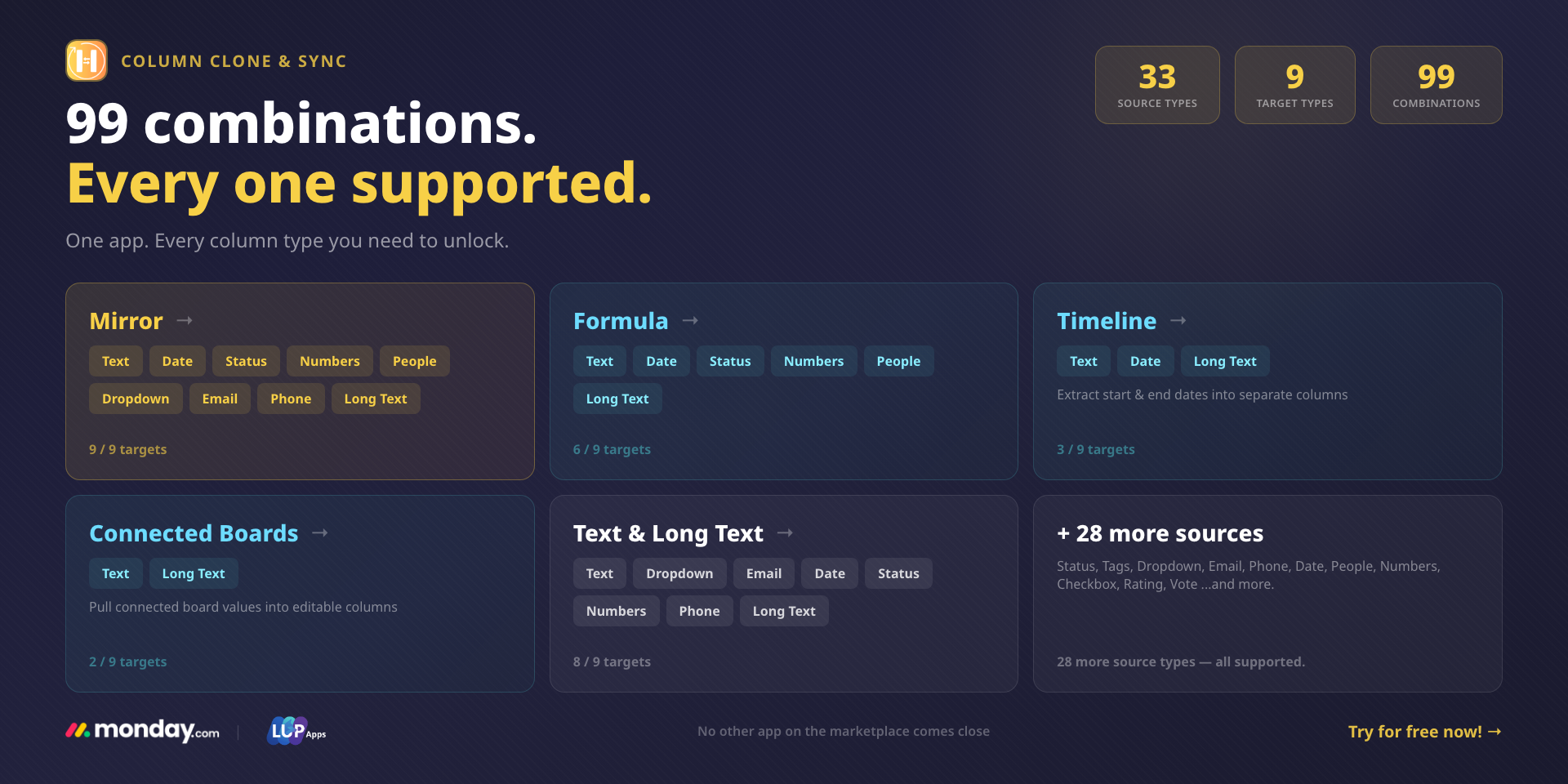
33 source column types. 9 target types. The broadest column support on the marketplace.
⚡ WHAT YOU CAN DO:
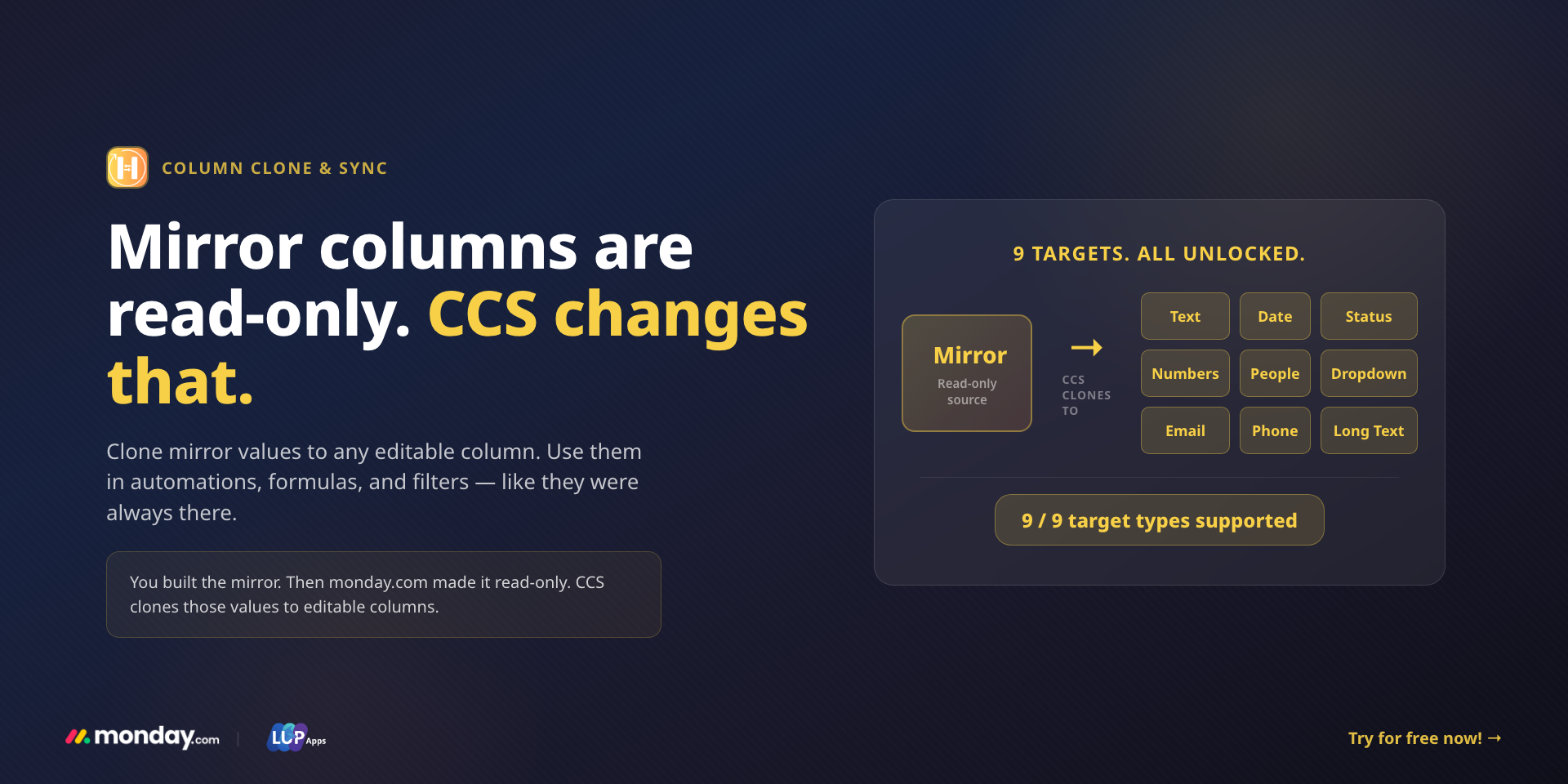
✅ Mirror → copies to all 9 target types. Use mirror data in automations, formulas, and filters — no more read-only dead ends.
✅ Formula → dates, numbers, text, status. Formula results finally land where you need them — including date columns.
✅ Timeline → date columns. Extract start and end dates in seconds.
✅ Connected Boards → text. Pull connected board values into usable, editable columns.
✅ Plus Status, People, Tags, Dropdown, Email, Phone, and 23 more source types.
🔧 HOW IT WORKS:
1. Open the target column menu
2. Select Column Clone & Sync
3. Choose your source column
4. Pick Copy or Sync
5. Done - up to 5 seconds.
While other apps are still on step 1 of building an automation, you're already finished.
🔄 COPY OR SYNC - YOUR CHOICE:
Copy values once for a quick transfer, or keep columns synced automatically as data changes. Same simple setup for both modes.
🏆 ONE APP, NOT FOUR:
Instead of installing separate tools for formula triggers, mirror syncing, timeline conversion, and column copying — Column Copy & Sync handles all of it. One install. One price.
🔒 BUILT ON MONDAY.COM'S SECURE PLATFORM:
CCS runs entirely within monday.com's infrastructure. Your data never leaves the platform. Enterprise-grade security, compliance, and permissions — built in from day one.
🚀 GET STARTED NOW:
Experience the benefits firsthand — install the app and streamline your workflow.
For a personalized walkthrough or any questions, book a call with our team or reach out to our support at support@lupapps.io.
Security & Compliance
The app developer did not provide the security and compliance information for this app.
Reviews
JL: Does not work for Location Column
Developer response:
Thanks for flagging this - we'd genuinely like to help. Location columns are supported, and we haven't been able to reproduce an issue on our side. We also couldn't find a support request matching this report, so please reach out at support@lupapps.io.
AB: Amazing app !! Thank you guys!!
Developer response:
Thank YOU - reviews like this make our day! 🙌 We've got more improvements on the way!
TC: Very reliable, easy to use, and excellent customer service. I highly recommend.
Developer response:
Thank you for the kind words! Reliability and fast support are the two things we refuse to compromise on, so this review means a lot to the team. We're always here if you need anything.
L: Great app! exactly what I was needed
Developer response:
Thank you so much! That's exactly what we aim for solving the real need, simply. If there's ever anything you'd like the app to do better, we're one message away at support@lupapps.io. Enjoy!
Y: Huge productivity boost for our team.
Developer response:
Happy to hear, thanks for your support!
נל: The app is simple, effective, and dependable.
Developer response:
Thank you, we're happy to help
DP: Setup took me less than a minute. No automations to build, no integrations to configure. Just click the column, pick your target, done. Our Formula dates now trigger real automations. Worth every dollar.
Developer response:
Thanks for your support!
Historical data
Installation history
We have data for December 28, 2024 onwards only. Collected sometime after 00:00 UTC daily.
Total number of installs
Change in total number of installs in last 1 day(s)
Compares the number of installs on each date with 1 days previously:
Change in total number of installs in last 7 day(s)
Compares the number of installs on each date with 7 days previously:
Change in total number of installs in last 30 day(s)
Compares the number of installs on each date with 30 days previously:
Change in total number of installs in last 90 day(s)
Compares the number of installs on each date with 90 days previously:
Change in total number of installs in last 180 day(s)
Compares the number of installs on each date with 180 days previously:
Ratings history
Categories history
Each of the following is a yes/no answer, so the graphs show 1 for yes, and 0 for no.