
Mailmonk — Email Campaigns & Automation
254 installs, since January 20, 2025. 11 installs/month. App updated September 1, 2026. Listing updated July 23, 2026.
Email campaigns, newsletters & automations from any board
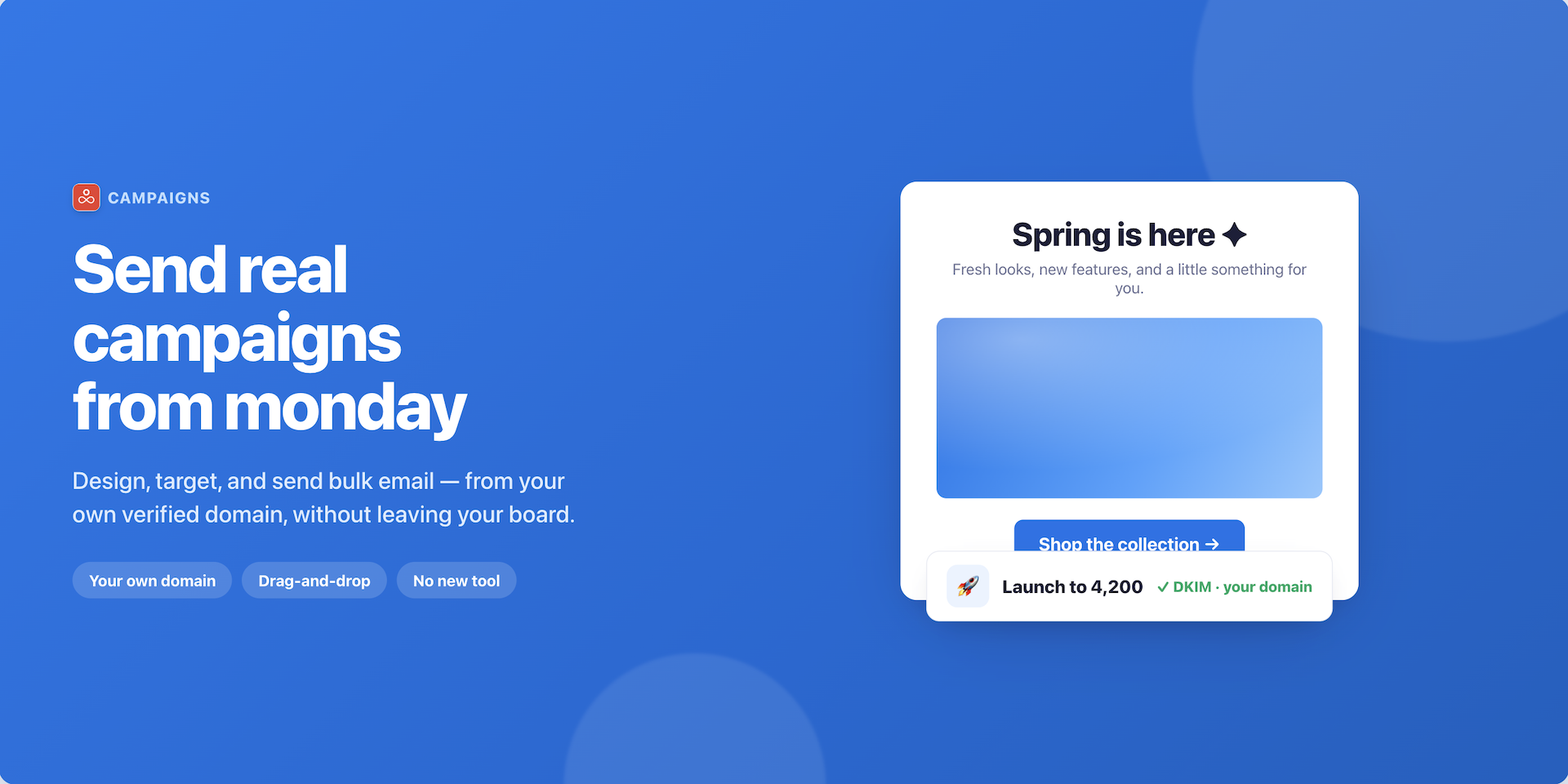
Mailmonk turns your monday boards into an email platform. Your contacts, leads and customers are already in your boards — Mailmonk lets you email them without exporting a list or paying for a separate marketing tool.
What Mailmonk does
- Campaigns — send newsletters and marketing emails to a segment built from any board or an uploaded contact list.
- Automation emails — send an email automatically when something happens on your board.
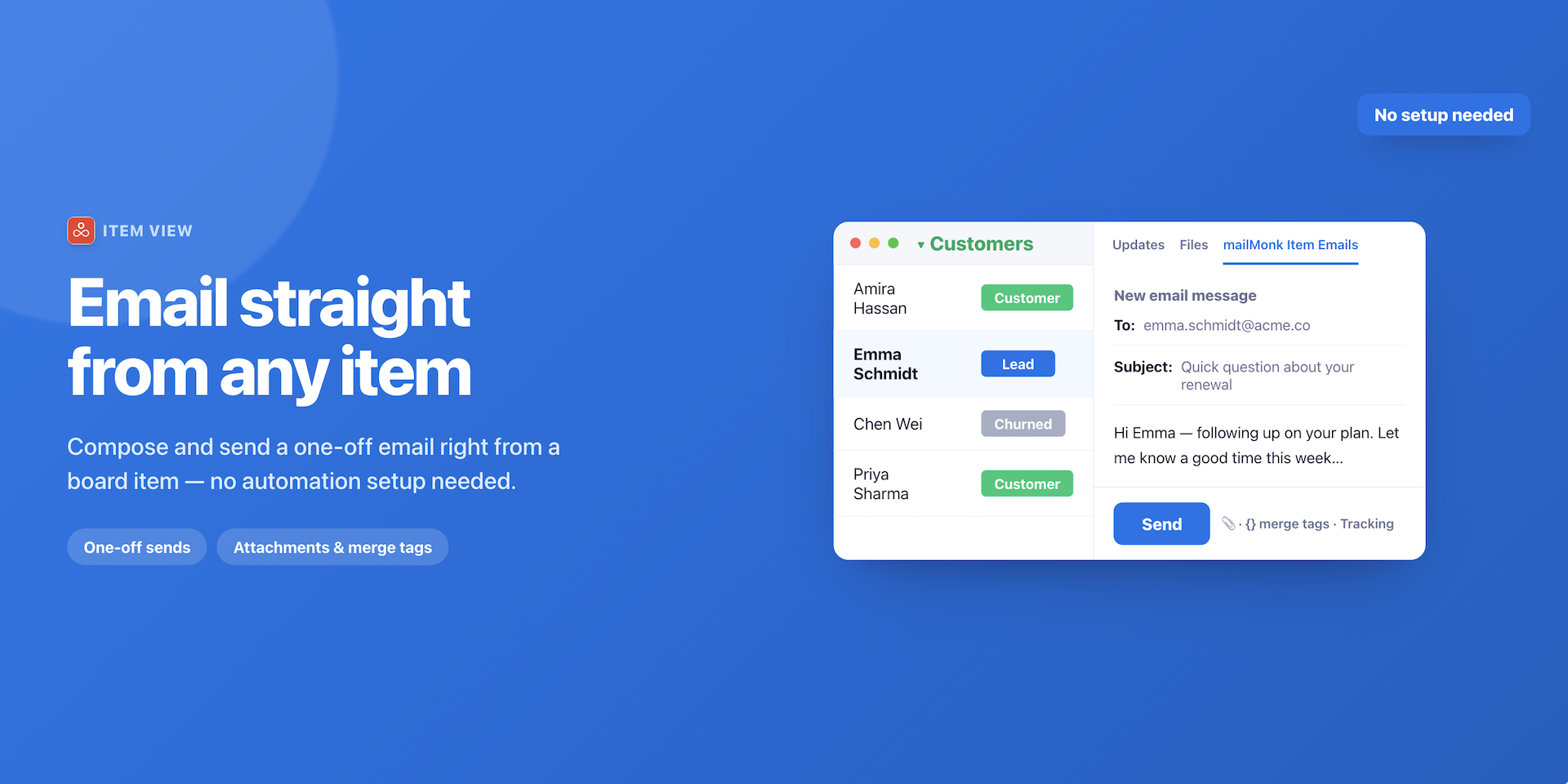
- One-to-one emails — write one-to-one emails from inside any item, and see the replies there too.
Campaigns
Build a segment → design your email with the drag-and-drop editor → choose the segment → launch. That's the whole flow.
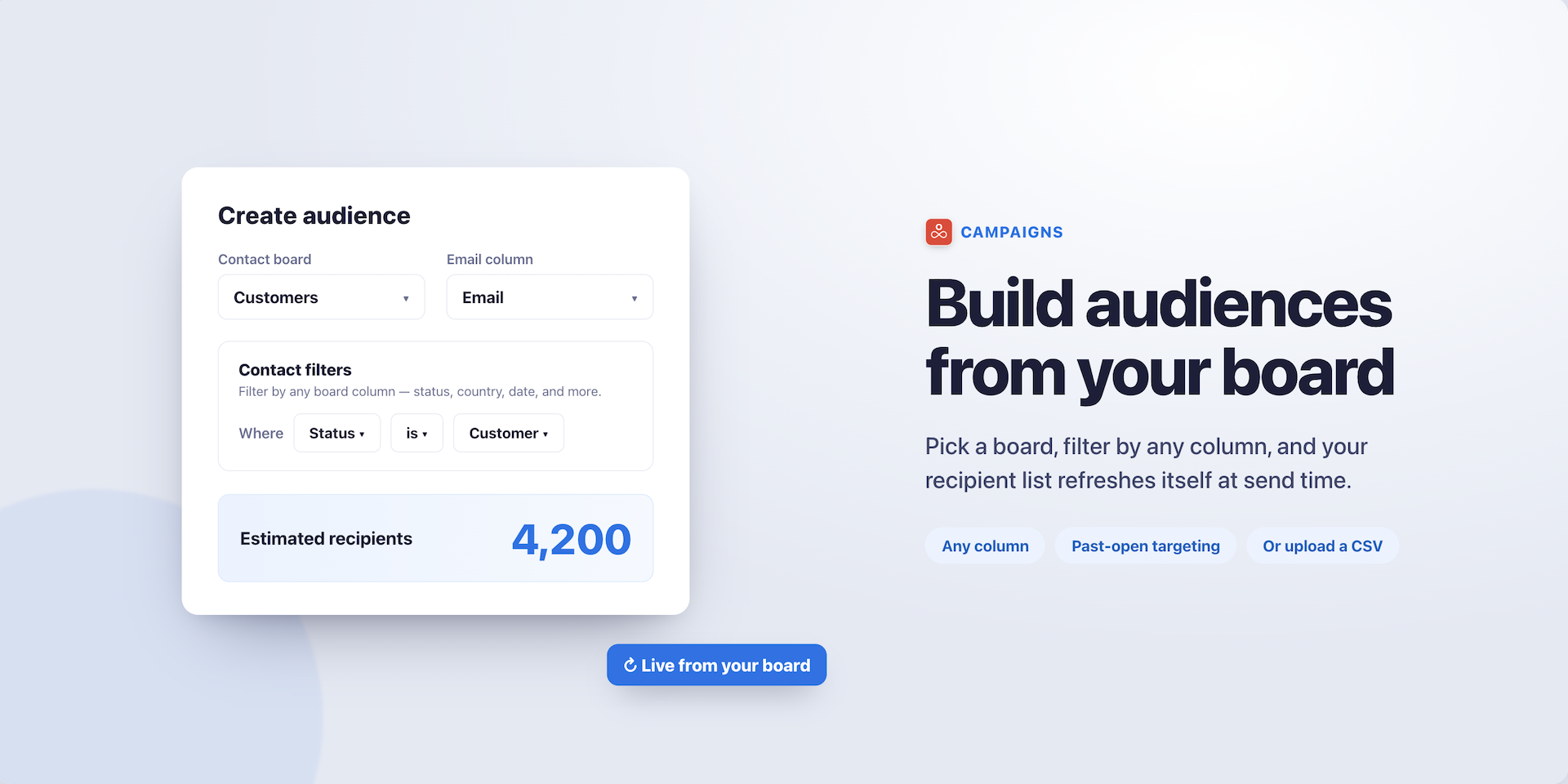
You can create a segment from any board, or by uploading a CSV or Excel file of contacts. For board segments, you filter by any column — status, owner, date, text, numbers — and combine conditions to target exactly who you want. You can also filter by how people responded to earlier emails: opened, didn't open, clicked, didn't click.
Segments are dynamic. You build one once, and new items are added automatically as they match your rules. No re-importing, no stale lists.
Test two subject lines against each other before the full send, and once a campaign has gone out, resend it to everyone who didn't open — in one click.
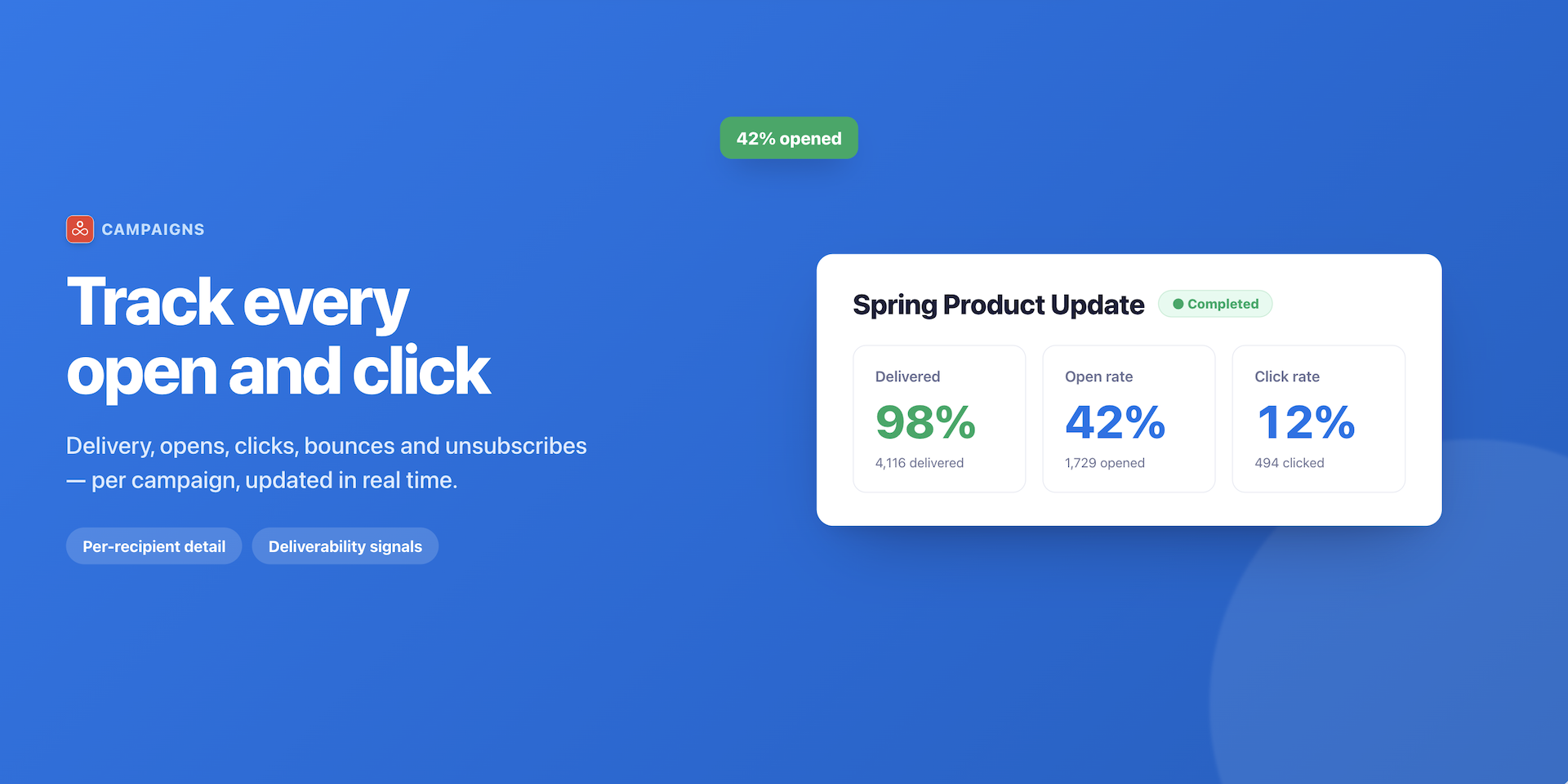
Every campaign shows you delivery, opens, clicks and unsubscribes, so you can see what worked before you write the next one.
Automation emails
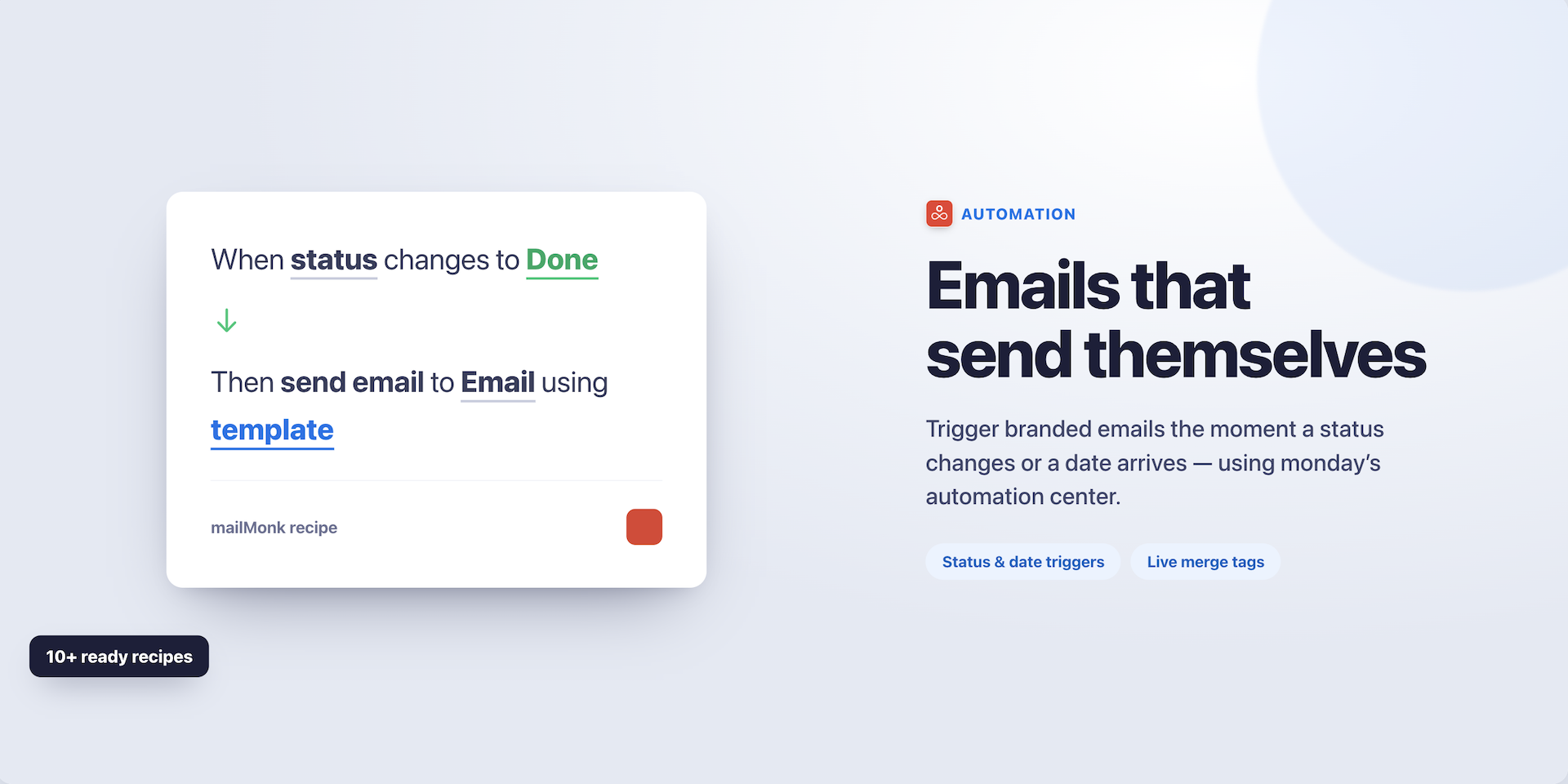
Send emails automatically from your board. When a status changes, a date arrives, or an item is created, Mailmonk sends the email for you — no one has to remember.
Connect your Gmail or Outlook account with one click, create a template with the rich text editor, drag-and-drop builder or your own HTML, and set up the automation in monday's automation center.
Merge tags pull real values from item columns, so every email is personalised.
You can attach files from a file column, track opens and clicks, and add buttons that let recipients update a board status straight from their inbox.
One-to-one emails
Open any item, write an email, send it.
Replies come back into the same item view, so the whole conversation stays with the record it belongs to — no switching to your inbox to find out what someone said.
Perfect for
- Newsletters to customers, members or subscribers
- Product launches and announcements
- CRM follow-ups and sales outreach
- Project updates and client communications
- Invoice and renewal reminders
Give Mailmonk a try for free today.
Security & Compliance
The app developer did not provide the security and compliance information for this app.
Reviews
RP: Excellent support!
SF: Great response times if we have any questions. Have requested additional features on multiple occasions and they have been able to supply our company with these. Great app.
EZ: not working
TJ: I liked the app, it's super easy to use and does the job properly.
KE: This is an amazing app that has completely changed the way we work! It's easy to setup and very user friendly. This is a must-have for any workflow. Pre-built templates and ability to create customizable workflows has been a game changer for us. Thanks!
Historical data
Installation history
We have data for December 28, 2024 onwards only. Collected sometime after 00:00 UTC daily.
Total number of installs
Change in total number of installs in last 1 day(s)
Compares the number of installs on each date with 1 days previously:
Change in total number of installs in last 7 day(s)
Compares the number of installs on each date with 7 days previously:
Change in total number of installs in last 30 day(s)
Compares the number of installs on each date with 30 days previously:
Change in total number of installs in last 90 day(s)
Compares the number of installs on each date with 90 days previously:
Change in total number of installs in last 180 day(s)
Compares the number of installs on each date with 180 days previously:
Ratings history
Categories history
Each of the following is a yes/no answer, so the graphs show 1 for yes, and 0 for no.
In "Featured" category?
In "Editor's choice" category?
In "Trending this week" category?
App metadata
ID: 10000721 • App ID: 10129922 • Listing updated: July 23, 2026{
"id": 10000721,
"marketplace_developer_id": 100000012,
"app_id": 10129922,
"app_type": "app",
"security_info": null,
"gallery_assets": [
{
"url": "https://cdn.monday.com/marketplace/10000721/10000721_2026_6_20_16_58_56_zdwdgvrf.mp4",
"type": "video"
},
{
"url": "https://cdn.monday.com/marketplace/10000721/10000721_2026_6_20_17_0_19_j39ircq.png",
"type": "image"
},
{
"url": "https://cdn.monday.com/marketplace/10000721/10000721_2026_6_20_17_3_0_msug5vm.png",
"type": "image"
},
{
"url": "https://cdn.monday.com/marketplace/10000721/10000721_2026_6_20_17_3_21_w2rzebvh.png",
"type": "image"
},
{
"url": "https://cdn.monday.com/marketplace/10000721/10000721_2026_6_20_17_3_55_42tmjb6.png",
"type": "image"
},
{
"url": "https://cdn.monday.com/marketplace/10000721/10000721_2026_6_20_17_4_6_ss4a2l2i.png",
"type": "image"
}
],
"description": "<p>Mailmonk turns your monday boards into an email platform. Your contacts, leads and customers are already in your boards — Mailmonk lets you email them without exporting a list or paying for a separate marketing tool.</p><p><br></p><p><strong>What Mailmonk does</strong></p><ul><li><strong>Campaigns</strong> — send newsletters and marketing emails to a segment built from any board or an uploaded contact list.</li><li><strong>Automation emails</strong> — send an email automatically when something happens on your board.</li><li><strong>One-to-one emails</strong> — write one-to-one emails from inside any item, and see the replies there too.</li></ul><p><br></p><p><strong>Campaigns</strong></p><p><br></p><p>Build a segment → design your email with the drag-and-drop editor → choose the segment → launch. That's the whole flow.</p><p><br></p><p>You can create a segment from any board, or by uploading a CSV or Excel file of contacts. For board segments, you filter by any column — status, owner, date, text, numbers — and combine conditions to target exactly who you want. You can also filter by how people responded to earlier emails: opened, didn't open, clicked, didn't click.</p><p><br></p><p>Segments are dynamic. You build one once, and new items are added automatically as they match your rules. No re-importing, no stale lists.</p><p><br></p><p>Test two subject lines against each other before the full send, and once a campaign has gone out, resend it to everyone who didn't open — in one click.</p><p><br></p><p>Every campaign shows you delivery, opens, clicks and unsubscribes, so you can see what worked before you write the next one.</p><p><br></p><p><br></p><p><strong>Automation emails</strong></p><p>Send emails automatically from your board. When a status changes, a date arrives, or an item is created, Mailmonk sends the email for you — no one has to remember.</p><p><br></p><p>Connect your Gmail or Outlook account with one click, create a template with the rich text editor, drag-and-drop builder or your own HTML, and set up the automation in monday's automation center. </p><p><br></p><p>Merge tags pull real values from item columns, so every email is personalised. </p><p><br></p><p>You can attach files from a file column, track opens and clicks, and add buttons that let recipients update a board status straight from their inbox.</p><p><br></p><p><br></p><p><strong>One-to-one emails</strong></p><p>Open any item, write an email, send it. </p><p>Replies come back into the same item view, so the whole conversation stays with the record it belongs to — no switching to your inbox to find out what someone said.</p><p><br></p><p><strong>Perfect for</strong></p><ul><li>Newsletters to customers, members or subscribers</li><li>Product launches and announcements</li><li>CRM follow-ups and sales outreach</li><li>Project updates and client communications</li><li>Invoice and renewal reminders</li></ul><p><br></p><p>Give Mailmonk a try for free today.</p>",
"short_description": "Email campaigns, newsletters & automations from any board",
"thumbnail_url": "https://cdn.monday.com/marketplace/10000721/10000721_2025_0_20_8_2_12_q9tpq4e.png",
"logo_url": "https://cdn.monday.com/marketplace/10000721/10000721_2025_0_20_8_2_9_wyfjciv.png",
"feedback_url": "support@mailmonk.app",
"privacy_policy_url": "https://mailmonk.app/privacy-policy",
"featured": null,
"name": "Mailmonk — Email Campaigns & Automation",
"how_to_use_url": "https://mailmonk.app/how-to-use",
"external_pricing_url": null,
"keywords": "email campaigns,newsletter,email marketing,mass email,email automation,send emails from board,bulk email,drag and drop email builder,email tracking,crm emails",
"compliance_answers": [],
"created_at": "2025-01-20T08:00:40.000Z",
"updated_at": "2026-07-23T14:20:27.000Z",
"automation_app_id": null,
"marketplace_category_ids": [
13,
7,
4
],
"pinned_for_categories_ids": [],
"featured_for_categories_ids": [],
"pricing_data": "Free plan available",
"label": null,
"app_values": [
"Perfect for automations"
],
"security": null,
"display_in_template_store": null,
"acquisition_source": "No touch",
"is_connector": null,
"show_connections": null,
"terms_of_service_url": "https://mailmonk.app/terms-of-use",
"available_for_tiers": null,
"available_for_products": null,
"google_analytics_tag_id": "G-G43NFMZJ8Z",
"is_solution": null,
"cta_override": null,
"app_scope_str": "me:read,boards:read,boards:write,users:read,updates:write,notifications:write,account:read",
"app_client_id": "fc130660452603ef8b20868760bb85b9",
"app_color": {
"hsl": {
"h": 350.79545454545456,
"s": 0,
"l": 1,
"a": 1
},
"hex": "#ffffff",
"rgb": {
"r": 255,
"g": 255,
"b": 255,
"a": 1
},
"hsv": {
"h": 350.79545454545456,
"s": 0,
"v": 1,
"a": 1
},
"oldHue": 350.79545454545456,
"source": "hsv"
},
"plans": [
{
"id": "10129922-1-44de054b-315d-4189-be05-036c51c8776e",
"appPlanId": "44de054b-315d-4189-be05-036c51c8776e",
"name": "Free",
"versionId": 1,
"isTrial": false,
"prices": {
"type": "standard",
"monthly": 0,
"yearly": 0
},
"versionState": "live",
"appId": 10129922,
"description": "Send 25 emails per month",
"extraData": {
"bullets": [
"Send 25 emails per month",
"Unlimited templates",
"Unlimited sender emails",
"Analytics and reporting",
"Email support"
],
"monthlyFee": 0,
"yearlyFee": 0
},
"isFree": true,
"isRecommended": false,
"currency": "USD"
},
{
"id": "10129922-1-c32eedf5-3edc-4347-943e-d3b02b194adb",
"appPlanId": "c32eedf5-3edc-4347-943e-d3b02b194adb",
"name": "Basic",
"versionId": 1,
"isTrial": false,
"prices": {
"type": "standard",
"monthly": 10,
"yearly": 8
},
"versionState": "live",
"appId": 10129922,
"description": "Send 250 emails per month",
"extraData": {
"bullets": [
"Send 250 emails per month",
"Unlimited templates",
"Unlimited sender emails",
"Analytics and reporting",
"Email & chat support"
],
"monthlyFee": 10,
"yearlyFee": 8
},
"isFree": false,
"isRecommended": false,
"currency": "USD"
},
{
"id": "10129922-1-8b24fd37-7f73-41e9-bc6c-d9d32477b155",
"appPlanId": "8b24fd37-7f73-41e9-bc6c-d9d32477b155",
"name": "Standard",
"versionId": 1,
"isTrial": false,
"prices": {
"type": "standard",
"monthly": 20,
"yearly": 17
},
"versionState": "live",
"appId": 10129922,
"description": "Send 1000 emails per month",
"extraData": {
"bullets": [
"Send 1000 emails per month",
"Unlimited templates",
"Unlimited sender emails",
"Analytics and reporting",
"Email & chat support"
],
"monthlyFee": 20,
"yearlyFee": 17
},
"isFree": false,
"isRecommended": false,
"currency": "USD"
},
{
"id": "10129922-1-31e1ac8c-1841-4123-905a-a723f69ce52c",
"appPlanId": "31e1ac8c-1841-4123-905a-a723f69ce52c",
"name": "Pro",
"versionId": 1,
"isTrial": false,
"prices": {
"type": "standard",
"monthly": 30,
"yearly": 25
},
"versionState": "live",
"appId": 10129922,
"description": "Send 3000 emails per month",
"extraData": {
"bullets": [
"Send 3000 emails per month",
"Unlimited templates",
"Unlimited sender emails",
" Increase per sender email daily limit",
"Analytics and reporting",
"Email & chat support"
],
"monthlyFee": 30,
"yearlyFee": 25
},
"isFree": false,
"isRecommended": false,
"currency": "USD"
},
{
"id": "10129922-1-44ae79d8-898b-4755-a48b-325f2218ffdb",
"appPlanId": "44ae79d8-898b-4755-a48b-325f2218ffdb",
"name": "Enterprise",
"versionId": 1,
"isTrial": false,
"prices": {
"type": "standard",
"monthly": 100,
"yearly": 85
},
"versionState": "live",
"appId": 10129922,
"description": "Send 10000 emails per month",
"extraData": {
"bullets": [
"Send 10000 emails per month",
"Unlimited templates",
"Unlimited sender emails",
"Analytics, reporting & custom reporting",
"Priority support over phone & custom development"
],
"monthlyFee": 100,
"yearlyFee": 85
},
"isFree": false,
"isRecommended": false,
"currency": "USD"
},
{
"id": "10129922-2-44de054b-315d-4189-be05-036c51c8776e",
"appPlanId": "44de054b-315d-4189-be05-036c51c8776e",
"name": "Free",
"versionId": 2,
"isTrial": false,
"prices": {
"type": "standard",
"monthly": 0,
"yearly": 0
},
"versionState": "live",
"appId": 10129922,
"description": "25 emails per month",
"extraData": {
"bullets": [
"Send 25 emails per month",
"Unlimited templates",
"Unlimited sender emails",
"Analytics and reporting",
"Basic email support"
],
"monthlyFee": 0,
"yearlyFee": 0
},
"isFree": true,
"isRecommended": false,
"currency": "USD"
},
{
"id": "10129922-2-c32eedf5-3edc-4347-943e-d3b02b194adb",
"appPlanId": "c32eedf5-3edc-4347-943e-d3b02b194adb",
"name": "Starter",
"versionId": 2,
"isTrial": false,
"prices": {
"type": "standard",
"monthly": 10,
"yearly": 8
},
"versionState": "live",
"appId": 10129922,
"description": "150 emails per month",
"extraData": {
"bullets": [
"Send 150 emails per month",
"Unlimited templates",
"Unlimited sender emails",
"Analytics and reporting",
"Standard email support"
],
"monthlyFee": 10,
"yearlyFee": 8
},
"isFree": false,
"isRecommended": false,
"currency": "USD"
},
{
"id": "10129922-2-8b24fd37-7f73-41e9-bc6c-d9d32477b155",
"appPlanId": "8b24fd37-7f73-41e9-bc6c-d9d32477b155",
"name": "Growth",
"versionId": 2,
"isTrial": false,
"prices": {
"type": "standard",
"monthly": 19,
"yearly": 17
},
"versionState": "live",
"appId": 10129922,
"description": "350 emails per month",
"extraData": {
"bullets": [
"Send 350 emails per month",
"+ All benefits of Starter plan",
"Email & chat support"
],
"monthlyFee": 19,
"yearlyFee": 17
},
"isFree": false,
"isRecommended": false,
"currency": "USD"
},
{
"id": "10129922-2-31e1ac8c-1841-4123-905a-a723f69ce52c",
"appPlanId": "31e1ac8c-1841-4123-905a-a723f69ce52c",
"name": "Scaling",
"versionId": 2,
"isTrial": false,
"prices": {
"type": "standard",
"monthly": 39,
"yearly": 35
},
"versionState": "live",
"appId": 10129922,
"description": "700 emails per month",
"extraData": {
"bullets": [
"Send 700 emails per month",
"+ All benefits fro Growth plan",
"Priority email & chat support"
],
"monthlyFee": 39,
"yearlyFee": 35
},
"isFree": false,
"isRecommended": true,
"currency": "USD"
},
{
"id": "10129922-2-44ae79d8-898b-4755-a48b-325f2218ffdb",
"appPlanId": "44ae79d8-898b-4755-a48b-325f2218ffdb",
"name": "Elite",
"versionId": 2,
"isTrial": false,
"prices": {
"type": "standard",
"monthly": 59,
"yearly": 55
},
"versionState": "live",
"appId": 10129922,
"description": "1500 emails per month",
"extraData": {
"bullets": [
"Send 1500 emails per month",
"+ All benefits from Power plan",
"Limited custom reporting on demand",
"Priority support over email, chat & phone"
],
"monthlyFee": 59,
"yearlyFee": 55
},
"isFree": false,
"isRecommended": false,
"currency": "USD"
},
{
"id": "10129922-2-2f7162b0-d083-4f0f-8f83-83affd987116",
"appPlanId": "2f7162b0-d083-4f0f-8f83-83affd987116",
"name": "Ultimate",
"versionId": 2,
"isTrial": false,
"prices": {
"type": "standard",
"monthly": 79,
"yearly": 75
},
"versionState": "live",
"appId": 10129922,
"description": "Unlimited emails",
"extraData": {
"bullets": [
"Send unlimited emails per month (upto 20k per org)",
"All benefits from elite plan",
"Custom reporting on demand",
"Priority support over email, chat & phone"
],
"monthlyFee": 79,
"yearlyFee": 75
},
"isFree": false,
"isRecommended": false,
"currency": "USD"
},
{
"id": "10129922-3-44de054b-315d-4189-be05-036c51c8776e",
"appPlanId": "44de054b-315d-4189-be05-036c51c8776e",
"name": "Free",
"versionId": 3,
"isTrial": false,
"prices": {
"type": "standard",
"monthly": 0,
"yearly": 0
},
"versionState": "live",
"appId": 10129922,
"description": "25 emails per month",
"extraData": {
"bullets": [
"1 Sender email per org",
"Analytics and reporting",
"Basic support"
],
"monthlyFee": 0,
"yearlyFee": 0
},
"isFree": true,
"isRecommended": false,
"currency": "USD"
},
{
"id": "10129922-3-2f7162b0-d083-4f0f-8f83-83affd987116",
"appPlanId": "2f7162b0-d083-4f0f-8f83-83affd987116",
"name": "Ultimate",
"versionId": 3,
"isTrial": false,
"prices": {
"type": "standard",
"monthly": 850,
"yearly": 79
},
"versionState": "live",
"appId": 10129922,
"description": "Unlimited emails",
"extraData": {
"bullets": [
"15 Sender emails",
"+ All benefits of Pro plan",
"Super priority support",
"* Unlimited emails (upto 20k/month)"
],
"monthlyFee": 850,
"yearlyFee": 79
},
"isFree": false,
"isRecommended": false,
"currency": "USD"
},
{
"id": "10129922-3-9b9b34b9-daa1-4e50-821f-540d6d7f4505",
"appPlanId": "9b9b34b9-daa1-4e50-821f-540d6d7f4505",
"name": "Basic",
"versionId": 3,
"isTrial": false,
"prices": {
"type": "standard",
"monthly": 199,
"yearly": 19
},
"versionState": "live",
"appId": 10129922,
"description": "Unlimited emails",
"extraData": {
"bullets": [
"2 Sender emails per org",
"(Limited time) Send, Receive & Reply emails in Itemview",
"+ All benefits of free plan",
"Priority support",
"* Unlimited emails (upto 20k/month)"
],
"monthlyFee": 199,
"yearlyFee": 19
},
"isFree": false,
"isRecommended": false,
"currency": "USD"
},
{
"id": "10129922-3-a078b535-09ba-4bea-abdc-bf36e8cb6530",
"appPlanId": "a078b535-09ba-4bea-abdc-bf36e8cb6530",
"name": "Standard",
"versionId": 3,
"isTrial": false,
"prices": {
"type": "standard",
"monthly": 225,
"yearly": 25
},
"versionState": "live",
"appId": 10129922,
"description": "Unlimited emails",
"extraData": {
"bullets": [
"3 Sender emails",
"Send, Receive & Reply emails in Item view",
"+ All benefits of Basic plan",
"+ All new features",
"* Unlimited emails (upto 20k/month)"
],
"monthlyFee": 225,
"yearlyFee": 25
},
"isFree": false,
"isRecommended": true,
"currency": "USD"
},
{
"id": "10129922-3-6fae4510-5dc6-4bf2-aa4b-72c37159a5ba",
"appPlanId": "6fae4510-5dc6-4bf2-aa4b-72c37159a5ba",
"name": "Pro",
"versionId": 3,
"isTrial": false,
"prices": {
"type": "standard",
"monthly": 420,
"yearly": 39
},
"versionState": "live",
"appId": 10129922,
"description": "Unlimited emails",
"extraData": {
"bullets": [
"5 Sender emails per org",
"+ All benefits from Standard plan",
"* Unlimited emails (upto 20k/month)"
],
"monthlyFee": 420,
"yearlyFee": 39
},
"isFree": false,
"isRecommended": false,
"currency": "USD"
},
{
"id": "10129922-4-44de054b-315d-4189-be05-036c51c8776e",
"appPlanId": "44de054b-315d-4189-be05-036c51c8776e",
"name": "Free",
"versionId": 4,
"isTrial": false,
"prices": {
"type": "standard",
"monthly": 0,
"yearly": 0
},
"versionState": "live",
"appId": 10129922,
"description": "25 emails per month",
"extraData": {
"bullets": [
"1 Sender email per org",
"Analytics and reporting",
"Basic support"
],
"monthlyFee": 0,
"yearlyFee": 0
},
"isFree": true,
"isRecommended": false,
"currency": "USD"
},
{
"id": "10129922-4-2f7162b0-d083-4f0f-8f83-83affd987116",
"appPlanId": "2f7162b0-d083-4f0f-8f83-83affd987116",
"name": "Ultimate",
"versionId": 4,
"isTrial": false,
"prices": {
"type": "standard",
"monthly": 850,
"yearly": 79
},
"versionState": "live",
"appId": 10129922,
"description": "Unlimited emails",
"extraData": {
"bullets": [
"10 Sender emails (Sharable across org)",
"+ All benefits of Pro plan",
"Super priority support",
"* Unlimited emails (upto 20k/month)"
],
"monthlyFee": 850,
"yearlyFee": 79
},
"isFree": false,
"isRecommended": false,
"currency": "USD"
},
{
"id": "10129922-4-9b9b34b9-daa1-4e50-821f-540d6d7f4505",
"appPlanId": "9b9b34b9-daa1-4e50-821f-540d6d7f4505",
"name": "Basic",
"versionId": 4,
"isTrial": false,
"prices": {
"type": "standard",
"monthly": 199,
"yearly": 19
},
"versionState": "live",
"appId": 10129922,
"description": "Unlimited emails",
"extraData": {
"bullets": [
"1 Sender email per org (Sharable across org)",
"Send, Receive & Reply emails in Itemview",
"+ All benefits of free plan",
"Priority support",
"* Unlimited emails (upto 20k/month)"
],
"monthlyFee": 199,
"yearlyFee": 19
},
"isFree": false,
"isRecommended": false,
"currency": "USD"
},
{
"id": "10129922-4-a078b535-09ba-4bea-abdc-bf36e8cb6530",
"appPlanId": "a078b535-09ba-4bea-abdc-bf36e8cb6530",
"name": "Standard",
"versionId": 4,
"isTrial": false,
"prices": {
"type": "standard",
"monthly": 225,
"yearly": 25
},
"versionState": "live",
"appId": 10129922,
"description": "Unlimited emails",
"extraData": {
"bullets": [
"3 Sender emails (Sharable across org)",
"Send, Receive & Reply emails in Item view",
"+ All benefits of Basic plan",
"+ All new features",
"* Unlimited emails (upto 20k/month)"
],
"monthlyFee": 225,
"yearlyFee": 25
},
"isFree": false,
"isRecommended": true,
"currency": "USD"
},
{
"id": "10129922-4-6fae4510-5dc6-4bf2-aa4b-72c37159a5ba",
"appPlanId": "6fae4510-5dc6-4bf2-aa4b-72c37159a5ba",
"name": "Pro",
"versionId": 4,
"isTrial": false,
"prices": {
"type": "standard",
"monthly": 420,
"yearly": 39
},
"versionState": "live",
"appId": 10129922,
"description": "Unlimited emails",
"extraData": {
"bullets": [
"5 Sender emails per org (Sharable across org)",
"+ All benefits from Standard plan",
"* Unlimited emails (upto 20k/month)"
],
"monthlyFee": 420,
"yearlyFee": 39
},
"isFree": false,
"isRecommended": false,
"currency": "USD"
},
{
"id": "10129922-5-44de054b-315d-4189-be05-036c51c8776e",
"appPlanId": "44de054b-315d-4189-be05-036c51c8776e",
"name": "Free",
"versionId": 5,
"isTrial": false,
"prices": {
"type": "standard",
"monthly": 0,
"yearly": 0
},
"versionState": "live",
"appId": 10129922,
"description": "25 emails per month",
"extraData": {
"bullets": [
"1 Sender email per org",
"Analytics and reporting",
"Basic support"
],
"monthlyFee": 0,
"yearlyFee": 0
},
"isFree": true,
"isRecommended": false,
"currency": "USD"
},
{
"id": "10129922-5-2f7162b0-d083-4f0f-8f83-83affd987116",
"appPlanId": "2f7162b0-d083-4f0f-8f83-83affd987116",
"name": "Ultimate",
"versionId": 5,
"isTrial": false,
"prices": {
"type": "standard",
"monthly": 89,
"yearly": 79
},
"versionState": "live",
"appId": 10129922,
"description": "Unlimited emails",
"extraData": {
"bullets": [
"10 Sender emails (Sharable across org)",
"Super priority support",
"More sender emails on request (free)",
">20k sending on request (free)",
"Enterprise workflow support"
],
"monthlyFee": 89,
"yearlyFee": 79
},
"isFree": false,
"isRecommended": false,
"currency": "USD"
},
{
"id": "10129922-5-9b9b34b9-daa1-4e50-821f-540d6d7f4505",
"appPlanId": "9b9b34b9-daa1-4e50-821f-540d6d7f4505",
"name": "Basic",
"versionId": 5,
"isTrial": false,
"prices": {
"type": "standard",
"monthly": 19,
"yearly": 19
},
"versionState": "live",
"appId": 10129922,
"description": "Unlimited emails",
"extraData": {
"bullets": [
"1 Sender email per org (Sharable across org)",
"Send emails from Item view",
"Receive & Reply emails in Item view (Limited time)",
"Priority support",
"* Unlimited emails (upto 20k/month)"
],
"monthlyFee": 19,
"yearlyFee": 19
},
"isFree": false,
"isRecommended": false,
"currency": "USD"
},
{
"id": "10129922-5-a078b535-09ba-4bea-abdc-bf36e8cb6530",
"appPlanId": "a078b535-09ba-4bea-abdc-bf36e8cb6530",
"name": "Standard",
"versionId": 5,
"isTrial": false,
"prices": {
"type": "standard",
"monthly": 29,
"yearly": 25
},
"versionState": "live",
"appId": 10129922,
"description": "Unlimited emails",
"extraData": {
"bullets": [
"3 Sender emails (Sharable across org)",
"Send, Receive & Reply emails in Item view",
"All new features",
"Priority support",
"* Unlimited emails (upto 20k/month)"
],
"monthlyFee": 29,
"yearlyFee": 25
},
"isFree": false,
"isRecommended": true,
"currency": "USD"
},
{
"id": "10129922-5-6fae4510-5dc6-4bf2-aa4b-72c37159a5ba",
"appPlanId": "6fae4510-5dc6-4bf2-aa4b-72c37159a5ba",
"name": "Pro",
"versionId": 5,
"isTrial": false,
"prices": {
"type": "standard",
"monthly": 49,
"yearly": 39
},
"versionState": "live",
"appId": 10129922,
"description": "Unlimited emails",
"extraData": {
"bullets": [
"5 Sender emails per org (Sharable across org)",
"Priority support",
"More sender emails on request (free)",
"* Unlimited emails (upto 20k/month)"
],
"monthlyFee": 49,
"yearlyFee": 39
},
"isFree": false,
"isRecommended": false,
"currency": "USD"
},
{
"id": "10129922-6-44de054b-315d-4189-be05-036c51c8776e",
"appPlanId": "44de054b-315d-4189-be05-036c51c8776e",
"name": "Free",
"versionId": 6,
"isTrial": false,
"prices": {
"type": "standard",
"monthly": 0,
"yearly": 0
},
"versionState": "live",
"appId": 10129922,
"description": "Try Campaigns + Automation emails",
"extraData": {
"bullets": [
"Campaigns: 100 contacts, test sends only (Sent via dedicated provider)",
"Automation & item emails — up to 25/month (Sent via your gmail/outlook account)",
"Unlimited templates",
"Send Automation emails from max 1 sender emails (gmail/outlook)",
"Analytics & basic support"
],
"monthlyFee": 0,
"yearlyFee": 0
},
"isFree": true,
"isRecommended": false,
"currency": "USD"
},
{
"id": "10129922-6-2f7162b0-d083-4f0f-8f83-83affd987116",
"appPlanId": "2f7162b0-d083-4f0f-8f83-83affd987116",
"name": "Business",
"versionId": 6,
"isTrial": false,
"prices": {
"type": "standard",
"monthly": 79,
"yearly": 79
},
"versionState": "live",
"appId": 10129922,
"description": "Campaigns: 15,000 contacts · 150k/mo + Automation emails unlimited",
"extraData": {
"bullets": [
"Dedicated campaign sending · shared domain or verify your own",
"Everything in Pro, plus enterprise limits",
"Automation & item emails — Unlimited (your Gmail/Outlook limit applies)",
"Send Automation emails from max 10 sender emails (gmail/outlook)",
"Analytics & Priority support"
],
"monthlyFee": 79,
"yearlyFee": 79
},
"isFree": false,
"isRecommended": false,
"currency": "USD"
},
{
"id": "10129922-6-9b9b34b9-daa1-4e50-821f-540d6d7f4505",
"appPlanId": "9b9b34b9-daa1-4e50-821f-540d6d7f4505",
"name": "Launch",
"versionId": 6,
"isTrial": false,
"prices": {
"type": "standard",
"monthly": 19,
"yearly": 19
},
"versionState": "live",
"appId": 10129922,
"description": "Campaigns: 500 contacts · 5k sends/mo + Automation emails unlimited",
"extraData": {
"bullets": [
"Dedicated campaign sending · shared domain or verify your own",
"Segments from any board + CSV/Excel upload",
"Automation & item emails — Unlimited (your Gmail/Outlook limit applies)",
"Send Automation emails from max 2 sender emails (gmail/outlook)",
"Analytics & Priority support"
],
"monthlyFee": 19,
"yearlyFee": 19
},
"isFree": false,
"isRecommended": false,
"currency": "USD"
},
{
"id": "10129922-6-a078b535-09ba-4bea-abdc-bf36e8cb6530",
"appPlanId": "a078b535-09ba-4bea-abdc-bf36e8cb6530",
"name": "Growth",
"versionId": 6,
"isTrial": false,
"prices": {
"type": "standard",
"monthly": 29,
"yearly": 25
},
"versionState": "live",
"appId": 10129922,
"description": "Campaigns: 2,000 contacts · 20k/mo + Automation emails unlimited",
"extraData": {
"bullets": [
"Dedicated campaign sending · shared domain or verify your own",
"Segments, A/B testing, unsubscribe & analytics",
"Automation & item emails — Unlimited (your Gmail/Outlook limit applies)",
"Send Automation emails from max 3 sender emails (gmail/outlook)",
"Analytics & Priority support"
],
"monthlyFee": 29,
"yearlyFee": 25
},
"isFree": false,
"isRecommended": true,
"currency": "USD"
},
{
"id": "10129922-6-6fae4510-5dc6-4bf2-aa4b-72c37159a5ba",
"appPlanId": "6fae4510-5dc6-4bf2-aa4b-72c37159a5ba",
"name": "Scale",
"versionId": 6,
"isTrial": false,
"prices": {
"type": "standard",
"monthly": 39,
"yearly": 39
},
"versionState": "live",
"appId": 10129922,
"description": "Campaigns: 5,000 contacts · 50k/mo + Automation emails unlimited",
"extraData": {
"bullets": [
"Dedicated campaign sending · shared domain or verify your own",
"Everything in Standard, plus higher limits",
"Automation & item emails — Unlimited (your Gmail/Outlook limit applies)",
"Send Automation emails from max 5 sender emails (gmail/outlook)",
"Analytics & Priority support"
],
"monthlyFee": 39,
"yearlyFee": 39
},
"isFree": false,
"isRecommended": false,
"currency": "USD"
},
{
"id": "10129922-7-44de054b-315d-4189-be05-036c51c8776e",
"appPlanId": "44de054b-315d-4189-be05-036c51c8776e",
"name": "Free",
"versionId": 7,
"isTrial": false,
"prices": {
"type": "standard",
"monthly": 0,
"yearly": 0
},
"versionState": "live",
"appId": 10129922,
"description": "Run real email campaigns straight from your own Gmail or Outlook — nothing new to set up. Unlimited contacts from your boards, a starter monthly send allowance, and the full builder, segments, templates and analytics. Upgrade to send more.",
"extraData": {
"bullets": [
"Unlimited contacts from your boards",
"50 campaign emails/month from your Gmail or Outlook",
"25 automation & item-update emails/month",
"1 connected sending mailbox",
"Segments, templates, unsubscribe & analytics"
],
"monthlyFee": 0,
"yearlyFee": 0
},
"isFree": true,
"isRecommended": false,
"currency": "USD"
},
{
"id": "10129922-7-9b9b34b9-daa1-4e50-821f-540d6d7f4505",
"appPlanId": "9b9b34b9-daa1-4e50-821f-540d6d7f4505",
"name": "Launch",
"versionId": 7,
"isTrial": false,
"prices": {
"type": "standard",
"monthly": 19,
"yearly": 17
},
"versionState": "live",
"appId": 10129922,
"description": "Send unlimited email campaigns straight from your own Gmail or Outlook mailbox — no per-email caps. Unlimited contacts, two connected mailboxes, scheduling, segments, UTM tracking and analytics.",
"extraData": {
"bullets": [
"Unlimited contacts",
"Unlimited campaigns & automations from your Gmail/Outlook",
"2 connected sending mailboxes",
"Segments, unsubscribe, UTM tracking & scheduling",
"Analytics & standard support"
],
"monthlyFee": 19,
"yearlyFee": 17
},
"isFree": false,
"isRecommended": false,
"currency": "USD"
},
{
"id": "10129922-7-6fae4510-5dc6-4bf2-aa4b-72c37159a5ba",
"appPlanId": "6fae4510-5dc6-4bf2-aa4b-72c37159a5ba",
"name": "Scale",
"versionId": 7,
"isTrial": false,
"prices": {
"type": "standard",
"monthly": 49,
"yearly": 45
},
"versionState": "live",
"appId": 10129922,
"description": "Everything in Growth with more headroom — 25,000 bulk sends a month, five connected mailboxes, and your own verified sending domain. For teams sending higher volumes across more inboxes without losing mailbox-native deliverability.",
"extraData": {
"bullets": [
"Unlimited contacts + unlimited mailbox sending",
"25,000 bulk sends/month via MailMonk",
"Verify your own sending domain (1)",
"A/B subject testing + resend to non-openers",
"5 connected mailboxes · priority support"
],
"monthlyFee": 49,
"yearlyFee": 45
},
"isFree": false,
"isRecommended": false,
"currency": "USD"
},
{
"id": "10129922-7-c60f5834-9e52-431f-a231-7440dba225b4",
"appPlanId": "c60f5834-9e52-431f-a231-7440dba225b4",
"name": "Growth",
"versionId": 7,
"isTrial": false,
"prices": {
"type": "standard",
"monthly": 29,
"yearly": 25
},
"versionState": "live",
"appId": 10129922,
"description": "Everything in Launch, plus high-volume bulk sending through MailMonk's delivery network, your own verified sending domain, A/B subject testing and one-click resend to non-openers. For teams running regular campaigns to a growing list.",
"extraData": {
"bullets": [
"Unlimited contacts + unlimited mailbox sending",
"15,000 bulk sends/month via MailMonk",
"Verify your own sending domain (1)",
"A/B subject testing + resend to non-openers",
"3 connected mailboxes · priority support"
],
"monthlyFee": 29,
"yearlyFee": 25
},
"isFree": false,
"isRecommended": true,
"currency": "USD"
},
{
"id": "10129922-7-0b34214e-13b4-4870-8ec2-713e24e2a3ae",
"appPlanId": "0b34214e-13b4-4870-8ec2-713e24e2a3ae",
"name": "Business",
"versionId": 7,
"isTrial": false,
"prices": {
"type": "standard",
"monthly": 99,
"yearly": 89
},
"versionState": "live",
"appId": 10129922,
"description": "Our highest sending tier — 50,000 bulk sends a month, fifteen connected mailboxes, your own verified domain, and dedicated support. For organisations running email at volume across many teams.",
"extraData": {
"bullets": [
"Unlimited contacts + unlimited mailbox sending",
"50,000 bulk sends/month via MailMonk",
"Verify your own sending domain (1)",
"A/B subject testing + resend to non-openers",
"15 connected mailboxes · dedicated support"
],
"monthlyFee": 99,
"yearlyFee": 89
},
"isFree": false,
"isRecommended": false,
"currency": "USD"
}
],
"app_live_version": {
"updated_at": "2026-09-01T13:52:30.966Z",
"id": 16119970
},
"pricing_model": null,
"monetization": {
"monetizationType": "monday",
"hasFreePlan": true,
"hasPaidPlan": true,
"hasTrialPlan": false
},
"badges_data": {
"app_values": [
"Perfect for automations"
],
"pricing_data": "Free plan available",
"acquisition_source": "No touch"
},
"data": {
"terms_of_service_url": "https://mailmonk.app/terms-of-use",
"google_analytics_tag_id": "G-G43NFMZJ8Z"
},
"display": null,
"installsDelta": {
"totalInstalls": 254,
"sevenDays": 3,
"thirtyDays": 10,
"ninetyDays": 31
}
}