Create secure Client Portals directly on monday.com
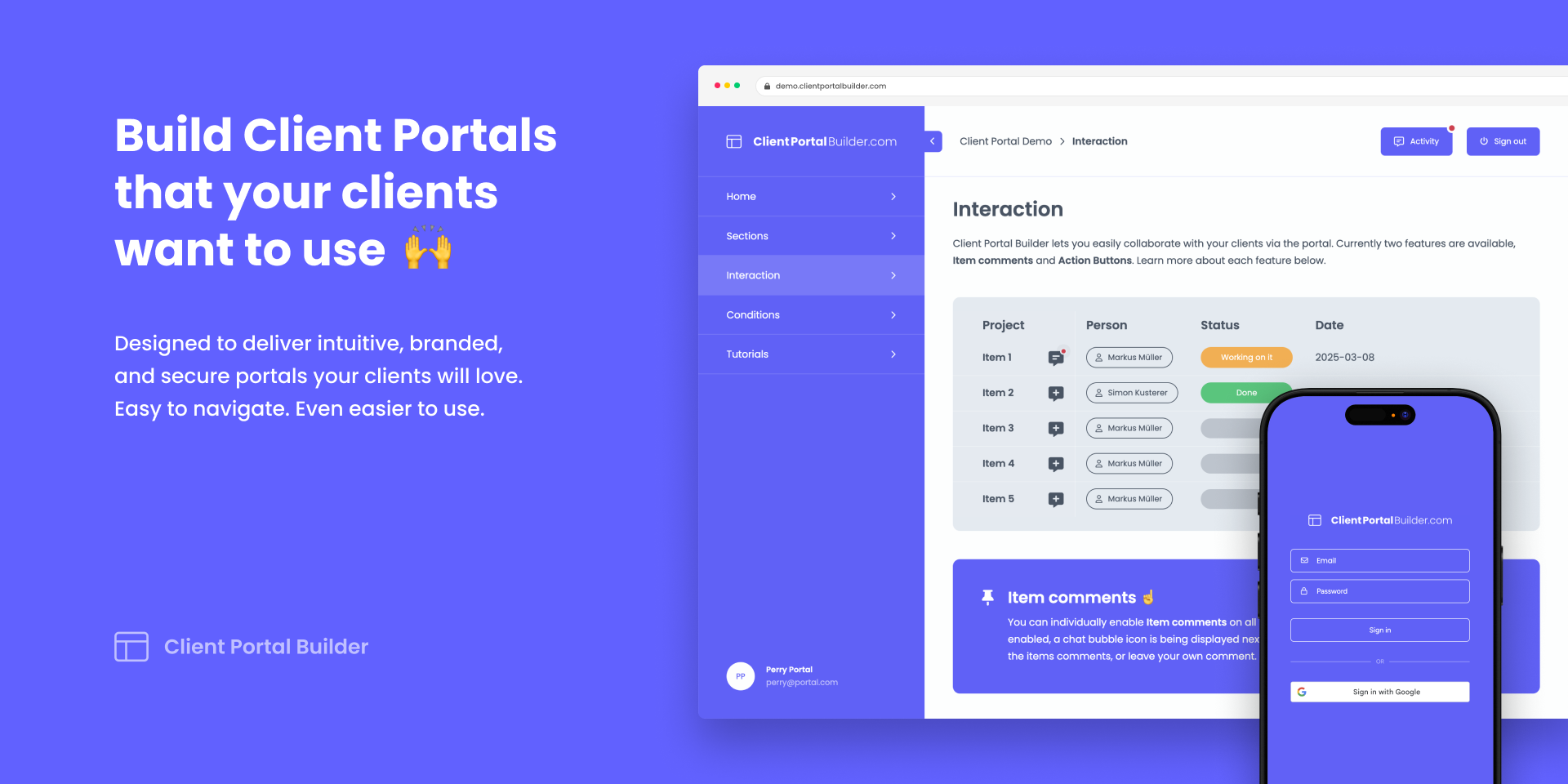
Client Portal Builder lets you build, manage, and publish Client Portals directly on monday. Securely share board items, files, and more in password-protected Client Portals. Watch the ↗️ Getting Started video or visit ↗️ clientportalbuilder.com to learn more about the app.
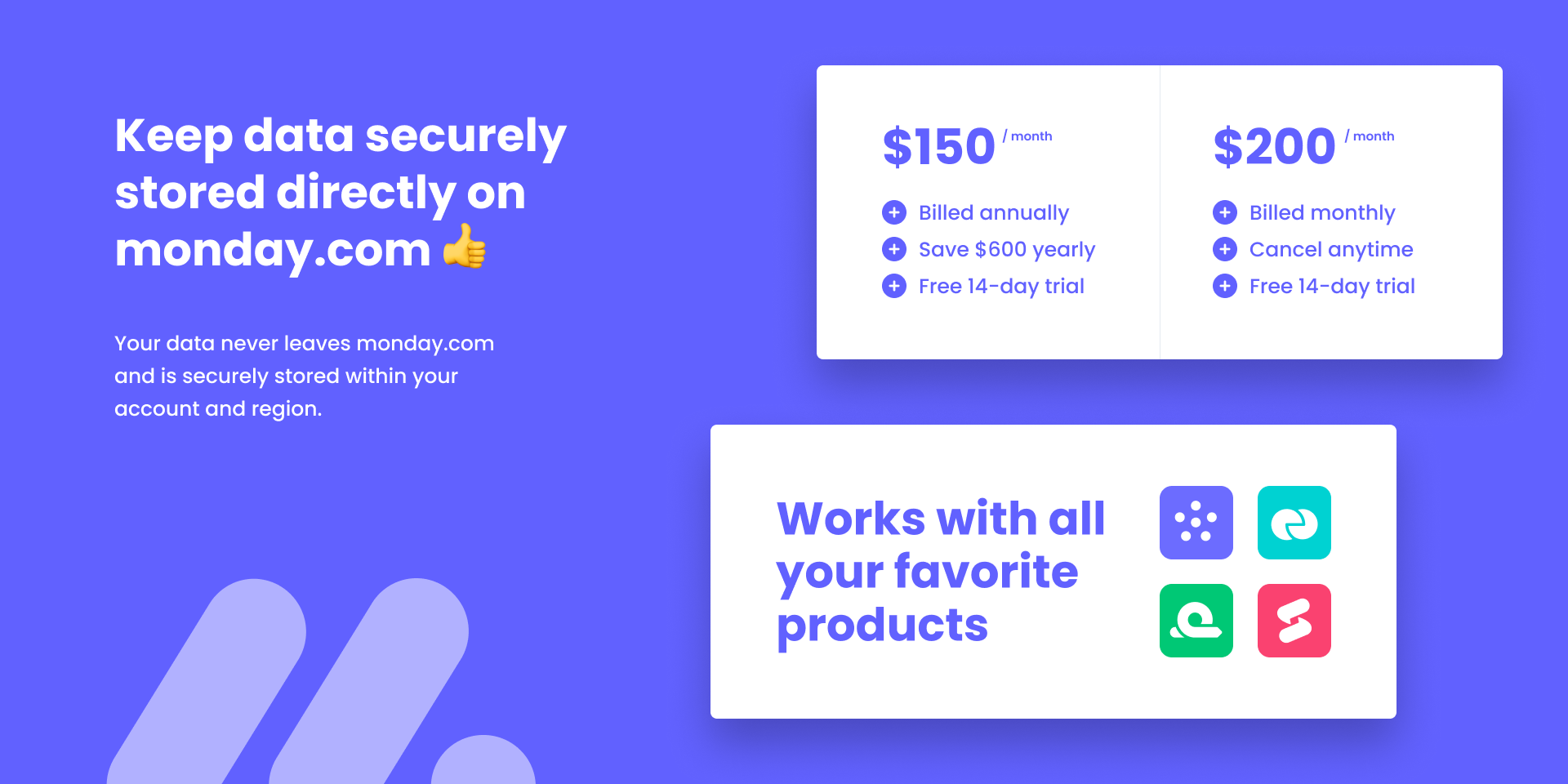
Your data stays securely hosted within your monday account and region.
Security & Compliance
Security
Does the developer periodically perform penetration testing?
No
We do not currently commission formal recurring third-party penetration tests. We use code review, automated security scans performed as part of the monday app lifecycle, dependency and platform updates, and targeted security testing.
Does the developer have a dedicated security and privacy point of contact for such issues or questions?
Yes
Security and privacy questions can be sent to hello@getgorilla.app.
Does the app restrict redirects and forwards only to approved destinations, or show a warning when redirecting to potentially untrusted content?
Yes
Application redirects are limited to fixed application routes, monday authorization endpoints, and custom portal domains registered and verified for the relevant portal. User-provided external destinations are not accepted as arbitrary server-side redirect targets.
Does the app protect against mass parameter assignment attacks?
Yes
API request data is validated against Zod schemas and allowed fields are mapped explicitly. Request objects are not assigned directly to stored records.
Does the app perform encoding and sanitization on all user supplied parameters to protect against Cross-Site Scripting?
Yes
React escapes rendered values by default, Markdown is rendered without raw HTML support, and backend inputs are schema-validated. Customer-configured embedded content is isolated in an iframe.
Does the developer protect all state-changing actions against Cross-Site Request Forgery (CSRF)?
Not answered
Does the developer have mechanisms to notify monday.com in case of a security breach?
Yes
Yes. Our incident-response process requires us to notify monday.com through its support or security escalation channel when an incident affects monday.com data, authorization tokens, or platform integrity.
Does this developer have a process for installing application-level updates and security patches for the service (such as software packages and databases)?
Yes
Yes. We review dependency and platform updates, prioritize security fixes according to risk, test relevant changes before release, and monitor the security scans performed during monday app deployments.
Compliance
Is the app certified with the information security standard ISO/IEC 27001:2022?
No
No. Gorilla Apps is not ISO/IEC 27001 certified.
Is the app compliant with the Health Insurance Portability and Accountability Act (HIPAA)?
No
No. Client Portal Builder is not offered as a HIPAA-compliant service, and Gorilla Apps does not enter into Business Associate Agreements for the app.
Is the app certified with System and Organization Controls (SOC 2 or SOC 3)?
No
No. Gorilla Apps does not currently hold a SOC 2 report or SOC 3 certification.
Is the app compliant with the General Data Protection Regulation (GDPR)?
Yes
Yes. Gorilla Apps provides a GDPR-focused Privacy Policy and a Data Processing Addendum for Client Portal Builder, uses data-processing terms with its subprocessors, supports applicable data-subject and deletion obligations, and documents international-transfer safeguards. The DPA is available at https://getgorilla.app/dpa.
Data
Does the app send any data outside of monday.com? If yes, indicate whether the data is customer-submitted (e.g., board names, item names, doc content) or non-customer-submitted (e.g., account ID, board ID, user ID).
Yes
Yes. Portal configuration, client records, and board content are primarily stored in or retrieved from the customer's monday account. Limited data is processed outside monday.com to operate the service: Cloudflare provides routing, request processing, temporary storage, caching, analytics, and logging; Render stores encrypted app-lifecycle and subscription records; Hetzner stores encrypted backups; and Twilio SendGrid delivers transactional installation email. Optional Google sign-in processes identity data when enabled. Board data is retrieved through monday APIs as needed and is not retained as a separate portal database copy.
Where does the app store logs data?
other
Application logs are stored in monday.com's hosting environment and Cloudflare Workers Observability. Selected Cloudflare logs are also archived in a Cloudflare R2 bucket for up to 90 days. Workers Observability retains logs for up to 7 days.
Where does the app store the app data?
monday
Does the developer ensure application logs do not contain secrets or personally-identifiable information (PII)?
Not answered
Is customer data segregated from the data of other customers (for example logically or physically)?
Yes
Yes. Customer content and client accounts are stored in the relevant customer's monday.com account. Operational records outside monday.com are logically separated using tenant, account, and portal identifiers, and access is subject to authorization checks.
Privacy
Does the developer enforce multi-factor authentication on employees access to systems which may process customer data?
Not answered
Does the developer protect access to customer data based on the principle of least privilege?
Yes
Yes. Production and Customer Data access is limited to the two Gorilla Apps operators and only where needed to operate, secure, or support the service. Individual accounts are used, and access is removed when it is no longer required.
Reviews
June 24, 2026
DP: This is the best app we use on Monday.com. We can't live without it! We appreciate the attentiveness of the developer, Simon very much.
February 26, 2026
WW: Simon and the team have been amazing! This app intergrates so well with how we connect with our customers! Thank you!
August 29, 2025
WB: We tries several different portal solutions. This one was the only one that had the 1:1 client option. Great!
June 4, 2025
TK: The team is the best at support and helping get things solved. Highly recommend
Historical data
Installation history
We have data for December 28, 2024 onwards only. Collected sometime after 00:00 UTC daily.
Total number of installs
Change in total number of installs in last 1 day(s)
Compares the number of installs on each date with 1 days previously:
Max
Min
Current
Change in total number of installs in last 7 day(s)
Compares the number of installs on each date with 7 days previously:
Max
Min
Current
Change in total number of installs in last 30 day(s)
Compares the number of installs on each date with 30 days previously:
Max
Min
Current
Change in total number of installs in last 90 day(s)
Compares the number of installs on each date with 90 days previously:
Max
Min
Current
Change in total number of installs in last 180 day(s)
Compares the number of installs on each date with 180 days previously:
Max
Min
Current
Ratings history
Categories history
Each of the following is a yes/no answer, so the graphs show 1 for yes, and 0 for no.
{
"id": 10000574,
"marketplace_developer_id": 10000114,
"app_id": 10162208,
"app_type": "app",
"security_info": null,
"gallery_assets": [
{
"url": "https://cdn.monday.com/marketplace/10000574/10000574_2025_5_16_11_34_24_imzvagg.png",
"type": "image"
},
{
"url": "https://cdn.monday.com/marketplace/10000574/10000574_2025_5_16_11_34_29_sgqyz5s.png",
"type": "image"
},
{
"url": "https://cdn.monday.com/marketplace/10000574/10000574_2025_5_16_11_34_32_ael98bek.png",
"type": "image"
},
{
"url": "https://cdn.monday.com/marketplace/10000574/10000574_2025_5_16_11_34_35_gwpndth.png",
"type": "image"
},
{
"url": "https://cdn.monday.com/marketplace/10000574/10000574_2025_5_16_11_34_38_l188xlzi.png",
"type": "image"
},
{
"url": "https://cdn.monday.com/marketplace/10000574/10000574_2025_6_17_6_42_10_vgxzd0h.png",
"type": "image"
},
{
"url": "https://cdn.monday.com/marketplace/10000574/10000574_2025_6_17_6_42_14_23p4q1jk.png",
"type": "image"
},
{
"url": "https://cdn.monday.com/marketplace/10000574/10000574_2025_6_17_6_42_18_qkyqxvk.png",
"type": "image"
}
],
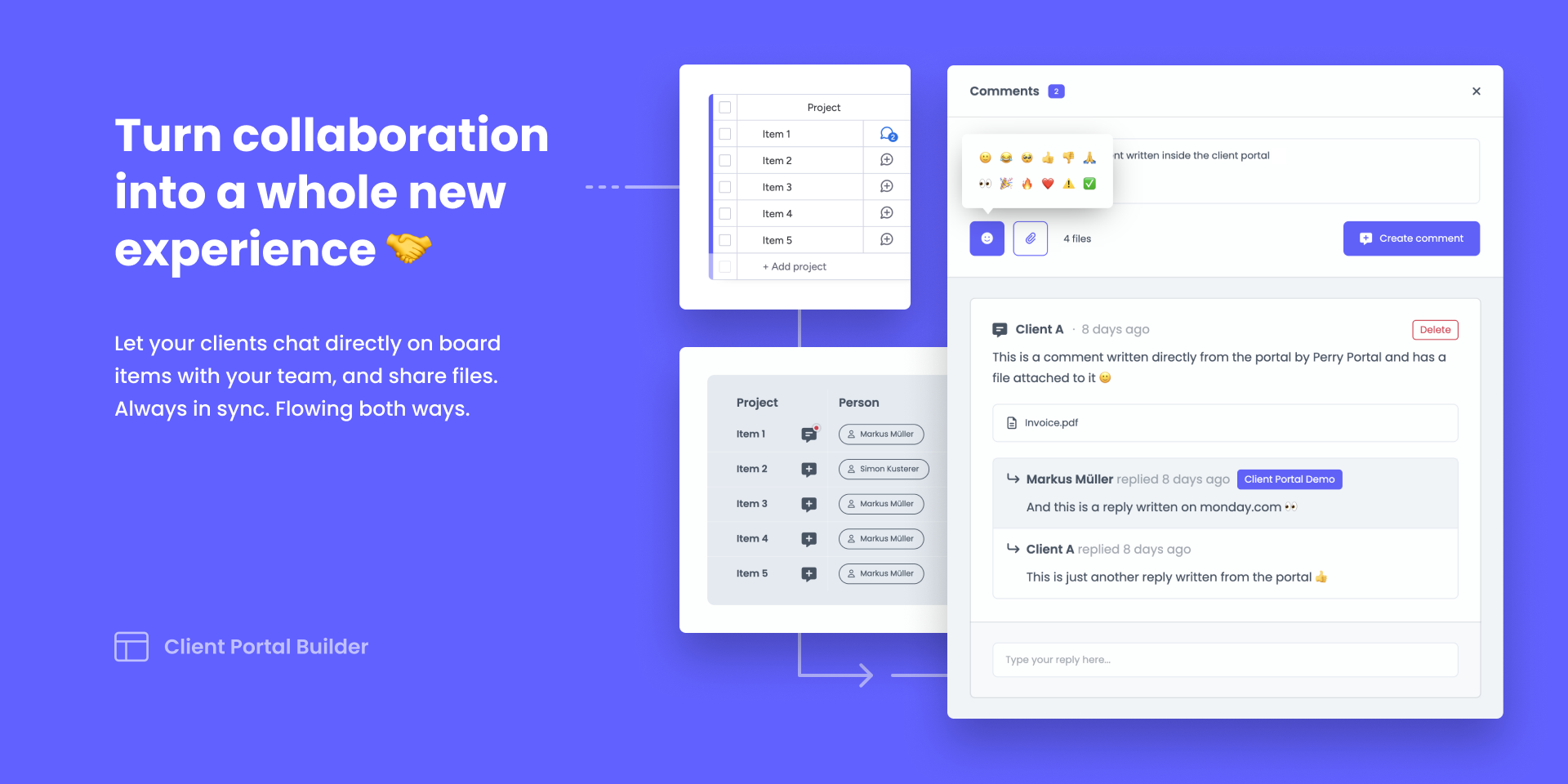
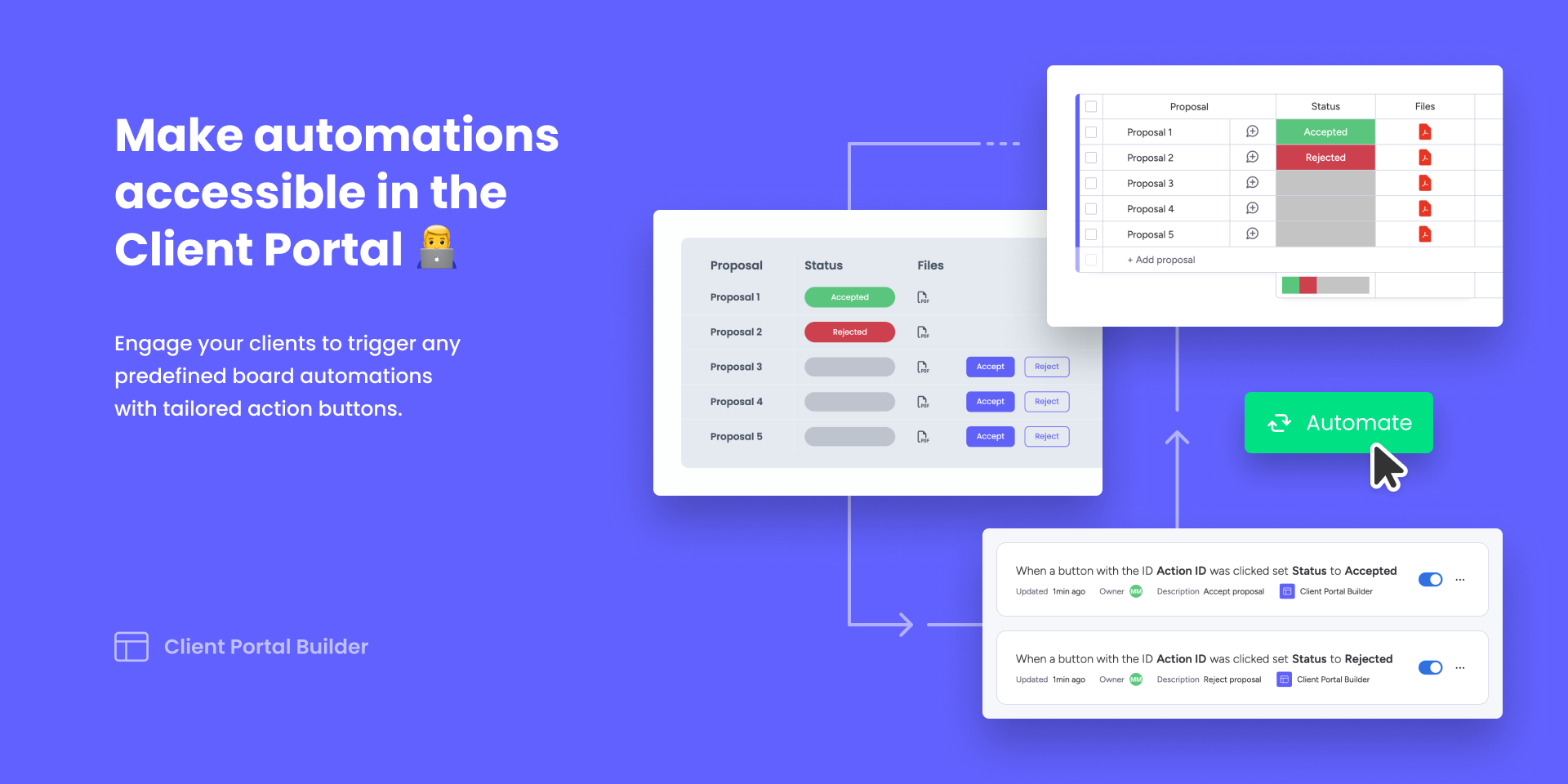
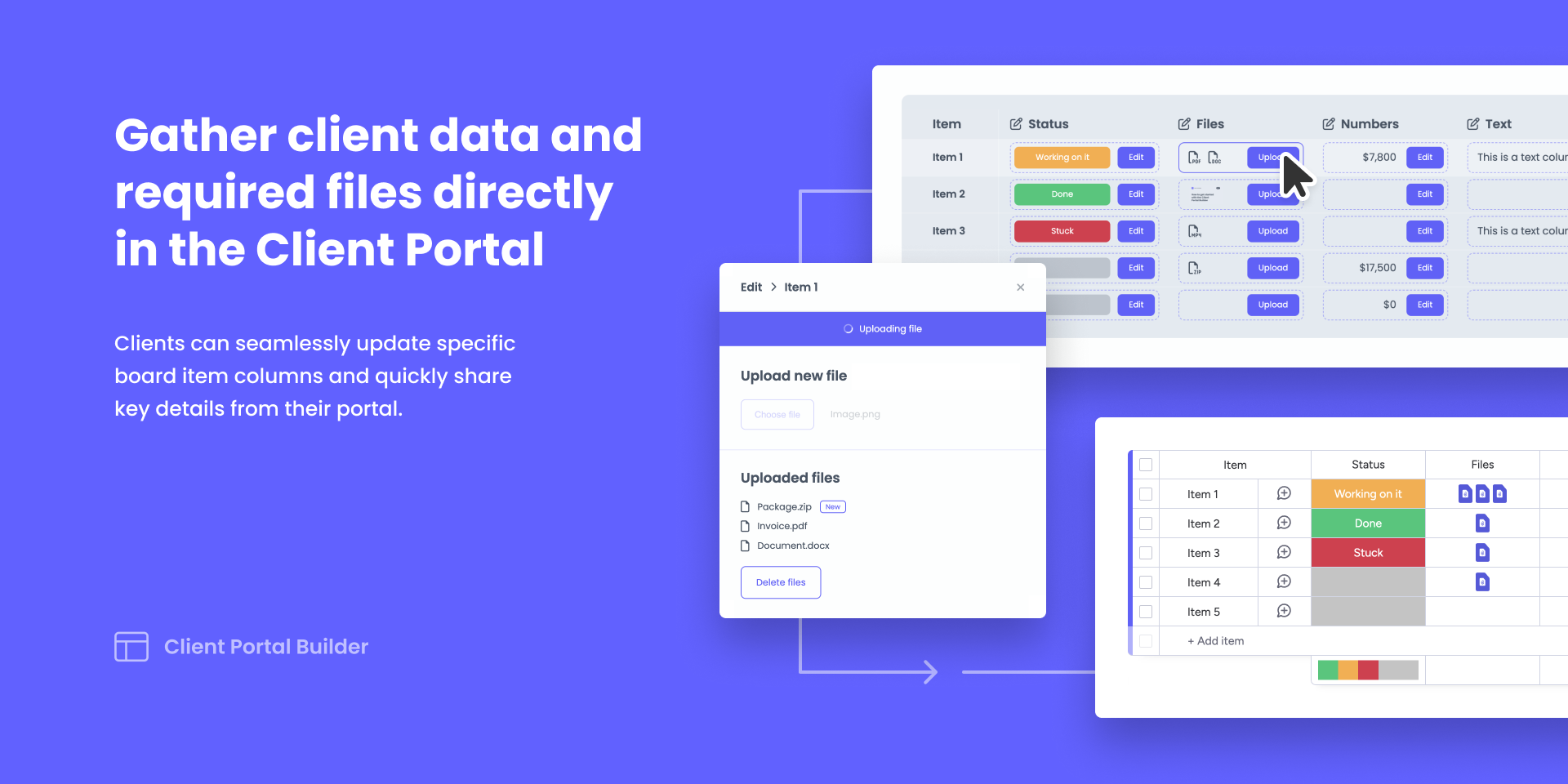
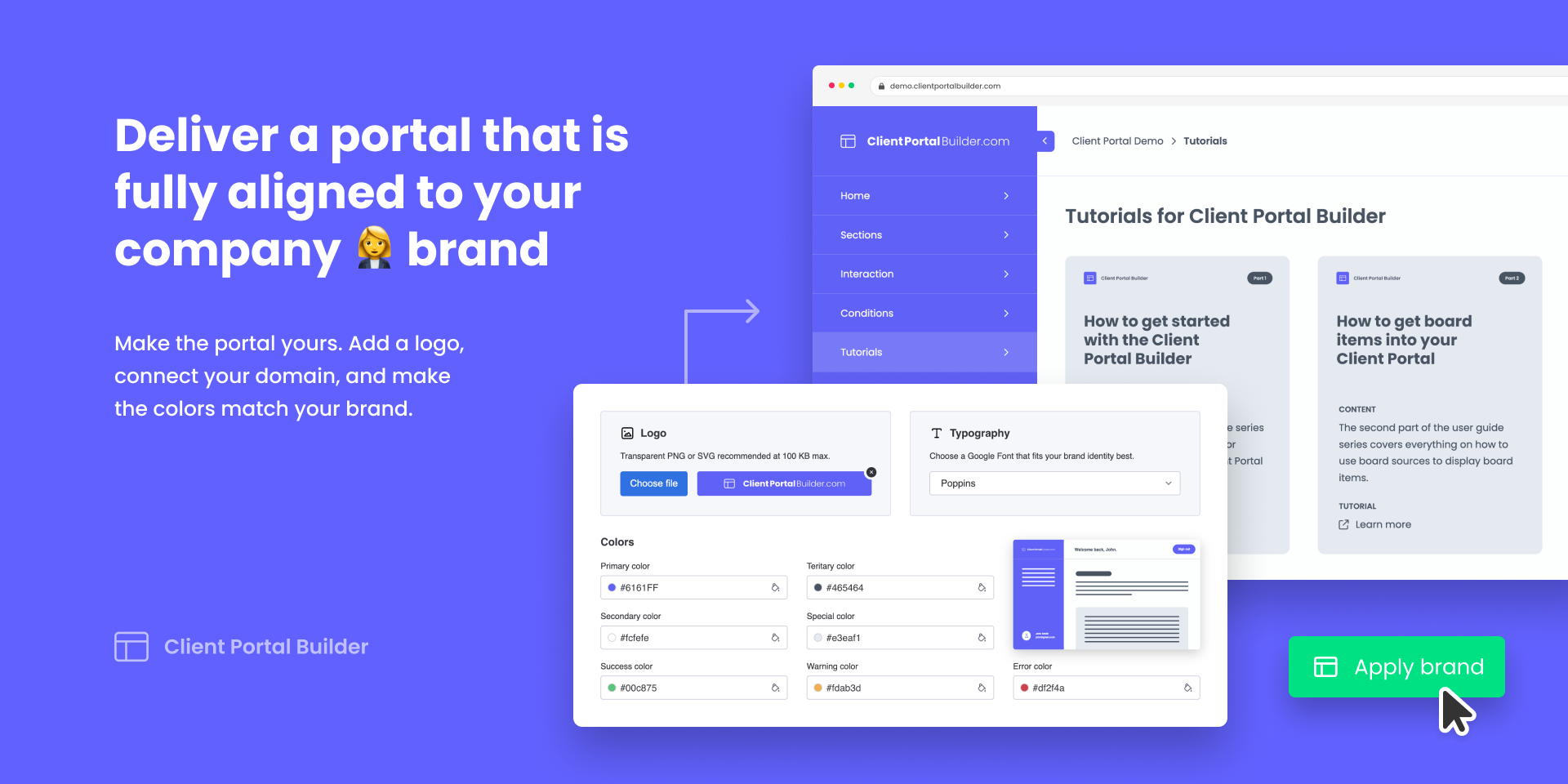
"description": "<p><strong>Client Portal Builder</strong> lets you build, manage, and publish Client Portals directly on monday. Securely share board items, files, and more in password-protected Client Portals. Watch the ↗️ <a href=\"https://youtu.be/VEzzMhWFyYg\" rel=\"noopener noreferrer\" target=\"_blank\">Getting Started</a> video or visit ↗️ <a href=\"https://clientportalbuilder.com\" rel=\"noopener noreferrer\" target=\"_blank\">clientportalbuilder.com</a> to learn more about the app.</p><p><br></p><p><br></p><p><strong>DEMO PORTAL</strong></p><p><br></p><p>↗️ <a href=\"https://clientportalbuilder.com/demo\" rel=\"noopener noreferrer\" target=\"_blank\">clientportalbuilder.com/demo</a></p><p>Username 👉 perry@portal.com</p><p>Password 👉 #demoportal25</p><p><br></p><p><br></p><p><strong>FEATURES</strong></p><p><br></p><p>👨💼 <strong>Clients + Login</strong></p><p>Manage clients in a single board, granting portal access via credentials or Google.</p><p><br></p><p>✅ <strong>Board Access</strong> · ↗️ <a href=\"https://youtu.be/YSm4y9h4r6s\" rel=\"noopener noreferrer\" target=\"_blank\">Watch Video</a></p><p>Define which boards, items, and columns each client can access.</p><p><br></p><p>📄 <strong>Pages + Content</strong></p><p>Create portal pages and add content sections to your needs.</p><p><br></p><p>📋 <strong>Embed WorkForms</strong></p><p>Embed your WorkForms and more into the portal.</p><p><br></p><p>🗄 <strong>Conditional Content</strong> · ↗️ <a href=\"https://youtu.be/U1iIvcQbpkw\" rel=\"noopener noreferrer\" target=\"_blank\">Watch Video </a></p><p>Show pages and sections to clients based on certain conditions.</p><p><br></p><p>🤖 <strong>Workflow Automations [NEW]</strong> · ↗️ <a href=\"https://youtu.be/4k1eYnQsZ5k\" rel=\"noopener noreferrer\" target=\"_blank\">Watch Video</a></p><p>Automate in between monday and your client portal.</p><p><br></p><p>✏️ <strong>Item Editing</strong></p><p>Let clients update board columns on their own behalf.</p><p><br></p><p>💬 <strong>Item Comments</strong> · ↗️ <a href=\"https://youtu.be/FTwYzxO7ons\" rel=\"noopener noreferrer\" target=\"_blank\">Watch Video</a> </p><p>Collaborate and chat with clients on board items and exchange files.</p><p><br></p><p>⚡ <strong>Action Buttons</strong> · ↗️ <a href=\"https://youtu.be/J0H3KPOwJyM\" rel=\"noopener noreferrer\" target=\"_blank\">Watch Video</a> </p><p>Add buttons to items so clients can trigger predefined automations.</p><p><br></p><p>🎨 <strong>Theme Settings</strong></p><p>Make the client portal match your company branding.</p><p><br></p><p>🌐 <strong>Custom Domain</strong> · ↗️ <a href=\"https://youtu.be/sieWFv7yK3g\" rel=\"noopener noreferrer\" target=\"_blank\">Watch Video</a></p><p>Connect your client portal to your company's domain.</p><p><br></p><p>🔒 <strong>Security + Hosting</strong> · ↗️ <a href=\"https://getgorilla.app/products/client-portal/security\" rel=\"noopener noreferrer\" target=\"_blank\">Learn More</a></p><p>Your data stays securely hosted within your monday account and region.</p>",
"short_description": "Create secure Client Portals directly on monday.com",
"thumbnail_url": "https://dapulse-res.cloudinary.com/image/upload/v1723996292/monday-apps-marketplace/Client%20Portal%20Builder%20for%20monday.com/CPB_card.png",
"logo_url": "https://dapulse-res.cloudinary.com/image/upload/v1723996292/monday-apps-marketplace/Client%20Portal%20Builder%20for%20monday.com/clientportalbuilder_app_icon_192x192.png",
"feedback_url": "hello@getgorilla.app",
"privacy_policy_url": "https://getgorilla.app/privacy",
"featured": null,
"name": "Client Portal Builder",
"how_to_use_url": "https://getgorilla.app/products/client-portal/how-to-use",
"external_pricing_url": null,
"keywords": "Client Portal,Softr,Stacker,Client,Portal,Customer,Customer Portal,Partner Portal,Contractor Portal,Help Desk",
"compliance_answers": [
{
"questionId": 20,
"shortAnswer": false,
"detailedAnswer": "No. Gorilla Apps is not ISO/IEC 27001 certified."
},
{
"questionId": 19,
"shortAnswer": true,
"detailedAnswer": "Yes. Portal configuration, client records, and board content are primarily stored in or retrieved from the customer's monday account. Limited data is processed outside monday.com to operate the service: Cloudflare provides routing, request processing, temporary storage, caching, analytics, and logging; Render stores encrypted app-lifecycle and subscription records; Hetzner stores encrypted backups; and Twilio SendGrid delivers transactional installation email. Optional Google sign-in processes identity data when enabled. Board data is retrieved through monday APIs as needed and is not retained as a separate portal database copy."
},
{
"questionId": 18,
"detailedAnswer": "Application logs are stored in monday.com's hosting environment and Cloudflare Workers Observability. Selected Cloudflare logs are also archived in a Cloudflare R2 bucket for up to 90 days. Workers Observability retains logs for up to 7 days.",
"logHostingProvider": "other"
},
{
"questionId": 17,
"detailedAnswer": "",
"dataHostingProvider": "monday"
},
{
"questionId": 15,
"shortAnswer": false,
"detailedAnswer": "We do not currently commission formal recurring third-party penetration tests. We use code review, automated security scans performed as part of the monday app lifecycle, dependency and platform updates, and targeted security testing."
},
{
"questionId": 14,
"shortAnswer": true,
"detailedAnswer": "Security and privacy questions can be sent to hello@getgorilla.app."
},
{
"questionId": 13,
"shortAnswer": false,
"detailedAnswer": "No. Client Portal Builder is not offered as a HIPAA-compliant service, and Gorilla Apps does not enter into Business Associate Agreements for the app."
},
{
"questionId": 12,
"shortAnswer": false,
"detailedAnswer": "No. Gorilla Apps does not currently hold a SOC 2 report or SOC 3 certification."
},
{
"questionId": 11,
"shortAnswer": true,
"detailedAnswer": "Yes. Gorilla Apps provides a GDPR-focused Privacy Policy and a Data Processing Addendum for Client Portal Builder, uses data-processing terms with its subprocessors, supports applicable data-subject and deletion obligations, and documents international-transfer safeguards. The DPA is available at https://getgorilla.app/dpa."
},
{
"questionId": 10,
"shortAnswer": true,
"detailedAnswer": "Application redirects are limited to fixed application routes, monday authorization endpoints, and custom portal domains registered and verified for the relevant portal. User-provided external destinations are not accepted as arbitrary server-side redirect targets."
},
{
"questionId": 9,
"shortAnswer": true,
"detailedAnswer": "API request data is validated against Zod schemas and allowed fields are mapped explicitly. Request objects are not assigned directly to stored records."
},
{
"questionId": 6,
"shortAnswer": true,
"detailedAnswer": "Yes. Production and Customer Data access is limited to the two Gorilla Apps operators and only where needed to operate, secure, or support the service. Individual accounts are used, and access is removed when it is no longer required."
},
{
"questionId": 5,
"shortAnswer": true,
"detailedAnswer": "React escapes rendered values by default, Markdown is rendered without raw HTML support, and backend inputs are schema-validated. Customer-configured embedded content is isolated in an iframe."
},
{
"questionId": 3,
"shortAnswer": true,
"detailedAnswer": "Yes. Our incident-response process requires us to notify monday.com through its support or security escalation channel when an incident affects monday.com data, authorization tokens, or platform integrity."
},
{
"questionId": 2,
"shortAnswer": true,
"detailedAnswer": "Yes. We review dependency and platform updates, prioritize security fixes according to risk, test relevant changes before release, and monitor the security scans performed during monday app deployments."
},
{
"questionId": 1,
"shortAnswer": true,
"detailedAnswer": "Yes. Customer content and client accounts are stored in the relevant customer's monday.com account. Operational records outside monday.com are logically separated using tenant, account, and portal identifiers, and access is subject to authorization checks."
}
],
"created_at": "2024-08-18T15:50:23.000Z",
"updated_at": "2026-07-28T12:51:36.000Z",
"automation_app_id": null,
"marketplace_category_ids": [
10000001,
8,
4
],
"pinned_for_categories_ids": [],
"featured_for_categories_ids": [],
"pricing_data": "14 days trial",
"label": null,
"app_values": [
"Centralize your work on monday.com"
],
"security": false,
"display_in_template_store": null,
"acquisition_source": "No touch",
"is_connector": null,
"show_connections": null,
"terms_of_service_url": "https://getgorilla.app/terms",
"available_for_tiers": null,
"available_for_products": null,
"google_analytics_tag_id": "G-Z26H57L83D",
"is_solution": null,
"cta_override": null,
"app_scope_str": "boards:read,me:read,workspaces:read,account:read,assets:read,updates:read,updates:write,boards:write",
"app_client_id": "bc962f20709b10dc5fe35680178e0989",
"app_color": {
"hsl": {
"h": 240,
"s": 1,
"l": 0.6901960784313725,
"a": 1
},
"hex": "#6161ff",
"rgb": {
"r": 97,
"g": 97,
"b": 255,
"a": 1
},
"hsv": {
"h": 240,
"s": 0.6196078431372549,
"v": 1,
"a": 1
},
"oldHue": 155.20000000000002,
"source": "hex"
},
"plans": [
{
"id": "10162208-1-starter",
"appPlanId": "starter",
"name": "Premium",
"versionId": 1,
"isTrial": true,
"prices": {
"type": "standard",
"monthly": 200,
"yearly": 150
},
"versionState": "live",
"appId": 10162208,
"description": "Create, manage and publish your Client Portal directly on monday.com",
"extraData": {
"bullets": [
"Build and manage a Client Portal",
"Create unlimited pages",
"Create unlimited user accounts",
"Support"
],
"monthlyFee": 200,
"yearlyFee": 150
},
"isFree": false,
"isRecommended": false,
"currency": "USD"
}
],
"app_live_version": {
"updated_at": "2026-10-24T16:42:25.408Z",
"id": 19249868
},
"pricing_model": null,
"monetization": {
"monetizationType": "monday",
"hasFreePlan": false,
"hasPaidPlan": true,
"hasTrialPlan": true
},
"badges_data": {
"security": false,
"app_values": [
"Centralize your work on monday.com"
],
"pricing_data": "14 days trial",
"acquisition_source": "No touch"
},
"data": {
"terms_of_service_url": "https://getgorilla.app/terms",
"google_analytics_tag_id": "G-Z26H57L83D"
},
"display": null,
"installsDelta": {
"totalInstalls": 701,
"sevenDays": 6,
"thirtyDays": 14,
"ninetyDays": 44
}
}