Create reusable templates with dynamic dates and variables
If you run the same project structure more than once on monday.com, you've probably hit this wall: native templates copy a board's layout, but every date inside is a snapshot from when the template was made. Every kickoff turns into the same chore — drag due dates by hand, reassign the same tasks, redo the dependencies that no longer line up.
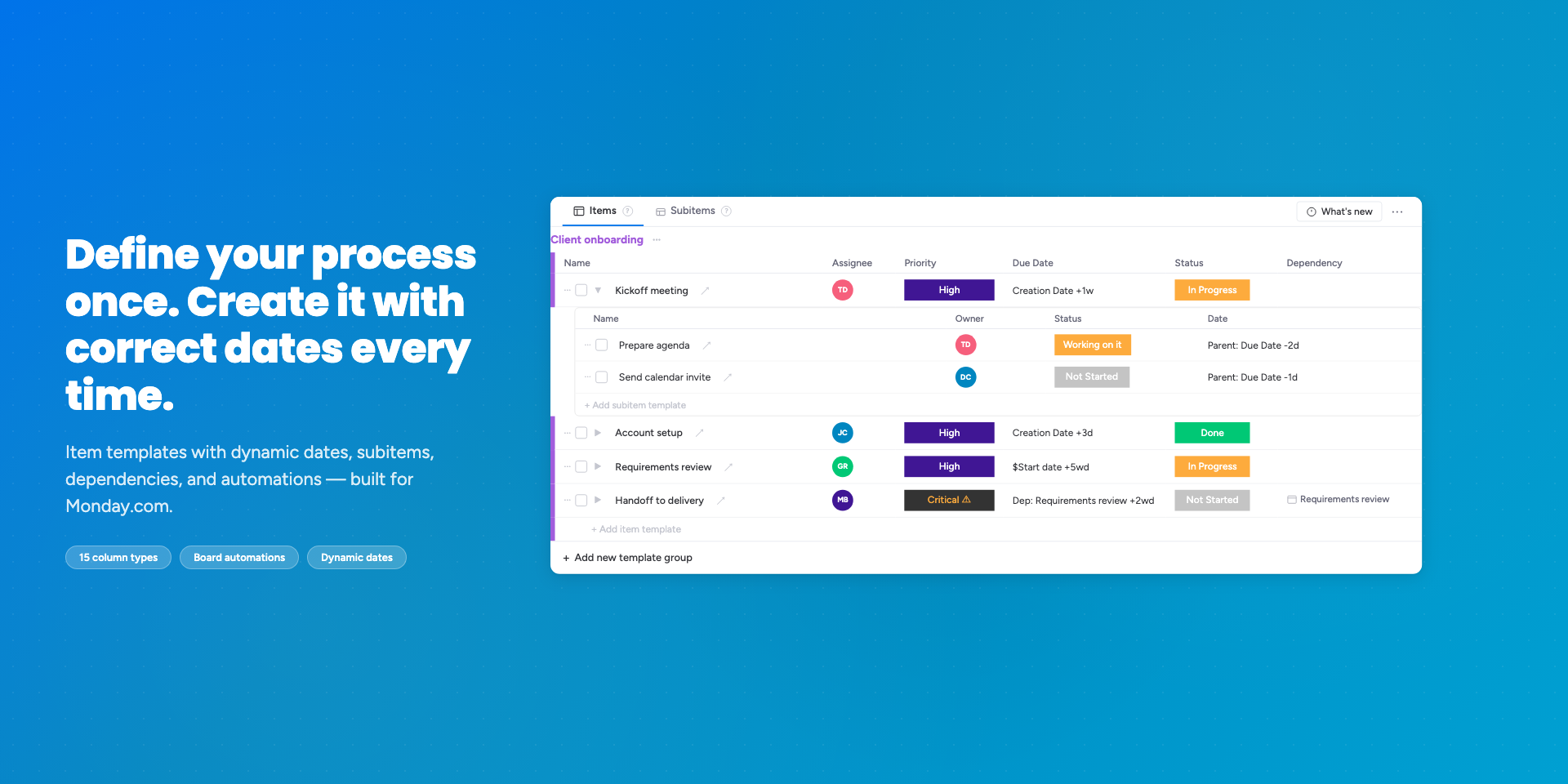
Advanced Templates fixes that. Define your kickoff, onboarding, sprint, or audit once — with dynamic dates, dependencies, and fillable variables — and stamp it out manually or automatically, with correct dates every time.
✨ What you get
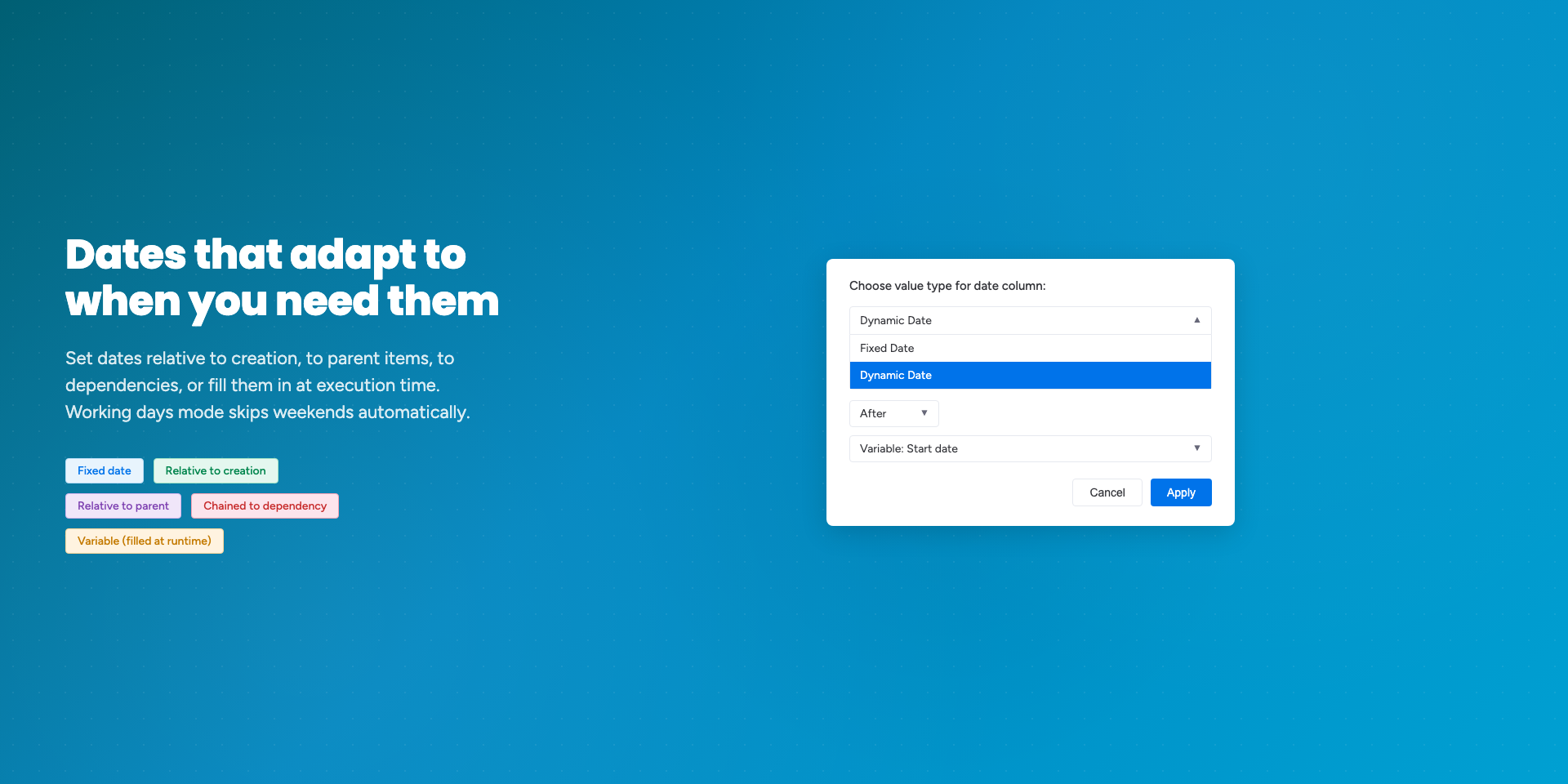
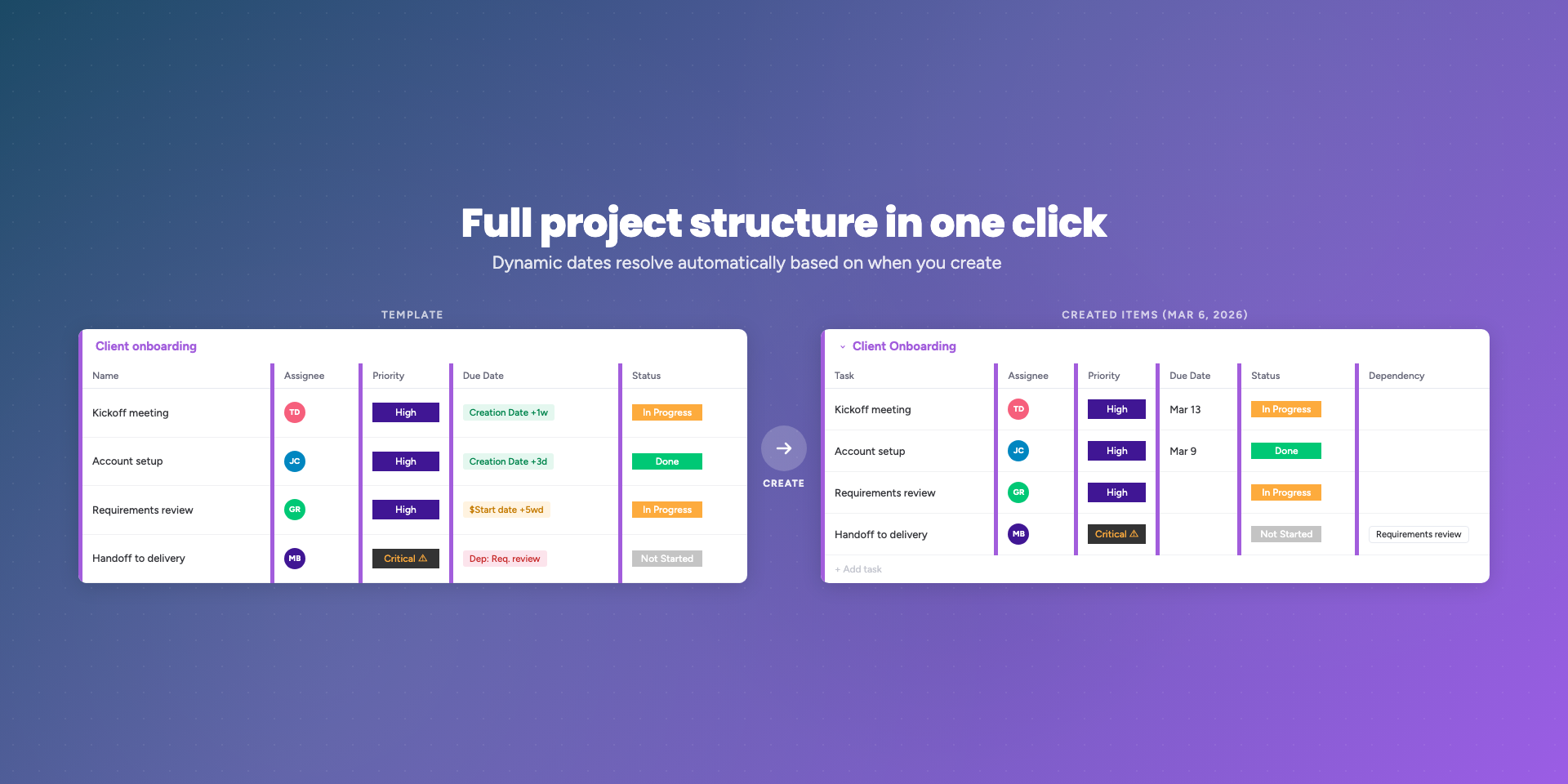
Dates that adapt — schedule a whole project by picking one start date. Subtasks land relative to their parent, dependencies cascade, and weekends are skipped automatically (with per-column overrides when teams work different rhythms).
One-click project structures — items, subitems, column values, dependencies, and predefined updates (Pro plan) all stamped from a single template. No more rebuilding the same hierarchy from scratch.
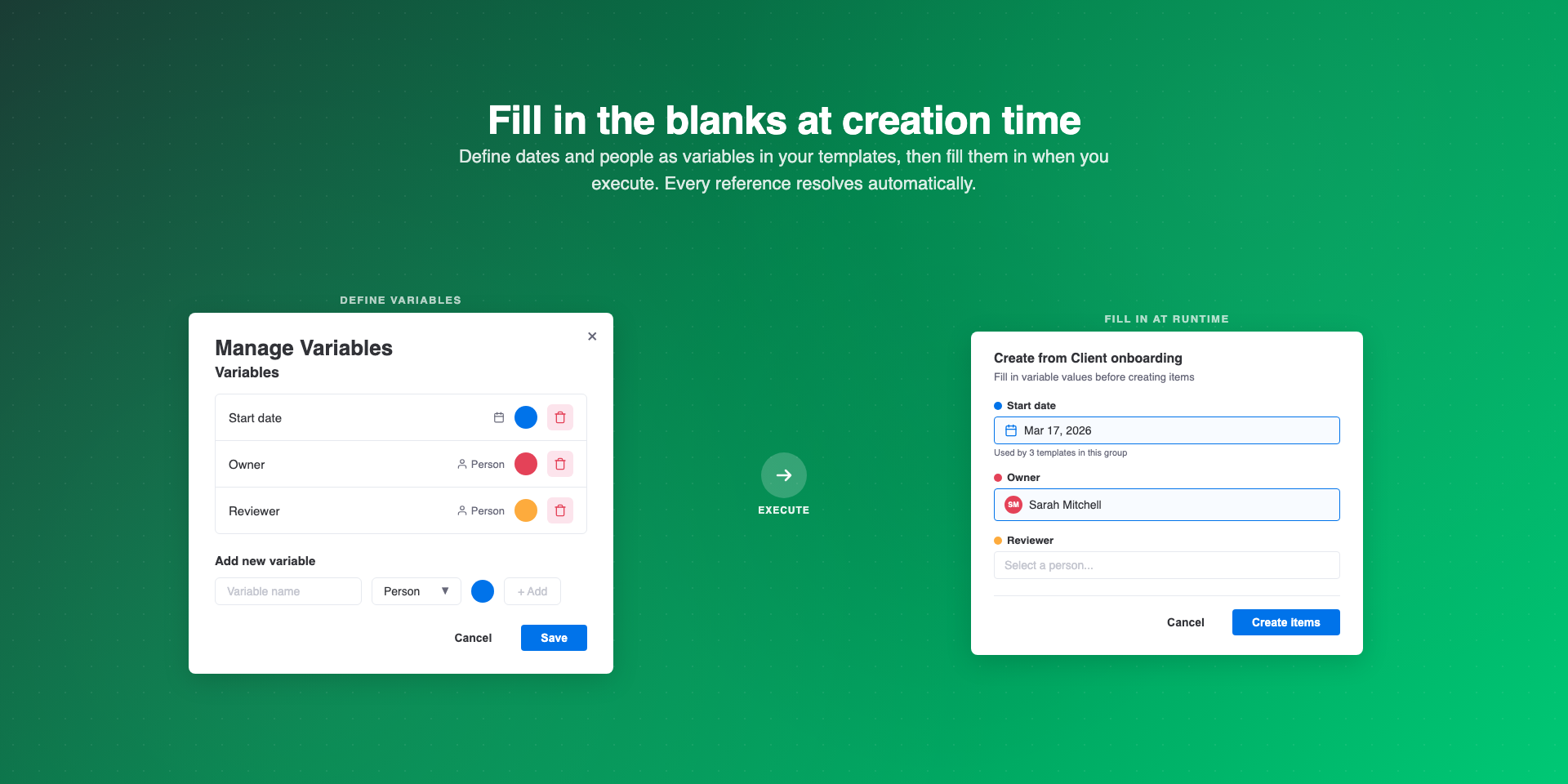
Fillable variables — turn key dates and people into placeholders. One template handles every client kickoff, every onboarding cycle, every project — just fill in the blanks at creation time.
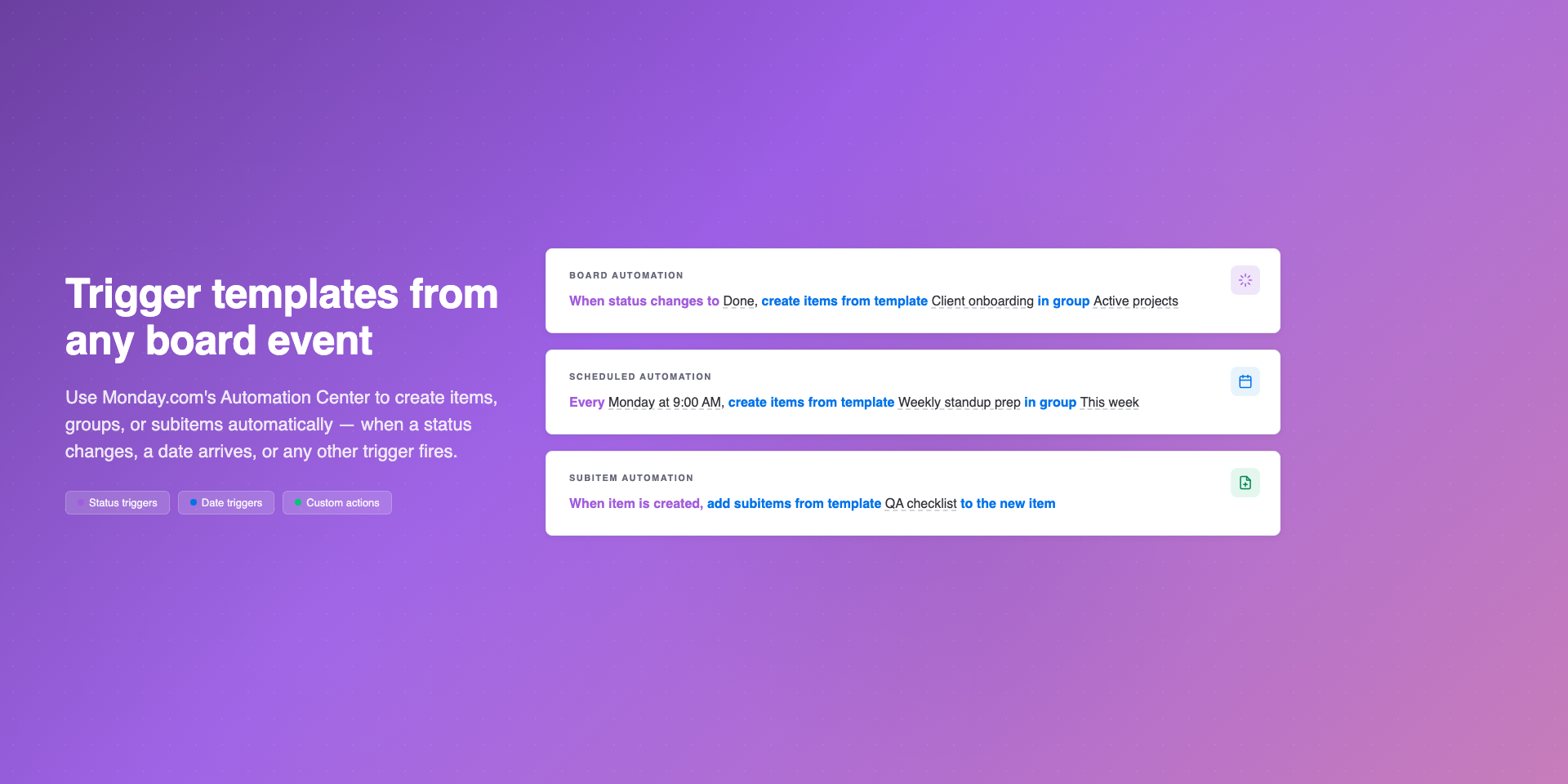
Automation-ready — trigger templates from any board event using monday.com's Automation Center or the new automation builder. When a status changes, a date arrives, or a new lead lands, your full task structure gets created automatically. Zero manual work.
🎯 Built for project managers, ops teams, agencies, and team leads who'd rather spend time on the work than the setup. Use it for client onboarding scheduled around a contract date, project launches with full task hierarchies, recurring deliverables on automation, or one-task-per-new-hire onboarding flows.
—
🚀 Try it free. Build your first template in minutes.
💬 Got feedback? team@apmdsoft.com — we read every email.
Security & Compliance
Security
Does the developer periodically perform penetration testing?
Yes
We perform tests before every release
Does the developer have a dedicated security and privacy point of contact for such issues or questions?
Yes
Does the app restrict redirects and forwards only to approved destinations, or show a warning when redirecting to potentially untrusted content?
Yes
We only redirect to links received from monday.com sdk api.
Does the app protect against mass parameter assignment attacks?
Yes
Our backend only receives requests from monday.com automation triggers. We only parse fields that are required to run the automation recipe.
Does the app perform encoding and sanitization on all user supplied parameters to protect against Cross-Site Scripting?
Yes
We sanitize the data with the help of DomPurify.
Does the developer protect all state-changing actions against Cross-Site Request Forgery (CSRF)?
No
We protect all state-changing actions against CSRF by relying on mechanism provided by monday.com. Our app is deployed and run on monday.com platform.
Does the developer have mechanisms to notify monday.com in case of a security breach?
Yes
We would submit a request to https://support.monday.com/hc/en-us/requests/new?ticket_form_id=13855862562962 and contact monday.com representative on monday devs slack.
Does this developer have a process for installing application-level updates and security patches for the service (such as software packages and databases)?
Yes
We are trying to keep our codebase up to date and react to all potential vulnerabilities. Whenever we discover new bug, we fix it and release new app version.
Compliance
Is the app certified with the information security standard ISO/IEC 27001:2022?
Not answered
Is the app compliant with the Health Insurance Portability and Accountability Act (HIPAA)?
No
Is the app certified with System and Organization Controls (SOC 2 or SOC 3)?
No
Is the app compliant with the General Data Protection Regulation (GDPR)?
Yes
Data
Does the app send any data outside of monday.com? If yes, indicate whether the data is customer-submitted (e.g., board names, item names, doc content) or non-customer-submitted (e.g., account ID, board ID, user ID).
Not answered
Where does the app store logs data?
monday
Where does the app store the app data?
monday
Does the developer ensure application logs do not contain secrets or personally-identifiable information (PII)?
Yes
We do not log any data that might be considered as private or secret.
Is customer data segregated from the data of other customers (for example logically or physically)?
Yes
We use monday.com key-value storage which is specific for given app instance.
Privacy
Does the developer enforce multi-factor authentication on employees access to systems which may process customer data?
Yes
Our systems that process and hold customer data are hosted on monday.com. If we used other systems, we would rely on MFA. And it's enabled for monday account.
Does the developer protect access to customer data based on the principle of least privilege?
Yes
Our company consists only of two founders. We both have access to relevant data.
Reviews
November 5, 2025
MF: This has been very useful for my team! our project management has seen a major boost because of this app!
November 5, 2025
JK: This saves us a lot of time when bulk updating our Monday boards. Great tool!
November 5, 2025
AT: This has been INCREDIBLY helpful for me and my team!
November 5, 2025
DL: APMD SOFT has become a wonderful partner of ours! Andrew is super helpful and willing to listen and make adjustments. I couldn't ask for better people to work with! They create apps that help better process & that is all I can ask for!
October 15, 2025
JR: Works perfectly! Able to template out our entire onboard process!
Historical data
Installation history
We have data for December 28, 2024 onwards only. Collected sometime after 00:00 UTC daily.
Total number of installs
Change in total number of installs in last 1 day(s)
Compares the number of installs on each date with 1 days previously:
Max
Min
Current
Change in total number of installs in last 7 day(s)
Compares the number of installs on each date with 7 days previously:
Max
Min
Current
Change in total number of installs in last 30 day(s)
Compares the number of installs on each date with 30 days previously:
Max
Min
Current
Change in total number of installs in last 90 day(s)
Compares the number of installs on each date with 90 days previously:
Max
Min
Current
Change in total number of installs in last 180 day(s)
Compares the number of installs on each date with 180 days previously:
Max
Min
Current
Ratings history
Categories history
Each of the following is a yes/no answer, so the graphs show 1 for yes, and 0 for no.