Build & share custom reports on historical & current Data
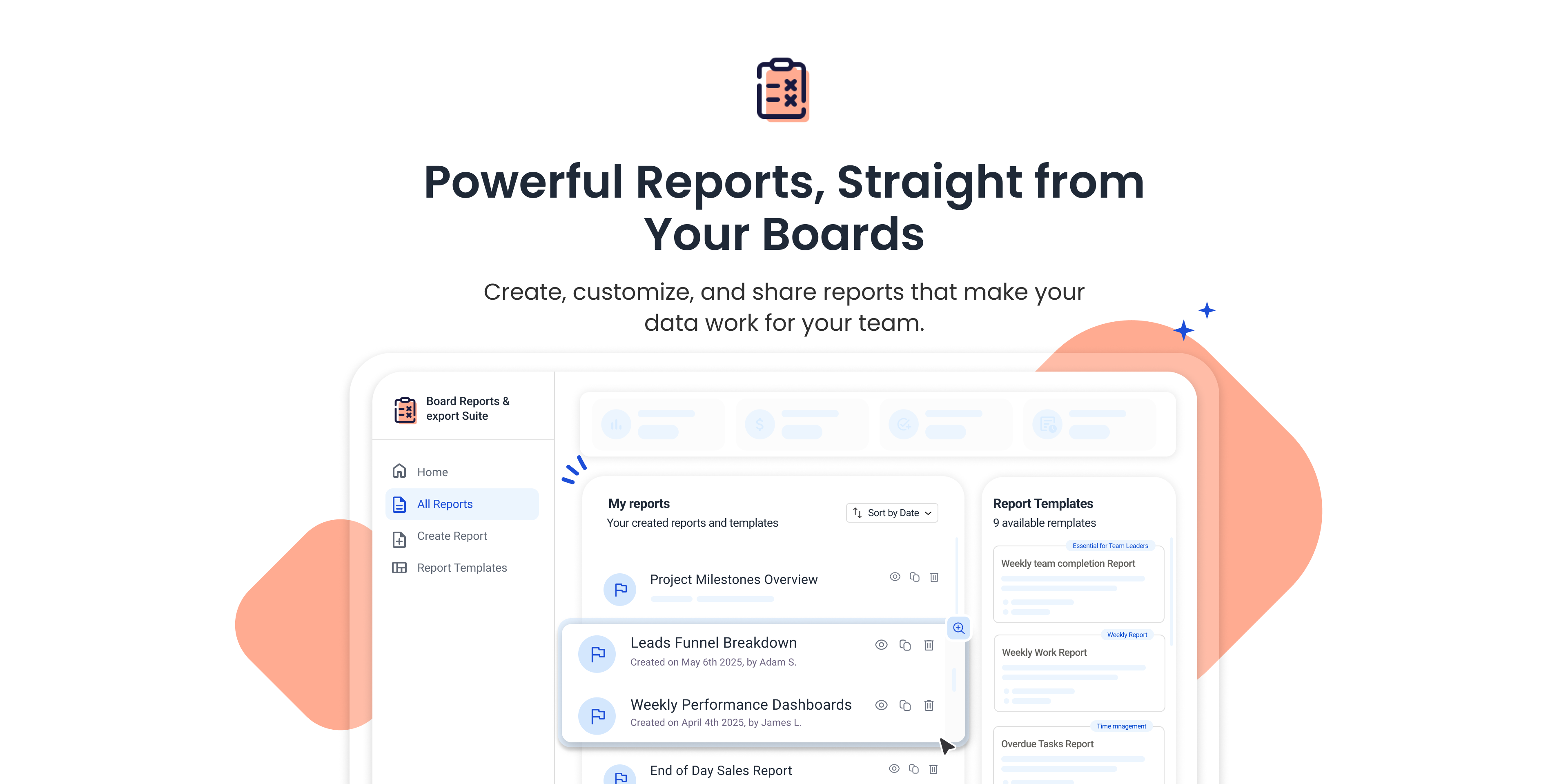
The first & only solution that allows creating custom reports on both current & historical data! With just a few clicks, you can turn your boards into automated, shareable reports, fully tailored to your team’s needs.
Think about the simple, everyday questions you wish you could answer in monday.com, but you can’t, at least not easily:
How many items were marked “Done” last week?
Which high-priority tasks are assigned to “Daniel” and currently “Stuck”?
Which items haven’t been updated in over 30 days?
🚀 Built for Teams Who Need:
Automated reports on both current & historical data.
Easily share reports with anyone — even outside your monday.com.
Full flexibility to filter your data by any column & condition.
Reliable backups to preserve board history for audits, reviews, or compliance.
Key Features
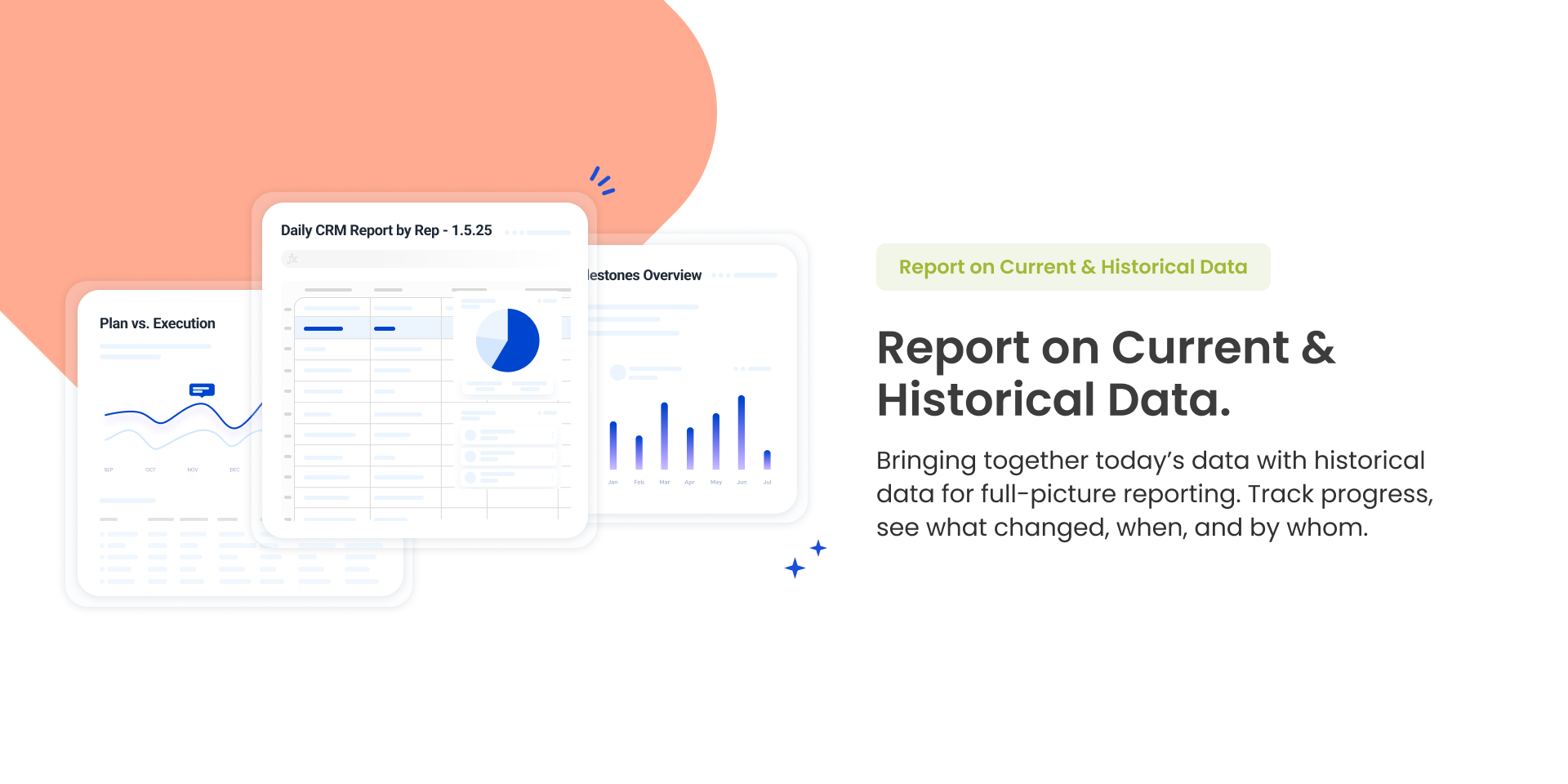
📊 Report on Current & Historical Data.
Dashboards & views only show today's state, our report shows the full timeline.
See what changed, when, and by whom. Track updates across days, weeks, or months.
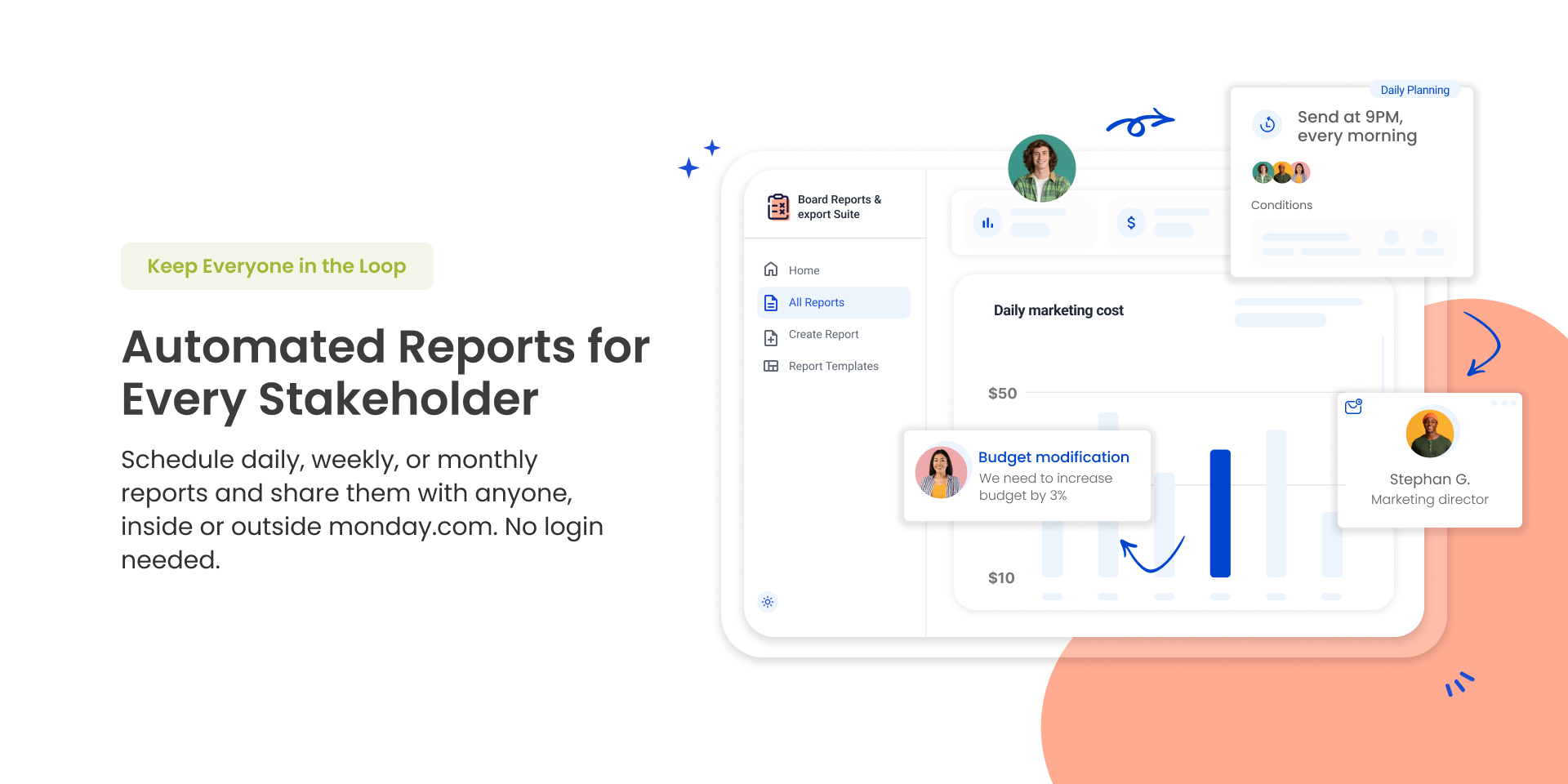
📤 Automated Reports for Every Stakeholder
Schedule daily, weekly, or monthly reports and share them with anyone—inside or outside monday.com. No login needed.
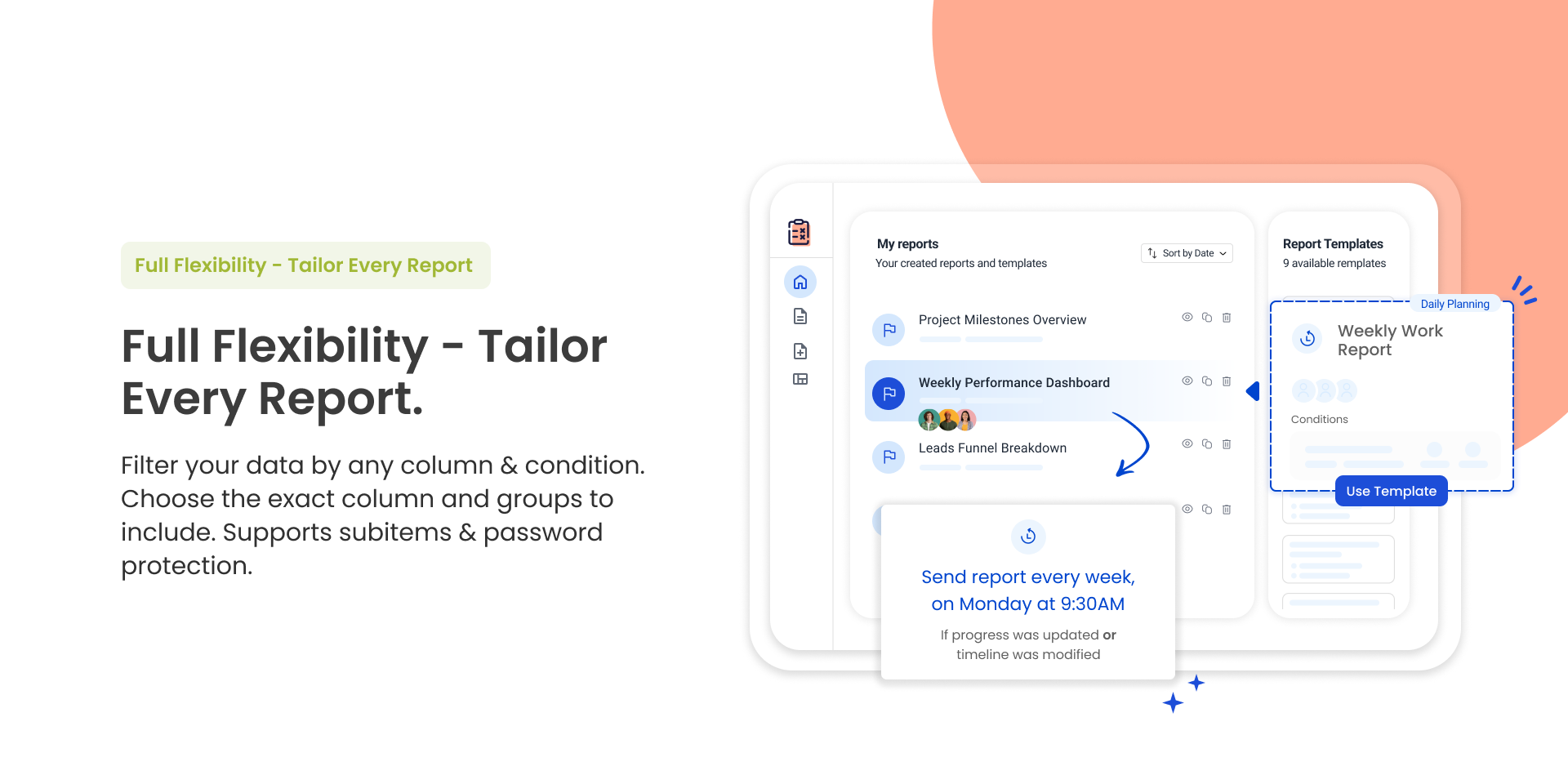
🎯 Full Flexibility - Tailor Every Report.
Filter your data by any column & condition. Choose the exact column and groups to include. Supports subitems & password protection.
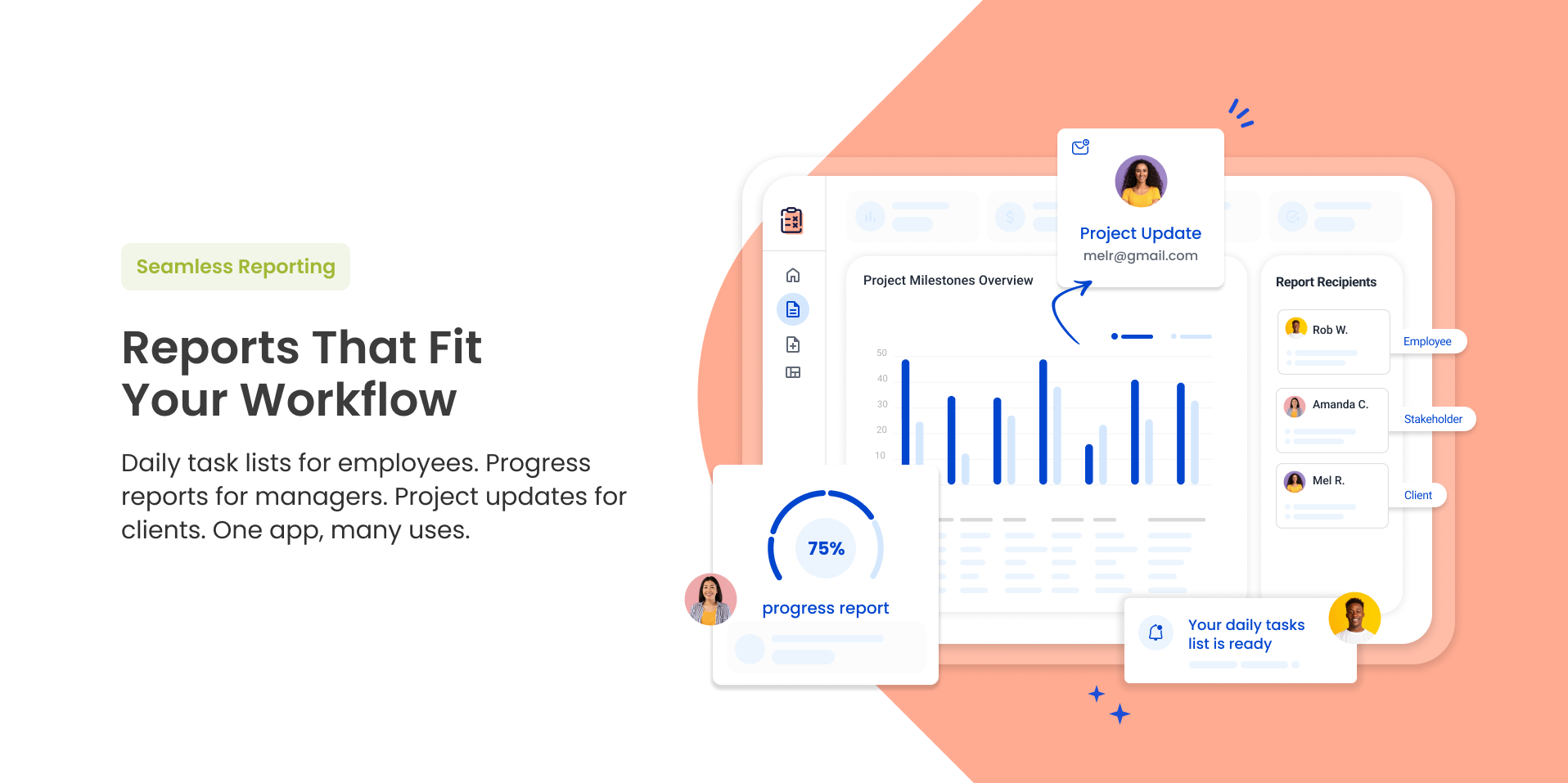
📈 Reports That Fit Your Workflow
Daily task lists for employees. Progress reports for managers. Project updates for clients. One app, many uses.
🔐 Enterprise-grade security
Built on monday.com’s native infrastructure, trusted by thousands of teams for performance and reliability.
✉️ Feedback? Questions?
We’d love to hear from you. Reach out anytime through the contact form — we reply fast.
Security & Compliance
Security
Does the developer periodically perform penetration testing?
Does the developer have a dedicated security and privacy point of contact for such issues or questions?
Yes
support@fantasymedia.io
Does the app restrict redirects and forwards only to approved destinations, or show a warning when redirecting to potentially untrusted content?
Yes
This is a backend only app so there are no redirects
Does the app protect against mass parameter assignment attacks?
Yes
We are using GraphQL with strongly typed models
Does the app perform encoding and sanitization on all user supplied parameters to protect against Cross-Site Scripting?
Yes
As a backend only XSS does not pose a threat
Does the developer protect all state-changing actions against Cross-Site Request Forgery (CSRF)?
Yes
CSRF is not a threat for integration applications
Does the developer have mechanisms to notify monday.com in case of a security breach?
Yes
Our development team is in direct touch with the monday.com team via various channels such as slack, email and more and in any case of a breach we have the means to contact them.
Does this developer have a process for installing application-level updates and security patches for the service (such as software packages and databases)?
Yes
Databases or any other infrastructure is managed by Google Cloud Platform, which is automatically patched for the latest security updates. Our application is scanned by static code analysis tools on each build and issues discovered are fixed according to the following SLA Critical - 48 Hours High - 2 weeks Medium - 1 Month Low and Other debt - 2 Months
Compliance
Is the app certified with the information security standard ISO/IEC 27001:2022?
Not answered
Is the app compliant with the Health Insurance Portability and Accountability Act (HIPAA)?
No
Is the app certified with System and Organization Controls (SOC 2 or SOC 3)?
No
We are not SOC certified at the moment but our application is hosted on a SOC certified infra with minimal application layer using monday's best practices for security
Is the app compliant with the General Data Protection Regulation (GDPR)?
Yes
We do not store and/or collect any personal data.
Data
Does the app send any data outside of monday.com? If yes, indicate whether the data is customer-submitted (e.g., board names, item names, doc content) or non-customer-submitted (e.g., account ID, board ID, user ID).
Not answered
Where does the app store logs data?
Not answered
Where does the app store the app data?
Not answered
Does the developer ensure application logs do not contain secrets or personally-identifiable information (PII)?
Yes
Our logs do not contain data that is not relevant to the application run, such as the event that triggered the automation or the calculation of the remaining quota.
Is customer data segregated from the data of other customers (for example logically or physically)?
Yes
Our application does not store any customer data but only metadata on the application subscription. This data is also segregated by adding the account identifier on all records and adding it to every query.
Privacy
Does the developer enforce multi-factor authentication on employees access to systems which may process customer data?
Yes
Our applications are hosted on google cloud that enforces multi-factor authentication when connecting from any unrecognized device.
Does the developer protect access to customer data based on the principle of least privilege?
Yes
No one in our company has access to customer data as it is not saved or retained by any of our services.
Reviews
May 26, 2025
K: Great app
February 21, 2025
HM: great overall!
February 21, 2025
EL: Cool app! Responsive support as well!
February 20, 2025
PM: I receive reports promptly without all the extra work. Worth every penny!
February 18, 2025
SW: Support team was amazing! Thanks for helping me!!
February 18, 2025
PG: Fantastic app for Monday!
February 16, 2025
JD: Great reporting app!
February 16, 2025
TS: Tracking projects progress is much easier!
February 11, 2025
ZK: made my job so easy
February 11, 2025
KS: receiving reports automatically is such a game-changer for me
February 10, 2025
LH: super useful!!
February 9, 2025
TM: Board Reports Automations provides great insights for our team.
February 9, 2025
BB: Just what we needed, thank you.
February 9, 2025
EM: Board Reports Automations makes reporting so easy!
October 20, 2024
EH: Amazing app. Completely changed our work within monday.com.
October 4, 2024
JP: We can create reports that fit our needs. Saved us so much time on creating reports.
October 3, 2024
PK: Finally a normal way to get reports of ongoing work within monday.com. Recommended!
July 16, 2024
IO: fantastic job
June 12, 2024
JL: Una herramienta de gestión de proyectos fantástica!
Historical data
Installation history
We have data for December 28, 2024 onwards only. Collected sometime after 00:00 UTC daily.
Total number of installs
Change in total number of installs in last 1 day(s)
Compares the number of installs on each date with 1 days previously:
Max
Min
Current
Change in total number of installs in last 7 day(s)
Compares the number of installs on each date with 7 days previously:
Max
Min
Current
Change in total number of installs in last 30 day(s)
Compares the number of installs on each date with 30 days previously:
Max
Min
Current
Change in total number of installs in last 90 day(s)
Compares the number of installs on each date with 90 days previously:
Max
Min
Current
Change in total number of installs in last 180 day(s)
Compares the number of installs on each date with 180 days previously:
Max
Min
Current
Ratings history
Categories history
Each of the following is a yes/no answer, so the graphs show 1 for yes, and 0 for no.
{
"id": 10000291,
"marketplace_developer_id": 10000126,
"app_id": 10095136,
"app_type": "app",
"security_info": {},
"gallery_assets": [
{
"url": "https://cdn.monday.com/marketplace/10000291/10000291_2025_10_19_11_52_31_4oyyl8a.png",
"type": "image"
},
{
"url": "https://cdn.monday.com/marketplace/10000291/10000291_2025_10_19_11_52_41_sfbxztr.png",
"type": "image"
},
{
"url": "https://cdn.monday.com/marketplace/10000291/10000291_2025_10_19_11_52_47_kbexmipk.png",
"type": "image"
},
{
"url": "https://cdn.monday.com/marketplace/10000291/10000291_2025_10_19_11_52_53_1s6ace.png",
"type": "image"
},
{
"url": "https://cdn.monday.com/marketplace/10000291/10000291_2025_10_19_11_52_58_ec82v2r.png",
"type": "image"
}
],
"description": "<p><strong>The first & only solution that allows creating custom reports on both current & historical data! With just a few clicks, you can turn your boards into automated, shareable reports, fully tailored to your team’s needs.</strong></p><p><br></p><p><strong>Think about the simple, everyday questions you wish you could answer in monday.com, but you can’t, at least not easily:</strong></p><ul><li>How many items were marked “Done” last week?</li><li>Which high-priority tasks are assigned to “Daniel” and currently “Stuck”?</li><li>Which items haven’t been updated in over 30 days?</li></ul><p><br></p><p><strong>🚀 Built for Teams Who Need:</strong></p><ul><li><strong>Automated reports on both current & historical data.</strong></li><li><strong>Easily share reports with anyone — even outside your monday.com.</strong></li><li><strong>Full flexibility to filter your data by any column & condition.</strong></li><li><strong>Reliable backups to preserve board history for audits, reviews, or compliance.</strong></li></ul><p><br></p><p><strong>Key Features</strong></p><p><strong>📊 Report on Current & Historical Data.</strong></p><p>Dashboards & views only show today's state, our report shows the full timeline.</p><p>See what changed, when, and by whom. Track updates across days, weeks, or months.</p><p><br></p><p><strong> 📤 Automated Reports for Every Stakeholder</strong></p><p>Schedule daily, weekly, or monthly reports and share them with anyone—inside or outside monday.com. No login needed.</p><p><br></p><p><strong>🎯 Full Flexibility - Tailor Every Report.</strong></p><p>Filter your data by any column & condition. Choose the exact column and groups to include. Supports subitems & password protection.</p><p><br></p><p><strong>📈 Reports That Fit Your Workflow</strong></p><p>Daily task lists for employees. Progress reports for managers. Project updates for clients. One app, many uses.</p><p><br></p><p><strong>🔐 Enterprise-grade security</strong></p><p>Built on monday.com’s native infrastructure, trusted by thousands of teams for performance and reliability.</p><p><br></p><p>✉️<strong> Feedback? Questions?</strong></p><p>We’d love to hear from you. Reach out anytime through the contact form — we reply fast.</p>",
"short_description": "Build & share custom reports on historical & current Data",
"thumbnail_url": "https://dapulse-res.cloudinary.com/image/upload/v1694533525/monday-apps-marketplace/Board%20Reports%20Automations/App_Card_Image_9.png",
"logo_url": "https://dapulse-res.cloudinary.com/image/upload/v1694533502/monday-apps-marketplace/Board%20Reports%20Automations/Icon_2_1.png",
"feedback_url": "support@fantasymedia.io",
"privacy_policy_url": "https://www.fantasymedia.io/privacy-policy",
"featured": false,
"name": "Board Reports Automations",
"how_to_use_url": "https://www.fantasymedia.io/board-reports-automations",
"external_pricing_url": null,
"keywords": "Automation, projects, reports, email, template, aggregation,report,analytics,export,data",
"compliance_answers": [
{
"questionId": 1,
"shortAnswer": true,
"detailedAnswer": "Our application does not store any customer data but only metadata on the application subscription.\nThis data is also segregated by adding the account identifier on all records and adding it to every query."
},
{
"questionId": 2,
"shortAnswer": true,
"detailedAnswer": "Databases or any other infrastructure is managed by Google Cloud Platform, which is automatically patched for the latest security updates.\nOur application is scanned by static code analysis tools on each build and issues discovered are fixed according to the following SLA\nCritical - 48 Hours\nHigh - 2 weeks\nMedium - 1 Month\nLow and Other debt - 2 Months"
},
{
"questionId": 3,
"shortAnswer": true,
"detailedAnswer": "Our development team is in direct touch with the monday.com team via various channels such as slack, email and more and in any case of a breach we have the means to contact them."
},
{
"questionId": 4,
"shortAnswer": true,
"detailedAnswer": "CSRF is not a threat for integration applications"
},
{
"questionId": 5,
"shortAnswer": true,
"detailedAnswer": "As a backend only XSS does not pose a threat"
},
{
"questionId": 6,
"shortAnswer": true,
"detailedAnswer": "No one in our company has access to customer data as it is not saved or retained by any of our services."
},
{
"questionId": 7,
"shortAnswer": true,
"detailedAnswer": "Our applications are hosted on google cloud that enforces multi-factor authentication when connecting from any unrecognized device."
},
{
"questionId": 8,
"shortAnswer": true,
"detailedAnswer": "Our logs do not contain data that is not relevant to the application run, such as the event that triggered the automation or the calculation of the remaining quota."
},
{
"questionId": 9,
"shortAnswer": true,
"detailedAnswer": "We are using GraphQL with strongly typed models"
},
{
"questionId": 10,
"shortAnswer": true,
"detailedAnswer": "This is a backend only app so there are no redirects"
},
{
"questionId": 11,
"shortAnswer": true,
"detailedAnswer": "We do not store and/or collect any personal data."
},
{
"questionId": 12,
"shortAnswer": false,
"detailedAnswer": "We are not SOC certified at the moment but our application is hosted on a SOC certified infra with minimal application layer using monday's best practices for security"
},
{
"questionId": 13,
"shortAnswer": false
},
{
"questionId": 14,
"shortAnswer": true,
"detailedAnswer": "support@fantasymedia.io"
},
{
"questionId": 15
}
],
"created_at": "2023-09-12T15:43:36.365Z",
"updated_at": "2025-11-20T11:23:53.994Z",
"automation_app_id": null,
"marketplace_category_ids": [
10000021,
9,
6,
5,
10000004
],
"pinned_for_categories_ids": [],
"featured_for_categories_ids": [
5
],
"pricing_data": "Free plan available",
"label": null,
"app_values": [
"Built for scalability"
],
"security": false,
"display_in_template_store": false,
"acquisition_source": "No touch",
"is_connector": false,
"terms_of_service_url": "https://www.fantasymedia.io/eula",
"available_for_tiers": [],
"available_for_products": [],
"google_analytics_tag_id": "G-FC92S59D0B",
"is_solution": false,
"app_scope_str": "users:read,boards:read,boards:write,teams:read,webhooks:write,webhooks:read,notifications:write,workspaces:read,workspaces:write,updates:read,updates:write,docs:read,docs:write",
"app_client_id": "d2a8cb94f4c7f37951ed22426077b977",
"app_color": {
"hsl": {
"h": 14.181818181818176,
"s": 1,
"l": 0.7843137254901961,
"a": 1
},
"hex": "#ffab91",
"rgb": {
"r": 255,
"g": 171,
"b": 145,
"a": 1
},
"hsv": {
"h": 14.181818181818176,
"s": 0.43137254901960786,
"v": 1,
"a": 1
},
"oldHue": 155.1,
"source": "hex"
},
"plans": [
{
"id": "10095136-1-Limited",
"appPlanId": "Limited",
"name": "Limited",
"versionId": 1,
"isTrial": false,
"prices": {
"type": "standard",
"monthly": 0,
"yearly": 0
},
"versionState": "live",
"appId": 10095136,
"description": "Daily & weekly board reports via notifications & email. Full use of the app with 4 reports / month.",
"extraData": {
"bullets": [
"4 reports / month",
"Report count of items per status & people",
"Report aggregations - Sum, average, max, min etc.",
"Report breakdown of items & aggregations grouped by numbers & people, and more!"
],
"monthlyFee": 0,
"yearlyFee": 0
},
"isFree": true,
"isRecommended": false,
"currency": "USD"
},
{
"id": "10095136-1-Starter",
"appPlanId": "Starter",
"name": "Starter",
"versionId": 1,
"isTrial": false,
"prices": {
"type": "standard",
"monthly": 14,
"yearly": 11
},
"versionState": "live",
"appId": 10095136,
"description": "Daily & weekly board reports via notifications & email. Full use of the app with 45 reports / month.",
"extraData": {
"bullets": [
"45 reports / month",
"Email support",
"Report count of items per status & people",
"Report aggregations - Sum, average, max, min etc.",
"Report breakdown of items & aggregations grouped by numbers & people, and more!"
],
"monthlyFee": 14,
"yearlyFee": 11
},
"isFree": false,
"isRecommended": false,
"currency": "USD"
},
{
"id": "10095136-1-Intermediate",
"appPlanId": "Intermediate",
"name": "Intermediate",
"versionId": 1,
"isTrial": false,
"prices": {
"type": "standard",
"monthly": 36,
"yearly": 29
},
"versionState": "live",
"appId": 10095136,
"description": "Daily & weekly board reports via notifications & email. Full use of the app with 135 reports / month.",
"extraData": {
"bullets": [
"135 reports / month",
"Email support",
"Report count of items per status & people",
"Report aggregations - Sum, average, max, min etc.",
"Report breakdown of items & aggregations grouped by numbers & people, and more!"
],
"monthlyFee": 36,
"yearlyFee": 29
},
"isFree": false,
"isRecommended": false,
"currency": "USD"
},
{
"id": "10095136-1-Advanced",
"appPlanId": "Advanced",
"name": "Advanced",
"versionId": 1,
"isTrial": false,
"prices": {
"type": "standard",
"monthly": 68,
"yearly": 56
},
"versionState": "live",
"appId": 10095136,
"description": "Daily & weekly board reports via notifications & email. Full use of the app with 270 reports / month.",
"extraData": {
"bullets": [
"270 reports / month",
"Email support",
"Report count of items per status & people",
"Report aggregations - Sum, average, max, min etc.",
"Report breakdown of items & aggregations grouped by numbers & people, and more!"
],
"monthlyFee": 68,
"yearlyFee": 56
},
"isFree": false,
"isRecommended": false,
"currency": "USD"
},
{
"id": "10095136-1-Professional",
"appPlanId": "Professional",
"name": "Professional",
"versionId": 1,
"isTrial": false,
"prices": {
"type": "standard",
"monthly": 135,
"yearly": 110
},
"versionState": "live",
"appId": 10095136,
"description": "Daily & weekly board reports via notifications & email. Full use of the app with 550 reports / month.",
"extraData": {
"bullets": [
"550 reports / month",
"Email support",
"Report count of items per status & people",
"Report aggregations - Sum, average, max, min etc.",
"Report breakdown of items & aggregations grouped by numbers & people, and more!"
],
"monthlyFee": 135,
"yearlyFee": 110
},
"isFree": false,
"isRecommended": false,
"currency": "USD"
},
{
"id": "10095136-1-Enterprise",
"appPlanId": "Enterprise",
"name": "Enterprise",
"versionId": 1,
"isTrial": false,
"prices": {
"type": "standard",
"monthly": 330,
"yearly": 270
},
"versionState": "live",
"appId": 10095136,
"description": "Daily & weekly board reports via notifications & email. Full use of the app with 1350 reports / month.",
"extraData": {
"bullets": [
"1350 reports / month",
"Email support",
"Report count of items per status & people",
"Report aggregations - Sum, average, max, min etc.",
"Report breakdown of items & aggregations grouped by numbers & people, and more!"
],
"monthlyFee": 330,
"yearlyFee": 270
},
"isFree": false,
"isRecommended": false,
"currency": "USD"
},
{
"id": "10095136-2-Limited",
"appPlanId": "Limited",
"name": "Limited",
"versionId": 2,
"isTrial": false,
"prices": {
"type": "standard",
"monthly": 0,
"yearly": 0
},
"versionState": "live",
"appId": 10095136,
"description": "Daily & weekly board reports via notifications & email. Full use of the app with 4 reports / month.",
"extraData": {
"bullets": [
"4 reports / month",
"Reports for current status - Items per person, status, date etc.",
"Reports for previous period chanages - Created or changes",
"Reports for upcoming items - Due next period per person, status etc.",
"Aggregative reports - Sum of numbers per person etc. And more!"
],
"monthlyFee": 0,
"yearlyFee": 0
},
"isFree": true,
"isRecommended": false,
"currency": "USD"
},
{
"id": "10095136-2-Starter",
"appPlanId": "Starter",
"name": "Starter",
"versionId": 2,
"isTrial": false,
"prices": {
"type": "standard",
"monthly": 7,
"yearly": 6
},
"versionState": "live",
"appId": 10095136,
"description": "Daily & weekly board reports via notifications & email. Full use of the app with 45 reports / month.",
"extraData": {
"bullets": [
"45 reports / month",
"Reports for current status - Items per person, status, date etc.",
"Reports for previous period chanages - Created or changes",
"Reports for upcoming items - Due next period per person, status etc.",
"Aggregative reports - Sum of numbers per person etc. And more!"
],
"monthlyFee": 7,
"yearlyFee": 6
},
"isFree": false,
"isRecommended": false,
"currency": "USD"
},
{
"id": "10095136-2-Intermediate",
"appPlanId": "Intermediate",
"name": "Intermediate",
"versionId": 2,
"isTrial": false,
"prices": {
"type": "standard",
"monthly": 19,
"yearly": 16
},
"versionState": "live",
"appId": 10095136,
"description": "Daily & weekly board reports via notifications & email. Full use of the app with 135 reports / month.",
"extraData": {
"bullets": [
"135 reports / month",
"Reports for current status - Items per person, status, date etc.",
"Reports for previous period chanages - Created or changes",
"Reports for upcoming items - Due next period per person, status etc.",
"Aggregative reports - Sum of numbers per person etc. And more!"
],
"monthlyFee": 19,
"yearlyFee": 16
},
"isFree": false,
"isRecommended": false,
"currency": "USD"
},
{
"id": "10095136-2-Advanced",
"appPlanId": "Advanced",
"name": "Advanced",
"versionId": 2,
"isTrial": false,
"prices": {
"type": "standard",
"monthly": 35,
"yearly": 29
},
"versionState": "live",
"appId": 10095136,
"description": "Daily & weekly board reports via notifications & email. Full use of the app with 270 reports / month.",
"extraData": {
"bullets": [
"270 reports / month",
"Reports for current status - Items per person, status, date etc.",
"Reports for previous period chanages - Created or changes",
"Reports for upcoming items - Due next period per person, status etc.",
"Aggregative reports - Sum of numbers per person etc. And more!"
],
"monthlyFee": 35,
"yearlyFee": 29
},
"isFree": false,
"isRecommended": false,
"currency": "USD"
},
{
"id": "10095136-2-Professional",
"appPlanId": "Professional",
"name": "Professional",
"versionId": 2,
"isTrial": false,
"prices": {
"type": "standard",
"monthly": 70,
"yearly": 58
},
"versionState": "live",
"appId": 10095136,
"description": "Daily & weekly board reports via notifications & email. Full use of the app with 550 reports / month.",
"extraData": {
"bullets": [
"550 reports / month",
"Reports for current status - Items per person, status, date etc.",
"Reports for previous period chanages - Created or changes",
"Reports for upcoming items - Due next period per person, status etc.",
"Aggregative reports - Sum of numbers per person etc. And more!"
],
"monthlyFee": 70,
"yearlyFee": 58
},
"isFree": false,
"isRecommended": false,
"currency": "USD"
},
{
"id": "10095136-2-Enterprise",
"appPlanId": "Enterprise",
"name": "Enterprise",
"versionId": 2,
"isTrial": false,
"prices": {
"type": "standard",
"monthly": 140,
"yearly": 116
},
"versionState": "live",
"appId": 10095136,
"description": "Daily & weekly board reports via notifications & email. Full use of the app with 1350 reports / month.",
"extraData": {
"bullets": [
"1350 reports / month",
"Email support",
"Reports for current status - Items per person, status, date etc.",
"Reports for previous period chanages - Created or changes",
"Reports for upcoming items - Due next period per person, status etc.",
"Aggregative reports - Sum of numbers per person etc. And more!"
],
"monthlyFee": 140,
"yearlyFee": 116
},
"isFree": false,
"isRecommended": false,
"currency": "USD"
},
{
"id": "10095136-3-Limited",
"appPlanId": "Limited",
"name": "Limited",
"versionId": 3,
"isTrial": false,
"prices": {
"type": "standard",
"monthly": 0,
"yearly": 0
},
"versionState": "live",
"appId": 10095136,
"description": "Daily & weekly board reports via notifications & email. Full use of the app with 4 reports / month.",
"extraData": {
"bullets": [
"4 reports / month",
"Reports for current status - Items per person, status, date etc.",
"Reports for previous period chanages - Created or changes",
"Reports for upcoming items - Due next period per person, status etc.",
"Aggregative reports - Sum of numbers per person etc. And more!"
],
"monthlyFee": 0,
"yearlyFee": 0
},
"isFree": true,
"isRecommended": false,
"currency": "USD"
},
{
"id": "10095136-3-Starter",
"appPlanId": "Starter",
"name": "Starter",
"versionId": 3,
"isTrial": false,
"prices": {
"type": "standard",
"monthly": 7,
"yearly": 6
},
"versionState": "live",
"appId": 10095136,
"description": "Daily & weekly board reports via notifications & email. Full use of the app with 45 reports / month.",
"extraData": {
"bullets": [
"45 reports / month",
"Reports for current status - Items per person, status, date etc.",
"Reports for previous period chanages - Created or changes",
"Reports for upcoming items - Due next period per person, status etc.",
"Aggregative reports - Sum of numbers per person etc. And more!"
],
"monthlyFee": 7,
"yearlyFee": 6
},
"isFree": false,
"isRecommended": false,
"currency": "USD"
},
{
"id": "10095136-3-Intermediate",
"appPlanId": "Intermediate",
"name": "Intermediate",
"versionId": 3,
"isTrial": false,
"prices": {
"type": "standard",
"monthly": 19,
"yearly": 16
},
"versionState": "live",
"appId": 10095136,
"description": "Daily & weekly board reports via notifications & email. Full use of the app with 135 reports / month.",
"extraData": {
"bullets": [
"135 reports / month",
"Reports for current status - Items per person, status, date etc.",
"Reports for previous period chanages - Created or changes",
"Reports for upcoming items - Due next period per person, status etc.",
"Aggregative reports - Sum of numbers per person etc. And more!"
],
"monthlyFee": 19,
"yearlyFee": 16
},
"isFree": false,
"isRecommended": false,
"currency": "USD"
},
{
"id": "10095136-3-Advanced",
"appPlanId": "Advanced",
"name": "Advanced",
"versionId": 3,
"isTrial": true,
"prices": {
"type": "standard",
"monthly": 35,
"yearly": 29
},
"versionState": "live",
"appId": 10095136,
"description": "Daily & weekly board reports via notifications & email. Full use of the app with 270 reports / month.",
"extraData": {
"bullets": [
"270 reports / month",
"Reports for current status - Items per person, status, date etc.",
"Reports for previous period chanages - Created or changes",
"Reports for upcoming items - Due next period per person, status etc.",
"Aggregative reports - Sum of numbers per person etc. And more!"
],
"monthlyFee": 35,
"yearlyFee": 29
},
"isFree": false,
"isRecommended": true,
"currency": "USD"
},
{
"id": "10095136-3-Professional",
"appPlanId": "Professional",
"name": "Professional",
"versionId": 3,
"isTrial": false,
"prices": {
"type": "standard",
"monthly": 70,
"yearly": 58
},
"versionState": "live",
"appId": 10095136,
"description": "Daily & weekly board reports via notifications & email. Full use of the app with 550 reports / month.",
"extraData": {
"bullets": [
"550 reports / month",
"Reports for current status - Items per person, status, date etc.",
"Reports for previous period chanages - Created or changes",
"Reports for upcoming items - Due next period per person, status etc.",
"Aggregative reports - Sum of numbers per person etc. And more!"
],
"monthlyFee": 70,
"yearlyFee": 58
},
"isFree": false,
"isRecommended": false,
"currency": "USD"
},
{
"id": "10095136-3-Enterprise",
"appPlanId": "Enterprise",
"name": "Enterprise",
"versionId": 3,
"isTrial": false,
"prices": {
"type": "standard",
"monthly": 140,
"yearly": 116
},
"versionState": "live",
"appId": 10095136,
"description": "Daily & weekly board reports via notifications & email. Full use of the app with 1350 reports / month.",
"extraData": {
"bullets": [
"1350 reports / month",
"Email support",
"Reports for current status - Items per person, status, date etc.",
"Reports for previous period chanages - Created or changes",
"Reports for upcoming items - Due next period per person, status etc.",
"Aggregative reports - Sum of numbers per person etc. And more!"
],
"monthlyFee": 140,
"yearlyFee": 116
},
"isFree": false,
"isRecommended": false,
"currency": "USD"
},
{
"id": "10095136-4-Limited2",
"appPlanId": "Limited2",
"name": "Limited",
"versionId": 4,
"isTrial": false,
"prices": {
"type": "standard",
"monthly": 0,
"yearly": 0
},
"versionState": "live",
"appId": 10095136,
"description": "The free plan to get started with Board Reports Automations. Generate up to 4 reports per month.",
"extraData": {
"bullets": [
"4 reports / month",
"Unlimited users",
"All features included",
"Export to Excel or CSV"
],
"monthlyFee": 0,
"yearlyFee": 0
},
"isFree": true,
"isRecommended": false,
"currency": "USD"
},
{
"id": "10095136-4-Starter2",
"appPlanId": "Starter2",
"name": "Starter",
"versionId": 4,
"isTrial": false,
"prices": {
"type": "standard",
"monthly": 25,
"yearly": 20
},
"versionState": "live",
"appId": 10095136,
"description": "Perfect for small teams who want to keep reporting simple but effective. Generate up to 20 reports per month.",
"extraData": {
"bullets": [
"20 reports / month",
"Unlimited users",
"All features included",
"Email support",
"Export to Excel or CSV"
],
"monthlyFee": 25,
"yearlyFee": 20
},
"isFree": false,
"isRecommended": false,
"currency": "USD"
},
{
"id": "10095136-4-Intermediate2",
"appPlanId": "Intermediate2",
"name": "Intermediate",
"versionId": 4,
"isTrial": false,
"prices": {
"type": "standard",
"monthly": 35,
"yearly": 28
},
"versionState": "live",
"appId": 10095136,
"description": "Built for growing teams that need more control and visibility in their reporting. Create up to 40 reports each month.",
"extraData": {
"bullets": [
"40 reports / month",
"Unlimited users",
"All features included",
"Email support",
"Export to Excel or CSV"
],
"monthlyFee": 35,
"yearlyFee": 28
},
"isFree": false,
"isRecommended": true,
"currency": "USD"
},
{
"id": "10095136-4-Advanced2",
"appPlanId": "Advanced2",
"name": "Advanced",
"versionId": 4,
"isTrial": false,
"prices": {
"type": "standard",
"monthly": 80,
"yearly": 64
},
"versionState": "live",
"appId": 10095136,
"description": "Take full advantage of Board Reports Automations. Generate up to 80 reports per month.",
"extraData": {
"bullets": [
"80 reports / month",
"Unlimited users",
"All features included",
"Advanced support",
"Export to Excel or CSV"
],
"monthlyFee": 80,
"yearlyFee": 64
},
"isFree": false,
"isRecommended": false,
"currency": "USD"
},
{
"id": "10095136-4-Professional2",
"appPlanId": "Professional2",
"name": "Professional",
"versionId": 4,
"isTrial": false,
"prices": {
"type": "standard",
"monthly": 140,
"yearly": 112
},
"versionState": "live",
"appId": 10095136,
"description": "Designed for larger teams managing complex workflows. Generate up to 400 reports per month.",
"extraData": {
"bullets": [
"400 reports / month",
"Unlimited users",
"All features included",
"Premium support",
"Export to Excel or CSV"
],
"monthlyFee": 140,
"yearlyFee": 112
},
"isFree": false,
"isRecommended": false,
"currency": "USD"
},
{
"id": "10095136-4-Enterprise2",
"appPlanId": "Enterprise2",
"name": "Enterprise",
"versionId": 4,
"isTrial": false,
"prices": {
"type": "standard",
"monthly": 300,
"yearly": 240
},
"versionState": "live",
"appId": 10095136,
"description": "Built for enterprise-level organizations that require scale, performance, and personalized support. Generate up to 1200 reports per month.",
"extraData": {
"bullets": [
"1200 reports / month",
"Unlimited users",
"All features included",
"Premium support + Personal assistance",
"Export to Excel or CSV"
],
"monthlyFee": 300,
"yearlyFee": 240
},
"isFree": false,
"isRecommended": false,
"currency": "USD"
}
],
"app_live_version": {
"updated_at": "2026-03-04T09:42:34.218Z",
"id": 12739299
},
"pricing_model": null,
"badges_data": {
"pricing_data": "Free plan available",
"app_values": [
"Built for scalability"
],
"security": false,
"acquisition_source": "No touch",
"display_in_template_store": false
},
"data": {
"is_connector": false,
"google_analytics_tag_id": "G-FC92S59D0B",
"is_solution": false,
"terms_of_service_url": "https://www.fantasymedia.io/eula",
"available_for_tiers": [],
"available_for_products": []
},
"display": null,
"installsDelta": {
"totalInstalls": 17273,
"sevenDays": 31,
"thirtyDays": 162,
"ninetyDays": 511
}
}