
Microsoft Power Automate
5,705 installs, since August 2, 2023. 142 installs/month. App updated October 26, 2026. Listing updated August 30, 2026.
The Most Powerful Automation for monday.com
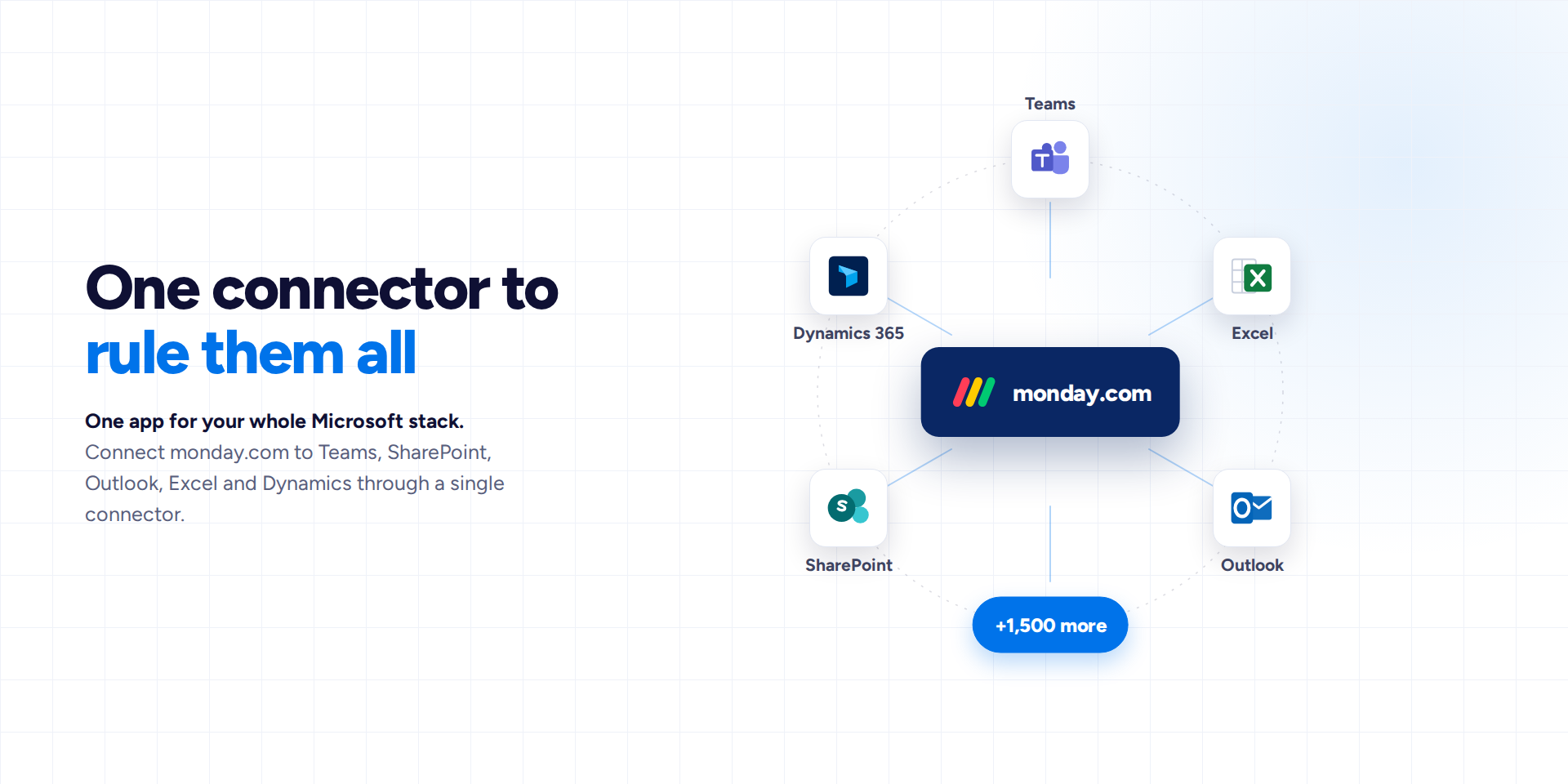
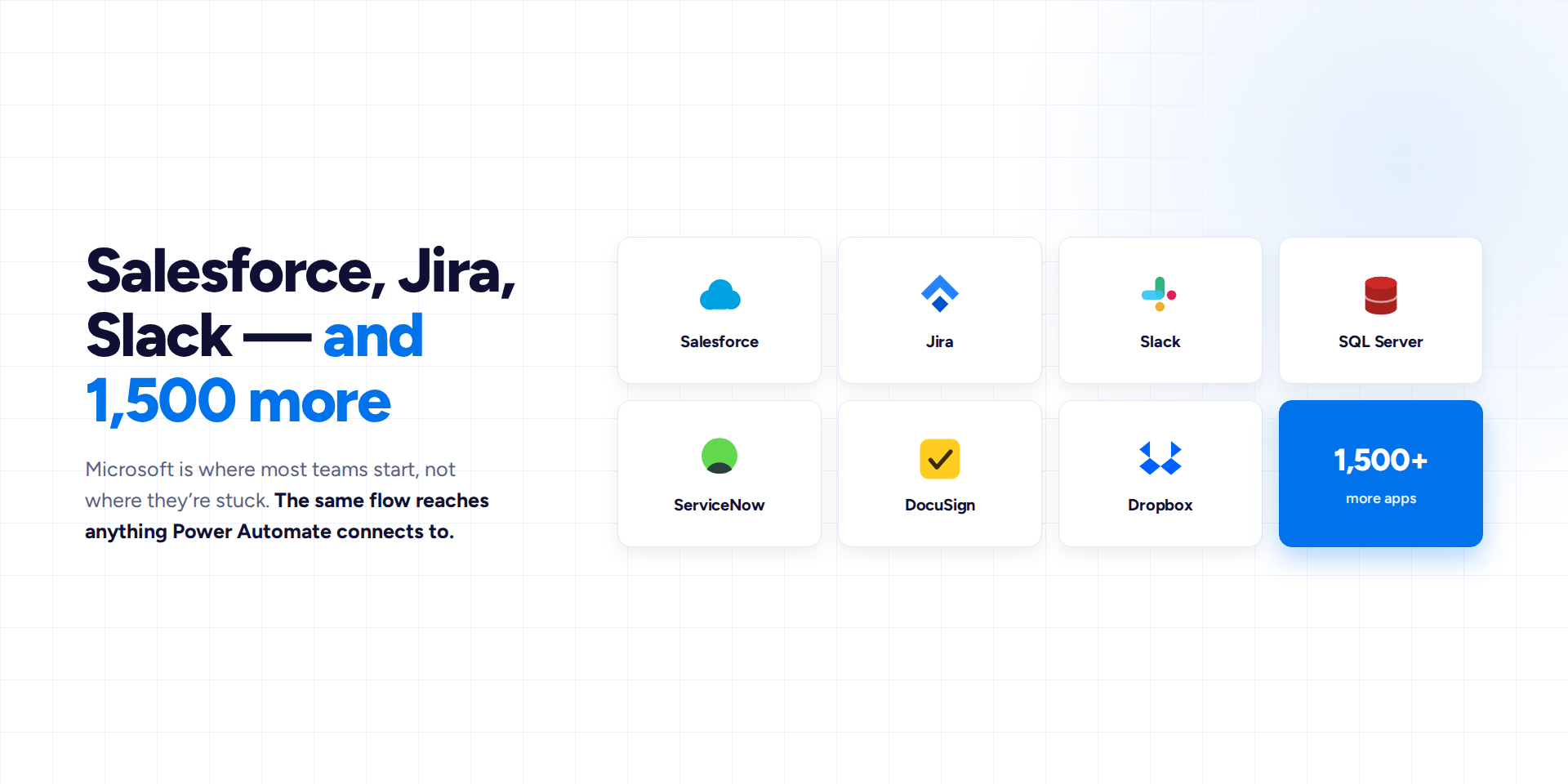
Connect monday.com to Microsoft Teams, SharePoint, Excel, Outlook, and 1,500+ other apps without writing a single line of code.
Why choose Microsoft Power Automate?
- One app for your whole Microsoft stack: connect monday.com to Teams, SharePoint, Outlook, Excel, and Dynamics through a single connector.
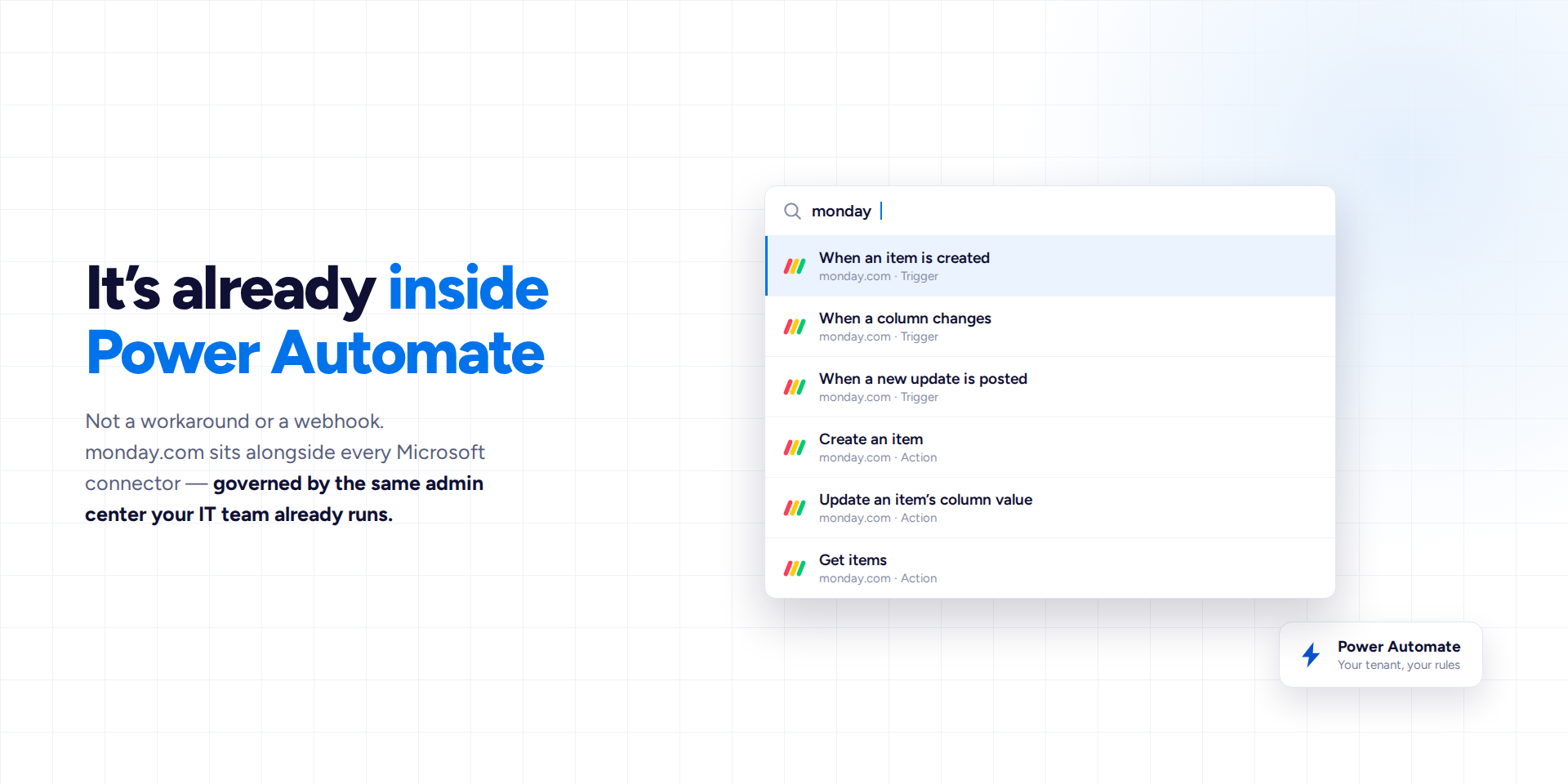
- Native, not bolted on: flows run inside Power Automate, the platform your IT team already manages and trusts.
- Productivity boost: streamline your business processes, with data entry happening automatically.
- Built for your whole team: automations run for the whole team, even if only created by a few IT people.
- Trusted integration: relied on since 2023, guided onboarding, and a Marketplace Best Seller.
What kind of workflows can you automate?
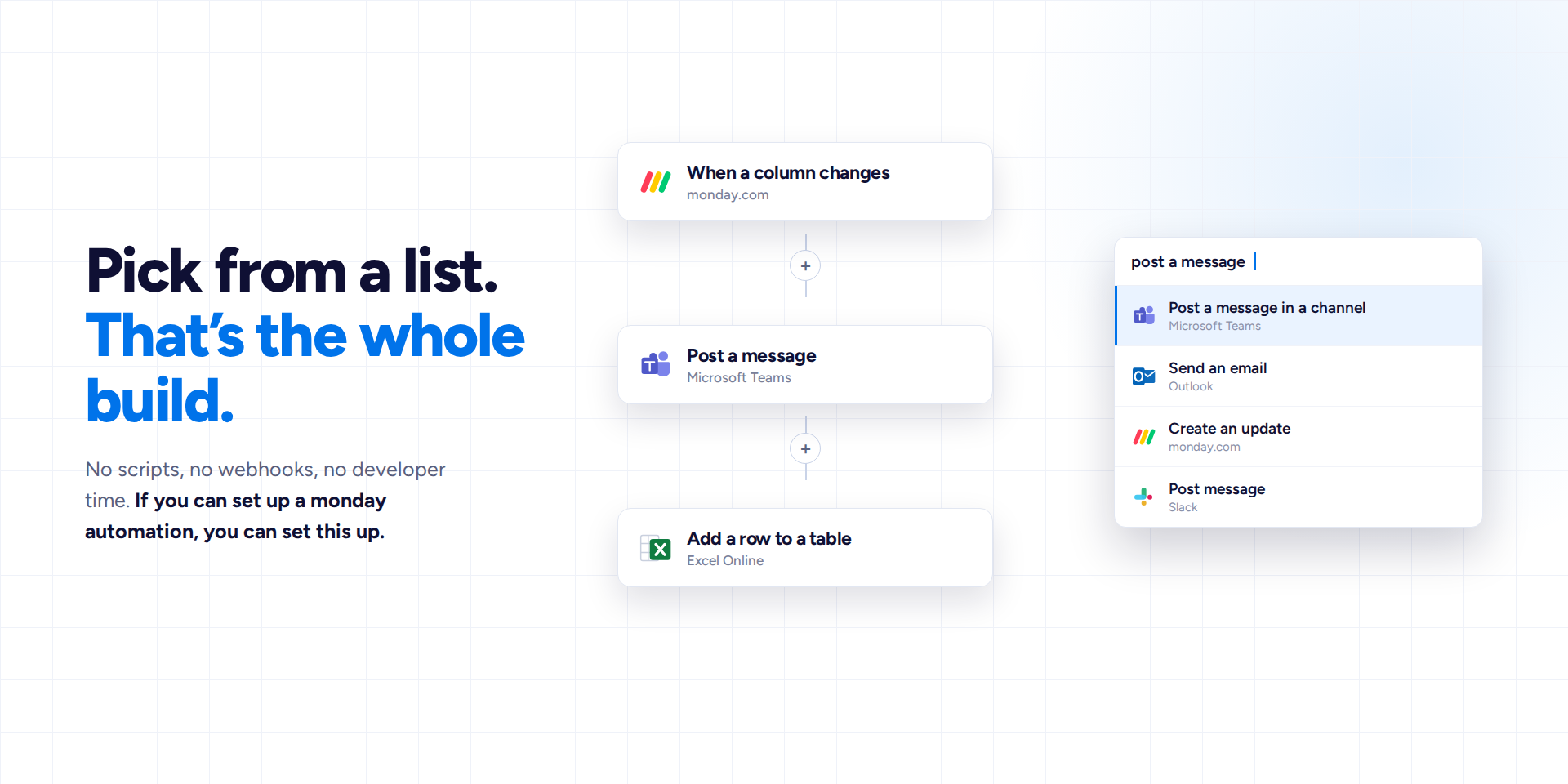
- Keep everyone in the loop: add an item to monday.com, automatically notify the right Teams channel.
- Turn form responses into action: a Microsoft Form submission instantly becomes a new monday.com item.
- Sync monday.com with Excel: keep spreadsheet-based stakeholders automatically up to date without exports.
- Two-way SharePoint sync: keep SharePoint Lists and monday.com boards mirrored in real time.
FAQs
- Why does team size affect the price? Larger teams require more server resources. However, metered billing makes people hesitant to automate all their workflows. We charge per seat to provide predictable pricing and unlimited usage.
- Can we just pay for the people who build automations? When a few people build automations, the whole team benefits. This allows you to automate workflows across your entire organization.
- Do you offer any discounts? Volume discounts are already factored into the price based on your team size. You can also save an extra 18% with annual billing.
- Can we get a trial extension? Yes. Email us and we'll set up a one-time extension for you.
Get started
Install the app, then head to Power Automate and search for the "monday" connector when building a flow.
We're here for you
Security & Compliance
Security
Does the developer periodically perform penetration testing?
Does the developer have a dedicated security and privacy point of contact for such issues or questions?
Does the app restrict redirects and forwards only to approved destinations, or show a warning when redirecting to potentially untrusted content?
Does the app protect against mass parameter assignment attacks?
Does the app perform encoding and sanitization on all user supplied parameters to protect against Cross-Site Scripting?
Does the developer protect all state-changing actions against Cross-Site Request Forgery (CSRF)?
Does the developer have mechanisms to notify monday.com in case of a security breach?
Does this developer have a process for installing application-level updates and security patches for the service (such as software packages and databases)?
Compliance
Is the app certified with the information security standard ISO/IEC 27001:2022?
Is the app compliant with the Health Insurance Portability and Accountability Act (HIPAA)?
Is the app certified with System and Organization Controls (SOC 2 or SOC 3)?
Is the app compliant with the General Data Protection Regulation (GDPR)?
Data
Does the app send any data outside of monday.com? If yes, indicate whether the data is customer-submitted (e.g., board names, item names, doc content) or non-customer-submitted (e.g., account ID, board ID, user ID).
Where does the app store logs data?
Where does the app store the app data?
Does the developer ensure application logs do not contain secrets or personally-identifiable information (PII)?
Is customer data segregated from the data of other customers (for example logically or physically)?
Privacy
Does the developer enforce multi-factor authentication on employees access to systems which may process customer data?
Does the developer protect access to customer data based on the principle of least privilege?
Reviews
AL: Great plugin! Having the ability to read AND write inside of files column would make them earn a 6th star ;)
JM: Missing some basic functionalities in my opinion.
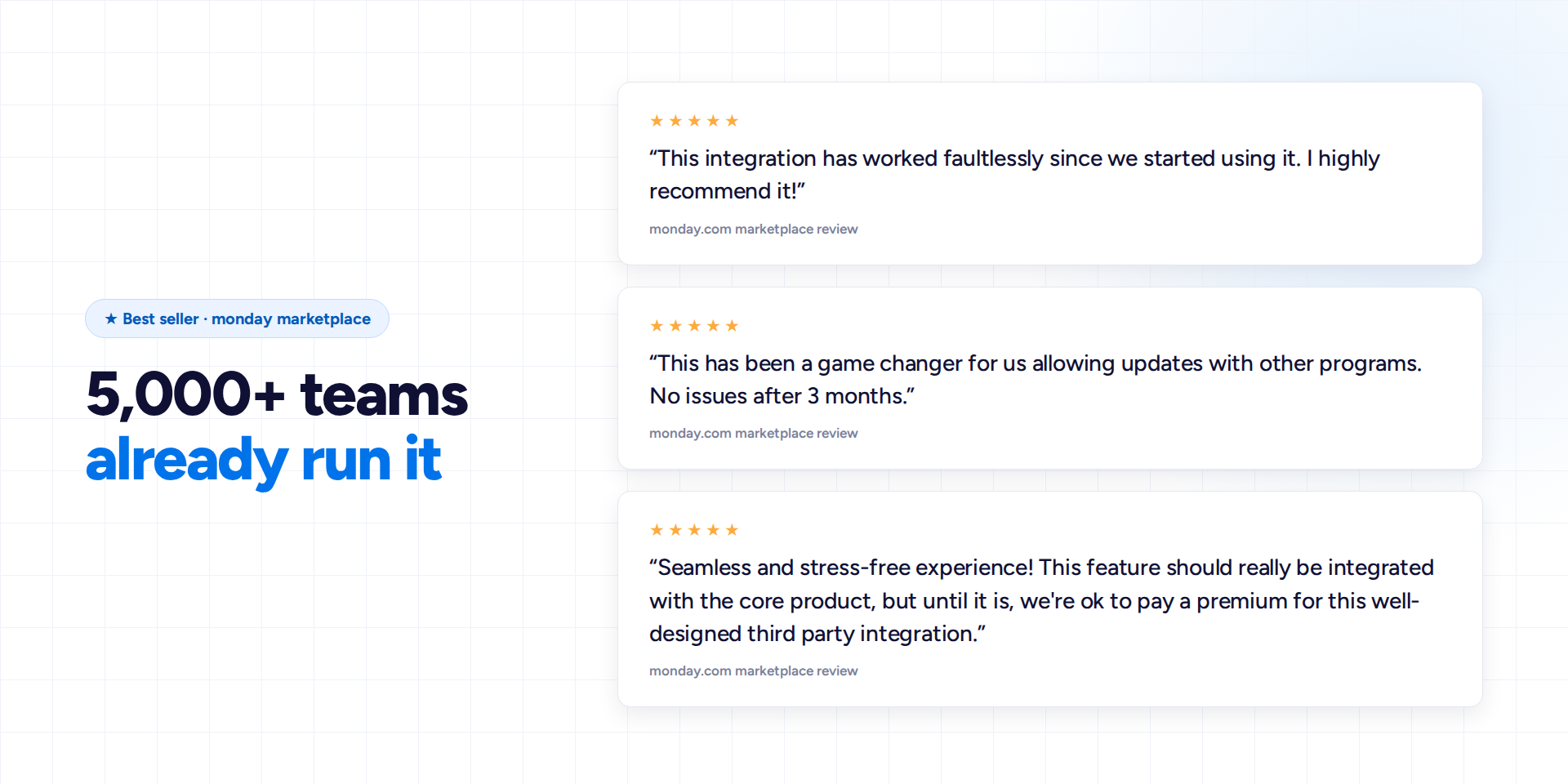
RR: This has been a game changer for us allowing updates with other programs. No issues after 3 months.
AP: Had an expert software engineer help me with my plugin and works great now. only suggestion is developing a way to reference groups in body emails thank you
MF: This integration has worked faultlessly since we started using it. I highly recommend it!
MD: The most flexible, useful reporting and sharing tool I have ever used
Historical data
Installation history
We have data for December 28, 2024 onwards only. Collected sometime after 00:00 UTC daily.
Total number of installs
Change in total number of installs in last 1 day(s)
Compares the number of installs on each date with 1 days previously:
Change in total number of installs in last 7 day(s)
Compares the number of installs on each date with 7 days previously:
Change in total number of installs in last 30 day(s)
Compares the number of installs on each date with 30 days previously:
Change in total number of installs in last 90 day(s)
Compares the number of installs on each date with 90 days previously:
Change in total number of installs in last 180 day(s)
Compares the number of installs on each date with 180 days previously:
Ratings history
Categories history
Each of the following is a yes/no answer, so the graphs show 1 for yes, and 0 for no.
In "Featured" category?
In "Editor's choice" category?
In "Trending this week" category?
App metadata
ID: 10000270 • App ID: 10046905 • Listing updated: August 30, 2026{
"id": 10000270,
"marketplace_developer_id": 10000120,
"app_id": 10046905,
"app_type": "app",
"security_info": {},
"gallery_assets": [
{
"url": "https://cdn.monday.com/marketplace/10000270/10000270_2026_7_18_22_13_25_yd6oln8h.mp4",
"type": "video"
},
{
"url": "https://cdn.monday.com/marketplace/10000270/10000270_2026_7_18_22_13_43_kudzmie.png",
"type": "image"
},
{
"url": "https://cdn.monday.com/marketplace/10000270/10000270_2026_7_18_22_13_46_fogh5sn.png",
"type": "image"
},
{
"url": "https://cdn.monday.com/marketplace/10000270/10000270_2026_7_18_22_13_48_7c7y06k.png",
"type": "image"
},
{
"url": "https://cdn.monday.com/marketplace/10000270/10000270_2026_7_18_22_13_50_na9g1mxl.png",
"type": "image"
},
{
"url": "https://cdn.monday.com/marketplace/10000270/10000270_2026_7_18_22_13_52_4udmezi.png",
"type": "image"
}
],
"description": "<p>Connect monday.com to Microsoft Teams, SharePoint, Excel, Outlook, and 1,500+ other apps without writing a single line of code.</p><p><br></p><p><strong>Why choose Microsoft Power Automate?</strong></p><ul><li><strong>One app for your whole Microsoft stack</strong>: connect monday.com to Teams, SharePoint, Outlook, Excel, and Dynamics through a single connector.</li><li><strong>Native, not bolted on</strong>: flows run inside Power Automate, the platform your IT team already manages and trusts.</li><li><strong>Productivity boost:</strong> streamline your business processes, with data entry happening automatically.</li><li><strong>Built for your whole team:</strong> automations run for the whole team, even if only created by a few IT people.</li><li><strong>Trusted integration</strong>: relied on since 2023, guided onboarding, and a Marketplace Best Seller.</li></ul><p><br></p><p><strong>What kind of workflows can you automate?</strong></p><ul><li><strong>Keep everyone in the loop:</strong> add an item to monday.com, automatically notify the right Teams channel.</li><li><strong>Turn form responses into action:</strong> a Microsoft Form submission instantly becomes a new monday.com item.</li><li><strong>Sync monday.com with Excel:</strong> keep spreadsheet-based stakeholders automatically up to date without exports.</li><li><strong>Two-way SharePoint sync:</strong> keep SharePoint Lists and monday.com boards mirrored in real time.</li></ul><p><br></p><p><strong>FAQs</strong></p><ul><li><strong>Why does team size affect the price?</strong> Larger teams require more server resources. However, metered billing makes people hesitant to automate all their workflows. We charge per seat to provide predictable pricing and unlimited usage.</li><li><strong>Can we just pay for the people who build automations? </strong>When a few people build automations, the whole team benefits. This allows you to automate workflows across your entire organization.</li><li><strong>Do you offer any discounts? </strong>Volume discounts are already factored into the price based on your team size. You can also save an extra 18% with annual billing.</li><li><strong>Can we get a trial extension?</strong> Yes. Email us and we'll set up a one-time extension for you.</li></ul><p><a href=\"https://plugingenie.com/help-center/faq.php\" rel=\"noopener noreferrer\" target=\"_blank\">See all FAQs</a></p><p><br></p><p><strong>Get started</strong></p><p><a href=\"https://plugingenie.com/help-center/getting-started.php\" rel=\"noopener noreferrer\" target=\"_blank\">Install the app</a>, then head to Power Automate and search for the \"monday\" connector when building a flow.</p><p><br></p><p><strong>We're here for you</strong></p><p><a href=\"https://plugingenie.com/contact.php\" rel=\"noopener noreferrer\" target=\"_blank\">Contact us</a></p><p><a href=\"https://plugingenie.com/schedule-a-call\" rel=\"noopener noreferrer\" target=\"_blank\">Book a 1:1 call</a></p>",
"short_description": "The Most Powerful Automation for monday.com",
"thumbnail_url": "https://dapulse-res.cloudinary.com/image/upload/v1690953029/monday-apps-marketplace/Microsoft%20Power%20Automate/AppCard_4.png",
"logo_url": "https://dapulse-res.cloudinary.com/image/upload/v1690953028/monday-apps-marketplace/Microsoft%20Power%20Automate/logo_8.png",
"feedback_url": "https://plugingenie.com/contact.php",
"privacy_policy_url": "https://plugingenie.com/privacy-policy.php",
"featured": false,
"name": "Microsoft Power Automate",
"how_to_use_url": "https://plugingenie.com/monday-how-to-use.html",
"external_pricing_url": null,
"keywords": "power automate, \nmicrosoft,\n power,\n automate,\n zapier,\n automation, \nflow,sharepoint,Excel,Outlook",
"compliance_answers": [
{
"questionId": 19,
"shortAnswer": true,
"detailedAnswer": "If a customer creates a flow to retrieve data from monday.com, then data will be sent to Power Automate via the application server. This includes customer-submitted data."
},
{
"questionId": 18,
"detailedAnswer": "To ensure the health of the application, we store logs data in Datadog.",
"logHostingProvider": "other"
},
{
"questionId": 17,
"detailedAnswer": "Microsoft Azure CosmosDB, which is encrypted at rest with AES-256 encryption. https://learn.microsoft.com/en-us/azure/cosmos-db/database-encryption-at-rest",
"dataHostingProvider": "DB"
},
{
"questionId": 11,
"shortAnswer": true,
"detailedAnswer": ""
},
{
"questionId": 10,
"shortAnswer": true,
"detailedAnswer": "The app only redirects to approved destinations."
},
{
"questionId": 8,
"shortAnswer": true,
"detailedAnswer": ""
},
{
"questionId": 7,
"shortAnswer": true,
"detailedAnswer": ""
},
{
"questionId": 6,
"shortAnswer": true,
"detailedAnswer": ""
},
{
"questionId": 3,
"shortAnswer": true,
"detailedAnswer": "Yes, in case of a security breach, we will contact monday.com via the developer support form they have provided for this. We will also work with our cyber insurance company to mitigate the issue."
},
{
"questionId": 2,
"shortAnswer": true,
"detailedAnswer": "The application server is hosted and managed in Azure, which receives server-side security updates automatically from Microsoft. For critical application-level bugs, we try to address these within 24 hrs. Other bugs are usually addressed in 3-5 business days."
},
{
"questionId": 1,
"shortAnswer": true,
"detailedAnswer": "Customer data is segregated logically"
}
],
"created_at": "2023-08-02T05:13:24.000Z",
"updated_at": "2026-08-30T07:36:26.000Z",
"automation_app_id": null,
"marketplace_category_ids": [
10000021,
10000000,
10,
7,
10000004
],
"pinned_for_categories_ids": [],
"featured_for_categories_ids": [],
"pricing_data": "14 days trial",
"label": "Best seller",
"app_values": [
"Perfect for automations"
],
"security": false,
"display_in_template_store": false,
"acquisition_source": "No touch",
"is_connector": true,
"show_connections": null,
"terms_of_service_url": "https://plugingenie.com/terms-and-conditions.php",
"available_for_tiers": [],
"available_for_products": [],
"google_analytics_tag_id": "G-B4W9GEQQTV",
"is_solution": false,
"cta_override": null,
"app_scope_str": "me:read,boards:read,workspaces:read,boards:write,workspaces:write,users:read,account:read,notifications:write,updates:write,tags:read,webhooks:write,webhooks:read",
"app_client_id": "1b5916f95df09bc7117981513b8ca99d",
"app_color": {
"hsl": {
"h": 205.7142857142856,
"s": 0,
"l": 1,
"a": 1
},
"hex": "#ffffff",
"rgb": {
"r": 255,
"g": 255,
"b": 255,
"a": 1
},
"hsv": {
"h": 205.7142857142856,
"s": 0,
"v": 1,
"a": 1
},
"oldHue": 205.7142857142856,
"source": "rgb"
},
"plans": [
{
"id": "10046905-1-ops_4k",
"appPlanId": "ops_4k",
"name": "XS - 4k Ops",
"versionId": 1,
"isTrial": true,
"prices": {
"type": "standard",
"monthly": 50,
"yearly": 45
},
"versionState": "live",
"appId": 10046905,
"description": "Execute up to 4k actions/triggers per month, shared amongst all users in your account",
"extraData": {
"bullets": [
"Create monday.com items, sub-items, updates, notifications, boards, columns, groups, workspaces, etc. from a Power Automate flow",
"Trigger Power Automate flows when there are updates in monday.com (item creation, sub-item creation, column changes, item updates, etc.)",
"Includes a dashboard that shows the monthly executions for each type of action/trigger"
],
"monthlyFee": 50,
"yearlyFee": 45
},
"isFree": false,
"isRecommended": false,
"currency": "USD"
},
{
"id": "10046905-1-ops_15k",
"appPlanId": "ops_15k",
"name": "M - 15k Ops",
"versionId": 1,
"isTrial": false,
"prices": {
"type": "standard",
"monthly": 100,
"yearly": 90
},
"versionState": "live",
"appId": 10046905,
"description": "Execute up to 15k actions/triggers per month, shared amongst all users in your account",
"extraData": {
"bullets": [
"Create monday.com items, sub-items, updates, notifications, boards, columns, groups, workspaces, etc. from a Power Automate flow",
"Trigger Power Automate flows when there are updates in monday.com (item creation, sub-item creation, column changes, item updates, etc.)",
"Includes a dashboard that shows the monthly executions for each type of action/trigger"
],
"monthlyFee": 100,
"yearlyFee": 90
},
"isFree": false,
"isRecommended": false,
"currency": "USD"
},
{
"id": "10046905-1-ops_8k",
"appPlanId": "ops_8k",
"name": "S - 8k Ops",
"versionId": 1,
"isTrial": false,
"prices": {
"type": "standard",
"monthly": 75,
"yearly": 68
},
"versionState": "live",
"appId": 10046905,
"description": "Execute up to 8k actions/triggers per month, shared amongst all users in your account",
"extraData": {
"bullets": [
"Create monday.com items, sub-items, updates, notifications, boards, columns, groups, workspaces, etc. from a Power Automate flow",
"Trigger Power Automate flows when there are updates in monday.com (item creation, sub-item creation, column changes, item updates, etc.)",
"Includes a dashboard that shows the monthly executions for each type of action/trigger"
],
"monthlyFee": 75,
"yearlyFee": 68
},
"isFree": false,
"isRecommended": true,
"currency": "USD"
},
{
"id": "10046905-1-ops_25k",
"appPlanId": "ops_25k",
"name": "L - 25k Ops",
"versionId": 1,
"isTrial": false,
"prices": {
"type": "standard",
"monthly": 125,
"yearly": 113
},
"versionState": "live",
"appId": 10046905,
"description": "Execute up to 25k actions/triggers per month, shared amongst all users in your account",
"extraData": {
"bullets": [
"Create monday.com items, sub-items, updates, notifications, boards, columns, groups, workspaces, etc. from a Power Automate flow",
"Trigger Power Automate flows when there are updates in monday.com (item creation, sub-item creation, column changes, item updates, etc.)",
"Includes a dashboard that shows the monthly executions for each type of action/trigger"
],
"monthlyFee": 125,
"yearlyFee": 113
},
"isFree": false,
"isRecommended": false,
"currency": "USD"
},
{
"id": "10046905-1-ops_40k",
"appPlanId": "ops_40k",
"name": "XL - 40k Ops",
"versionId": 1,
"isTrial": false,
"prices": {
"type": "standard",
"monthly": 150,
"yearly": 135
},
"versionState": "live",
"appId": 10046905,
"description": "Execute up to 40k actions/triggers per month, shared amongst all users in your account",
"extraData": {
"bullets": [
"Create monday.com items, sub-items, updates, notifications, boards, columns, groups, workspaces, etc. from a Power Automate flow",
"Trigger Power Automate flows when there are updates in monday.com (item creation, sub-item creation, column changes, item updates, etc.)",
"Includes a dashboard that shows the monthly executions for each type of action/trigger"
],
"monthlyFee": 150,
"yearlyFee": 135
},
"isFree": false,
"isRecommended": false,
"currency": "USD"
},
{
"id": "10046905-1-ops_100k",
"appPlanId": "ops_100k",
"name": "XL - 100k Ops",
"versionId": 1,
"isTrial": false,
"prices": {
"type": "standard",
"monthly": 275,
"yearly": 248
},
"versionState": "live",
"appId": 10046905,
"description": "Execute up to 100k actions/triggers per month, shared amongst all users in your account",
"extraData": {
"bullets": [
"Create monday.com items, sub-items, updates, notifications, boards, columns, groups, workspaces, etc. from a Power Automate flow",
"Trigger Power Automate flows when there are updates in monday.com (item creation, sub-item creation, column changes, item updates, etc.)",
"Includes a dashboard that shows the monthly executions for each type of action/trigger"
],
"monthlyFee": 275,
"yearlyFee": 248
},
"isFree": false,
"isRecommended": false,
"currency": "USD"
},
{
"id": "10046905-1-ops_200k",
"appPlanId": "ops_200k",
"name": "XL - 200k Ops",
"versionId": 1,
"isTrial": false,
"prices": {
"type": "standard",
"monthly": 400,
"yearly": 360
},
"versionState": "live",
"appId": 10046905,
"description": "Execute up to 200k actions/triggers per month, shared amongst all users in your account",
"extraData": {
"bullets": [
"Create monday.com items, sub-items, updates, notifications, boards, columns, groups, workspaces, etc. from a Power Automate flow",
"Trigger Power Automate flows when there are updates in monday.com (item creation, sub-item creation, column changes, item updates, etc.)",
"Includes a dashboard that shows the monthly executions for each type of action/trigger"
],
"monthlyFee": 400,
"yearlyFee": 360
},
"isFree": false,
"isRecommended": false,
"currency": "USD"
},
{
"id": "10046905-1-ops_400k",
"appPlanId": "ops_400k",
"name": "XL - 400k Ops",
"versionId": 1,
"isTrial": false,
"prices": {
"type": "standard",
"monthly": 800,
"yearly": 720
},
"versionState": "live",
"appId": 10046905,
"description": "Execute up to 400k actions/triggers per month, shared amongst all users in your account",
"extraData": {
"bullets": [
"Create monday.com items, sub-items, updates, notifications, boards, columns, groups, workspaces, etc. from a Power Automate flow",
"Trigger Power Automate flows when there are updates in monday.com (item creation, sub-item creation, column changes, item updates, etc.)",
"Includes a dashboard that shows the monthly executions for each type of action/trigger"
],
"monthlyFee": 800,
"yearlyFee": 720
},
"isFree": false,
"isRecommended": false,
"currency": "USD"
},
{
"id": "10046905-2-ops_4k",
"appPlanId": "ops_4k",
"name": "XS - 4k Ops",
"versionId": 2,
"isTrial": true,
"prices": {
"type": "standard",
"monthly": 49,
"yearly": 44
},
"versionState": "live",
"appId": 10046905,
"description": "Execute up to 4k actions/triggers per month, shared amongst all users in your account",
"extraData": {
"bullets": [
"Create monday.com items, sub-items, updates, notifications, boards, columns, groups, workspaces, etc. from a Power Automate flow",
"Trigger Power Automate flows when there are updates in monday.com (item creation, sub-item creation, column changes, item updates, etc.)",
"Includes a dashboard that shows the monthly executions for each type of action/trigger"
],
"monthlyFee": 49,
"yearlyFee": 44
},
"isFree": false,
"isRecommended": false,
"currency": "USD"
},
{
"id": "10046905-2-ops_15k",
"appPlanId": "ops_15k",
"name": "M - 15k Ops",
"versionId": 2,
"isTrial": false,
"prices": {
"type": "standard",
"monthly": 99,
"yearly": 89
},
"versionState": "live",
"appId": 10046905,
"description": "Execute up to 15k actions/triggers per month, shared amongst all users in your account",
"extraData": {
"bullets": [
"Create monday.com items, sub-items, updates, notifications, boards, columns, groups, workspaces, etc. from a Power Automate flow",
"Trigger Power Automate flows when there are updates in monday.com (item creation, sub-item creation, column changes, item updates, etc.)",
"Includes a dashboard that shows the monthly executions for each type of action/trigger"
],
"monthlyFee": 99,
"yearlyFee": 89
},
"isFree": false,
"isRecommended": false,
"currency": "USD"
},
{
"id": "10046905-2-ops_8k",
"appPlanId": "ops_8k",
"name": "S - 8k Ops",
"versionId": 2,
"isTrial": false,
"prices": {
"type": "standard",
"monthly": 74,
"yearly": 67
},
"versionState": "live",
"appId": 10046905,
"description": "Execute up to 8k actions/triggers per month, shared amongst all users in your account",
"extraData": {
"bullets": [
"Create monday.com items, sub-items, updates, notifications, boards, columns, groups, workspaces, etc. from a Power Automate flow",
"Trigger Power Automate flows when there are updates in monday.com (item creation, sub-item creation, column changes, item updates, etc.)",
"Includes a dashboard that shows the monthly executions for each type of action/trigger"
],
"monthlyFee": 74,
"yearlyFee": 67
},
"isFree": false,
"isRecommended": true,
"currency": "USD"
},
{
"id": "10046905-2-ops_25k",
"appPlanId": "ops_25k",
"name": "L - 25k Ops",
"versionId": 2,
"isTrial": false,
"prices": {
"type": "standard",
"monthly": 124,
"yearly": 112
},
"versionState": "live",
"appId": 10046905,
"description": "Execute up to 25k actions/triggers per month, shared amongst all users in your account",
"extraData": {
"bullets": [
"Create monday.com items, sub-items, updates, notifications, boards, columns, groups, workspaces, etc. from a Power Automate flow",
"Trigger Power Automate flows when there are updates in monday.com (item creation, sub-item creation, column changes, item updates, etc.)",
"Includes a dashboard that shows the monthly executions for each type of action/trigger"
],
"monthlyFee": 124,
"yearlyFee": 112
},
"isFree": false,
"isRecommended": false,
"currency": "USD"
},
{
"id": "10046905-2-ops_40k",
"appPlanId": "ops_40k",
"name": "XL - 40k Ops",
"versionId": 2,
"isTrial": false,
"prices": {
"type": "standard",
"monthly": 149,
"yearly": 134
},
"versionState": "live",
"appId": 10046905,
"description": "Execute up to 40k actions/triggers per month, shared amongst all users in your account",
"extraData": {
"bullets": [
"Create monday.com items, sub-items, updates, notifications, boards, columns, groups, workspaces, etc. from a Power Automate flow",
"Trigger Power Automate flows when there are updates in monday.com (item creation, sub-item creation, column changes, item updates, etc.)",
"Includes a dashboard that shows the monthly executions for each type of action/trigger"
],
"monthlyFee": 149,
"yearlyFee": 134
},
"isFree": false,
"isRecommended": false,
"currency": "USD"
},
{
"id": "10046905-2-ops_100k",
"appPlanId": "ops_100k",
"name": "XL - 100k Ops",
"versionId": 2,
"isTrial": false,
"prices": {
"type": "standard",
"monthly": 275,
"yearly": 248
},
"versionState": "live",
"appId": 10046905,
"description": "Execute up to 100k actions/triggers per month, shared amongst all users in your account",
"extraData": {
"bullets": [
"Create monday.com items, sub-items, updates, notifications, boards, columns, groups, workspaces, etc. from a Power Automate flow",
"Trigger Power Automate flows when there are updates in monday.com (item creation, sub-item creation, column changes, item updates, etc.)",
"Includes a dashboard that shows the monthly executions for each type of action/trigger"
],
"monthlyFee": 275,
"yearlyFee": 248
},
"isFree": false,
"isRecommended": false,
"currency": "USD"
},
{
"id": "10046905-2-ops_200k",
"appPlanId": "ops_200k",
"name": "XL - 200k Ops",
"versionId": 2,
"isTrial": false,
"prices": {
"type": "standard",
"monthly": 399,
"yearly": 359
},
"versionState": "live",
"appId": 10046905,
"description": "Execute up to 200k actions/triggers per month, shared amongst all users in your account",
"extraData": {
"bullets": [
"Create monday.com items, sub-items, updates, notifications, boards, columns, groups, workspaces, etc. from a Power Automate flow",
"Trigger Power Automate flows when there are updates in monday.com (item creation, sub-item creation, column changes, item updates, etc.)",
"Includes a dashboard that shows the monthly executions for each type of action/trigger"
],
"monthlyFee": 399,
"yearlyFee": 359
},
"isFree": false,
"isRecommended": false,
"currency": "USD"
},
{
"id": "10046905-2-ops_400k",
"appPlanId": "ops_400k",
"name": "XL - 400k Ops",
"versionId": 2,
"isTrial": false,
"prices": {
"type": "standard",
"monthly": 799,
"yearly": 719
},
"versionState": "live",
"appId": 10046905,
"description": "Execute up to 400k actions/triggers per month, shared amongst all users in your account",
"extraData": {
"bullets": [
"Create monday.com items, sub-items, updates, notifications, boards, columns, groups, workspaces, etc. from a Power Automate flow",
"Trigger Power Automate flows when there are updates in monday.com (item creation, sub-item creation, column changes, item updates, etc.)",
"Includes a dashboard that shows the monthly executions for each type of action/trigger"
],
"monthlyFee": 799,
"yearlyFee": 719
},
"isFree": false,
"isRecommended": false,
"currency": "USD"
},
{
"id": "10046905-2-ops_400",
"appPlanId": "ops_400",
"name": "XS - 400 Ops",
"versionId": 2,
"isTrial": false,
"prices": {
"type": "standard",
"monthly": 12,
"yearly": 11
},
"versionState": "live",
"appId": 10046905,
"description": "Execute up to 400 actions/triggers per month, shared amongst all users in your account",
"extraData": {
"bullets": [
"Create monday.com items, sub-items, updates, notifications, boards, columns, groups, workspaces, etc. from a Power Automate flow",
"Trigger Power Automate flows when there are updates in monday.com (item creation, sub-item creation, column changes, item updates, etc.)",
"Includes a dashboard that shows the monthly executions for each type of action/trigger"
],
"monthlyFee": 12,
"yearlyFee": 11
},
"isFree": false,
"isRecommended": false,
"currency": "USD"
},
{
"id": "10046905-2-ops_1k",
"appPlanId": "ops_1k",
"name": "XS - 1k Ops",
"versionId": 2,
"isTrial": false,
"prices": {
"type": "standard",
"monthly": 20,
"yearly": 18
},
"versionState": "live",
"appId": 10046905,
"description": "Execute up to 1k actions/triggers per month, shared amongst all users in your account",
"extraData": {
"bullets": [
"Create monday.com items, sub-items, updates, notifications, boards, columns, groups, workspaces, etc. from a Power Automate flow",
"Trigger Power Automate flows when there are updates in monday.com (item creation, sub-item creation, column changes, item updates, etc.)",
"Includes a dashboard that shows the monthly executions for each type of action/trigger"
],
"monthlyFee": 20,
"yearlyFee": 18
},
"isFree": false,
"isRecommended": false,
"currency": "USD"
},
{
"id": "10046905-3-v1_seats_100",
"appPlanId": "v1_seats_100",
"name": "Up to 100 seats",
"versionId": 3,
"isTrial": false,
"prices": {
"type": "seat_based",
"monthly": 200,
"yearly": 180,
"maxSeats": 100
},
"versionState": "live",
"appId": 10046905,
"description": "",
"extraData": {
"bullets": [
"Create monday.com items, sub-items, updates, notifications, boards, columns, groups, workspaces, etc. from a Power Automate flow",
"Trigger Power Automate flows when there are updates in monday.com (item creation, sub-item creation, column changes, item updates, etc.)"
],
"monthlyFee": 200,
"yearlyFee": 180,
"maxSeats": 100
},
"isFree": false,
"isRecommended": false,
"currency": "USD"
},
{
"id": "10046905-3-v1_seats_150",
"appPlanId": "v1_seats_150",
"name": "Up to 150 seats",
"versionId": 3,
"isTrial": false,
"prices": {
"type": "seat_based",
"monthly": 250,
"yearly": 225,
"maxSeats": 150
},
"versionState": "live",
"appId": 10046905,
"description": "",
"extraData": {
"bullets": [
"Create monday.com items, sub-items, updates, notifications, boards, columns, groups, workspaces, etc. from a Power Automate flow",
"Trigger Power Automate flows when there are updates in monday.com (item creation, sub-item creation, column changes, item updates, etc.)"
],
"monthlyFee": 250,
"yearlyFee": 225,
"maxSeats": 150
},
"isFree": false,
"isRecommended": false,
"currency": "USD"
},
{
"id": "10046905-3-v1_seats_200",
"appPlanId": "v1_seats_200",
"name": "Up to 200 seats",
"versionId": 3,
"isTrial": false,
"prices": {
"type": "seat_based",
"monthly": 300,
"yearly": 270,
"maxSeats": 200
},
"versionState": "live",
"appId": 10046905,
"description": "",
"extraData": {
"bullets": [
"Create monday.com items, sub-items, updates, notifications, boards, columns, groups, workspaces, etc. from a Power Automate flow",
"Trigger Power Automate flows when there are updates in monday.com (item creation, sub-item creation, column changes, item updates, etc.)"
],
"monthlyFee": 300,
"yearlyFee": 270,
"maxSeats": 200
},
"isFree": false,
"isRecommended": false,
"currency": "USD"
},
{
"id": "10046905-3-v1_seats_300",
"appPlanId": "v1_seats_300",
"name": "Up to 300 seats",
"versionId": 3,
"isTrial": false,
"prices": {
"type": "seat_based",
"monthly": 375,
"yearly": 338,
"maxSeats": 300
},
"versionState": "live",
"appId": 10046905,
"description": "",
"extraData": {
"bullets": [
" Create monday.com items, sub-items, updates, notifications, boards, columns, groups, workspaces, etc. from a Power Automate flow",
"Trigger Power Automate flows when there are updates in monday.com (item creation, sub-item creation, column changes, item updates, etc.)"
],
"monthlyFee": 375,
"yearlyFee": 338,
"maxSeats": 300
},
"isFree": false,
"isRecommended": false,
"currency": "USD"
},
{
"id": "10046905-3-v1_seats_500",
"appPlanId": "v1_seats_500",
"name": "Up to 500 seats",
"versionId": 3,
"isTrial": false,
"prices": {
"type": "seat_based",
"monthly": 500,
"yearly": 450,
"maxSeats": 500
},
"versionState": "live",
"appId": 10046905,
"description": "",
"extraData": {
"bullets": [
"Create monday.com items, sub-items, updates, notifications, boards, columns, groups, workspaces, etc. from a Power Automate flow",
"Trigger Power Automate flows when there are updates in monday.com (item creation, sub-item creation, column changes, item updates, etc.)"
],
"monthlyFee": 500,
"yearlyFee": 450,
"maxSeats": 500
},
"isFree": false,
"isRecommended": false,
"currency": "USD"
},
{
"id": "10046905-3-v1_seats_unlimited",
"appPlanId": "v1_seats_unlimited",
"name": "Unlimited seats",
"versionId": 3,
"isTrial": true,
"prices": {
"type": "seat_based",
"monthly": 1200,
"yearly": 1080,
"maxSeats": 1000000
},
"versionState": "live",
"appId": 10046905,
"description": "",
"extraData": {
"bullets": [
"Create monday.com items, sub-items, updates, notifications, boards, columns, groups, workspaces, etc. from a Power Automate flow",
"Trigger Power Automate flows when there are updates in monday.com (item creation, sub-item creation, column changes, item updates, etc.)"
],
"monthlyFee": 1200,
"yearlyFee": 1080,
"maxSeats": 1000000
},
"isFree": false,
"isRecommended": false,
"currency": "USD"
},
{
"id": "10046905-3-v1_seats_3",
"appPlanId": "v1_seats_3",
"name": "Up to 3 seats",
"versionId": 3,
"isTrial": false,
"prices": {
"type": "seat_based",
"monthly": 20,
"yearly": 18,
"maxSeats": 3
},
"versionState": "live",
"appId": 10046905,
"description": "",
"extraData": {
"bullets": [
"Create monday.com items, sub-items, updates, notifications, boards, columns, groups, workspaces, etc. from a Power Automate flow",
"Trigger Power Automate flows when there are updates in monday.com (item creation, sub-item creation, column changes, item updates, etc.)"
],
"monthlyFee": 20,
"yearlyFee": 18,
"maxSeats": 3
},
"isFree": false,
"isRecommended": false,
"currency": "USD"
},
{
"id": "10046905-3-v1_seats_10",
"appPlanId": "v1_seats_10",
"name": "Up to 10 seats",
"versionId": 3,
"isTrial": false,
"prices": {
"type": "seat_based",
"monthly": 50,
"yearly": 45,
"maxSeats": 10
},
"versionState": "live",
"appId": 10046905,
"description": "",
"extraData": {
"bullets": [
"Create monday.com items, sub-items, updates, notifications, boards, columns, groups, workspaces, etc. from a Power Automate flow",
"Trigger Power Automate flows when there are updates in monday.com (item creation, sub-item creation, column changes, item updates, etc.)"
],
"monthlyFee": 50,
"yearlyFee": 45,
"maxSeats": 10
},
"isFree": false,
"isRecommended": false,
"currency": "USD"
},
{
"id": "10046905-3-v1_seats_20",
"appPlanId": "v1_seats_20",
"name": "Up to 20 seats",
"versionId": 3,
"isTrial": false,
"prices": {
"type": "seat_based",
"monthly": 80,
"yearly": 72,
"maxSeats": 20
},
"versionState": "live",
"appId": 10046905,
"description": "",
"extraData": {
"bullets": [
"Create monday.com items, sub-items, updates, notifications, boards, columns, groups, workspaces, etc. from a Power Automate flow",
"Trigger Power Automate flows when there are updates in monday.com (item creation, sub-item creation, column changes, item updates, etc.)"
],
"monthlyFee": 80,
"yearlyFee": 72,
"maxSeats": 20
},
"isFree": false,
"isRecommended": false,
"currency": "USD"
},
{
"id": "10046905-3-v1_seats_50",
"appPlanId": "v1_seats_50",
"name": "Up to 50 seats",
"versionId": 3,
"isTrial": false,
"prices": {
"type": "seat_based",
"monthly": 120,
"yearly": 108,
"maxSeats": 50
},
"versionState": "live",
"appId": 10046905,
"description": "",
"extraData": {
"bullets": [
"Create monday.com items, sub-items, updates, notifications, boards, columns, groups, workspaces, etc. from a Power Automate flow",
"Trigger Power Automate flows when there are updates in monday.com (item creation, sub-item creation, column changes, item updates, etc.)"
],
"monthlyFee": 120,
"yearlyFee": 108,
"maxSeats": 50
},
"isFree": false,
"isRecommended": false,
"currency": "USD"
},
{
"id": "10046905-4-v2_seats_10",
"appPlanId": "v2_seats_10",
"name": "Up to 10 seats",
"versionId": 4,
"isTrial": false,
"prices": {
"type": "seat_based",
"monthly": 60,
"yearly": 54,
"maxSeats": 10
},
"versionState": "live",
"appId": 10046905,
"description": "Full use of the app for monday.com accounts with up to 10 users",
"extraData": {
"bullets": [
"Create monday.com items, sub-items, updates, notifications, boards, columns, groups, workspaces, etc. from a Power Automate flow",
"Trigger Power Automate flows when there are updates in monday.com (item creation, sub-item creation, column changes, item updates, etc.)"
],
"monthlyFee": 60,
"yearlyFee": 54,
"maxSeats": 10
},
"isFree": false,
"isRecommended": false,
"currency": "USD"
},
{
"id": "10046905-4-v2_seats_20",
"appPlanId": "v2_seats_20",
"name": "Up to 20 seats",
"versionId": 4,
"isTrial": false,
"prices": {
"type": "seat_based",
"monthly": 80,
"yearly": 72,
"maxSeats": 20
},
"versionState": "live",
"appId": 10046905,
"description": "Full use of the app for monday.com accounts with up to 20 users",
"extraData": {
"bullets": [
"Create monday.com items, sub-items, updates, notifications, boards, columns, groups, workspaces, etc. from a Power Automate flow",
"Trigger Power Automate flows when there are updates in monday.com (item creation, sub-item creation, column changes, item updates, etc.)"
],
"monthlyFee": 80,
"yearlyFee": 72,
"maxSeats": 20
},
"isFree": false,
"isRecommended": false,
"currency": "USD"
},
{
"id": "10046905-4-v2_seats_30",
"appPlanId": "v2_seats_30",
"name": "Up to 30 seats",
"versionId": 4,
"isTrial": false,
"prices": {
"type": "seat_based",
"monthly": 100,
"yearly": 90,
"maxSeats": 30
},
"versionState": "live",
"appId": 10046905,
"description": "Full use of the app for monday.com accounts with up to 30 users",
"extraData": {
"bullets": [
"Create monday.com items, sub-items, updates, notifications, boards, columns, groups, workspaces, etc. from a Power Automate flow",
"Trigger Power Automate flows when there are updates in monday.com (item creation, sub-item creation, column changes, item updates, etc.)"
],
"monthlyFee": 100,
"yearlyFee": 90,
"maxSeats": 30
},
"isFree": false,
"isRecommended": false,
"currency": "USD"
},
{
"id": "10046905-4-v2_seats_40",
"appPlanId": "v2_seats_40",
"name": "Up to 40 seats",
"versionId": 4,
"isTrial": false,
"prices": {
"type": "seat_based",
"monthly": 120,
"yearly": 108,
"maxSeats": 40
},
"versionState": "live",
"appId": 10046905,
"description": "Full use of the app for monday.com accounts with up to 40 users",
"extraData": {
"bullets": [
"Create monday.com items, sub-items, updates, notifications, boards, columns, groups, workspaces, etc. from a Power Automate flow",
"Trigger Power Automate flows when there are updates in monday.com (item creation, sub-item creation, column changes, item updates, etc.)"
],
"monthlyFee": 120,
"yearlyFee": 108,
"maxSeats": 40
},
"isFree": false,
"isRecommended": false,
"currency": "USD"
},
{
"id": "10046905-4-v2_seats_50",
"appPlanId": "v2_seats_50",
"name": "Up to 50 seats",
"versionId": 4,
"isTrial": false,
"prices": {
"type": "seat_based",
"monthly": 140,
"yearly": 126,
"maxSeats": 50
},
"versionState": "live",
"appId": 10046905,
"description": "Full use of the app for monday.com accounts with up to 50 users",
"extraData": {
"bullets": [
"Create monday.com items, sub-items, updates, notifications, boards, columns, groups, workspaces, etc. from a Power Automate flow",
"Trigger Power Automate flows when there are updates in monday.com (item creation, sub-item creation, column changes, item updates, etc.)"
],
"monthlyFee": 140,
"yearlyFee": 126,
"maxSeats": 50
},
"isFree": false,
"isRecommended": false,
"currency": "USD"
},
{
"id": "10046905-4-v2_seats_75",
"appPlanId": "v2_seats_75",
"name": "Up to 75 seats",
"versionId": 4,
"isTrial": false,
"prices": {
"type": "seat_based",
"monthly": 170,
"yearly": 153,
"maxSeats": 75
},
"versionState": "live",
"appId": 10046905,
"description": "Full use of the app for monday.com accounts with up to 75 users",
"extraData": {
"bullets": [
"Create monday.com items, sub-items, updates, notifications, boards, columns, groups, workspaces, etc. from a Power Automate flow",
"Trigger Power Automate flows when there are updates in monday.com (item creation, sub-item creation, column changes, item updates, etc.)"
],
"monthlyFee": 170,
"yearlyFee": 153,
"maxSeats": 75
},
"isFree": false,
"isRecommended": false,
"currency": "USD"
},
{
"id": "10046905-4-v2_seats_100",
"appPlanId": "v2_seats_100",
"name": "Up to 100 seats",
"versionId": 4,
"isTrial": false,
"prices": {
"type": "seat_based",
"monthly": 200,
"yearly": 180,
"maxSeats": 100
},
"versionState": "live",
"appId": 10046905,
"description": "Full use of the app for monday.com accounts with up to 100 users",
"extraData": {
"bullets": [
"Create monday.com items, sub-items, updates, notifications, boards, columns, groups, workspaces, etc. from a Power Automate flow",
"Trigger Power Automate flows when there are updates in monday.com (item creation, sub-item creation, column changes, item updates, etc.)"
],
"monthlyFee": 200,
"yearlyFee": 180,
"maxSeats": 100
},
"isFree": false,
"isRecommended": false,
"currency": "USD"
},
{
"id": "10046905-4-v2_seats_125",
"appPlanId": "v2_seats_125",
"name": "Up to 125 seats",
"versionId": 4,
"isTrial": false,
"prices": {
"type": "seat_based",
"monthly": 225,
"yearly": 203,
"maxSeats": 125
},
"versionState": "live",
"appId": 10046905,
"description": "Full use of the app for monday.com accounts with up to 125 users",
"extraData": {
"bullets": [
"Create monday.com items, sub-items, updates, notifications, boards, columns, groups, workspaces, etc. from a Power Automate flow",
"Trigger Power Automate flows when there are updates in monday.com (item creation, sub-item creation, column changes, item updates, etc.)"
],
"monthlyFee": 225,
"yearlyFee": 203,
"maxSeats": 125
},
"isFree": false,
"isRecommended": false,
"currency": "USD"
},
{
"id": "10046905-4-v2_seats_150",
"appPlanId": "v2_seats_150",
"name": "Up to 150 seats",
"versionId": 4,
"isTrial": false,
"prices": {
"type": "seat_based",
"monthly": 250,
"yearly": 225,
"maxSeats": 150
},
"versionState": "live",
"appId": 10046905,
"description": "Full use of the app for monday.com accounts with up to 150 users",
"extraData": {
"bullets": [
"Create monday.com items, sub-items, updates, notifications, boards, columns, groups, workspaces, etc. from a Power Automate flow",
"Trigger Power Automate flows when there are updates in monday.com (item creation, sub-item creation, column changes, item updates, etc.)"
],
"monthlyFee": 250,
"yearlyFee": 225,
"maxSeats": 150
},
"isFree": false,
"isRecommended": false,
"currency": "USD"
},
{
"id": "10046905-4-v2_seats_175",
"appPlanId": "v2_seats_175",
"name": "Up to 175 seats",
"versionId": 4,
"isTrial": false,
"prices": {
"type": "seat_based",
"monthly": 275,
"yearly": 248,
"maxSeats": 175
},
"versionState": "live",
"appId": 10046905,
"description": "Full use of the app for monday.com accounts with up to 175 users",
"extraData": {
"bullets": [
"Create monday.com items, sub-items, updates, notifications, boards, columns, groups, workspaces, etc. from a Power Automate flow",
"Trigger Power Automate flows when there are updates in monday.com (item creation, sub-item creation, column changes, item updates, etc.)"
],
"monthlyFee": 275,
"yearlyFee": 248,
"maxSeats": 175
},
"isFree": false,
"isRecommended": false,
"currency": "USD"
},
{
"id": "10046905-4-v2_seats_200",
"appPlanId": "v2_seats_200",
"name": "Up to 200 seats",
"versionId": 4,
"isTrial": false,
"prices": {
"type": "seat_based",
"monthly": 300,
"yearly": 270,
"maxSeats": 200
},
"versionState": "live",
"appId": 10046905,
"description": "Full use of the app for monday.com accounts with up to 200 users",
"extraData": {
"bullets": [
"Create monday.com items, sub-items, updates, notifications, boards, columns, groups, workspaces, etc. from a Power Automate flow",
"Trigger Power Automate flows when there are updates in monday.com (item creation, sub-item creation, column changes, item updates, etc.)"
],
"monthlyFee": 300,
"yearlyFee": 270,
"maxSeats": 200
},
"isFree": false,
"isRecommended": false,
"currency": "USD"
},
{
"id": "10046905-4-v2_seats_250",
"appPlanId": "v2_seats_250",
"name": "Up to 250 seats",
"versionId": 4,
"isTrial": false,
"prices": {
"type": "seat_based",
"monthly": 338,
"yearly": 305,
"maxSeats": 250
},
"versionState": "live",
"appId": 10046905,
"description": "Full use of the app for monday.com accounts with up to 250 users",
"extraData": {
"bullets": [
"Create monday.com items, sub-items, updates, notifications, boards, columns, groups, workspaces, etc. from a Power Automate flow",
"Trigger Power Automate flows when there are updates in monday.com (item creation, sub-item creation, column changes, item updates, etc.)"
],
"monthlyFee": 338,
"yearlyFee": 305,
"maxSeats": 250
},
"isFree": false,
"isRecommended": false,
"currency": "USD"
},
{
"id": "10046905-4-v2_seats_300",
"appPlanId": "v2_seats_300",
"name": "Up to 300 seats",
"versionId": 4,
"isTrial": false,
"prices": {
"type": "seat_based",
"monthly": 375,
"yearly": 338,
"maxSeats": 300
},
"versionState": "live",
"appId": 10046905,
"description": "Full use of the app for monday.com accounts with up to 300 users",
"extraData": {
"bullets": [
"Create monday.com items, sub-items, updates, notifications, boards, columns, groups, workspaces, etc. from a Power Automate flow",
"Trigger Power Automate flows when there are updates in monday.com (item creation, sub-item creation, column changes, item updates, etc.)"
],
"monthlyFee": 375,
"yearlyFee": 338,
"maxSeats": 300
},
"isFree": false,
"isRecommended": false,
"currency": "USD"
},
{
"id": "10046905-4-v2_seats_350",
"appPlanId": "v2_seats_350",
"name": "Up to 350 seats",
"versionId": 4,
"isTrial": false,
"prices": {
"type": "seat_based",
"monthly": 406,
"yearly": 366,
"maxSeats": 350
},
"versionState": "live",
"appId": 10046905,
"description": "Full use of the app for monday.com accounts with up to 350 users",
"extraData": {
"bullets": [
"Create monday.com items, sub-items, updates, notifications, boards, columns, groups, workspaces, etc. from a Power Automate flow",
"Trigger Power Automate flows when there are updates in monday.com (item creation, sub-item creation, column changes, item updates, etc.)"
],
"monthlyFee": 406,
"yearlyFee": 366,
"maxSeats": 350
},
"isFree": false,
"isRecommended": false,
"currency": "USD"
},
{
"id": "10046905-4-v2_seats_400",
"appPlanId": "v2_seats_400",
"name": "Up to 400 seats",
"versionId": 4,
"isTrial": false,
"prices": {
"type": "seat_based",
"monthly": 437,
"yearly": 394,
"maxSeats": 400
},
"versionState": "live",
"appId": 10046905,
"description": "Full use of the app for monday.com accounts with up to 400 users",
"extraData": {
"bullets": [
"Create monday.com items, sub-items, updates, notifications, boards, columns, groups, workspaces, etc. from a Power Automate flow",
"Trigger Power Automate flows when there are updates in monday.com (item creation, sub-item creation, column changes, item updates, etc.)"
],
"monthlyFee": 437,
"yearlyFee": 394,
"maxSeats": 400
},
"isFree": false,
"isRecommended": false,
"currency": "USD"
},
{
"id": "10046905-4-v2_seats_450",
"appPlanId": "v2_seats_450",
"name": "Up to 450 seats",
"versionId": 4,
"isTrial": false,
"prices": {
"type": "seat_based",
"monthly": 468,
"yearly": 422,
"maxSeats": 450
},
"versionState": "live",
"appId": 10046905,
"description": "Full use of the app for monday.com accounts with up to 450 users",
"extraData": {
"bullets": [
"Create monday.com items, sub-items, updates, notifications, boards, columns, groups, workspaces, etc. from a Power Automate flow",
"Trigger Power Automate flows when there are updates in monday.com (item creation, sub-item creation, column changes, item updates, etc.)"
],
"monthlyFee": 468,
"yearlyFee": 422,
"maxSeats": 450
},
"isFree": false,
"isRecommended": false,
"currency": "USD"
},
{
"id": "10046905-4-v2_seats_500",
"appPlanId": "v2_seats_500",
"name": "Up to 500 seats",
"versionId": 4,
"isTrial": false,
"prices": {
"type": "seat_based",
"monthly": 500,
"yearly": 450,
"maxSeats": 500
},
"versionState": "live",
"appId": 10046905,
"description": "Full use of the app for monday.com accounts with up to 500 users",
"extraData": {
"bullets": [
"Create monday.com items, sub-items, updates, notifications, boards, columns, groups, workspaces, etc. from a Power Automate flow",
"Trigger Power Automate flows when there are updates in monday.com (item creation, sub-item creation, column changes, item updates, etc.)"
],
"monthlyFee": 500,
"yearlyFee": 450,
"maxSeats": 500
},
"isFree": false,
"isRecommended": false,
"currency": "USD"
},
{
"id": "10046905-4-v2_seats_600",
"appPlanId": "v2_seats_600",
"name": "Up to 600 seats",
"versionId": 4,
"isTrial": false,
"prices": {
"type": "seat_based",
"monthly": 600,
"yearly": 540,
"maxSeats": 600
},
"versionState": "live",
"appId": 10046905,
"description": "Full use of the app for monday.com accounts with up to 600 users",
"extraData": {
"bullets": [
"Create monday.com items, sub-items, updates, notifications, boards, columns, groups, workspaces, etc. from a Power Automate flow",
"Trigger Power Automate flows when there are updates in monday.com (item creation, sub-item creation, column changes, item updates, etc.)"
],
"monthlyFee": 600,
"yearlyFee": 540,
"maxSeats": 600
},
"isFree": false,
"isRecommended": false,
"currency": "USD"
},
{
"id": "10046905-4-v2_seats_700",
"appPlanId": "v2_seats_700",
"name": "Up to 700 seats",
"versionId": 4,
"isTrial": false,
"prices": {
"type": "seat_based",
"monthly": 700,
"yearly": 630,
"maxSeats": 700
},
"versionState": "live",
"appId": 10046905,
"description": "Full use of the app for monday.com accounts with up to 700 users",
"extraData": {
"bullets": [
"Create monday.com items, sub-items, updates, notifications, boards, columns, groups, workspaces, etc. from a Power Automate flow",
"Trigger Power Automate flows when there are updates in monday.com (item creation, sub-item creation, column changes, item updates, etc.)"
],
"monthlyFee": 700,
"yearlyFee": 630,
"maxSeats": 700
},
"isFree": false,
"isRecommended": false,
"currency": "USD"
},
{
"id": "10046905-4-v2_seats_800",
"appPlanId": "v2_seats_800",
"name": "Up to 800 seats",
"versionId": 4,
"isTrial": false,
"prices": {
"type": "seat_based",
"monthly": 800,
"yearly": 720,
"maxSeats": 800
},
"versionState": "live",
"appId": 10046905,
"description": "Full use of the app for monday.com accounts with up to 800 users",
"extraData": {
"bullets": [
"Create monday.com items, sub-items, updates, notifications, boards, columns, groups, workspaces, etc. from a Power Automate flow",
"Trigger Power Automate flows when there are updates in monday.com (item creation, sub-item creation, column changes, item updates, etc.)"
],
"monthlyFee": 800,
"yearlyFee": 720,
"maxSeats": 800
},
"isFree": false,
"isRecommended": false,
"currency": "USD"
},
{
"id": "10046905-4-v2_seats_900",
"appPlanId": "v2_seats_900",
"name": "Up to 900 seats",
"versionId": 4,
"isTrial": false,
"prices": {
"type": "seat_based",
"monthly": 900,
"yearly": 810,
"maxSeats": 900
},
"versionState": "live",
"appId": 10046905,
"description": "Full use of the app for monday.com accounts with up to 900 users",
"extraData": {
"bullets": [
"Create monday.com items, sub-items, updates, notifications, boards, columns, groups, workspaces, etc. from a Power Automate flow",
"Trigger Power Automate flows when there are updates in monday.com (item creation, sub-item creation, column changes, item updates, etc.)"
],
"monthlyFee": 900,
"yearlyFee": 810,
"maxSeats": 900
},
"isFree": false,
"isRecommended": false,
"currency": "USD"
},
{
"id": "10046905-4-v2_seats_unlimited",
"appPlanId": "v2_seats_unlimited",
"name": "Unlimited seats",
"versionId": 4,
"isTrial": true,
"prices": {
"type": "seat_based",
"monthly": 1200,
"yearly": 1080,
"maxSeats": 1000000
},
"versionState": "live",
"appId": 10046905,
"description": "Full use of the app for unlimited users",
"extraData": {
"bullets": [
"Create monday.com items, sub-items, updates, notifications, boards, columns, groups, workspaces, etc. from a Power Automate flow",
"Trigger Power Automate flows when there are updates in monday.com (item creation, sub-item creation, column changes, item updates, etc.)"
],
"monthlyFee": 1200,
"yearlyFee": 1080,
"maxSeats": 1000000
},
"isFree": false,
"isRecommended": false,
"currency": "USD"
},
{
"id": "10046905-5-DEFAULT",
"appPlanId": "DEFAULT",
"name": "default",
"versionId": 5,
"isTrial": true,
"prices": {
"type": "bucket_based",
"buckets": {
"10": {
"monthly": 66,
"yearly": 54
},
"15": {
"monthly": 82,
"yearly": 67
},
"20": {
"monthly": 97,
"yearly": 80
},
"25": {
"monthly": 109,
"yearly": 89
},
"30": {
"monthly": 120,
"yearly": 98
},
"35": {
"monthly": 132,
"yearly": 108
},
"40": {
"monthly": 143,
"yearly": 117
},
"45": {
"monthly": 155,
"yearly": 127
},
"50": {
"monthly": 166,
"yearly": 136
},
"55": {
"monthly": 172,
"yearly": 141
},
"60": {
"monthly": 178,
"yearly": 146
},
"65": {
"monthly": 184,
"yearly": 151
},
"70": {
"monthly": 190,
"yearly": 156
},
"75": {
"monthly": 196,
"yearly": 161
},
"80": {
"monthly": 202,
"yearly": 166
},
"85": {
"monthly": 208,
"yearly": 171
},
"90": {
"monthly": 214,
"yearly": 175
},
"95": {
"monthly": 220,
"yearly": 180
},
"100": {
"monthly": 226,
"yearly": 185
},
"110": {
"monthly": 237,
"yearly": 194
},
"120": {
"monthly": 248,
"yearly": 203
},
"130": {
"monthly": 259,
"yearly": 212
},
"140": {
"monthly": 270,
"yearly": 221
},
"150": {
"monthly": 281,
"yearly": 230
},
"160": {
"monthly": 292,
"yearly": 239
},
"170": {
"monthly": 303,
"yearly": 248
},
"180": {
"monthly": 314,
"yearly": 257
},
"190": {
"monthly": 325,
"yearly": 267
},
"200": {
"monthly": 336,
"yearly": 276
},
"225": {
"monthly": 364,
"yearly": 298
},
"250": {
"monthly": 391,
"yearly": 321
},
"275": {
"monthly": 409,
"yearly": 335
},
"300": {
"monthly": 426,
"yearly": 349
},
"350": {
"monthly": 461,
"yearly": 378
},
"400": {
"monthly": 496,
"yearly": 407
},
"450": {
"monthly": 531,
"yearly": 435
},
"500": {
"monthly": 566,
"yearly": 464
},
"550": {
"monthly": 616,
"yearly": 505
},
"600": {
"monthly": 666,
"yearly": 546
},
"650": {
"monthly": 716,
"yearly": 587
},
"700": {
"monthly": 766,
"yearly": 628
},
"750": {
"monthly": 816,
"yearly": 669
},
"800": {
"monthly": 866,
"yearly": 710
},
"850": {
"monthly": 916,
"yearly": 751
},
"900": {
"monthly": 966,
"yearly": 792
},
"950": {
"monthly": 1016,
"yearly": 833
},
"1000": {
"monthly": 1066,
"yearly": 874
},
"1100": {
"monthly": 1086,
"yearly": 891
},
"1200": {
"monthly": 1106,
"yearly": 907
},
"1300": {
"monthly": 1126,
"yearly": 923
},
"1400": {
"monthly": 1146,
"yearly": 940
},
"1500": {
"monthly": 1166,
"yearly": 956
},
"1600": {
"monthly": 1186,
"yearly": 973
},
"1700": {
"monthly": 1206,
"yearly": 989
},
"1800": {
"monthly": 1226,
"yearly": 1005
},
"1900": {
"monthly": 1246,
"yearly": 1022
},
"2000": {
"monthly": 1266,
"yearly": 1038
},
"2250": {
"monthly": 1316,
"yearly": 1079
},
"2500": {
"monthly": 1366,
"yearly": 1120
},
"2750": {
"monthly": 1416,
"yearly": 1161
},
"3000": {
"monthly": 1466,
"yearly": 1202
},
"3250": {
"monthly": 1516,
"yearly": 1243
},
"3500": {
"monthly": 1566,
"yearly": 1284
},
"3750": {
"monthly": 1616,
"yearly": 1325
},
"4000": {
"monthly": 1666,
"yearly": 1366
},
"4250": {
"monthly": 1716,
"yearly": 1407
},
"4500": {
"monthly": 1766,
"yearly": 1448
},
"4750": {
"monthly": 1816,
"yearly": 1489
},
"5000": {
"monthly": 1866,
"yearly": 1530
},
"6000": {
"monthly": 2066,
"yearly": 1694
},
"7000": {
"monthly": 2266,
"yearly": 1858
},
"8000": {
"monthly": 2466,
"yearly": 2022
},
"9000": {
"monthly": 2666,
"yearly": 2186
},
"10000": {
"monthly": 2866,
"yearly": 2350
},
"12500": {
"monthly": 3366,
"yearly": 2760
},
"15000": {
"monthly": 3866,
"yearly": 3170
},
"17500": {
"monthly": 4366,
"yearly": 3580
},
"20000": {
"monthly": 4866,
"yearly": 3990
},
"25000": {
"monthly": 5866,
"yearly": 4810
},
"30000": {
"monthly": 6866,
"yearly": 5630
},
"35000": {
"monthly": 7866,
"yearly": 6450
},
"40000": {
"monthly": 8866,
"yearly": 7270
},
"45000": {
"monthly": 9866,
"yearly": 8090
},
"50000": {
"monthly": 10866,
"yearly": 8910
},
"60000": {
"monthly": 12866,
"yearly": 10550
},
"70000": {
"monthly": 14866,
"yearly": 12190
},
"80000": {
"monthly": 16866,
"yearly": 13830
},
"90000": {
"monthly": 18866,
"yearly": 15470
},
"100000": {
"monthly": 20866,
"yearly": 17110
},
"1000000": {
"monthly": 20866,
"yearly": 17110
}
}
},
"versionState": "live",
"appId": 10046905,
"description": "Full use of the app for all seats in your monday.com account",
"extraData": {
"bullets": [
"Create monday.com items, sub-items, updates, notifications, boards, columns, groups, workspaces, etc. from a Power Automate flow",
"Trigger Power Automate flows when there are updates in monday.com (item creation, sub-item creation, column changes, item updates, etc.)"
],
"monthlyFee": null,
"yearlyFee": null
},
"isFree": false,
"isRecommended": false,
"currency": "USD"
},
{
"id": "10046905-6-DEFAULT",
"appPlanId": "DEFAULT",
"name": "default",
"versionId": 6,
"isTrial": true,
"prices": {
"type": "bucket_based",
"buckets": {
"10": {
"monthly": 66,
"yearly": 54
},
"15": {
"monthly": 82,
"yearly": 67
},
"20": {
"monthly": 97,
"yearly": 80
},
"25": {
"monthly": 109,
"yearly": 89
},
"30": {
"monthly": 120,
"yearly": 98
},
"35": {
"monthly": 132,
"yearly": 108
},
"40": {
"monthly": 143,
"yearly": 117
},
"45": {
"monthly": 155,
"yearly": 127
},
"50": {
"monthly": 166,
"yearly": 136
},
"55": {
"monthly": 172,
"yearly": 141
},
"60": {
"monthly": 178,
"yearly": 146
},
"65": {
"monthly": 184,
"yearly": 151
},
"70": {
"monthly": 190,
"yearly": 156
},
"75": {
"monthly": 196,
"yearly": 161
},
"80": {
"monthly": 202,
"yearly": 166
},
"85": {
"monthly": 208,
"yearly": 171
},
"90": {
"monthly": 214,
"yearly": 175
},
"95": {
"monthly": 220,
"yearly": 180
},
"100": {
"monthly": 226,
"yearly": 185
},
"110": {
"monthly": 237,
"yearly": 194
},
"120": {
"monthly": 248,
"yearly": 203
},
"130": {
"monthly": 259,
"yearly": 212
},
"140": {
"monthly": 270,
"yearly": 221
},
"150": {
"monthly": 281,
"yearly": 230
},
"160": {
"monthly": 292,
"yearly": 239
},
"170": {
"monthly": 303,
"yearly": 248
},
"180": {
"monthly": 314,
"yearly": 257
},
"190": {
"monthly": 325,
"yearly": 267
},
"200": {
"monthly": 336,
"yearly": 276
},
"225": {
"monthly": 364,
"yearly": 298
},
"250": {
"monthly": 391,
"yearly": 321
},
"275": {
"monthly": 409,
"yearly": 335
},
"300": {
"monthly": 426,
"yearly": 349
},
"350": {
"monthly": 461,
"yearly": 378
},
"400": {
"monthly": 496,
"yearly": 407
},
"450": {
"monthly": 531,
"yearly": 435
},
"500": {
"monthly": 566,
"yearly": 464
},
"550": {
"monthly": 616,
"yearly": 505
},
"600": {
"monthly": 666,
"yearly": 546
},
"650": {
"monthly": 716,
"yearly": 587
},
"700": {
"monthly": 766,
"yearly": 628
},
"750": {
"monthly": 816,
"yearly": 669
},
"800": {
"monthly": 866,
"yearly": 710
},
"850": {
"monthly": 916,
"yearly": 751
},
"900": {
"monthly": 966,
"yearly": 792
},
"950": {
"monthly": 1016,
"yearly": 833
},
"1000": {
"monthly": 1066,
"yearly": 874
},
"1100": {
"monthly": 1086,
"yearly": 891
},
"1200": {
"monthly": 1106,
"yearly": 907
},
"1300": {
"monthly": 1126,
"yearly": 923
},
"1400": {
"monthly": 1146,
"yearly": 940
},
"1500": {
"monthly": 1166,
"yearly": 956
},
"1600": {
"monthly": 1186,
"yearly": 973
},
"1700": {
"monthly": 1206,
"yearly": 989
},
"1800": {
"monthly": 1226,
"yearly": 1005
},
"1900": {
"monthly": 1246,
"yearly": 1022
},
"2000": {
"monthly": 1266,
"yearly": 1038
},
"2250": {
"monthly": 1316,
"yearly": 1079
},
"2500": {
"monthly": 1366,
"yearly": 1120
},
"2750": {
"monthly": 1416,
"yearly": 1161
},
"3000": {
"monthly": 1466,
"yearly": 1202
},
"3250": {
"monthly": 1516,
"yearly": 1243
},
"3500": {
"monthly": 1566,
"yearly": 1284
},
"3750": {
"monthly": 1616,
"yearly": 1325
},
"4000": {
"monthly": 1666,
"yearly": 1366
},
"4250": {
"monthly": 1716,
"yearly": 1407
},
"4500": {
"monthly": 1766,
"yearly": 1448
},
"4750": {
"monthly": 1816,
"yearly": 1489
},
"5000": {
"monthly": 1866,
"yearly": 1530
},
"6000": {
"monthly": 2066,
"yearly": 1694
},
"7000": {
"monthly": 2266,
"yearly": 1858
},
"8000": {
"monthly": 2466,
"yearly": 2022
},
"9000": {
"monthly": 2666,
"yearly": 2186
},
"10000": {
"monthly": 2866,
"yearly": 2350
},
"12500": {
"monthly": 3366,
"yearly": 2760
},
"15000": {
"monthly": 3866,
"yearly": 3170
},
"17500": {
"monthly": 4366,
"yearly": 3580
},
"20000": {
"monthly": 4866,
"yearly": 3990
},
"25000": {
"monthly": 5866,
"yearly": 4810
},
"30000": {
"monthly": 6866,
"yearly": 5630
},
"35000": {
"monthly": 7866,
"yearly": 6450
},
"40000": {
"monthly": 8866,
"yearly": 7270
},
"45000": {
"monthly": 9866,
"yearly": 8090
},
"50000": {
"monthly": 10866,
"yearly": 8910
},
"60000": {
"monthly": 12866,
"yearly": 10550
},
"70000": {
"monthly": 14866,
"yearly": 12190
},
"80000": {
"monthly": 16866,
"yearly": 13830
},
"90000": {
"monthly": 18866,
"yearly": 15470
},
"100000": {
"monthly": 20866,
"yearly": 17110
},
"1000000": {
"monthly": 20866,
"yearly": 17110
}
}
},
"versionState": "live",
"appId": 10046905,
"description": "Full use of the app for all seats in your monday.com account",
"extraData": {
"bullets": [
"Create monday.com items, sub-items, updates, notifications, boards, columns, groups, workspaces, etc. from a Power Automate flow",
"Trigger Power Automate flows when there are updates in monday.com (item creation, sub-item creation, column changes, item updates, etc.)"
],
"monthlyFee": null,
"yearlyFee": null
},
"isFree": false,
"isRecommended": false,
"currency": "USD"
},
{
"id": "10046905-7-DEFAULT",
"appPlanId": "DEFAULT",
"name": "default",
"versionId": 7,
"isTrial": true,
"prices": {
"type": "bucket_based",
"buckets": {
"10": {
"monthly": 66,
"yearly": 54
},
"15": {
"monthly": 82,
"yearly": 67
},
"20": {
"monthly": 97,
"yearly": 80
},
"25": {
"monthly": 109,
"yearly": 89
},
"30": {
"monthly": 120,
"yearly": 98
},
"35": {
"monthly": 132,
"yearly": 108
},
"40": {
"monthly": 143,
"yearly": 117
},
"45": {
"monthly": 155,
"yearly": 127
},
"50": {
"monthly": 166,
"yearly": 136
},
"55": {
"monthly": 172,
"yearly": 141
},
"60": {
"monthly": 178,
"yearly": 146
},
"65": {
"monthly": 184,
"yearly": 151
},
"70": {
"monthly": 190,
"yearly": 156
},
"75": {
"monthly": 196,
"yearly": 161
},
"80": {
"monthly": 202,
"yearly": 166
},
"85": {
"monthly": 208,
"yearly": 171
},
"90": {
"monthly": 214,
"yearly": 175
},
"95": {
"monthly": 220,
"yearly": 180
},
"100": {
"monthly": 226,
"yearly": 185
},
"110": {
"monthly": 237,
"yearly": 194
},
"120": {
"monthly": 248,
"yearly": 203
},
"130": {
"monthly": 259,
"yearly": 212
},
"140": {
"monthly": 270,
"yearly": 221
},
"150": {
"monthly": 281,
"yearly": 230
},
"160": {
"monthly": 292,
"yearly": 239
},
"170": {
"monthly": 303,
"yearly": 248
},
"180": {
"monthly": 314,
"yearly": 257
},
"190": {
"monthly": 325,
"yearly": 267
},
"200": {
"monthly": 336,
"yearly": 276
},
"225": {
"monthly": 364,
"yearly": 298
},
"250": {
"monthly": 391,
"yearly": 321
},
"275": {
"monthly": 409,
"yearly": 335
},
"300": {
"monthly": 426,
"yearly": 349
},
"350": {
"monthly": 461,
"yearly": 378
},
"400": {
"monthly": 496,
"yearly": 407
},
"450": {
"monthly": 531,
"yearly": 435
},
"500": {
"monthly": 566,
"yearly": 464
},
"550": {
"monthly": 616,
"yearly": 505
},
"600": {
"monthly": 666,
"yearly": 546
},
"650": {
"monthly": 716,
"yearly": 587
},
"700": {
"monthly": 766,
"yearly": 628
},
"750": {
"monthly": 816,
"yearly": 669
},
"800": {
"monthly": 866,
"yearly": 710
},
"850": {
"monthly": 916,
"yearly": 751
},
"900": {
"monthly": 966,
"yearly": 792
},
"950": {
"monthly": 1016,
"yearly": 833
},
"1000": {
"monthly": 1066,
"yearly": 874
},
"1100": {
"monthly": 1086,
"yearly": 891
},
"1200": {
"monthly": 1106,
"yearly": 907
},
"1300": {
"monthly": 1126,
"yearly": 923
},
"1400": {
"monthly": 1146,
"yearly": 940
},
"1500": {
"monthly": 1166,
"yearly": 956
},
"1600": {
"monthly": 1186,
"yearly": 973
},
"1700": {
"monthly": 1206,
"yearly": 989
},
"1800": {
"monthly": 1226,
"yearly": 1005
},
"1900": {
"monthly": 1246,
"yearly": 1022
},
"2000": {
"monthly": 1266,
"yearly": 1038
},
"2250": {
"monthly": 1316,
"yearly": 1079
},
"2500": {
"monthly": 1366,
"yearly": 1120
},
"2750": {
"monthly": 1416,
"yearly": 1161
},
"3000": {
"monthly": 1466,
"yearly": 1202
},
"3250": {
"monthly": 1516,
"yearly": 1243
},
"3500": {
"monthly": 1566,
"yearly": 1284
},
"3750": {
"monthly": 1616,
"yearly": 1325
},
"4000": {
"monthly": 1666,
"yearly": 1366
},
"4250": {
"monthly": 1716,
"yearly": 1407
},
"4500": {
"monthly": 1766,
"yearly": 1448
},
"4750": {
"monthly": 1816,
"yearly": 1489
},
"5000": {
"monthly": 1866,
"yearly": 1530
},
"6000": {
"monthly": 2066,
"yearly": 1694
},
"7000": {
"monthly": 2266,
"yearly": 1858
},
"8000": {
"monthly": 2466,
"yearly": 2022
},
"9000": {
"monthly": 2666,
"yearly": 2186
},
"10000": {
"monthly": 2866,
"yearly": 2350
},
"12500": {
"monthly": 3366,
"yearly": 2760
},
"15000": {
"monthly": 3866,
"yearly": 3170
},
"17500": {
"monthly": 4366,
"yearly": 3580
},
"20000": {
"monthly": 4866,
"yearly": 3990
},
"25000": {
"monthly": 5866,
"yearly": 4810
},
"30000": {
"monthly": 6866,
"yearly": 5630
},
"35000": {
"monthly": 7866,
"yearly": 6450
},
"40000": {
"monthly": 8866,
"yearly": 7270
},
"45000": {
"monthly": 9866,
"yearly": 8090
},
"50000": {
"monthly": 10866,
"yearly": 8910
},
"60000": {
"monthly": 12866,
"yearly": 10550
},
"70000": {
"monthly": 14866,
"yearly": 12190
},
"80000": {
"monthly": 16866,
"yearly": 13830
},
"90000": {
"monthly": 18866,
"yearly": 15470
},
"100000": {
"monthly": 20866,
"yearly": 17110
},
"1000000": {
"monthly": 20866,
"yearly": 17110
}
}
},
"versionState": "live",
"appId": 10046905,
"description": "Full use of the app for all seats in your monday.com account",
"extraData": {
"bullets": [
"Create monday.com items, sub-items, updates, notifications, boards, columns, groups, workspaces, etc. from a Power Automate flow",
"Trigger Power Automate flows when there are updates in monday.com (item creation, sub-item creation, column changes, item updates, etc.)"
],
"monthlyFee": null,
"yearlyFee": null
},
"isFree": false,
"isRecommended": false,
"currency": "USD"
},
{
"id": "10046905-8-DEFAULT",
"appPlanId": "DEFAULT",
"name": "default",
"versionId": 8,
"isTrial": true,
"prices": {
"type": "bucket_based",
"buckets": {
"10": {
"monthly": 60,
"yearly": 49
},
"15": {
"monthly": 89,
"yearly": 73
},
"20": {
"monthly": 117,
"yearly": 96
},
"25": {
"monthly": 144,
"yearly": 118
},
"30": {
"monthly": 171,
"yearly": 140
},
"35": {
"monthly": 198,
"yearly": 162
},
"40": {
"monthly": 225,
"yearly": 185
},
"45": {
"monthly": 252,
"yearly": 207
},
"50": {
"monthly": 279,
"yearly": 229
},
"55": {
"monthly": 305,
"yearly": 250
},
"60": {
"monthly": 332,
"yearly": 272
},
"65": {
"monthly": 358,
"yearly": 294
},
"70": {
"monthly": 385,
"yearly": 315
},
"75": {
"monthly": 411,
"yearly": 337
},
"80": {
"monthly": 437,
"yearly": 359
},
"85": {
"monthly": 464,
"yearly": 380
},
"90": {
"monthly": 490,
"yearly": 402
},
"95": {
"monthly": 517,
"yearly": 424
},
"100": {
"monthly": 543,
"yearly": 445
},
"110": {
"monthly": 594,
"yearly": 487
},
"120": {
"monthly": 645,
"yearly": 529
},
"130": {
"monthly": 696,
"yearly": 571
},
"140": {
"monthly": 747,
"yearly": 613
},
"150": {
"monthly": 798,
"yearly": 654
},
"160": {
"monthly": 849,
"yearly": 696
},
"170": {
"monthly": 900,
"yearly": 738
},
"180": {
"monthly": 951,
"yearly": 780
},
"190": {
"monthly": 1002,
"yearly": 822
},
"200": {
"monthly": 1053,
"yearly": 863
},
"225": {
"monthly": 1181,
"yearly": 968
},
"250": {
"monthly": 1308,
"yearly": 1073
},
"275": {
"monthly": 1431,
"yearly": 1173
},
"300": {
"monthly": 1554,
"yearly": 1274
},
"350": {
"monthly": 1800,
"yearly": 1476
},
"400": {
"monthly": 2046,
"yearly": 1678
},
"450": {
"monthly": 2292,
"yearly": 1879
},
"500": {
"monthly": 2538,
"yearly": 2081
},
"550": {
"monthly": 2769,
"yearly": 2271
},
"600": {
"monthly": 3000,
"yearly": 2460
},
"650": {
"monthly": 3231,
"yearly": 2649
},
"700": {
"monthly": 3462,
"yearly": 2839
},
"750": {
"monthly": 3693,
"yearly": 3028
},
"800": {
"monthly": 3924,
"yearly": 3218
},
"850": {
"monthly": 4155,
"yearly": 3407
},
"900": {
"monthly": 4386,
"yearly": 3597
},
"950": {
"monthly": 4617,
"yearly": 3786
},
"1000": {
"monthly": 4848,
"yearly": 3975
},
"1100": {
"monthly": 5280,
"yearly": 4330
},
"1200": {
"monthly": 5712,
"yearly": 4684
},
"1300": {
"monthly": 6144,
"yearly": 5038
},
"1400": {
"monthly": 6576,
"yearly": 5392
},
"1500": {
"monthly": 7008,
"yearly": 5747
},
"1600": {
"monthly": 7440,
"yearly": 6101
},
"1700": {
"monthly": 7872,
"yearly": 6455
},
"1800": {
"monthly": 8304,
"yearly": 6809
},
"1900": {
"monthly": 8736,
"yearly": 7164
},
"2000": {
"monthly": 9168,
"yearly": 7518
},
"2250": {
"monthly": 10248,
"yearly": 8403
},
"2500": {
"monthly": 11328,
"yearly": 9289
},
"2750": {
"monthly": 12408,
"yearly": 10175
},
"3000": {
"monthly": 13488,
"yearly": 11060
},
"3250": {
"monthly": 14568,
"yearly": 11946
},
"3500": {
"monthly": 15648,
"yearly": 12831
},
"3750": {
"monthly": 16728,
"yearly": 13717
},
"4000": {
"monthly": 17808,
"yearly": 14603
},
"4250": {
"monthly": 18888,
"yearly": 15488
},
"4500": {
"monthly": 19968,
"yearly": 16374
},
"4750": {
"monthly": 21048,
"yearly": 17259
},
"5000": {
"monthly": 22128,
"yearly": 18145
},
"6000": {
"monthly": 26028,
"yearly": 21343
},
"7000": {
"monthly": 29928,
"yearly": 24541
},
"8000": {
"monthly": 33828,
"yearly": 27739
},
"9000": {
"monthly": 37728,
"yearly": 30937
},
"10000": {
"monthly": 41628,
"yearly": 34135
},
"12500": {
"monthly": 49128,
"yearly": 40285
},
"15000": {
"monthly": 56628,
"yearly": 46435
},
"17500": {
"monthly": 64128,
"yearly": 52585
},
"20000": {
"monthly": 71628,
"yearly": 58735
},
"25000": {
"monthly": 82128,
"yearly": 67345
},
"30000": {
"monthly": 92628,
"yearly": 75955
},
"35000": {
"monthly": 92928,
"yearly": 76201
},
"40000": {
"monthly": 93228,
"yearly": 76447
},
"45000": {
"monthly": 93528,
"yearly": 76693
},
"50000": {
"monthly": 93828,
"yearly": 76939
},
"60000": {
"monthly": 94428,
"yearly": 77431
},
"70000": {
"monthly": 95028,
"yearly": 77923
},
"80000": {
"monthly": 95628,
"yearly": 78415
},
"90000": {
"monthly": 96228,
"yearly": 78907
},
"100000": {
"monthly": 96828,
"yearly": 79399
},
"1000000": {
"monthly": 96828,
"yearly": 79399
}
}
},
"versionState": "live",
"appId": 10046905,
"description": "Automate your entire team's workflows.",
"extraData": {
"bullets": [
"Connect monday.com to 1,500+ tools.",
"Unlimited actions, triggers and flows."
],
"monthlyFee": null,
"yearlyFee": null
},
"isFree": false,
"isRecommended": false,
"currency": "USD"
}
],
"app_live_version": {
"updated_at": "2026-10-26T16:55:02.510Z",
"id": 19306645
},
"pricing_model": null,
"monetization": {
"monetizationType": "monday",
"hasFreePlan": false,
"hasPaidPlan": true,
"hasTrialPlan": true
},
"badges_data": {
"label": "Best seller",
"security": false,
"app_values": [
"Perfect for automations"
],
"pricing_data": "14 days trial",
"acquisition_source": "No touch",
"display_in_template_store": false
},
"data": {
"is_solution": false,
"is_connector": true,
"available_for_tiers": [],
"terms_of_service_url": "https://plugingenie.com/terms-and-conditions.php",
"available_for_products": [],
"google_analytics_tag_id": "G-B4W9GEQQTV"
},
"display": null,
"installsDelta": {
"totalInstalls": 5705,
"sevenDays": 25,
"thirtyDays": 126,
"ninetyDays": 482
}
}