App metadata ID: 10001131 • App ID: 11021440 • Listing updated: April 2, 2026 View app data JSON {
"id": 10001131,
"marketplace_developer_id": 100000195,
"app_id": 11021440,
"app_type": "app",
"security_info": {},
"gallery_assets": [
{
"url": "https://cdn.monday.com/marketplace/10001131/10001131_2026_3_2_8_43_33_ae7ndqv.png",
"type": "image"
},
{
"url": "https://cdn.monday.com/marketplace/10001131/10001131_2026_3_2_8_43_38_za6zkuj.png",
"type": "image"
},
{
"url": "https://cdn.monday.com/marketplace/10001131/10001131_2026_3_2_8_43_42_hilv8o6.png",
"type": "image"
},
{
"url": "https://cdn.monday.com/marketplace/10001131/10001131_2026_3_2_8_44_11_sefpnp8.mp4",
"type": "video"
}
],
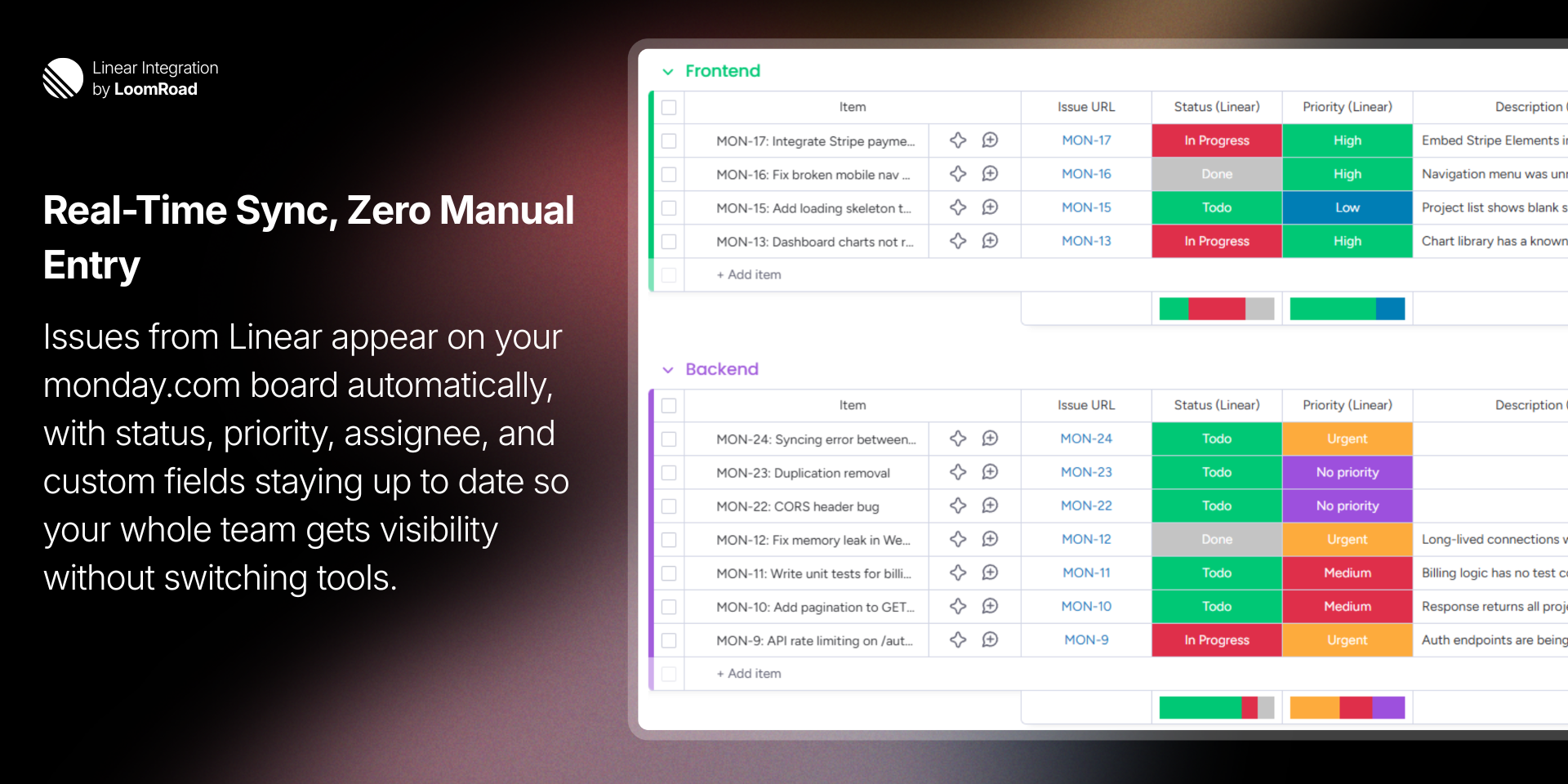
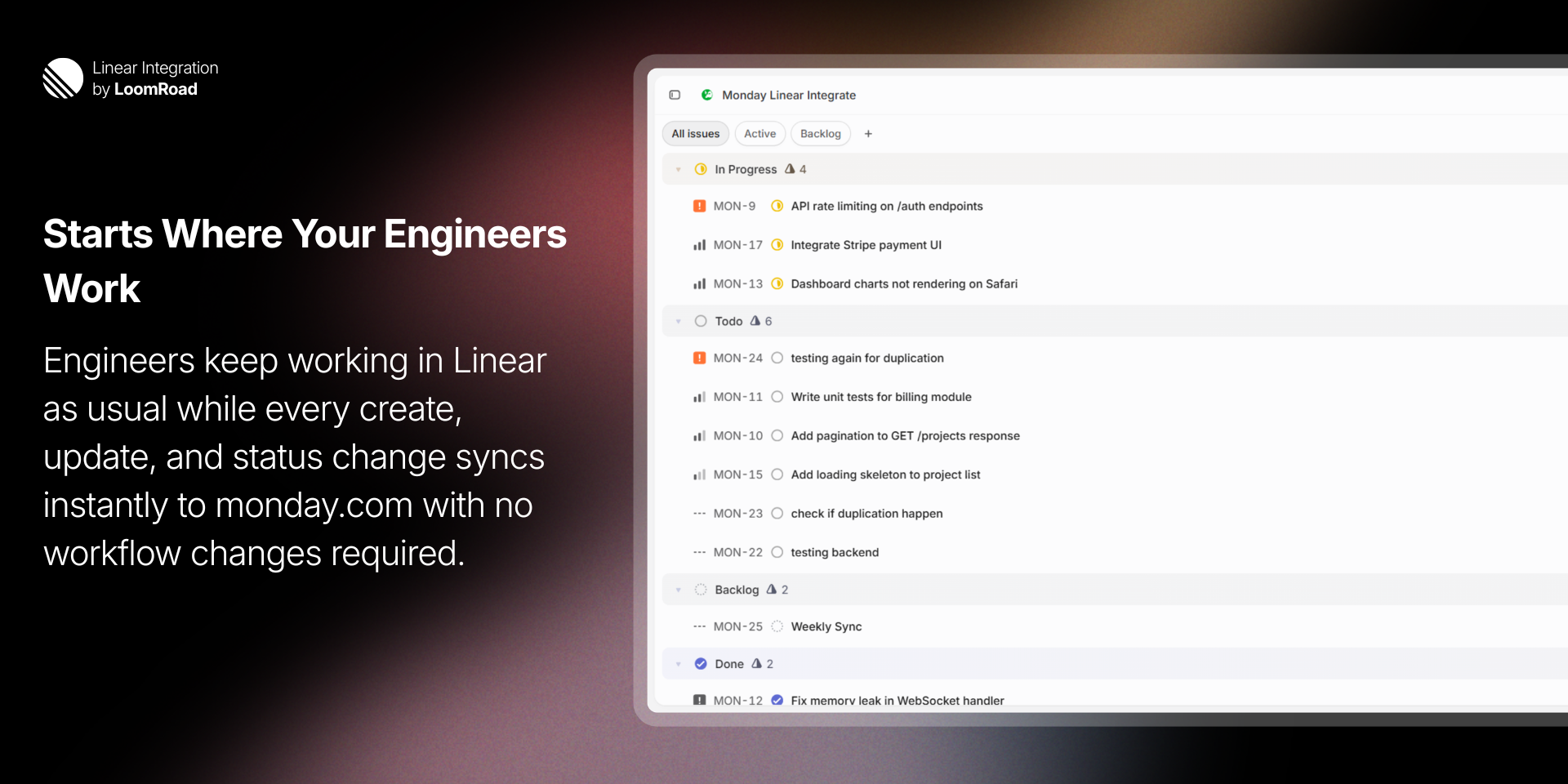
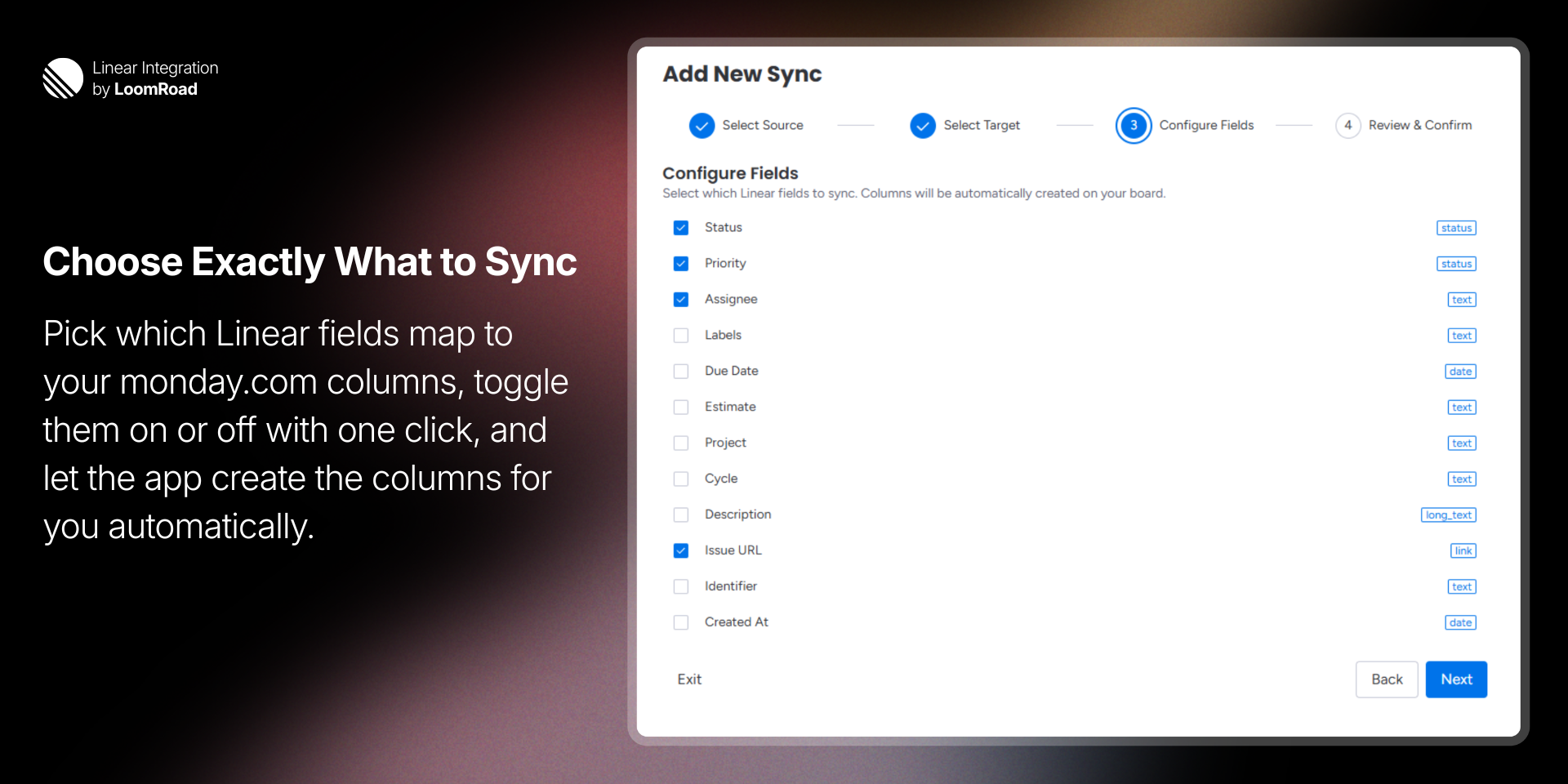
"description": "<p><strong>Linear Integration</strong> syncs your Linear issues to monday.com boards <strong>in real time</strong>, giving your entire team visibility into engineering work without leaving monday.com.</p><p><br></p><p><em>This app requires admin permissions on </em><a href=\"http://monday.com/\" rel=\"noopener noreferrer\" target=\"_blank\"><em>monday.com</em></a><em> to configure. Non-admin users will see a message directing them to contact their admin.</em></p><p><br></p><p>When an issue is created, updated, or closed in Linear, the change appears on your <a href=\"http://monday.com/\" rel=\"noopener noreferrer\" target=\"_blank\">monday.com</a> board <strong>within seconds</strong>. Fields supported include:</p><ul><li><strong>Status</strong> — workflow states mapped to <a href=\"http://monday.com/\" rel=\"noopener noreferrer\" target=\"_blank\">monday.com</a> status labels</li><li><strong>Priority</strong> — Urgent, High, Medium, Low</li><li><strong>Assignee</strong>, <strong>Labels</strong>, <strong>Due Date</strong>, <strong>Estimate</strong></li><li><strong>Cycle</strong>, <strong>Project</strong>, <strong>Description</strong>, <strong>Issue URL</strong>, and more</li></ul><p><u>Getting started takes under two minutes.</u> A guided <strong>four-step wizard</strong> lets you:</p><ol><li>Select a Linear team and projects</li><li>Choose a target group on your board</li><li>Configure which fields to sync</li><li>Review and confirm — columns are created automatically</li></ol><p>You can sync existing issues on setup or start fresh with only new issues going forward.</p><p><br></p><p>Each board supports <strong>multiple syncs</strong>, so you can pull issues from different teams or projects into separate groups on the same board. <em>Pause, resume, or delete any sync at any time.</em></p><p><br></p><p><strong>Key features:</strong></p><ul><li><strong>One-way real-time sync</strong> from Linear to <a href=\"http://monday.com/\" rel=\"noopener noreferrer\" target=\"_blank\">monday.com</a></li><li><strong>Automatic column creation</strong> based on your field selections</li><li><strong>Multi-sync support</strong> per board for cross-team visibility</li><li><strong>Guided setup wizard</strong> — no configuration files or code</li><li><strong>Immediate data deletion</strong> on app uninstall</li></ul><p><em>Built for teams where engineering lives in Linear and the rest of the organization runs on </em><a href=\"http://monday.com/\" rel=\"noopener noreferrer\" target=\"_blank\"><em>monday.com</em></a><em>.</em></p><p><br></p><p>Need help? Visit our <a href=\"https://loomroad.com/support/\" rel=\"noopener noreferrer\" target=\"_blank\">support page</a> or read the <a href=\"https://loomroad.com/instructions/\" rel=\"noopener noreferrer\" target=\"_blank\">full documentation</a>.</p>",
"short_description": "Sync Linear issues to monday.com boards in real time",
"thumbnail_url": "https://cdn.monday.com/marketplace/10001131/10001131_2026_3_2_8_43_12_69fz0c9.png",
"logo_url": "https://cdn.monday.com/marketplace/10001131/10001131_2026_3_2_8_42_56_m0opvzk.png",
"feedback_url": "support@loomroad.com",
"privacy_policy_url": "https://loomroad.com/privacy",
"featured": false,
"name": "Linear Integration",
"how_to_use_url": "https://loomroad.com/instructions-iframe/",
"external_pricing_url": null,
"keywords": "linear,sync, issues,integration,engineering,project management,real-time,developer tools,issue tracking,two-way visibility",
"compliance_answers": [],
"created_at": "2026-04-02T08:42:34.303Z",
"updated_at": "2026-04-02T08:44:16.069Z",
"automation_app_id": null,
"marketplace_category_ids": [],
"pinned_for_categories_ids": [],
"featured_for_categories_ids": [],
"pricing_data": "14 days trial",
"label": null,
"app_values": [
"Everyday tasks"
],
"security": false,
"display_in_template_store": false,
"acquisition_source": "No touch",
"is_connector": false,
"terms_of_service_url": "https://loomroad.com/terms",
"available_for_tiers": [],
"available_for_products": [],
"google_analytics_tag_id": null,
"is_solution": false,
"app_scope_str": "boards:write,boards:read,me:read",
"app_client_id": "7f650657a51db80661b3fca5054cdc42",
"app_color": {
"hsl": {
"h": 345.44117647058823,
"s": 0,
"l": 0.2,
"a": 1
},
"hex": "#333333",
"rgb": {
"r": 51,
"g": 51,
"b": 51,
"a": 1
},
"hsv": {
"h": 345.44117647058823,
"s": 0,
"v": 0.2,
"a": 1
},
"oldHue": 345.44117647058823,
"source": "hex"
},
"plans": null,
"app_live_version": {
"updated_at": "2026-03-27T13:47:34.734Z",
"id": 13700044
},
"pricing_model": null,
"badges_data": {
"pricing_data": "14 days trial",
"app_values": [
"Everyday tasks"
],
"security": false,
"acquisition_source": "No touch",
"display_in_template_store": false
},
"data": {
"is_connector": false,
"google_analytics_tag_id": null,
"is_solution": false,
"terms_of_service_url": "https://loomroad.com/terms",
"available_for_tiers": [],
"available_for_products": []
},
"display": null,
"installsDelta": {
"totalInstalls": 2
}
}