Bulk board operations made simple Transform Workspace Management with Workspace Admin Toolkit for monday.com
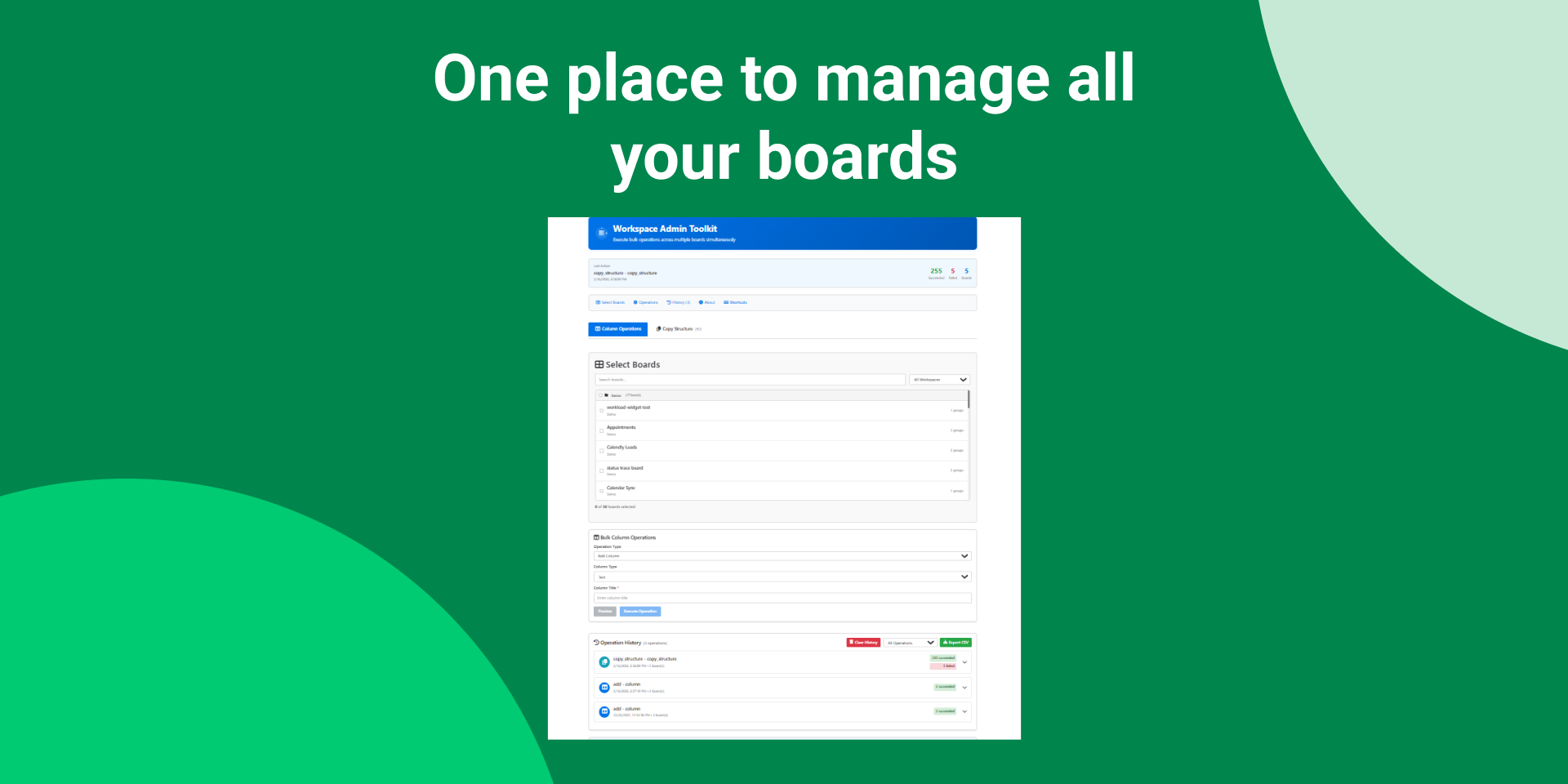
Workspace Admin Toolkit enables Workspace and Board Admins to perform bulk operations across multiple monday.com boards from one centralized interface—saving time, reducing repetitive manual work, and maintaining consistent board structures across teams.
🔑 Key Features
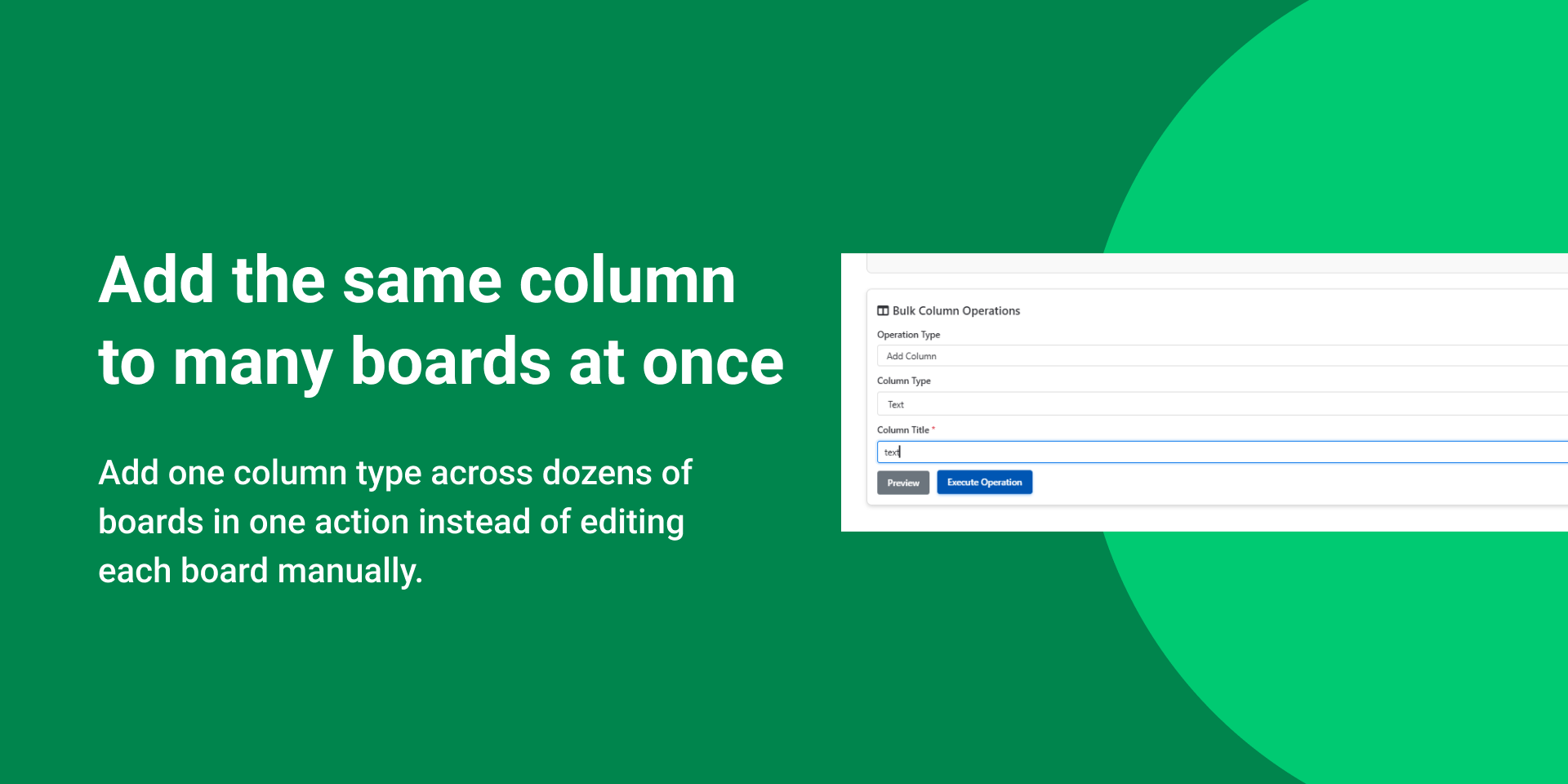
🧱 Bulk Column Operations
Add, rename, or delete columns across multiple boards at once.
Supports common column types such as Text, Status, Date, Numbers, and People.
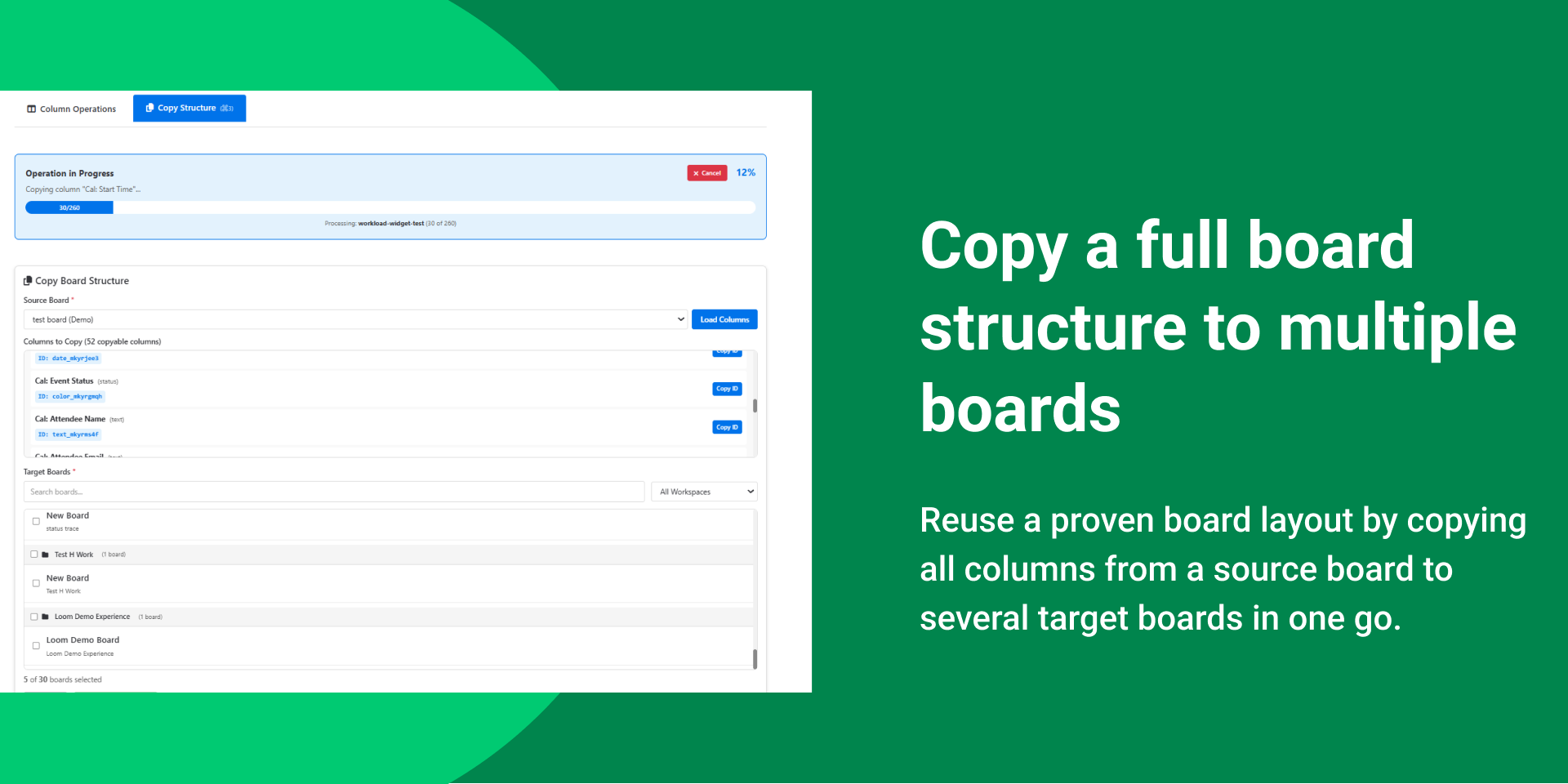
📋 Copy Board Structure
Copy all columns from a source board to multiple target boards instantly.
Column settings are preserved, while system columns (item name, subitems) are excluded.
🔍 Smart Board Selection
Search and filter boards by workspace.
Select multiple boards and review a clear action summary before execution.
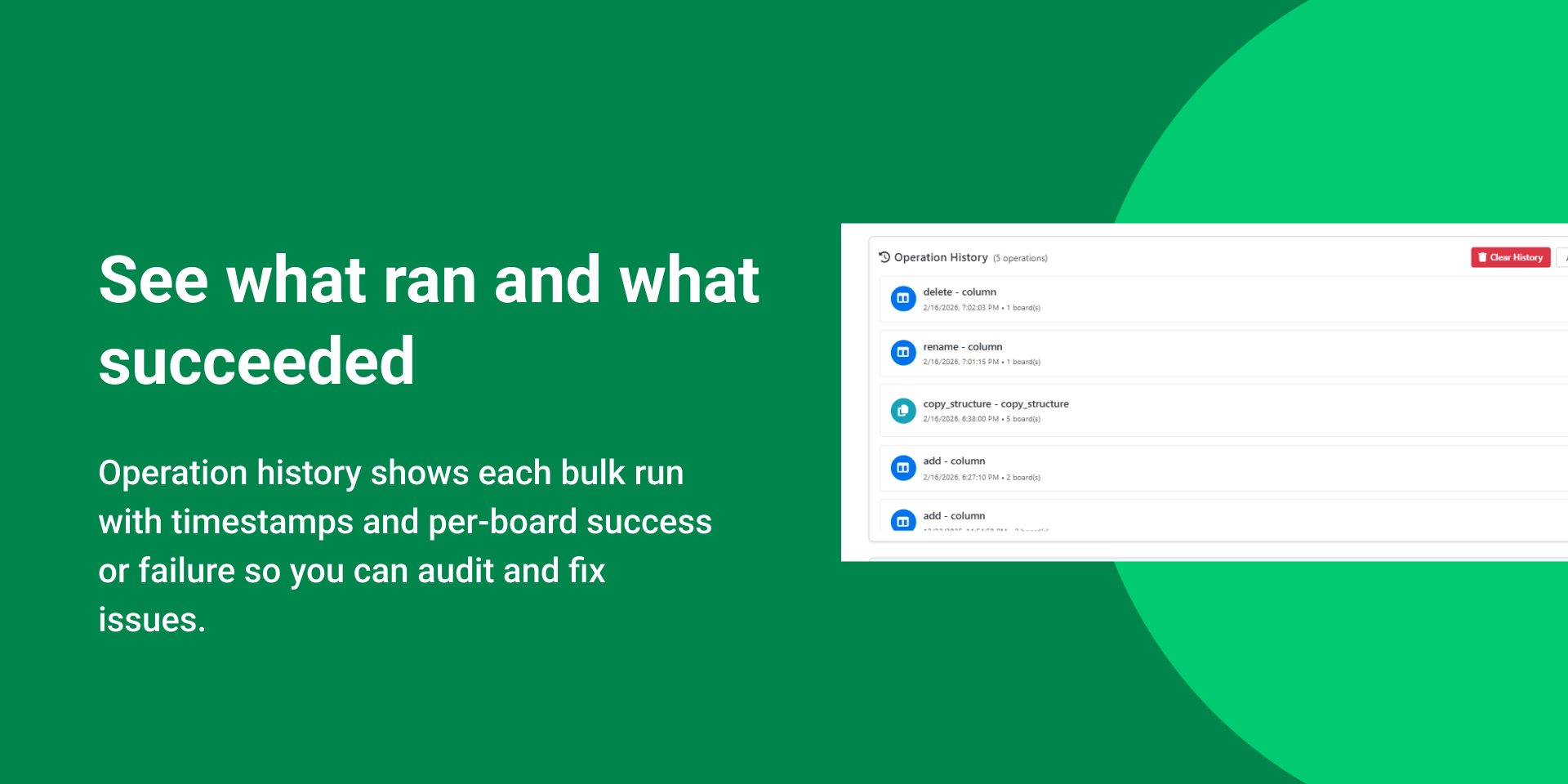
🕒 Operation History & Tracking
Every bulk action is logged with:
Timestamp, Operation type,Per-board success or failure status
Export logs as CSV for audits and reporting.
🚀 Problems We Solve
Inconsistent board structures across projects, Time-consuming manual updates, Lack of visibility into bulk changes, Scaling workspace management challenges
👥 Who It’s For
Workspace Admins, Operations Managers, and System Admins managing multiple boards at scale.
🔐 Secure by Design
Your data remains within your monday.com account.
The app uses monday.com ’s API and secure user-scoped storage. No external databases are used.
⚠️ Requirements
Admin or Workspace Admin permissions are required.
💬 Need Help?
https://satisfactiondrivers.com/contact-us/
App metadata ID: 10001112 • App ID: 10707501 • Listing updated: March 17, 2026 View app data JSON {
"id": 10001112,
"marketplace_developer_id": 100000026,
"app_id": 10707501,
"app_type": "app",
"security_info": {},
"gallery_assets": [
{
"url": "https://cdn.monday.com/marketplace/10001112/10001112_2026_2_17_9_47_35_vx20ng6l.png",
"type": "image"
},
{
"url": "https://cdn.monday.com/marketplace/10001112/10001112_2026_2_17_9_48_4_8ksqgrv.png",
"type": "image"
},
{
"url": "https://cdn.monday.com/marketplace/10001112/10001112_2026_2_17_9_48_15_mkd665w.png",
"type": "image"
},
{
"url": "https://cdn.monday.com/marketplace/10001112/10001112_2026_2_17_9_48_25_axpiqp9.png",
"type": "image"
},
{
"url": "https://cdn.monday.com/marketplace/10001112/10001112_2026_2_17_9_49_22_j9wyiht.mp4",
"type": "video"
}
],
"description": "<p><strong>Transform Workspace Management with Workspace Admin Toolkit for </strong><a href=\"http://monday.com/\" rel=\"noopener noreferrer\" target=\"_blank\"><strong>monday.com</strong></a></p><p>Workspace Admin Toolkit enables Workspace and Board Admins to perform bulk operations across multiple <a href=\"http://monday.com/\" rel=\"noopener noreferrer\" target=\"_blank\">monday.com</a> boards from one centralized interface—saving time, reducing repetitive manual work, and maintaining consistent board structures across teams.</p><p><strong>🔑 Key Features</strong></p><p><strong>🧱 Bulk Column Operations</strong></p><p>Add, rename, or delete columns across multiple boards at once.</p><p>Supports common column types such as Text, Status, Date, Numbers, and People.</p><p><strong>📋 Copy Board Structure</strong></p><p>Copy all columns from a source board to multiple target boards instantly.</p><p>Column settings are preserved, while system columns (item name, subitems) are excluded.</p><p><strong>🔍 Smart Board Selection</strong></p><p>Search and filter boards by workspace.</p><p>Select multiple boards and review a clear action summary before execution.</p><p><strong>🕒 Operation History & Tracking</strong></p><p>Every bulk action is logged with:</p><p>Timestamp, Operation type,Per-board success or failure status</p><p>Export logs as CSV for audits and reporting.</p><p><strong>🚀 Problems We Solve</strong></p><p>Inconsistent board structures across projects, Time-consuming manual updates, Lack of visibility into bulk changes, Scaling workspace management challenges</p><p><strong>👥 Who It’s For</strong></p><p>Workspace Admins, Operations Managers, and System Admins managing multiple boards at scale.</p><p><strong>🔐 Secure by Design</strong></p><p>Your data remains within your <a href=\"http://monday.com/\" rel=\"noopener noreferrer\" target=\"_blank\">monday.com</a> account.</p><p>The app uses <a href=\"http://monday.com/\" rel=\"noopener noreferrer\" target=\"_blank\">monday.com</a>’s API and secure user-scoped storage. No external databases are used.</p><p><strong>⚠️ Requirements</strong></p><p>Admin or Workspace Admin permissions are required.</p><p><strong>💬 Need Help?</strong></p><p><a href=\"https://satisfactiondrivers.com/contact-us/\" rel=\"noopener noreferrer\" target=\"_blank\">https://satisfactiondrivers.com/contact-us/</a></p>",
"short_description": "Bulk board operations made simple",
"thumbnail_url": "https://cdn.monday.com/marketplace/10001112/10001112_2026_2_17_9_46_18_n678ggd.png",
"logo_url": "https://cdn.monday.com/marketplace/10001112/10001112_2026_2_17_9_45_46_z2mn4nm.png",
"feedback_url": "tech@satisfactiondrivers.com",
"privacy_policy_url": "https://satisfactiondrivers.com/privacy-policy/",
"featured": false,
"name": "Workspace Admin Toolkit",
"how_to_use_url": null,
"external_pricing_url": null,
"keywords": "bulk operations,column management,board management,workspace admin,automation,batch processing,board structure,administration,board templates,multi-board",
"compliance_answers": [],
"created_at": "2026-03-17T09:41:43.104Z",
"updated_at": "2026-03-17T11:05:54.218Z",
"automation_app_id": null,
"marketplace_category_ids": [],
"pinned_for_categories_ids": [],
"featured_for_categories_ids": [],
"pricing_data": "14 days trial",
"label": null,
"app_values": [
"Everyday tasks"
],
"security": false,
"display_in_template_store": false,
"acquisition_source": "No touch",
"is_connector": false,
"terms_of_service_url": "https://satisfactiondrivers.com/terms-and-conditions/",
"available_for_tiers": [],
"available_for_products": [],
"google_analytics_tag_id": null,
"is_solution": false,
"app_scope_str": "boards:read,boards:write,me:read,workspaces:read,account:read",
"app_client_id": "2490e6cdd2d586eb46b9a7554580f70e",
"app_color": {
"hsl": {
"h": 206.47058823529414,
"s": 0,
"l": 0.2,
"a": 1
},
"hex": "#333333",
"rgb": {
"r": 51,
"g": 51,
"b": 51,
"a": 1
},
"hsv": {
"h": 206.47058823529414,
"s": 0,
"v": 0.2,
"a": 1
},
"oldHue": 206.47058823529414,
"source": "hex"
},
"plans": null,
"app_live_version": {
"updated_at": "2026-03-17T05:21:44.771Z",
"id": 13468245
},
"pricing_model": null,
"badges_data": {
"pricing_data": "14 days trial",
"app_values": [
"Everyday tasks"
],
"security": false,
"acquisition_source": "No touch",
"display_in_template_store": false
},
"data": {
"is_connector": false,
"google_analytics_tag_id": null,
"is_solution": false,
"terms_of_service_url": "https://satisfactiondrivers.com/terms-and-conditions/",
"available_for_tiers": [],
"available_for_products": []
},
"display": null,
"installsDelta": {
"totalInstalls": null
}
}