Real-time security dashboards for your monday.com workspace AuditSentry SIEM strengthens your monday.com enterprise security by centralizing audit logs, security events, and risk signals into a single, actionable security intelligence platform.
Modern monday.com accounts generate vast amounts of activity data - user actions, permission changes, authentication events, and administrative operations. Without proper visibility, critical security signals can be missed. AuditSentry SIEM gives security and IT teams full transparency into account activity, helping them detect anomalies, investigate incidents, and demonstrate compliance with confidence.
By transforming raw audit logs into structured insights, AuditSentry SIEM enables proactive security monitoring and faster incident response - without external tools or complex integrations.
🔐 Key Features
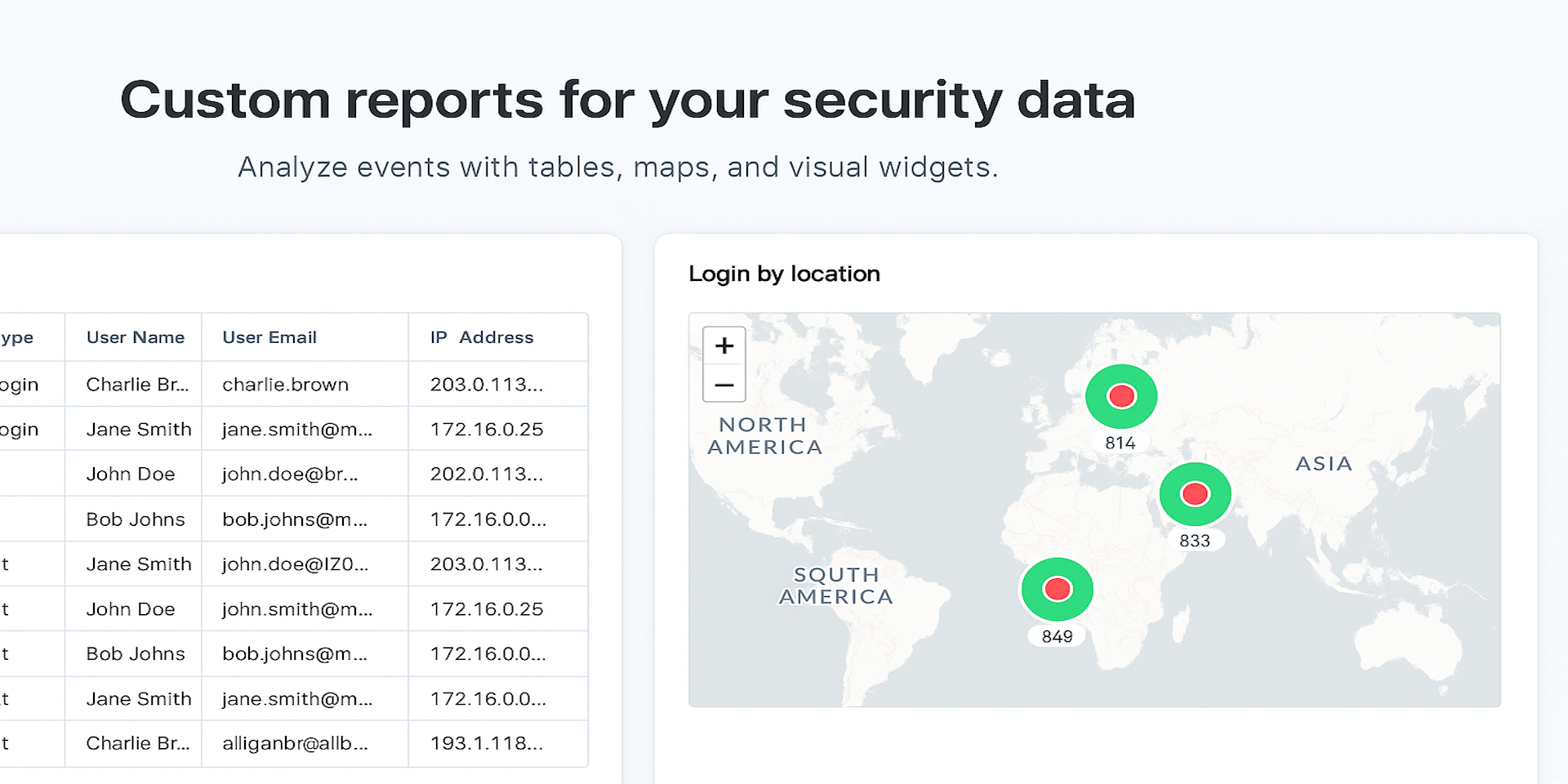
Centralized audit log visibility
View all monday.com audit log events in one unified dashboard.
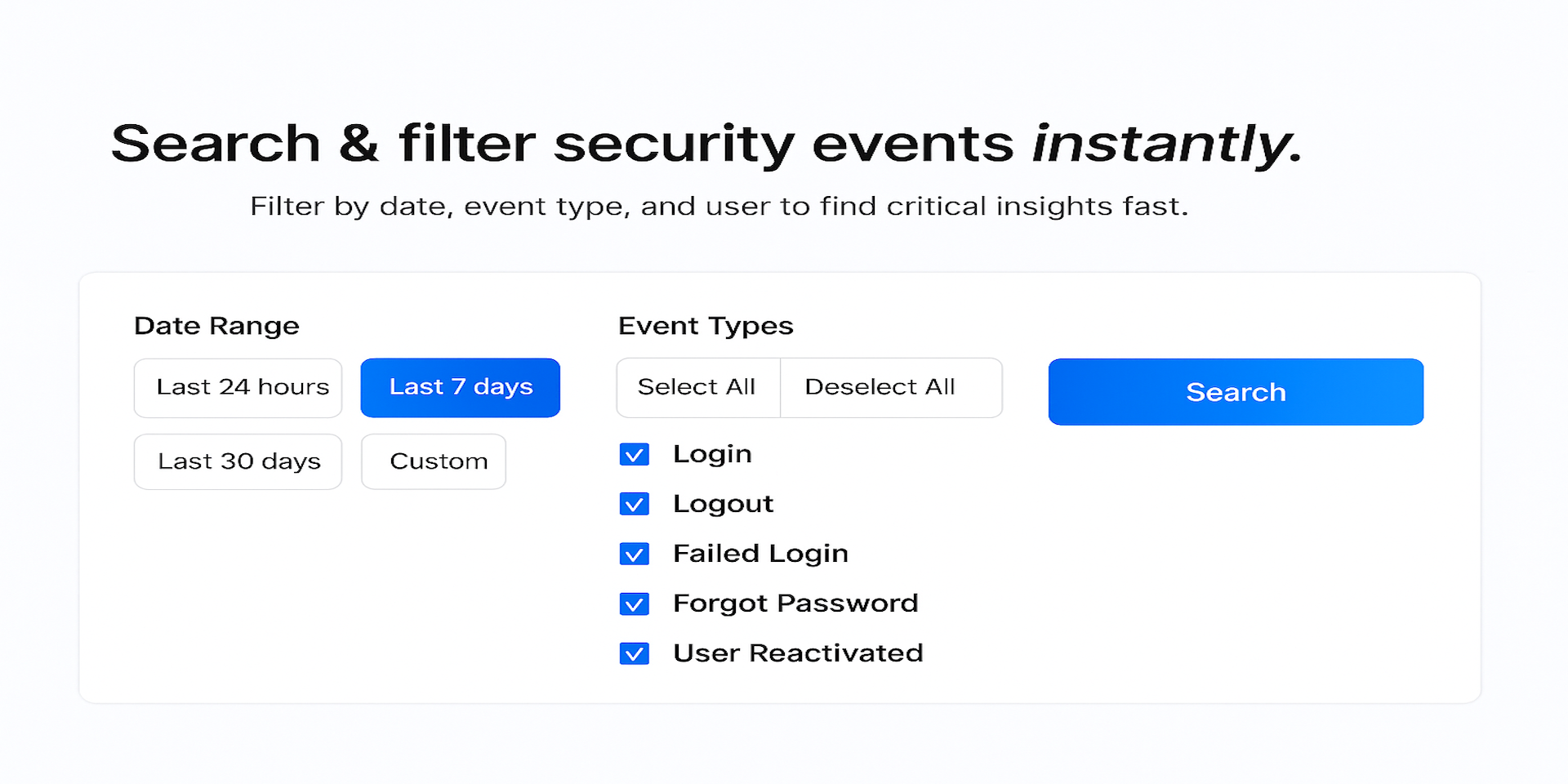
Advanced event filtering & search
Quickly filter by user, action type, timeframe, or risk category.
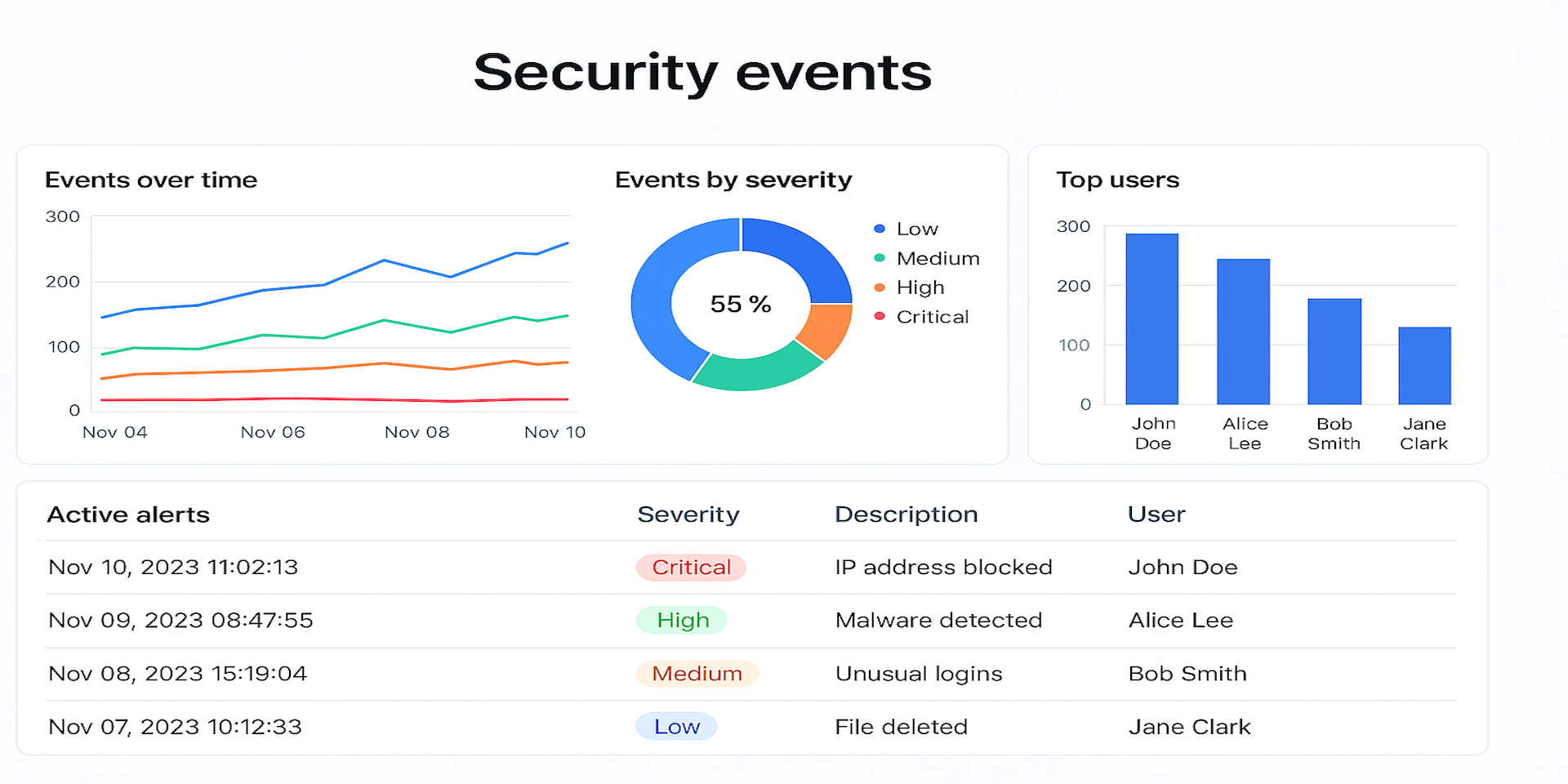
Security-focused dashboards
Visualize sensitive actions such as permission changes, admin activity, and login events.
Anomaly & risk detection
Identify unusual behavior patterns and potentially risky actions.
Incident investigation readiness
Drill down into detailed event timelines for fast root-cause analysis.
Compliance support
Maintain audit trails to support SOC 2, ISO 27001, GDPR, and internal governance requirements.
Enterprise-ready access
Built specifically for Enterprise accounts with access to monday.com Audit Logs.
Fast setup, no complexity
Activate within minutes - no agents, no external SIEM required.
Whether you’re securing sensitive data, preparing for compliance audits, or strengthening internal governance, AuditSentry SIEM gives you the visibility and control needed to protect your monday.com environment with confidence.
👉 Book a live demo:
https://calendar.app.google/JBSzSk6HLQKnW6nN7
Only available to admin users on Enterprise accounts with the Audit Log feature enabled.
App metadata ID: 10001035 • App ID: 10684868 • Listing updated: January 26, 2026 View app data JSON {
"id": 10001035,
"marketplace_developer_id": 100000122,
"app_id": 10684868,
"app_type": "app",
"security_info": {},
"gallery_assets": [
{
"url": "https://cdn.monday.com/marketplace/10001035/10001035_2026_0_26_8_11_42_7b6c1ca.png",
"type": "image"
},
{
"url": "https://cdn.monday.com/marketplace/10001035/10001035_2026_0_26_8_11_49_wvpllqg.png",
"type": "image"
},
{
"url": "https://cdn.monday.com/marketplace/10001035/10001035_2026_0_26_8_11_58_nxffphf.png",
"type": "image"
},
{
"url": "https://cdn.monday.com/marketplace/10001035/10001035_2026_0_26_8_12_48_x9skll.mp4",
"type": "video"
}
],
"description": "<p><strong>AuditSentry SIEM</strong> strengthens your <a href=\"http://monday.com/\" rel=\"noopener noreferrer\" target=\"_blank\">monday.com</a> enterprise security by centralizing audit logs, security events, and risk signals into a single, actionable security intelligence platform.</p><p>Modern <a href=\"http://monday.com/\" rel=\"noopener noreferrer\" target=\"_blank\">monday.com</a> accounts generate vast amounts of activity data - user actions, permission changes, authentication events, and administrative operations. Without proper visibility, critical security signals can be missed. AuditSentry SIEM gives security and IT teams full transparency into account activity, helping them detect anomalies, investigate incidents, and demonstrate compliance with confidence.</p><p>By transforming raw audit logs into structured insights, AuditSentry SIEM enables proactive security monitoring and faster incident response - without external tools or complex integrations.</p><p><strong>🔐 Key Features</strong></p><p><strong>Centralized audit log visibility</strong></p><p>View all <a href=\"http://monday.com/\" rel=\"noopener noreferrer\" target=\"_blank\">monday.com</a> audit log events in one unified dashboard.</p><p><strong>Advanced event filtering & search</strong></p><p>Quickly filter by user, action type, timeframe, or risk category.</p><p><strong>Security-focused dashboards</strong></p><p>Visualize sensitive actions such as permission changes, admin activity, and login events.</p><p><strong>Anomaly & risk detection</strong></p><p>Identify unusual behavior patterns and potentially risky actions.</p><p><strong>Incident investigation readiness</strong></p><p>Drill down into detailed event timelines for fast root-cause analysis.</p><p><strong>Compliance support</strong></p><p>Maintain audit trails to support SOC 2, ISO 27001, GDPR, and internal governance requirements.</p><p><strong>Enterprise-ready access</strong></p><p>Built specifically for Enterprise accounts with access to <a href=\"http://monday.com/\" rel=\"noopener noreferrer\" target=\"_blank\">monday.com</a> Audit Logs.</p><p><strong>Fast setup, no complexity</strong></p><p>Activate within minutes - no agents, no external SIEM required.</p><p>Whether you’re securing sensitive data, preparing for compliance audits, or strengthening internal governance, <strong>AuditSentry SIEM</strong> gives you the visibility and control needed to protect your <a href=\"http://monday.com/\" rel=\"noopener noreferrer\" target=\"_blank\">monday.com</a> environment with confidence.</p><p>👉 <strong>Book a live demo:</strong></p><p><a href=\"https://calendar.app.google/JBSzSk6HLQKnW6nN7\" rel=\"noopener noreferrer\" target=\"_blank\">https://calendar.app.google/JBSzSk6HLQKnW6nN7</a></p><p>Only available to <strong>admin users</strong> on <strong>Enterprise accounts</strong> with the Audit Log feature enabled.</p>",
"short_description": "Real-time security dashboards for your monday.com workspace",
"thumbnail_url": "https://cdn.monday.com/marketplace/10001035/10001035_2026_0_26_8_11_10_yq0gnlj.png",
"logo_url": "https://cdn.monday.com/marketplace/10001035/10001035_2026_0_26_8_10_9_8ws9cu3.png",
"feedback_url": "support@user-sentry.com",
"privacy_policy_url": "https://user-sentry.com/privacypolicy",
"featured": false,
"name": "AuditSentry SIEM",
"how_to_use_url": "https://user-sentry.com/mondaysiemdocs",
"external_pricing_url": null,
"keywords": "Security Monitoring,Threat Detection,Audit Logs,User Activity Tracking,Failed Login Alerts,Automated Security Actions,Compliance Reporting,Workspace Security,Real-Time Dashboards,High-Risk Event Detection",
"compliance_answers": [],
"created_at": "2026-01-26T08:09:40.858Z",
"updated_at": "2026-01-26T08:13:22.606Z",
"automation_app_id": null,
"marketplace_category_ids": [
9
],
"pinned_for_categories_ids": [],
"featured_for_categories_ids": [],
"pricing_data": "14 days trial",
"label": null,
"app_values": [
"Everyday tasks"
],
"security": false,
"display_in_template_store": false,
"acquisition_source": "No touch",
"is_connector": false,
"terms_of_service_url": "https://user-sentry.com/termsofservice",
"available_for_tiers": [],
"available_for_products": [],
"google_analytics_tag_id": null,
"is_solution": false,
"app_scope_str": "me:read",
"app_client_id": "2a6e938a25d7e96f5e5c104e4a7ca05d",
"app_color": "#037f4c",
"plans": [
{
"id": "10684868-1-monitor",
"appPlanId": "monitor",
"name": "Monitor",
"versionId": 1,
"isTrial": true,
"prices": {
"type": "standard",
"monthly": 30,
"yearly": 25
},
"versionState": "live",
"appId": 10684868,
"description": "Monitor security activity with custom dashboards and advanced filtering",
"extraData": {
"bullets": [
"Security dashboard",
"Filters & saved views",
"Custom dashboards"
],
"monthlyFee": 30,
"yearlyFee": 25
},
"isFree": false,
"isRecommended": false,
"currency": "USD"
}
],
"app_live_version": {
"updated_at": "2026-01-11T23:48:36.569Z",
"id": 12267662
},
"pricing_model": null,
"badges_data": {
"pricing_data": "14 days trial",
"app_values": [
"Everyday tasks"
],
"security": false,
"acquisition_source": "No touch",
"display_in_template_store": false
},
"data": {
"is_connector": false,
"google_analytics_tag_id": null,
"is_solution": false,
"terms_of_service_url": "https://user-sentry.com/termsofservice",
"available_for_tiers": [],
"available_for_products": []
},
"display": null,
"installsDelta": {
"totalInstalls": 22,
"sevenDays": 0,
"thirtyDays": 5
}
}