App metadata ID: 10001011 • App ID: 10409942 • Listing updated: December 30, 2025 View app data JSON {
"id": 10001011,
"marketplace_developer_id": 100000128,
"app_id": 10409942,
"app_type": "app",
"security_info": {},
"gallery_assets": [
{
"url": "https://cdn.monday.com/marketplace/10001011/10001011_2025_11_30_8_11_32_lmqmdvzi.jpg",
"type": "image"
},
{
"url": "https://cdn.monday.com/marketplace/10001011/10001011_2025_11_30_8_11_38_y52gk9t.jpg",
"type": "image"
},
{
"url": "https://cdn.monday.com/marketplace/10001011/10001011_2025_11_30_8_11_43_ec7kg8k.jpg",
"type": "image"
},
{
"url": "https://cdn.monday.com/marketplace/10001011/10001011_2025_11_30_8_11_49_83aqzrck.jpg",
"type": "image"
},
{
"url": "https://cdn.monday.com/marketplace/10001011/10001011_2025_11_30_8_11_53_3c1n1dk.jpg",
"type": "image"
}
],
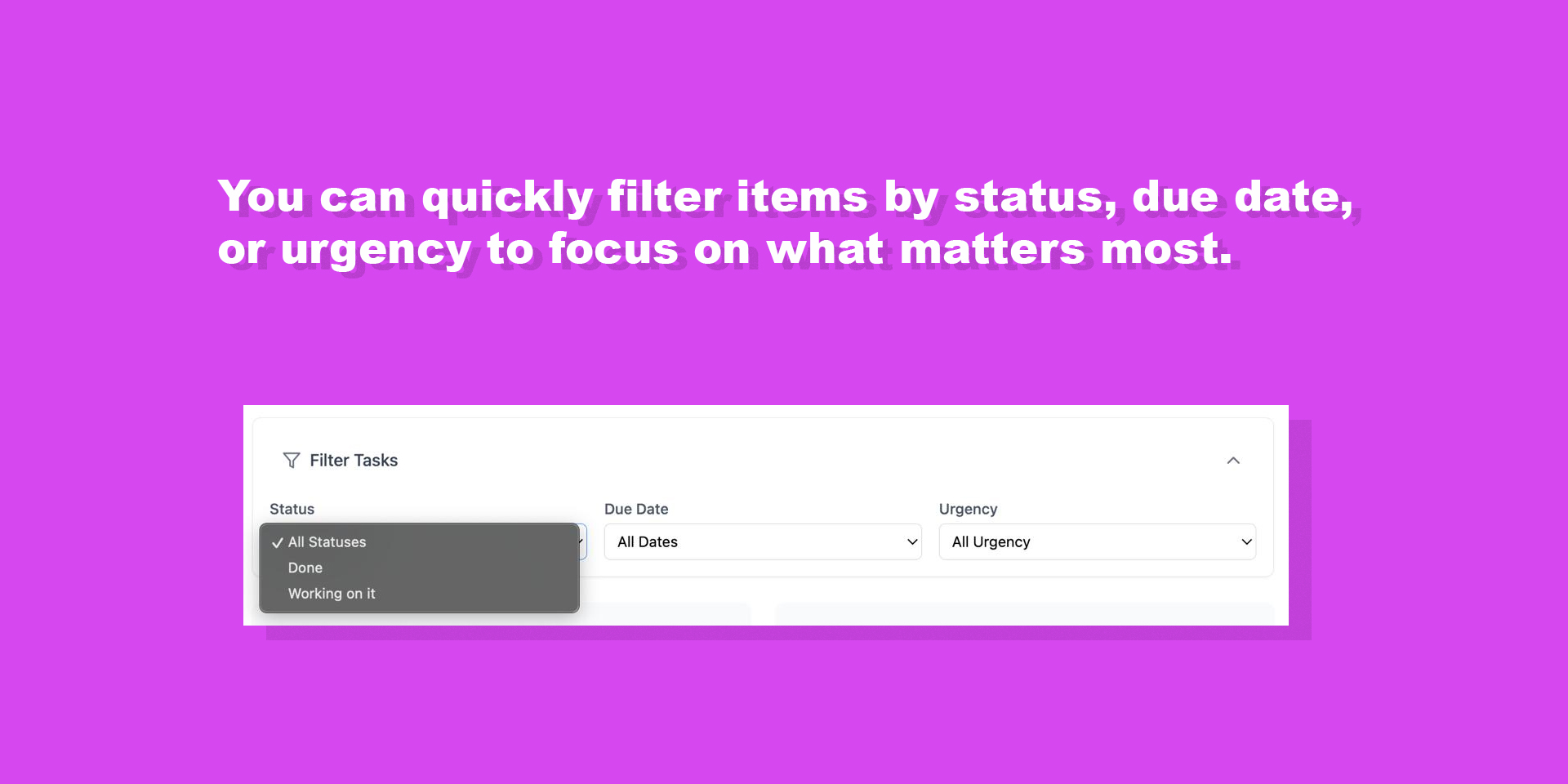
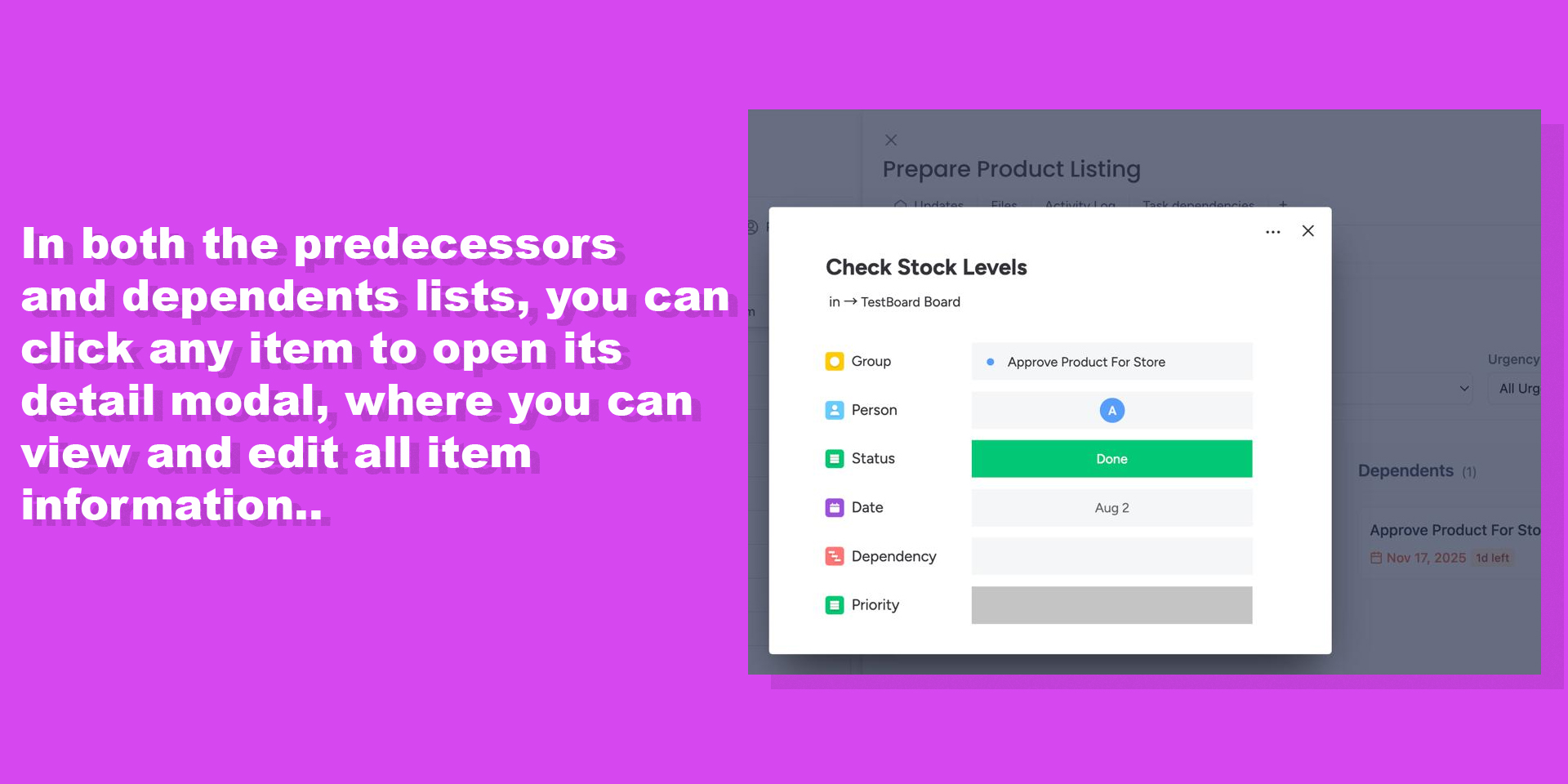
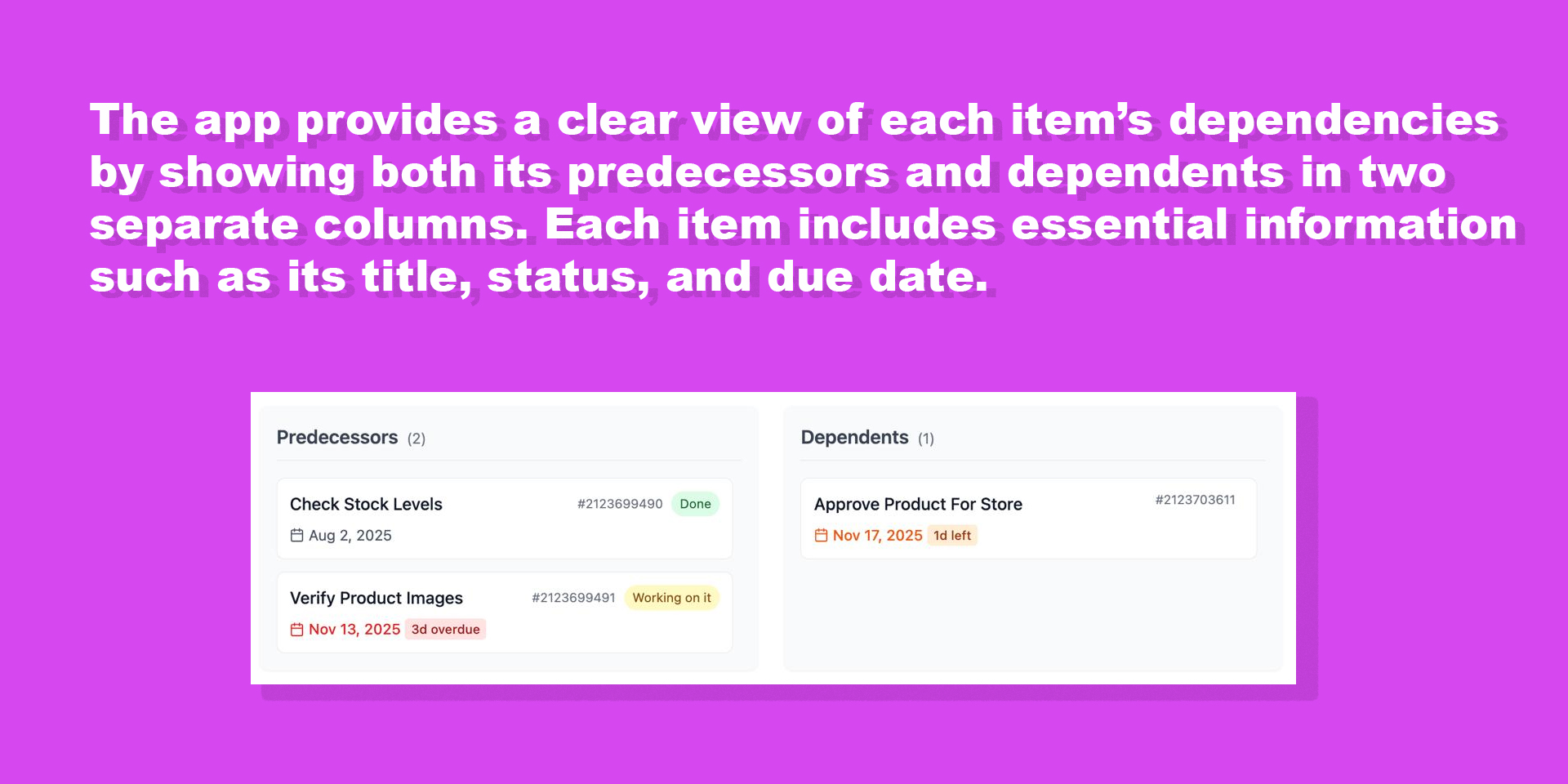
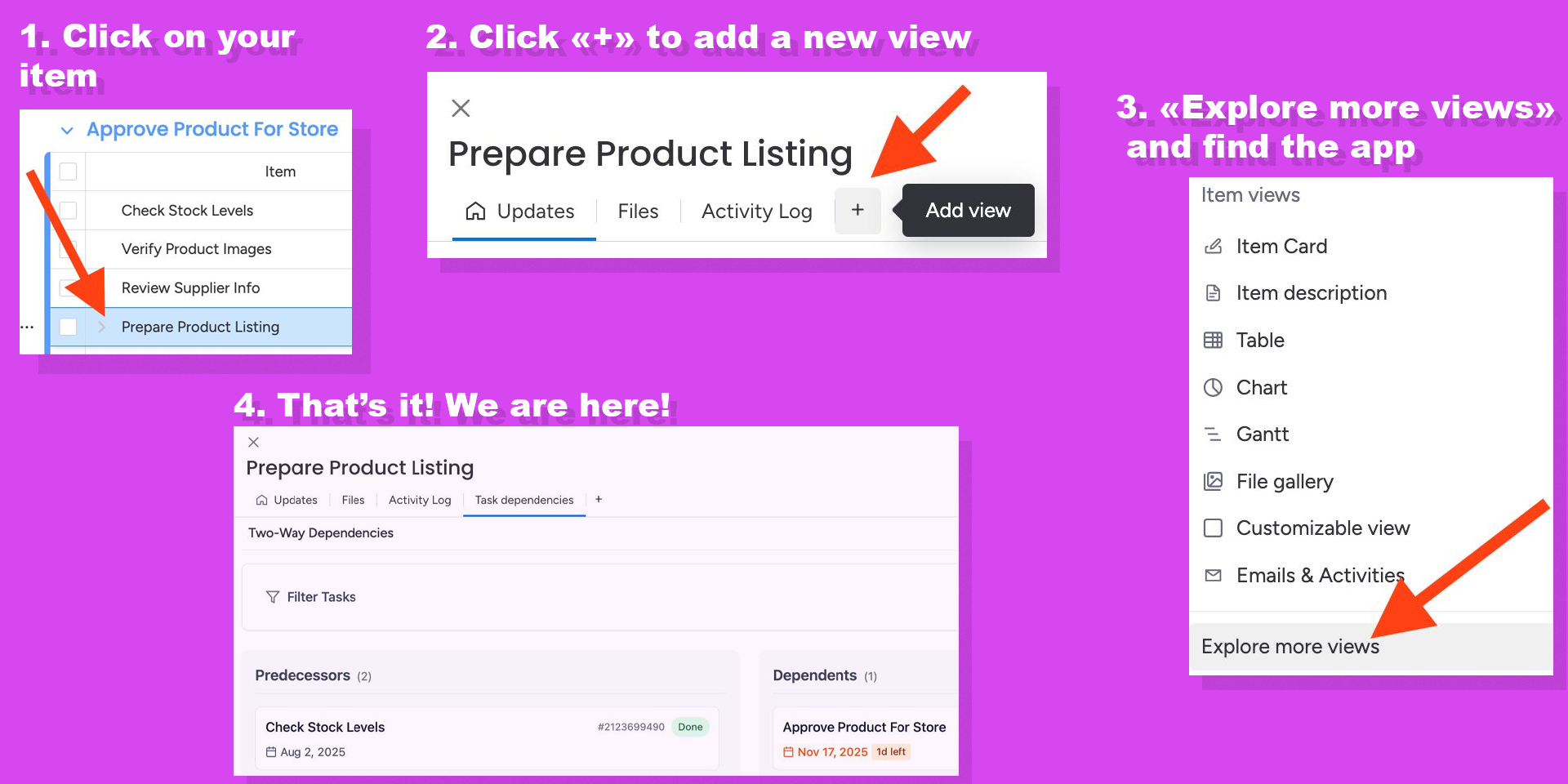
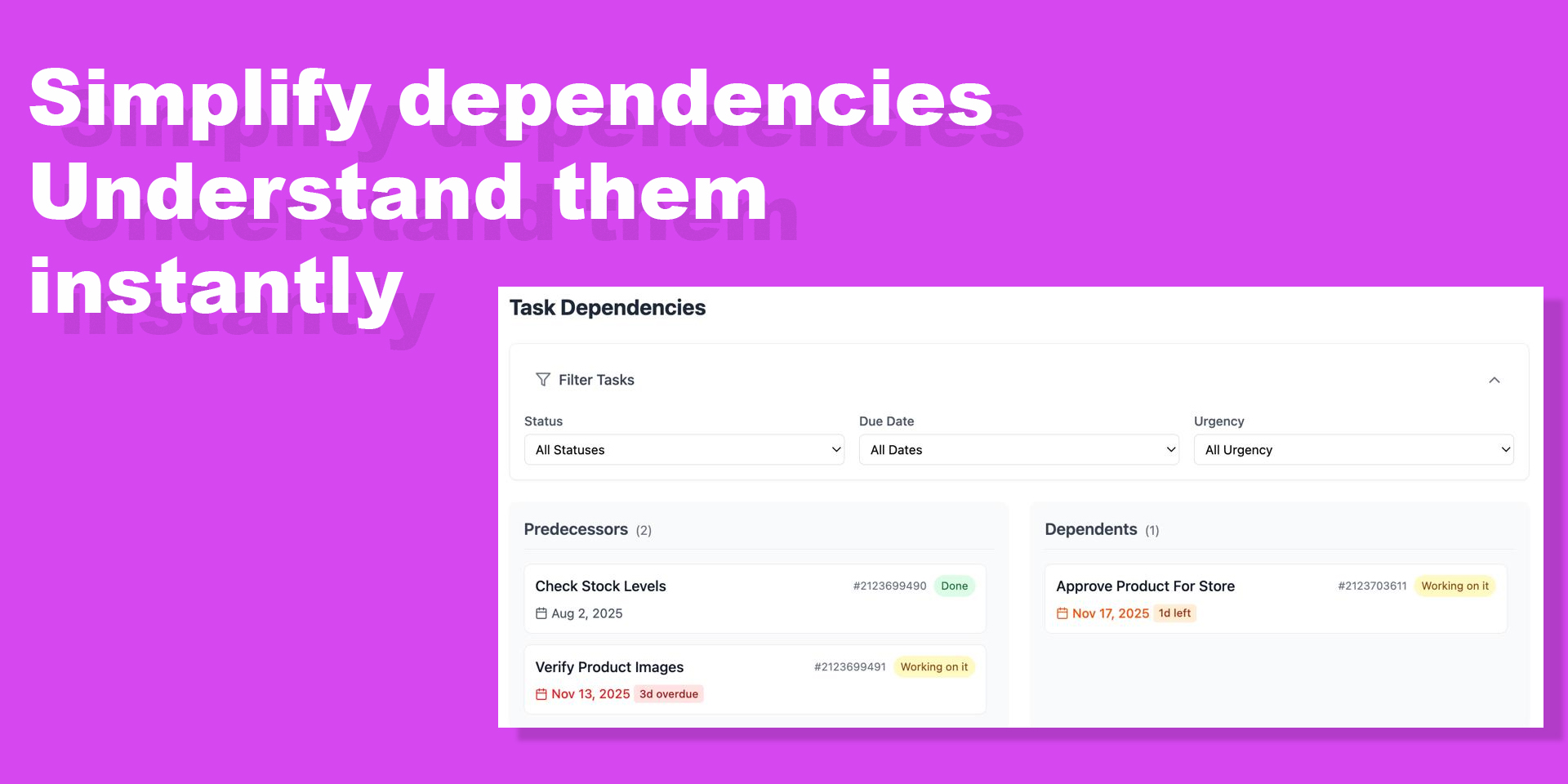
"description": "<p><strong>Two-Way Dependencies</strong> gives you a complete, instant overview of how your work connects inside <a href=\"http://monday.com/\" rel=\"noopener noreferrer\" target=\"_blank\">monday.com</a>. Within any item, it clearly displays both what your current task depends on (<strong>predecessors</strong>) and what depends on it (<strong>dependents</strong>) — helping you spot blockers, prerequisites, and critical paths in seconds.<strong>Key benefits:</strong></p><ul><li><strong>Instantly visualize</strong> upstream (predecessors) and downstream (dependents) dependencies</li><li><strong>Filter tasks</strong> by status, due date, or urgency to focus on what matters</li><li><strong>Prevent delays</strong> by identifying which tasks are blocked or blocking others</li><li><strong>See complete task details</strong> (name, status, due date) without leaving the item page</li><li><strong>Keep teams aligned</strong> with a clean, side-by-side view directly in your workflow</li></ul><p><strong>Use cases</strong>:</p><ul><li><strong>Project managers</strong> tracking interrelated tasks and identifying bottlenecks before they cause delays</li><li><strong>Product owners</strong> ensuring all prerequisites are completed before launching features</li><li><strong>Developers</strong> reviewing what needs to be done before they can start coding</li><li><strong>Team leads</strong> monitoring which team members are blocked and need support</li></ul><p>Designed to be <em>fast</em>, lightweight, and intuitive — no complex Gantt charts or board switching required. Everything you need is right where you're already working.</p><p><br></p><p>📖 <a href=\"https://dalshenekuda.github.io/task-manager-privacy/how-to-use.html\" rel=\"noopener noreferrer\" target=\"_blank\"><strong>How to Use Guide</strong></a> | 💰 <a href=\"https://dalshenekuda.github.io/task-manager-privacy/pricing.html\" rel=\"noopener noreferrer\" target=\"_blank\"><strong>View Pricing</strong></a> | 🔒 <a href=\"https://dalshenekuda.github.io/task-manager-privacy/privacy.html\" rel=\"noopener noreferrer\" target=\"_blank\"><strong>Privacy Policy</strong></a></p>",
"short_description": "View dependencies both ways. See item links instantly",
"thumbnail_url": "https://cdn.monday.com/marketplace/10001011/10001011_2025_11_30_8_11_5_puvznfn.jpg",
"logo_url": "https://cdn.monday.com/marketplace/10001011/10001011_2025_11_30_8_10_45_g3uwgva.jpg",
"feedback_url": "arseniyyyyyyy@gmail.com",
"privacy_policy_url": "https://dalshenekuda.github.io/task-manager-privacy/privacy.html",
"featured": false,
"name": "Two-Way Dependencies",
"how_to_use_url": "https://dalshenekuda.github.io/task-manager-privacy/how-to-use.html",
"external_pricing_url": null,
"keywords": "dependencies,predecessors,dependents,task relationships, dependency viewer,workflow management,dependency simplification,speed up dependencies",
"compliance_answers": [],
"created_at": "2025-12-30T08:10:25.045Z",
"updated_at": "2025-12-30T08:12:12.460Z",
"automation_app_id": null,
"marketplace_category_ids": [
10000001,
6,
5
],
"pinned_for_categories_ids": [],
"featured_for_categories_ids": [],
"pricing_data": "Free plan available",
"label": null,
"app_values": [
"Customized views"
],
"security": false,
"display_in_template_store": false,
"acquisition_source": "No touch",
"is_connector": false,
"terms_of_service_url": "https://dalshenekuda.github.io/task-manager-privacy/terms.html",
"available_for_tiers": [],
"available_for_products": [],
"google_analytics_tag_id": null,
"is_solution": false,
"app_scope_str": "boards:read",
"app_client_id": "9f89fb946ee93226c0fc258262fbf7f2",
"app_color": "#e2445c",
"plans": [
{
"id": "10409942-1-free",
"appPlanId": "free",
"name": "Free",
"versionId": 1,
"isTrial": false,
"prices": {
"type": "standard",
"monthly": 0,
"yearly": 0
},
"versionState": "live",
"appId": 10409942,
"description": "Up to 10 dependencies per item. Perfect for small teams getting started with dependency tracking.",
"extraData": {
"bullets": [
"Up to 10 dependencies per item",
"Click to open task details",
"Filter by status, due date, and urgency"
],
"monthlyFee": 0,
"yearlyFee": 0
},
"isFree": true,
"isRecommended": false,
"currency": "USD"
},
{
"id": "10409942-1-pro",
"appPlanId": "pro",
"name": "Pro",
"versionId": 1,
"isTrial": false,
"prices": {
"type": "standard",
"monthly": 5,
"yearly": 4
},
"versionState": "live",
"appId": 10409942,
"description": "Unlimited dependencies with full filtering. Ideal for teams managing complex projects with multiple task relationships.",
"extraData": {
"bullets": [
"Unlimited dependencies per item",
"Click to open task details",
"Filter by status, due date, and urgency",
"14-day free trial"
],
"monthlyFee": 5,
"yearlyFee": 4
},
"isFree": false,
"isRecommended": false,
"currency": "USD"
}
],
"app_live_version": {
"updated_at": "2025-12-28T15:13:19.269Z",
"id": 12118728
},
"pricing_model": null,
"badges_data": {
"pricing_data": "Free plan available",
"app_values": [
"Customized views"
],
"security": false,
"acquisition_source": "No touch",
"display_in_template_store": false
},
"data": {
"is_connector": false,
"google_analytics_tag_id": null,
"is_solution": false,
"terms_of_service_url": "https://dalshenekuda.github.io/task-manager-privacy/terms.html",
"available_for_tiers": [],
"available_for_products": []
},
"display": null,
"installsDelta": {
"totalInstalls": 20,
"sevenDays": 0,
"thirtyDays": 1,
"ninetyDays": 17
}
}