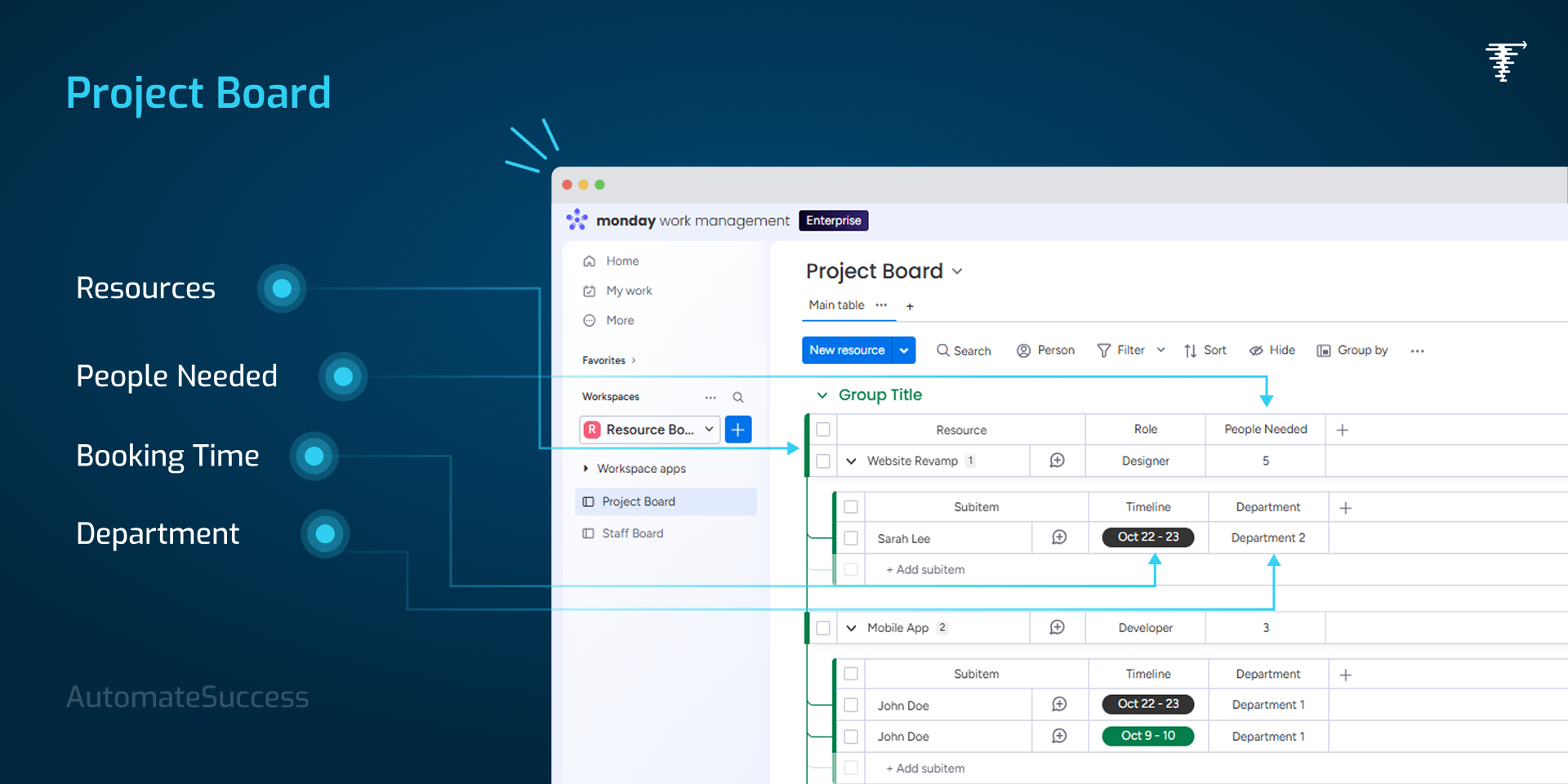
Manage offsite people & equipment when you cannot add them as monday users
Managing labour, offsite teams, contractors, or equipment that aren’t monday.com users?
The Resource Booking App lets you plan, track, and book resources who are offsite and not on monday platform, without adding them to the People column or buying extra licenses.
Get complete visibility into availability, prevent double bookings, and simplify resource planning across all your projects.
🚀 Key Benefits
No monday users required
Manage labour, offsite resources, freelancers, or equipment without creating monday users or People items.
Zero double bookings
The app automatically checks availability and prevents overlapping bookings—resources can only be booked if they’re truly free.
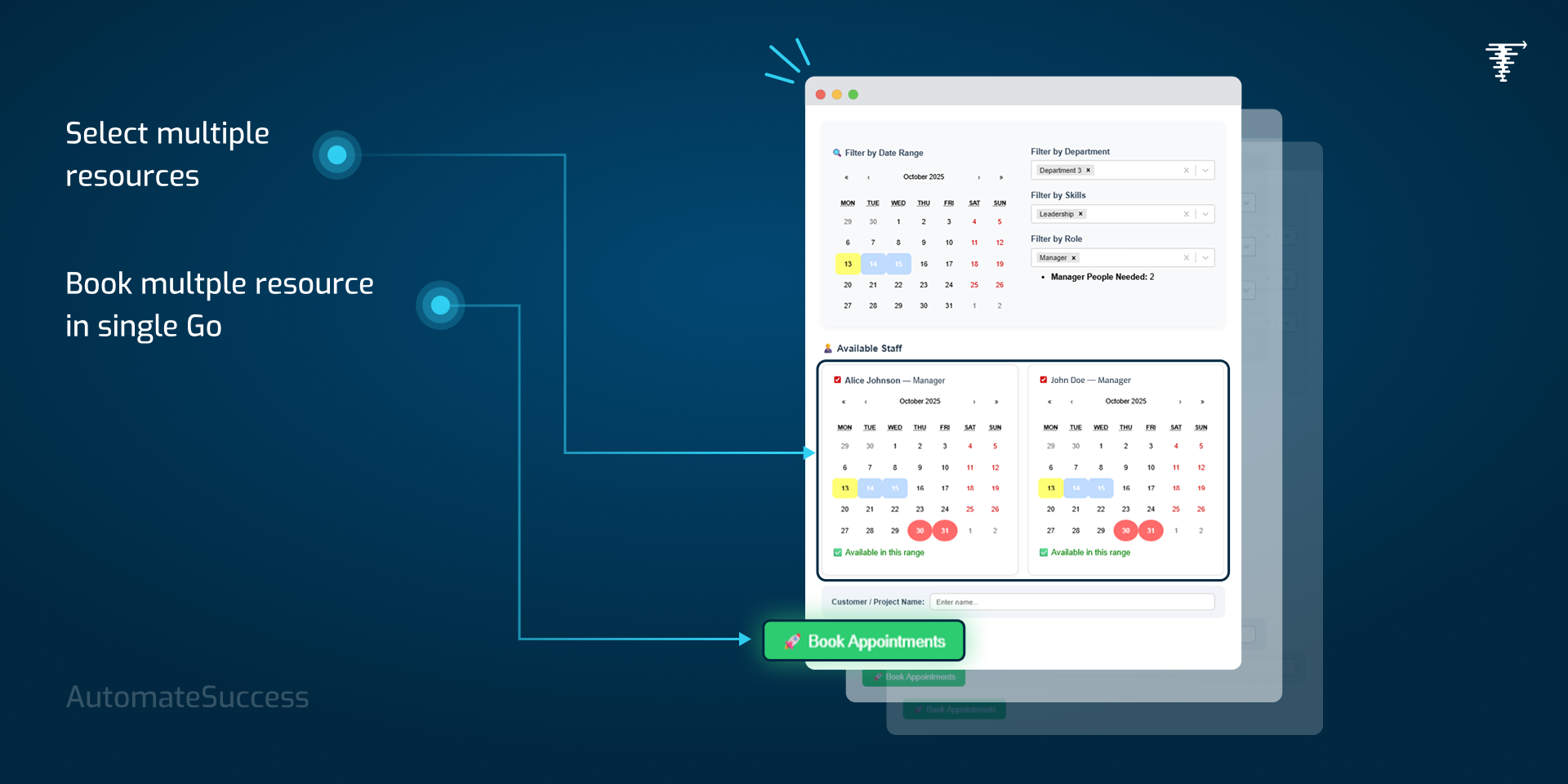
Book multiple resources in one go
Assign multiple resources or equipment to a project in a single action, saving time and effort.
Skill-based resource selection
Quickly find the right resource using filters like:
Skills
Availability
Department
Role (Project Manager, Designer, Developer, etc.)
Real-time utilization visibility
Track resource utilization across all projects to identify overuse, underuse, or idle capacity.
🧠 Powerful Features
No dependency on the People column
Automatic validation of occupied dates
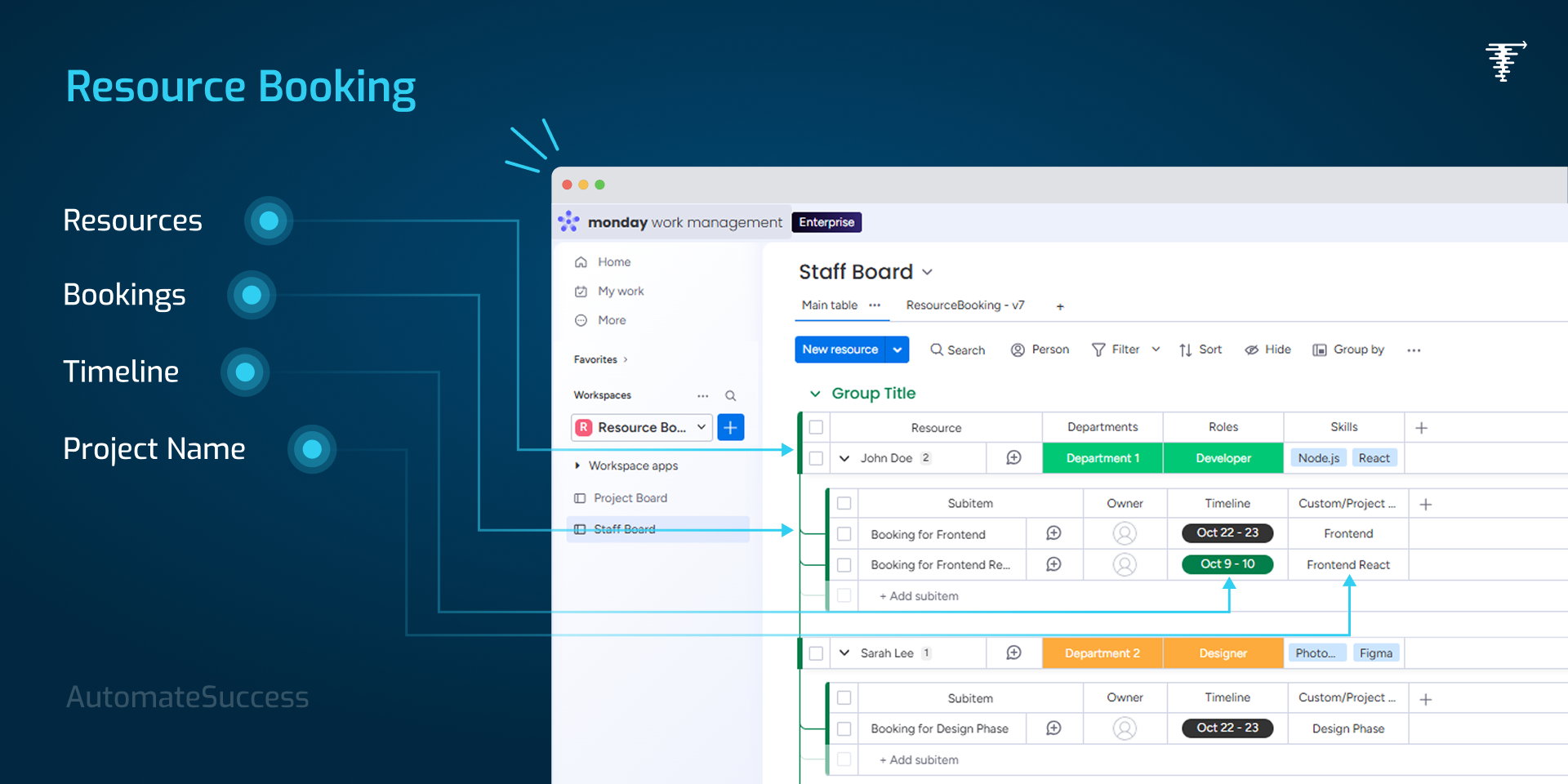
Resource & Equipment Libraries that update automatically with every booking
Booked resources are automatically added to project boards for full visibility and tracking
Centralized view of assignments, availability, and bookings
⚡ Easy to Use. Built to Scale.
Simple setup
Intuitive interface
Works seamlessly across multiple boards and projects
🎯 Ideal For
Professional services, IT & software teams, agencies, construction, operations, and any team managing shared resources or equipment.
Plan smarter. Avoid conflicts. Improve utilization.
The Resource Booking App brings clarity, control, and efficiency to resource management on monday.com.
Security & Compliance
The app developer did not provide the security and compliance information for this app.
Reviews
No reviews yet.
Historical data
Installation history
We have data for December 28, 2024 onwards only. Collected sometime after 00:00 UTC daily.
Total number of installs
Change in total number of installs in last 1 day(s)
Compares the number of installs on each date with 1 days previously:
Max
Min
Current
Change in total number of installs in last 7 day(s)
Compares the number of installs on each date with 7 days previously:
Max
Min
Current
Change in total number of installs in last 30 day(s)
Compares the number of installs on each date with 30 days previously:
Max
Min
Current
Change in total number of installs in last 90 day(s)
Compares the number of installs on each date with 90 days previously:
Max
Min
Current
Change in total number of installs in last 180 day(s)
Compares the number of installs on each date with 180 days previously:
Max
Min
Current
Ratings history
Categories history
Each of the following is a yes/no answer, so the graphs show 1 for yes, and 0 for no.